zHomes
A powerful home management plugin for spigot/paper servers.
 3,49k
3,49k
Quick challenge
How far can you run before the mobs catch you?
Minecraft check
Confirm your run
Complete the quick check to get your code.
zHomes







zHomes is a modern, fast and fully-configurable homes plugin for Spigot/Paper/Purpur/PufferFish servers. It focuses on simplicity, speed and customization so server owners can give players a familiar — but powerful — teleportation experience.
Some features: - Create, delete and list homes - Admin tools for managing and converting homes - PlaceholderAPI support for message placeholders - MiniPlaceholders support for minimessage placeholders - Vault support for economy/command-costs - GriefPrevention and WorldGuard integration for region checks - Teleport warmup and safe-teleport checks - Configurable commands, messages and permissions - 100% configurable menus - Uses SQL (H2/SQLite/MariaDB/MySQL) for storage (no local data/ directory)
Maintained by yL3oft. This project is free and open-source.
---

Requirements - Java 17+ (check release notes for exact JDK requirement) - Paper, Spigot or a compatible fork
Installation 1. Download the latest JAR from Releases / Modrinth / Hangar / Spigot. 2. Place the JAR in your server's `plugins/` folder. 3. Start the server once to generate config files (src/main/resources/config.yml defaults). 4. You're done!
Quick test - As a player: `/sethome home1` then `/home home1` - As an admin: `/zhomes reload`
---

Admin - `/zhomes info` — Shows plugin info and stats. - `/zhomes reload` — Reloads plugin configuration and messages. - `/zhomes version <update>` — Checks the plugin version and updates if `<update>` is specified. - `/zhomes nearhomes [radius] <-u <user> -h <home>>` — Check for homes near a location (your location by default). Admins can specify a user and home to check near that home. - `/zhomes parse <player> <string>` - Parse a string with Plugin Placeholders & PlaceholderAPI placeholders for a specific player. - `/zhomes export` — Export all homes to a .json.gz file in the plugin folder. - `/zhomes import <file>` — Import homes from a .json.gz file exported by `/zhomes export`. - `/zhomes converter <type>` — Inline converter tool to import homes from other plugins (example: `/zhomes converter ultimatehomes`). See detailed converter docs: https://docs.yleoft.me/zhomes/commands-and-permissions/zhomes-converter-less-than-type-greater-than
Player / Home commands - `/sethome [name]` — Create a home (default name if omitted). - `/delhome [name]` — Delete a home. Admins can use `/delhome <player:home>`. - `/home [name]` — Teleport to a home. Admins can use `/home <player:home>`. - `/homes [player]` — List homes. Admins can use `/homes <player>`. - `/home rename [oldName] [newName]` — Rename a home
Notes - Command costs and vault integration require Vault to be installed. - Some commands have admin-only variants (see Permissions below).
Full command list and usage: https://docs.yleoft.me/zhomes/commands-and-permissions
---

Below are the permission nodes and their default intent as defined in the plugin configuration (zHomes/config.yml). Use your permissions plugin to grant or deny these.
Command permissions - zhomes.command.main — Main command (True by default) - zhomes.command.main.help — Help SubCommand (Only OP by default) - zhomes.command.main.version — Version SubCommand (True by default) - zhomes.command.main.info — Info SubCommand (Only OP by default) - zhomes.command.main.reload — Reload SubCommand (Only OP by default) - zhomes.command.main.nearhomes - Nearhomes SubCommand (Only OP by default) - zhomes.command.main.parse — Parse SubCommand (Only OP by default) - zhomes.command.main.converter — Converter SubCommand (Only OP by default) - zhomes.command.main.importexport — Import & Export SubCommand (Only OP by default) - zhomes.command.sethome — `/sethome` (True by default) - zhomes.command.delhome — `/delhome` (True by default) - zhomes.command.delhome.others — `/delhome <player:home>` (Only OP by default) - zhomes.command.homes — `/homes` (True by default) - zhomes.command.homes.others — `/homes <player>` (Only OP by default) - zhomes.command.home — `/home` (True by default) - zhomes.command.home.others — `/home <player:home>` (Only OP by default) - zhomes.command.home.rename — `/home rename` (True by default)
Bypass / misc permissions (as defined in config.yml) - zhomes.bypass.limit — Bypass home limits (Only OP by default) - zhomes.bypass.dimensionalteleportation — Bypass dimension restriction (Only OP by default) - zhomes.bypass.safeteleport — Bypass safe-teleport checking (False by default) - zhomes.bypass.warmup — Bypass teleport warmup (Only OP by default) - %command_permission%.bypass.command-cost — Bypass command-cost (Only OP by default). Command-specific bypass permission is generated from the command permission string (see config.yml) - %command_permission%.bypass.command-cooldown — Bypass commands cooldown (Only OP by default). Command-specific bypass permission is generated from the command permission string (see config.yml)
If you want to see the authoritative defaults and change them, open src/main/resources/config.yml in the repo or check the live docs: https://docs.yleoft.me/zhomes/commands-and-permissions
---

zHomes contains an inline converter to import homes from well-known plugins. The converter runs in-chat (not a GUI). See full converter details here: https://docs.yleoft.me/zhomes/commands-and-permissions/zhomes-converter-less-than-type-greater-than
---

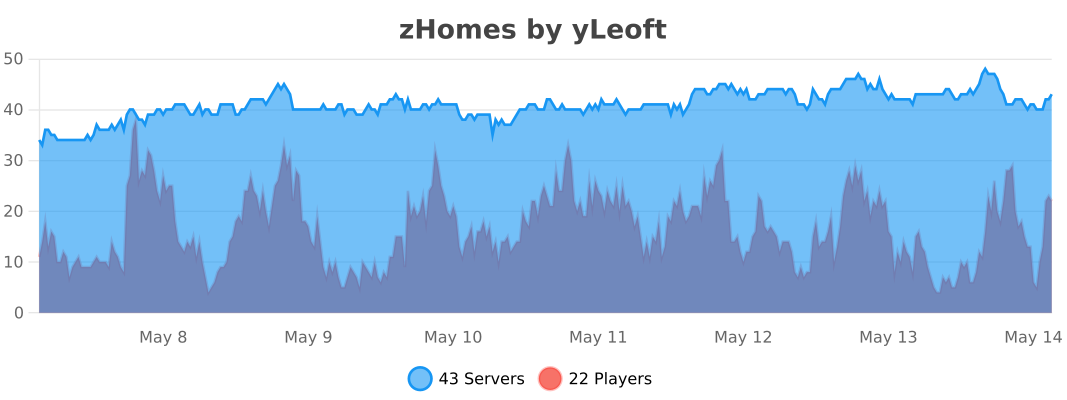
Supported integrations: - PlaceholderAPI — Message placeholders supported & custom placeholders provided by zHomes. - MiniPlaceholders - MiniMessage placeholders supported for advanced message formatting & custom placeholders provided by zHomes. - Vault — for economy-based command-costs. - GriefPrevention — region checks integration. - WorldGuard — region and flag checks. - MiniMessage — advanced message formatting. - bStats — anonymous metrics (configurable).
Enable or disable integrations from config and ensure the third-party plugins are installed on the server when you expect integration behavior.
---

If you find zHomes helpful or need assistance: - Discord: https://discord.gg/yCdhVDgn4K - Issues: https://github.com/yL3oft/zHomes/issues - Docs: https://docs.yleoft.me/zhomes
Support the project by starring the repo and joining the Discord!
---