

xHeadTurns
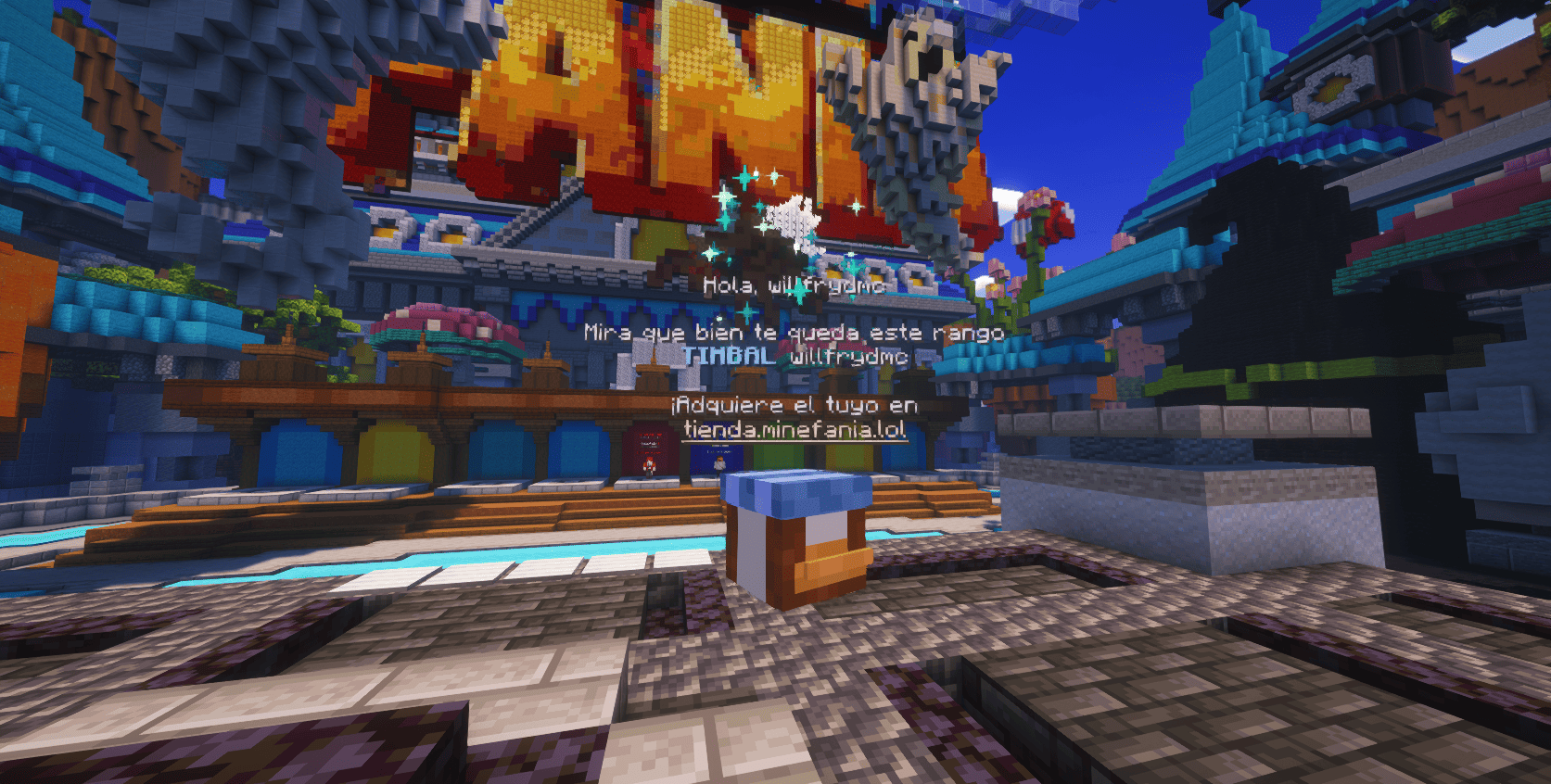
xHeadTurns is a lightweight and powerful plugin that lets you bring your server to life with floating, interactive heads. Place decorative heads anywhere in your world that, when clicked by a player, can execute a list of fully customizable commands.
 257
257
Quick challenge
How far can you run before the mobs catch you?
Minecraft check
Confirm your run
Complete the quick check to get your code.
xHeadTurns


 ]()
]()---
📝 Overview
Floating Heads is the ultimate solution for decorating your server lobbies, hubs, and spawn areas. Bring your server to life with fully interactive Floating Heads that support custom textures, real-time rotation, scaling, and dynamic holographic displays.
Now with a Full In-Game Editor, you can modify every property of your heads without ever touching a configuration file.
✨ Key Features
* 🌍 Multi-Language: Modify scale, speed, textures, and hologram lines in real-time with `/xhte`. * 🌍 Multi-Language: Support for 🌍 Multi-Language: values (Minecraft-Heads) and 🌍 Multi-Language:. * 🌍 Multi-Language: Fully customizable rotation speed and manual angle (Yaw/Pitch) control. * 🌍 Multi-Language: * Multi-line support with 🌍 Multi-Language: (e.g., `&#a7c7e7`). * 🌍 Multi-Language: support (updates based on the nearest player). * Customizable backgrounds (RGB + Opacity), billboards, and shadows. * 🌍 Multi-Language: Styles like `HELIX` and `SPHERE` with custom particle types. * 🌍 Multi-Language: Execute 🌍 Multi-Language: or 🌍 Multi-Language: commands on click with per-head cooldowns. * 🌍 Multi-Language: 100% translatable (English and Spanish included).
---
🛠️ Commands & Permissions
| Command | Description | Permission | | :--- | :--- | :--- | | `/xht help` | Shows the help menu with all commands. | `xheadturns.help` | | `/xht list` | Opens a GUI with all active floating heads. | `xheadturns.list` | | `/xhtc <name> <preset>` | Spawns a head at your target location. | `xheadturns.create` | | `/xhtd <name>` | Deletes a specific floating head. | `xheadturns.delete` | | `/xhtm <name>` | Moves a head to your current target location. | `xheadturns.move` | | `/xhte <name> <cat> <prop> <val>` | Advanced Editor: Edit any property in-game. | `xheadturns.edit` | | `/xht reload` | Reloads configurations and head data. | `xheadturns.reload` |
---
⚙️ Advanced Editing Examples
Using the new Editor System, you can customize your heads on the fly:
```bash
Change the scale of a head
/xhte MyHead head scale 2.0
Add a new line to a hologram
/xhte MyHead hologram add &fVisit our &b/store
Change hologram background to a semi-transparent blue
/xhte MyHead hologram background 0,0,255 100
Update head texture to a player's skin
/xhte MyHead head texture Dream ```
> ## 🚀 Installation 1. Download the xHeadTurns .jar. 2. Upload it to your /plugins/ folder. 3. Requirement: Ensure you have PlaceholderAPI installed for dynamic names. - Restart the server.
> Use /xhtc to start creating your first floating heads!
> ## 🤝 Support & Community Need help? Found a bug? Join our Discord server!
Join Discord Server
Plugin developed with ❤️ by xPlugins x WillfryDev
Copyright © 2026 xPlugins. All rights reserved.
