wruJoin
A high-quality join message plugin.
 14
14
Quick challenge
How far can you run before the mobs catch you?
Minecraft check
Confirm your run
Complete the quick check to get your code.
wruJoin
👀 Click to view plugin preview

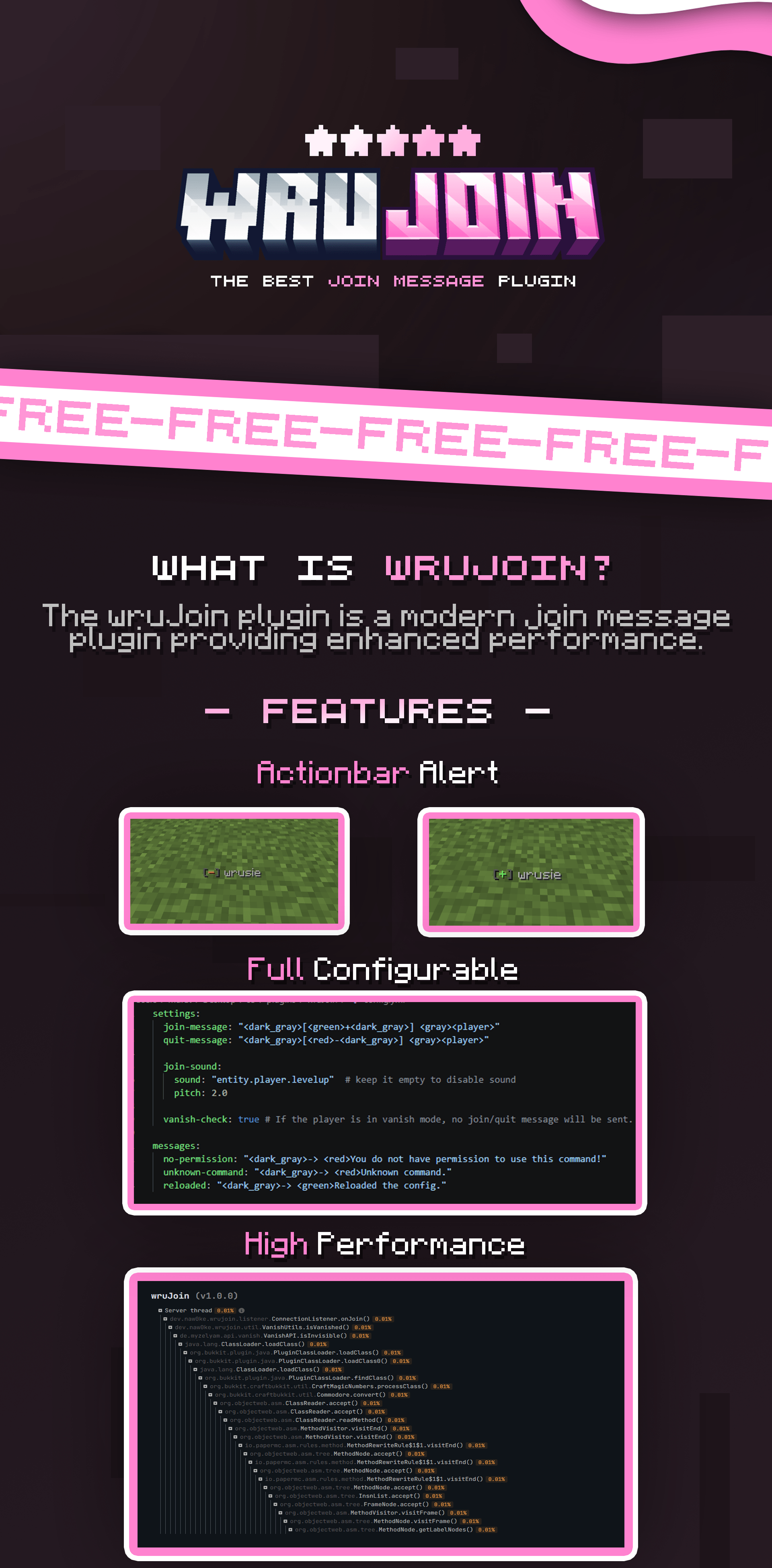
⚙️ Click to view config preview
```yaml settings: join-message: type: ACTIONBAR # types: ACTIONBAR, CHAT message: "<dark_gray>[<green>+<dark_gray>] <gray><player> <white><uniquejoin>" quit-message: type: ACTIONBAR message: "<dark_gray>[<red>-<dark_gray>] <gray><player>"
title: enabled: true title: "<#D36E97><bold>Welcome, <player>!" subtitle: "<#FFA8CB><player> <white>have a good time!"
sound: enabled: true sound: "entity.player.levelup" pitch: 2.0
vanish-check: true # If the player is in vanish mode, no join/quit message will be sent.
messages: no-permission: "<dark_gray>-> <red>You do not have permission to use this command!" unknown-command: "<dark_gray>-> <red>Unknown command." reloaded: "<dark_gray>-> <green>Reloaded the config." ```
🎀 wruJoin
Modern & Powerful Join Message Solution for PaperMC
`wruJoin` is a high-performance plugin designed for PaperMC and its forks. It gives server owners complete control over player join and leave notifications with a modern, professional touch.
---
✨ Key Features
* 🎨 PremiumVanish Powered by PremiumVanish for stunning text formatting. * 🌈 PremiumVanish Native support for PremiumVanish and PremiumVanish. * ⚡ PremiumVanish Optimized to ensure zero impact on your server's TPS. * 🔄 PremiumVanish Update your configuration on-the-fly without restarting. * 📺 PremiumVanish Fully configurable title and subtitle that appears when a player joins. * 🔊 PremiumVanish Fully configurable sound effects that are triggered when a player joins. * 🕵️ PremiumVanish Fully compatible with PremiumVanish and PremiumVanish. Automatically handles fake join/leave messages when administrators vanish or reappear.
---
🛠️ Requirements
Ensure your server environment meets the following specifications:
| Requirement | Version | |:--------------------|:----------------------------------------| | ☕ Dependencies | 21 or higher | | 🖥️ Dependencies | Paper and other forks (`1.21 - 1.21.x`) | | 🧩 Dependencies | SuperVanish or PremiumVanish (Optional) |
---
⌨️ Commands & Permissions
| Command | Description | Permission | |:------------------|:-------------------------------------------|:----------------| | `/wrujoin` | Displays plugin information and help menu. | `wrujoin.admin` | | `/wrujoin reload` | Reloads the configuration files. | `wrujoin.admin` |
---
🎨 Configuration (MiniMessage)
Stop using outdated `&` color codes! `wruJoin` uses modern formatting for a more professional look.
> Example: Use `<#03fcb1>Welcome back, <player>!` for clean Hex colors, or try `<gradient:gold:yellow>Welcome!</gradient>` for beautiful text transitions.
📖 Check the MiniMessage Documentation for more details.
---
📦 Installation
1. Download the `.jar` file and place it in your server's `plugins` folder. 2. Start your server to generate the default configuration. 3. Edit `plugins/wruJoin/config.yml` to your liking. 4. Run `/wrujoin reload` to apply your changes instantly.
-----