

Wavepoint
Wavepoint is a new, simplistic waypoint plugin designed to make playing Minecraft easier. 1.21.8 Paper.
 99
99
Quick challenge
How far can you run before the mobs catch you?
Minecraft check
Confirm your run
Complete the quick check to get your code.
Wavepoint

Wavepoint
Wavepoint is a new, simplistic waypoint plugin designed to make playing Minecraft easier.




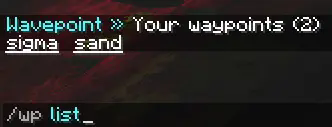
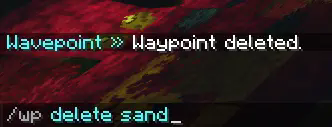
Commands
Wavepoint uses one command, `/wp`, to manage waypoints:
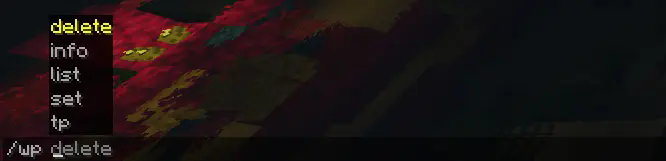
```yml /wp list: Lists the current waypoints that you have /wp set <name>: Sets a waypoint at your location /wp tp <name>: Teleports the player to a waypoint they own /wp info <name>: Get information about a specific waypoint /wp delete <name>: Deletes a waypoint that the player owns ```
Integrations
Wavepoint has the ability to integrate with some plugins to provide extra functionality:
- Vault (economy) - CombatLogX (combat logging)
```yml
Below are integrations that work with other plugins.
If the integration is enabled, but the plugin or requirements aren't met, nothing will happen.
integrations: vault: # | https://www.spigotmc.org/resources/vault.34315/ enabled: true # Whether to integrate with Vault, for economy purposes. charge_amount: 5 # How much money to charge the user per teleport. combatlogx: # | https://www.spigotmc.org/resources/combatlogx.31689/ enabled: true # Whether to integrate with CombatLogX. combat:
False = restricted
set: false # Whether to restrict setting waypoints during combat. false = restricted. teleport: false # Whether to restrict teleporting to waypoints during combat. false = restricted. ```
More integrations may be added in the future.
Permissions
Wavepoint comes with a variety of permissions that can be used with a permissions plugin like LuckPerms to limit or restrict what users can do, those being: ```yml waypoint.wp: Allows usage of the main /wp command waypoint.wp.tp: Allows usage of /wp tp waypoint.wp.set: Allows usage of /wp set waypoint.wp.list: Allows usage of /wp list waypoint.wp.delete: Allows usage of /wp delete waypoint.wp.info: Allows usage of /wp info ```
Command Executions
Wavepoint has the ability to execute console commands if a player does a specific action, with two placeholders:
`${player}` and `${playerId}`
This can be set in the `config.yml` file: ```yml
Allows the server to execute a command on a specific event. ${player} and ${playerId} are valid placeholders.
commands: teleport: - # For example say Hey ${player}, what you looking at?? delete: - # For example say ${player} has set a waypoint! list: - # For example say Hey ${player}, what you looking at?? delete: - # For example say Waypoint is now gone! info: - '' # For example say ${player} is really interested in this waypoint! ``` If you would like to view the full `config.yml`, you can view it # For example say Hey ${player}, what you looking at?? delete: - .
Language
Wavepoint contains a language file that can be modified at any time! You can find it under `languages/en_us.yml` in the plugins folder.
AI Usage
AI mostly helped with Tab Completions (which I still don't know how to turn off).
However, it was not used to make the majority of Wavepoint. Most of the code is human-made.
API
Wavepoint does have an API, and you can check out the functions here.
This project is licensed under the MIT License.
