

Warp Portals ─ Portal teleportation
Create Warp Portals between your favorite locations. This datapack is made to be balanced, simple to use and lightweight.
 22,79k
Quick challenge
How far can you run before the mobs catch you?
Minecraft check
Confirm your run
Complete the quick check to get your code.
Warp Portals ─ Portal teleportation
Warp Portals
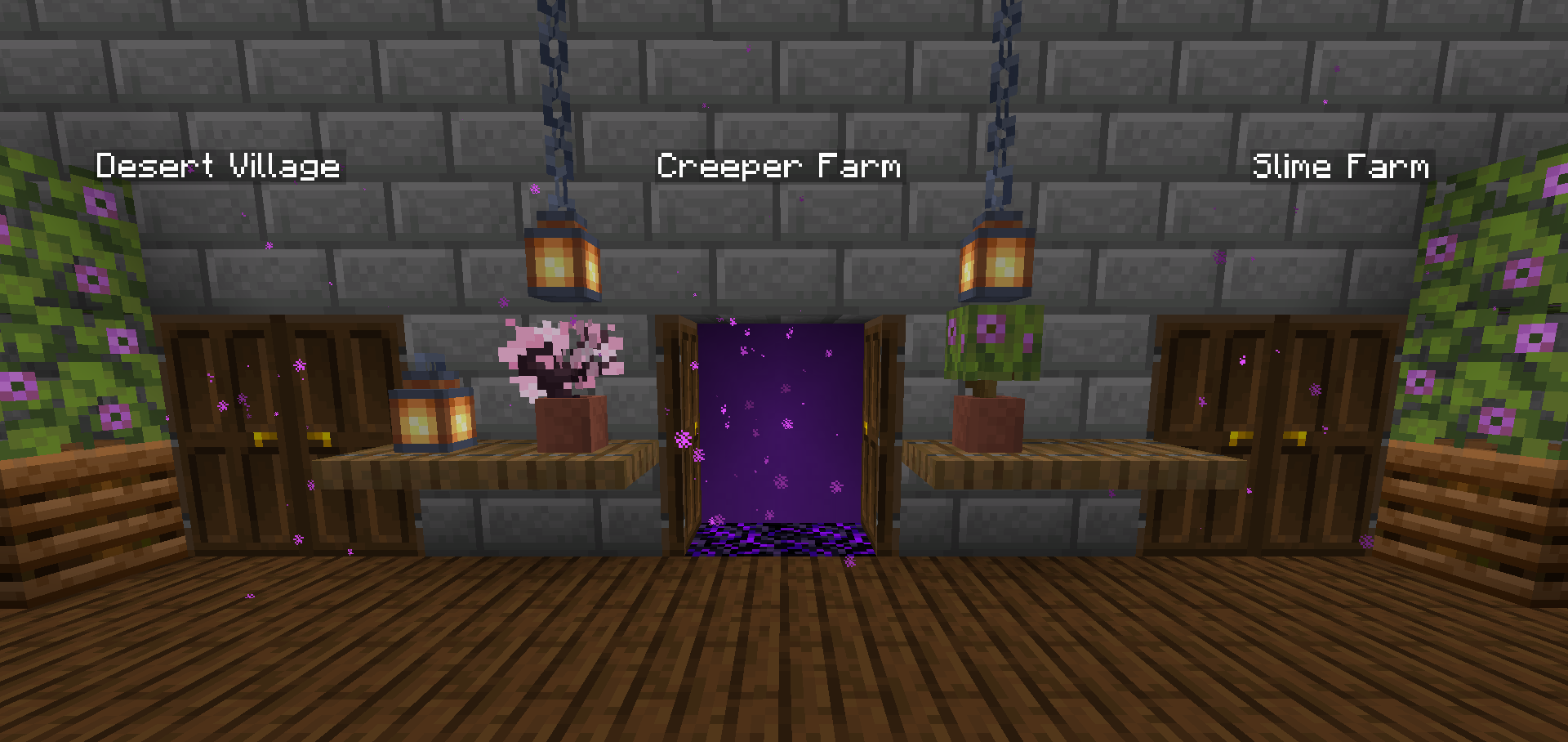
Create Warp Portals between your favorite locations. This datapack is made to be balanced, simple to use and lightweight. Warp Portals supports Multiplayer and uses the best practices for datapacks to insure compatibility with other datapacks. This datapack doesn't use chunk loading, unlike most teleportation datapacks, which makes it lightweight no matter how many portals you have.
Usage
Forging the Portal Wand
To create a Warp Portal, you need to forge a Portal Wand. To do so, you need to drop an and the Crying Obsidian will be the destination of the portal in a and the Crying Obsidian will be the destination of the portal block. They will turn into a portal and and the Crying Obsidian will be the destination of the portal created by the wand.

Creating the Portal
To create a portal, you need to right-click above a Crying Obsidian block with the Portal Wand. The portal will be created and stepping into it will teleport you to the place where that Wand was forged. You can add more Crying Obsidian or Obsidian blocks around the portal to make it bigger, they will also teleport you when you step on them, you can use any shape, pads, rectangles, etc.

Destroying the Portal
To destroy the portal, simply break the The Ender Pearl used to create the wand will drop above block in the entrance (where you see the particles) and the portal will be destroyed. The Ender Pearl used to create the wand will drop above.
Installation
After downloading the `Warp Portals vX.Y.Z.zip` file (vX.Y.Z is the version number), you can install it by one of the following methods: - Multiplayer Server: When creating a new world, in the `More` tab, click on `Data Packs`, and drop the `Warp Portals vX.Y.Z.zip` file. The datapack will appear in the `Available` list, click in the arrow to add it to the `Selected` list and click `Done`. - Multiplayer Server: Click `Edit` in the world selection screen, click `Open World Folder`, go to the `datapacks` folder and drop the `Warp Portals vX.Y.Z.zip` file. - Multiplayer Server: Drop the `Warp Portals vX.Y.Z.zip` file in the `datapacks` folder inside the world folder.
Uninstalling
To uninstall Warp Portals, execute the command `/function warp_portals:uninstall` in the world where you installed the datapack, then remove the `Warp Portals vX.Y.Z.zip` file from the `datapacks` folder.
Note that Minecraft doesn't provide the necessary tools to actually remove the entirety of a datapack. This function will break (and drop the Ender Pearls) of all portals in currently loaded chunks.
