

VerifyMC
Modern Minecraft whitelist plugin: web registration, email verification, admin review, multi-theme, i18n.
 597
597
Quick challenge
How far can you run before the mobs catch you?
Minecraft check
Confirm your run
Complete the quick check to get your code.
VerifyMC
🛡️ VerifyMC
🚀 Introduction
VerifyMC is an ultra-lightweight, powerful whitelist management plugin for Minecraft servers. It supports web-based registration, auto/manual review, banning, theme switching, AuthMe integration, and high customizability, helping you secure and manage your server community with ease.
---
📝 Key Features
1. 🖥️ Proxy Support: Players can submit whitelist applications via a web page; admins can review, ban, and manage users online. 2. 🔒 Proxy Support: Supports both automatic approval and manual admin review to fit different server needs. 3. 🚫 Proxy Support: Ban problematic players to keep your server safe. 4. 🎨 Proxy Support: Beautiful glassmorphism design with smooth animations and modern UI. 5. 📨 Proxy Support: Integrated SMTP email verification, supports email domain whitelist and alias limit. 6. 🔐 Proxy Support: Built-in graphical CAPTCHA (math/text) - no external services required. 7. 🎮 Proxy Support: OAuth2 Discord account linking with optional/required mode. 8. 📋 Proxy Support: Customizable questionnaire system with multi-language support. 9. 📧 Proxy Support: Automatic email notifications for whitelist approval/rejection. 10. 🌐 Proxy Support: Both web UI and plugin messages support English and Chinese. 11. ⚙️ Proxy Support: Set max accounts per email, player ID regex, whitelist bypass IPs, and more. 12. 🪶 Proxy Support: Plugin jar is under 6MB, integrates multiple features, and runs efficiently. 13. 🔄 Proxy Support: Config files auto-upgrade, with full backup before each update. 14. 🧩 Proxy Support: Supports Bukkit native whitelist sync, plugin self-management, and MySQL storage. 15. 💾 Proxy Support: Easily switch between local file and MySQL storage; supports automatic migration. 16. 📝 Proxy Support: Audit logs can be stored in file or MySQL. 17. 🌍 Proxy Support: Auto-loads any messages_xx.properties file; users can add any language. 18. 🔐 Proxy Support: Seamless integration with AuthMe plugin for password management and auto-registration. 19. 🎮 Proxy Support: Geyser/Floodgate player prefix support for cross-platform servers. 20. 🔗 Proxy Support: BungeeCord/Velocity proxy plugin for network-level whitelist enforcement.
---
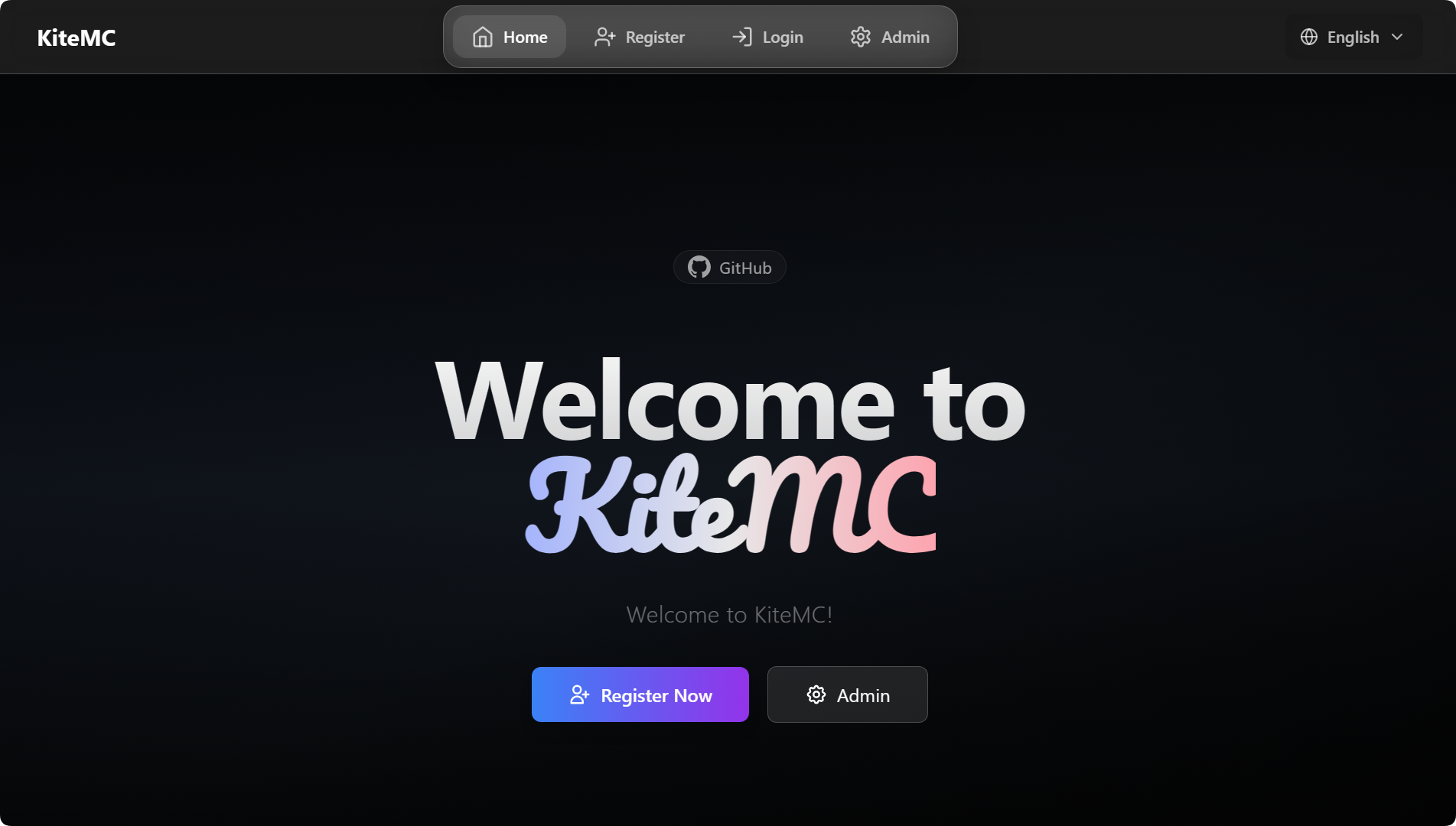
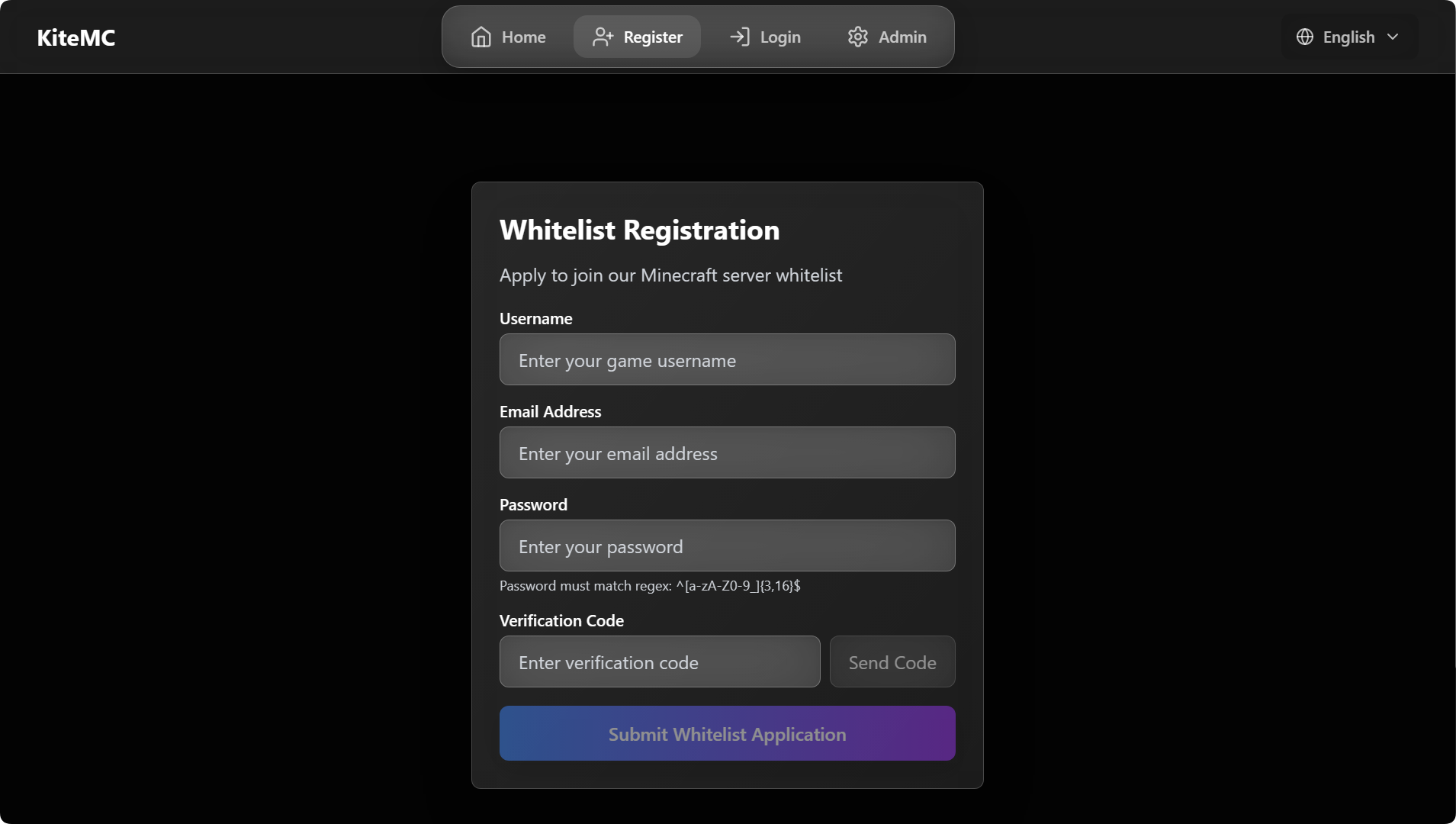
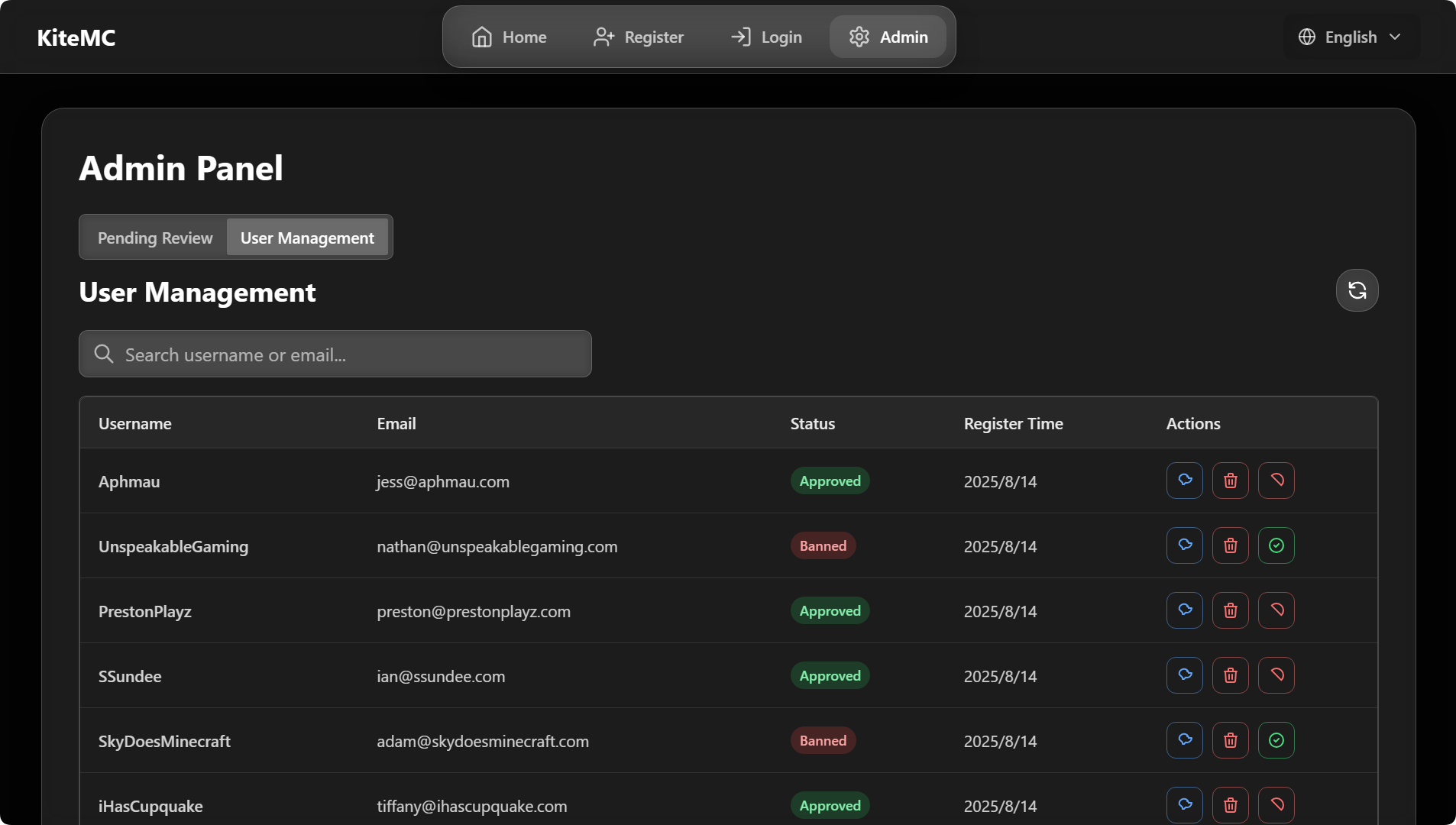
🖼️ Screenshots (GlassX Theme)
Home Page
Registration Page
Admin Panel
---
🛠️ Tech Stack
- Java (Bukkit/Spigot/Paper/Folia plugin) - Frontend: Vue3 + Tailwind CSS (custom themes supported) - WebSocket real-time communication - Email service: SMTP
---
📦 Installation & Configuration
1. Download the latest `VerifyMC.jar` and place it in your server's `plugins` directory. 2. Start the server to auto-generate config files, then edit `config.yml` as needed (see full example below). 3. Restart the server and visit `http://your_server_ip:8080` to access the admin panel.
```yaml
----------------------------------------
General Settings
----------------------------------------
Global language setting. Affects plugin messages and web UI. (e.g., 'zh', 'en')
language: zh
Enable detailed console logs for troubleshooting.
debug: false
----------------------------------------
Web Server
----------------------------------------
The port for the web interface.
web_port: 8080
The server name displayed on the web interface.
web_server_prefix: '[ Name ]'
----------------------------------------
Verification & Whitelist
----------------------------------------
Supported authentication methods. Options: 'email' (email verification), 'captcha' (graphical captcha).
You can use multiple methods, e.g.: [email, captcha]
#
[IMPORTANT] Configuring the captcha: section below does NOT enable captcha!
To enable captcha, you MUST add 'captcha' to this list:
Captcha only: auth_methods: [captcha]
Both email and captcha: auth_methods: [email, captcha]
auth_methods: - email
Maximum number of game accounts that can be linked to a single email address.
max_accounts_per_email: 2
Whitelist mode: 'bukkit' (syncs with server's whitelist.json) or 'plugin' (uses internal database).
whitelist_mode: plugin
Registration URL displayed to non-whitelisted players when in 'plugin' mode.
web_register_url: https://domain.com/
----------------------------------------
Registration
----------------------------------------
If true, new user registrations are automatically approved. If false, they require manual admin approval.
register: auto_approve: false
----------------------------------------
User & Security
----------------------------------------
A regular expression to validate player names.
username_regex: "^[a-zA-Z0-9_-]{3,16}$"
If false, usernames that only differ by case (e.g., "Player" and "player") are treated as the same.
username_case_sensitive: false
A list of IP addresses that can join the server without being whitelisted.
whitelist_bypass_ips: - 127.0.0.1
The password for accessing the admin panel on the web interface.
admin: password: your_custom_password
----------------------------------------
User Notification
----------------------------------------
Send email notification to users when admin reviews their application.
user_notification:
Whether to enable user notification feature
enabled: true
Whether to send notification when application is approved
on_approve: true
Whether to send notification when application is rejected
on_reject: true
----------------------------------------
Frontend (UI)
----------------------------------------
frontend:
The visual theme for the web interface. Options: 'glassx'.
theme: glassx
URL for the logo. Can be a web link or a local file path (e.g., '/logo.png').
logo_url: /logo.png
A message to display on the homepage.
announcement: Welcome to [ Name ]!
----------------------------------------
Email (SMTP)
----------------------------------------
smtp: host: smtp.qq.com port: 587 username: [email protected] password: your_email_password from: [email protected] enable_ssl: true
Subject (title) of the verification code email
email_subject: VerifyMC Verification Code
----------------------------------------
Sync Settings (for bukkit mode)
----------------------------------------
If true, automatically syncs changes from whitelist.json to the plugin's database.
whitelist_json_sync: true
If true, automatically adds approved users to whitelist.json and removes banned/deleted users.
auto_sync_whitelist: true
If 'bukkit' mode is disabled, this setting (if true) cleans players from whitelist.json.
auto_cleanup_whitelist: true
----------------------------------------
Auto Update & Backup
----------------------------------------
If true, automatically adds new settings to your config.yml on plugin updates.
auto_update_config: true
If true, automatically updates the language files.
auto_update_i18n: true
If true, automatically updates the email templates.
auto_update_email: true
If true, automatically updates theme files.
auto_update_static: true
If true, creates a full backup of the plugin data folder before any auto-updates.
backup_on_update: true
----------------------------------------
Email Registration Restrictions
----------------------------------------
Enable email domain whitelist
enable_email_domain_whitelist: true
Enable email alias limit (e.g. forbid [email protected])
enable_email_alias_limit: false
Email domain whitelist. Leave empty to use default mainstream domains
email_domain_whitelist: - gmail.com - 163.com - 126.com - qq.com - outlook.com - hotmail.com - icloud.com - yahoo.com - foxmail.com
----------------------------------------
Storage & Data Migration
----------------------------------------
storage:
Storage type, options: data (local file), mysql (external database)
type: data
Whether to automatically migrate data from the original storage to the new storage when switching storage.type (e.g., data→mysql or mysql→data)
auto_migrate_on_switch: false mysql: host: localhost port: 3306 database: verifymc user: root password: yourpassword
----------------------------------------
Authme Integration Configuration
----------------------------------------
authme:
Whether to enable Authme integration functionality
enabled: true
Whether to require password input during web registration
require_password: true
Whether to automatically register to Authme when approval is granted
auto_register: false
Whether to automatically unregister from Authme when user is deleted
auto_unregister: false
Password regex pattern
password_regex: "^[a-zA-Z0-9_]{3,16}$"
----------------------------------------
Captcha Configuration
----------------------------------------
Captcha can be used as an alternative or supplement to email verification
Add 'captcha' to auth_methods to enable: auth_methods: [captcha]
Or use both: auth_methods: [email, captcha]
captcha:
Captcha type: math (math expression) or text (random characters)
type: math
Length of text captcha (ignored for math type)
length: 4
Captcha expiration time in seconds
expire_seconds: 300
----------------------------------------
Bedrock Player Support
----------------------------------------
For Geyser/Floodgate bedrock players
bedrock:
Whether to enable bedrock player support
enabled: false
Prefix for bedrock players (commonly "." for Floodgate)
prefix: "."
Regex for bedrock usernames
username_regex: "^\.[a-zA-Z0-9_\s]{3,16}$"
----------------------------------------
Questionnaire Configuration
----------------------------------------
Detailed questions are configured in questionnaire.yml
questionnaire:
Whether to enable questionnaire feature
enabled: false
Minimum score to pass
pass_score: 60
Auto-approve users who pass the questionnaire
auto_approve_on_pass: false
----------------------------------------
Discord Integration (OAuth2)
----------------------------------------
Requires creating a Discord application at https://discord.com/developers/applications
discord:
Whether to enable Discord integration
enabled: false
Discord application client ID
client_id: ""
Discord application client secret
client_secret: ""
OAuth2 redirect URI
redirect_uri: "https://yourdomain.com/api/discord/callback"
Optional: require users to be in specific guild/server
guild_id: ""
Whether Discord linking is required for registration
required: false
```
---
💬 Official Community
- Discord: 1041540576 (Discord) - Discord: %%MD1%%
---
> ❤️ If you like this project, please Star, share, and give us feedback!
