

Unfinite Freecam
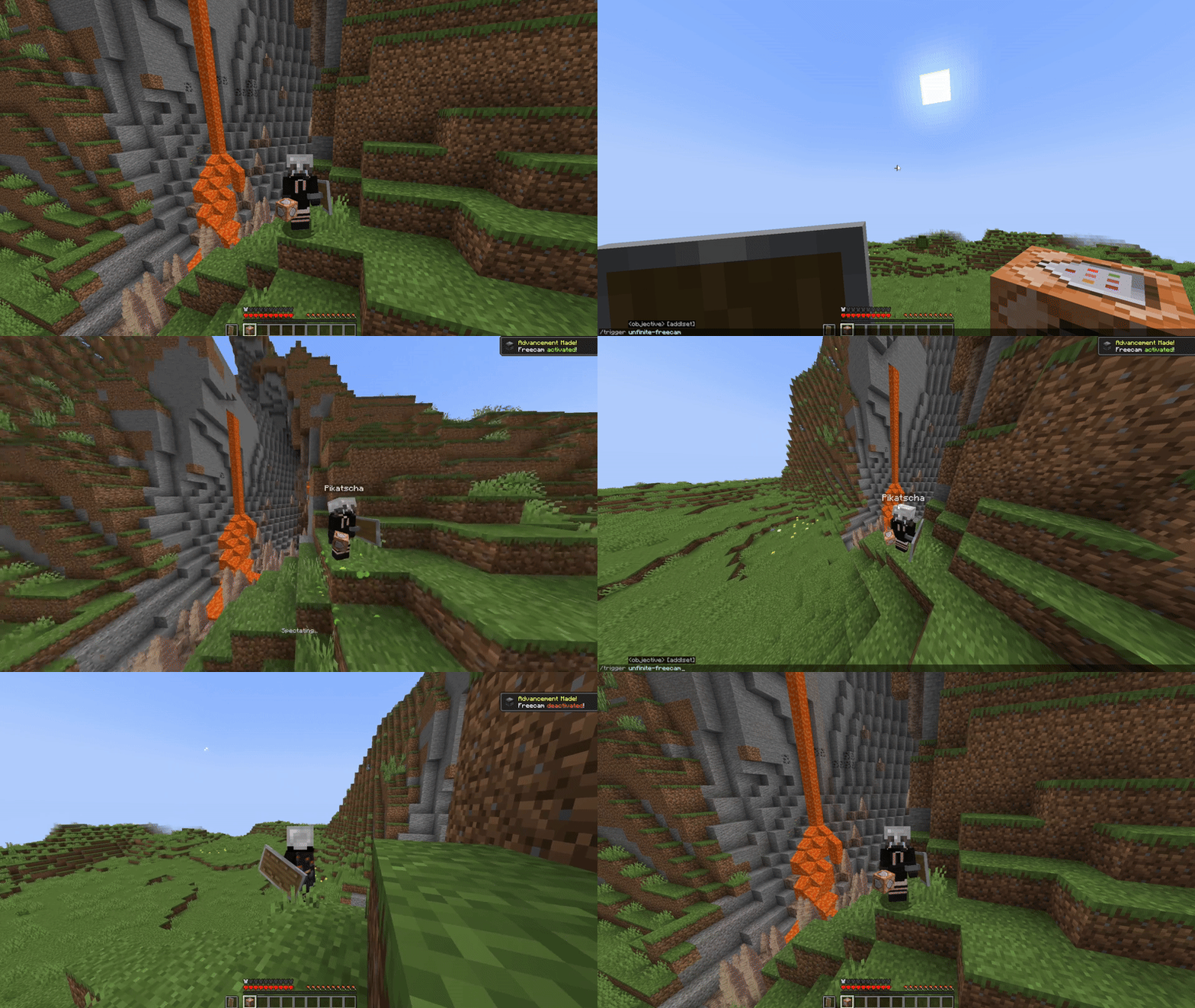
Spectator Freecam with accurate player figures! ✨ (v2: Now with mannequins)
 11,55k
Quick challenge
How far can you run before the mobs catch you?
Minecraft check
Confirm your run
Complete the quick check to get your code.
Unfinite Freecam
What makes this freecam datapack special?
- A replica player figure spawns while using the Freecam - Can be installed as a mod: Nearly accurate figures with capes. Made out of item displays. Details below - Can be installed as a mod: Using the Can be installed as a mod Entity - ✔ Can be installed as a mod and works without "Commands" enabled - ✔ Can be installed as a mod *(Must be installed on the server)* - ✔ No resourcepacks, plugins or mods are needed - ✔ Can be installed as a mod [1.21.9+] (v2.0.1+)
v2 Rework: Mannequins and external support! [1.21.9+]
- External Use: Pose/Effects/Attributes/Vehicles/Leashes etc. - External Use - External Use: Dis- and Reconnecting players from mannequins
---

---
How to use
1. Install (Serverside) on the Serverside *(In Singleplayer your World/Instance is the Server)* 2. (Enable and reload) 3. By default, every player can use: - `/trigger unfinite-freecam` to enter/exit freecam *(No /op needed)* 4. Admin settings via `/function unfinite-freecam:admin/.settings` and more admin options under admin/...
---
This project started even before mannequins existed...
More Information on the old version [v1]
- Player figures are display entity based and made out of custom player heads - These figures are generated with the bdengine.app - All default skins available as player body + own skins addable! - Multiple capes selectable
---
---
How to use
1. Add own skins into the datapack: 2. By default, every player can use: - `/trigger unfinite-freecam` to enter/exit freecam - `/trigger unfinite-freecam-options` to select a skin and cape [v1 only] 3. Admin settings via `/function unfinite-freecam:admin/settings`: - Enable/disable freecam permission - Enable/disable skin/cape selection - Manually select skin and cape for an online(!) player [v1 only] - Enable/disable limited vision underground - Enable/disable spectating through blocks - Select freecam range (default: 32 blocks) 4. Add own skins into the datapack: [v1 only]
Creating the player figure
- YouTube Tutorial: 1. additional NBT – by Sister (Realms creator) Covers setting up bdengine and creating the player figure - Setup Covers setting up bdengine and creating the player figure with a %%MD2%% to auto-generate player heads - Generate a player figure with your IGN or texture file - Rotate it 180° and lower it until only the head is above floor level - For all parts, set additional NBT to: ```json Tags: ["unfinite_freecam_dummy"] ``` - For the head only, set additional NBT to: ```json Tags: ["head"] ``` - Click "export to Minecraft" and copy the `/summon` command
Adding it into the datapack
- Create a new file at: ``` data/unfinite-freecam/function/system/skin/*namespace*.mcfunction ``` - Paste the `/summon` command inside the file - Remove the `/` at the beginning - Change: ``` ~-0.5 ~ ~-0.5 ``` to: ``` ~ ~ ~ ``` - Add a new command line to the `.options` and `.select_option` functions inside the `system` folder - Follow the correct structure using your `*namespace*` and the next number - Note: You may need to copy the modifyed files, so they are not deleted in case of an update
