

True Fullbright
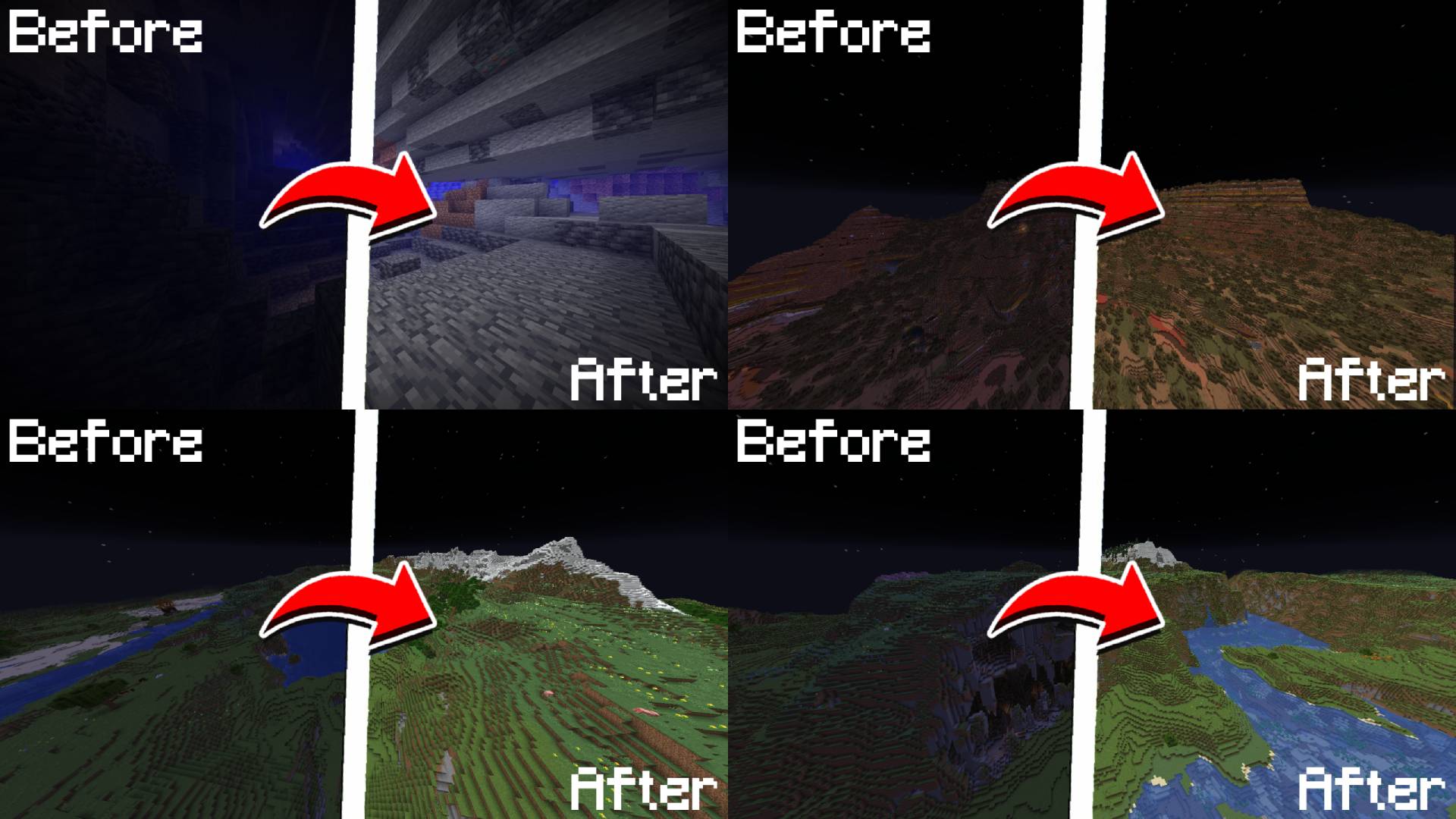
A simple, toggleable, and configurable full brightness mod for Fabric.
 23,72k
Quick challenge
How far can you run before the mobs catch you?
Minecraft check
Confirm your run
Complete the quick check to get your code.
True Fullbright
💡 True Fullbright
A simple, toggleable, and configurable full brightness mod for Fabric.



---
Requires:
* Fabric API * YetAnotherConfigLib (YACL) * Mod Menu
---
Feature List
* Toggle fullbright using a keybind (default: <code>`B`</code>) * Adjust gamma value dynamically * Switch between gamma override and night vision modes * Fully configurable via <code>`/fullbright`</code> commands or the in-game config screen * Keybinds available for toggling, increasing/decreasing gamma, and jumping to min/max
Command List
| Command | Description | | ----------------------------------------- | ----------------------------------------- | | <code>/fullbright</code> or <code>/fullbright status</code> | Check current brightness settings | | <code>/fullbright toggle</code> | Turn fullbright on/off | | <code>/fullbright mode gamma</code> | Switch to gamma brightness mode | | <code>/fullbright mode nightvision</code> | Switch to night vision mode | | <code>/fullbright mode off</code> | Turn off all brightness modes | | <code>/fullbright set <number></code> | Set brightness to exact value | | <code>/fullbright increase</code> | Make it brighter by one step | | <code>/fullbright decrease</code> | Make it dimmer by one step | | <code>/fullbright max</code> | Jump to maximum brightness | | <code>/fullbright min</code> | Jump to minimum brightness | | <code>/fullbright config</code> | Open the settings screen | | <code>/fullbright saveconfig</code> | Save your current settings | | <code>/fullbright resetconfig</code> | Reset everything to default |
Default Keybinds
| Action | Default Key | | ----------------------- | ------------- | | Toggle Fullbright On/Off | `B` | | Increase Brightness | `Arrow Up` | | Decrease Brightness | `Arrow Down` | | Maximum Brightness | `End` | | Minimum Brightness | `Home` | | Open Config Screen | *Not set* |
Customize all of these under: <code>Options → Controls → Keybinds → True Fullbright</code>
---
How do I install the mod?
1. Drop the `.jar` file into your `mods/` folder 2. Make sure the dependencies listed above are installed 3. Launch the game
---
How do I use the mod?
* Press <code>`B`</code> to toggle fullbright on/off * Use `/fullbright` commands to adjust gamma, change modes, or view status * Open the config screen with `/fullbright config` or via Mod Menu * Use keybinds to adjust brightness step bystep or jump to min/max
---
Contact / Report Bug
Found an issue or have feedback? → DM me on Discord: rijz.gg
---
Developed by Rijz & Clyriz4.
