

Spectrum Outlines EntzuMC
Smooth animated outlines that bring a clean and dynamic spectrum effect to your Minecraft world.
 282
282
Quick challenge
How far can you run before the mobs catch you?
Minecraft check
Confirm your run
Complete the quick check to get your code.
Spectrum Outlines EntzuMC
Spectrum Outline EntzuMC
Upgrade your block highlights with vibrant moving colors and a sleek modern style.
---
✨ Features
- 🌈 Animated spectrum outlines - 🔄 Flowing color loop around edges - 🎨 Custom color mode - 📏 Adjustable thickness - ⚡ Lightweight & optimized - 🧩 Vanilla shader based
Perfect for PvP, building and cinematic gameplay.
---
🖥 Compatibility
✔ Minecraft 1.21.x ✔ Vanilla ✔ Iris ✔ Sodium ✔ OptiFine
---
📦 Installation
1. Download the pack 2. Move it to `.minecraft/resourcepacks` 3. Activate it in game
---
❤️ Credits
Created by EntzuMC
⚙️ Configuration Guide
Spectrum Outline EntzuMC
All visual effects can be customized directly inside the shader files.
No extra mods or menus required — just edit a few lines.
---
📂 Where to edit
Open the pack and go to:
assets/minecraft/shaders/core/
You will find:
- `rendertype_lines.vsh` - `rendertype_lines.fsh`
At the top of both files you will see the configuration panel.
---
🎮 Changing the Mode
Find this line in both files:
#define MODE RAINBOW_LOOP
Replace `RAINBOW_LOOP` with one of these:
- `VANILLA` → Default Minecraft outline - `RAINBOW_FADE` → Smooth animated color shift - `RAINBOW_LOOP` → Colors travel around the edges - `CUSTOM` → Uses your selected color
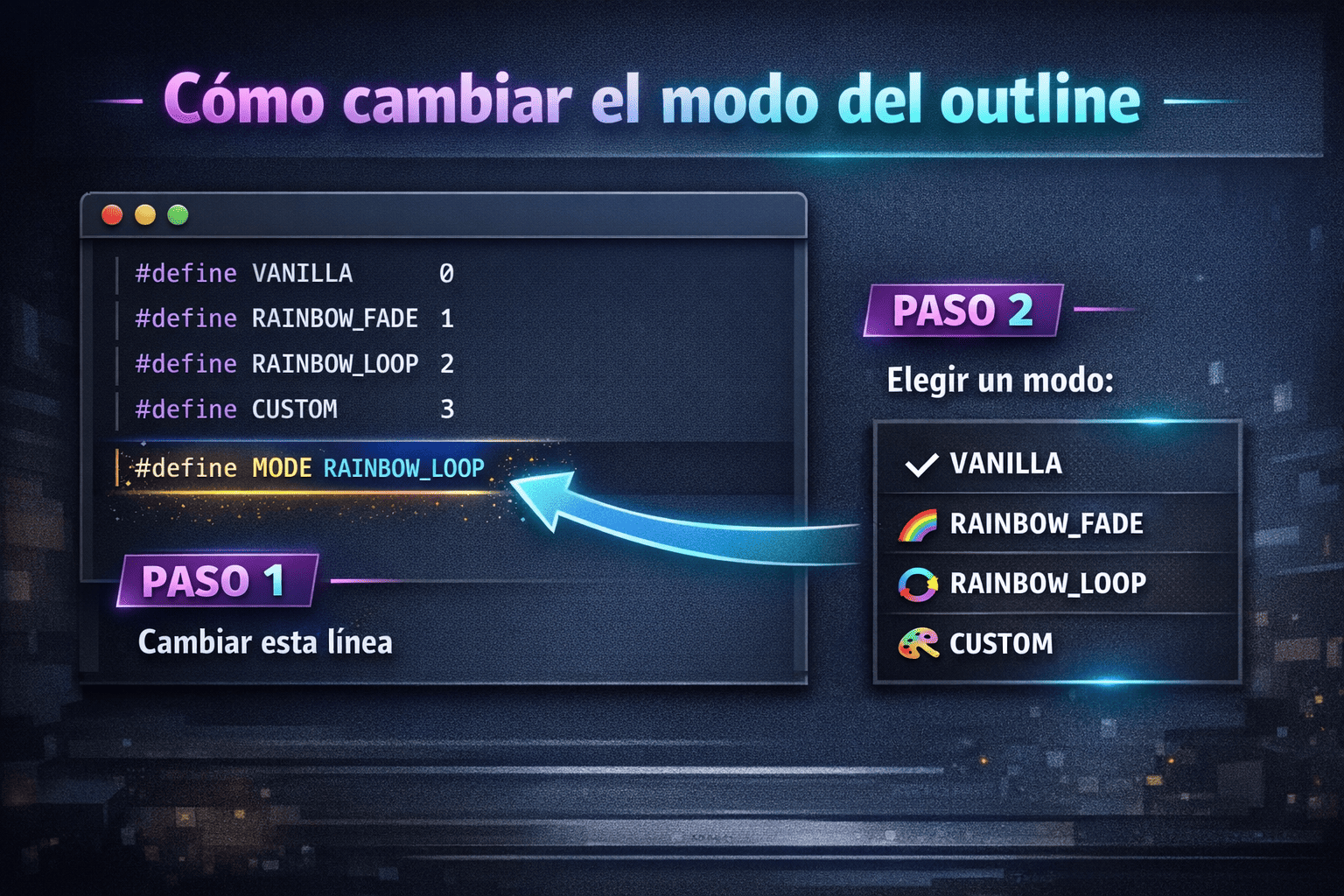
⚠️ The mode must match in both files.
---
📏 Changing the Thickness
In `rendertype_lines.vsh`:
#define THICKNESS 2.5
Examples: - `1.0` → vanilla - `2.0` → slightly thicker - `3.0` → bold - `4.0+` → very thick
---
🎨 Custom Color Mode
If you use:
#define MODE CUSTOM
Change this in `rendertype_lines.fsh`:
#define CUSTOM_COLOR vec4(0.2, 0.8, 1.0, 1.0)
Format: vec4(R, G, B, A)
Values go from 0.0 to 1.0.
Examples:
White: vec4(1.0, 1.0, 1.0, 1.0)
Red: vec4(1.0, 0.0, 0.0, 1.0)
Purple: vec4(0.7, 0.2, 1.0, 1.0)
---
🌈 Changing Rainbow Speed
#define SPEED 2000.0
Higher = faster Lower = slower
---
🔁 Direction
#define DIRECTION 1.0
- `1.0` → normal - `-1.0` → reverse
---
🎚 Smooth Transitions
#define SMOOTH true
- `true` → soft gradient - `false` → hard color steps
---
💡 Tips
✔ Restart Minecraft after editing ✔ Use CUSTOM mode for quick testing ✔ If nothing changes → make sure both files match
---
Enjoy your personalized outlines 🔥
