

Simple Voice Radio 📻
Plugin that adds a radio block that lets players communicate over distances
 1,46k
1,46k
Quick challenge
How far can you run before the mobs catch you?
Minecraft check
Confirm your run
Complete the quick check to get your code.
Simple Voice Radio 📻
 Radio - Simple Voice Chat Integration
Adds radio blocks with a frequency-based broadcasting system — talk with teammates, stream music, run a news station, or build anything else you can imagine, all across large distances.
---
---
 Features
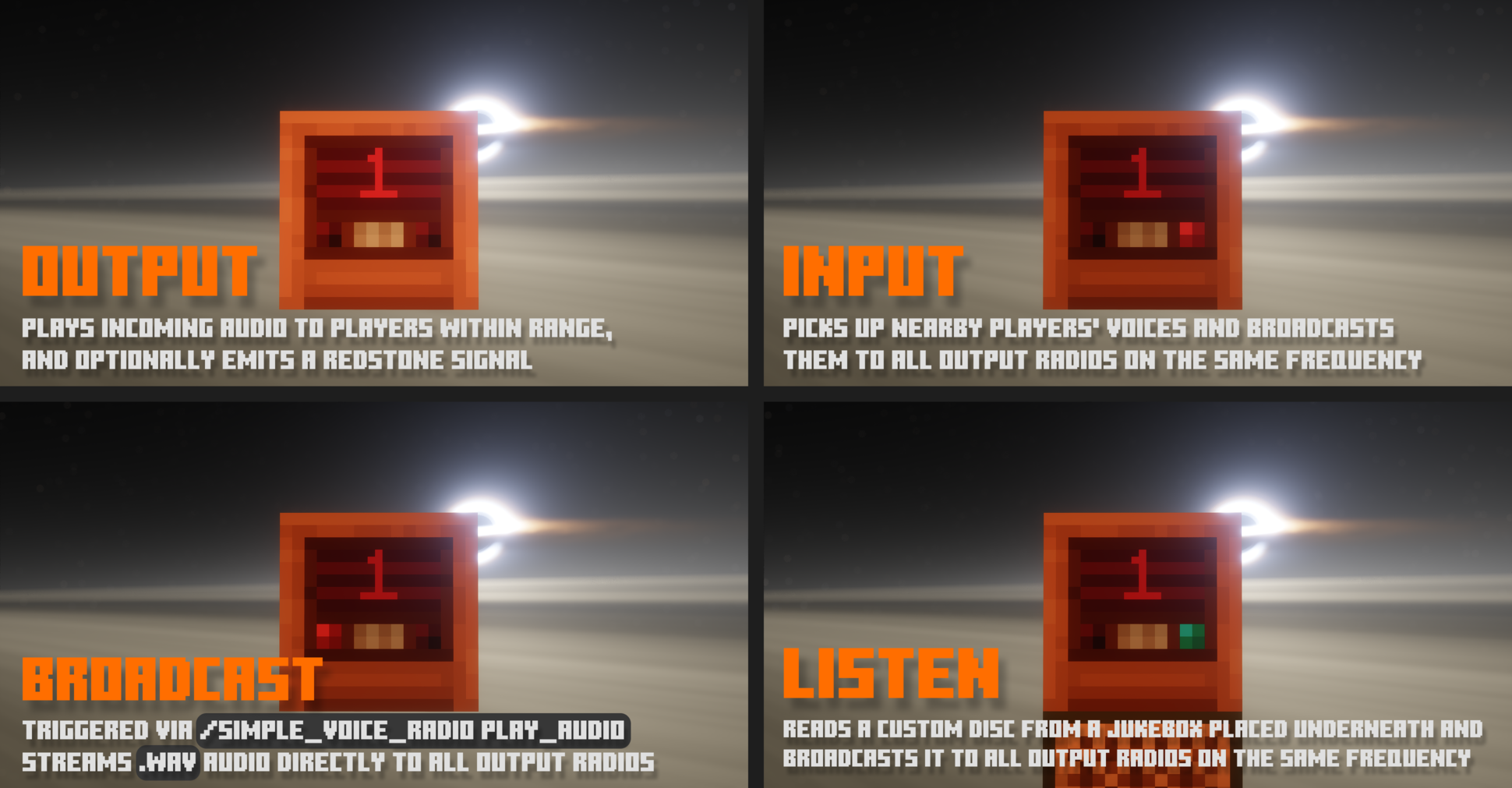
`📡` Frequency System — Every radio block operates on a set frequency. Only radios sharing the same frequency can communicate with each other.
`🔄` Listen
| Listen — Picks up nearby players' voices and broadcasts them to all Output radios on the same frequency
| Listen — Plays incoming audio to players within range, and optionally emits a redstone signal
| Listen — Triggered via `/simple_voice_radio play_audio` streams `.wav` audio directly to all Output radios
| Listen — Reads a custom disc from a jukebox placed underneath and broadcasts it to all Output radios on the same frequency
`📶` Redstone Signal Output — Output radios can emit a redstone signal from 1 to 15 based on how close the nearest player is to the paired Input radio *(optional)*
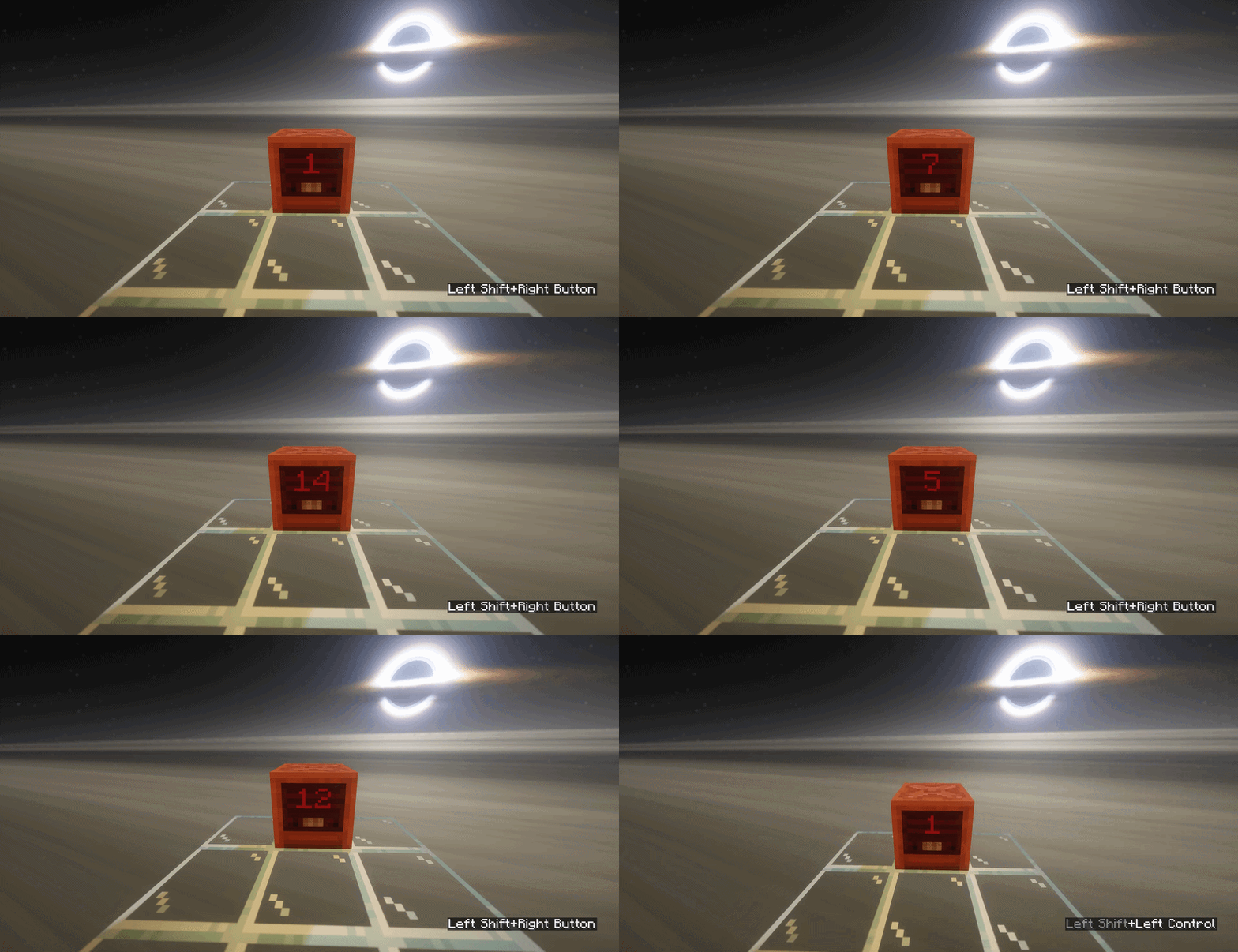
`⚡` Redstone Frequency Control — Set a radio's frequency dynamically using a redstone signal applied to the block *(optional, may conflict with signal output system)*
`🎨` No Resource Pack Needed — All visuals are built with No Resource Pack Needed — no client-side setup required
`🪞` Custom Skins — Since `0.0.4`: load your own per-state textures using Custom Skins texture format
`📻` Radio Effect — Since `0.0.4`: real-time audio filtering adds static and tone shaping to simulate the feel of an old analog radio
`⚙️` Fully Configurable — Tune detection range, frequency limits, chunk limits, crafting recipe, item name & lore, skins, audio filters, and more
---
 Command Tree
`/simple_voice_radio`
↳ `reload` - reloads the plugin's config 🔄
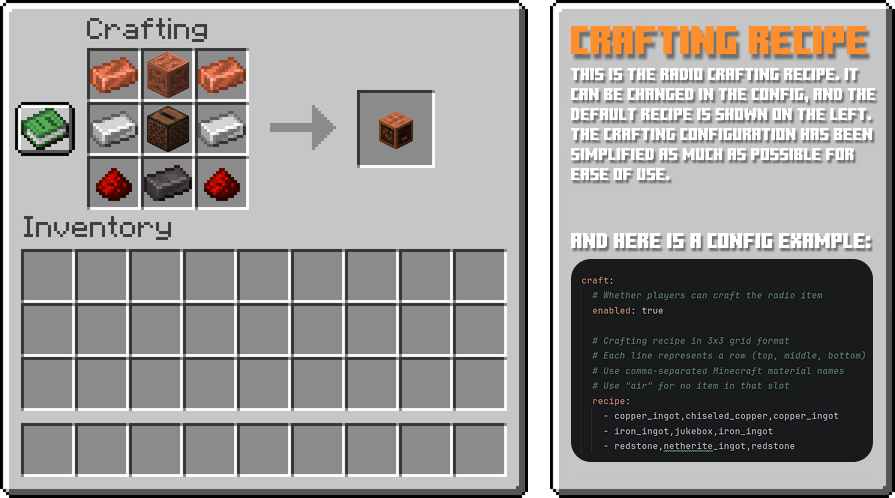
↳ `view_craft` - shows the radio crafting recipe 👁️
↳ `give <target>` - gives a radio item to the target 🎁
↳ `play_audio` - plays `.wav` audio directly to all Output radios 📢
↳ `url <url>` - audio will be downloaded from the given URL 🔗
↳ `file <file>` - audio will be loaded from a `.wav` file 📁
↳ `stop` - stops the currently playing audio 🛑
---
 Requirements
* `🎤` Simple Voice Chat * `📚` ProtocolLib * `💽` Custom Discs SVC *(optional — required for Listen mode)*
---
 Support
* Need help? Join our Discord * Found a bug? Report it on Discord!
---
 Preview
For more images - see gallery
Different modes
---
Frequency Switching
---
Crafting Recipe
---
