

Scaling Pills
Add Scaling Pills to your world, that allow you to make yourself smaller or bigger.
 242
242
Quick challenge
How far can you run before the mobs catch you?
Minecraft check
Confirm your run
Complete the quick check to get your code.
Scaling Pills
Features
Fundamental Features
- Adds 4 Shrinking Pills (2x-16x) - Adds 4 Growing Pills (0.5x-0.0625x) - Adds a neutral Pill that resets your size - Huge Customization - Custom Crafting
Supported Versions
| Version | Status | |:---------------------:|:---------------------:| | 1.21.1 | ✅ Supported | | 1.21 | ✅ Supported | | 1.20.5 | ✅ Supported | | 1.20.4 or lower | ❌ Broken due to Minecraft limitations |
Secondary Features
- Does not only change the Scale of Feature, but depending on the Settings also the Speed, Gravity, Jump Strength and so on. - Resets your size back to normal on death. - Programmed to be as Performance friendly as possible.
Features coming soon
- Ability to scale other Entities - Changing range
Crafting
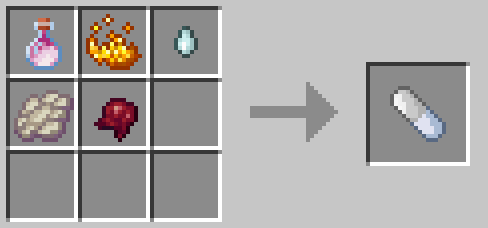
Neutral Pill
This is the Crafting Recipe for the neutral Pill, wich resets you back to the normal size.
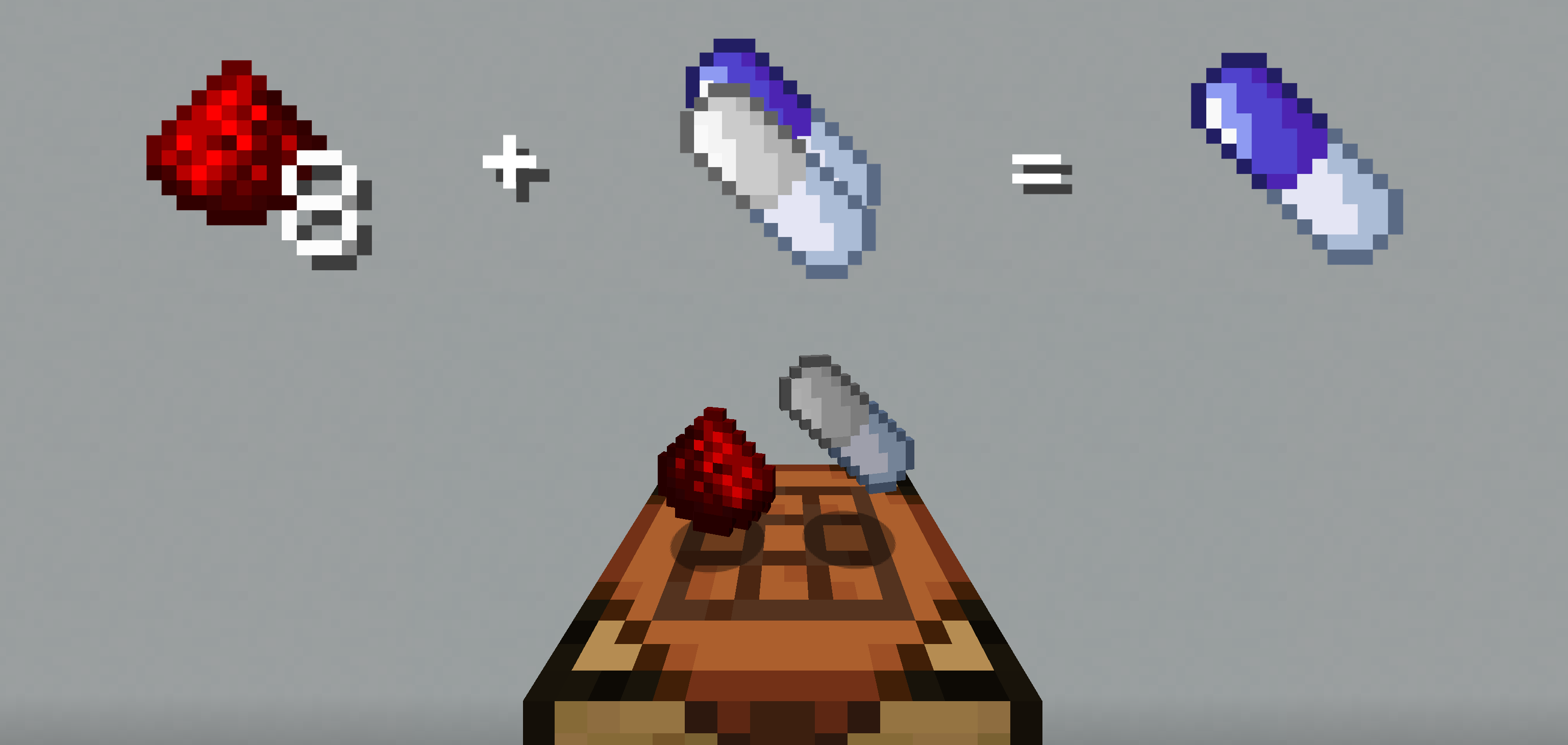
Shrink Pill
To Craft a Shrinking Pill, onto a crafting table either the neutral Pill or a Shrinking Pill with 8 redstone onto a crafting table. This will give you the next bigger Pill.
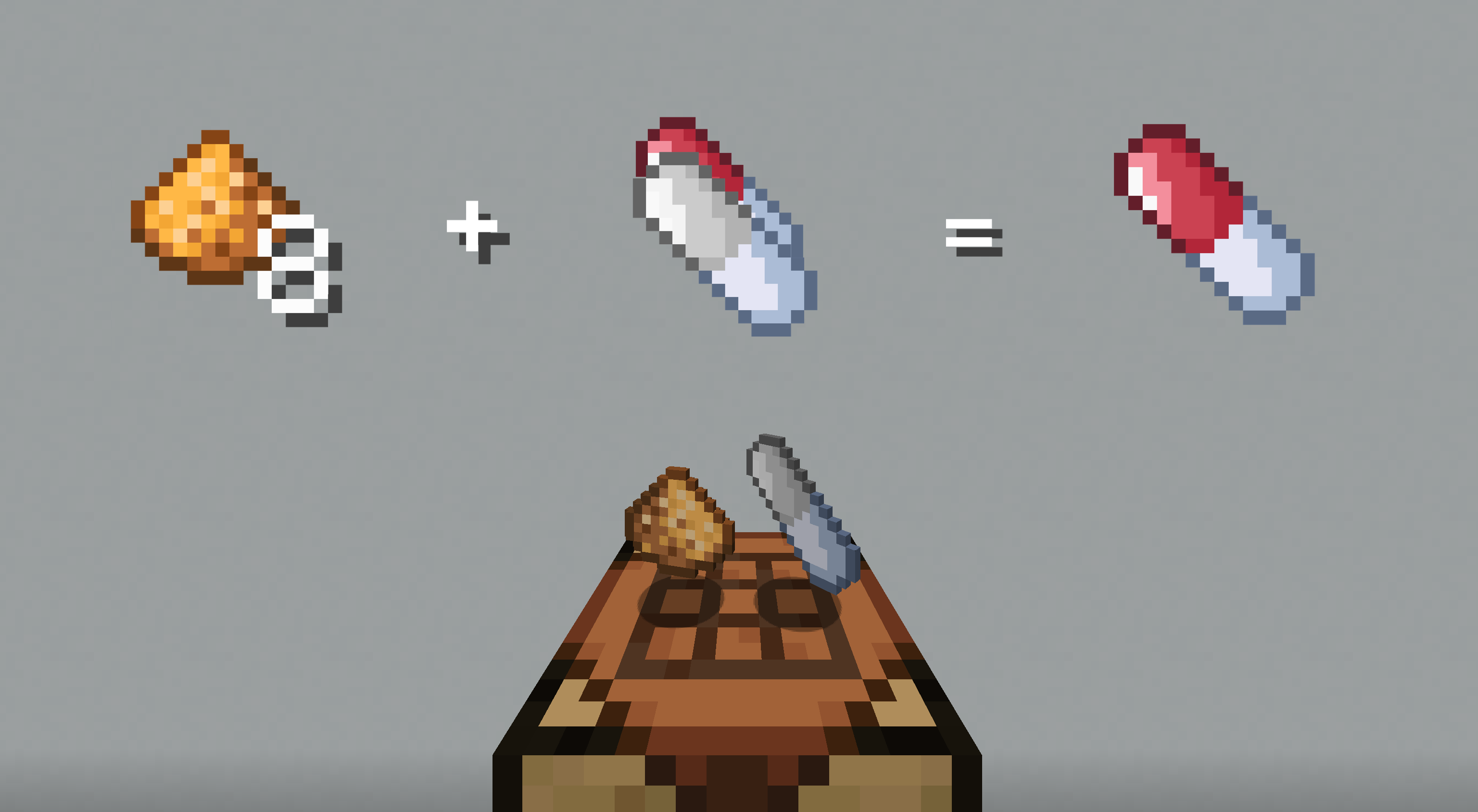
Grow Pill
To Craft a Growing Pill, onto a crafting table either the neutral Pill or a Growing Pill with 8 glowstone onto a crafting table.
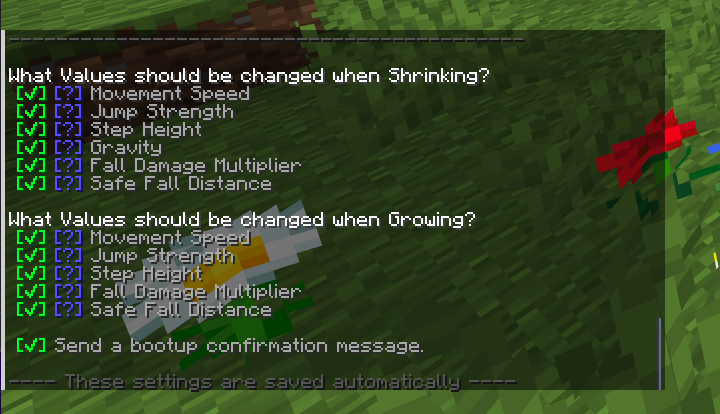
Customization
The Pack allows you to toggle what values should be changed, when shrinking or growing. To acces the Options Page just enter /function sap:options in chat. This will give you the next smaller Pill.
Installation of Datapack
Singleplayer - New World
1. Create a new world and click on "Data Packs". 2. Drag the data pack into the Minecraft window. 3. Click "Yes" on the confirmation screen. 4. Move the data pack to the right hand side of the screen by clicking the triangle on its icon. 5. Click "Done" and continue creating your world.
Singleplayer - Existing World
1. Open Minecraft. 2. Select the world you want to install the data pack for, click on "Edit", then "Open world folder". 3. Open the folder named datapacks, and put the data pack into it. It should be a .zip file or directory. 4. Rejoin your world.
Multiplayer
1. Download the data pack. 2. Open your server folder, then open the folder of the world you wish to install the data pack in (default: world). 3. Put the data pack into a folder named datapacks. 4. Type /reload from the console if the server was running during the installation.
# Made with ❤️
