

RtpZone
A simple rtp zone plugin, like on donutsmp
 3,11k
3,11k
Quick challenge
How far can you run before the mobs catch you?
Minecraft check
Confirm your run
Complete the quick check to get your code.
RtpZone
TCRtpZone - Dynamic Zone-based Random Teleport Plugin
TCRtpZone is a flexible and configurable Bukkit/Spigot/Paper plugin that allows you to designate specific areas and automatically teleport players within those zones to a predefined, random location in your world. It's ideal for combat arenas, event zones, or any area from which you want players to be automatically moved.
Key Features:
* Simple Commands: Create multiple RTP (Random Teleport) zones within your world. * Simple Commands: Configurable timer for each zone to determine how often teleportation occurs. * Simple Commands: * The plugin automatically searches for safe locations within the target area, avoiding teleporting players into water, lava, solid blocks, or dangerous blocks (e.g., magma blocks, cacti). * A "top-down" search mechanism ensures more reliable and safer spawn points. * Simple Commands: Minimizes server load when searching for new, safe teleport locations. * Simple Commands: Clearly visible holograms indicate the zone's center and the time remaining until the next teleport. Holograms automatically disappear if a zone is deleted or no longer exists in the configuration file. * Simple Commands: Set the X and Z axis limits for the RTP target area where players can be teleported. * Simple Commands: * Players receive visual feedback (e.g., redstone particles) at the zone border when entering or exiting an RTP zone. * Particle color, size, density, and display duration are fully configurable in the `config.yml` file. * Simple Commands: Easily customize plugin messages and holograms using the language files in the `lang/` folder. (Default languages: Hungarian, English). * Simple Commands: Get notified if a new version of the plugin is available on Modrinth (toggleable in config). * Simple Commands: Intuitive commands for setting up and managing your zones. ##
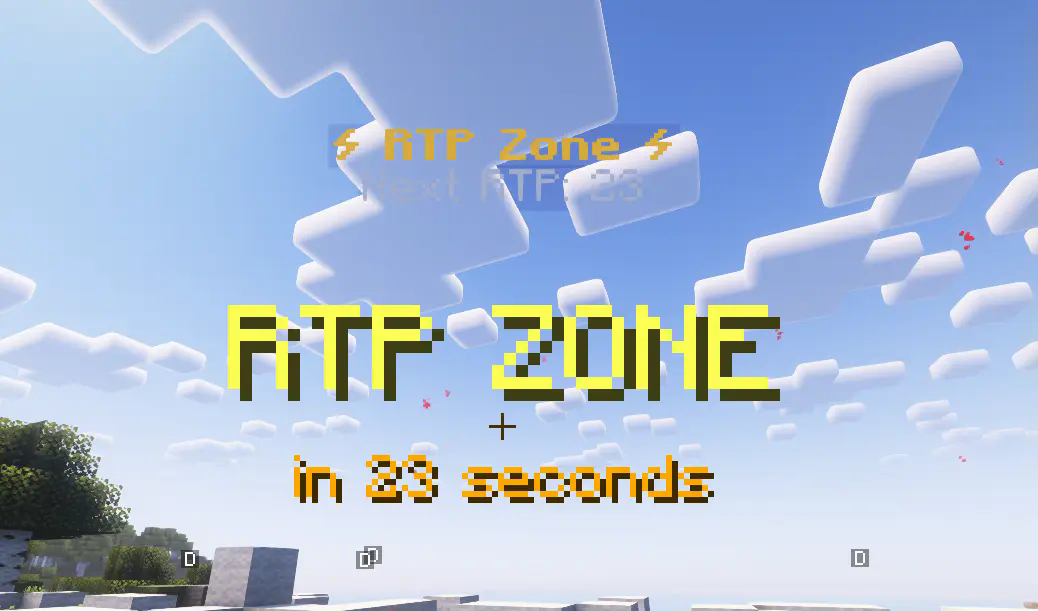
Commands:
* `/rtpzone wand`: Gives you a selection wand * `/rtpzone create <zone_name> <target_world>`: Creates the specified zone and sets its teleport target world. * `/rtpzone delete <zone_name>`: Deletes the specified zone and its hologram. * `/rtpzone reload`: Reloads the plugin configuration and language files. ##
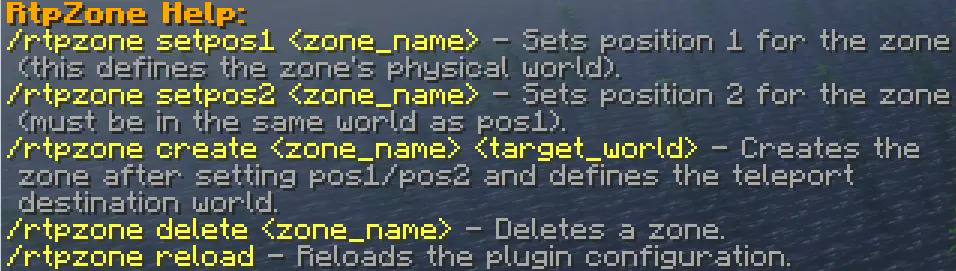
Installation:
1. Place the `TCRtpZone.jar` file into your server's `plugins` folder. 2. Start or reload your server. 3. Configure the generated `config.yml` and `lang/` files to your needs. 4. Use the commands above to set up your zones.
