RHSignItem
Do you want to add a personalized signature to your item? Or maybe rename it? Look no further! ☄️
 286
286
Quick challenge
How far can you run before the mobs catch you?
Minecraft check
Confirm your run
Complete the quick check to get your code.
RHSignItem




Made with love in Germany 🇩🇪
Features
<u>Commands</u>
/sign
With this command you can sign an item instantly. The lore will be determined by the content under `SHORT` inside of the `config.yml`. <u>Here is a list of all arguments for `/sign`:</u> * `/sign help` → will show you a list of all commands. * `/sign <text>` → creates a signature with a custom text, depending on the `DEFAULT` content * `/sign delete` → removes an applied signature * `/sign lock` → will lock an item to prevent adding a signature with `/sign` or `/sign <text>` * `/sign unlock` → will free an item from it's locked state and allows signatures again * `/sign version` → shows you some version information
<u>Example:</u> ``` /sign <yellow>That item is so <gold>awesome<yellow> and <gold>rare<yellow>,
that every player wants to own. ```
/rename
With the command `/rename <text>` you can change an items displayname. It uses color formats and placeholders here too!
<u>Example:</u> ``` /rename This is a <aqua>cool<reset> item name! ```
<u>Formatting</u>
All messages within the configuration and language files support PlaceholderAPI. To learn how to use it, please visit the PlaceholderAPI website. I highly recommend using the PlaceholderAPI format, as it is also the current best practice for all users of Paper and it's derivatives. Legacy formats such as `&` or `&#rrggbb` will *kinda work* too, but are <u>PlaceholderAPI</u> recommended! You can also use all placeholders from the PlaceholderAPI and it's expansions!
<u>Language Files</u>
RHSignItem ships with some default language files: German, English and Russian. You can change these as you desire. But you can also create a new file and integrate it. In this case, make sure to properly set the `locale` to the files name in the config.
<u>Auto-Locking</u>
In order to make the signing process as easy as possible, you can enable the `auto-lock` setting. After that, every new signature will automatically set the locked state onto the item. If you want to specify that feature, while only allowing players with the correct permission to do that, activate it through the `permission-based` setting. Players will need the `rhsignitem.command.sign.lock.auto` permission.
<u>Optional Offhand Requirements</u>
With the `offhand-item-mode` setting you can choose, if the player needs to hold an item in his offhand in order to create a signature with `/sign` or `/sign <text>`. `type` determines the item that is needed. Also you can choose, if the item should be used. * durability -1 * amount -1
<u>Item Blacklist</u>
As a server owner or administrator, you probably don't want all items to be allowed for signatures. RHSignItem comes with a blacklist feature, that can easily be configured and extented.
<u>Vault integration</u>
If you want to make the commands only usable through a payment, just toggle it's setting inside the `config.yml` file! You can set a fixed price for executing any command, toggle each command and choose, which ones should be set behind a paywall. Also you can toggle messages when using the payment system.
What does it look like in-game?
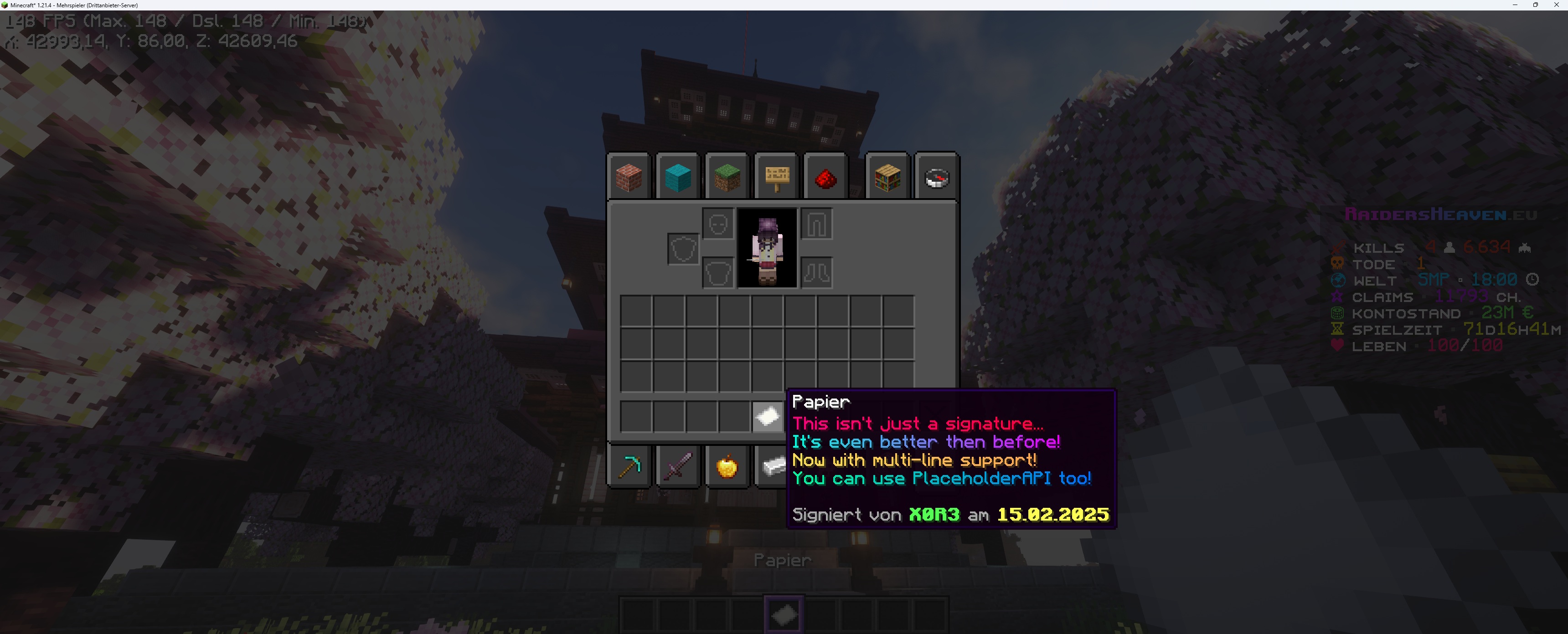 https://raw.githubusercontent.com/RHX0R3/RHSignItem/refs/heads/main/rhsignitem_paper_preview.jpg
Permissions
The plugin requires a player to have the respective permissions listed below:
* `rhsignitem.*` → grants access to auto-lock plugin commands * `rhsignitem.admin` → grants an override status to *delete* and *unlock* (for administrative purposes) * `rhsignitem.command.sign` → `/sign` and `/sign help` * `rhsignitem.command.sign.sign` → `/sign <text>` * `rhsignitem.command.sign.delete` → `/sign delete` * `rhsignitem.command.sign.lock` → `/sign lock` * `rhsignitem.command.sign.lock.auto` → for auto-lock with permission based command handling * `rhsignitem.command.sign.unlock` → `/sign unlock` * `rhsignitem.command.sign.version` → `/sign version` * `rhsignitem.command.rename` → `/rename <text>`
Support
If you need help with RHSignItem, you can join the RHSignItem on Discord. Just post inside the %%MD1%% channel. Since support is provided exclusively by me, there may be delays and longer response times as I cannot read all messages immediately or only at certain times of the day. Thank you for your understanding!
Metrics collection
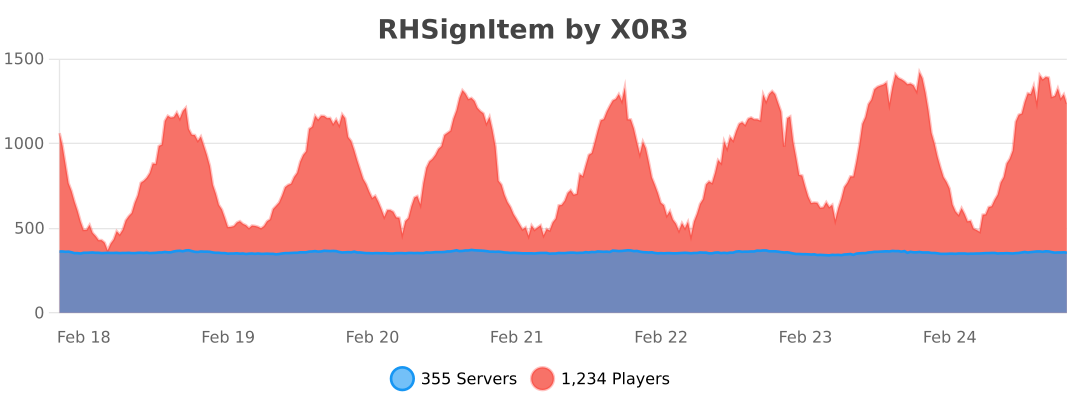
RHSignItem collects anonymous server statistics through RHSignItem, an open-source statistics service for Minecraft software. You can opt out in ` plugins/bStats/config.yml ` at anytime.