
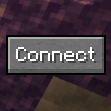
Quick Connect Button
One-click connection to your favourite server!
 51,20k
Quick challenge
How far can you run before the mobs catch you?
Minecraft check
Confirm your run
Complete the quick check to get your code.
Quick Connect Button
Quick Connect Button
One-click connection to your favourite server!
For Fabric/Quilt 1.21.x. Requires Fabric API.
Looking for 1.20 ? Check out Quicker Connect Button.
Installation
Download the JAR and put it in your `mods` folder along with Fabric API.
Usage
By default the "Connect" button will try to connect to `localhost`, which you're probably not trying to connect to. To change it, go to `config/quickconnectbutton.json5`. The file will look like this:
```json5 { // The address to connect to when the button is pressed. "address": "localhost", // The name of the button. "connectButton": "Connect", // The side to align the button to. ('LEFT'/'RIGHT') "buttonAlign": "RIGHT", // The width and height of the button. "dimensions": { "height": 20, "width": 50 }, // Determines what to do if the server has a resource pack. ('ALLOW'/'DENY'/'PROMPT'). "resourcePackPolicy": "PROMPT" } ``` Change the `address` field to the IP address of the server you want to connect to, and change any of the other fields if you wish to customise the button's appearance.
