

PlayerTrail
Adds visible steps of the player
 419
419
Quick challenge
How far can you run before the mobs catch you?
Minecraft check
Confirm your run
Complete the quick check to get your code.
PlayerTrail
✨ Plugin Features: - Сreates steps under players - Customizable config
⚙️ Optimization: - Minimal impact on server performance due to TextDisplay
🔧 Ideal for: - RP servers - Simply add atmosphere!
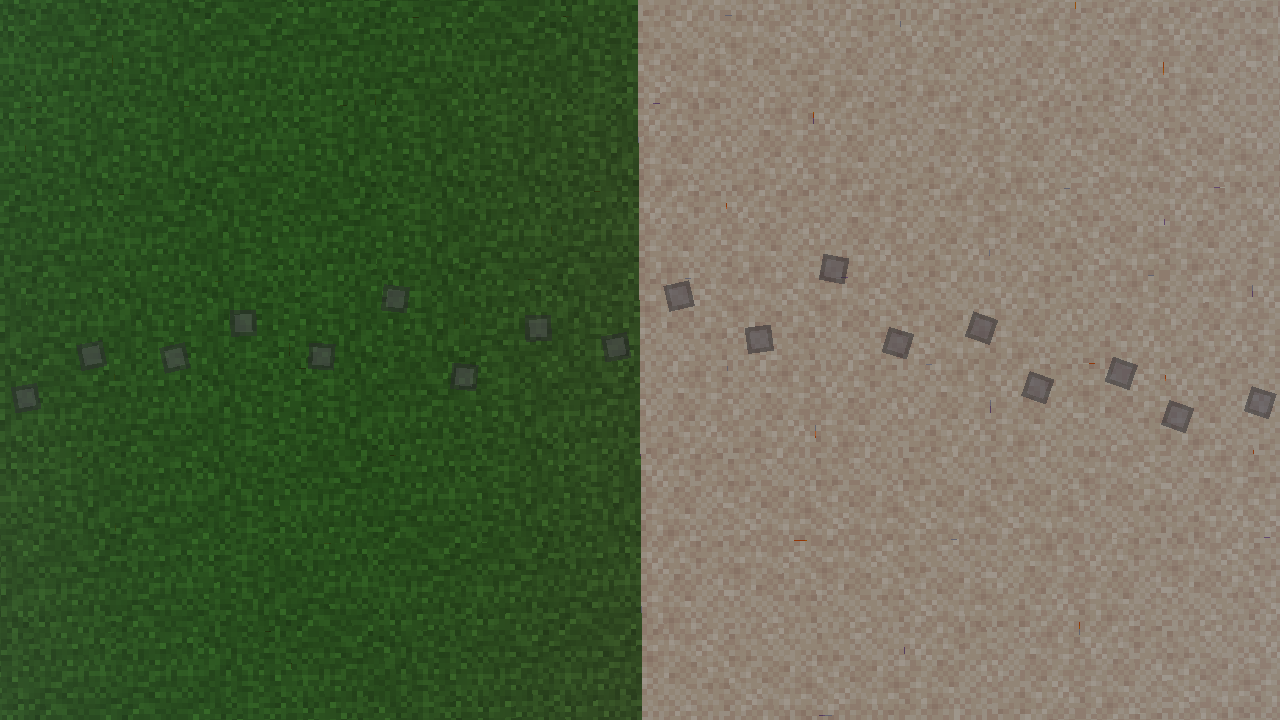
How to create custom Steps in the plugin?
1. Create a standard resource pack. In the assets/minecraft folder, create two folders: font textures
2. In the /assets/minecraft/font folder, create a default.json file
An example of the contents of the default.json file:
``` { { “providers”: [ { { “type”: { “bitmap”, { “file”: “minecraft:{your file name in the '/assets/minecraft/textures/yourfile'} folder”, “ascent": 9, “height": 11, “chars": [ “ٸ” // The character to which the image will be applied ] } ] } ```
Note: The ascent parameter should not be greater than the height value
3. In the /assets/minecraft/textures folder, add your picture
4. Pack the contents of your resource pack into a .zip archive. Upload the archive to DropBox. Copy the link to the archive and change the end of it: Replace =0 with =1 in the URL
Example: https://www.dropbox.com/scl/fi/nxq2aefr4zk1fnk9b9b2l/Step-RP.zip?rlkey=sjqszylbl70d2tlxo0qbbrq5d&st=21t44vxx&dl=1
5. Insert the link to the resource-pack in the plugin config: resource-pack: “https://www.dropbox.com/scl/fi/nxq2aefr4zk1fnk9b9b2l/Step-RP.zip?rlkey=sjqszylbl70d2tlxo0qbbrq5d&st=21t44vxx&dl=1”
Also specify the symbol used to display the step:
# Symbol from default.json font: “✪”
