

PingDisplay
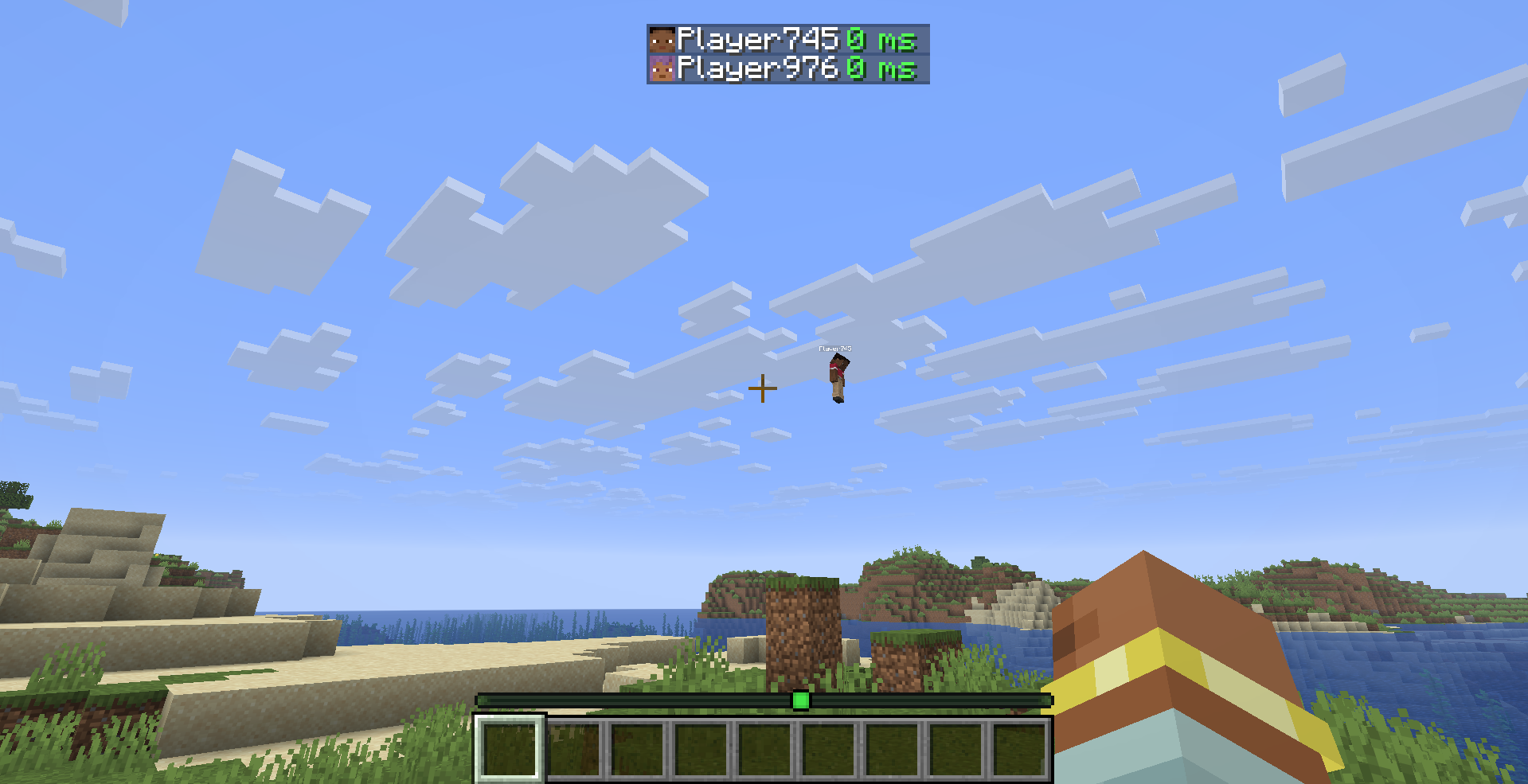
See every player's exact ping in milliseconds on the Tab list — no more guessing from signal bars.
 53
53
Quick challenge
How far can you run before the mobs catch you?
Minecraft check
Confirm your run
Complete the quick check to get your code.
PingDisplay
PingDisplay
See every player's exact ping in milliseconds on the Tab list — no more guessing from signal bars.
What it does
PingDisplay replaces the default signal bar icons in the Tab player list with actual numerical ping values. Know exactly how laggy each player is at a glance.
- 🔢 Configurable — e.g. `42 ms` - 🟢 Configurable — green / yellow / red based on ping thresholds - 📊 Configurable — hide the signal bars entirely - ⚙️ Configurable — thresholds, ms suffix, display mode
Preview
Configuration
Config file: `.minecraft/config/pingdisplay.json`
| Option | Default | Description | |--------|---------|-------------| | `showMs` | `true` | Show "ms" suffix after the number | | `numberOnly` | `true` | Hide signal bars, show number only | | `goodThreshold` | `100` | Below this = green | | `okThreshold` | `200` | Below this = yellow, above = red |
Requirements
- Minecraft 26.1.x - Fabric Loader ≥ 0.18.5 - Fabric API
Optional
- Cloth Config — in-game config screen - Mod Menu — access config from the Mods list
License
MIT — see LICENSE
