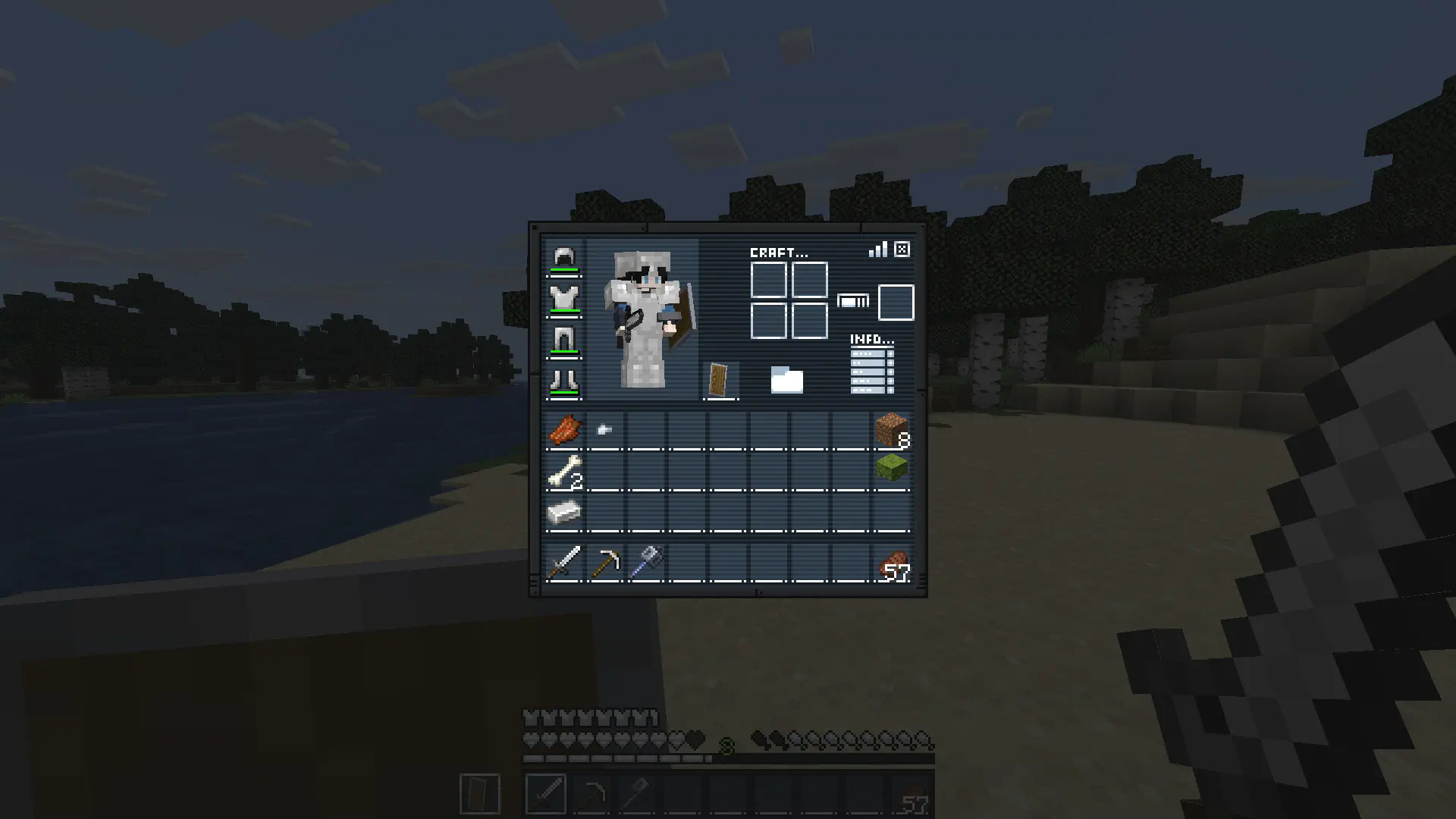
Mision:Bingo GUI
Replaces inventory, recipe book, changes hotbar, hearts and armor icons. Ready for the mission?
 1,90k
1,90k
Quick challenge
How far can you run before the mobs catch you?
Minecraft check
Confirm your run
Complete the quick check to get your code.
Mision:Bingo GUI
Description
Gear up for the mission.
Mission: Bingo GUI transforms Minecraft’s interface with a complete mission-themed redesign, replacing the inventory, recipe book, hotbar, hearts, and armor icons for a sleek tactical look.
Perfect for players who want a more immersive and stylized HUD experience.
Ready for the mission?
How It Works
This resource pack replaces several default GUI and HUD textures with a custom mission-inspired design.
Installation / Usage
1. Download and install the resource pack 2. Enable it in Minecraft’s Resource Packs menu 3. Open your inventory or enter gameplay 4. Enjoy the new mission-style interface
Included Changes
- Custom inventory redesign - Replaced recipe book interface - New hotbar textures - Custom heart icons - Custom armor icons - Full mission-themed HUD aesthetic
In-Game Preview