

Map Atlases
A vanilla-friendly mini-map/world-map mod using vanilla Maps!
 344,32k
Quick challenge
How far can you run before the mobs catch you?
Minecraft check
Confirm your run
Complete the quick check to get your code.
Map Atlases
<b>NOTE: </b> This is the Original version of Map Atlases (Fabric only). You may be interested in the Multi-Platform fork which also contains a larger feature-set. A vanilla-friendly mini-map/world-view mod using vanilla Maps, introducing the "Atlas".




📖 About

An Atlas can be crafted by combining a: - Filled Map (the source map) - Book - And something sticky (Slimeball or Honey Bottle by default)
The source map determines the Atlas' scale. *Who knew this whole time, all you had to do to get a mini-map was slap a map onto a book?*

- You can put both Filled Maps and Empty Maps with an Atlas in a crafting inventory to insert either Map type into the Atlas. - A Cartography Table can be used to add Filled Maps and Empty Maps as well. - Filled Maps which are added must be of same Scale. - There's a maximum of 512 Maps in each Atlas (configurable/togglable). - You can use your Atlas and Shears in the Crafting Grid to remove Maps from the Atlas.

- When the Atlas is active (on your hot-bar or off-hand by default), it will render your current-position Map on the HUD if a such Map exists inside the Atlas. - Filled Maps inside the Atlas will continue updating your location & world-state. - Empty Maps are consumed when you enter an un-mapped region to generate a new Map of the corresponding Scale. - If the player is in Creative, un-mapped regions will generate new Maps even if there's no Empty Maps in the Atlas. - If specified, the requirement for having Empty Maps to create new regions can be disabled. - Optional Trinkets support. They create new Maps in new Dimensions as you'd expect. - The mini-map supports the ability to display your current X, Y, & Z coordinates as well as your current Biome - Optional Trinkets support: - When Trinkets is installed, there will be a new Slot for an Atlas - The Atlas will continue to function as normal inside the Trinkets slot

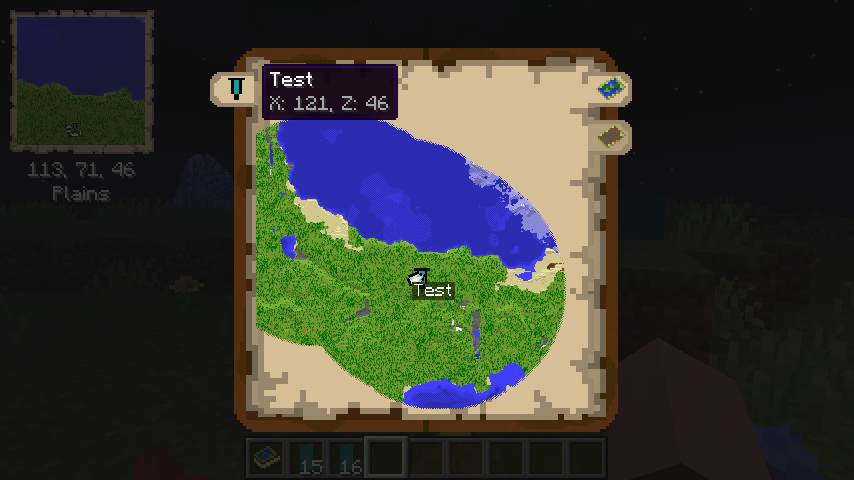
- The Atlas has a world map view as well. To access this, right-click the Atlas or press "m" while the Atlas is on your hot-bar. - The world map has selectable tabs for each Dimension you've explored and created Map entries for. - It also has selectable tabs for each Banner you've added in each Dimension. Clicking these will snap the center of your view to the map containing the Banner. - The world map will display the active X & Z coordinates of the point your mouse is hovering over. - The Atlas world view has zoom support & scales by odd numbers 1x1, 3x3, 5x5, 7x7, etc using your mouse scroll wheel. - The Atlas world view has full pan support as well, using your mouse to drag the world map. - Atlases also support right-clicking Banners to add "waypoints", which display in both the mini-map & world-view map.

- Atlases can be Atlases support Lecterns with a Cartography Table - simply put an Atlas in the top & bottom slots and the Atlases will combine their mapped regions with one-another! - Atlases support Lecterns - Show off your world by putting an Atlas in a Lectern! - Simply right click a Lectern while holding an Atlas to display the Lectern - The Atlas will appear visually different depending on the Dimension its displayed in - there's a unique texture for the Overworld, Nether, End and "Other". - Atlases can be stored in Chiseled Bookshelves in 1.20+
⚙️ Config
The mod is highly configurable and offers in-game config editing with ModMenu. See the current config options here!
🔊 Sound Sources
- Atlas open sound, thanks to InspectorJ - Atlas page flip sound, thanks to flag2 - Atlas new map creation sound, thanks to Tomoyo Ichijouji
⛓ Dependencies
- Required: - Fabric API - Cloth Config - Optional: - Mod Menu - Trinkets
⛔️ Known Incompatiblities
- Accurate Maps (*todo: fix here or submit PR to their project*) - Immersive Portals
✅ Recommended Additions
- Better Nether Map - Makes Nether (& other ceiling dimension) Maps create at y-level of player - Cheaper Maps Recipe Data Pack [[1.19]](https://github.com/Pepperoni-Jabroni/MapAtlases/releases/download/2.0.1/cheaper-map-crafting+1.19.zip) - Why would a Map require a Compass? This Data Pack adds a recipe for Empty Maps that's simply 1 Paper + 1 Ink Sac shapeless. - Optional "Modern" Resource Pack [[1.19]](https://github.com/Pepperoni-Jabroni/MapAtlases/releases/download/2.1.0/map_atlases_modern_resource_pack+1.19.zip) - This Resource Pack gives the Mini-map and World-map a "modern" look, abandoning the vanilla Map style textures.
📃 Changelog
Changelogs are available at the GitHub Releases section
📸 Media
Photos!
Crafting an Atlas


Maps inside the Atlas will render if the Atlas is on your hot-bar

Adding more Maps to an Atlas

Current Map is rendered when you move locations

Custom Tooltip

World Map View


Cutting a Map out of an Atlas

Merging 2 Atlases

Mass adding Empty Maps to Atlas

Trinkets support

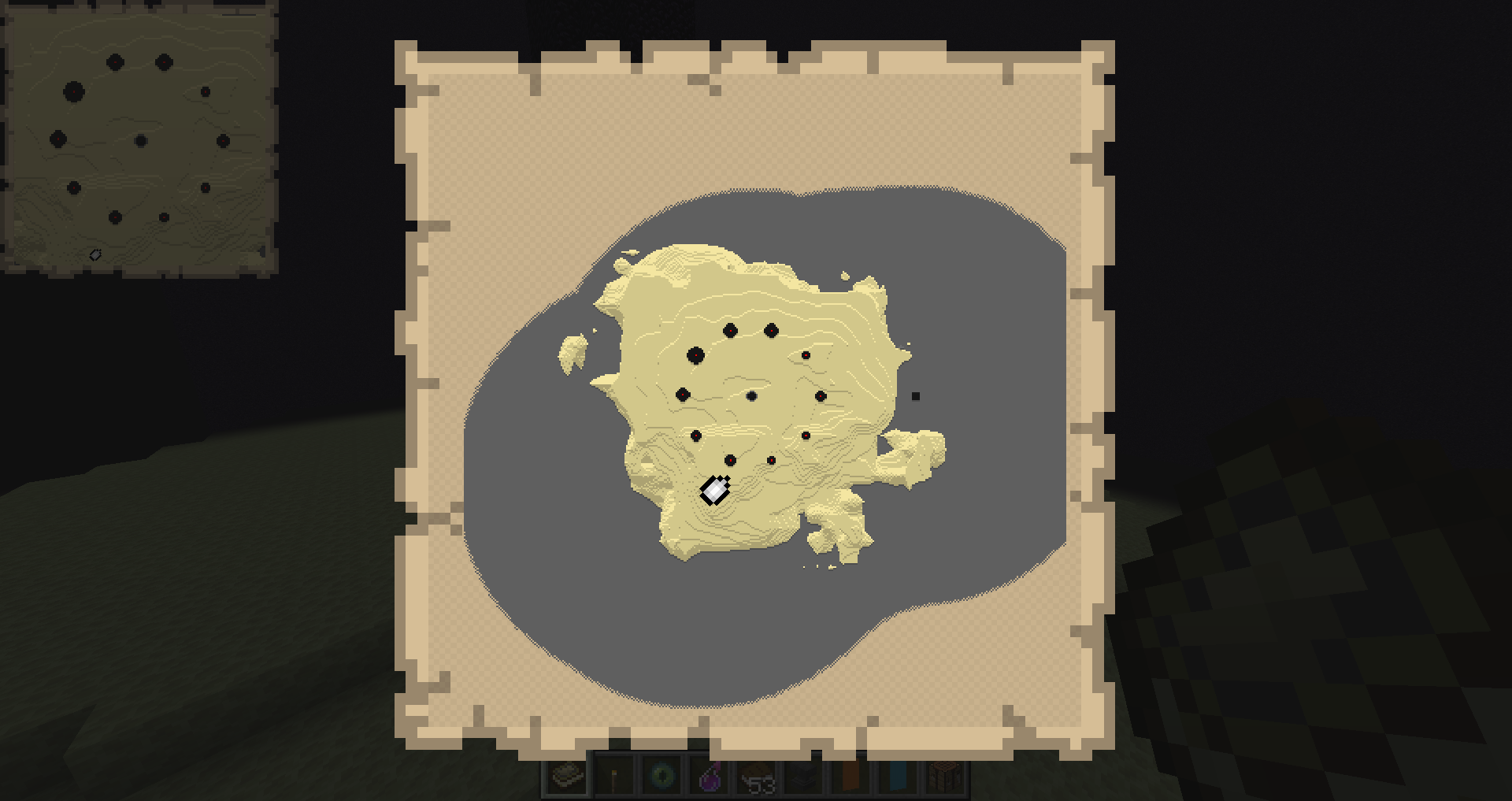
End Atlas Mini-Map

End Atlas World-Map
New as of 2.2.0

Photo of "Modern" Resource Pack & Better Nether Map mod


