

LamMailBox
A mailbox system for Minecraft servers that allows players to send items, messages, and commands between each other.
 333
333
Quick challenge
How far can you run before the mobs catch you?
Minecraft check
Confirm your run
Complete the quick check to get your code.
LamMailBox
LamMailBox lets admins deliver items and rich-text messages to players who don’t need to be online. It’s a lightweight mailbox system for Paper/Folia 1.20+ that works from commands or plugin triggers.
Key Features
* Folia/Paper ready: Send mail and item attachments to any player, anytime. Items stay server-side until claimed. * Folia/Paper ready: Use `/lmb send` or trigger it from other plugins for instant rewards, gifts, or event drops. * Folia/Paper ready: Players browse, read, and claim mail through an intuitive interface with inventory checks on pickup. * Folia/Paper ready: Supports colour codes, `n` line breaks, and unicode icons. * Folia/Paper ready: Attach console commands, schedule future deliveries, set expirations, or limit repeats via `max-runs`. * Folia/Paper ready: `player1;player2`, `allonline` (snapshot of current players), or `all` (persistent for everyone). * Folia/Paper ready: Cron-style repeating jobs and first-join bundles with catch-up when the server restarts. * Folia/Paper ready: Choose between YAML or SQLite backends (SQLite recommended beyond ~1000 mails). * Folia/Paper ready: Chat, title, and sound alerts for new mail plus join reminders. * Folia/Paper ready: Uses bundled FoliaLib scheduler for smooth cross-platform timing.
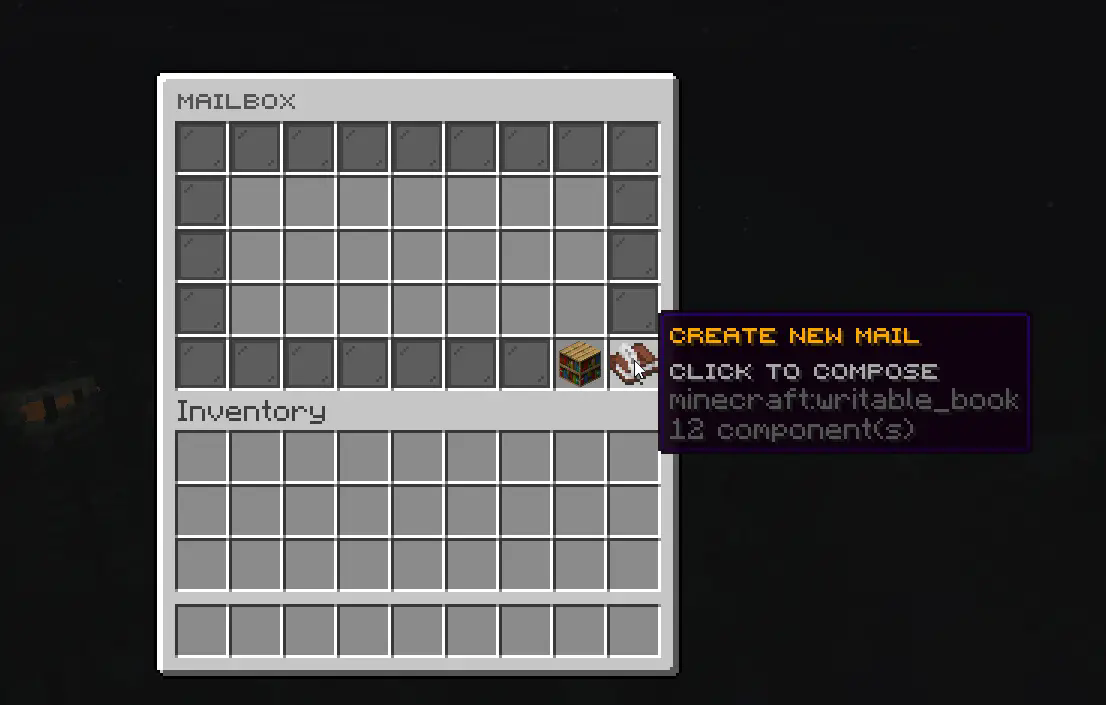
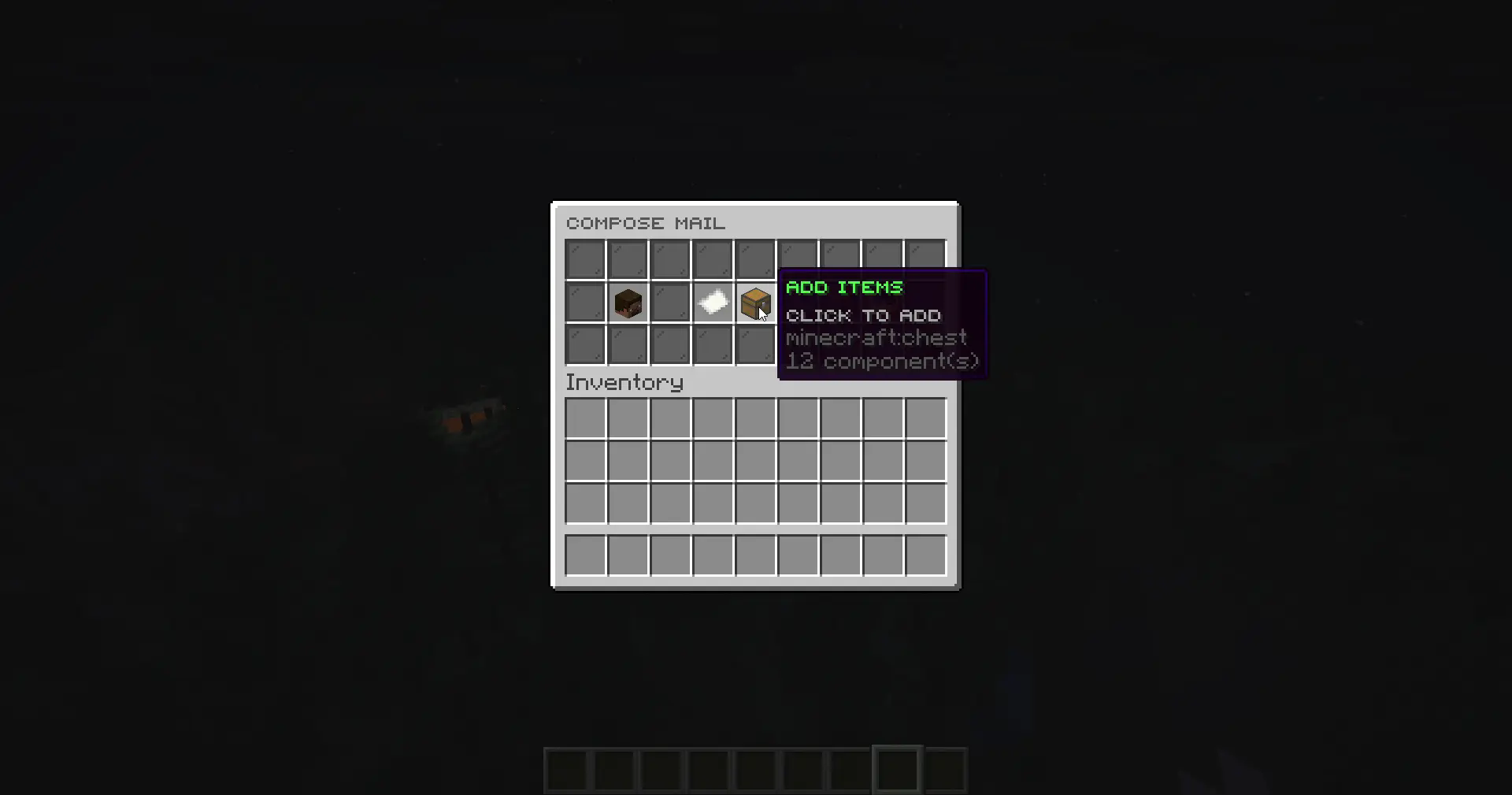
Limitations & Roadmap
* No cross-server syncing or Bungee/Velocity support yet.
Commands
| Command | Permission | Description | | ------------------------------ | ------------------------ | -------------------------------- | | `/lmb` | `lammailbox.open` | Open your mailbox | | `/lmb <player>` | `lammailbox.open.others` | View another player's mailbox | | `/lmb view <id>` | *(no permission)* | View mail by ID (if you can access it) | | `/lmb as <player>` | `lammailbox.view.as` | View mail UI as another player | | `/lmb send <player> <message>` | `lammailbox.admin` | Send mail via command or console | | `/lmb mailings` | `lammailbox.admin` | View cron/first-join automation dashboard | | `/lmbreload` | `lammailbox.reload` | Reload configuration files | | `/lmbmigrate <from> <to>` | `lammailbox.migrate` | Migrate mail between storage backends (yaml/sqlite) |
Aliases: `/mailbox`, `/mail`
Additional Permissions
| Permission | Description | | ---------------------- | ---------------------------------------------- | | `lammailbox.compose` | Create and send new mail through GUI | | `lammailbox.items` | Add items to mail when composing | | `lammailbox.delete` | Delete sent mail from sent mail view |
Setup
1. Drop the jar in `plugins/` and start the server to generate config/database files. 2. Edit `plugins/LamMailBox/config.yml` to customize GUI text, slots, notification settings, and default expiry days. Set `enabled: false` on any button entry to remove it from the interface. Decoration fillers can run console commands via the `commands` list, with `%player%` and `%uuid%` placeholders. 3. Grant the permissions that fit your ranks. 4. Compose mail through the GUI or use `/lmb send`; set up recurring deliveries in `mailings.yml` for cron or first-join workflows (`/lmb mailings` shows status).
Documentation
Need examples or deeper guidance? Check the wiki:
* Home – overview and quick start. * Sending Mail – GUI walkthrough, command syntax, bulk targets, attachments. * Automated Mailings – cron tips, scenario library, catch-up behaviour, `max-runs`. * Configuration – notifications, storage backends, permissions, GUI theming links.
Requirements
* Paper or Folia 1.20+ * Java 21 runtime * YskLib 1.6.0 or above
Support
* Issues: GitHub * Discord: YusakiDev
Deliver mail, gifts, and rewards while players are offline—no clunky chest exchanges needed.
