

Keep Walking
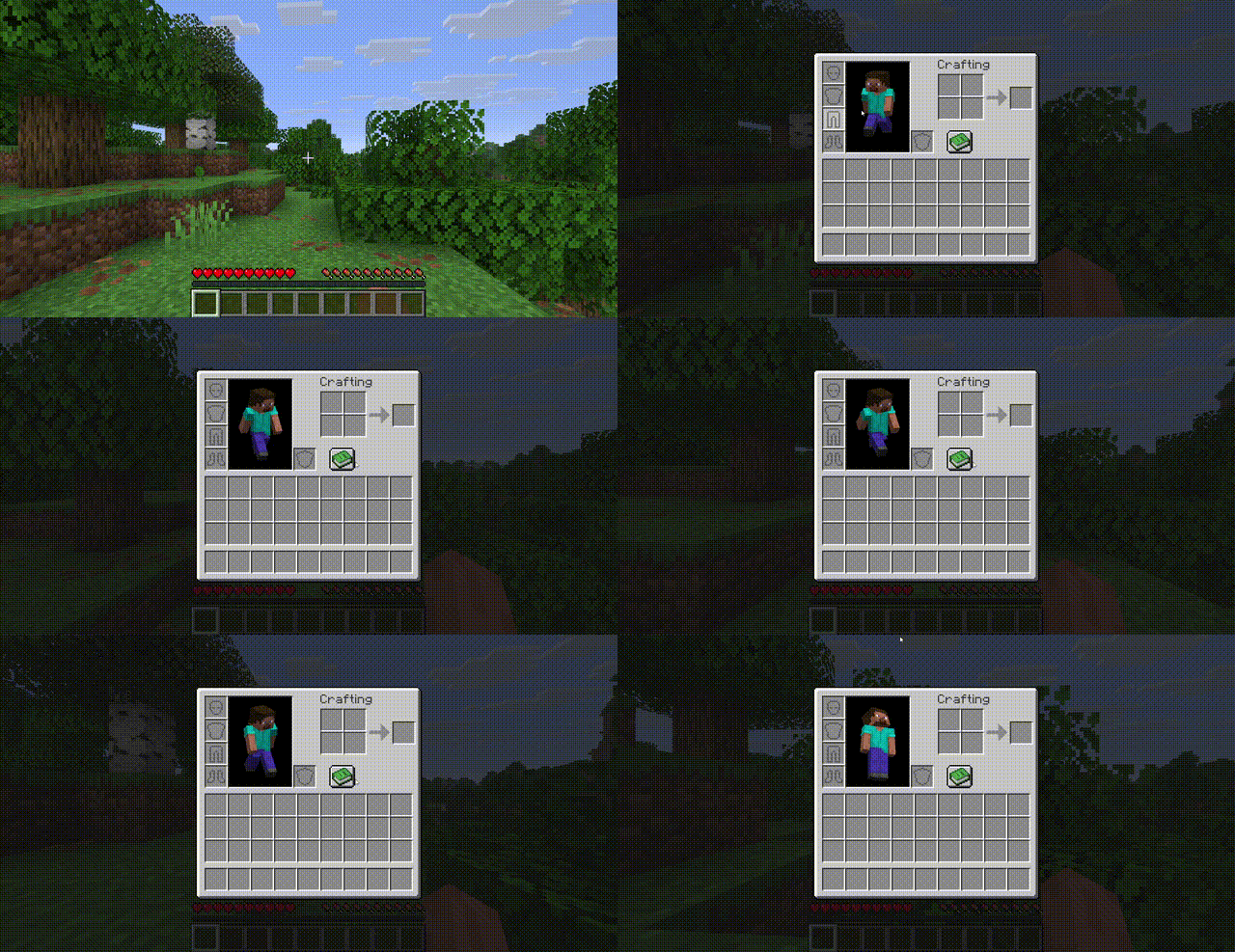
Move freely while your inventory is open — no more standing still when managing items.
 10
10
Quick challenge
How far can you run before the mobs catch you?
Minecraft check
Confirm your run
Complete the quick check to get your code.
Keep Walking
Keep Walking
Move freely while your inventory is open.
No more freezing in place every time you open a chest, crafting table, or your inventory. With Keep Walking, your character keeps responding to movement keys even when a container screen is active.
---
Features
- Zero configuration while any container screen is open (inventory, chests, furnaces, crafting tables, hoppers, dispensers, brewing stands, anvils, etc.) - Zero configuration while browsing your inventory - Zero configuration still work as expected - Zero configuration — the world keeps running behind your screen - Zero configuration — works with remapped movement keys - Zero configuration — install and go, nothing to set up
Compatibility
| | Version | |---|---| | Minecraft | 26.1.x | | Mod Loader | Fabric | | Fabric API | 0.145.4+ | | Side | Client only |
This mod is client-side only — it works in singleplayer and on any server without the server needing the mod installed.
Installation
1. Install Fabric Loader for Minecraft 26.1.x 2. Install Fabric API 3. Drop `keep-walking-1.0.0.jar` into your `.minecraft/mods/` folder 4. Launch the game
How does it work?
Vanilla Minecraft stops processing movement key inputs when a container screen is open. Keep Walking uses two lightweight mixins to bypass this:
- Singleplayer pause is disabled from the keyboard when a container screen is detected, bypassing the screen's input capture - Singleplayer pause is disabled for container screens so the world keeps ticking
No packets are modified, no server-side changes are made. It simply lets your character respond to keys that were always being pressed.
License
MIT — do whatever you want.
