
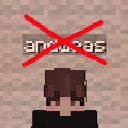
Toggle Nametags
Toggle, hide, and style nametags in-game.
 110,18k
Quick challenge
How far can you run before the mobs catch you?
Minecraft check
Confirm your run
Complete the quick check to get your code.
Toggle Nametags
Toggle Nametags
This mod allows you to toggle entity nametags by pressing the `-` button. You can change this keybind. You can also get an FPS boost with this if there's too many nametags at once.
How to Use
The mod has a good set of functionality which can be configured in your Key Bind settings.
1. Settings: You can access the settings menu using Mod Menu, or type `/ntconfig`. - Nametag Opacity: Control the background transparency of the nametag - Nametag Text Shadow: Whether to show a shadow behind a player's name 1. Toggle Nametags: Press the `-` (minus) button and nametags will disappear. 2. Toggle Other Nametags: Press the `=` (equals) button and non-player nametags will disappear. 3. Toggle Bossbar: Press the `M` button to toggle the boss-bar. Helpful to boost FPS on some servers. 4. Show your own nametag: Press the `]` key to display your own nametag. (nice username)
Contribute!
If you feel like you can do something to make this mod better, check out the source here!
Screenshots

