

HexHopper
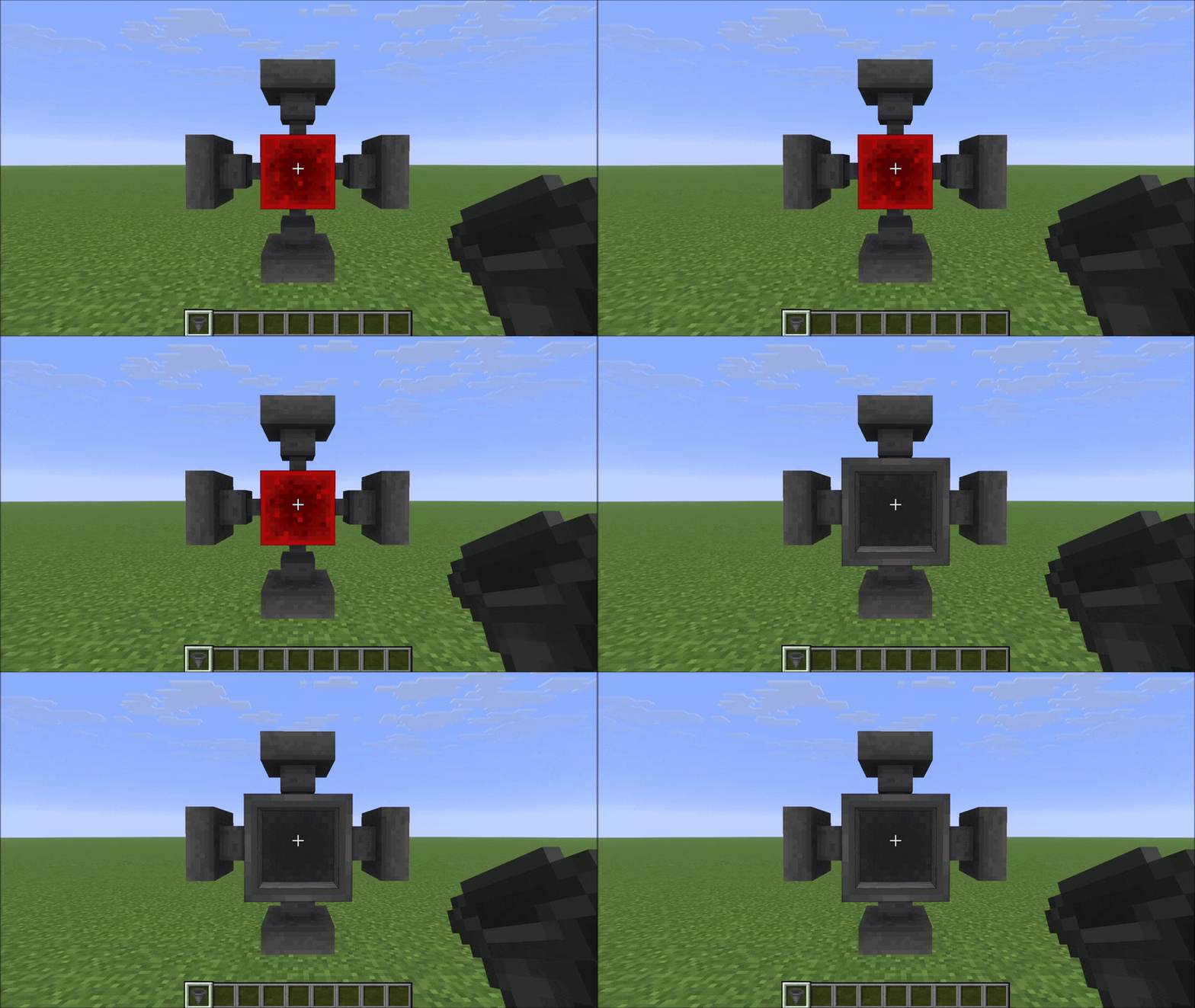
Place hoppers in all 6 directions and rotate both push and pull independently with a compass. Six faces, full control.
 8
8
Quick challenge
How far can you run before the mobs catch you?
Minecraft check
Confirm your run
Complete the quick check to get your code.
HexHopper
HexHopper
Place hoppers in all 6 directions. Rotate push and pull independently with a compass.
Vanilla hoppers are locked: they always pull from above and can only push downward or sideways. HexHopper removes that restriction. When you place a hopper, it faces the surface you clicked — including up. Use a compass to reconfigure any hopper after placement without breaking it.
---
How it works
Placement
Hold a hopper and click any face of a block. The hopper's pull direction (the spout) will face the surface you clicked. The pull direction (the funnel opening) is set automatically based on where you're looking — it picks the closest direction that isn't already taken by the push.
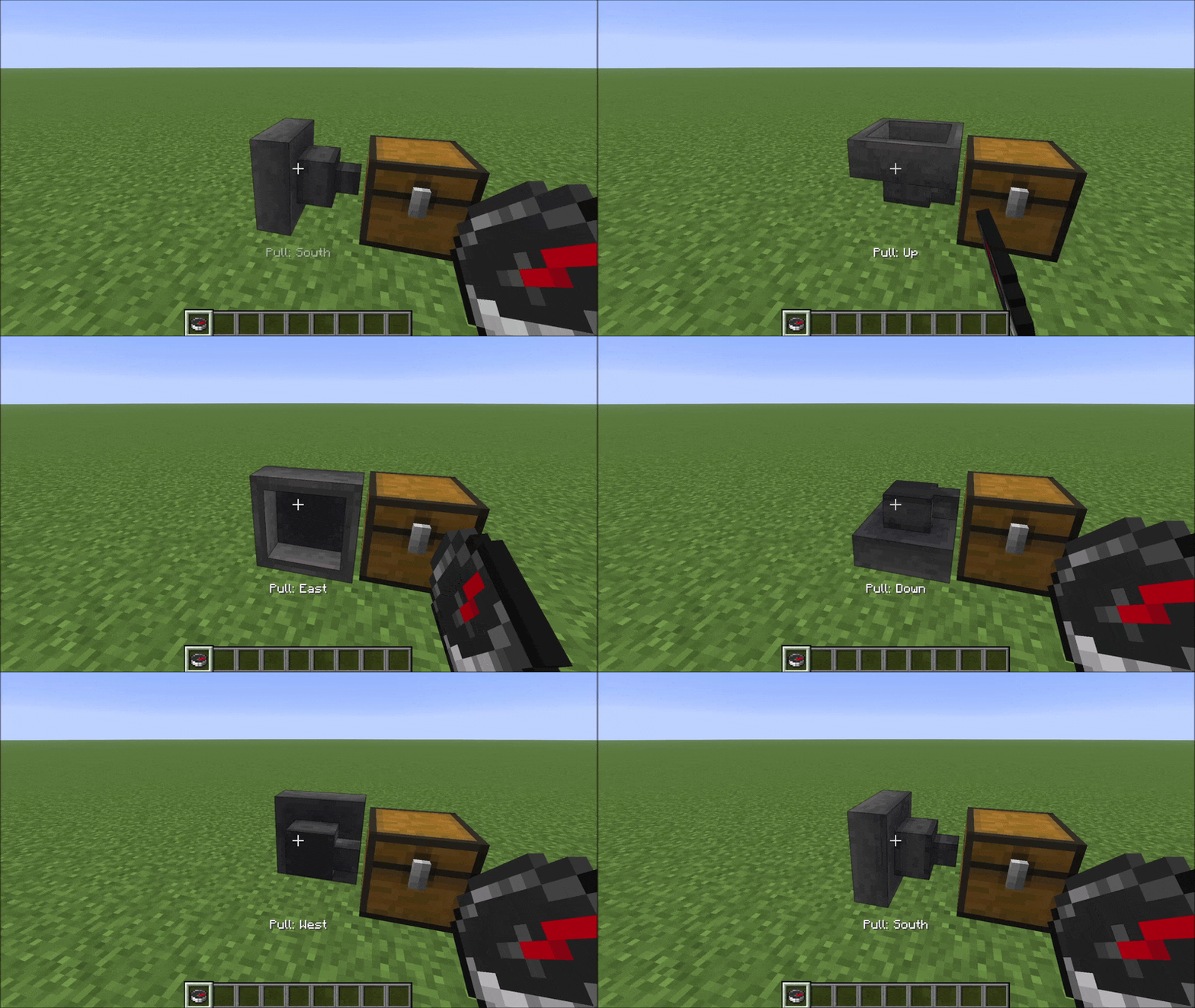
Compass: right-click rotates pull direction
Hold a pull direction and pull direction a hopper to cycle its pull direction (funnel) through the five valid options. A message appears in the action bar after each click showing the current pull direction.
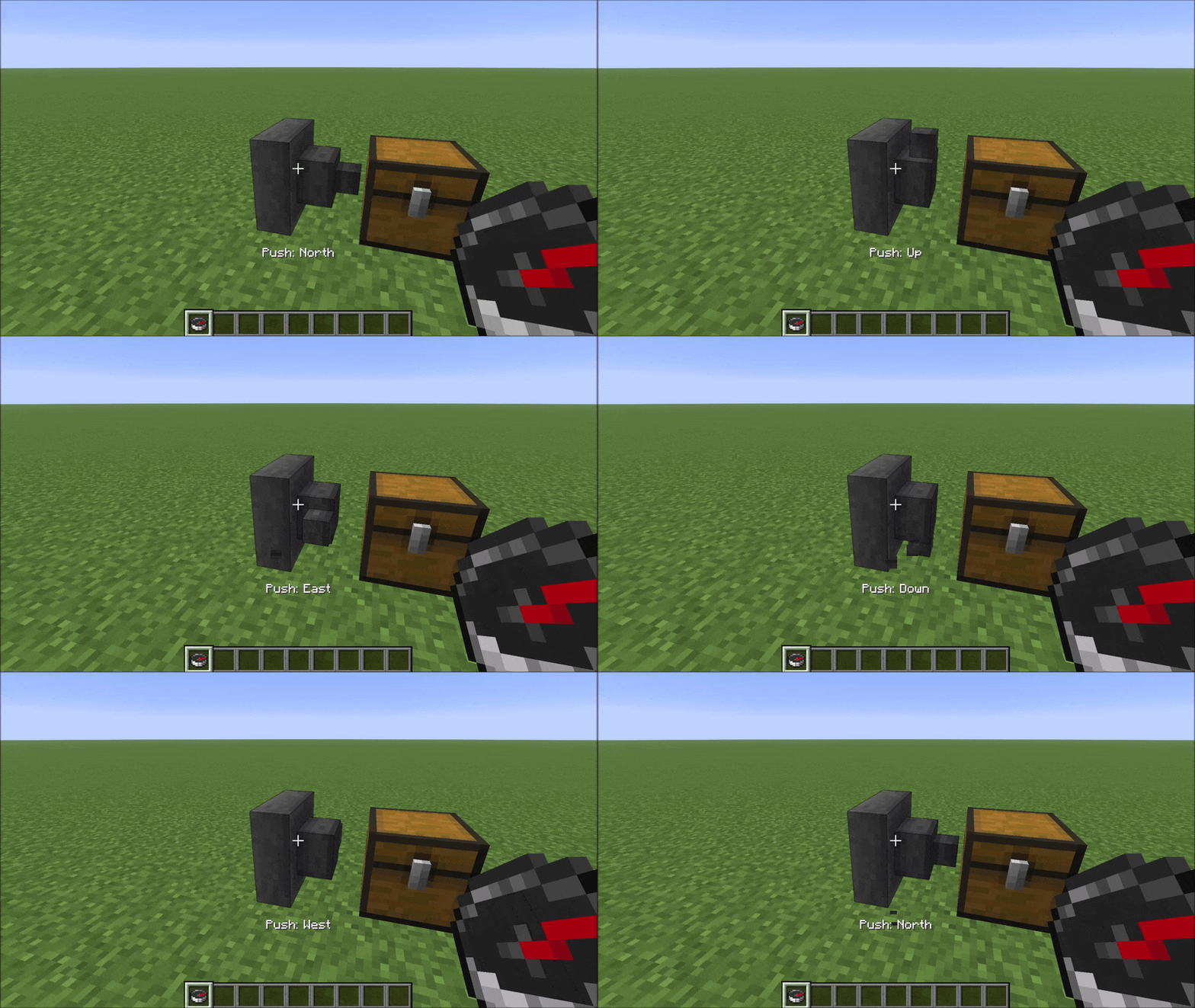
Compass: left-click rotates push direction
Hold a push direction and push direction a hopper to cycle its push direction (spout) through the five valid options. The same action bar message appears confirming the new push direction.
---
Compatibility
HexHopper modifies vanilla `HopperBlock` and `HopperBlockEntity` using Mixins. It is compatible with:
- Mods that don't touch hopper logic — hoppers placed before installing the mod default to pull=Up, which matches vanilla behaviour exactly - Mods that don't touch hopper logic — fall back to vanilla pull=Up behaviour - Mods that don't touch hopper logic — storage mods, visual mods, etc.
Not compatible with mods that also modify HopperBlock or HopperBlockEntity (other hopper-direction mods, some deep storage mods). HexHopper also overrides `assets/minecraft/blockstates/hopper.json` — resource packs or mods that replace the same file will conflict visually.
---
