Head Drop
Drop the player’s head on death. Fully customizable
 43,41k
Quick challenge
How far can you run before the mobs catch you?
Minecraft check
Confirm your run
Complete the quick check to get your code.
Head Drop
Head Drop



📌 About
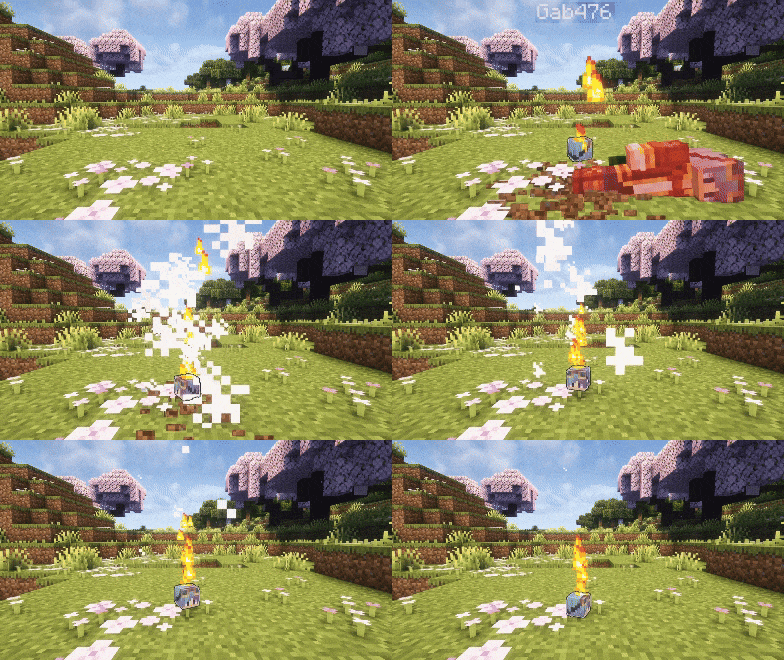
This Minecraft plugin makes players drop their head upon death. Configure head drops, glowing effects, messages, and more via `config.yml`
💡 Features
- PvP / PvE Head Drops Enable or disable head drops separately for PvP and PvE
- Custom Drop Chance Configure the exact probability of a head dropping (0% → 100%)
- Custom Head Item - Editable display name - Single-line or multi-line lore - Optional despawn timer - Option to block renaming in anvils
- Broadcast Messages Toggle global messages when a head is dropped, with full placeholder support
- Optional Effects Add lightning , particles, sounds, or a glowing outline with customizable duration and styles
All these features can be fully configured in the `config.yml`
> Default behavior : > If you don’t modify the config, head drops function just like vanilla : no effects, no broadcasts, no special visuals
📝 Full Config
Spoiler
```yml
Check for plugin updates on server startup
check_for_updates: true
DROP SETTINGS
drop:
Drop mode: "pvp" (player kills only), "pve" (environment deaths only), "all" (both)
mode: "all"
Chance for a head to drop (0.0 = 0%, 1.0 = 100%)
chance: 1.0
Prevent head drop when player has invisibility effect
prevent_when_invisible: false
HEAD ITEM SETTINGS
head:
Custom name for the dropped head item
name: "%head_player%'s Head"
Custom lore for the dropped head item
Leave as empty string "" for no lore, or use a list for multiple lines
lore: ""
Uncomment this for detailed lore (remove 'lore: ""' above first!)
lore:
- "&8&l&m━━━━━━━━━━━━ &r&6&lInfo &8&l&m━━━━━━━━━━━━"
- "&6• &eVictim : &f%head_player%"
- "&6• &cKiller : &f%head_killer%"
- "&6• &aWorld : &7%head_world%"
- "&6• &bLocation : &f%head_coordinates%"
- "&6• &7Dropped : &8%head_datetime%"
- "&8&l&m━━━━━━━━━━━━━━━━━━━━━━━━━━━━━━"
Time in seconds for player heads to despawn (max 300 seconds = 5 minutes)
despawn_time: 300
Prevents renaming of plugin heads via an anvil
disable_rename_in_anvil: false
BROADCAST SETTINGS
broadcast:
Enable or disable broadcasting a message when a player's head is dropped
enabled: false
Message to broadcast (supports placeholders)
message: "§c%head_player%'s§r§6 head has been dropped !§r"
EFFECTS SETTINGS
effects:
Lightning effect (visual only, no damage)
lightning: enabled: false
Sound effect
sound: enabled: false
Check the list: https://www.digminecraft.com/lists/sound_list_pc.php
type: "entity.player.levelup"
Particle effects
particles: enabled: false
Duration in seconds (use "infinite" for no limit)
duration: 10
Particle type: flame, heart, smoke...
Check: https://minecraft.wiki/w/Particles_(Java_Edition)
type: "smoke"
Shape: upward, circle, cycle, pulse, wave, spiral, burst
shape: "upward"
Glowing effect
glowing: enabled: false
Duration in seconds (use "infinite" for no limit)
duration: 10
Color: https://htmlcolorcodes.com/minecraft-color-codes/
color: "red" ```
🛠️ Setup
1. Download the version of the plugin that matches your Minecraft server 2. Place the `.jar` file in your `plugins` folder 3. Restart your server to activate the plugin
Most settings can be customized in the `config.yml` file, make sure to review it for full configuration options
⚙️ Config
After modifying your `config.yml`, use the command `/head reload` to apply your changes without restarting the server This command is only available if you are %%MD0%% or in %%MD0%%
🤝 Community & Support
Need help, found a bug, or just want to chat ? Join our Discord community, we’re always happy to hear your feedback and suggestions !
This plugin is completely free If you’d like to support its development and help it grow :
*Your support helps the project stay alive and brings new updates*
❓ FAQ
Q: Where can I find the `config.yml` file ? A: After the first launch, the file appears at : `/plugins/HeadDrop/config.yml`
Q: How do I update the plugin to a newer version ? A: Download the latest release, replace the old `.jar` file in your `plugins` folder, then restart your server
Q: How do I report bugs ? A: Join the Q: How do I report bugs ? and post the issue in the bug-reporting channel
Q: What happens if I delete the `config.yml` file ? A: The plugin automatically regenerates a fresh default configuration file the next time the server starts
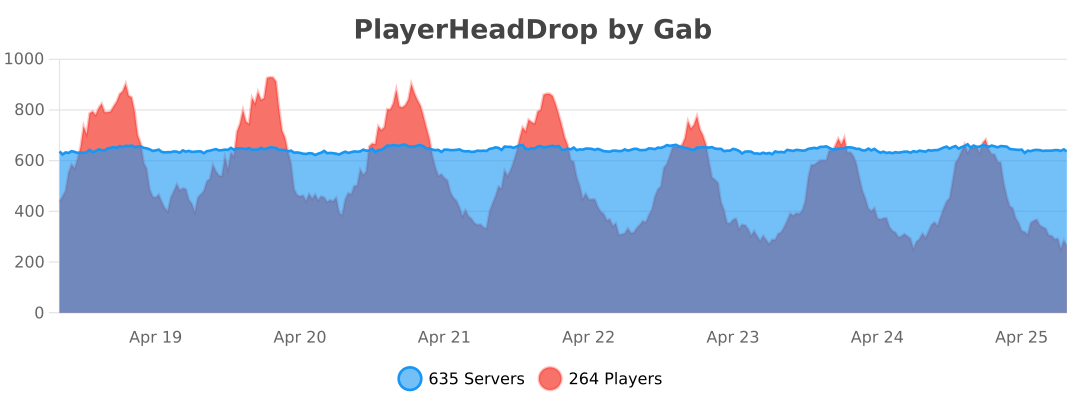
📊 Metrics
This plugin uses bStats, an open-source statistics service for Minecraft, to collect anonymous usage data. If you prefer to disable it, open the `config` file inside the `bStats` folder and set metrics to `false`