FKBoom
Explosion protection and customization of different types of explosion effects
 623
623
Quick challenge
How far can you run before the mobs catch you?
Minecraft check
Confirm your run
Complete the quick check to get your code.
FKBoom
FKBoom Plugin Overview
The following content is auto-translated as English is not my native language. Sorry for any readability issues!
Main Features:
- Custom GUI Interface: Uses the game's default explosion protection effects to prevent destruction caused by TNT, respawn anchors, beds, etc. - Custom GUI Interface: Explosion effects dynamically change based on the environment and configuration, enhancing gameplay. - Custom GUI Interface: Allows all explosion effects to occur without any protection. - Custom GUI Interface: Allows beds to be used in the Nether and End, enhancing game interaction. - Custom GUI Interface: Provides an intuitive graphical interface that allows players with the necessary permissions to easily adjust settings. - Custom GUI Interface: Simplified commands (e.g., /fk xxx) for easy management. - Custom GUI Interface: Customize explosion and interaction rules for each world. - Custom GUI Interface: Instantly update server settings without a restart. - Custom GUI Interface: Enables silent explosions, reducing disturbances. - Custom GUI Interface: New fireworks explosion effects add more visual flair to your game. - Custom GUI Interface: Option to enable or disable explosion damage to all entities. - Custom GUI Interface: When clicking on the world settings in the GUI, the default settings will be automatically generated without the need for manual configuration. - Custom GUI Interface: Provides a more convenient custom GUI interface, including the main interface and world settings interface. Users can flexibly configure and manage according to their needs. Supports customization of the GUI interface language, items, IDs, and commands.
Compatibility:
- Server Core Support: 1.20.1 to 1.21 - Server Core Support: Java 17 to Java 22 - Server Core Support: Spigot, Paper, Folia, Purpur, PufferFish, Leaves, Mohist, Arclight
Protection Measures:
- Comprehensive Protection: Protects paintings, armor stands, item frames, boats, minecarts, leashes, glowing item frames, etc., from explosion damage.
FKBoom plugin provides comprehensive explosion management and control for Minecraft servers while ensuring gameplay interaction and diversity. Whether you want to fully control explosion effects or maintain different game rules across multiple worlds, FKBoom can meet your needs.
Mod Usage Instructions
Other Mods need to be tested individually
Creeper Overhaul Mod - All Exploding Creepers - Creeper Overhaul Mod - All Exploding Creepers During the last explosion of the Manastorm Charge, although it shows the explosion as asynchronous, in reality, it does not destroy any blocks. Re-entering the game will display it normally. - Creeper Overhaul Mod - All Exploding Creepers - Creeper Overhaul Mod - All Exploding Creepers
Known Issues and Incompatibilities: - Applied Energistics 2 Tiny TNT
For other Mods tested individually, if you find items not explosion-proof, the plugin may not be able to achieve explosion-proof effects.
There might be issues with some versions of the Mohist server, please do not report these issues to me.
Permissions Introduction
- Default - Default: Allows the use of FKBoom plugin commands. - Default: This permission is granted by default only to server operators (op), ensuring that only trusted administrators can execute this command.
- Default - Default: This permission allows users to reload the plugin's configuration files, applying new settings without needing to restart the server. - Default: This permission is granted by default only to server operators (op), ensuring that only trusted administrators can execute this command.
- Default - Default: Allows opening the explosion protection settings graphical user interface (GUI). - Default: This permission is granted by default only to server operators (op), ensuring that only trusted administrators can execute this command.
- Default - Default: Allows management of all explosion protection settings. - Default: This permission is granted by default only to server operators (op), ensuring that only trusted administrators can execute this command.
- Default - Default: Allows access to the explosion protection settings graphical user interface (GUI), but does not allow management of the settings. - Default: This permission is granted by default only to server operators (op), ensuring that only trusted administrators can execute this command.
GUI Interface
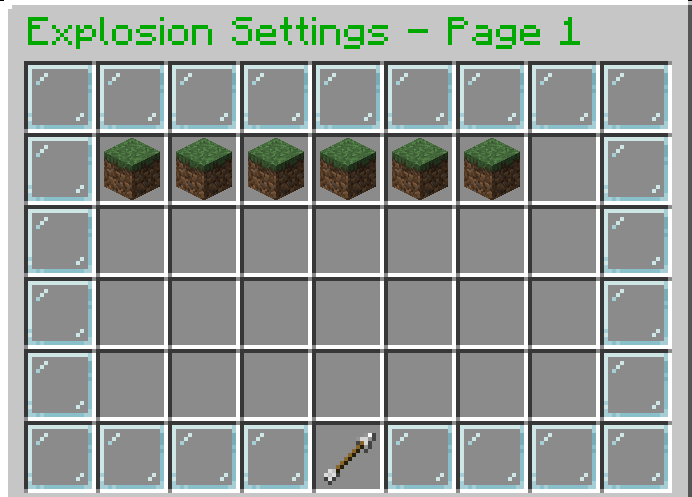
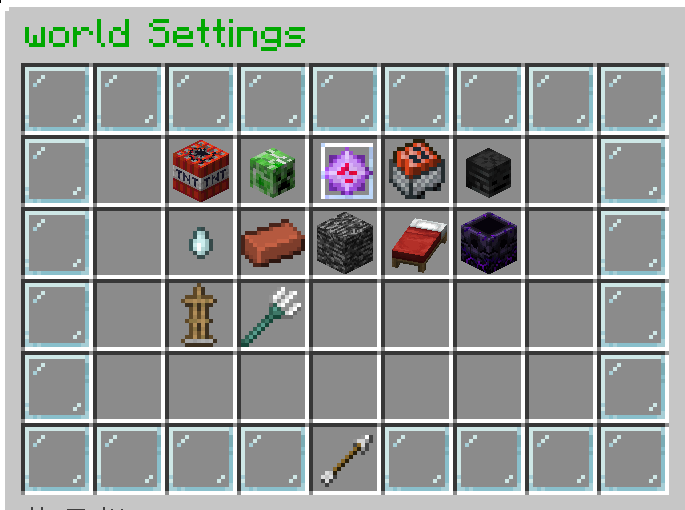
gui.yml
``` #After granting the permissions fkboom.command, fkboom.gui, and fkboom.gui.access, players can view the explosion settings GUI but cannot modify the settings.
Example button to execute command as console (customizable name)
When the player clicks this button, the console will execute the command dm open menu {player_name} clicked the button!, where {player_name} will be replaced with the name of the player who clicked the button. This command name example_console_command can be customized to any suitable name.
#example_console_command: #slot: 49 #material: "BARRIER" #name: "&cReturn" #lore: #- "&7Click to return to the menu" #command: "console:dm open menu {player_name}"
Example button to execute command as player (customizable name)
When the player clicks this button, they will execute the command kill {player_name}, where {player_name} will be replaced with the name of the player who clicked the button. This command name suicide can be customized to any suitable name.
#suicide: #slot: 31 #material: "DIAMOND" #name: "&bSuicide" #lore: #- "&7Click to commit suicide" #command: "player:kill {player_name}"
GUI configuration file
Main GUI configuration
Only existing slots can be customized
gui: main: title: "&2Explosion Settings - Page " size: 54 border: material: "GLASS_PANE" name: "&f " slots: [0, 1, 2, 3, 4, 5, 6, 7, 8, 9, 17, 18, 26, 27, 35, 36, 44, 45, 46, 47, 48, 49, 50, 51, 52, 53] items: prev_page: slot: 45 material: "ARROW" name: "&6Previous Page" lore: - "&7Click to go to the previous page" command: "prev_page" next_page: slot: 53 material: "ARROW" name: "&6Next Page" lore: - "&7Click to go to the next page" command: "next_page" return_button: slot: 49 material: "BARRIER" name: "&cClose" lore: - "&7Click to close the menu" command: "close" world_items: material: "GRASS_BLOCK" name: "&a" lore: - "&7Click to set the world" command: "open_world_settings {world_name}" slots: [10, 11, 12, 13, 14, 15, 16, 19, 20, 21, 22, 23, 24, 25, 28, 29, 30, 31, 32, 33, 34, 37, 38, 39, 40, 41, 42]
Configuration for world settings menu
You can freely customize any slot, including adding or removing slots
world_settings: title: "&2{world_name} Settings" size: 54 border: material: "GLASS_PANE" name: "&f " slots: [0, 1, 2, 3, 4, 5, 6, 7, 8, 9, 17, 18, 26, 27, 35, 36, 44, 45, 46, 47, 48, 49, 50, 51, 52, 53] items: return_button: slot: 49 material: "ARROW" name: "&cReturn to Main Menu" command: "open_main_gui" tnt_explosion_setting: slot: 11 material: "TNT" name: "&cTNT Explosion Setting" lore: - "&7Current setting: &e{custom_info}" command: "toggle_setting tnt-explosion-setting" creeper_explosion_setting: slot: 12 material: "CREEPER_HEAD" name: "&aCreeper Explosion Setting" lore: - "&7Current setting: &e{custom_info}" command: "toggle_setting creeper-explosion-setting" endercrystal_explosion_setting: slot: 13 material: "END_CRYSTAL" name: "&bEnd Crystal Explosion Setting" lore: - "&7Current setting: &e{custom_info}" command: "toggle_setting endercrystal-explosion-setting" minecart_tnt_explosion_setting: slot: 14 material: "TNT_MINECART" name: "&eMinecart TNT Explosion Setting" lore: - "&7Current setting: &e{custom_info}" command: "toggle_setting minecart-tnt-explosion-setting" wither_explosion_setting: slot: 15 material: "WITHER_SKELETON_SKULL" name: "&cWither Explosion Setting" lore: - "&7Current setting: &e{custom_info}" command: "toggle_setting wither-explosion-setting" ghast_explosion_setting: slot: 20 material: "GHAST_TEAR" name: "&fGhast Explosion Setting" lore: - "&7Current setting: &e{custom_info}" command: "toggle_setting ghast-explosion-setting" block_explosion_setting: slot: 21 material: "BRICK" name: "&7Block Explosion Setting" lore: - "&7Current setting: &e{custom_info}" command: "toggle_setting block-explosion-setting" wither_block_damage: slot: 22 material: "SOUL_SAND" name: "&cWither Block Damage" lore: - "&7Current setting: &e{custom_info}" command: "toggle_setting wither-block-damage" allow_bed_interaction: slot: 23 material: "WHITE_BED" name: "&cBed Interaction" lore: - "&7Current setting: &e{custom_info}" command: "toggle_setting allow-bed-interaction" allow_anchor_interaction: slot: 24 material: "RESPAWN_ANCHOR" name: "&dRespawn Anchor Interaction" lore: - "&7Current setting: &e{custom_info}" command: "toggle_setting allow-anchor-interaction" custom_protection: slot: 29 material: "SHIELD" name: "&9Protected from Explosions" lore: - "&7Paintings, Armor Stands, Item Frames" - "&7Boats, Minecarts, Leads, Glow Item Frames" - "&7Current setting: &e{custom_info}" command: "toggle_setting custom-protection" explosion_damage: slot: 30 material: "REDSTONE" name: "&cExplosion Damage" lore: - "&7Current setting: &e{custom_info}" command: "toggle_setting explosion-damage"
messages: no_permission: "&cYou do not have permission to change settings." unknown_command: "&cUnknown command: {command}" config_save_error: "&cUnable to save config file." setting_updated: "&aSetting updated." no_permission_msg: "&cYou do not have permission to use this command." config_reloaded: "&aPlugin reloaded successfully!" command_help: - "&6-------- FKBoom --------" - "&6 » /fkboom help - Shows the command list" - "&6 » /fkboom gui - Opens the settings interface" - "&6 » /fkboom reload - Reloads the plugin" - "&6 » /fkboom plugin - Shows information about the plugin" - "&6-------- FKBoom --------" unknown_command_msg: "&cUnknown command. Use » /fkboom help to see the command list。" plugin_info: - "&6-------- FKBoom --------" - "&6 » Author:_Aosion" - "&6 » QQ:1435567503" - "&6-------- FKBoom --------" ```
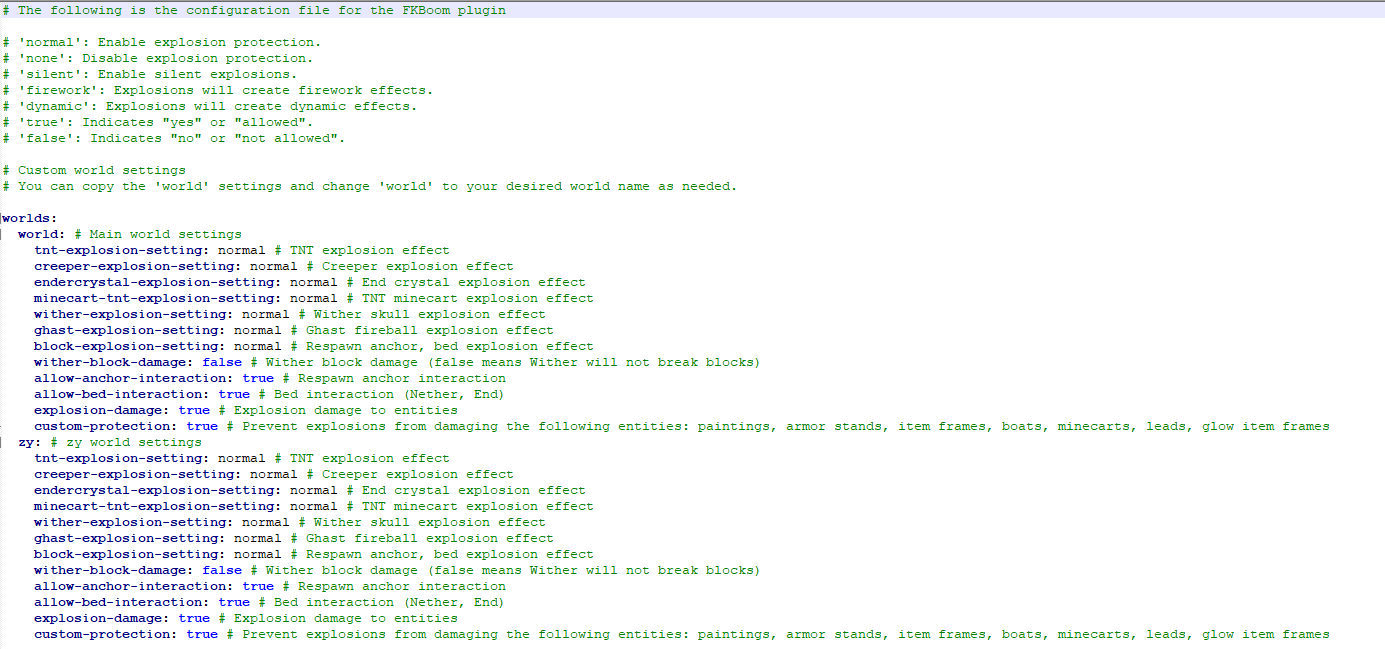
Custom Configuration World in config.yml
By default, all worlds have the same settings as the world.
```
The following is the configuration file for the FKBoom plugin
'normal': Enable explosion protection.
'none': Disable explosion protection.
'silent': Enable silent explosions.
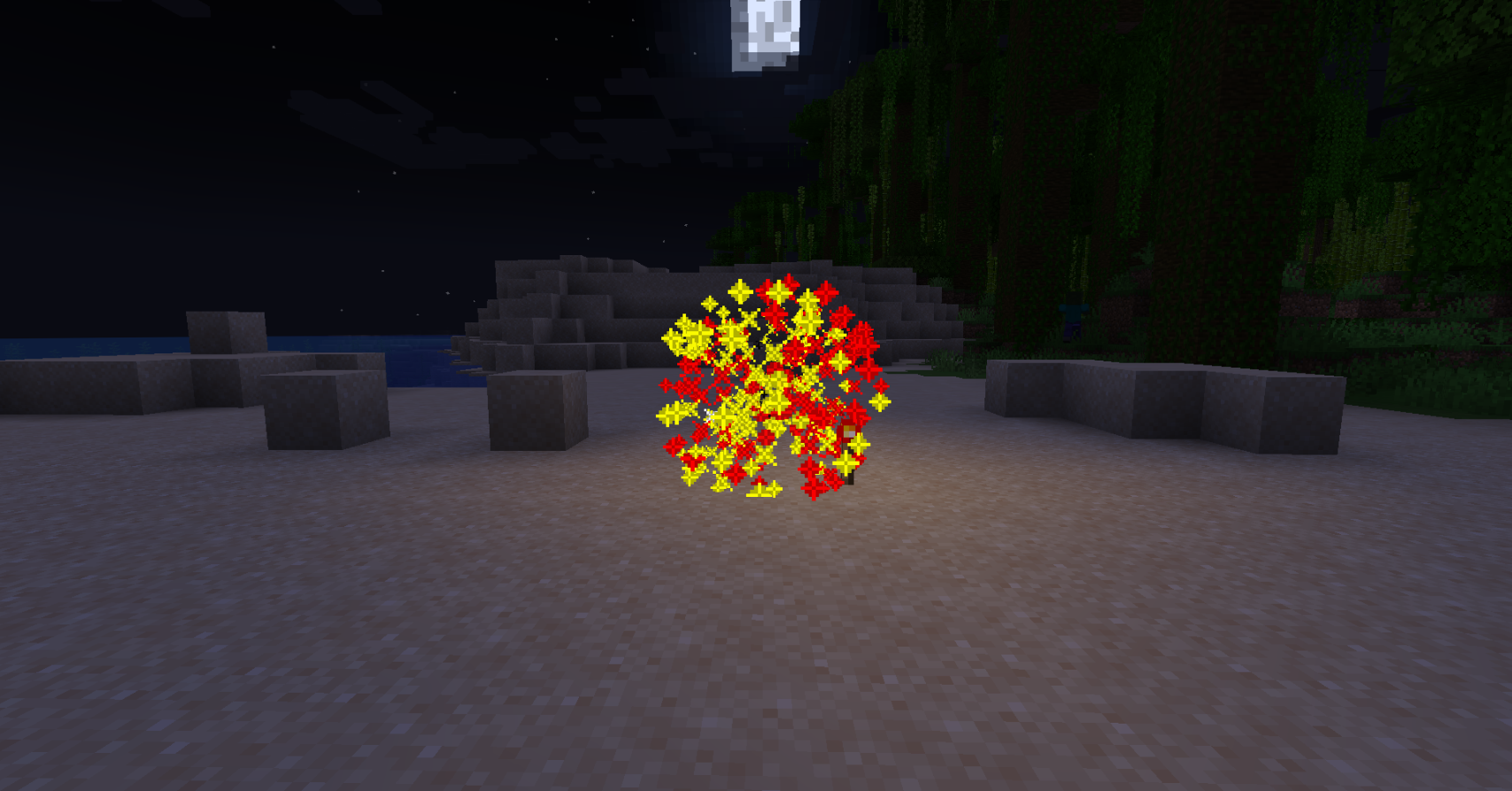
'firework': Explosions will create firework effects.
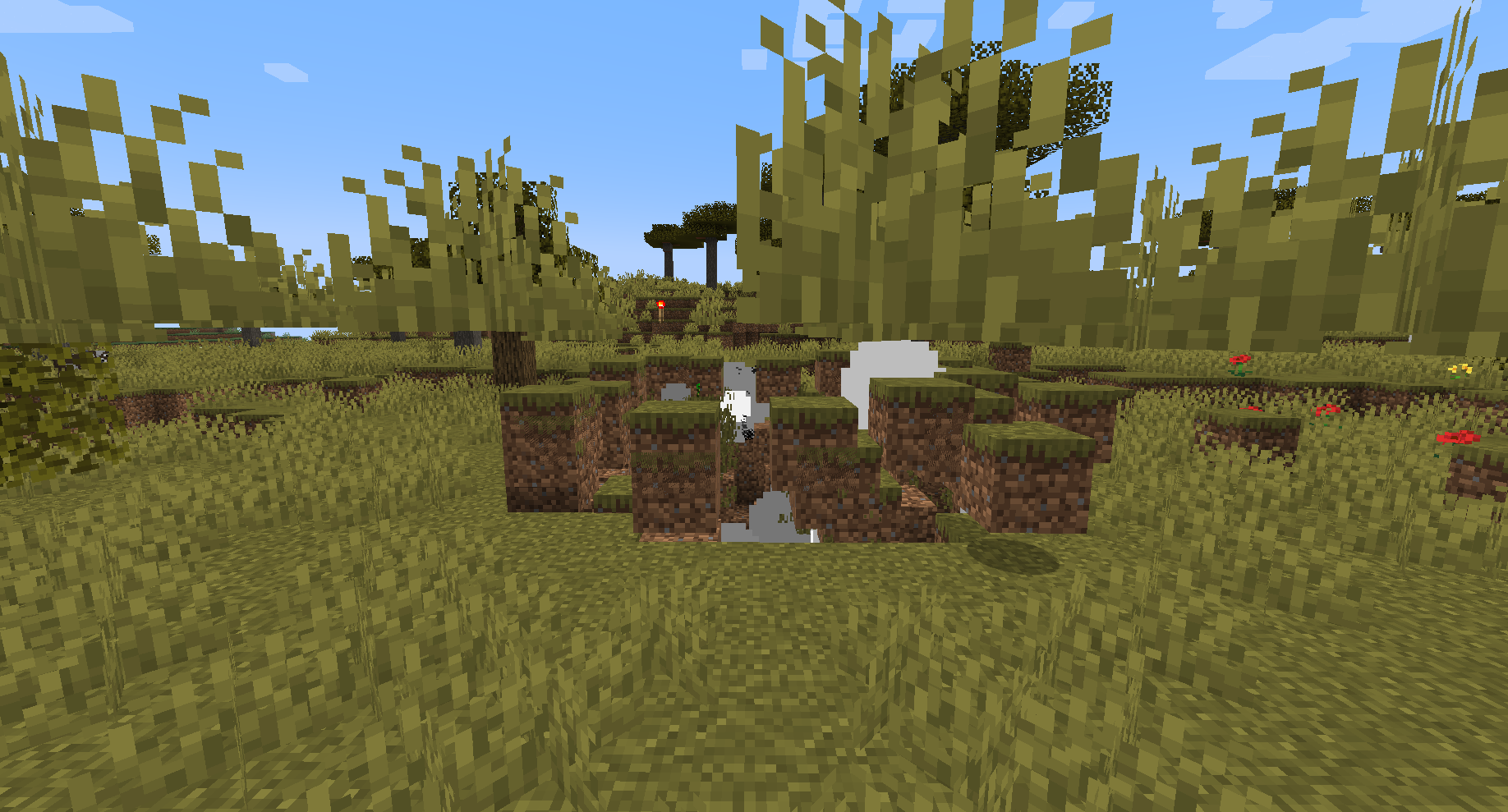
'dynamic': Explosions will create dynamic effects.
Please review the plugin introduction before using the Mod Universal Explosion-proof Settings (this does not affect the original version, no need to pay attention)
explosion-settings: enable-general-anti-explosion: true
Custom world settings
You can copy the 'world' settings and change 'world' to your desired world name as needed.
worlds: world: # Main world settings tnt-explosion-setting: normal # TNT explosion effect creeper-explosion-setting: normal # Creeper explosion effect endercrystal-explosion-setting: normal # End crystal explosion effect minecart-tnt-explosion-setting: normal # TNT minecart explosion effect wither-explosion-setting: normal # Wither skull explosion effect ghast-explosion-setting: normal # Ghast fireball explosion effect block-explosion-setting: normal # Respawn anchor, bed explosion effect wither-block-damage: false # Wither block damage (false means Wither will not break blocks) allow-anchor-interaction: true # Respawn anchor interaction allow-bed-interaction: true # Bed interaction (Nether, End) explosion-damage: true # Explosion damage to entities custom-protection: true # Prevent explosions from damaging the following entities: paintings, armor stands, item frames, boats, minecarts, leads, glow item frames ```
Explosion Effect Display
Dynamic Explosion Effect
Fireworks Explosion Effect
bStats: