

Durability Hud
Displays durability of Tools, Weapons, and Armor.
 10,91k
Quick challenge
How far can you run before the mobs catch you?
Minecraft check
Confirm your run
Complete the quick check to get your code.
Durability Hud
Displays current durability of Tools and Armor!
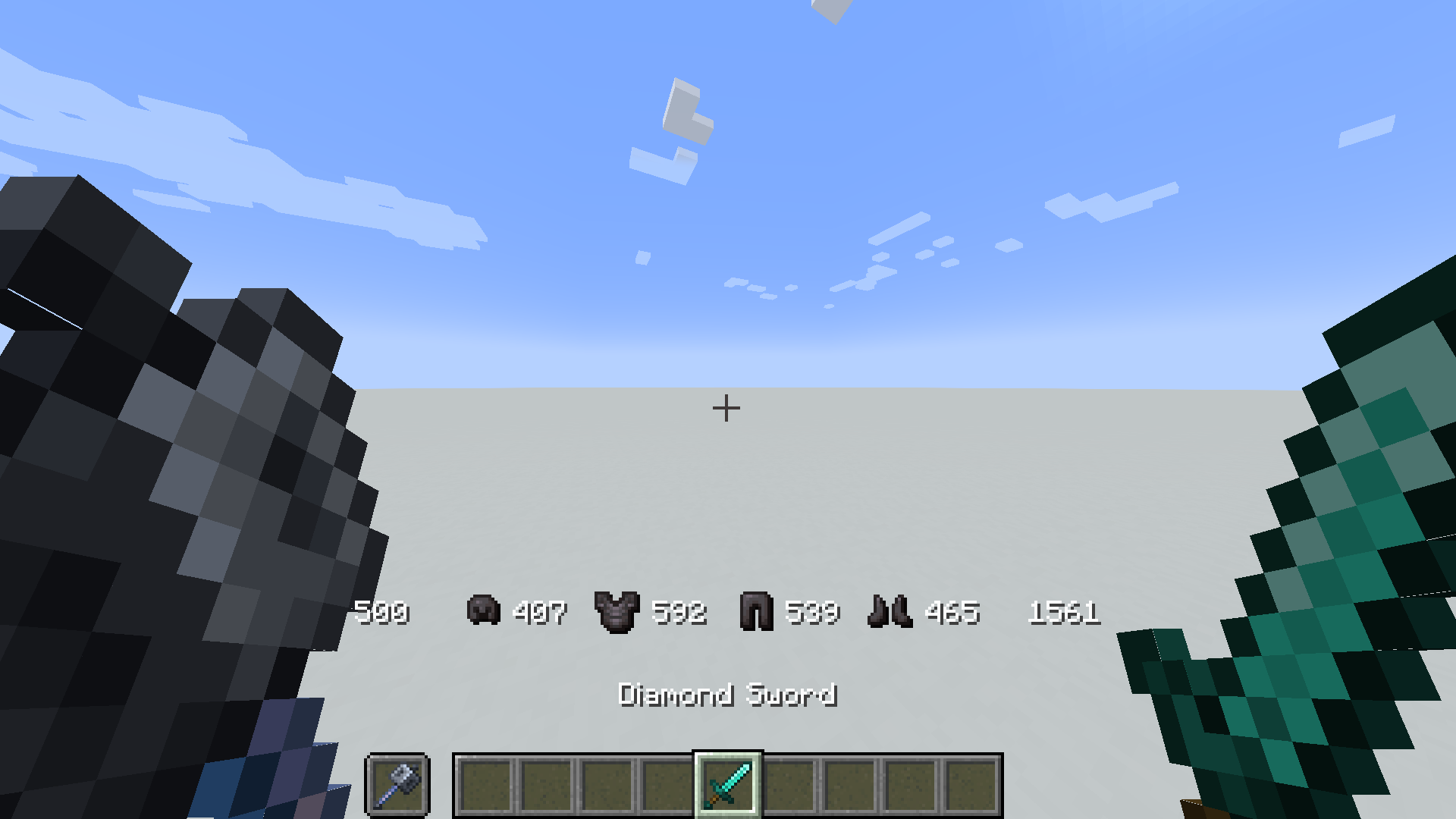
How to Install
Insall in Pre-existing world
1. Download the datapack 2. Put the zip file in the `/datapack` folder of your world-save `%appdata%/.minecraft/saves` 3. Full path should be something like `C:Users[USERNAME]AppDataRoaming.minecraftsaves[WORLDNAME]datapacks` 3. run `/reload` in game
Insall in a New world
1. Download the datapack 2. Start creating a new world 3. Click the Open Pack Folder Tab 4. Click the Open Pack Folder Button 5. Click Open Pack Folder, put the downloaded zip file in the explorer window 6. run `/reload` in game
Enable Icons (optional)
1. Install the actual datapack 2. Download the resource pack 2. Install and enable the resource pack 2. run the command `/trigger DurabilityHud.resourcepack` 3. Enjoy
Included Commands
- Enable icons (requires resourcepack) `/trigger DurabilityHud.resourcepack` - Toggle Durability Hud per player `/trigger DurabilityHud.toggle` - Show/Hide armor durability `/trigger DurabilityHud.armor`

For Developers (how to get items to work with this pack)
As long as a item has the component max_damage it should display correctly. But as of 1.21.3 plain items from minecraft (and plain modded ones) dont come with the max_damage component by default. Therefore we hardcode these values, but as long as max_damage exists you should be fine.
If adding max_damage is not a option then it is possible to modify/override the `get.max.[Slot].default.mcfunction` to return custom max damage values for custom item types. Or add custom items to the existing `durability.max.[maxdurability].json` tag files under `tags/item/...`.
items that are unable to get max damage will display negative values.
