

DiscordSRV-Player-Chat-Logs
Logged player commands & chats in their own Discord channel.
 257
257
Quick challenge
How far can you run before the mobs catch you?
Minecraft check
Confirm your run
Complete the quick check to get your code.
DiscordSRV-Player-Chat-Logs
DiscordSRV Logger Addon
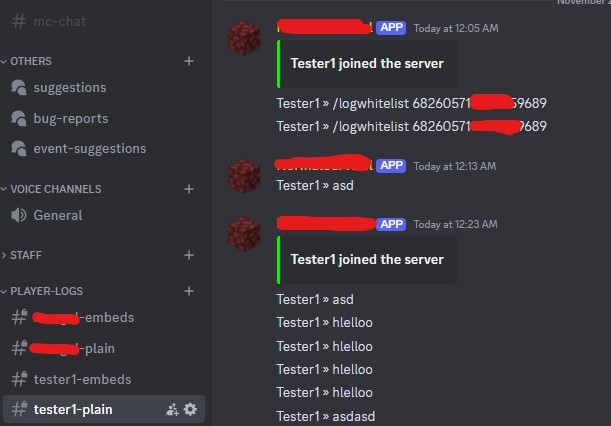
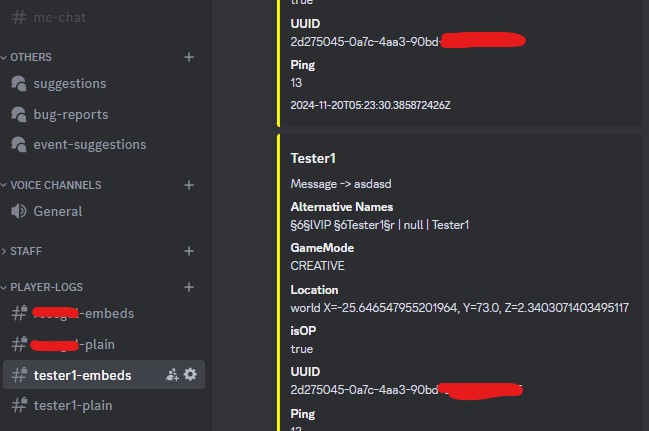
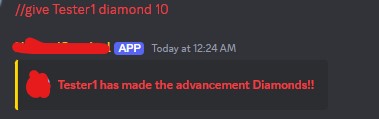
Easy to Install: Drag and drop, and it's ready to go! Logs player commands and chat messages directly into dedicated Discord channels.
Discord Channels: Keep track of in-game activity with logs sent directly to custom channels for each player.
Whitelist Feature: Want to control who sees the logs? Use /logwhitelist <discordid> to add Discord users who can view logs. Only whitelisted users and admins can access the logs!
Enhanced DiscordSRV: Now you can execute //commands from the Minecraft chat directly in your Discord channel. This only works for admins and whitelisted users.
Detailed Logging: We log all sorts of useful information, including:
Player Info Messages Alternative Names GameMode Location (X, Y, Z) OP Status UUID Ping Timestamp Join/Leave Logs: Track when players join or leave the server with timestamps.
Permissions:
/logwhitelist <discordid> requires the logwhitelist permission node (or op status). Make sure you have DiscordSRV installed and start logging player activity with ease! ✨
