
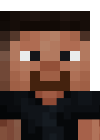
DiscordAvatarBot
Discord bot for generating Minecraft player avatars
 26
26
Quick challenge
How far can you run before the mobs catch you?
Minecraft check
Confirm your run
Complete the quick check to get your code.
DiscordAvatarBot
A Spigot/Paper plugin that integrates a Discord bot for generating Minecraft player avatars.
- Discord Integration - Use !av <username> command in Discord to generate player avatars - High-Quality Avatars - Generates bust-style Minecraft skin renders via tabavatars.net API - Cooldown System - Configurable cooldown to prevent spam - Channel Restriction - Limit avatar commands to specific Discord channels - Avatar-Only Mode - Create clean avatar galleries by auto-deleting non-bot messages - Customizable Embeds - Configure colors, titles, descriptions, and messages
Requirements - Java 17 or higher - Spigot/Paper 1.17.x or higher - Discord Bot Token (Requirements)
Installation - Download the latest release from the Releases page - Place the JAR file in your server's plugins folder - Start/restart your server - Edit plugins/DiscordAvatarBot/config.yml with your bot token and server ID - Restart the server
Configuration
Spoiler
```
============================================
Discord Avatar Bot Configuration
============================================
==================== BOT SETTINGS ====================
Your Discord Bot Token
Get it from: https://discord.com/developers/applications
bot-token: "YOUR_BOT_TOKEN_HERE"
Your Discord Server ID (Guild ID)
Right-click on your server icon and click "Copy ID" (Developer Mode must be enabled)
server-id: "YOUR_SERVER_ID_HERE"
Bot status message (what the bot shows as "Playing")
bot-status: "Looking for !av <username> for avatars"
==================== CHANNEL SETTINGS ====================
Channel ID where avatar commands can be used
Leave empty ("") to allow in all channels
Example: "1234567890123456789"
allowed-channel-id: ""
Avatar-Only Channel Mode
When enabled, ALL user messages in the allowed channel get deleted
Only the bot's avatar embeds will remain - creates a clean avatar gallery!
Set to true to enable, false to disable
avatar-only-channel: false
==================== COOLDOWN SETTINGS ====================
Enable or disable cooldown (true/false)
Set to false to allow unlimited avatar requests
cooldown-enabled: true
Cooldown time in hours (only works if cooldown-enabled is true)
Set to 0 for no cooldown
cooldown-hours: 24
==================== CUSTOMIZABLE MESSAGES ====================
Use {username} for player name, {hours} for remaining cooldown time
Use {user} for Discord user mention
Embed title
embed-title: "Player Avatar"
Embed description (shown below title)
Use {username} for the player name
embed-description: "Player: `{username}`"
Embed color (hex format)
embed-color: "#5865F2"
Footer text (main line)
embed-footer: "Avatar generated by tabavatars.net API"
Note field title
note-title: "ℹ️ Note"
Note field content (shown for premium skin warning)
note-content: "If you see an invalid skin, it's because this username doesn't have a premium Minecraft account. Some players use offline mode with custom skins."
Show the note field (true/false)
show-note: true
==================== ERROR MESSAGES ====================
No username provided
error-no-username: "❌ Usage: `!av <username>`"
User is on cooldown
Use {hours} for remaining time
error-cooldown: "⏰ You're on cooldown! You can request another avatar in {hours} hours.nPlease don't spam the chat with avatars!"
Failed to generate avatar
error-generation-failed: "❌ Failed to generate avatar. Please check the username."
General error
error-general: "❌ An error occurred while generating the avatar. Please try again later."
Private message rejection
error-dm-blocked: "❌ I don't accept private messages!"
Wrong channel message (when user uses command in wrong channel)
Leave empty to silently ignore
Use {channel} for the allowed channel mention
error-wrong-channel: ""
==================== SUCCESS MESSAGES ====================
Message shown after successful avatar generation (optional)
Leave empty for no message
Use {username} for player name, {user} for Discord user mention
success-message: ""
==================== LOGGING SETTINGS ====================
Enable or disable console logging when avatars are generated
Set to false to disable "Avatar generated for user X by Y" messages
console-logging: true
Logo URL for embed footer (must be PNG/JPG - Discord doesn't support SVG)
logo-url: "https://tabavatars.net/assets/images/discordbot.png"
```
Commands - !av <username> Generate an avatar for the specified Minecraft username
report bugs here: https://discord.gg/CppU73Ba2c
