

Disable Fog
Allows you to selectively disable different types of fog.
 105,85k
Quick challenge
How far can you run before the mobs catch you?
Minecraft check
Confirm your run
Complete the quick check to get your code.
Disable Fog
Disable Fog
This is a client mod that allows you to selectively disable certain types of fog in minecraft.
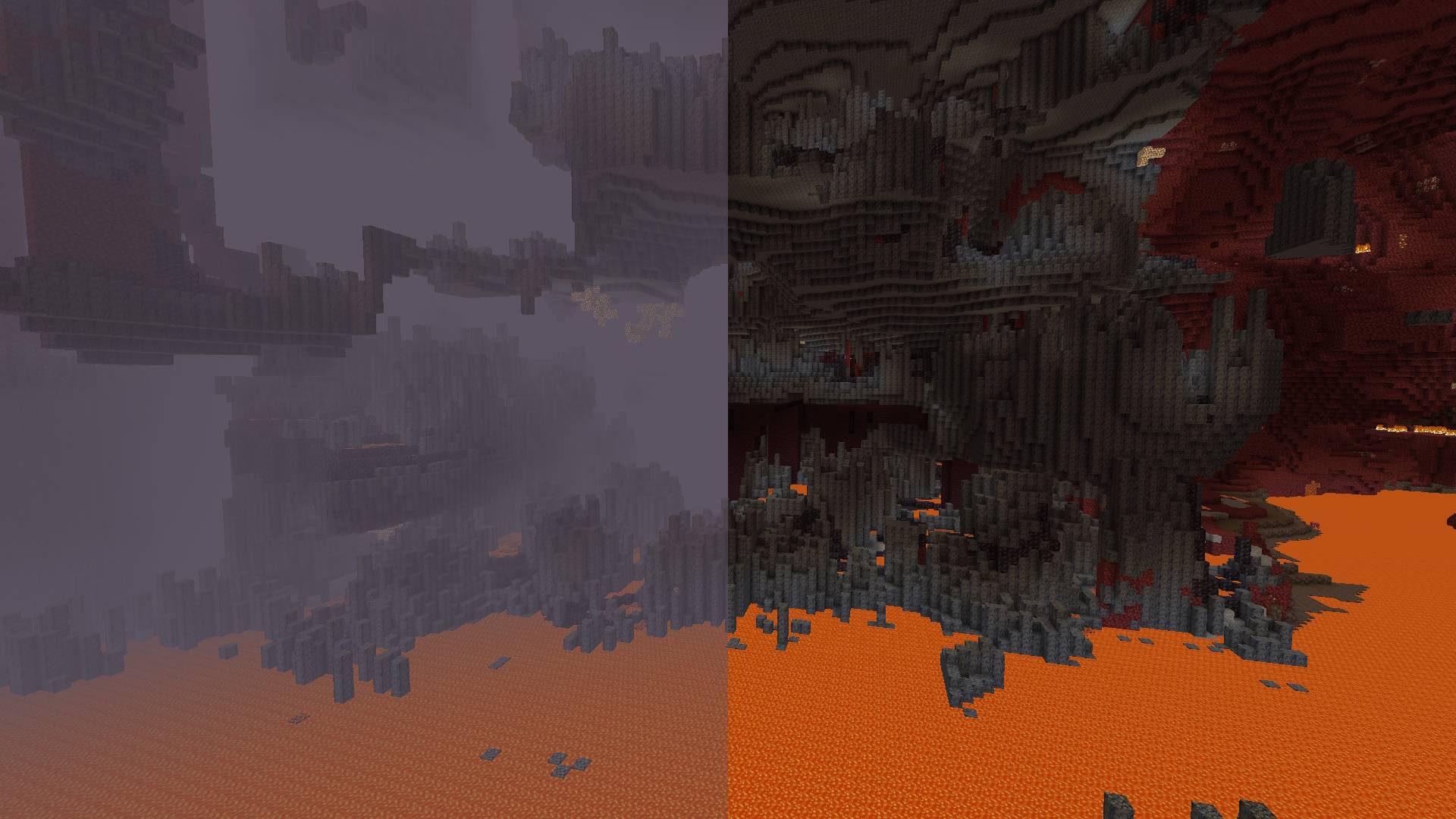


***
Toggleable Fog Types:
- Darkness Fog: Remove the fog that depends on the drawing distance, which hides the boundaries of the chunks. - Darkness Fog: Remove sky fog in the Overworld and thick fog in the Nether. - Darkness Fog: Remove fog in lava for clearer vision. - Darkness Fog: Clear underwater fog for better visibility. - Darkness Fog: Eliminate fog effects in powder snow. - Darkness Fog: Disable fog caused by the blindness effect. - Darkness Fog: Remove fog from the darkness effect (e.g., from wardens).
---
By default, the mod disables terrain fog and atmospheric fog. All other fog types can be configured individually, including per-dimension overrides.
Configuration:
Starting from version 2.0.0, the mod includes a built-in configuration screen available on all mod loaders — no additional mods required.
For Fabric and Quilt:
- Install ModMenu to access the configuration screen in-game.
For Forge and NeoForge:
- No additional mods required. Select the mod from the mod list and click the "Config" button.
Per-Dimension Settings:
Each dimension can independently override the global fog settings. If a dimension setting is set to DEFAULT, it inherits the value from the global configuration. Dimensions added by other mods are supported automatically.
---
⚠️ Note for versions below 2.0.0:
Built-in configuration is available starting from version 2.0.0. On older versions, install ClothConfig and ModMenu to configure the mod in-game.
