

DaySpot
DaySpot shows time, coords, biome, weather, FPS, and more in a clean HUD. It also alerts you to hostile mobs outside your view with smart proximity warnings. Fully customizable, simple, and built to keep you informed and alive.
 24
24
Quick challenge
How far can you run before the mobs catch you?
Minecraft check
Confirm your run
Complete the quick check to get your code.
DaySpot
DaySpot
A lightweight HUD overlay mod that displays day count, time, biome, moon phase, coordinates, weather, and FPS on screen, with a danger alert system that warns you when hostile mobs are nearby outside your field of view.
---
Features
- Direction Indicators — Top Center (default), Top Left, Top Right, Bottom Left, Bottom Right, Above Hotbar - Direction Indicators — Enable/disable each info line independently with 11 color choices - Direction Indicators — Toggle between 24-hour and 12-hour (AM/PM) time display - Direction Indicators — Adjustable from 0.5x to 1.5x - Direction Indicators — 3-tier proximity alerts (Awareness/Warning/Danger) with per-mob detection ranges - Direction Indicators — Enable/disable alerts for Creeper, Zombie, Skeleton, Enderman, Witch, Spider, and Wither Skeleton individually - Direction Indicators — Serious (mob + direction), Humorous (randomized messages), Minimal (mob name only) - Direction Indicators — Alerts tell you which direction the threat is coming from
---
Requirements
- Minecraft: 1.20.1 / 1.21.1 - Loader: Forge / NeoForge / Fabric - Cloth Config (Forge/NeoForge): 11.x+ / 15.x+ - YACL (Fabric): 3.6.x+
---
Installation
1. Install the appropriate mod loader for your Minecraft version 2. Download DaySpot from this page 3. Place the `.jar` file in your `.minecraft/mods/` folder 4. Launch Minecraft and configure via the Mods menu
---
Configuration
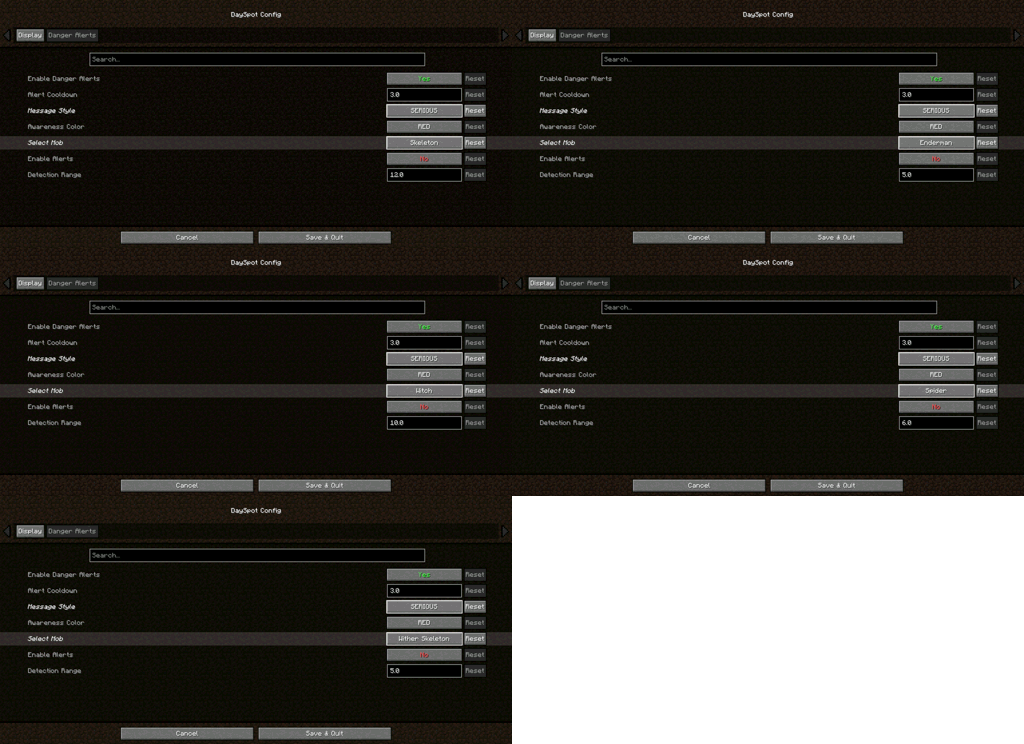
Access the config screen via the Mods menu → DaySpot → Config. All settings are client-side and require no server installation.
Danger Alerts tab: HUD position, scale, alignment, toggle and color each info line Danger Alerts tab: Enable/disable alerts, alert cooldown, message style, per-mob detection range with mob selector
---
Compatibility
- Tested on Forge 1.20.1, Forge 1.21.1, NeoForge 1.21.1, Fabric 1.20.1, Fabric 1.21.1 - Client-side only — works on any server without installation - Modpack inclusion: Allowed under MIT license
---
FAQ
Q: Can I include this in a modpack? A: Yes! DaySpot is licensed under MIT. Feel free to include it in any modpack.
Q: Does this work on servers? A: DaySpot is client-side only. Install it on your client — no server installation needed.
[email protected] A: Have ideas or feedback? Reach out at [email protected] — I'd love to hear from you!
---
*Licensed under MIT. Made by Arvani Creations.*
