

🎨 Custom Outline
Customize your block outline. Fast, simple, with color generator website.
 26,54k
Quick challenge
How far can you run before the mobs catch you?
Minecraft check
Confirm your run
Complete the quick check to get your code.
🎨 Custom Outline




This pack allows you to fully customize the block outline color in Minecraft, giving your game a personalized visual style. By default, it comes with the color `#ffcc0080` 
Customize Outline
There are two ways to set your own outline color:
1. Manual Method:
Edit the `rendertype_lines.vsh` file directly at: `assets/minecraft/shaders/core/rendertype_lines.vsh`
Modify the line: `temp = vec4(1.0, 0.8, 0.0, 0.5); // RGBA` Replace with your desired RGBA values.
2. Web Generator:
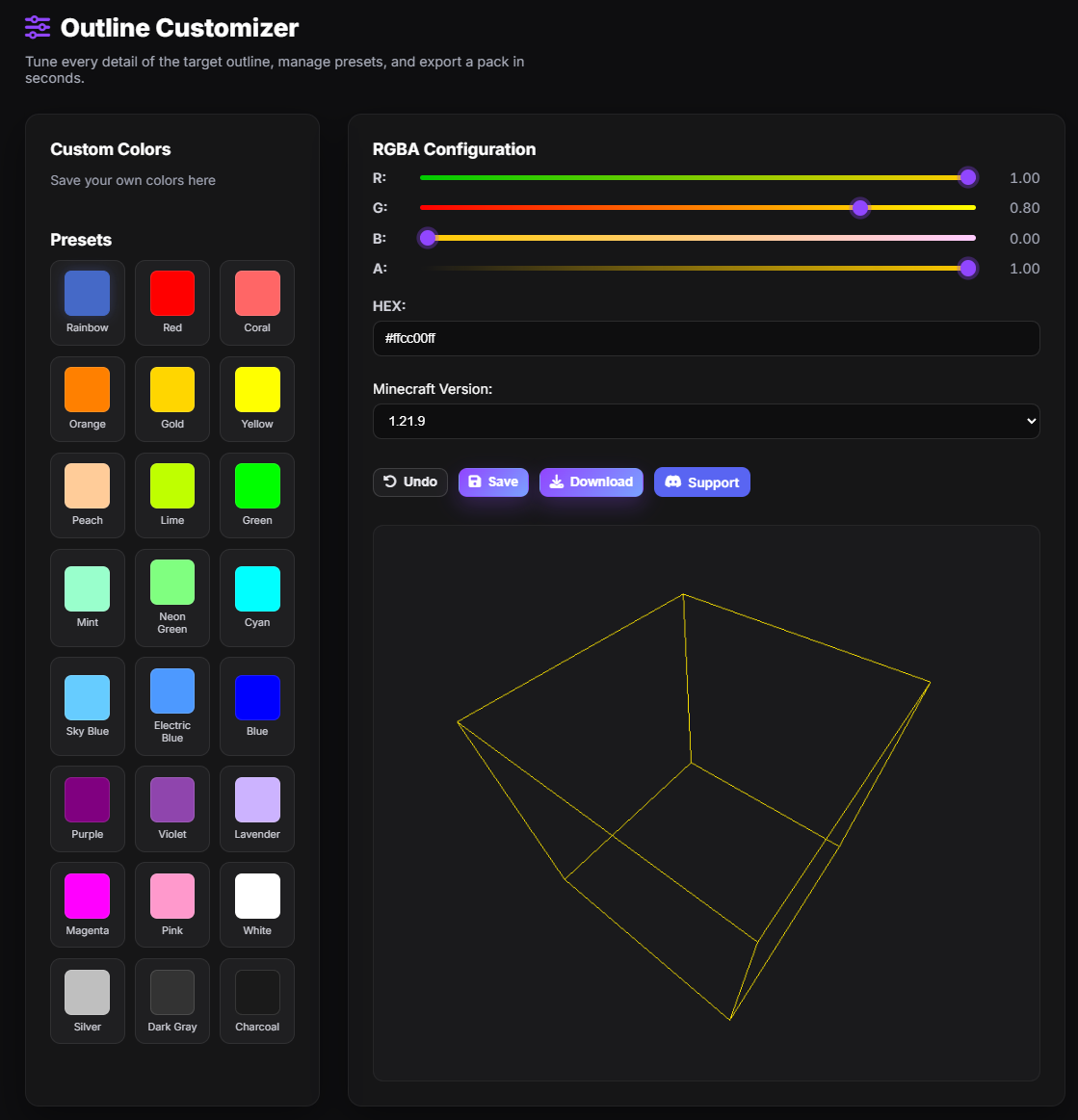
Use the custom generator to create a pack in your desired color. Choose from sliders, HEX input, presets, or save your own.
Open the Custom Outline Generator
⚠️ Compatibility
Not compatible with shaderpacks (e.g. Iris, Optifine) as they override core shaders.
If you would like to use shaders with a custom outline. You will need to use shaders that have their own custom outline option such as: Complementary Reimagined Complementary Unbound or Photon Shader
Need help or have a suggestion? Reach out on GitHub or join the Discord.
License
🎨 Custom Outline is © NotToBlame. You are permitted to:
- ✅ Use in modpacks personal edits (Modrinth, CurseForge) - ✅ Create and publish personal edits (as long as no original files are included) - ✅ Make personal edits (not for redistribution)
You may not:
- ❌ Reupload or redistribute this pack or its assets - ❌ Include original files in your own uploads or forks - ❌ Use the pack commercially without explicit permission
