

CoordsCoordsCoords
Coordinates and Biome on your HUD hotbar
 4,81k
4,81k
Quick challenge
How far can you run before the mobs catch you?
Rotate your phone
Dino Mine is ready when your screen is landscape.
Minecraft check
Confirm your run
Complete the quick check to get your code.
Your code
Expires in 5 hours
CoordsCoordsCoords
CoordsCoordsCoords datapack lets you display your coordinates and current Biome on the in-game HUD.
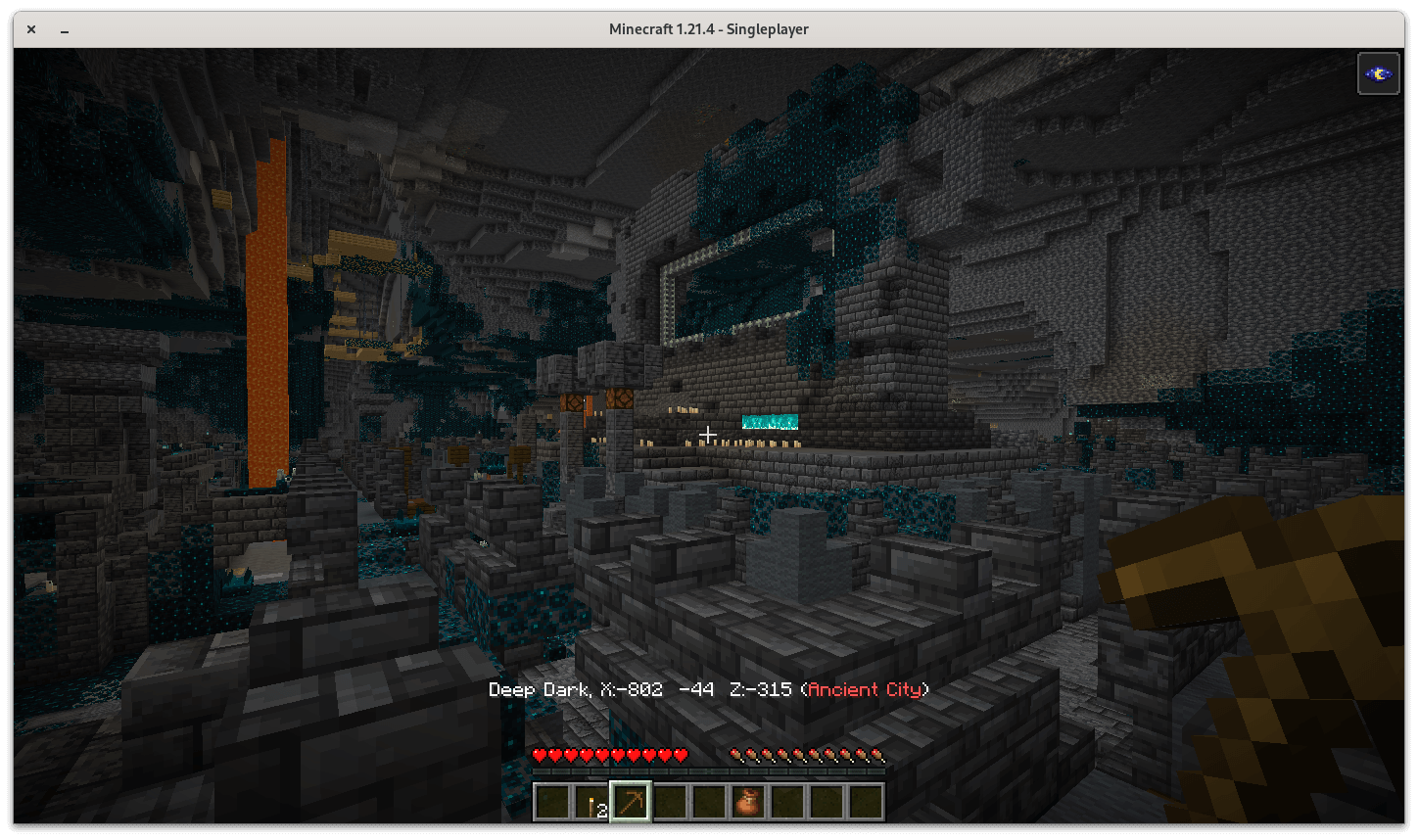
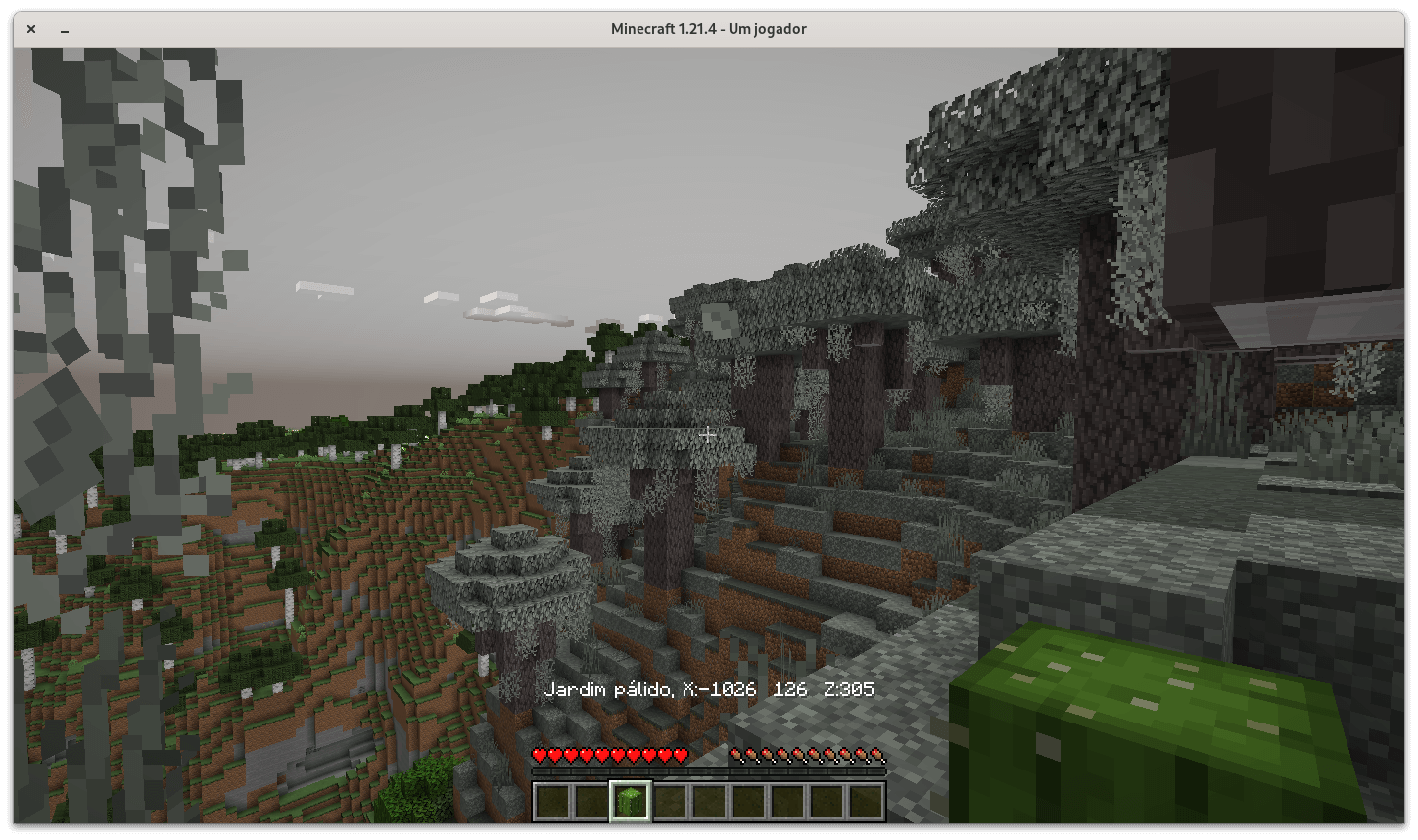
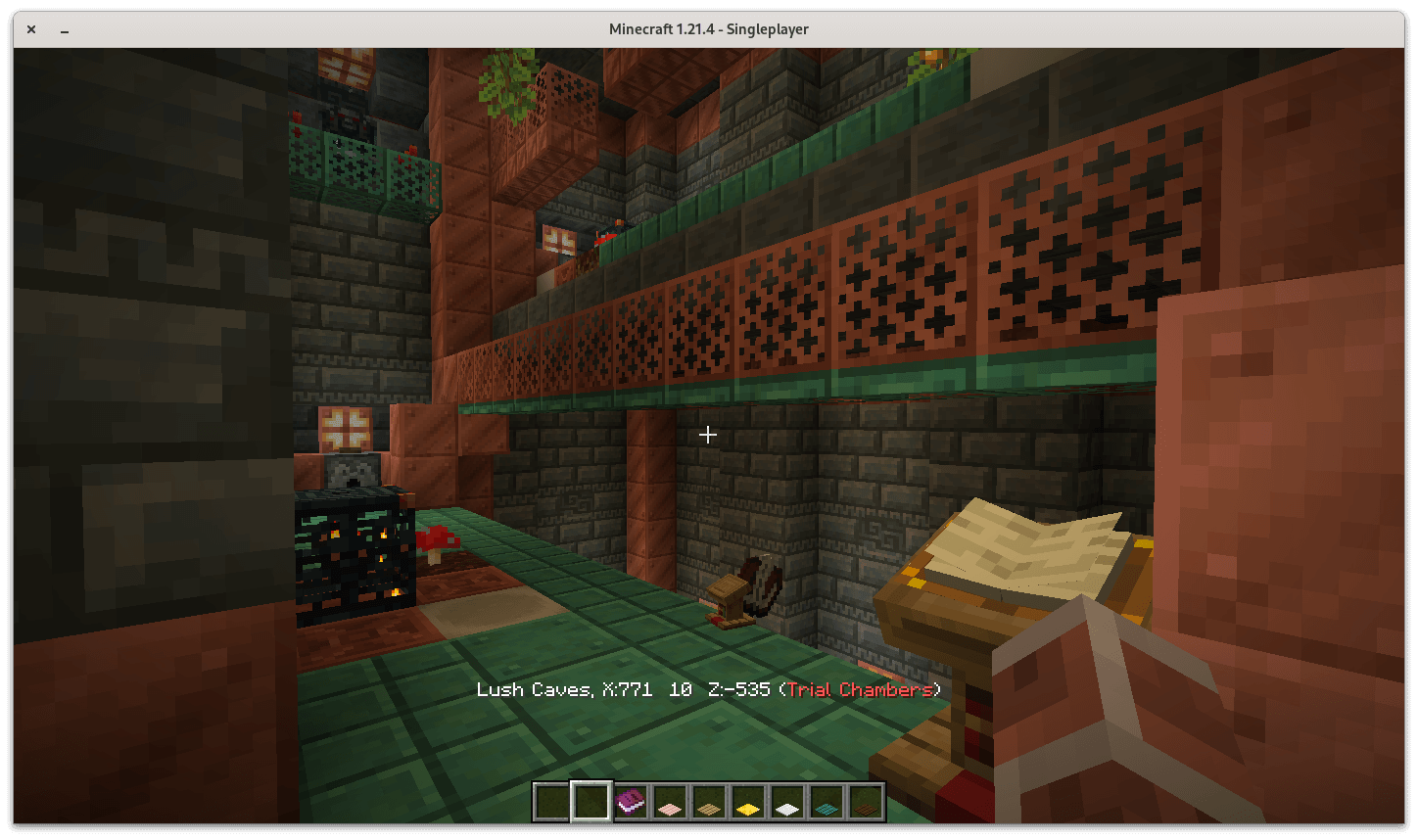
_____
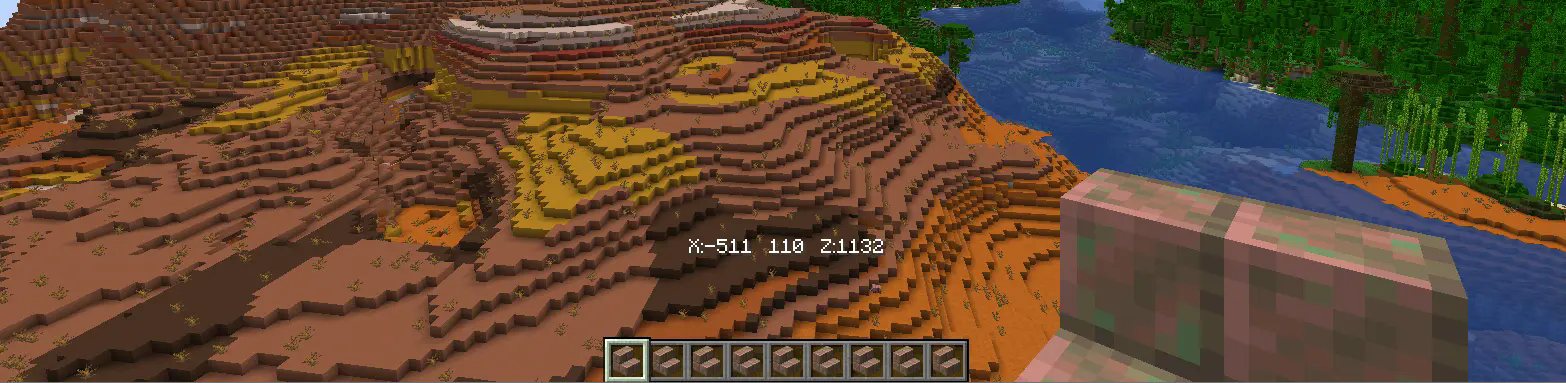
- Optionally, you may enable "minimal" mode that'll only display your Minecraft coordinates without ever having to press F3.

- Restore settings to the default with "/function coordscoordscoords:enable_defaults"

_____
⌨ INSTALLATION
- Install the CoordsCoordsCoords datapack by locating your worlds' save, creating a "datapacks" folder, and drag & drop CoordsCoordsCoords.zip

- Uninstall CoordsCoordsCoords by running the command "/function coordscoordscoords:uninstall"

