

Coordinate Bar
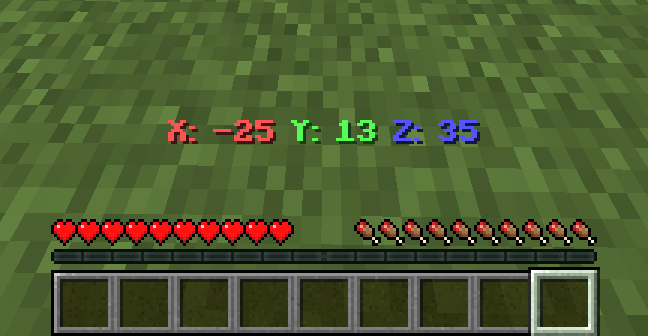
Displays your current coordinates in the action bar.
 7,51k
7,51k
Quick challenge
How far can you run before the mobs catch you?
Minecraft check
Confirm your run
Complete the quick check to get your code.
Coordinate Bar
📍 Coordinate Bar
Coordinate Bar is a simple Minecraft datapack that shows your current coordinates (`X`, `Y`, `Z`) in the action bar.
✨ Features
- Shows coordinates in real-time. - Works in singleplayer and multiplayer. - Supports Smithed Actionbar Libary.
📦 Optional Library Support – Actionbar
This actionbar to be shared across multiple datapacks allows the actionbar to be shared across multiple datapacks on a server, preventing conflicts and ensuring compatibility.
🔗 Download: Download:
- Enable support with the following command: ``scoreboard players set .library thirstbar 1``
- Disable support with the following command: ``scoreboard players set .library thirstbar 0``
📦 Installation
1. Download the datapack `.zip` file. 2. Place it in your world's `datapacks` folder. 3. Use `/reload` after joining the world. 4. You're all set! Move around and see your coordinates at the bottom of your screen.
🧱 Compatibility
- Minecraft Java Edition 1.20.2+ - No external resource packs needed -
🌐 ITITAN Hosting

💬 Feedback and Request
_If you have a request or feedback, please write them in to my discord 3geetr._
