

Clean Main Menu(No Logo)
This resource pack removes the logo from the main menu and provides a cleaner look.
 2,13k
2,13k
Quick challenge
How far can you run before the mobs catch you?
Rotate your phone
Dino Mine is ready when your screen is landscape.
Minecraft check
Confirm your run
Complete the quick check to get your code.
Your code
Expires in 5 hours
Clean Main Menu(No Logo)
Clean Main Menu(No Logo)
This resource pack removes the logo from the main menu and provides a cleaner look.
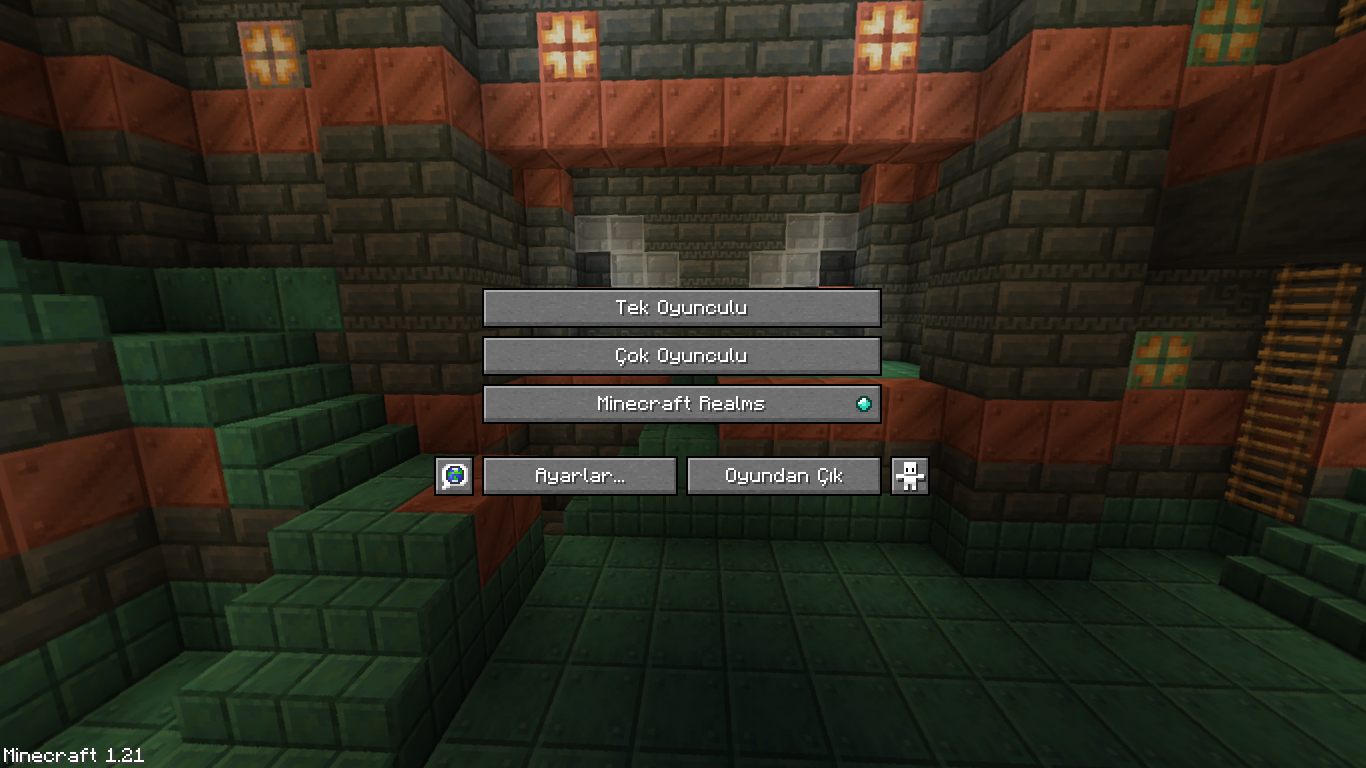
Note: In order for the splash text to disappear, you must enter and exit a world/server when you first activate the texture pack.
How To Install
Download the zip file and place it in your ``.minecraft/resourcepacks`` folder
Where is the .minecraft/resourcepacks folder?
- In Windows it is usually ``%AppData%.minecraftresourcepacks`` - In Linux it is usually ``$HOME/.minecraft/resourcepacks`` - On MacOS it is usually ``~/Library/Application Support/minecraft/resourcepacks``
🌐 ITITAN Hosting

Feedback and Request
_If you have a request or feedback, please write them in the comments section below._
