

ChestLockLite
Lock your chests with owner-only protection, password protection, or trusted players system.
 1,28k
1,28k
Quick challenge
How far can you run before the mobs catch you?
Minecraft check
Confirm your run
Complete the quick check to get your code.
ChestLockLite
ChestLockLite
A simple, powerful container locking plugin for Spigot/Paper 1.21+ servers. Lock your chests, barrels, hoppers, and furnaces with owner protection, password protection, or trusted players system. No MySQL required - uses lightweight SQLite storage.
---
Lock a Container
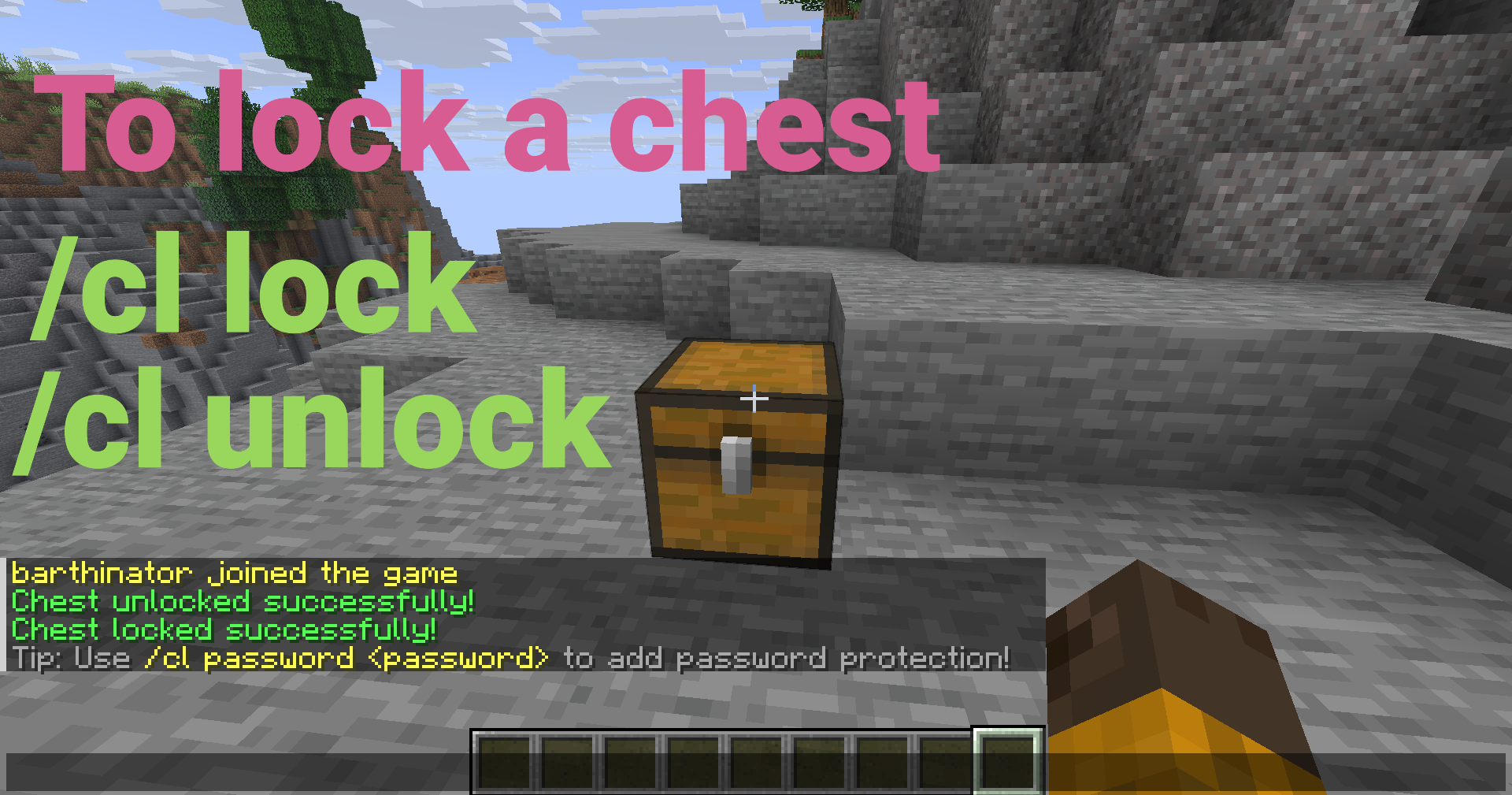
Look at a chest, barrel, hopper, or furnace and run:
```bash /cl lock ```
Only you can open it now!
---
Key Features
Core Protection
- Container Protection - Lock containers so only you can access them - Container Protection - Share access with passwords (SHA-256 hashed) - Container Protection - Grant access to specific players without passwords - Container Protection - Prevents breaking, explosions, fire, and pistons
Container Support
- Per-Container Hopper Control - All chest types (regular, trapped, copper, etc.) - Per-Container Hopper Control - Full locking support for barrels - Per-Container Hopper Control - Lock hoppers and control item extraction (configurable) - Per-Container Hopper Control - Lock furnaces, blast furnaces, and smokers (configurable) - Per-Container Hopper Control - Toggle hopper access per container via GUI
User Interface
- Container-Specific Messages - Easy-to-use visual interface (Shift + Right-click with empty hand) - Container-Specific Messages - Interactive character selection - Container-Specific Messages - Full autocomplete support for all commands - Container-Specific Messages - Messages show the correct container type
Advanced Features
- Automatic Migration - Automatically handles single and double chests - Automatic Migration - Optional automatic locking when placing containers - Automatic Migration - Prevents spam attempts (configurable) - Automatic Migration - Clear locks, reload config, bypass permissions - Automatic Migration - Admins see notifications when opening locked containers - Automatic Migration - Fast, lightweight, no external database needed - Automatic Migration - Automatic database backups - Automatic Migration - Seamless database upgrades
---
Quick Setup
1. Download the `ChestLockLite.jar` file 2. Place it in your server's `plugins` folder 3. Start your server 4. Configure as needed in `plugins/ChestLockLite/config.yml` (optional)
That's it! The plugin is ready to use.
---
Usage Examples
Password Protection
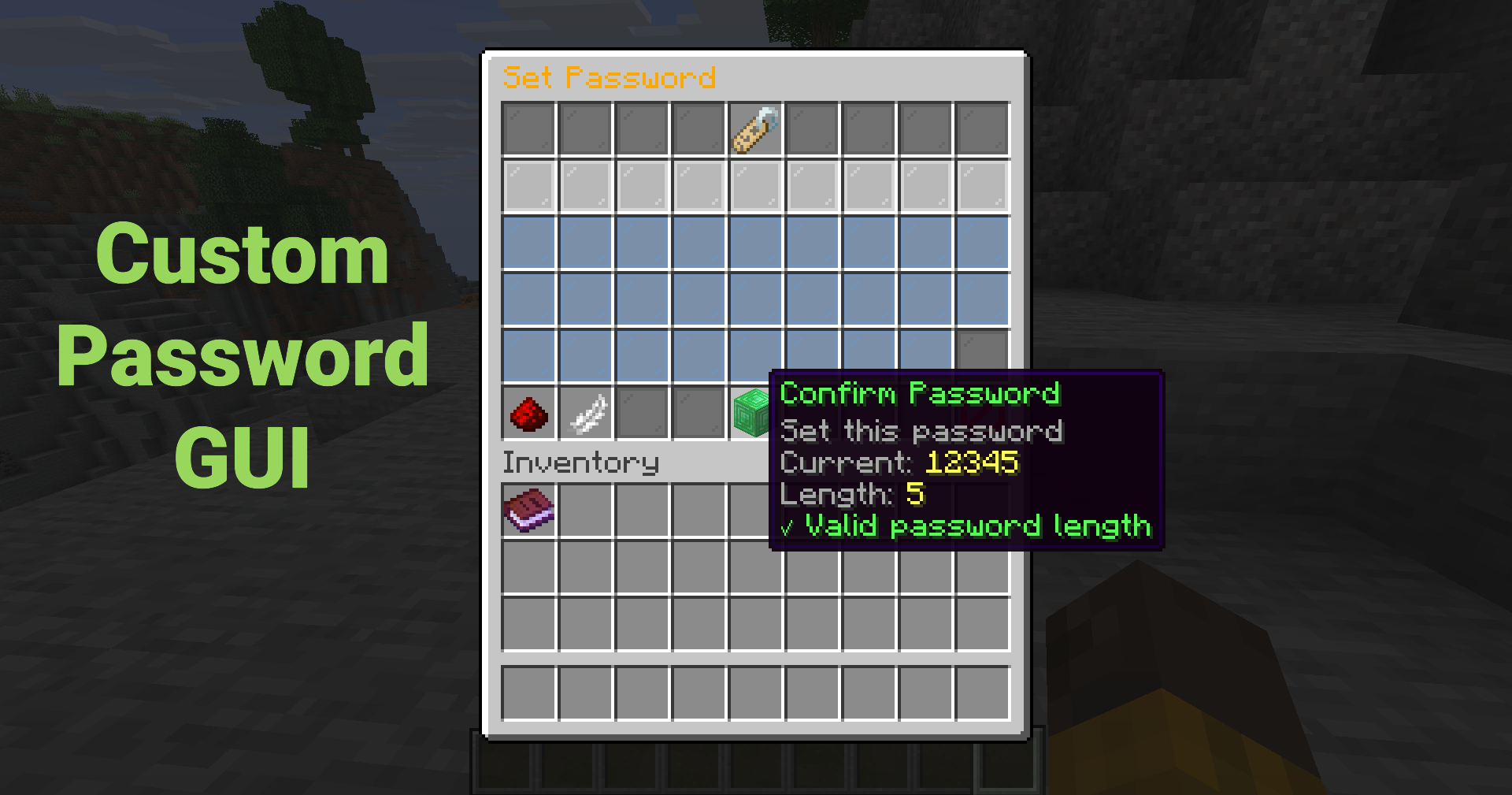
Set a password so anyone with the password can unlock the container:
```bash /cl password mypassword123 ```
Or use the GUI (Shift + Right-click → "Set Password") for an interactive password input!
---
Trust a Player
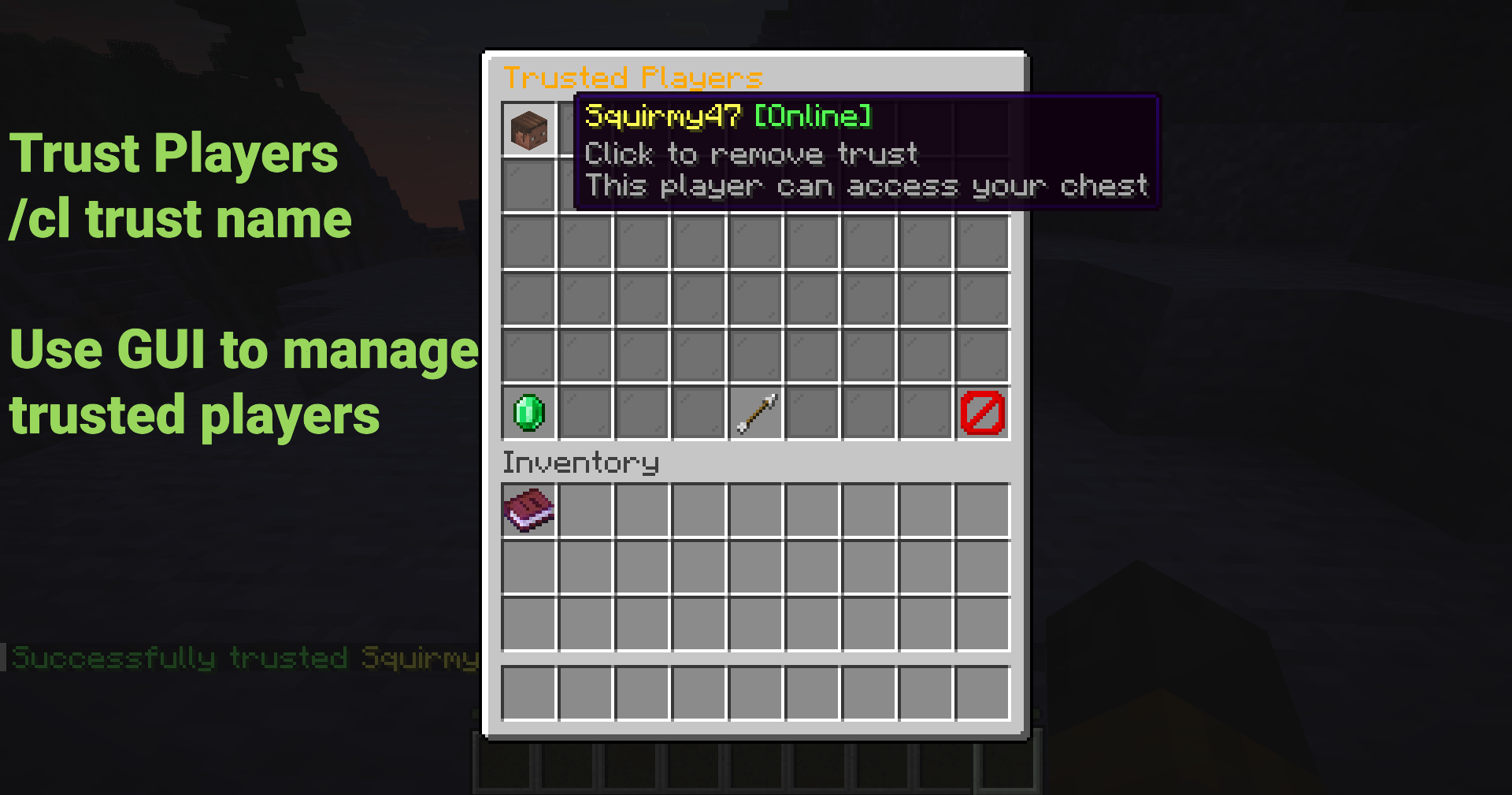
Grant a player access without sharing passwords:
```bash /cl trust FriendName ```
The trusted player will receive a notification and can now access your container!
---
Using the GUI
Shift + Right-click any container to open the menu (Must have empty hand)
Click buttons to: - Lock/unlock containers - Set or remove passwords - Manage trusted players - Toggle hopper access (per container) - View lock information
No commands to remember!
---
Common Commands
| Command | Description | |---------|-------------| | `/cl lock` | Lock the container you're looking at | | `/cl unlock` | Unlock your container | | `/cl password <pass>` | Set or enter password | | `/cl trust <player>` | Trust a player on your container | | `/cl untrust <player>` | Remove trust from a player | | `/cl trustedlist` | List trusted players | | `/cl gui` | Open GUI menu | | `/cl info` | View lock information |
Aliases: `/chestlock`, `/lockchest`
---
Security Features
- Hopper Control - Passwords are never stored in plain text - Hopper Control - Prevents rainbow table attacks - Hopper Control - Prevents unauthorized breaking - Hopper Control - Protects from creepers, TNT, etc. - Hopper Control - Protects from fire and lava damage - Hopper Control - Prevents pistons from moving locked containers - Hopper Control - Prevent hoppers from extracting items from locked containers
---
Configuration
New in v1.1.0:
```yaml locks:
Support for hoppers (allow locking hoppers)
allow-hoppers: true
Support for furnaces (allow locking furnaces, blast furnaces, smokers)
allow-furnaces: true
Show notification to admins when they open locked containers
admin-notification: true ```
---
Perfect For
- Any Server - Protect player containers from griefing - Any Server - Secure shared storage areas - Any Server - Protect shop chests and storage - Any Server - Team-based container protection - Any Server - Simple, lightweight container protection
---
Documentation
- Permissions: Permissions - Permissions: %%MD1%% - Permissions: %%MD2%% - Permissions: %%MD3%%
---
Admin Commands
Admins have access to powerful management tools:
| Command | Description | Permission | |---------|-------------|------------| | `/cl clear` | Clear lock on targeted container | `chestlocklite.admin.clear` | | `/cl clearall <player>` | Clear all locks by player | `chestlocklite.admin.clearall` | | `/cl cleararea [radius]` | Clear locks in area | `chestlocklite.admin.cleararea` | | `/cl reload` | Reload configuration | `chestlocklite.admin.reload` |
---
Performance
- Comprehensive Testing - Minimal server impact - Comprehensive Testing - Fast, no external database needed - Comprehensive Testing - O(log n) lookup time - Comprehensive Testing - Handles 10,000+ locks without issues - Comprehensive Testing - 39 unit tests ensure reliability
---
What's New in v1.1.0
- 🎉 Test Suite - Lock all container types! - 🎛️ Test Suite - Toggle hopper access via GUI - 🔔 Test Suite - Admins see notifications when opening locked containers - 💬 Test Suite - Messages show correct container type - 🐛 Test Suite - Fixed password GUI bug and GUI access with items - 🧪 Test Suite - Comprehensive testing infrastructure (39 tests)
---
License
This project is licensed under the MIT License.
---
Links
- Support: Support - Support: %%MD1%% - Support: %%MD2%% - Support: Check the %%MD3%%
---
Made with ❤️ for the Minecraft community
*Perfect for survival, SMP, and economy servers. Simple configuration, comprehensive permissions system, and full documentation included.*
