

BlockBack
Restore stripped logs, dirt paths, and tilled farmland with a click.
 49
49
Quick challenge
How far can you run before the mobs catch you?
Minecraft check
Confirm your run
Complete the quick check to get your code.
BlockBack

BlockBack lets players reverse common block transformations with a right-click. Unstrip logs to restore bark, turn dirt paths back into grass blocks, and untill farmland back to dirt.
Lightweight, Folia-safe, and survival-friendly with no commands or setup required. Compatible with Paper and Folia 1.21+.
Built for survival SMPs, creative servers, and any community where players need to undo common block changes without WorldEdit, creative mode, or admin intervention.

BarkBack - Log Restoration
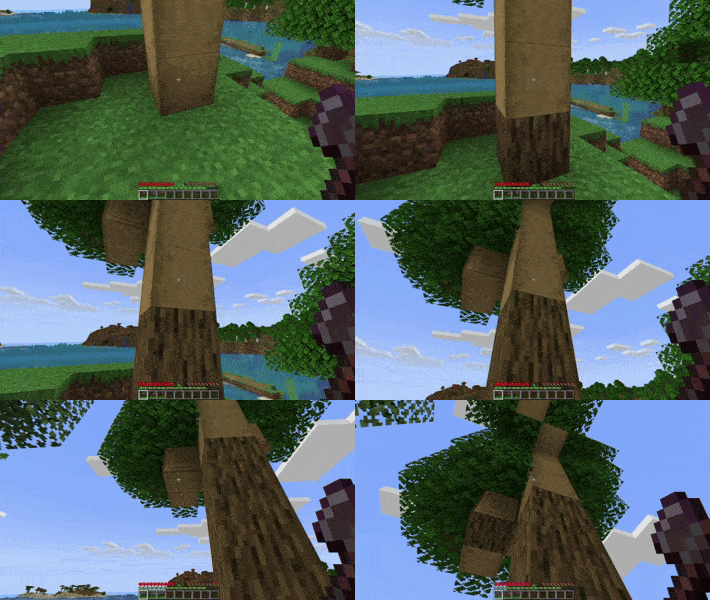
Right-click any stripped log with an axe to restore its bark. Also known as unstripping.
- Preserves log orientation and placement - Works with all 10 wood types: oak, spruce, birch, jungle, acacia, dark oak, mangrove, cherry, crimson, and warped - Includes stripped wood blocks and stripped bamboo
PathBack - Path Restoration
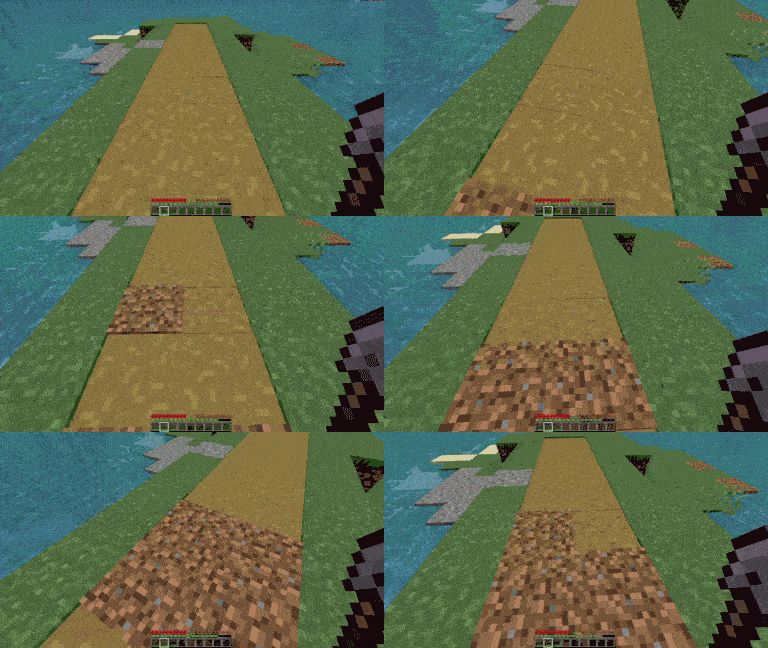
Right-click a dirt path (formerly known as grass path) with a shovel to convert it back to dirt.
- Perfect for undoing accidental path creation - Useful for terraforming and landscaping - Maintains natural terrain appearance
FarmBack - Farmland Restoration
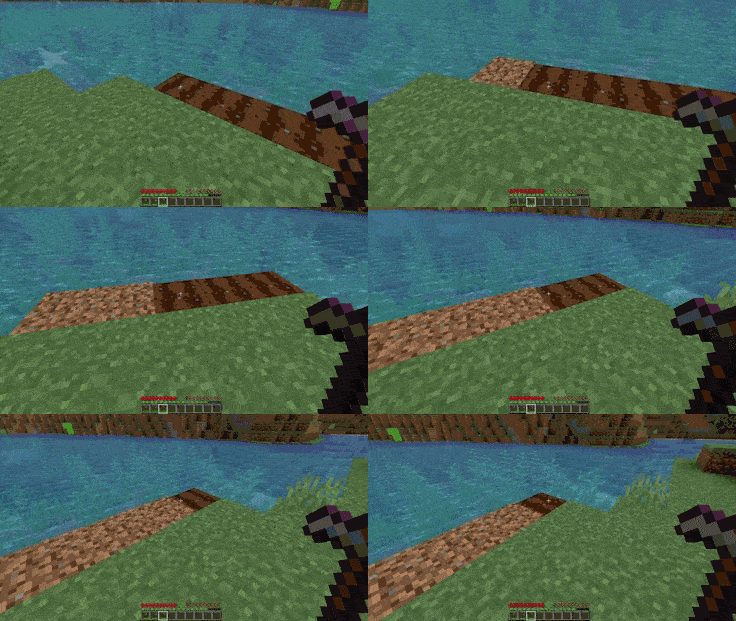
Right-click farmland with a hoe to revert it back to dirt.
- Essential for changing farm layouts - Cleans up abandoned farms without breaking and replacing blocks - No more accidental farmland from sprinting players

1. Download the latest BlockBack.jar from the Files section 2. Place the file in your server's `plugins/` directory 3. Start your server to generate configuration files 4. Done. Players can use every feature immediately with no permissions setup required.

| Command | Description | |----------------------|------------------------------------| | `/blockback` | View your current feature settings | | `/barkback` | Toggle BarkBack on/off | | `/pathback` | Toggle PathBack on/off | | `/farmback` | Toggle FarmBack on/off | | `/blockback reload` | Reload configurations |
Each feature is toggleable per-player, so players who don't want it can opt out without affecting anyone else.

| Permission | Description | Default | |----------------------|------------------------------------|------------------| | `blockback.use` | Default Use | Everyone | | `blockback.bark` | Use BarkBack | Everyone | | `blockback.path` | Use PathBack | Everyone | | `blockback.farm` | Use FarmBack | Everyone | | `blockback.reload` | Reload configurations | Operators only |
Default permissions ensure immediate functionality while maintaining admin control. No permissions plugin required.

For Server Owners
- No tutorials needed, no commands required, no config edits to get started - Folia-safe and lightweight with negligible TPS impact - Works alongside protection plugins, claims plugins, and WorldGuard - Each feature can be globally disabled in the config
For Players
- Intuitive controls using the right tool for each block - Toggle individual features on or off to match your playstyle - Makes building, terraforming, and farm management faster - No need to break and replace blocks to fix small mistakes
Support
- Discord: Discord: - Discord: clearpixels (or invite link to your Discord)
