

Better Mods Button
Your mods button, your way. Where you want it, and how you want it!
 7,9M
7,9M
Quick challenge
How far can you run before the mobs catch you?
Minecraft check
Confirm your run
Complete the quick check to get your code.
Better Mods Button




📖 About:
Better Mods Button adds the mods button back to the pause screen as in Forge versions prior to Minecraft 1.13, so it can be used to easily access in-game mod configuration (when available).
As a bonus, there are plenty of options for where and how exactly you want your mods button to be shown on screen (heavily inspired by Mod Menu). Showing a total mod count, as well as toggling the update notification glyph are both supported.
📷 Media:
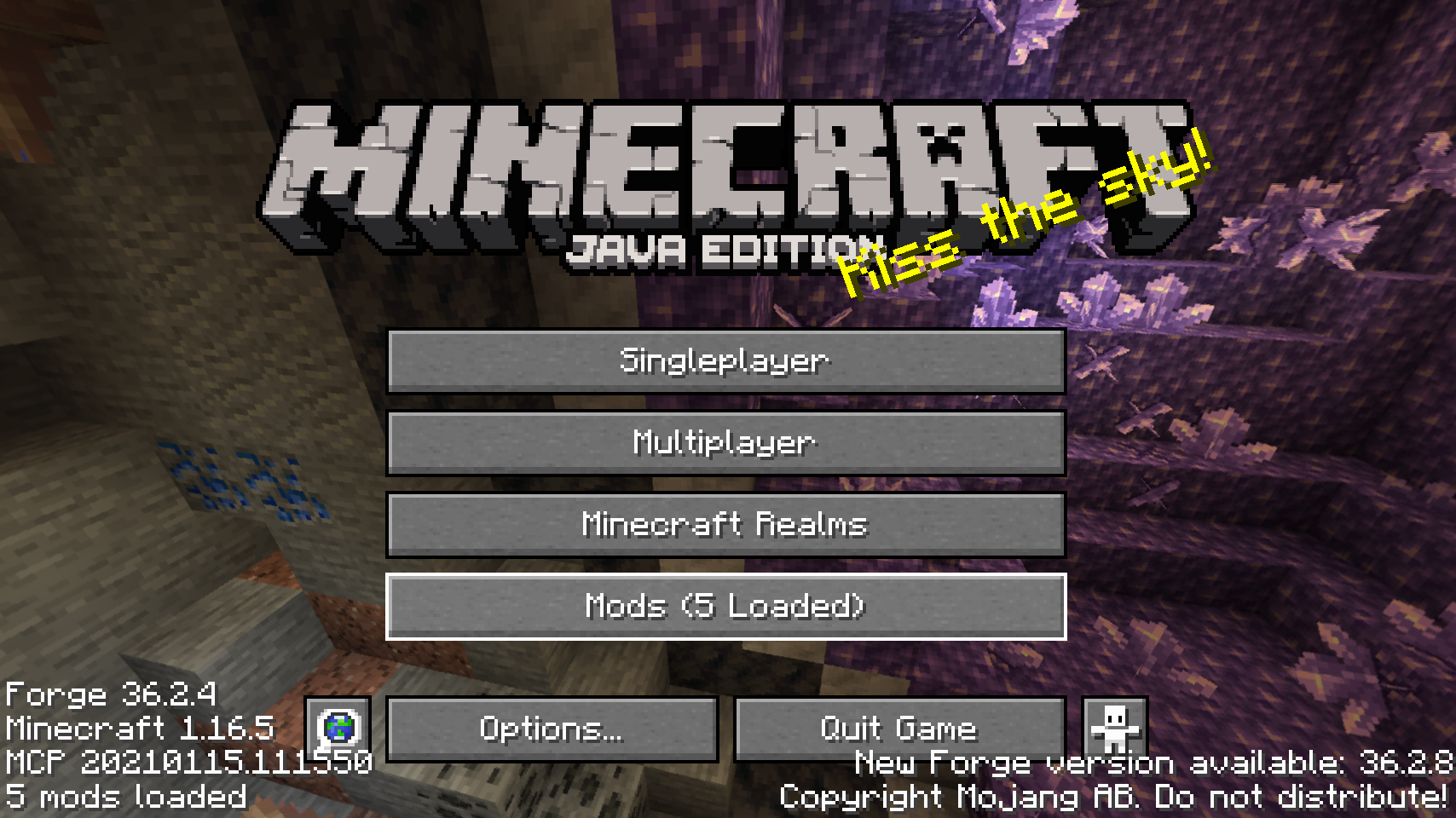 |
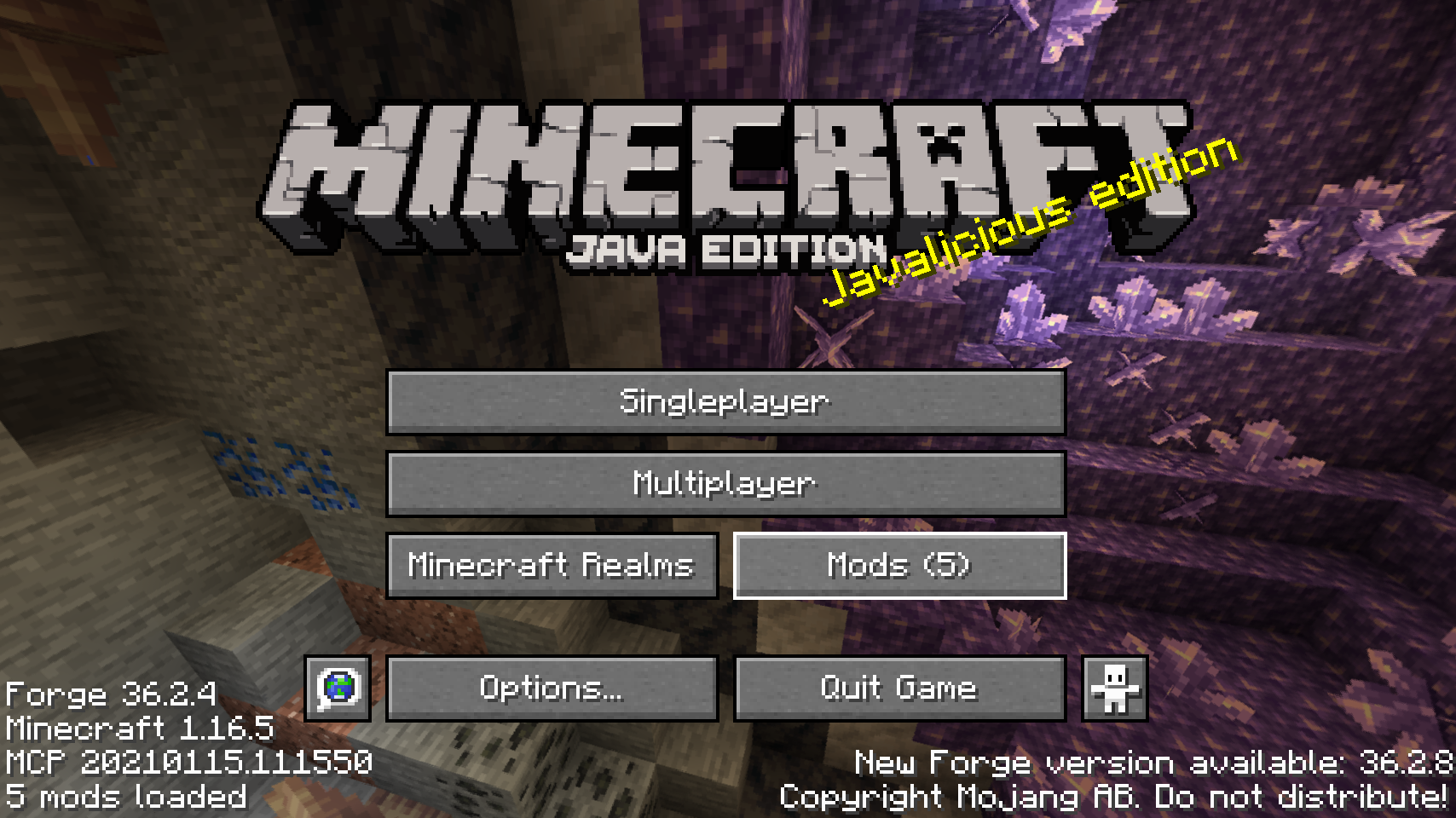 |
|
| Default mods button on title screen | One of the alternative mods button placements | |
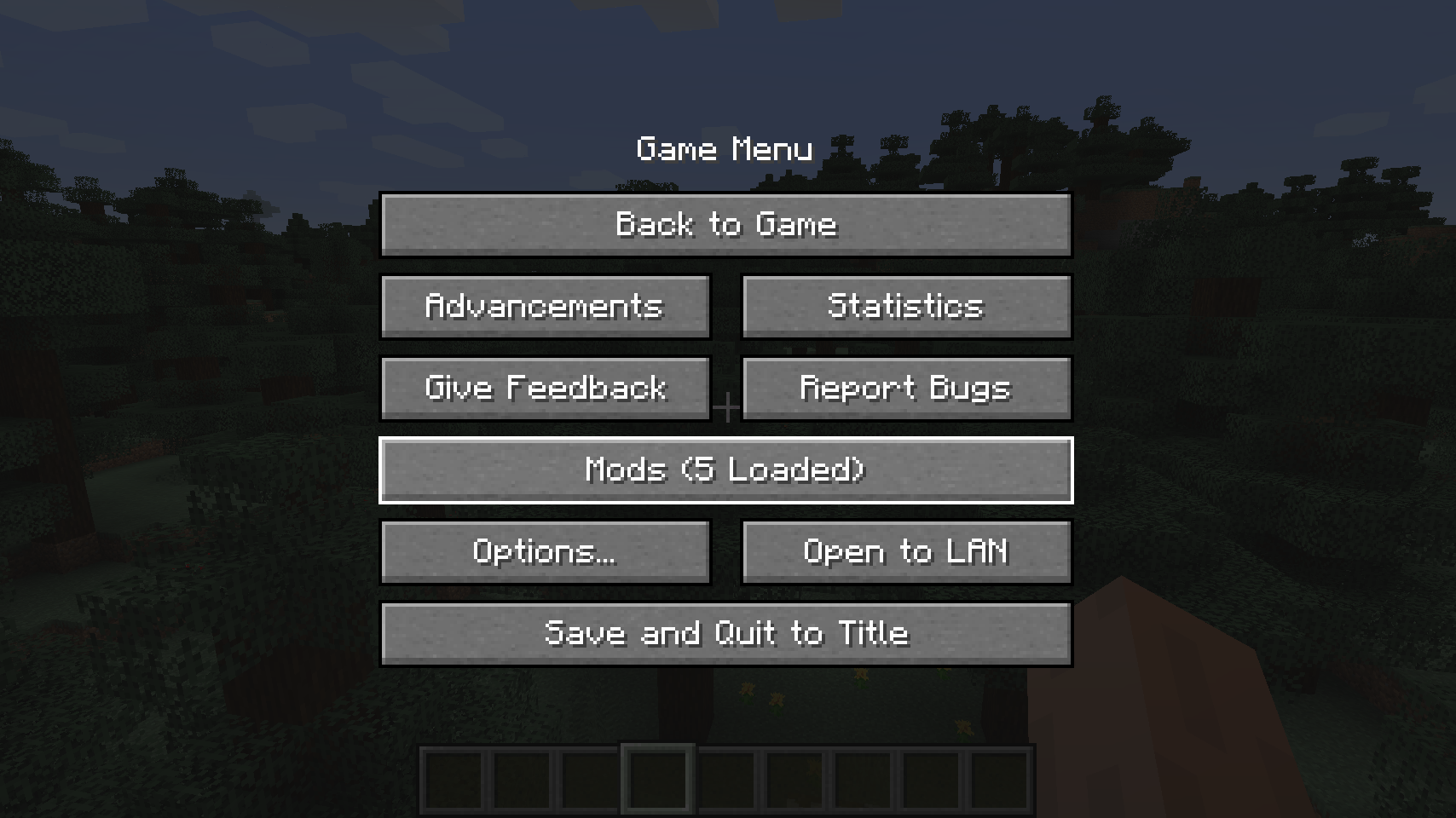 |
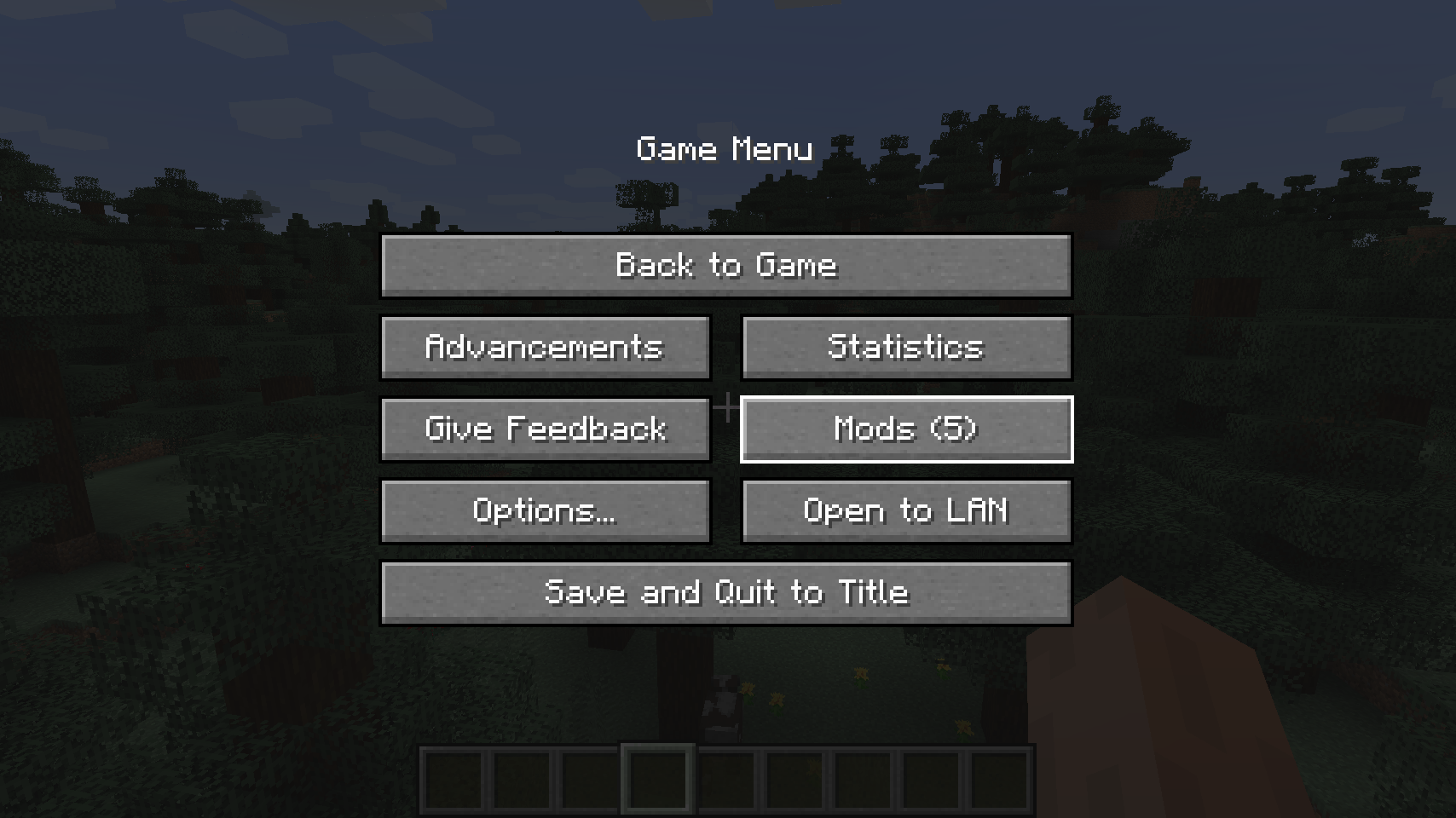 |
|
| Default mods button on pause menu | An alternative placement for the pause screen | |
 |
||
| Another alternative pause screen button placement | ||
💡 FAQ:
Q: How do I configure this mod?
A: Install my Config Menus for Forge mod and do it directly in-game!
Q: What about a Fabric port?
A: Use Mod Menu by ProspectorDev instead.
🏆 Credits:
Developing Better Mods Button was helped and inspired by:
- ProspectorDev for inspiring most of the configuration options for this mod from their Mod Menu mod







 |
 |
|
 |
 |
|
 |
 |
|
 |
 |
|
 |
 |
|
