Weavers Paradise
# Weaver’s Paradise
Weaver’s Paradise expands Minecraft’s creativity with new materials, clothing, and advanced dye systems.
This mod is actively developed – feedback is always welcome.
GitHub Issues / Feature Requests
## New Crafting Stations
### Spinning Jenny
Processes raw materials into spools, which are later used to craft fabric.

### Clothcrafting Station
Turns spools into cloth through a short minigame. Better performance results in higher-quality output.

### Dyemaking Table
Allows you to create advanced dye types and customize how colors behave on dyed items.
Dye Core & Dye Types
A **Dye Core** defines how a dye behaves visually. Some dye types go beyond static colors and add animations, shaders, or environmental effects.
Examples include:
– **Rainbow** – cycles through colors over time
– **Ender** – end-portal-style rendering
– **Biome** – adapts to biome grass color
– **Glowstone / Redstone / Lamp** – light-emitting dyes
– **Speed / Height-based dyes** – react to player movement or position
– **Pride dyes** – apply fixed pride flag patterns
### Dyeing Table
Used to apply dyes and stencils to items. Certain stencils are limited to specific items, which is shown in tooltips.
WeatheringBlocks
## Features
### 🌧️ Rain — Moss Growth
Blocks exposed to rain will slowly become mossy over time.
– Cobblestone → Mossy Cobblestone
– Cracked Stone Bricks → Mossy Stone Bricks
– Cobblestone Wall → Mossy Cobblestone Wall
– Stone Brick Wall → Mossy Stone Brick Wall
– Cobblestone Stairs → Mossy Cobblestone Stairs
– Stone Brick Stairs → Mossy Stone Brick Stairs
– Cobblestone Slab → Mossy Cobblestone Slab
– Stone Brick Slab → Mossy Stone Brick Slab
– Sponge → Wet Sponge
### 👣 Walking + Time — Cracking & Erosion
Blocks degrade slowly over time. Walking on them speeds up the process — frequently used paths will show wear first.
– Stone Bricks → Cracked Stone Bricks
– Stone → Cobblestone
– Stone Stairs → Cobblestone Stairs
– Prismarine Bricks → Prismarine
– Prismarine Brick Stairs → Prismarine Stairs
– Polished Blackstone Bricks → Cracked Polished Blackstone Bricks
– Polished Deepslate → Cobbled Deepslate
– Deepslate Bricks → Cracked Deepslate Bricks
– Deepslate Tiles → Cracked Deepslate Tiles
– Nether Bricks → Cracked Nether Bricks
### ☀️ Sunshine — Drying
When the rain stops and the sky is clear, wet blocks will gradually dry out.
– Wet Sponge → Sponge
## Commands (Debug)
Command
– /weathering speed
– /weathering status
Use /weathering speed 100 to test changes quickly, or /weathering speed 0 to pause all weathering.
## How It Works
– All transformations use vanilla blocks only — no new blocks or textures are added.
– Block properties (stair direction, wall connections, waterlogged state, etc.) are preserved during transformation.
– Weathering only occurs around players within a 16-block radius.
– Rain-based changes require the block to actually be exposed to rain (blocks under roofs are safe).
– Changes happen gradually and randomly, so your world ages naturally over many play sessions.
## Compatibility
– Server-side only — no client installation required for multiplayer.
– Works with all vanilla blocks. Does not modify or replace any existing block behavior.
– Safe to add to existing worlds. Safe to remove — already-changed blocks remain as normal vanilla blocks.
Weather2 Remodeled

**Link**: https://rocketnode.com/wenxin
**Code**: **WARP-PIPES 25% Off**
___

## 📜 Description 📜
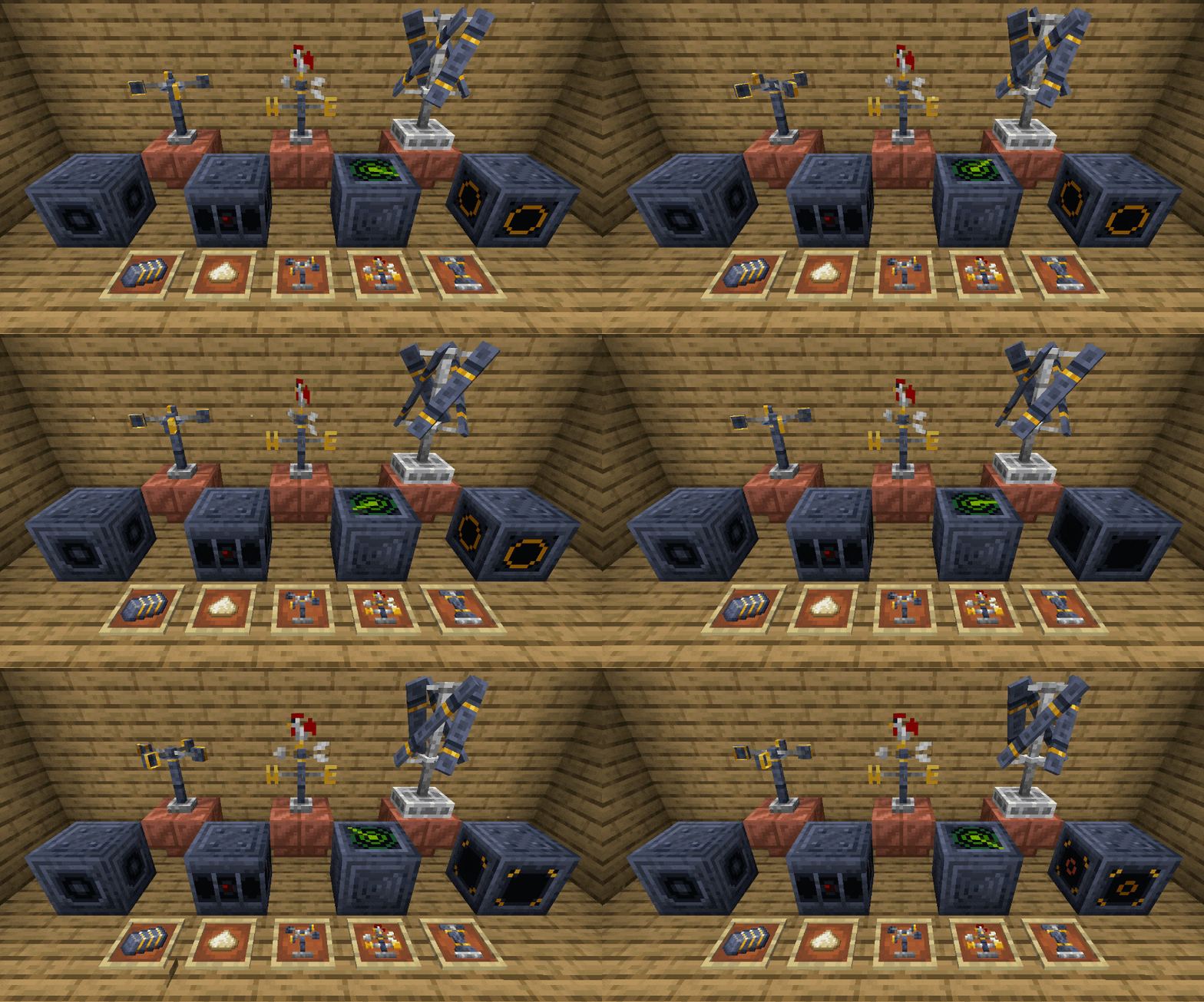
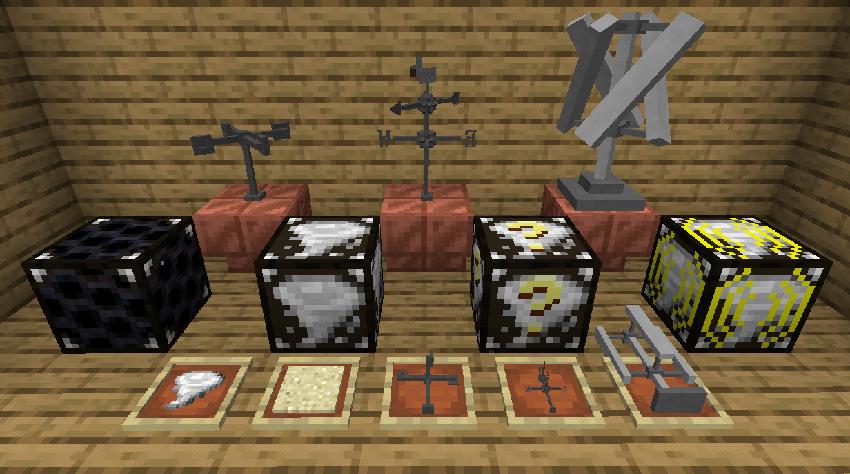
🔹Remodels and retextures all blocks, items, & particles from Weather2 to provide a more vanilla-style feel.
🔹New block and item textures and models
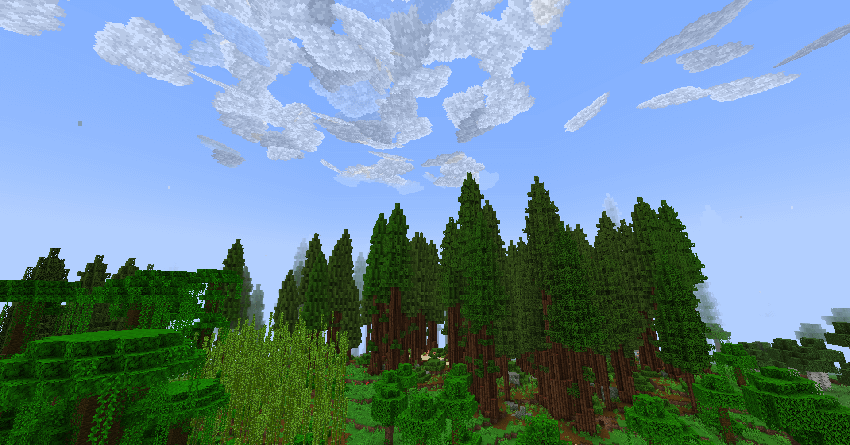
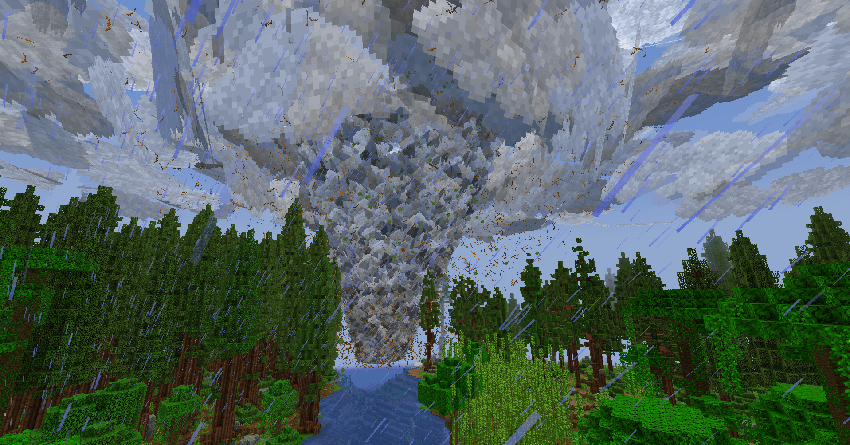
🔹New particle textures, including cloud and leaf particles
## ❗Requirements❗
🔸Weather, Storms, & Tornadoes Mod
🔸Entity Model Features Mod for the Anemometer, Wind Vane, & Wind Turbine
🔸_Entity Texture Features_ _is required by Entity Model Features_
## 🖼️ Media 🖼️
🔹New models:
🔹Old Models:
🔹Clouds:
🔹Tornado:
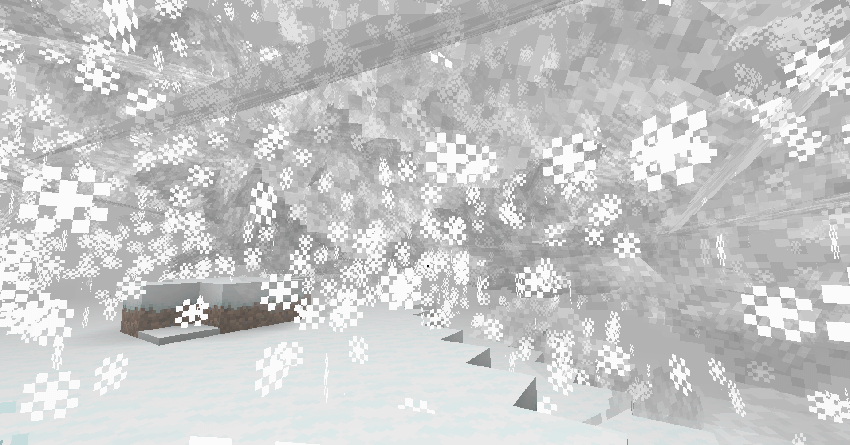
🔹Snowstorm:
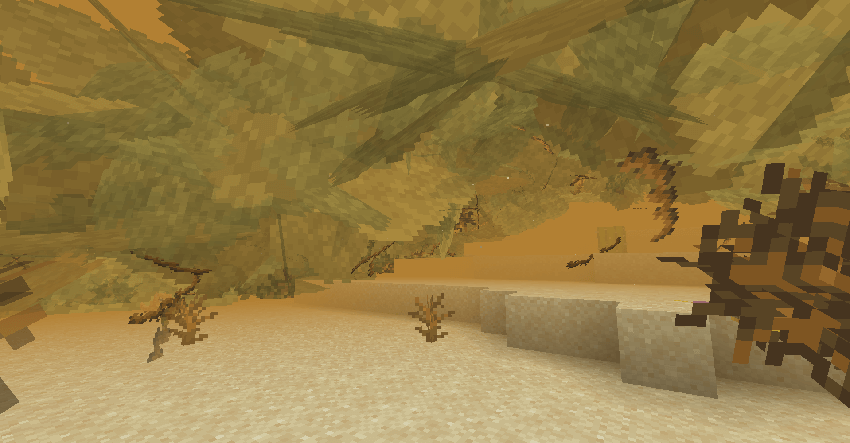
🔹Sandstorm:
___
**I’ve partnered with RocketNode Hosting!**
**RocketNode** provides top-tier server hosting worldwide, allowing you to set up your server with just a few clicks! Their intuitive dashboard makes server management a breeze, and you can even schedule automatic restarts without needing any coding knowledge.
Use the code **WARP-PIPES** to get **25%** off your **first** month on any of their gaming servers. Get started here: https://rocketnode.com/wenxin
Weather2 Additions

A small additions mod for the Weather2/Weather Storms & Tornadoes mod by Corosus.
This mod aims to improve the Weather2 experience with new mechanics and technology that allow the user to better track weather events.
The tablet allows for storm tracking, similar to the weather radar from the 1.12.2 build of the Weather2 mod.
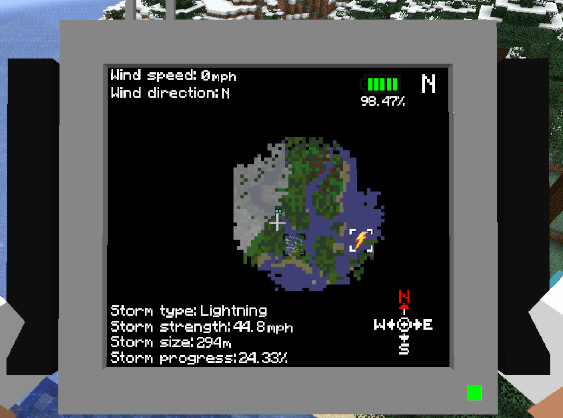
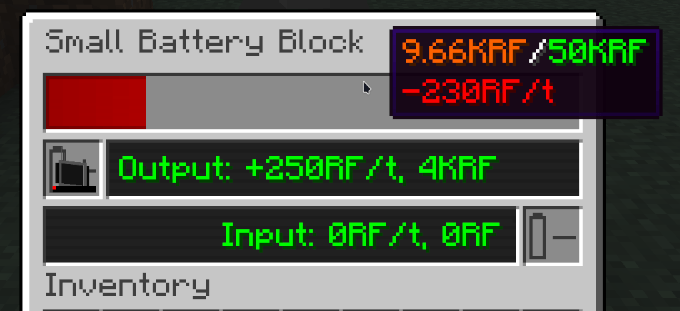
The mod also comes with a small battery block to charge your tablet, which can be powered by the Weather2 Wind turbine.
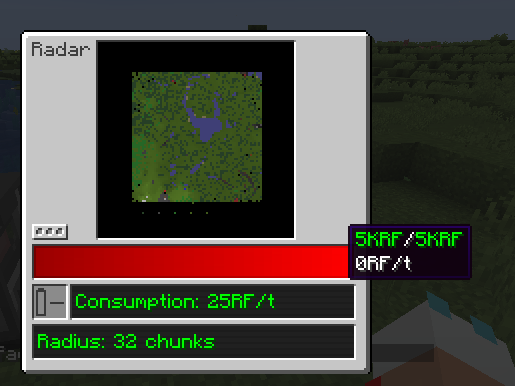
The radar block helps map the surrounding area by loading their chunks temporarily.
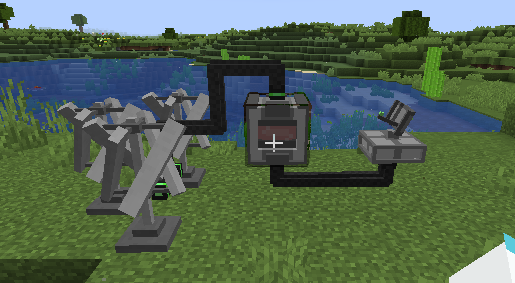
Everything is able to be powered through the usage of cables and wind turbines (available from the Weather2 mod).
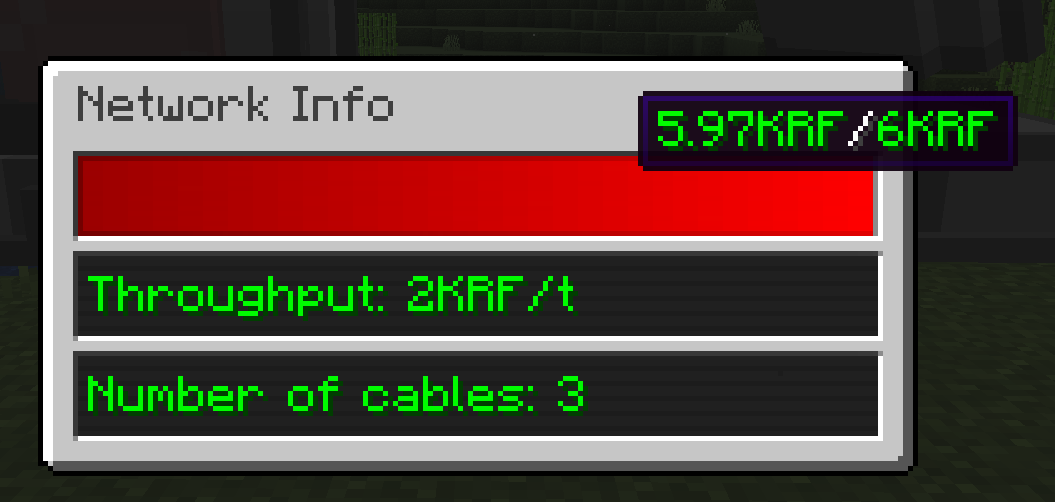
Cables and their internal buffer can be monitored through the Network Analyser tool;
Weather Unhinged
Embark on a thrilling journey with the “Weather Unhinged” data pack, an immersive addition to your Minecraft experience that introduces extreme weather conditions to the blocky world. Brace yourself as the environment transforms dynamically, presenting new challenges and opportunities for survival.
Key Features includes:
-
Earthquakes: Experience the ground shaking beneath your feet as earthquakes add a seismic element to your world. Structures may tremble, and the landscape can change as the earth shifts. If no players are near (175 blocks away), earthquakes won’t cause damage to the world.
-
Meter Showers: Witness breathtaking meteor showers as celestial debris streaks across the night sky. Enjoy the visual spectacle, but beware, during these showers, the chance of a meteor impact on the ground increases to a hundred! If no players are near the meteor strikes (100 blocks away), meteors won’t cause damage to the world.
NOTE: This data pack CAN be laggy and destructive at times, do NOT install it if you do not wish to put in danger any builds you want to preserve in your world.
Weather Storms & Tornadoes
Localized weather! See rain and nastier storms coming in from a distance
– Tornadoes spawn from dynamic storm systems
– Rain clouds build up moisture from water and moist biomes, will rain locally in the area
– Snowstorms and Sandstorms
– Stormfront system uses biome temperature differences to create nasty storms!
– Replaces / compliments vanilla clouds with my own particle based ones that are always shifting around
– Replaces rain and snowfall with a particle based one that blows in the wind
– Improved look of storms from old weather mod
– Deflector block that can deflect storms away and prevent block damage to protect your creations
– Wind Vane to show the direction of the wind (Model made by Razz of DecoCraft)
– Anemometer to show the speed of the wind
– Tornado sensor block to activate redstone when one is near
– Scenes enhanced with falling leaf particles, wind particles, anything plant based and then some gets particles
– Trees make blowing in wind sound
– Can enhance snowfall with more gradual smooth buildup (default off, memory hungry!)
Weather and Tornadoes Remastered
**I highly recommend using Sodium with this mod. It improves performance greatly. Lithium is also great.**
*For a more comprehensive overview of this mod, please see the CurseForge page: CurseForge
# Weather & Tornadoes Remastered
Weather & Tornadoes Remastered is a semi-official remaster of the original Weather and Tornadoes (Weather1) mod by Corosus. Weather1 was discontinued after version 1.6.4, as it was replaced by his newer Weather2 mod, which features localized weather. This project has been endorsed by Corosus.


Wealizh
# Overview
– The mod does not significantly alter the gameplay of the original Minecraft, but adds some new content.
– Most of the content in this mod has real-world prototypes, but it also incorporates some imaginative elements.
# Content
## Various blocks and items
A large number of blocks and items have been added. Among the blocks, there are functional blocks, construction blocks, and natural blocks, etc. And the items include process items, practical items, and other items, etc.
For example:
> Block: Steel Block,Zinc Ore,Deepstal Silver Ore…
> Item: Battery,Gold Thread,Iron Plate…
## The new production method
Many items and blocks will be made using the new work blocks (functional blocks).
Common work blocks include: crusher, forging machine, assembler, and so on…
## More mechanical and functional blocks
Mechanics are the core function of this mod, and there is none other like it!
These mechanical and functional blocks form a complete process system. Of course, if you prefer not to go through this hassle, you can choose an alternative approach.
For example:
> Crusher,Assembly Machine,Combustion Chamber,Centrifuge…
### Take a different approach
This mod provides you with many shortcuts and other methods to skip or make the process of other procedures more convenient. For example, you can choose not to build a hand-cranked generator, but instead gather materials to make a combustion chamber and other components, thus skipping the process of hand-cranked power generation and directly using thermal energy for power generation.
## New settings and worldviews
These settings and worldviews have completely transformed the monotonous technology of the game!
This mod features numerous unique settings and a distinct world view, and it is also the main “concentration area” for imaginative elements. This means that most of the imaginative elements in this mod are concentrated here.
Of course, this does not mean that all the settings are purely imaginary.
For example:
> Qualitative Change and Electricity.
## Hidden Blocks and Items
This is actually not something that needs to be elaborated upon in detail, as most of these are for developer testing purposes. Therefore, some hidden items and blocks can be extremely dangerous, and some can even cause the game to crash or permanently damage the save file.
If you really want to take a look at or test it, you can find most of them in the “Admin Supplies” section of the created item inventory (this feature needs to be enabled in the settings).
## Unique species of organisms
Each creature in this module contains a form of satire towards reality and an implication of certain concepts.
Since the creatures in this mod mostly have hidden and confidential characteristics, we won’t go into detail about them here. If you have any questions that need answers, you can post them in the comment section or join the group for the same answers.
## A large number of progress and goals (achievements)
Most of the progress is actually quite appropriate, but you might not have noticed it.
In multiplayer games, the progress can indicate your current situation. But if you don’t want your friends to constantly “peek” at your progress, then just forget what I said.
The progress and goals play a major role in this module. However, even though this has been mentioned, many people actually don’t pay much attention to the progress and goals.
## Unexplained jokes and abstract MEME
This is one of the key features of this module!
The author really likes the hidden content and MEME elements in the mod. Most of them are hidden within the progress section.
OK. Although the author doesn’t want this module to become overly abstract, it is already moving in that direction.
# Others
– This mod is based on the original version, but with the addition of new side quests.
– It is recommended to use it together with the Just Enough Items;
– During gameplay, some glitches may occur. You can post the glitches you encounter in the comment section;
– The author usually follows the production process of “first do – then optimize”;
– If you have any ideas for the mod’s creation in the comment section, it might be realized~
# The author’s words
– The 1.15.4 version of this mod is a major reform. Because in this version, this mod will be re-made;
– Hope everyone has a great time!
– The author of this mod is a Chinese person, so the style and theme of this mod are both inclined towards Chinese elements.
# Attention
This mod contains numerous risky operations! Do not imitate them in reality!
# Version Identifier
The letters preceding the version number are called version identifiers: a1.15.4.
Among them, additional letters can be added after the identifier. These letters represent the version identifier.
They are merely numbers with no other meaning: ba1.15.3
a-Alpha
b-Beta
r-Repaired Version
t-Trial Version
Waystones-X (Unofficial Waystones Fork)
# Waystones-X (Unofficial Waystones Fork)

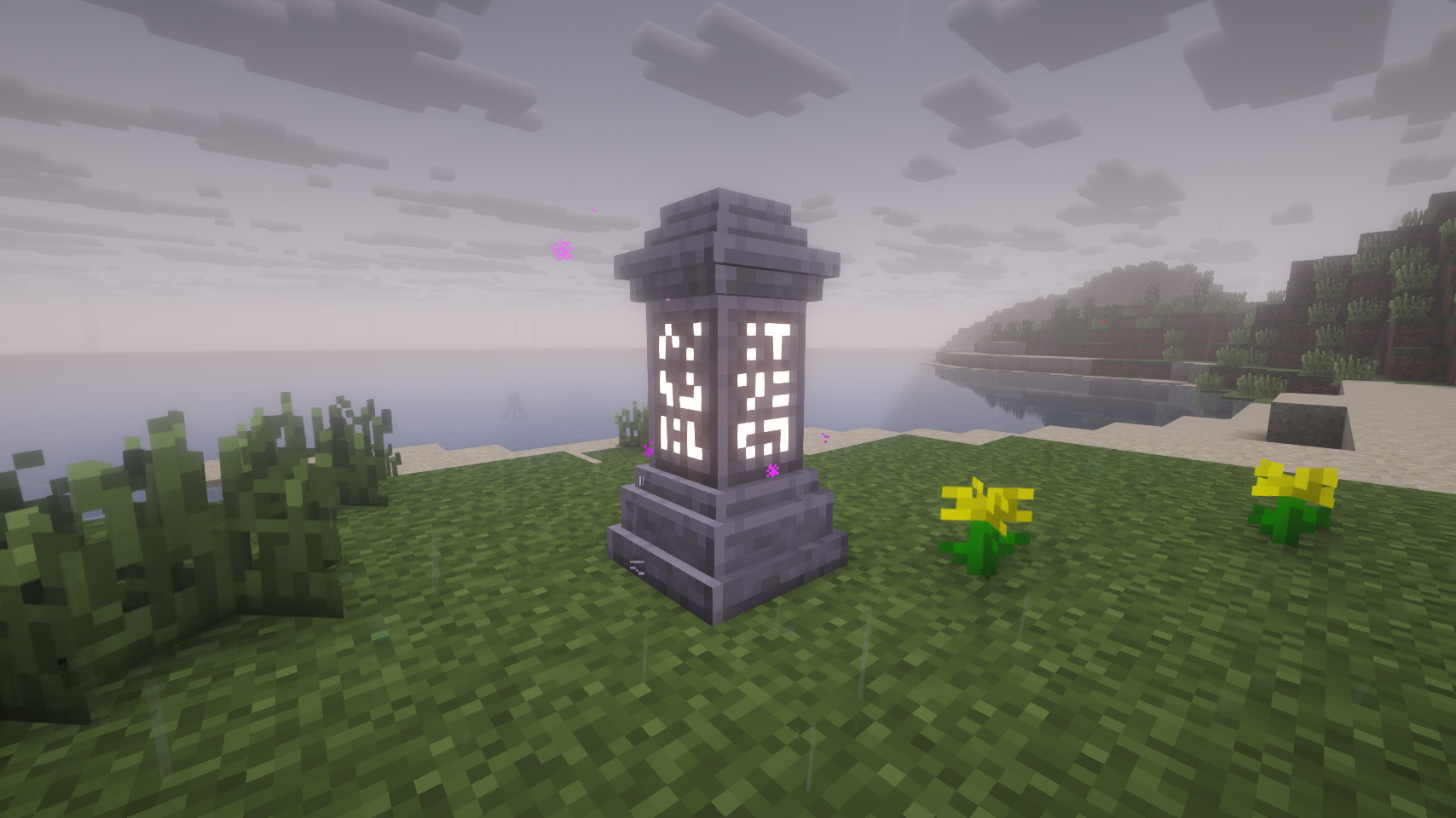
Teleport back to activated waystones. For Survival, Adventure or Servers.
(Waystones mod fork.)





### Fixes:
* Nether portals aren’t generated when teleporting to the Nether (@kuzuanpa)
* Fixed some rendering bugs (@kuzuanpa)
### New features:
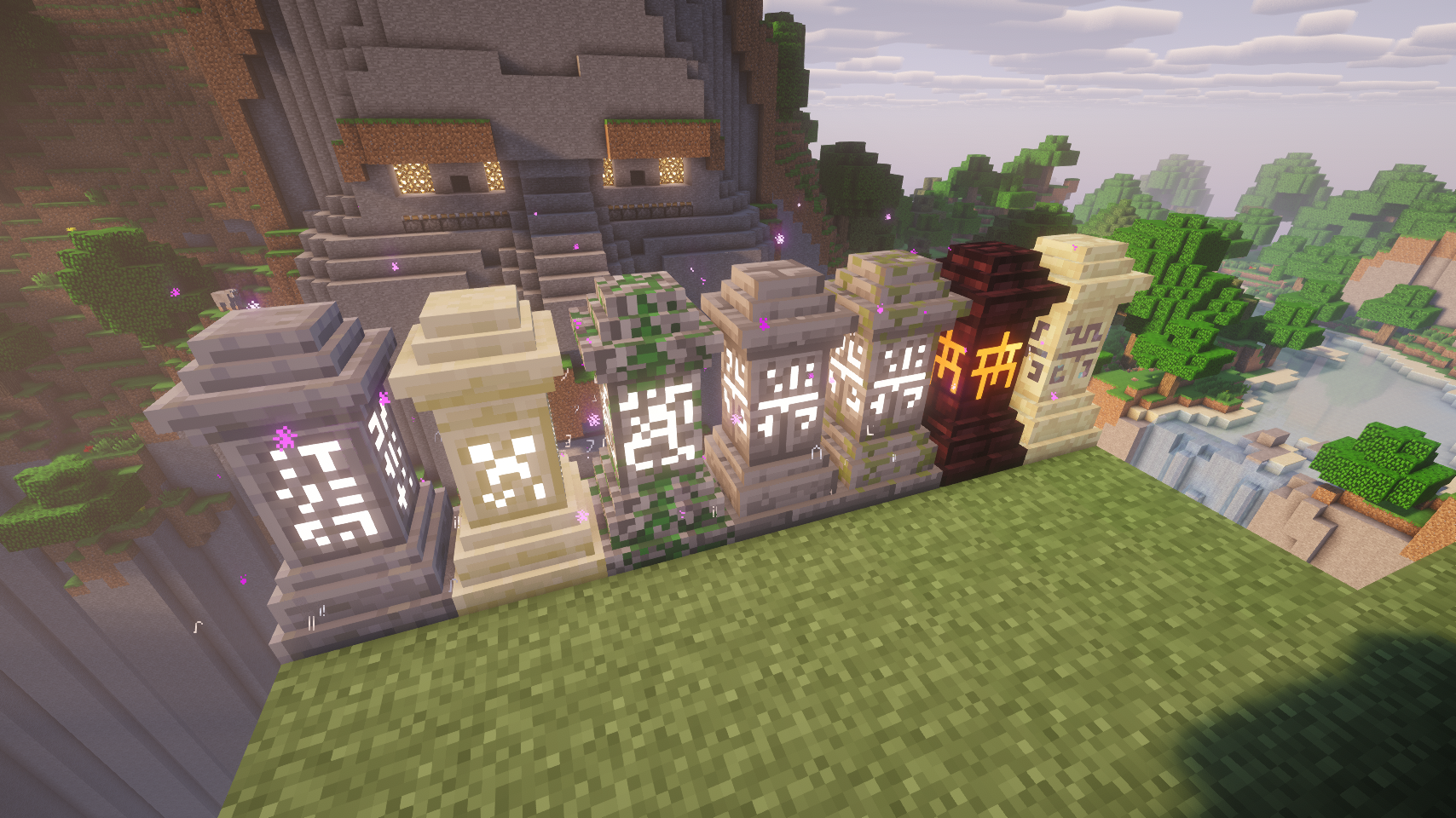
* New textures by DarkBum.
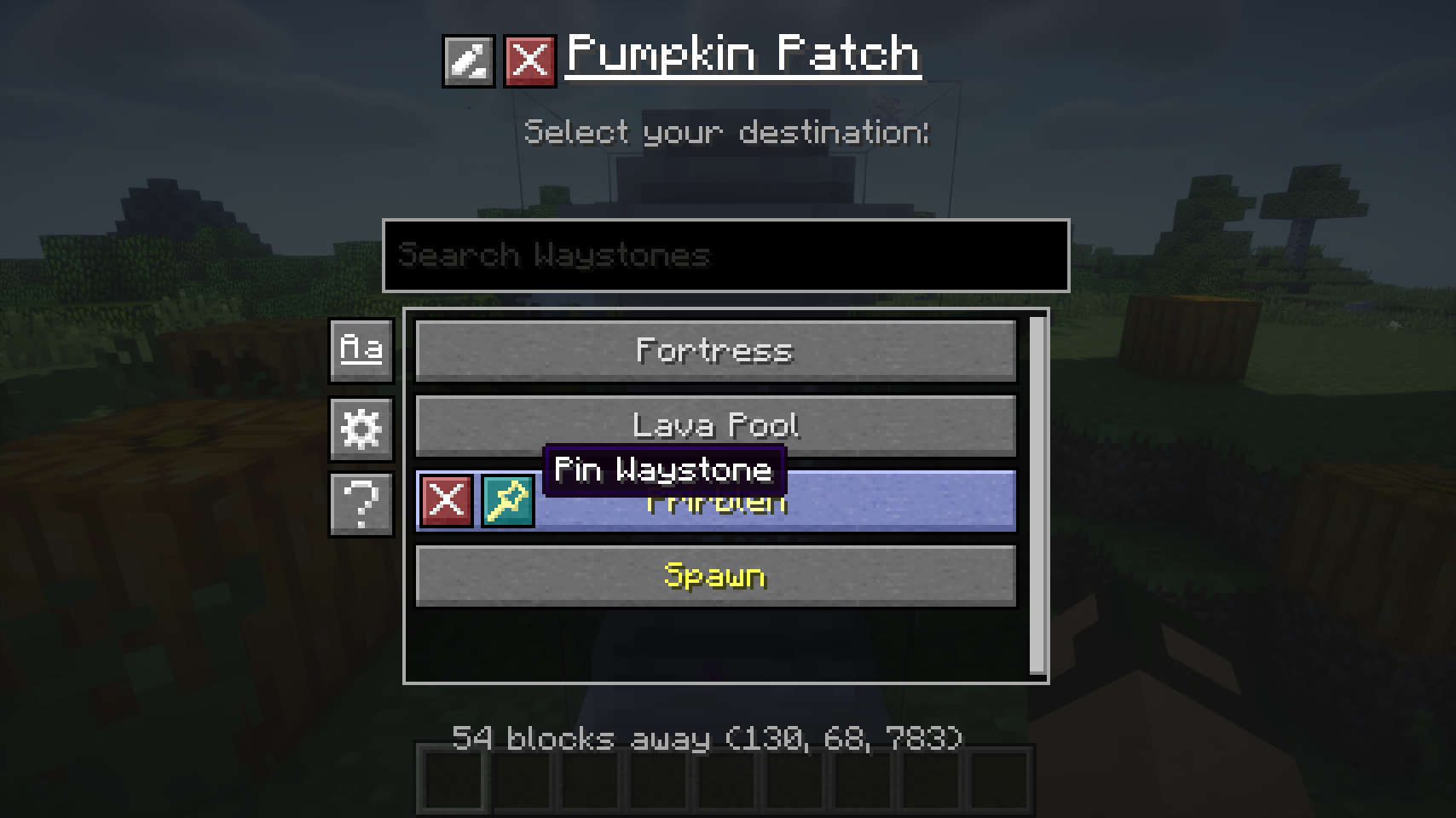
* Clicking an activated Waystone will open the teleport menu, instead of needing to shift-click it (much more intuitive)
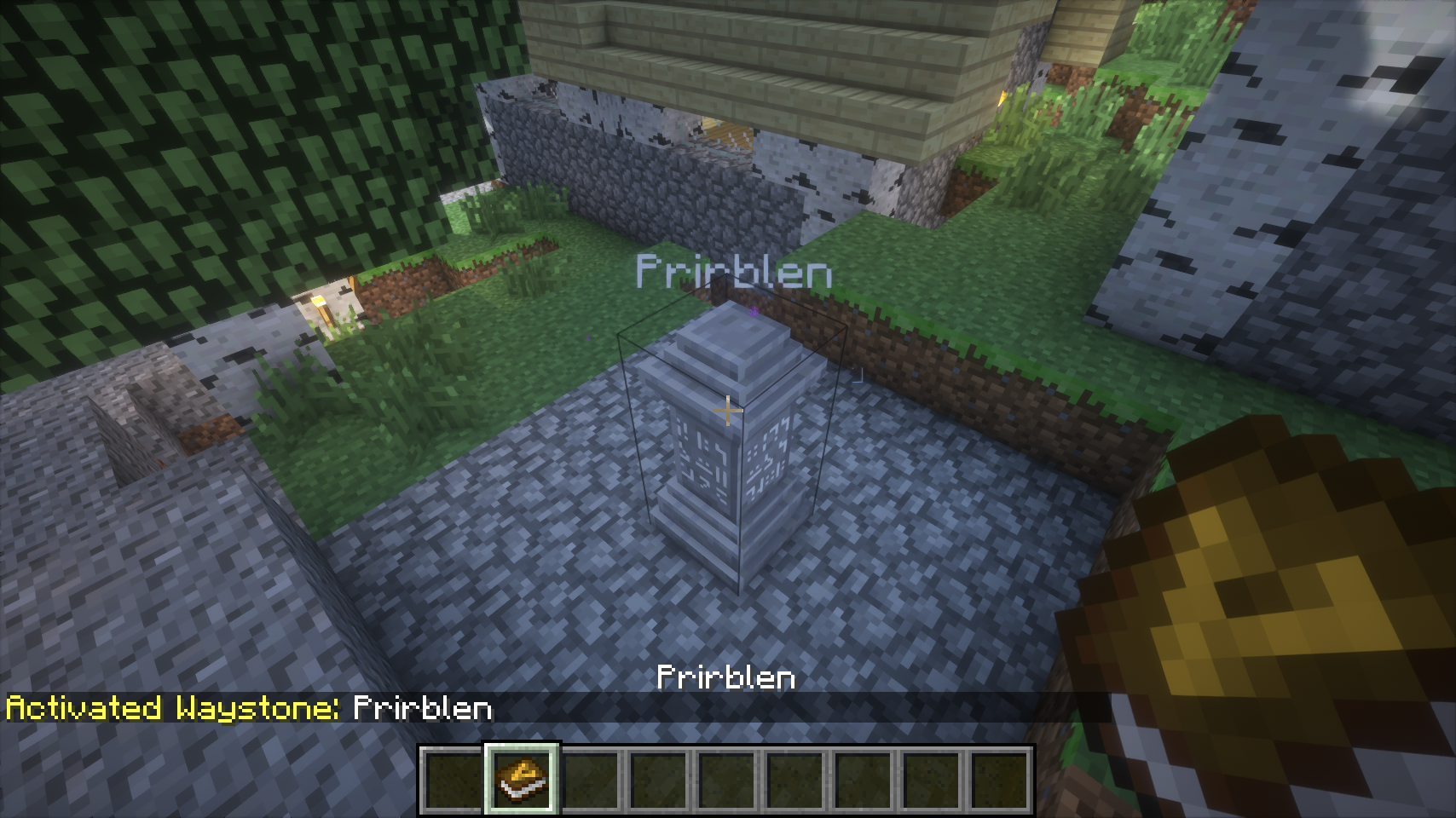
* If configured, Waystones show nametags with their name.
* Duplicate Waystone names are disallowed.
* If a player exits the Waystone creation menu without properly naming it, the creation/naming menu will be shown upon next interaction (instead of creating an empty-named Waystone).
* GUI Configuration.
* Configurable worldgen.
* Automatic activation upon naming.
* Configurable Village Names mod compatibility.
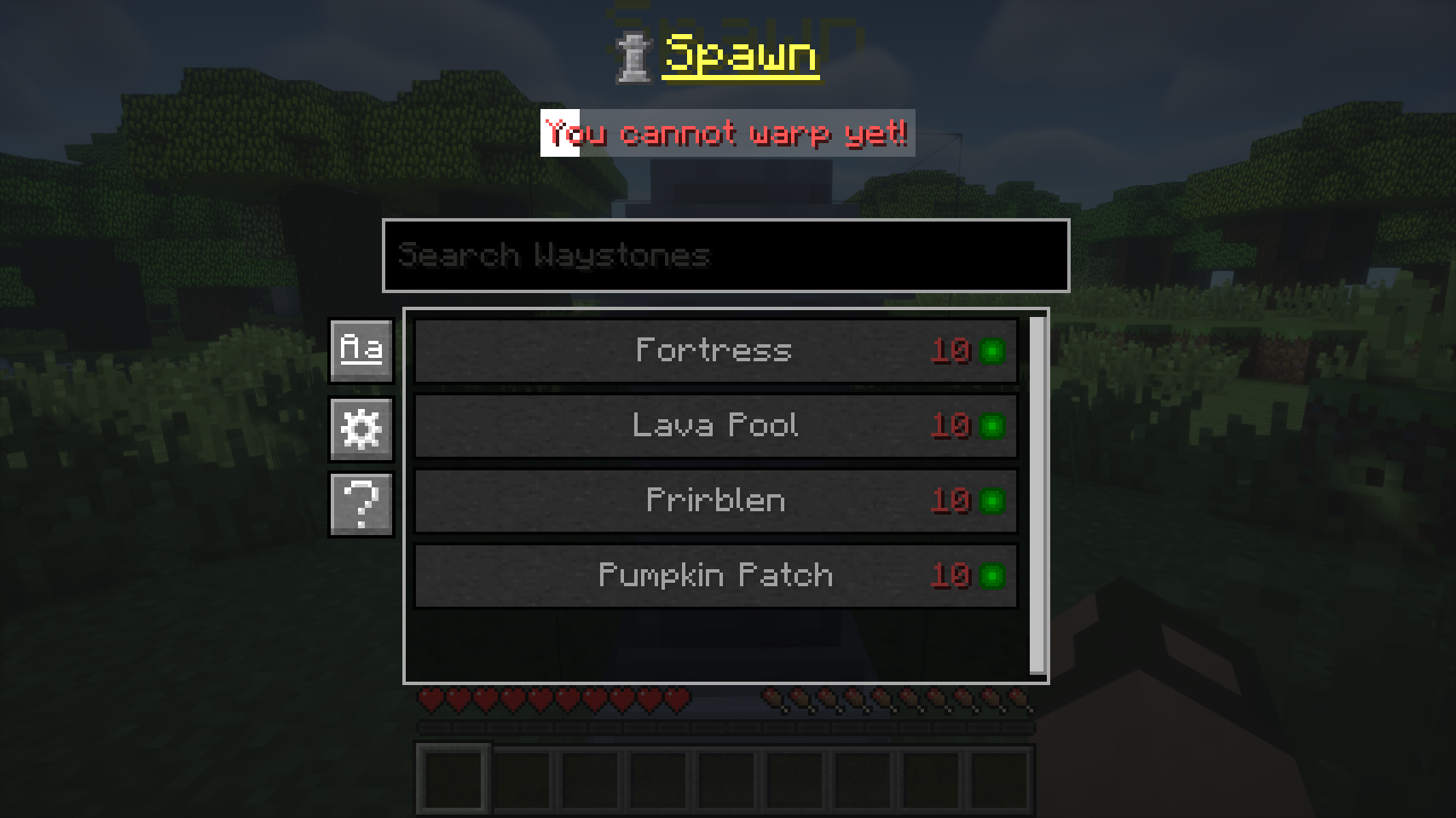
* Configurable teleportation XP level cost. Flat cost, distance cost, flat cross-dim cost.
* Configurable global teleportation cooldown. Cooldown status indicator.
* Waystone list sorting by Name and Distance.
* Waystone list filtering.
* “Undiscovering/Forgetting” Waystones.
* Waystone renaming.
* Pinned Waystones which appear at the top of the list.
* Global Waystones are stored in the save NBT, no more conflicts.
* Sandstone, Mossy, (Mossy) Stonebrick, Netherbrick, Endstone Waystone variants.
* Journeymap and Xaero’s Minimap integration: adding waypoints upon interaction with Waystones
### Worldgen configuration system:
You can define a list of rules under the `structureWaystoneRules` key in the config. Each rule can have the following properties:
* `structure`: Vanilla or modded structure id this rule applies to (for example village, temple_desert).
* `chance`: Spawn probability from `0` to `1` (`0` = never, `1` = always).
* `type`: Waystone variant override: `auto`, `stone`, `sandy`, or `mossy`. `auto` keeps structure/default logic.
* `name`: Optional fixed name override. If duplicates exist, a number suffix is appended automatically. Makes the most sense for unique structures.
* `forceGlobal`: `true`/`false`. If `true`, the Waystone is forced to become global. Requires name to be set.
* `autoActivateGlobal`: `true`/`false`. Only relevant when `forceGlobal=true`. `true` immediately registers as global, false waits until player activation.
* `dimensionWhitelist`: Allowed dimension IDs, comma-separated (for example `0,-1,1`) or `*` for all.
* `biomeWhitelist`: Allowed biome IDs, comma-separated (for example `2,17,21`) or `*` for all.
Example: `structure=village;chance=0.35;type=auto;dimensionWhitelist=0;biomeWhitelist=2,17,35`
Currently supported `structure` ids:
* `village`
* `temple_desert`
* `temple_jungle`
* `stronghold`
* `fortress`
* `end_spike`
* `world_spawn`
## Dependencies
* UniMixins   
## Building
`./gradlew build`.
## Credits
* BlayTheNinth for the original mod.
* New textures by DarkBum.
* kuzuanpa for some bugfixes.
* Textures and ideas from BetterWaystonesMenu.
* brandyyn for some fixes.
* Omgise for Chinese translation.
* GT:NH buildscript.
## License
This project is a fork of Waystones by BlayTheNinth.
– **Original Waystones code**: [MIT License](LICENSE-MIT) (Copyright 2016 BlayTheNinth) (archive)
– **New contributions**: [LGPLv3 + SNEED](LICENSE) (Copyright 2025 jack)
The combined work is distributed under LGPLv3 + SNEED terms. The original MIT-licensed portions remain available under MIT terms.
## Buy me a coffee
* ko-fi.com
* Monero: `893tQ56jWt7czBsqAGPq8J5BDnYVCg2tvKpvwTcMY1LS79iDabopdxoUzNLEZtRTH4ewAcKLJ4DM4V41fvrJGHgeKArxwmJ`

KawaMood’s Waystones in Villages
Addon that generates KawaMood’s Waystones in villages. This allows players to access fast travel points within villages.

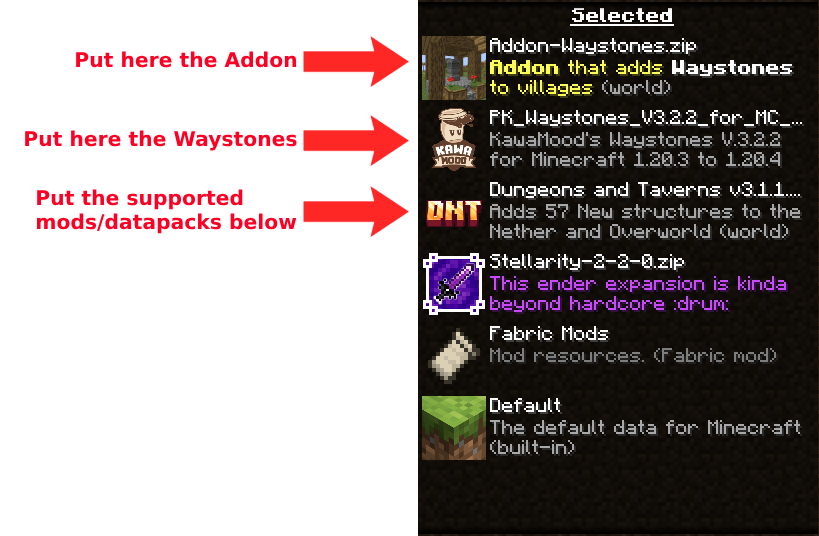
**You have to download KawaMood’s Waystones for the datapack/mod to work!**
**If you’re going to use it on a server, set “enable-command-block” to true in server.properties.**
# Structures
**🏦 Waystones in Villages**
With this addon, now all vanilla Minecraft villages become travel points with Waystones! Each Waystone visually adapts to the unique style of the village where it is found. There’s also a version for zombie villages.
This pack has two versions, each with its differences:
– In the datapack version, waystones are rarer, which solves issues like having more than one waystone in a village.
– The mod version is considered the best for gameplay; it guarantees that a waystone will always be generated in villages, and there are no issues with duplicates
**Future Plans**
– ~~Random names for the waystones~~
– Support for other Mods/Datapacks adding new villages (Towns and Towers, ChoiceTheorem’s Overhauled Village, ~~Terralith~~, Incendium, ~~Dungeons and Taverns~~, ~~The Creeper’s Code~~ and ~~Stellarity~~)
– ~~A remake of the structures (_I know I can do better… hopefully_)~~
Credits
KawaMood – Creator of Waystones and for being willing to help 🙂