PlumBot
English
# PlumBot–a plugin can connect your server to QQ/Kook
QQ’s group:[825894832](https://qm.qq.com/cgi-bin/qm/qr?_wv=1027&k=-PcufP7TIjLBMOte4H8bHoNmMkP5xZT0&authKey=aPKkGldknKtdCUfX7hhWMFkAOuOpOUYuNZihsUZi9DXvIHVzJhuIRLVfTdCsobZt&noverify=0&group_code=825894832)

[](https://github.com/RegadPoleCN/PlumBot/actions/workflows/maven.yml)
[](https://github.com/RegadPoleCN/PlumBot/actions/workflows/maven-dev.yml)
[](https://github.com/RegadPoleCN/PlumBot/releases)

[](https://modrinth.com/plugin/plumbot)
Applicable Minecraft Java versions: All versions
(For low version, please check config.yml first if you get database error)
### Capabilities
1. message interoperability
2. Whitelisting
3. Death message forwarding
4. query online population
5. query tps
6. Send commands to server in group
7. custom replies
8. custom commands
### Commands
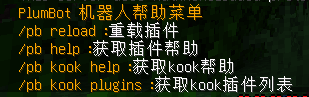
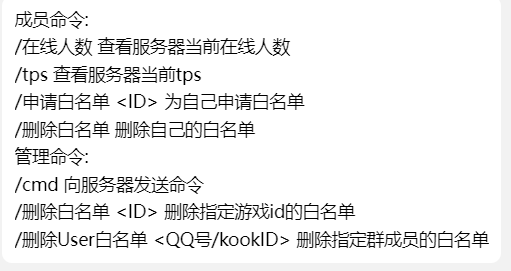
### Configs
Configs
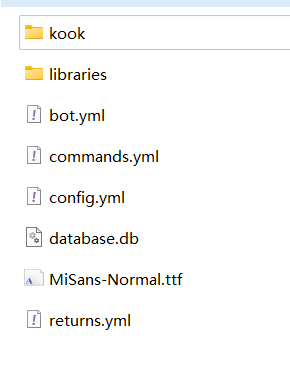
go-cqhttp’s config:
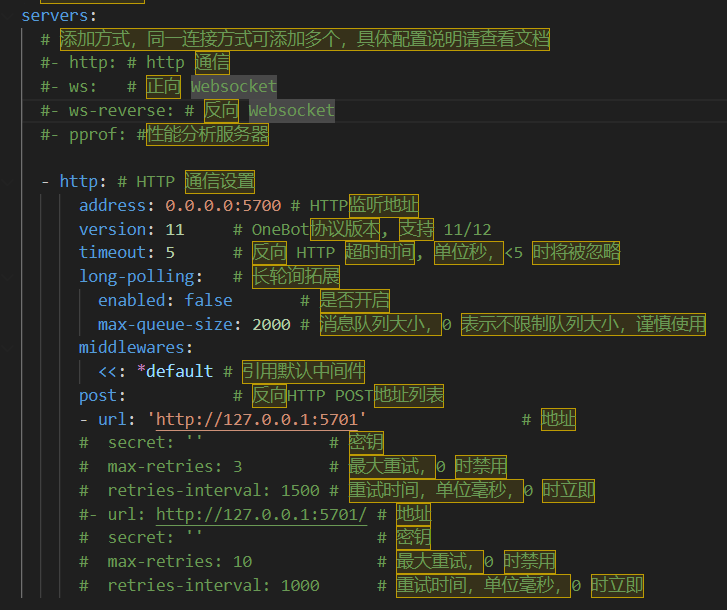
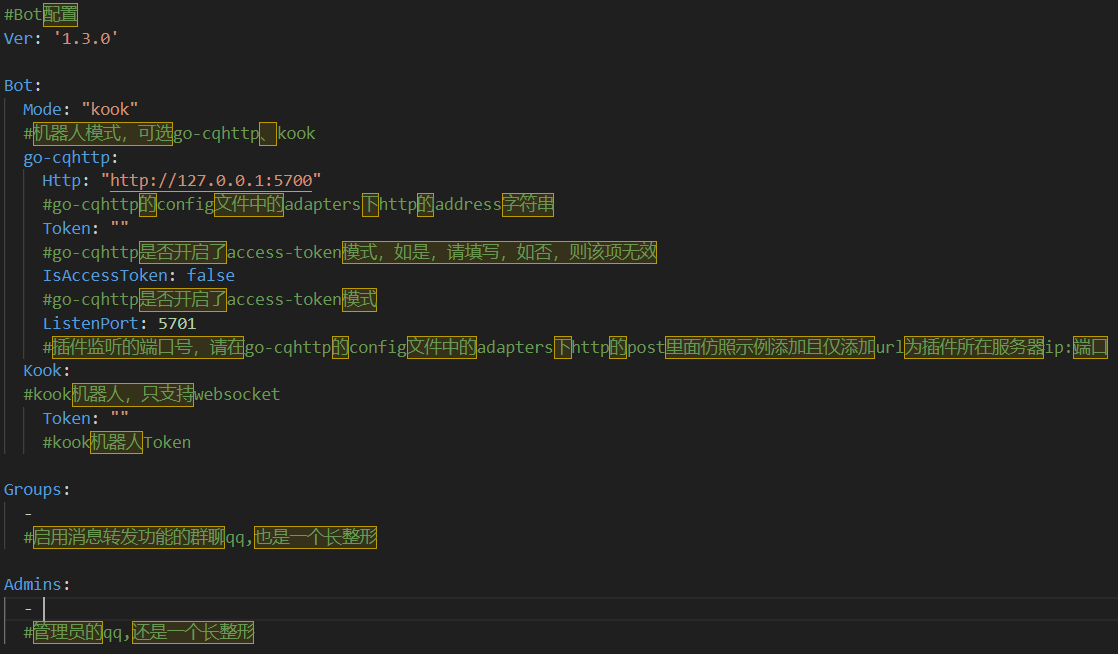
bot.yml’s config:
### Pictures

### Update Log
Update Log
v1.3.2(2024.7.12):
1. supported BungeeCord
2. fixed some bugs
v1.3.1(2024.2.20):
1. fix the bug that custom commands don’t work
2. adapted to bukkit versions 1.7.10~1.20.X
(tested versions: 1.7.10, 1.8.8, 1.12, 1.13, 1.20.2, 1.20.4)
v1.3.0(2024.2.9):
1. Add support for Kook bot
2. Add whitelist for deleting group members
3. Fixed the bug that whitelist can’t kick out players.
4. fixed the bug that /cmd can’t return normally.
5. fix in-game /reload command.
### Tips
When upgrading the version, please backup the configuration file in advance to prevent data loss.
QQ’s group:[825894832](https://qm.qq.com/cgi-bin/qm/qr?_wv=1027&k=-PcufP7TIjLBMOte4H8bHoNmMkP5xZT0&authKey=aPKkGldknKtdCUfX7hhWMFkAOuOpOUYuNZihsUZi9DXvIHVzJhuIRLVfTdCsobZt&noverify=0&group_code=825894832)
github:https://github.com/RegadPoleCN/PlumBot
Download release:https://github.com/RegadPoleCN/PlumBot/releases
Download development version:https://github.com/RegadPoleCN/PlumBot/actions/workflows/maven.yml
This project uses the GNU AGPL3.0 protocol, the use of please comply with the open source agreement
# PlumBot 多功能qq/kook互通机器人插件
本插件可以安装在Bukkit等服务端上,它能将你的mc服务器与QQ群或kook频道联通,支持消息转发,死亡转发等功能
插件交流群:[825894832](https://qm.qq.com/cgi-bin/qm/qr?_wv=1027&k=-PcufP7TIjLBMOte4H8bHoNmMkP5xZT0&authKey=aPKkGldknKtdCUfX7hhWMFkAOuOpOUYuNZihsUZi9DXvIHVzJhuIRLVfTdCsobZt&noverify=0&group_code=825894832)
本插件适用于go-cqhttp中的http通信模式 和 kook的websocket模式
测试环境:[go-cqhttp1.1.0](https://github.com/Mrs4s/go-cqhttp/releases/tag/v1.1.0) / [kook机器人](https://developer.kookapp.cn/app/index)+[paper1.20](https://papermc.io/downloads/paper)+[zulujdk17](https://www.azul.com/downloads)

[](https://github.com/RegadPoleCN/PlumBot/actions/workflows/maven.yml)
[](https://github.com/RegadPoleCN/PlumBot/actions/workflows/maven-dev.yml)
[](https://github.com/RegadPoleCN/PlumBot/releases)

[](https://modrinth.com/plugin/plumbot)
适用Minecraft Java版本:全版本
(低版本如果出现数据库报错请先检查config.yml)
### 插件功能
1. 服务器消息互通
2. 白名单
3. 死亡信息转发
4. 查询在线人数
5. 查询tps
6. 在群内将命令发送至服务器
7. 自定义回复
8. 自定义命令
### 插件命令


### 配置文件
配置文件

go-cqhttp端配置:

bot.yml配置:

其余配置文件可依据文件内示例进行配置
### 使用图片

### 更新日志
更新日志
v1.3.2(2024.7.12):
1. 更新对BungeeCord的支持
2. 修复部分bug
v1.3.1(2024.2.20):
1. 修复自定义命令无法使用的bug
2. 适配bukkit版本1.7.10~1.20.X
(已测试版本:1.7.10, 1.8.8, 1.12, 1.13, 1.20.2, 1.20.4)
v1.3.0(2024.2.9):
1. 新增对Kook客户端的支持
2. 新增删除群成员白名单
3. 修复白名单无法踢出玩家
4. 修复/cmd无法正常返回的bug
5. 修复游戏内/reload命令
### 作者的话
升级版本时请提前备份配置文件,以防数据丢失
插件交流群:[825894832](https://qm.qq.com/cgi-bin/qm/qr?_wv=1027&k=-PcufP7TIjLBMOte4H8bHoNmMkP5xZT0&authKey=aPKkGldknKtdCUfX7hhWMFkAOuOpOUYuNZihsUZi9DXvIHVzJhuIRLVfTdCsobZt&noverify=0&group_code=825894832)
如果有使用上的问题或者bug,欢迎进群讨论
关于mod+插件形式的服务端,本插件暂时提供支持,在未来可能会取消对其用户的维护
github地址:https://github.com/RegadPoleCN/PlumBot
下载地址:https://github.com/RegadPoleCN/PlumBot/releases
开发版:https://github.com/RegadPoleCN/PlumBot/actions/workflows/maven.yml
本项目使用GNU AGPL3.0协议,使用时请遵守开源协议

制作不易,给个评分再走吧
PlayTimePulse
# ⏱️ PlayTimePulse
A lightweight, accurate Minecraft plugin that tracks player playtime, integrates seamlessly with PlaceholderAPI, and provides a built-in rewards system with a claimable GUI.
—
## 🌟 Main Features
– ⏳ **Real-time Playtime Tracking** – Accurately tracks how long each player has been on your server
– 🎁 **24+ Playtime Rewards** – Milestone-based rewards that players can claim as they play more
– 📖 **Pageable Rewards GUI** – Easy-to-navigate interface with multiple pages for all rewards
– 🧾 **Simple Commands** – Intuitive `/playtime` command for players and admin tools
– 🔌 **PlaceholderAPI Support** – Integrates with popular plugins through placeholders
– 🛡️ **AFK Protection** – Prevents players from cheating by being AFK
– 💾 **Efficient Data Storage** – Lightweight flat-file storage with automatic saving
– ⚡ **High Performance** – Optimized code that won’t slow down your server
– 🛡️ **Reward Error Handling** – Prevents reward spamming even when commands fail
– ⚙️ **Flexible Configuration** – Easily customize all rewards, GUI, and settings
## 📦 All Features
– ⏳ Real-time playtime tracking (saved + current session)
– 🧾 `/playtime` command:
– Shows formatted playtime in `Xd Yh Zm`
– Opens a GUI to claim playtime-based rewards
– 🎁 Reward System:
– Milestone-based claimable rewards (24 rewards included in current config, with more to be added over time)
– Supports commands (since most of the things are given by commands)
– Blocks duplicate claiming with tracked saves
– Player head support for GUI icons (e.g., custom heads, player skulls)
– Custom sound effects when claiming rewards
– Error handling for failed commands to prevent reward spamming
– 📖 Pageable Rewards GUI:
– Pagination support for large numbers of rewards
– Customizable slots per page
– Navigation buttons for moving between pages
– 🧭 Navigation System:
– Previous/Next page buttons
– Close button to exit the GUI
– Customizable navigation button materials and names
– Optional custom head textures for navigation buttons
– 🛡️ AFK Protection:
– Prevents AFK farming of playtime
– Configurable interaction threshold and time window
– Tracks meaningful player interactions to validate activity
– 🔌 Full PlaceholderAPI support
– 📊 bStats integration for anonymous usage statistics
– 📁 Flat-file storage with autosave
– ⚙️ Performance optimized and easy to configure
—
## 🔧 Commands
| Command | Description | Permission |
|————————————————|———————————————|—————-|
| `/playtime` | Shows playtime and rewards GUI | playtime.use |
| `/playtime add h [m]` | Add playtime to player | playtime.admin |
| `/playtime reset ` | Reset player’s playtime and claimed rewards | playtime.admin |
—
## 🧩 PlaceholderAPI Support
| Placeholder | Description |
|——————————–|———————————————————-|
| `%playtime_overall_formatted%` | Total time (saved + current), formatted like `2d 4h 30m` |
| `%playtime_formatted%` | Current session only, formatted |
| `%playtime_overall%` | Total time in seconds (saved + current) |
| `%playtime_saved%` | Saved playtime only (in seconds) |
| `%playtime_current%` | Current online session (in seconds) |
—
## 🧪 Future Plans
– 🎨 Gradient color support for formatted text
– 🌟 Particle effects for reward claiming
– 🐛 Debug mode for easier troubleshooting
– ➕ More features coming soon
—
## 📁 Configuration
– `config.yml`: Define playtime milestones, rewards (commands), requirements, rewards icon/lore, and sound effects.
– Each reward can have a custom sound when claimed using the `claimSound` parameter
– Choose from over 400 Minecraft sounds (e.g., `entity.player.levelup`, `block.note_block.pling`)
– All sounds play at standard volume (1.0) and pitch (1.0)
– Custom heads can be added using `headId` with Base64 texture values
– Specify which page a reward should appear on using the `page` parameter (starting from 0)
– Navigation buttons can use custom player heads with `headId` parameter
– GUI slots and slots per page are configurable
– AFK protection settings:
– `interaction-threshold`: Minimum number of interactions required in the time window
– `time-window-minutes`: Time window in minutes to check for interactions
—
## 📥 Installation
1. Download the latest release
2. Drop the `.jar` file into your `/plugins` folder
3. Restart the server
4. Configure `config.yml` to define rewards / requirements.
5. (Optional) Install [PlaceholderAPI](https://www.spigotmc.org/resources/placeholderapi.6245/) for placeholders
—
## ✅ Requirements
– Minecraft: `1.21 up to 1.21.8`
– Java: `21+`
– Server: Paper / Pufferfish / Purpur (others need testing)
– (Optional) PlaceholderAPI
—
## 📊 Statistics
PlayTimePulse collects anonymous usage statistics through bStats. This helps us understand how the plugin is used and guides future development.
You can view plugin statistics at [bStats](https://bstats.org/plugin/bukkit/PlayTimePulse/26638).
To opt out of statistics collection, set `enabled: false` in the `/plugins/bStats/config.yml` file.
—
## 💬 Support
– 📬 [Open an issue](https://github.com/Souldevhub/PlayTimePulse/issues)
– 💻 [Discord](https://discord.gg/6SCAZfENjw)
PlayerServers
PlayerServer Panel
PlayerServers Panel is an AddOn plugin for PlayerServers! It cannot be used without PlayerServers!
PlayerServers AddOn » PSPanel
PSPanel is a proxy plugin that enables users to manage the files of their server without having to rely on a file manager type plugin to change and modify files and configs.
Commands » /link » Used to link your minecraft account to the panel account.
Permissions »
playerservers.link
playerservers.admin
PSPanel is an AddOn plugin for PlayerServers! It cannot be used without PlayerServers!
PlayerCrasher
## Overview
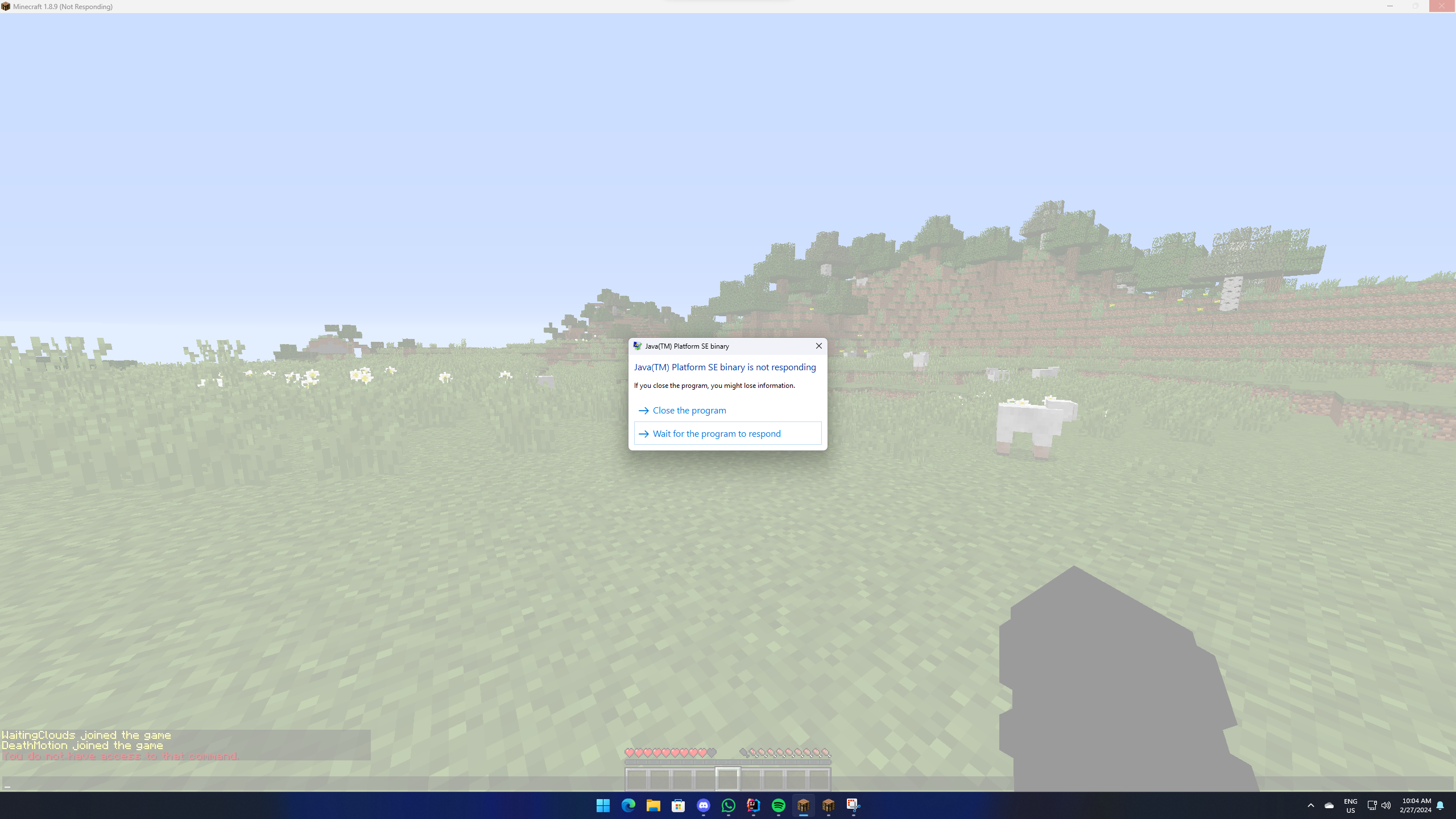
An easy-to-use Minecraft plugin that enables the crashing of a player’s game through the use of a command.
### Requires PacketEvents
Ensure the [PacketEvents](https://modrinth.com/plugin/packetevents) library is installed on your server.
## Table of Contents
– [Overview](#overview)
– [Requires PacketEvents](#requires-packetevents)
– [Showcase](#showcase)
– [Supported Platforms & Versions](#supported-platforms–versions)
– [Spoofers](#spoofers)
– [Commands](#commands)
– [Permission Nodes](#permission-nodes)
– [Installation](#installation)
– [Compiling From Source](#compiling-from-source)
– [Prerequisites](#prerequisites)
– [Steps](#steps)
– [Credits](#credits)
– [License](#license)
## Showcase
## Supported Platforms & Versions
| Platform | Supported Versions |
|————————————|——————–|
| Bukkit (Spigot, Paper, Folia etc.) | 1.8.8 – 1.21.3 |
| Velocity | Latest Major |
| BungeeCord (or any forks) | Latest Major |
## Features
– **Completely Asynchronous** – The plugin is designed to be as lightweight as possible.
All packet modifications are done asynchronously, so the main thread is never blocked.
– **Folia Support** – The plugin integrates with [Folia](https://papermc.io/software/folia), which is a Paper fork that
adds regionised multithreading to the server.
– **Crash Detector** – By sending both a keep alive and transaction packet, the plugin can detect if a player has
crashed, even if the player is still connected.
– **Configurable** – The plugin is highly configurable, allowing you to adjust the settings to your liking.
– **Update Checker** – The plugin automatically checks for updates on startup.
If a new version is available, a message will be sent to the console.
## Usage/Examples
– `/crash (player) [Method]`
> **Note:** The method parameter is optional. If no method is provided, the plugin will use the most appropriate method
> based on the player’s version.
**Methods:**
– `Explosion`
– `Particle`
– `Position`
## Commands
– `/pc` – Displays the plugin’s version and author.
– `/crash (player) [Method]` – Crashes the specified player’s game.
– `/crashinfo [player]` – Displays the client brand and version of the specified player.
## Permission Nodes
Players that are OP (Operators) have these permissions by default.
– `PlayerCrasher.Crash` Allows the player to use the /crash command.
– `PlayerCrasher.Bypass` Exempts the player from being crashed when the /crash command is used on them.
– `PlayerCrasher.Alerts` Makes the player receive alerts when a player is being crashed by another player.
– `PlayerCrasher.CrashInfo` – Allows the player to use the /crashinfo command.
– `PlayerCrasher.UpdateNotify` Makes the player receive an update notification when a new version is available.
## Installation
1. **Prerequisites**: Install [PacketEvents](https://modrinth.com/plugin/packetevents).
2. **Download**: Get the latest release from
the [GitHub release page](https://github.com/Bram1903/MinecraftPlayerCrasher/releases/latest).
3. **Installation**: Move the downloaded plugin to your server’s plugins directory.
4. **Configuration**: Customize settings in `config.yml`.
5. **Restart**: Restart the server for changes to take effect.
## Compiling From Source
### Prerequisites
– Java Development Kit (JDK) version 21 or higher
– [Git](https://git-scm.com/downloads)
### Steps
1. **Clone the Repository**:
“`bash
git clone https://github.com/Bram1903/MinecraftPlayerCrasher.git
“`
2. **Navigate to Project Directory**:
“`bash
cd MinecraftPlayerCrasher
“`
3. **Compile the Source Code**:
Use the Gradle wrapper to compile and generate the plugin JAR file:
Linux / macOS
“`bash
./gradlew build
“`
Windows
“`cmd
.gradlew build
“`
## Credits
Special thanks to:
– **[@Retrooper](https://github.com/retrooper)**: Author of [PacketEvents](https://github.com/retrooper/packetevents).
## License
This project is licensed under the [GPL3 License](LICENSE).
Plan | Player Analytics

Already running on over 4000 servers! 🙂
> ⚠️ If you downloaded version from this page between *15th of February and 11th of March 2025* the page was controlled by impersonator and was distributing versions with **Opium Backdoor malware**. If you have downloaded Plan from Modrinth during that time frame, please assume your server is fully compromised and take appropriate action. ⚠️
>
> The impersonator and project were removed, and got recreated by the original author with the help of Modrinth mod team.
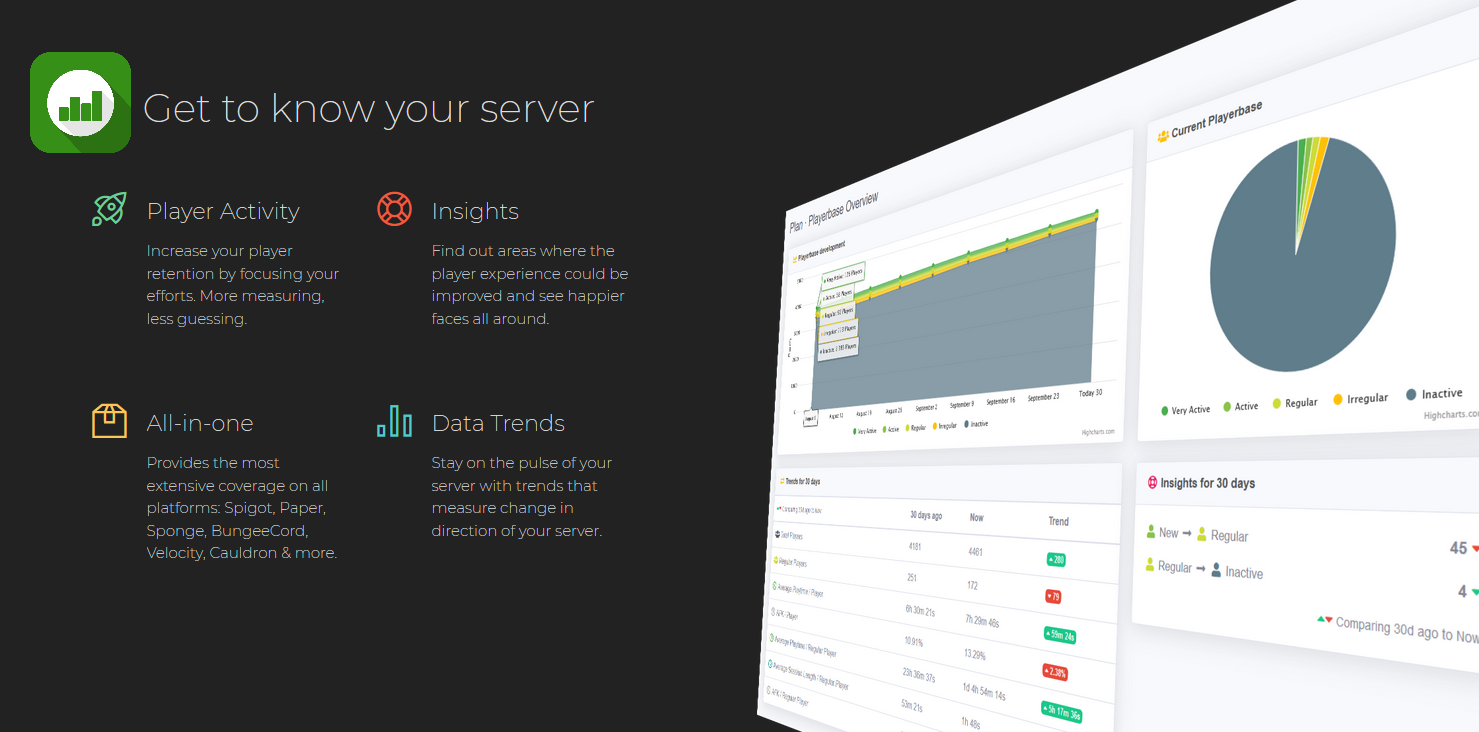
Player Analytics is the ultimate server staff tool to monitor how players are playing your server.
A built in webserver displays insights into different aspects on the server such as Online activity, Playerbase and how these change over time.
Plan supports multiple different platforms and versions;
Paper, Spigot, Sponge, SpongeForge, Bungeecord, Velocity, Cauldron, NukkitX & all derivatives.
**Requires Java 11 or newer** – if you can’t update to Java 11 use [*5.4 build 1722*](https://github.com/plan-player-analytics/plan/releases/tag/5.4.1722.1) version (versions 1.7.X – 1.12.2)
– [Source code, API & Documentation](https://github.com/plan-player-analytics/plan)
– [Bugs, Issues & Suggestions](https://github.com/plan-player-analytics/plan/issues)
– [Follow Development](https://github.com/orgs/plan-player-analytics/projects/3)
– [Configuration](https://github.com/plan-player-analytics/plan/wiki/bukkit-configuration) | [Customization](https://github.com/plan-player-analytics/plan/wiki/html-customization)
– [Commands & Permissions](https://github.com/plan-player-analytics/plan/wiki/commands-%26-permissions)

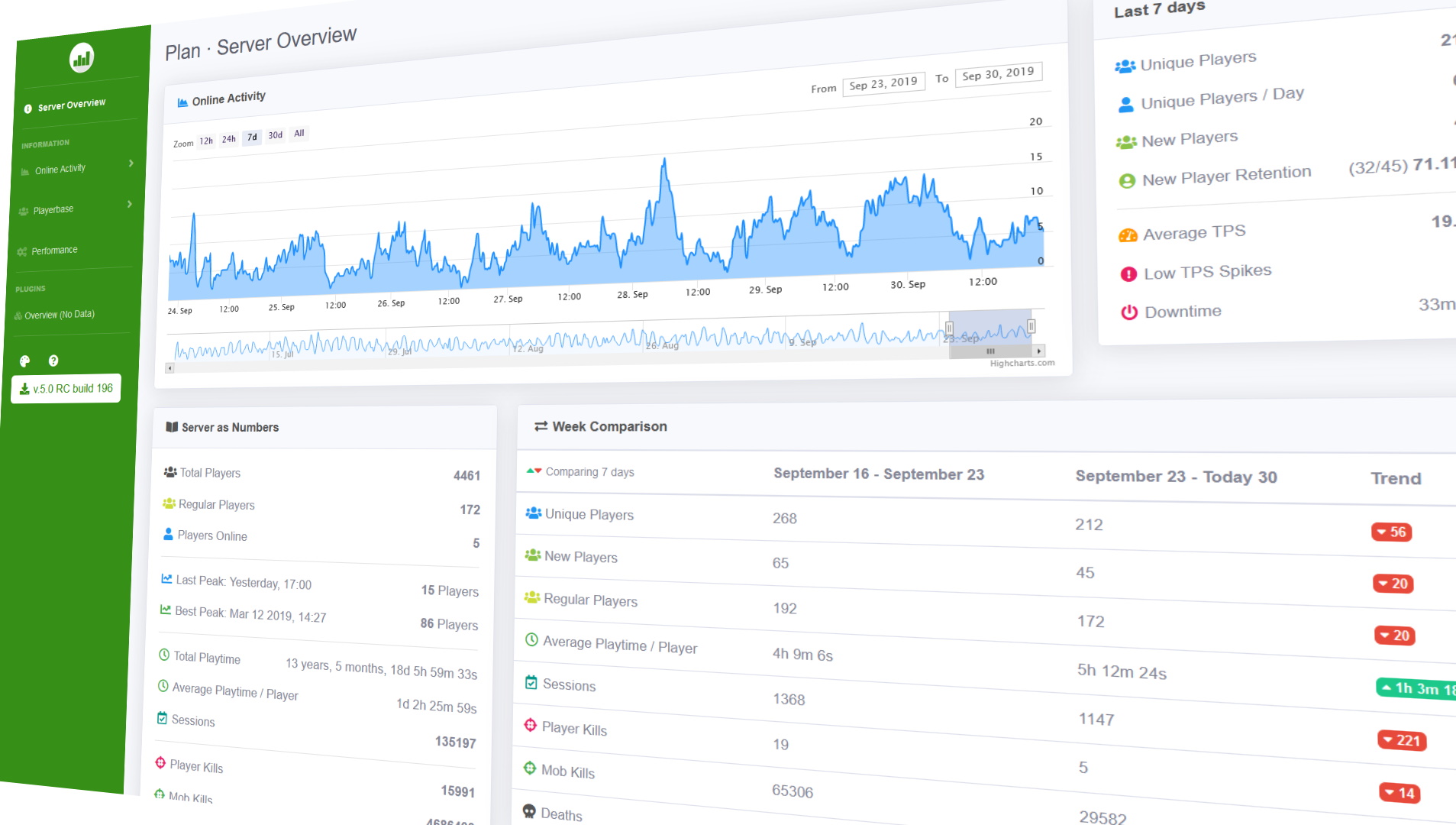
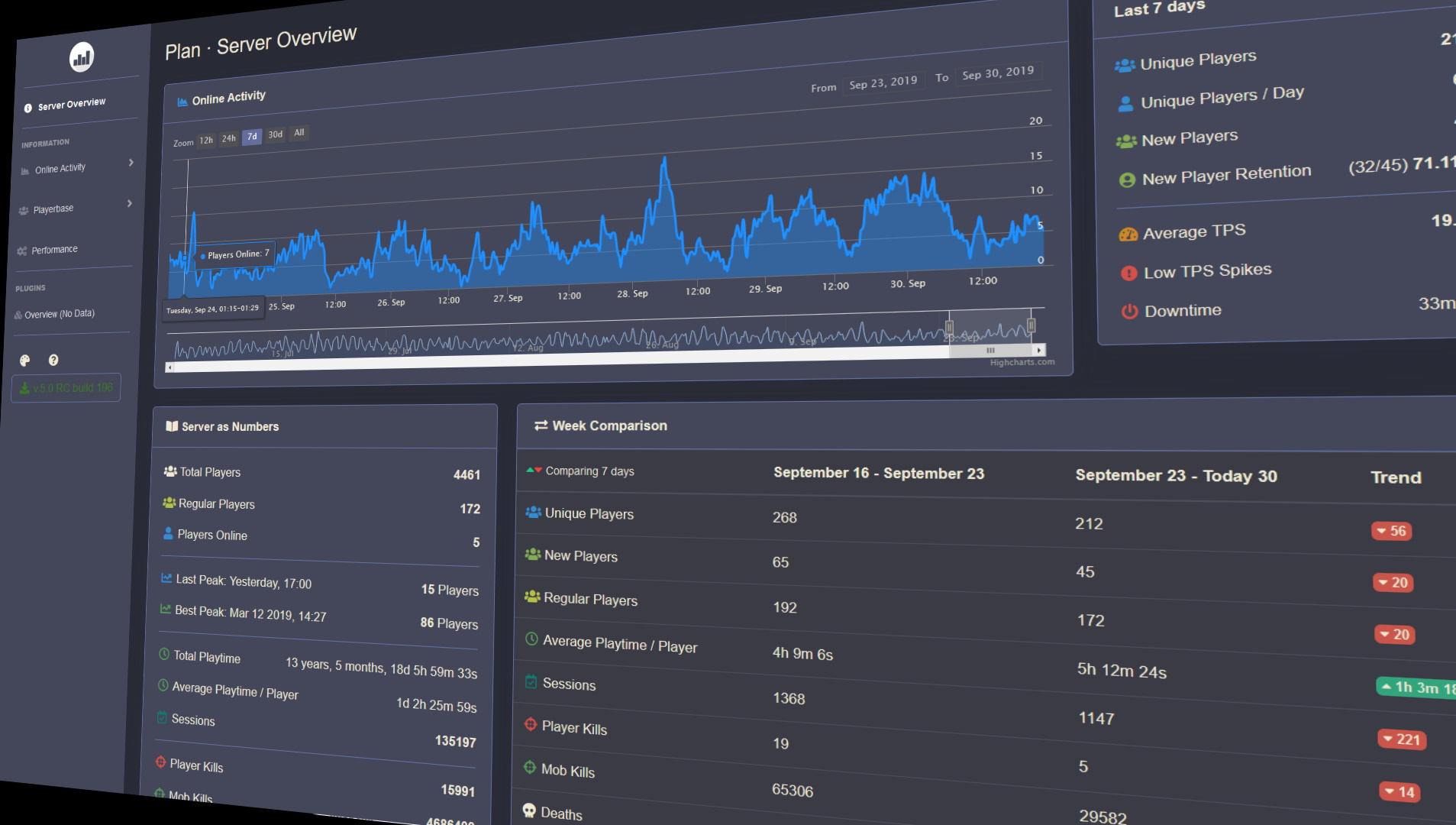
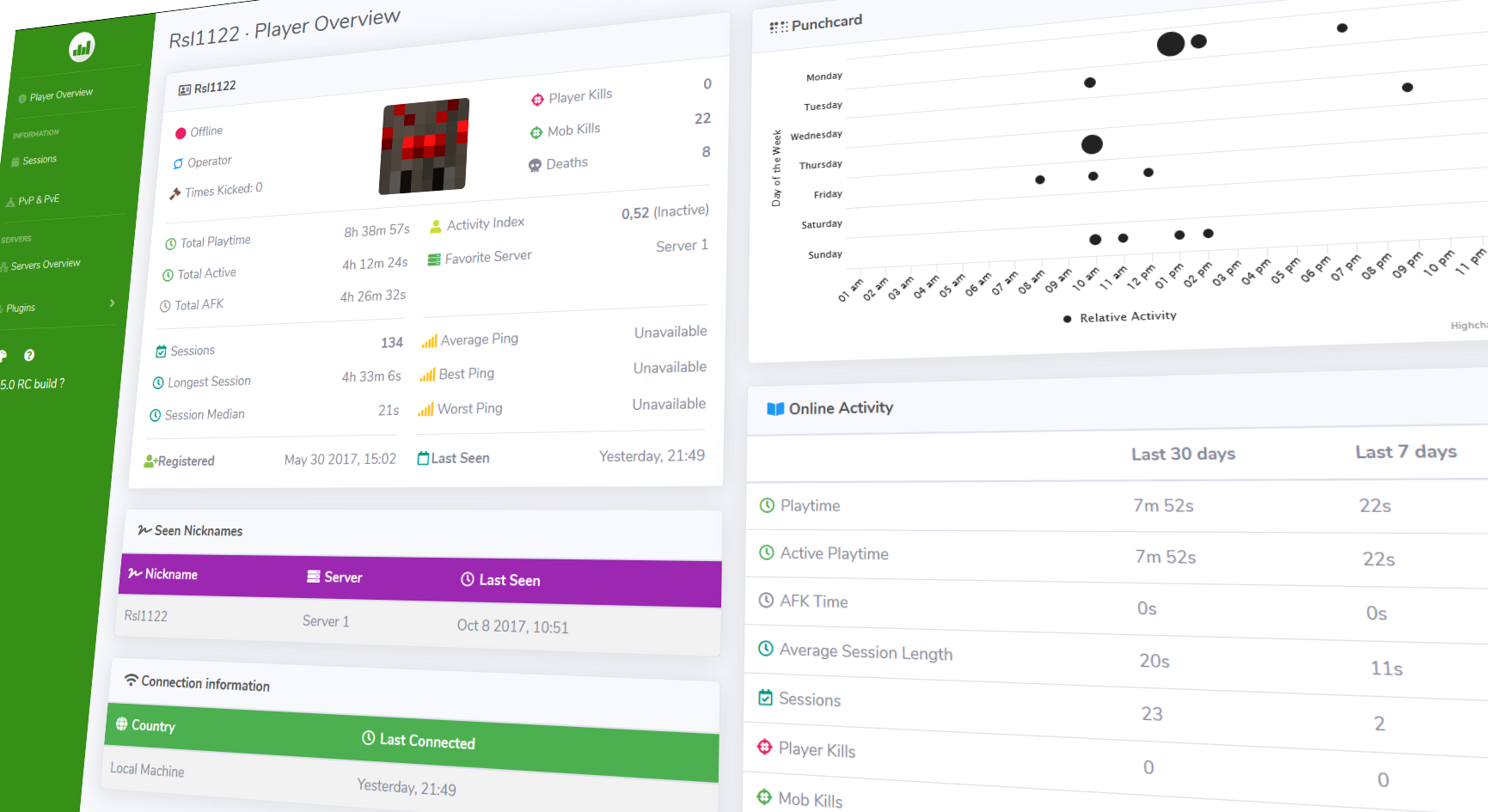
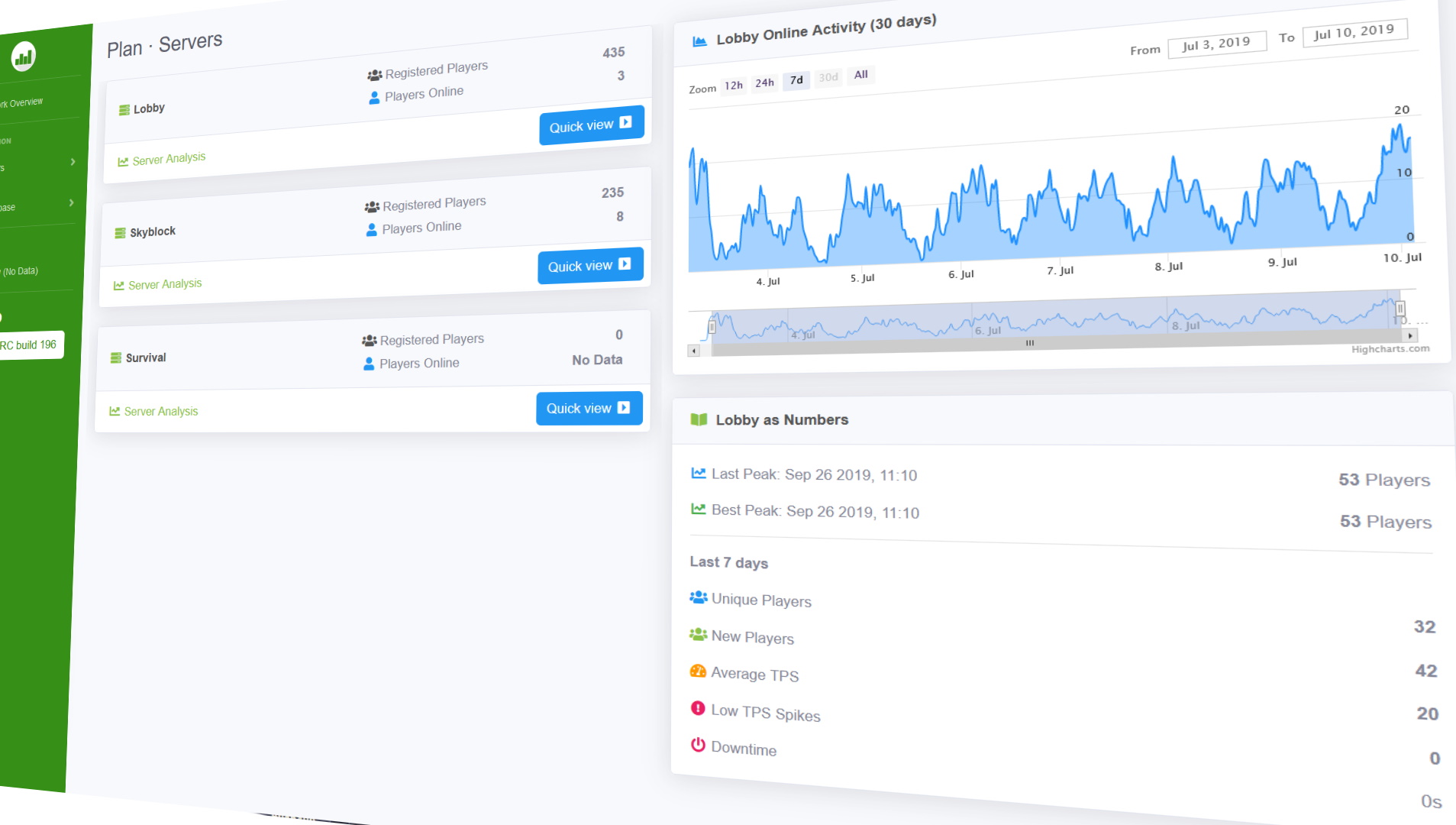
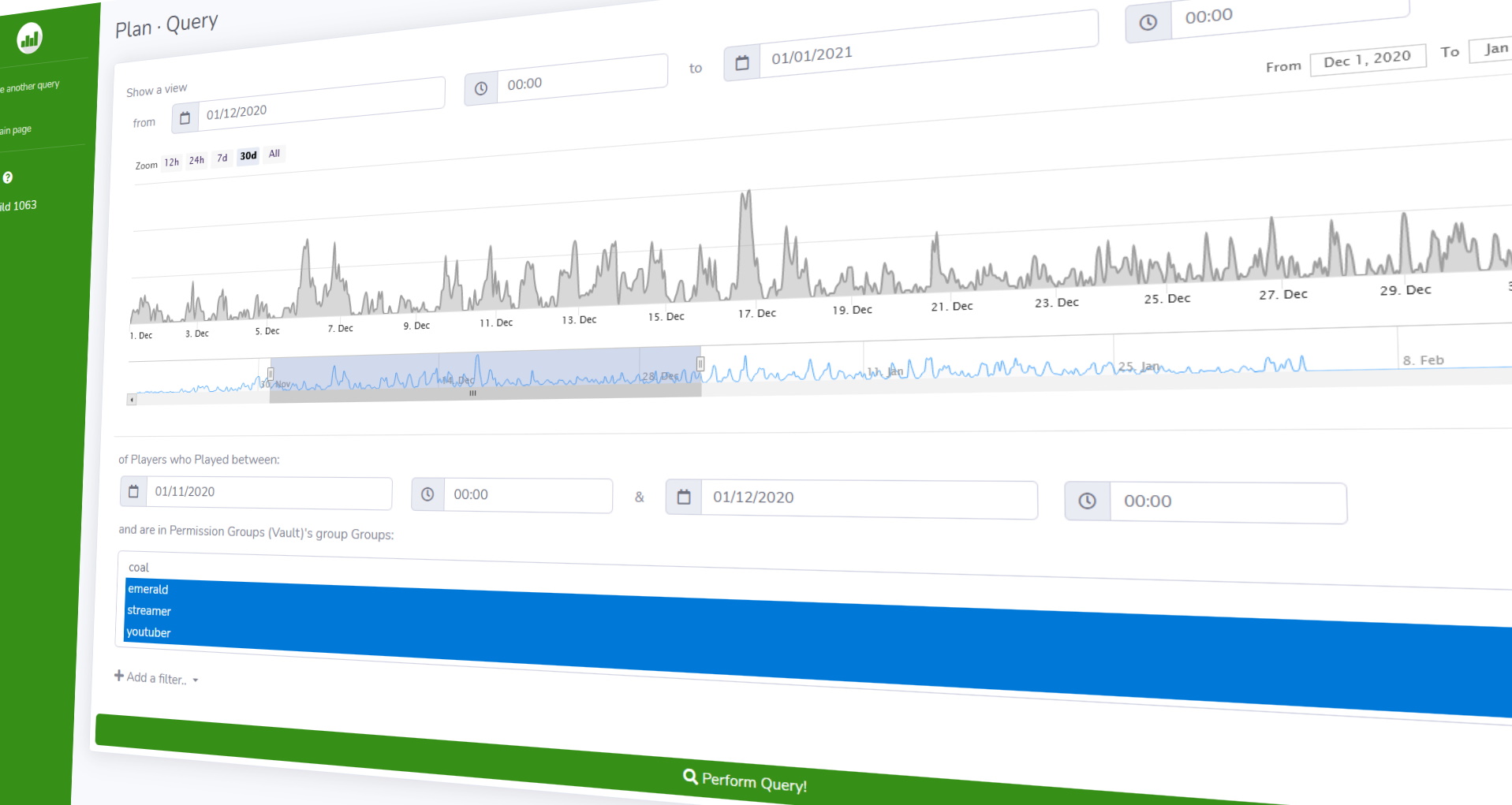
[YouTube trailer](https://youtu.be/BS_Ti9zkoRc)

**[Server Set-Up](https://github.com/plan-player-analytics/plan/wiki/bukkit-set-up)** | **[Bungee Set-Up](https://github.com/plan-player-analytics/plan/wiki/bungee-set-up)**
After setting up Plan on a server you should consider
[**setting up HTTPS & Login**](https://github.com/plan-player-analytics/plan/wiki/ssl-certificate-%28https%29-set-up)

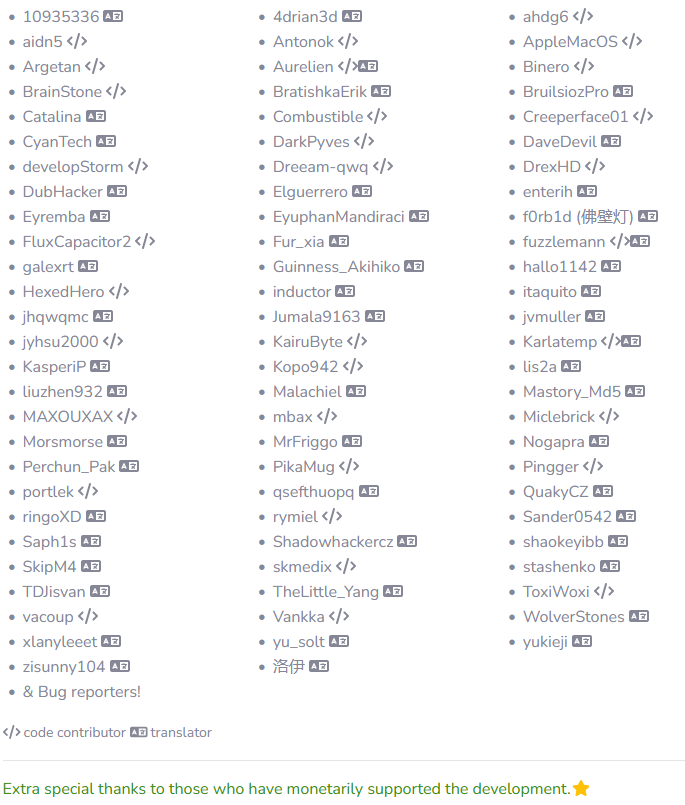
**Supported plugins**
– See [the Wiki for full list of supported plugins](https://github.com/plan-player-analytics/plan/wiki/supported-plugins)
[**Support the Developer**](https://www.paypal.me/rsl1122)
PixelMOTD

—

—
* Support for: **Spigot, Paper, Velocity, Bukkit, Sponge, Waterfall, BungeeCord**
* Multi color format support: **Legacy, classic, MineDown, IridiumColorAPI, MiniMessage**
* Customizable Max players
* Hex Colors Support (1.16+) (Gradient and Normal Hex)
* Per Motd Icons!
* Per Server & World Whitelist
* UUID System & Player Name System for Whitelist
* Different Motd for 1.16+ and 1.8-1.15 in the same motd-config.
* Center Text System
* Countdown System
* Customizable Motd Lines
* Customizable Protocol Version
* MultiMOTD Support
* Whitelist Permission Bypass
* Customizable Motd Hover
* Customizable Commands
* Custom Protocol Message
* Custom Server-Icon
* Performance Boost

PistonQueue
#
PistonQueue
###
[](https://discord.gg/2K3vmAqgbf) [](https://ko-fi.com/alexprogrammerde)
## About
PistonQueue is a powerful, but easy to use queue plugin designed for anarchy and survival servers.
It is a recreation of the 2b2t.org queue system design, but adds a lot of features on top.
—

### ✨ Are you looking for an advanced administration panel for your server?
EnderDash allows you to manage your existing Minecraft servers using an advanced dashboard by installing a single plugin, batteries included. Run commands (with tab completion), read logs, manage files, invite your whole team, manage players, Ocelot (AI Assistant), works with your existing Infrastructure/Panels and much more.
Check it out: [https://enderdash.com](https://enderdash.com/?utm_source=modrinth&utm_medium=description&utm_campaign=pistonqueue)
—
## Features
* BungeeCord and Velocity support.
* Queue system with reserved slots.
* Shadow-banning players.
* Built-in support for forcing people into the end void.
* Auth server support for cracked (offline mode: false) servers.
* Joining the auth server first before the queue server.
## Requirements
* A BungeeCord/Velocity proxy
* A main server (to be queued)
* A queue server (where queued players wait)
**Disclaimer:** This requires you to put the JAR file into BungeeCord/Velocity **and** the queue server!
## Setup
We have a well detailed [wiki](https://github.com/AlexProgrammerDE/PistonQueue/wiki), which will guide you through setting the queue up.
## Stats
[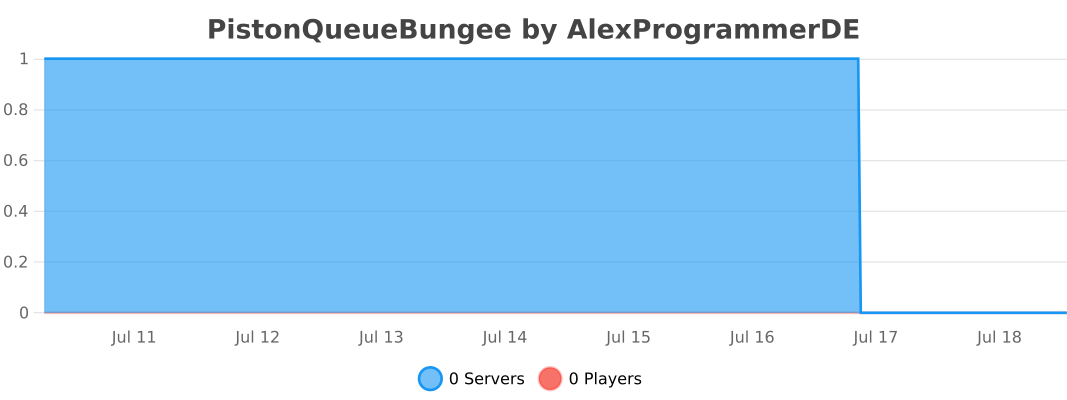](https://bstats.org/plugin/bungeecord/PistonQueueBungee/8755)
[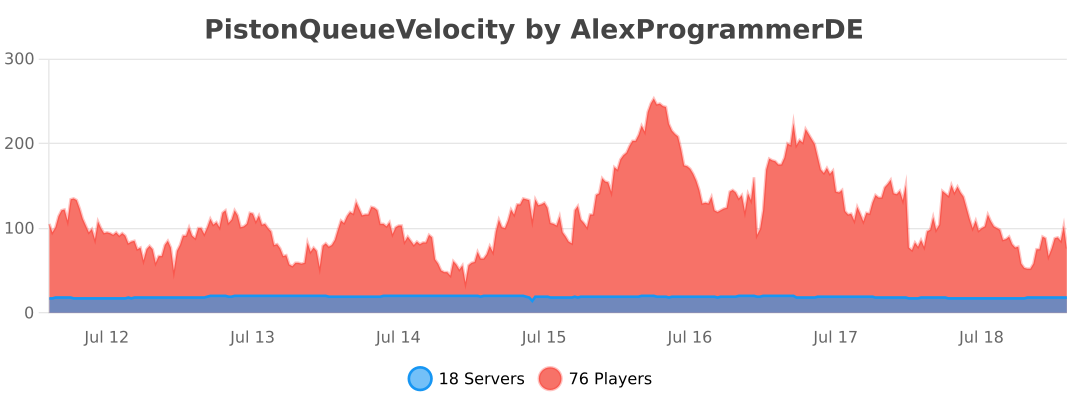](https://bstats.org/plugin/velocity/PistonQueueVelocity/12389)
## Discord
[](https://discord.gg/2K3vmAqgbf)
Have fun! 😉
PistonMOTD
#
PistonMOTD
###
[](https://discord.gg/8Qk2mtUDFf) [](https://ko-fi.com/alexprogrammerde)
###

## Features
* Customize playercounter tooltip
* Customize online player and max player counter
* Random MOTD
* Custom client out of date message. You can force that to always happen too.
* Random favicon
* Placeholders (extendable via api)
* Hide your playercount
* Very easy to understand config
* Modular (You can enable/disable every feature)
* TPS placeholder
* RGB support
* Luckperms prefix support
Compatible with external MOTD plugins. (Can’t promise it will work with every MOTD plugin.)
—
### ✨ Are you looking for an advanced administration panel for your server?
EnderDash allows you to manage your existing Minecraft servers using an advanced dashboard by installing a single plugin, batteries included. Run commands (with tab completion), read logs, manage files, invite your whole team, manage players, Ocelot (AI Assistant), works with your existing Infrastructure/Panels and much more.
Check it out: [https://enderdash.com](https://enderdash.com/?utm_source=modrinth&utm_medium=description&utm_campaign=pistonmotd)
—
## API
It **IS** possible to create and execute your own parsers with an external plugin. To register you need a class implementing the [PlaceholderParser](https://github.com/AlexProgrammerDE/PistonMOTD/blob/master/pistonmotd-api/src/main/java/net/pistonmaster/pistonmotd/api/PlaceholderParser.java) and to register it at the [PlaceholderUtil](https://github.com/AlexProgrammerDE/PistonMOTD/blob/master/pistonmotd-api/src/main/java/net/pistonmaster/pistonmotd/api/PlaceholderUtil.java) with [#registerParser(PlaceholderParser parser)](https://github.com/AlexProgrammerDE/PistonMOTD/blob/943959fafb27e68ebfa75462b35bf34bc6923e2b/pistonmotd-api/src/main/java/net/pistonmaster/pistonmotd/api/PlaceholderUtil.java#L40).
Here is an example of that:
[ServerPlaceholder](https://github.com/AlexProgrammerDE/PistonMOTD/blob/master/pistonmotd-bungee/src/main/java/net/pistonmaster/pistonmotd/bungee/ServerPlaceholder.java)
[Registering](https://github.com/AlexProgrammerDE/PistonMOTD/blob/943959fafb27e68ebfa75462b35bf34bc6923e2b/pistonmotd-bungee/src/main/java/net/pistonmaster/pistonmotd/bungee/PistonMOTDBungee.java#L58)
And this stuff might get handy:
[Javadoc](https://www.pistonmaster.net/PistonMOTD/apidocs/index.html)
## Stats
[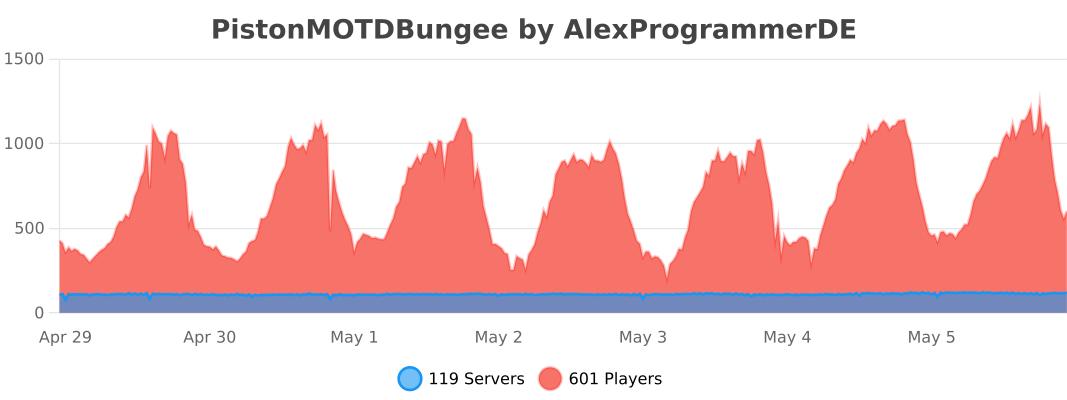](https://bstats.org/plugin/bungeecord/PistonMOTDBungee/8968)
[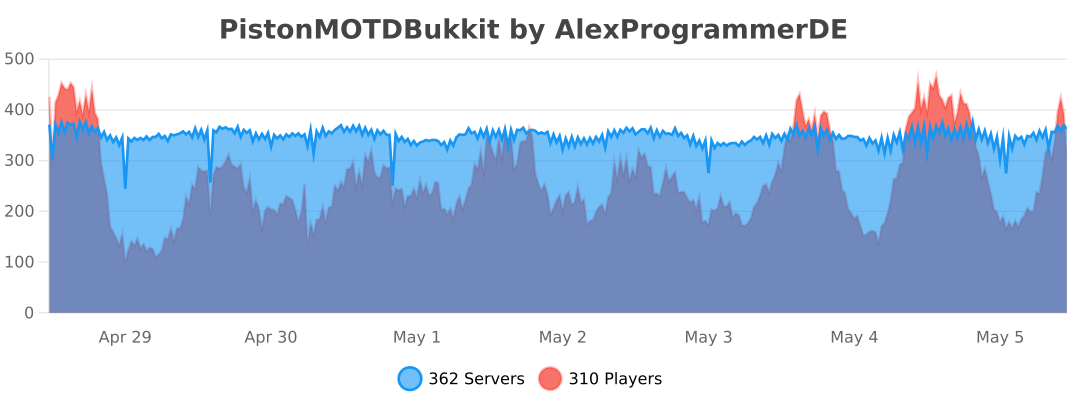](https://bstats.org/plugin/bukkit/PistonMOTDBukkit/9100)
[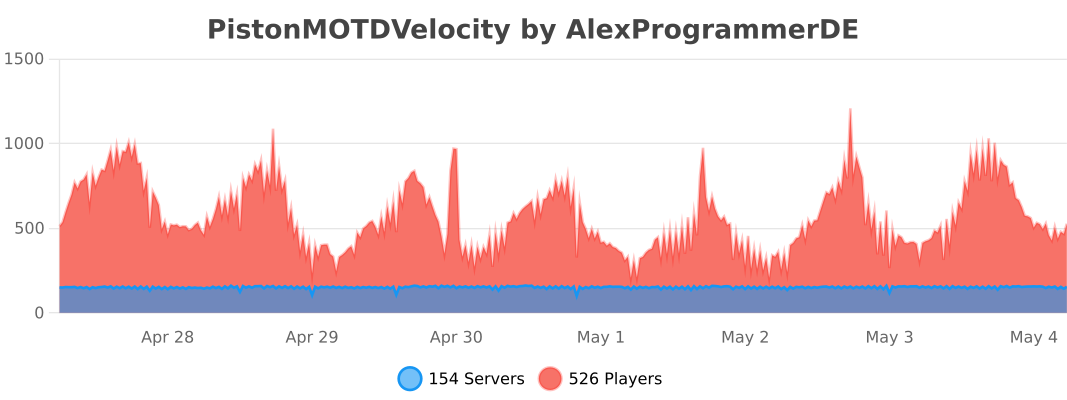](https://bstats.org/plugin/velocity/PistonMOTDVelocity/14316)
## Discord
[](https://discord.gg/8Qk2mtUDFf)
Have fun! 😉
PhoenixHub
# ⚡ PhoenixHub – Ultimate Minecraft Hub Plugin ⚡
**Tested** Version: 1.21.x
**PhoenixHub** is a powerful all-in-one hub management plugin for modern Minecraft servers and networks. It’s designed to work across multiple Minecraft versions and platforms, while being fully tested and optimized on 1.21 servers.
Older versions (1.18.x – 1.20.x) are supported by design, but not officially tested yet. If you encounter any issues on older versions, they will be addressed in future updates.
## Dependencies:
PlaceholderAPI (Optional)
## ✨ Features
– Hub Management – Full hub spawn system with teleport sounds and protection
– Join Items – Custom join items with actions (server selector, info book, visibility toggle, etc.)
– Player Visibility – Toggle seeing other players with one click
– Launchpads – Interactive pressure-plate launchpads around your hub
– PvP Sword – Hold-to-activate PvP mode with countdowns and cooldowns
– Bossbar – Welcome messages with custom colors and styles
– Tab List – Animated header & footer with placeholders
– Scoreboard – Live-updating scoreboard (PlaceholderAPI supported)
– Chat System – Rank-based chat formats and filters
– Server Selector – GUI menu to send players between servers
– World Protection – Block breaking, placing, damage, hunger, weather & mob control
– Sounds & Messages – Fully configurable sounds and messages
### **⚙️ Configuration Example**
“`
========================================
PhoenixHub Configuration
========================================
A comprehensive hub management plugin
# ========================================
# Spawn Configuration
spawn:
world: world
x: 0.0
y: 64.0
z: 0.0
yaw: 0.0
pitch: 0.0
# Join Items
join-items:
enabled: true
items:
server_selector:
enabled: true
material: COMPASS
slot: 4
display-name: “&bServer Selector”
lore:
– “&7Right-click to choose a server”
action:
type: SERVER_SELECTOR
player_visibility:
enabled: true
material: LIME_DYE
slot: 8
display-name: “&dPlayers &7> &aShown”
lore:
– “&7Click to toggle player visibility”
action:
type: PLAYER_VISIBILITY_TOGGLE
# Launchpads
launchpad:
enabled: true
power: 2.0
cooldown: 1000
# Scoreboard
scoreboard:
enabled: true
title: “&cPhoenixHub”
lines:
– “&7Welcome, &e%player_name%”
– “”
– “&bOnline: &f%online_players%”
“`
_(Every feature has its own config section – this is just a small preview.)_
### File Structure
“`
plugins/PhoenixHub/
├── config.yml
├── messages.yml
├── commands.yml
├── sounds.yml
└── gui/
└── serverselector.yml
“`