VelocityPlayerListQuery
# VelocityPlayerListQuery
A Velocity plugin that shows current players in the server list.
Inspired by
## Configuration options
| option | default | description |
| ————————– | ————- | —————————————————————————————————————————————————————————————————————————————————————————————————————————————————————————– |
| `playerListMode` | `”REPLACE”` | Configure how players are shown in the player list.
- `”UNCHANGED”`: Keep the player list as it is.
- `”ADD”`: Add players to the player list. `serverListEntryFormat` and `maxListEntries` are only applied for the added players.
- `”REPLACE”`: Replace the player list with players according to `serverListEntryFormat` and `maxListEntries`.
|
| `serverListEntryFormat` | `”%1$s”` | Configure how players are shown in the server list.
- `%1$s`: placeholder for the player name
- `%2$s`: placeholder for the server name, on which that player is currently playing on
|
| `maxListEntries` | `16` | Configure how many players are shown in the server list. `<= 0` for unlimited (for backwards compatibility). |
| `replaceOnlinePlayerCount` | `false` | Should the online player count be replaced with the number of players currently connected to Velocity? Useful when using `ping-passthrough = "all"`. |
| `replaceMaxPlayerCount` | `false` | Should the maximum player count be replaced with the Velocity configured amount? Useful when using `ping-passthrough = "all"`. |
| `fillMissingVersionInfo` | `false` | Should the version information be replaced with what is set in `versionProtocol` and `versionName`, when no version is detected? Useful when the backend server/s is/are unavailable or still starting. |
| `replaceVersionInfo` | `false` | Should the version information always be replaced with what is set in `versionProtocol` and `versionName`? Extends `fillMissingVersionInfo`. Useful when using `ping-passthrough = “all”`. |
| `versionProtocol` | `4` (= 1.7.2) | The protocol number to be set. You can find all available protocol versions at
| `versionName` | `”Velocity”` | The version name to be set. Used by `fillMissingVersionInfo` and `replaceVersionInfo`. |
Velocity Parties
# Velocity Parties
**VelocityParties** is a powerful and fully customizable party system built for the Velocity Minecraft proxy. It allows players to create, manage, and communicate with parties seamlessly across your entire network.
> ⚠️ **IMPORTANT REQUIREMENT**
> If you want the **party chat toggle system (`/party toggle`) and mute system (`/party mute`) to work correctly**, you **MUST install the VelocityPartiesBridge plugin on all backend servers** (Spigot, Paper, Purpur, etc).
> Without the bridge plugin, toggle-based party chat along with mutes will NOT function properly.
> **You can download the Bridge plugin through the download button above, but select Paper/Spigot/Bukkit/Purpur as the server type.**
## Benefits of VelocityParties ✅
– Cross-server party system (Velocity-native)
– Auto leaving party after leaving the network (if they don’t rejoin after X amount of seconds defined in the config)
– Party chat with toggle support (`/party toggle`)
– Fully customizable (messages, formatting, filters, etc)
– Invite and request system
– Ability to promote, kick, mute, and ban players within a party
– Support for both online and offline player management
– Party warp system to bring members across servers
– Database-backed party storage
– Configurable chat filtering system
– Clean and intuitive command structure
– Designed specifically for scalable proxy networks
## Permissions ⚠
**`parties.use`** = should be given to **all players**
**`parties.admin`** = should be given to **admins/developers**
## Commands 🔨
| Command | Aliases | Description |
|——–|——–|————|
| `/party create` | — | Create a new party |
| `/party invite
| `/party accept` | `join` | Accept a party invite |
| `/party decline` | — | Decline a party invite |
| `/party leave` | `quit` | Leave your party |
| `/party disband` | — | Disband your party |
| `/party kick
| `/party promote
| `/party mute [player]` | `silence` | Mute the whole party or a specific player |
| `/party unmute [player]` | `unsilence` | Unmute the party or a player |
| `/party ban
| `/party unban
| `/party chat
| `/party toggle` | — | Toggle party chat |
| `/party warp` | `teleport` | Warp party members to your server |
| `/party list` | `members` | View party members |
| `/party kickoffline` | `removeoffline` | Removes all offline members from the party |
## Configuration ⚙
VelocityParties comes with multiple configuration files:
– `config.yml` – main plugin settings
– `messages.yml` – fully customizable messages
– `filter.yml` – chat filtering configuration
– `toggled.yml` – stores player toggle states
## Requirements 🔌
– Velocity proxy
– Java 17+
– **VelocityPartiesBridge (required for toggle chat support)**
## Why VelocityParties? 🚀
Unlike traditional party plugins, VelocityParties is built specifically for proxy environments, ensuring:
– Reliable cross-server communication
– Consistent party state across all servers
– High performance for large networks
## Contact
For suggestions, bug reports, or general help; https://discord.gg/v5hU7kBp2S
VelocityPacker
# Velocitypacker
[](https://kotlinlang.org)
[](https://velocitypowered.com)
[](https://sqlite.org)
A Velocity plugin that automatically sends resource packs to players and stores their acceptance status in a SQLite database.
## ✨ Features
– 🔄 **Automatic Resource Pack Sending** – Pack is sent on every proxy join
– 📊 **SQLite Database** – Persistent storage of acceptance status
– 🚫 **Smart Blocking** – Players cannot connect to servers until pack is accepted/declined
– ⚡ **Auto-Connect** – Automatic connection to first server after successful acceptance
– 🔒 **Session Management** – No re-sending when switching between backend servers
– 🎛️ **YAML Configuration** – Easy customization of all settings
– 📋 **Detailed Logs** – Comprehensive information about pack status
## 🚀 Installation
### 1. Download Plugin
“`bash
# Clone repository
git clone https://github.com/TheLion102009/Velocitypacker.git
cd Velocitypacker
# Build plugin
./gradlew clean shadowJar
“`
### 2. Install JAR
You can find the compiled JAR in `build/libs/Velocitypacker-0.1.jar`.
Copy this file to the `plugins/` folder of your Velocity server.
### 3. Start Server
Restart your Velocity server. The configuration file will be created automatically.
## ⚙️ Configuration
The `config.yml` is automatically created in the `plugins/velocitypacker/` folder:
“`yaml
# Resource pack URL (REQUIRED)
# Must be a direct download URL to a .zip file
resourcePackUrl: https://example.com/resourcepack.zip
# SHA-1 hash of the resource pack (OPTIONAL)
# Format: 40 hexadecimal characters (e.g. a1b2c3d4e5f6…)
# Leave empty if you don’t want to use a hash
resourcePackSha1: “”
# Message shown to the player
# Supports Minecraft color codes with §
resourcePackPrompt: “§aPlease accept the resource pack to play!”
# Kick player if the resource pack is declined
kickOnDecline: true
# Kick player if the download fails
kickOnFailedDownload: true
# Kick message (supports color codes with §)
kickMessage: “§cYou must accept the resource pack to play!”
“`
### Generate SHA-1 Hash
**Windows:**
“`powershell
certutil -hashfile resourcepack.zip SHA1
“`
**Linux/Mac:**
“`bash
sha1sum resourcepack.zip
“`
## 🔧 How It Works
### Player Join Process:
1. **Player connects to proxy** → Resource pack is sent immediately
2. **Server connection blocked** → Player stays in resource pack screen
3. **Pack accepted** → Automatic connection to first available server
4. **Pack declined** → Player is kicked (if configured)
### Server Switch Process:
– **Backend server switch** → No re-sending (stored in session)
– **Proxy rejoin** → Pack is sent again (new session)
### Database:
– **Location**: `plugins/velocitypacker/resourcepack.db`
– **Stored data**: UUID, acceptance status, timestamp
## 📋 Logs
The plugin provides detailed logs:
“`
[INFO] Initializing Velocitypacker…
[INFO] Configuration loaded
[INFO] Database initialized
[INFO] Event listener registered
[INFO] Sent resource pack to player Spieler123
[INFO] Player Spieler123 successfully downloaded the resource pack
[INFO] Connecting Spieler123 to lobby
“`
## 🛠️ Technical Details
– **Velocity API**: 3.4.0-SNAPSHOT
– **Kotlin**: 2.0.20-Beta1
– **SQLite**: 3.45.0.0
– **SnakeYAML**: 2.2
– **Shadow Plugin**: For dependency bundling
## 🏗️ Build
“`bash
# Full build with all dependencies
./gradlew clean shadowJar
# Compile only (without Shadow)
./gradlew build
“`
The final JAR is approximately **16 MB** in size and contains all necessary dependencies.
## 📝 Important Notes
– **Resource Pack URL**: Must be a direct `.zip` download URL
– **No Server Switch Blocks**: Players can freely switch between backend servers
– **Session Cleanup**: Data is automatically cleaned up on disconnect
– **Database Backup**: SQLite file can be easily copied/backed up
## 🐛 Troubleshooting
### Plugin doesn’t load
– Make sure Velocity 3.4.0-SNAPSHOT is running
– Check if all dependencies are correctly bundled
### Resource pack is not sent
– Check the `resourcePackUrl` in the configuration
– Make sure the URL is accessible
### Players are not forwarded
– Check the server logs for errors
– Make sure backend servers are available
## 📜 License
Created by **thelion**
## 🤝 Support
For questions or problems:
– Create an issue in the GitHub repository
– Check the logs for error messages
– Make sure all dependencies are correctly installed
—
**Good luck with your Velocitypacker plugin! 🎮**
VelocityNavigator
**VelocityNavigator** is a production-grade Velocity proxy plugin that introduces absolute traffic control over your network through intelligent initial-join load balancing and a highly context-aware `/lobby` system.
No more funneling all new players into a single hub. No more sending players to offline servers. No more guessing which lobby they ended up on.
## Why VelocityNavigator?
### For Players
– `/lobby` just works — fast, reliable, with clear feedback messages.
– Always routes to a healthy, reachable server.
– Automatically places them into the best lobby immediately upon joining the network before they even finish authentication.
### For Admins
– **Initial Join Balancing** — Bypasses Velocity’s default static fallback engine to perfectly split initial proxy connection waves.
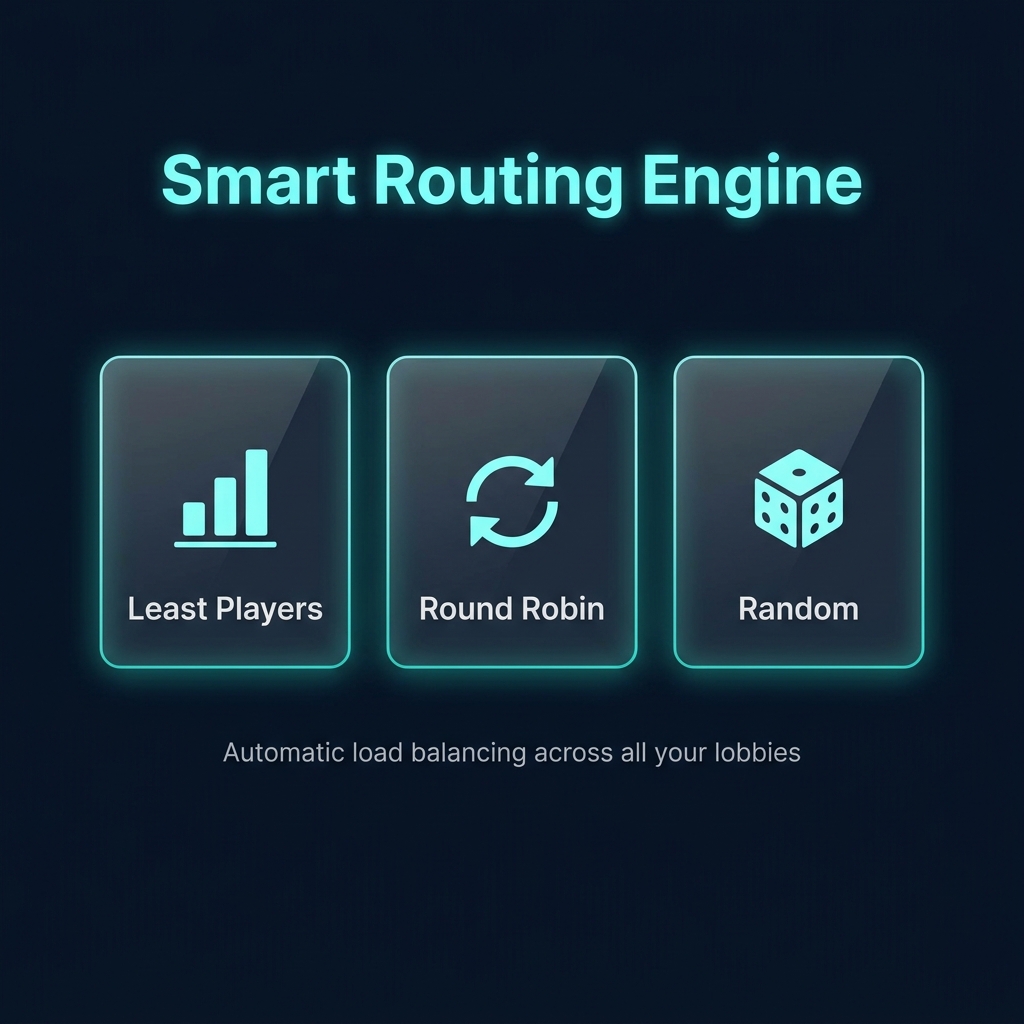
– **Three routing algorithms** — `least_players`, `random`, `round_robin`
– **Contextual lobby groups** — different game servers can point to different lobby pools with automatic fallback loops
– **Real-time health checks** — async pings with configurable timeout, TTL caching, and ping coalescing to prevent backend storms
– **Anti-spam protection** — pre-execution cooldown locks block macro abuse before the routing engine even fires
## How Routing Works
“`
Player runs /lobby
↓
Contextual group resolution (if enabled)
↓
Fallback to default lobbies (if contextual group is empty/offline)
↓
Cycle pruning (remove current server if alternatives exist)
↓
Async health checks (with TTL cache + ping coalescing)
↓
Selection strategy (least_players / random / round_robin)
↓
Player is connected to the best available lobby
“`
*All server name matching is **case-insensitive** — `Lobby-1` and `lobby-1` are treated identically.*
## Commands & Diagnostics
| Command | Permission | Description |
|———|———–|————-|
| `/lobby` | `velocitynavigator.use` | Send to best available lobby |
| `/vn reload` | `velocitynavigator.admin` | Reload config live |
| `/vn status` | `velocitynavigator.admin` | Runtime status dashboard |
| `/vn version` | `velocitynavigator.admin` | Installed + latest version info |
| `/vn debug player
| `/vn debug server
## Quick Config Example
“`toml
config_version = 3
[commands]
primary = “lobby”
aliases = [“hub”, “spawn”]
[routing]
selection_mode = “least_players”
balance_initial_join = true
cycle_when_possible = true
default_lobbies = [“lobby-1”, “lobby-2”]
[routing.contextual]
enabled = true
fallback_to_default = true
[routing.contextual.groups]
bedwars = [“bw-lobby-1”, “bw-lobby-2”]
[routing.contextual.sources]
“bedwars-1” = “bedwars”
[health_checks]
enabled = true
timeout_ms = 2500
cache_seconds = 60
“`
## Compatibility
– **Platform:** Velocity only
– **Velocity:** `3.x`
– **Java:** `17+`
—
## 📖 Documentation & Links
– **GitHub Repository**: [View Source](https://github.com/sdemonzdevelopment-spec/VelocityNavigator)
– **Configuration Guide**: [Read Here](https://github.com/sdemonzdevelopment-spec/VelocityNavigator/wiki/Configuration-Guide)
– **Routing Algorithms**: [Read Here](https://github.com/sdemonzdevelopment-spec/VelocityNavigator/wiki/Routing-Algorithms)
– **Initial Join Balancing**: [Read Here](https://github.com/sdemonzdevelopment-spec/VelocityNavigator/wiki/Initial-Join-Balancing)
—
Looking for hosting? Check out https://nexeu.zip/ – budget-friendly hosting.

—
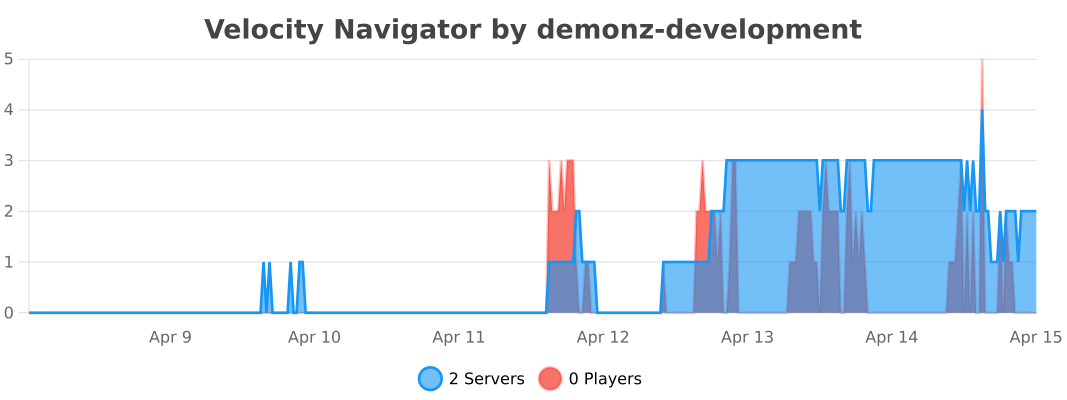
## 📊 Telemetry
[](https://bstats.org/plugin/velocity/Velocity%20Navigator/28341)
—

Built with ❤️ by DemonZ Development
Premium Minecraft infrastructure, engineered for scale.
GateKeeper
# GateKeeper
A plugin adding a basic whitelist system to velocity, with a floodgate integration to add direct bedrock player support.
It stores the players in a simple SQLite database.
—
### Commands and Permissions:
—
`/vwhitelist` (aliases: `/velocitywhitelist`, `/gatekeeper`)
– `add
– `remove
– `on` : Enables the whitelist
– `off` : Disables the whitelist
– ` list` : Lists all players currently on the whitelist
– `clear` : Clears the entire whitelist
Permissions are given based on the commands:
`whitelist`: base command node
– `whitelist.add` for the add-command
– `whitelist.clear` for the clear-command
– `whitelist.list` ||
– `whitelist.off` ||
– `whitelist.on` ||
– `whitelist.remove` ||
—
### config.yml
—
“`yaml
enabled: true # if the whitelist should be enabled or not. This will change with the use of `/whitelist on|off`.
prefix: “
cache:
enabled: true # if caching should be enabled
ttl-minutes: 5 # ttl (time to live) defining for how long the cache should be considered up-to-date
refresh-interval-minutes: 10 # interval in which to refresh the cache
messages:
disconnect-reason: | # the message shown to the player when he is not on the whitelist
errors:
player-not-found: “
already-whitelisted: “
not-whitelisted: “
incorrect-confirmation: “
whitelist-already-on: “
whitelist-already-off: “
usage:
add: “
remove: “
whitelist: “
info:
added-to-whitelist: “Added
removed-from-whitelist: “Removed
whitelist-on: “Whitelist has been
whitelist-off: “Whitelist has been
list: “Whitelisted players:
list-empty: “
whitelist-clear: “Please type in
whitelist-clear-confirmed: “Whitelist cleared successfully.”
“`
Velocity Friends
# Velocity Friends
**VelocityFriends** is a lightweight and fully customizable friends system built for the Velocity Minecraft proxy. It allows players to easily add, remove, and manage friends across your network using a suite of intuitive commands.
## Benefits of VelocityFriends ✅
– Fully customizable (colours, messages, command names, etc)
– Secure private messaging between friends
– Ability to add/remove friends
– Friend requests system
– Ability to hot-reload configs and commands.
– Ability to use placeholders inside of the chat messages (messages.yml config file), such as %player_name%
– Ability to see all friend requests you’ve been sent
– Ability to see all friends you’ve added and their online status (what server they’re playing on)
– Ability for staff members to use ‘/fspy’ to view player’s /fmsg’s for better network moderation
– Feature which sends a message to your friends telling them whether you’ve joined or left the network
– Integrates with **PremiumVanish** (if installed) so staff members can remain anonymous across your friends list too!
## Permissions ⚠
**`friends.use`** = should be given to **all players**
**`friends.reload`** = should be given to developers/admins who need access to “/friends reload” which reloads the commands and configs. **DO NOT GIVE TO ALL PLAYERS**
**`friends.spy`** = should be given to **staff members/moderators** who need access to “/fspy” which allows them to view players private /fmsg’s. **DO NOT GIVE TO ALL PLAYERS**
## Commands 🔨
### Message
_Message a friend that you have added._
**Usage:** /fmsg
### Reply
_Reply to the person who most recently messaged you._
**Usage:** /freply
### Spy
_Allows staff members to view all the players /fmsg’s. This command toggles the ability to do so._
**Usage:** /fspy
### Friends List
_View all the friends you’ve added. If that friend is online, it’ll also display which server they’re playing. Otherwise, will show they’re offline._
**Usage:** /friendslist
### Add/Request Friend Command
_Send a friend request to another player on the network._
**Usage:** /friends request
### Remove Friend Command
_Remove a player as a friend._
**Usage:** /friends remove
### Request Accept Command
_Accept a friend request that you have been sent._
**Usage:** /friends accept
### Request Decline Command
_Decline a friend request that you have been sent._
**Usage:** /friends decline
### Requests List Command
_View all the friend requests you have been sent._
**Usage:** /friendrequests
### Reload Command
_Reloads the configuration files, and also re-registers all the commands._
**Usage:** /friends reload
## Showcase
### Reload Command

### List of all subcommands under the ‘parent’ node
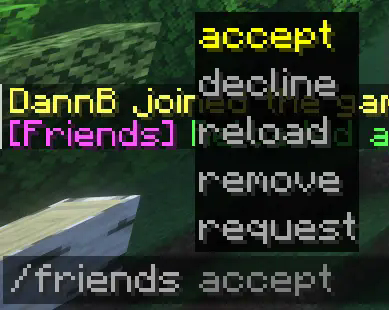
### Friend Requests (sent and received)


### Friends List

### Friend Requests List

### Message on Login

## Contact
For suggestions, bug reports, or general help; join the discord:
[https://discord.gg/v5hU7kBp2S](https://discord.gg/v5hU7kBp2S)
VelocityFailover
# VelocityFailover
A lightweight Velocity proxy plugin that automatically handles server crashes and restarts — no player left behind.
## What does it do?
When a backend server goes down (crash, restart, `/stop`), VelocityFailover:
1. **Instantly detects** the server is down
2. **Moves affected players** to a limbo server
3. **Monitors** the downed server for recovery
4. **Automatically reconnects** players back to their original server once it’s ready
5. **Blocks** other players from joining unavailable servers with a friendly message
All of this happens seamlessly — players see a short message, wait on limbo, and get moved back automatically.
## Why VelocityFailover?
– **Zero external dependencies** — only the Velocity API, nothing else
– **Extremely lightweight** — no constant heartbeat pinging all servers. Recovery pings run *only* on servers that are actually down
– **Instant detection** — uses Velocity’s kick events instead of slow polling intervals. Players are redirected in milliseconds, not seconds
– **Gradual reconnection** — players are transferred back one at a time to avoid overloading a freshly started server
– **Smart kick detection** — distinguishes between server crashes and normal kicks (bans, anticheat, etc.). A banned player won’t end up on limbo
– **Connection blocking** — players trying to manually join a recovering server get a message instead of being thrown into limbo
– **No Paper plugin needed** — runs entirely on the Velocity proxy side
## Requirements
– Velocity 3.4.0+
– Java 17+
– A limbo server registered in `velocity.toml` (e.g. [PicoLimbo](https://github.com/Quozul/PicoLimbo) or an empty Paper server)
## Installation
1. Download the latest `.jar` from [Releases](../../releases)
2. Place it in your Velocity `plugins/` folder
3. Start the proxy — a default `config.yml` will be generated in `plugins/velocityfailover/`
4. Edit `config.yml` to match your server setup
5. Restart the proxy or use /failoverreload
## Commands and permissions
/failoverreload – reloads config (permission: velocityfailover.reload)
## Configuration
“`yaml
# Name of the limbo server registered in velocity.toml
limbo-server: “limbo”
# Server groups to monitor.
# Groups are for organization only — each server is tracked individually.
groups:
lobby:
servers:
– “lobby1”
– “lobby2”
spawn:
servers:
– “spawn1”
– “spawn2”
# Recovery monitor settings
recovery:
ping-interval-ms: 2000 # How often to ping downed servers
pings-to-ready: 3 # Successful pings in a row before recovery starts
grace-period-ms: 5000 # Extra wait after pings pass (lets plugins load)
transfer-interval-ms: 50 # Delay between each player transfer
ping-timeout-ms: 2000 # Timeout for a single ping
# Kick reasons that indicate a server shutdown (checked via String.contains)
# If a player is kicked with one of these reasons, the server will be marked as offline
shutdown-keywords:
– “Server closed”
– “Server shutting down”
# Messages sent to players (MiniMessage format)
messages:
sent-to-limbo: “
reconnecting: “
connection-blocked: “
“`
### Important notes
– The **limbo server must not be listed** in any monitored group — it is always treated as available
– Server names in the config must match exactly what is in your `velocity.toml`
– Messages support [MiniMessage](https://docs.advntr.dev/minimessage/format.html) formatting
## How it works
“`
Player on spawn2 ──> spawn2 crashes
│
KickListener catches the crash kick
│
Player redirected to limbo instantly
│
RecoveryMonitor starts pinging spawn2
│
3 successful pings ──> 5s grace period
│
Players transferred back one by one
│
spawn2 marked as ONLINE again
“`
## FAQ
**Q: What if a player disconnects while waiting on limbo?**
They are removed from the reconnect queue. When they rejoin, your existing routing plugin handles them normally.
**Q: What if the server crashes again during player transfers?**
The plugin handles this gracefully. Already-transferred players get kicked back to limbo. Remaining players stay on limbo. Recovery restarts from scratch.
**Q: Does this replace my hub plugin?**
No. This only handles crashes/restarts.
VelocityDiscordLink
## Makes your players link!
### /link command
– Can be changed to any string! Imagine /amongus code
– Customisable description and parameter name!
### Displays a single-use code on join!
– Keeps the same code for each players until proxy restart!
### Supports only one minecraft account per discord link!
– Players can’t spam 100 accounts to a single discord!
##Role whitelist!
###Role Check on join
– Will not let a player without a role on the server!
– Can be disabled
Velocity Discord
# Velocity Discord
Chat from all servers gets bridged with a discord channel
## Features
– Configurable
– Webhooks or embeds or normal text for messages
– Player count in bot status
– List command
– Templating syntax for all messages
– Death and Advancement messages shown
– Server start/stop messages
– Server status in channel topic
– Reload command for config changes while the server is running
> **Note**
> This requires a [companion Velocity plugin](https://github.com/unilock/YepLib)
> and [companion backend mod/plugin](https://github.com/unilock/YepTwo) for advancement/death messages
## Installation
1. Create a bot application [here](https://discordapp.com/developers/applications/)
– Go to the `Bot` tab and click `Add bot`
2. Enable the `SERVER MEMBERS INTENT` and `MESSAGE CONTENT INTENT` under `Privileged Gateway Intents`
3. Copy the bot’s token, you might have to click `Reset Token` first
4. Install the plugin on your server, start the server once, then stop the server again
5. Open the plugin config file at `plugins/discord/config.toml`
6. Under `[discord]`, paste your token in place of `TOKEN`
7. Under `[discord]`, paste the channel id you want to use
– To get a channel id, you have to enable developer mode in Discord
– Open Discord settings, go to `Advanced`, then turn on `Developer Mode`
– Now right-click the channel you want to use and click `Copy ID`
8. Set any additional config options you want
9. Start the server and check if it works
### For Webhooks
1. Create a webhook in the channel you want to use
– Right-click the channel, click `Edit Channel`, go to `Integrations`, click `Create Webhook`
– Copy the webhook URL
2. Paste the webhook URL under `[discord.webhook]` in the config file
### For advancements/deaths
1. Install the [YepLib](https://github.com/unilock/YepLib) velocity plugin alongside this plugin
2. Install the [YepTwo](https://github.com/unilock/YepTwo) backend mod/plugin on each of your backend servers that you want to
receive advancements/deaths from
### Configuration
The config file is generated at `plugins/discord/config.toml`. See [here](https://github.com/fooooooooooooooo/VelocityDiscord/wiki/Configuration) for the default config