Velocircon
[](https://modrinth.com/plugin/velocircon/versions)
[](https://github.com/code-lime/Velocircon/releases)
[](https://modrinth.com/plugin/velocircon)
[](https://hangar.papermc.io/code-lime/velocircon/versions)
[](https://github.com/code-lime/Velocircon/actions)
# Velocircon
**Velocircon** is a plugin for [Velocity](https://papermc.io/software/velocity) that adds RCON support, allowing you to connect to your Velocity proxy and execute commands remotely.
## About
Velocircon enables administrators and automation systems to connect to Velocity via the RCON (Remote Console) protocol and securely execute any commands supported by the proxy. This greatly improves management and automation capabilities for Minecraft servers using Velocity as their proxy.
## Features
– Standard RCON protocol support
– Execute any Velocity command via RCON
– Secure password authentication
– Easy setup and integration
## Installation
1. Download the latest Velocircon release.
2. Place the `.jar` file in the `plugins` directory of your Velocity server.
3. Restart the server.
## Configuration
After the first launch, the plugin will generate a configuration file `rcon.yml` in the `plugins/velocircon` directory.
**You must set a password and enable RCON (`enable: true`), otherwise the plugin will not work!**
Default configuration:
“`yaml
enable: false
host: 0.0.0.0
port: 25575
password: PASSWORD
colors: true
console-output: true
permissions:
luck-perms:
enable: false
group: ‘*’
regex:
enable: false
regex: minecraft.(.*)
“`
### Environment Variables
Configuration options can also be overridden using **environment variables**. This is useful when running Velocity in Docker or other container environments.
Environment variables use the following format:
“`
VELOCIRCON__
“`
Rules:
* The prefix **`VELOCIRCON__`** is required.
* Use **double underscores `__`** to separate configuration levels.
* Replace `-` with `_`.
* Variable names are case-insensitive, but uppercase is recommended.
### Options
– `enable` (`VELOCIRCON__ENABLE`): Set to `true` to activate RCON support.
– `host` (`VELOCIRCON__HOST`): Address to bind the RCON server (default: `0.0.0.0` for all interfaces).
– `port` (`VELOCIRCON__PORT`): Port for RCON connections.
– `password` (`VELOCIRCON__PASSWORD`): Set a strong password for authentication.
– `colors` (`VELOCIRCON__COLORS`): Enables color codes in command output (recommended).
– `console-output` (`VELOCIRCON__CONSOLE_OUTPUT`): Redirects RCON output to the console.
– `permissions`: RCON connection permissions. If all `enable: false` – all permissions are allowed.
– `luck-perms`: Use [LuckPerms](https://modrinth.com/plugin/luckperms) group to control connection permissions.
– `enable` (`VELOCIRCON__PERMISSIONS__LUCK_PERMS__ENABLE`): Enable usage `LuckPerms` permissions filter.
– `group` (`VELOCIRCON__PERMISSIONS__LUCK_PERMS__GROUP`): ‘`*`’ or an empty string – all permissions are allowed.
– `regex`: Use [Regex](https://regex101.com) (regular expression) to control connection permissions.
– `enable` (`VELOCIRCON__PERMISSIONS__REGEX__ENABLE`): Enable usage `Regex` permissions filter.
– `regex` (`VELOCIRCON__PERMISSIONS__REGEX__REGEX`): `Regex` string.
### Examples
Config file:
“`yaml
port: 25575
console-output: true
permissions:
luck-perms:
enable: false
“`
Environment variables:
“`bash
VELOCIRCON__PORT=25580
VELOCIRCON__CONSOLE_OUTPUT=false
VELOCIRCON__PERMISSIONS__LUCK_PERMS__ENABLE=true
“`
Resulting configuration:
“`yaml
port: 25580
console-output: false
permissions:
luck-perms:
enable: true
“`
Environment variables **override values from `rcon.yml`**.
## Usage
To connect to Velocity via RCON, use any compatible client.
We recommend [itzg/rcon-cli](https://github.com/itzg/rcon-cli) for its flexibility and ease of use.
Example connection command:
“`sh
rcon-cli –host –port 25575 –password
“`
Once connected, you can send any Velocity command as if you were using the Velocity console.
## Requirements
– Java 21 or higher (recommended by Velocity documentation)
– Velocity Proxy
## License
This project is licensed under the GNU General Public License v3.0. See the [LICENSE](https://github.com/code-lime/Velocircon/blob/master/LICENSE) file for details.
## Feedback & Contributions
Found a bug or want to suggest an improvement? Please open an issue or submit a pull request!
—
**Author:** [@code-lime](https://github.com/code-lime)
[](https://bstats.org/plugin/velocity/Velocircon/26312)
VeloChatX

# VeloChatX
A plugin that help Velocity server **distribute** players’ messages to its sub servers. It can also automatically **broadcasting message** from player and timed broadcast.
With this plugin, players can freely chat with each other or chat privately. Players can also **remind** them that they can **block** people from different servers who do not want to chat

[](https://github.com/Danburen/VeloChatX/stargazers)
[简体中文](https://github.com/Danburen/VeloChatX/tree/main/docs/zh)
### 🤠 plugin features
* When player join/leave server,broadcast the join/leave message to previous server and the present server.
* Automatically parse chat color logging out in proxy server.
* Support message customization
* Use [luckperms](https://github.com/LuckPerms/LuckPerms/tree/master?tab=readme-ov-file) to get player data.
* i18n support, support language en_US, zh_CN
* auto fix the language for the player join the game
* auto update
* ban words filter
* timed broadcast support
* persist data with database
* tab list replace
* flexable inner server placeholder
### 👉 Getting Start [Docs](https://danburen.github.io/VeloChatX-Docs/en)
* Download the plugin from latest [Release](https://github.com/Danburen/VeloChatX/releases)
* Put “`VeloChatX“` file to your “`Velocity“` plugin file
* **Start** the server and the plugin will generate config files for you
* **Stop** the server and configurate the configs file
* **Restart** the server and enjoy.
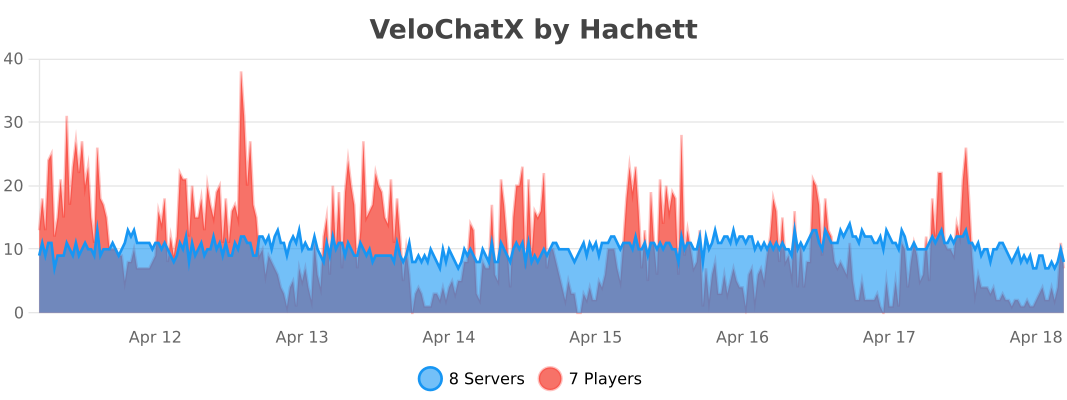
### 📊 Stats
### ❤️ Support Us
Thank you for reading the introduction of my plug-introductions.
If you like, you can collect it or [buy me a cup of coffee ](https://afdian.com/a/WaterWood/plan)
Velobby
# Velobby
**Velobby** is a modern, lightweight, and feature-rich lobby management plugin for **Velocity Proxy**. It provides advanced load balancing, auto-reconnection systems, premium lobby support, and full customization.
## 🚀 Features
* **Multiple Lobby Support**: Add as many lobby servers as you need.
* **Premium/Special Lobbies**: Automatically route VIP players to specific lobbies based on permissions.
* **Load Balancing**: Distribute players among lobbies using different strategies:
* `random`: Connects to a random lobby.
* `balance`: Connects to the lobby with the fewest players.
* `order`: Fills lobbies in order (first available).
* **Auto-Reconnect (Fallback)**: Automatically redirects players to a lobby if they are kicked from a backend server (prevents them from being disconnected from the proxy).
* **Command Aliases**: Custom aliases like `/lobby` or `/hub`.
* **Blocked Servers**: Prevent the use of lobby commands in specific servers (e.g., Auth, Login).
* **Modern Messaging**: Full support for **MiniMessage** (Gradients, Hex colors, etc.) and legacy color codes.
* **Multi-Language**: Built-in English (`en`), Spanish (`es`), and German (`de`) support.
* **Update Checker**: Automatically checks for new versions.
## 📥 Installation
1. Download the `Velobby.jar`.
2. Place it in your Velocity `plugins` folder.
3. Restart your proxy.
4. Configure `config.yml` and language files in `plugins/velobby/`.
## 🛠 Commands & Permissions
| Command | Description | Permission |
| :— | :— | :— |
| `/velobby add` | Adds the server you are currently on to the lobby list. | `velobby.admin` |
| `/velobby remove` | Removes the current server from the lobby list. | `velobby.admin` |
| `/velobby status` | Shows the status and player count of all lobbies. | `velobby.admin` |
| `/velobby send ` | Sends a specific player or all players to a lobby. | `velobby.admin` |
| `/velobby reload` | Reloads configuration and language files. | `velobby.admin` |
| `/lobby`, `/hub` | Connects the player to a lobby (Aliases are configurable). | None (Default) |
## ⚙️ Configuration
### `config.yml`
“`yaml
lobbies:
– lobby1
– lobby2
# Premium/Special Lobbies
# If ‘default’ is true, players with the specified permission will be sent
# to the special lobby instead of the normal load-balanced lobbies.
special_lobbies:
default: true
lobby-vip: velobby.vip # Players with this permission go to ‘lobby-vip’
# Connection modes:
# random – Picks a random lobby.
# balance – Picks the lobby with the fewest players.
# order – Picks the first available lobby in the list.
connection-mode: random
# Servers where /lobby commands are disabled (supports wildcards like auth*)
blocked-servers:
– auth*
– login
# Check for updates on startup
check-updates: true
# Redirect players to lobby if kicked from a server
auto-reconnect: true
# Custom aliases for the lobby command
aliases:
– lobby
– hub
# Language: en (English), es (Spanish), de (German)
language: en
“`
## 🎨 Customization (MiniMessage)
Velobby uses **MiniMessage** for text formatting. You can use gradients, hex colors, and more in `lang/en.yml`, `lang/es.yml`, or `lang/de.yml`.
**Examples:**
* **Red**: `Hello` or `<#ff0000>Hello`
* **Gradient**: `Velobby`
* **Bold**: `Important`
* **Legacy**: `&cHello` (Supported but MiniMessage is recommended)
## 🔄 Auto-Reconnect Logic
If a player is kicked from a server (e.g., a Survival server restarts):
1. Velobby intercepts the kick event.
2. It checks if `auto-reconnect` is enabled.
3. It checks if the player has permission for a **Special Lobby**. If so, it tries to connect them there first.
4. If not, it finds a suitable normal lobby (excluding the server the player was kicked from).
5. It sends the player to that lobby and displays a title/message explaining the redirection.
## 👥 Contributors
* **lukasbeppi**: German translation (`de.yml`)
VeloAuth API
VeloAuth API is a mandatory library and dependency plugin for Velocity proxy version 3.3.0 and higher. It does not provide any gameplay or security features on its own.
Purpose:
Serves as the required foundational layer for the main plugin VeloAuth System.
Provides the internal API, data structures, and the base configuration file (config.yml) needed for the authentication system to operate.
Manages basic communication between the Velocity proxy and downstream game servers in the context of authentication.
Important: This plugin must be installed on your Velocity proxy for VeloAuth System to work. It has no standalone functionality.
VeloAuth

# VeloAuth
[](https://modrinth.com/plugin/veloauth)
[](https://discord.gg/e2RkPbc3ZR)
[](LICENSE)
[](https://bstats.org/plugin/velocity/VeloAuth)
**Complete Velocity authentication plugin** with intelligent nickname protection, premium auto-login, and secure offline player management.
## What is VeloAuth?
VeloAuth is a comprehensive authentication system for Velocity proxy that handles all player authorization before they reach your backend servers. It works with any limbo server to provide a smooth login experience while protecting nickname ownership through intelligent conflict resolution.
## Key Features
– 🔒 **Intelligent Nickname Protection** – Premium nicknames are reserved unless already registered by cracked players
– ⚡ **Premium Auto-Login** – Mojang account owners skip authentication automatically
– 🔄 **Automatic Nickname Change Detection** – Detects when a premium player renames their Mojang account and updates the database record automatically
– 🛡️ **Secure Offline Auth** – BCrypt password hashing with brute-force protection
– 📱 **Optional Floodgate Support** – Bedrock players can bypass the auth server when Floodgate integration is enabled
– 🗺️ **Forced Hosts Support** – Players connect via custom domains (e.g., `pvp.server.com`) and are properly routed to their intended server *after* authentication
– 🚫 **Smart Command Hiding** – Authentication commands (`/login`, `/register`) are completely hidden from tab-completion once the player is logged in
– 🚀 **High Performance** – Three-layer premium resolution cache: in-memory → database → external API, with 24-hour premium status retention
– 🔄 **Conflict Resolution** – Smart handling of premium/cracked nickname conflicts
– 📊 **Admin Tools** – Complete conflict management with `/vauth conflicts`
– 🗄️ **Multi-Database** – MySQL, PostgreSQL, H2, SQLite
– 🌍 **17 Languages** – EN, PL, DE, FR, RU, TR, SI, FI, ZH_CN, ZH_HK, JA, HI, VI, KO, TH, ID, PT_BR
– 🔄 **LimboAuth Compatible** – 100% database compatibility (no migration needed)
– 📢 **Discord Alerts** – Webhook notifications for security events
– 🧵 **Virtual Threads** – Built on Java 21 for maximum performance
– 📈 **bStats Analytics** – Anonymous usage statistics via bStats
## Requirements
– **Java 21 or newer**
– **Velocity proxy** (API 3.4.0+)
– **Limbo server**: NanoLimbo, LOOHP/Limbo, LimboService, PicoLimbo, hpfxd/Limbo, or any other
– **Database**: MySQL, PostgreSQL, H2, or SQLite
## Quick Setup
### Installation
1. Download VeloAuth from Modrinth
2. Place the file in your Velocity `plugins/` folder
3. Start Velocity – the plugin will create a `config.yml` file
4. Stop Velocity and configure your database and auth server name in `plugins/VeloAuth/config.yml`
5. Restart Velocity
**Note:** Floodgate support is disabled by default. Enable it only if you actually use Geyser/Floodgate.
### Velocity Config
Configure your `velocity.toml` with your limbo/auth server and backend servers:
“`toml
[servers]
limbo = “127.0.0.1:25566” # Auth/limbo server (NanoLimbo, LOOHP/Limbo, etc.)
lobby = “127.0.0.1:25565” # Typical backend server
survival = “127.0.0.1:25567” # Another backend server
try = [“lobby”, “survival”] # Order matters. Do NOT put ‘limbo’ here.
[forced-hosts]
# VeloAuth fully respects Velocity’s forced hosts!
# Players connecting via this IP will be sent to limbo to login,
# and then seamlessly transferred to ‘survival’ instead of ‘lobby’.
“survival.example.com” = [“survival”]
“`
**Important:** The `try` configuration controls where authenticated players are redirected by default. VeloAuth automatically skips the `limbo` server and selects the first available backend server, **unless** the player used a `forced-host` domain, in which case they are natively routed to their intended destination!
### Discord Webhooks
VeloAuth supports Discord notifications for security events (failed login bursts, brute-force attempts, premium resolution failures). Configure the webhook URL in `config.yml` under `alerts.discord`.
### Database Config
Supported: H2 (out-of-box), MySQL, PostgreSQL, SQLite
## Player Commands
| Command | Description | Restrictions |
|———|————-|————–|
| `/register ` | Create new account | Hidden after login. No premium nicknames |
| `/login ` | Login to your account | Hidden after login. Works for all players |
| `/changepassword ` | Change your password | Must be logged in |
## Admin Commands
| Command | Permission | Description |
|———|————|————-|
| `/unregister ` | `veloauth.admin` | Remove player account (resolves conflicts) |
| `/vauth reload` | `veloauth.admin` | Reload configuration |
| `/vauth cache-reset [player]` | `veloauth.admin` | Clear authorization cache |
| `/vauth stats` | `veloauth.admin` | Show plugin statistics |
| `/vauth conflicts` | `veloauth.admin` | List nickname conflicts |
## How It Works
### Authentication Flow
1. **Player connects** to Velocity
2. **VeloAuth checks** in-memory authorization cache (instant, no I/O)
3. If **not in memory**, checks **database premium cache** (persistent across restarts)
4. If **not in DB cache**, resolves via **Mojang/Ashcon API** in parallel using virtual threads
5. If **not premium**, player is sent to the **auth server** (unless Floodgate Bedrock bypass applies)
6. Player types **/login** or **/register**
7. **VeloAuth verifies** credentials with BCrypt
8. Player is **redirected to backend server** via `try` configuration
### Premium Resolution (3 layers)
“`
Connect → [In-memory cache] → [Database cache] → [Mojang/Ashcon API]
~0ms ~1ms ~200-500ms
“`
All API calls run in parallel on virtual threads. Results are cached in the database and survive proxy restarts.
### Nickname Change Detection
When a premium player logs in with a different username than what is stored (Mojang account rename), VeloAuth automatically detects the mismatch and updates the database record, keeping the UUID-to-username mapping accurate without any admin intervention.
### Nickname Protection System
– **Premium nicknames are reserved** unless already registered by cracked players
– **Conflict resolution** when premium players use cracked-registered nicknames
– **Admin tools** for managing nickname conflicts
– **Automatic blocking** of cracked players trying premium nicknames
## LimboAuth Migration
VeloAuth is **100% compatible** with LimboAuth databases:
1. Stop LimboAuth on your backend servers
2. Install VeloAuth on Velocity
3. Configure VeloAuth to use the same database as LimboAuth
4. Start Velocity – all existing accounts will work automatically
## Contributing
Contributions are welcome! Please open an issue or PR.
## Support
Need help? Found a bug? Open an issue on GitHub or join our Discord server.
## License
This project is licensed under the **MIT License**
VCustomBrand
# VCustomBrand
[](https://discord.gg/5NMMzK5mAn)
Customize the brand to display to players on your Velocity network with [MiniPlaceholders](https://modrinth.com/plugin/miniplaceholders) support
[](https://www.bisecthosting.com/4drian3d?r=ModVCustomBrand)
## Installation
– Download VCustomBrand from [Modrinth](https://modrinth.com/plugin/vcustombrand)
– Drag and drop on your Velocity plugins folder
– Optionally install MiniPlaceholders together with any expansion
– Start the server
## Command
### `/vcustombrand reload`
Permission: `vcustombrand.command`
## Demonstration
This video makes use of the [Expressions](https://modrinth.com/plugin/expressions-expansion) and [Player](https://modrinth.com/plugin/player-expansion) expansions of [MiniPlaceholders](https://modrinth.com/plugin/miniplaceholders)
## Limitations
The brand field in the client only supports plain text, not components, so no HEX colors or gradients can be used
VConsoleLinker
# VConsoleLinker
[](https://discord.gg/5NMMzK5mAn)
[](https://t.me/Adrian3dSupport)
[](https://t.me/Adrian3dUpdates)
Link your Velocity console to a Discord channel via WebHooks
[](https://www.bisecthosting.com/4drian3d?r=ModVConsoleLinker)
## Installation
– Download VConsoleLinker from Modrinth
– Drag and drop on your plugins folder
– Start the server
– Configure the Channel ID and the WebHook token in the settings
*Library used for Discord webhooks* [JDWebHooks](https://github.com/4drian3d/JDWebHooks)
## Discord WebHook Configuration

1. Copy the URL of the WebHook.
2. Extract the ID and Token from the URL as shown in the image.
3. Put those fields in the specific configuration options.
4. Restart your proxy
VelocityChatClear
# Velocity Clear Chat
An extremely simple and lightweight plugin, designed to clear chat on the proxy side.
You are also able to clear on server swap, which may be useful to some users. Read the configuration for more info. Default configuration can be found here:
“`hocon
# Velocity Clear Chat Configuration
# This file contains settings for the chat clearing plugin.
# Modify these values as needed.
#
# If there is a message, you can set it to “” to disable it, you can use MiniMessage too.
# If velocity returns invalid information, this message will be displayed.
chat-clear-failed-message=”Failed to get server info”
# The message to send when the chat is cleared by an admin.
# You can use if you would like to display who cleared the chat.
chat-cleared-message=”Chat has been cleared by an admin”
# On player swap, should we clear the chat history?
clear-on-server-swap=true
# The message to display if “clear-on-server-swap” is enabled
clear-on-server-swap-message=””
# The permission an admin needs to clear the chat.
clear-permission=”lncvrt.velocityclearchat.clear”
# The number of lines the chat clearer will send.
lines=100
“`
**If you are wondering why this *velocity plugin* is not supported on BungeeCord/Waterfall, WaterFall is EOL and BungeeCord is obsolete. Velocity is the best server proxy solution out there at the moment.**
VanishBridge
# VanishBridge

VanishBridge is a simple plugin that provides information about vanished players on a proxy level. It is designed to be used by other plugins to provide a better experience for players.
Currently, VanishBridge supports the following proxy software:
– [Velocity](https://velocitypowered.com/)
And the following backend server software:
– [Paper](https://papermc.io/)
If you miss your proxy or backend server software, feel free to open an issue or create a pull request.
## For Server Owners
### Installation
The installation of VanishBridge could not be easier.
1. Download the version required for your proxy software (e.g. Velocity) from the [releases page](https://modrinth.com/plugin/vanishbridge/versions?l=velocity).
2. Drop the downloaded jar into your proxy’s `plugins` folder.
3. Restart your proxy.
4. Download the version required for your backend server software (e.g. Paper) from the [releases page](https://modrinth.com/plugin/vanishbridge/versions?l=paper).
5. Drop the downloaded jar into every server’s `plugins` folder.
6. Restart your server’s.
7. Enjoy!
### Configuration
No configuration needed!
## For Developers
> ⚠️ The repository is currently not available. It will be available again later in January.
### Installation
#### Maven
“`xml
loapu-releases
Loapu Maven Repository
https://maven.loapu.dev/releases
dev.loapu.vanishbridge
vanishbridge-api
1.0
“`
#### Gradle
“`
repositories {
maven(“https://repo.loapu.dev/releases”)
}
dependencies {
implementation(“dev.loapu.vanishbridge:vanishbridge-api:VERSION”)e
}
“`
### [JavaDocs](https://repo.loapu.dev/javadoc/releases/dev/loapu/vanishbridge/vanishbridge-api/latest)
### Usage
#### Checking if VanishBridge is installed (Velocity)
“`java
@Plugin(
id = “velocityexample”,
name = “VelocityExample”,
version = “1.0.0”,
dependencies = {
@Dependency(id = “vanishbridge”, optional = true)
}
)
public class VelocityExample
{
// Make sure to add this to your plugin class if you declared VanishBridge as optional
public boolean isVanishBridgeInstalled()
{
return proxyServer.getPluginManager().isLoaded(“vanishbridge”);
}
// Now you can use VanishBridge
public void example()
{
if (!isVanishBridgeInstalled()) return;
VanishBridge vanishBridge = VanishBridgeProvider.get();
}
}
“`
#### Getting a list of vanished players
“`java
import dev.loapu.vanishbridge.api.VanishBridge;
import dev.loapu.vanishbridge.api.model.VanishBridgePlayer;
import dev.loapu.vanishbridge.api.VanishBridgeProvider;
public class Example {
// It’s really that easy
public List vanishedPlayers = VanishBridgeProvider.get().vanishedPlayers();
}
“`
That’s it! You can now use VanishBridge in your plugin.
Vanish++
# Vanish++
## 👻 The Absolute Standard for Modern Admin Stealth.
**Stop getting caught. Start watching.**
—
Are you tired of “vanish” plugins that leave traces? Players tab-completing your name? Arrows bouncing off your invisible body? Mobs looking strangely at “empty” air?
**Vanish++** renders other vanish plugins obsolete. Built for modern **Paper**, **Folia**, **Purpur**, **Spigot**, and **Bukkit** servers, it uses advanced packet interception, native physics manipulation, and deep API hooks to ensure you are **mathematically undetectable**.
It works perfectly out of the box with zero configuration required, but offers granular control for those who need it.
—
## 🚀 Why Vanish++ is Unrivaled
🛡️ The “Matrix” Physics Engine (True Intangibility)
Most plugins just hide you visually. **Vanish++ removes you physically.**
* **Titan God Mode:** While vanished, you are strictly invincible. You take no damage, are immune to all potion effects, and cannot burn. You are a spectator in survival mode.
* **Smart Mob AI (True Sight):** Mobs completely ignore vanished players. Targeting is cancelled via `EntityTargetEvent` before the mob ever commits to an attack path. Mobs that had already locked on before you vanished are force-detargeted immediately.
* **Projectile Pass-Through:** We don’t use “teleport hacks.” Using native Paper events, arrows, tridents, and snowballs fly **physically through** your body. It is impossible to hit a vanished player.
* **Zero Collision:** You cannot push players, mobs, or boats, and they cannot push you. You are a ghost.
* **No Physical Triggers:** You can walk over Turtle Eggs, Crops, Pressure Plates, Tripwires, and Sculk Sensors without triggering a single vibration or block update.
* **Raid Prevention:** You won’t trigger Bad Omen raids while watching a village.
📶 Deep Protocol Invisibility (Packet-Level Hiding)
We hook directly into the server protocol to scrub your existence from clients. *(Requires ProtocolLib)*
* **Nuclear Tab-Completion Scrubbing:** If a normal player tries to Tab-Complete your name in Chat, Vanilla Commands, or Plugin Commands, **you are not there**. Your name is stripped from the packet sent to the client.
* **Server List Hiding:** The player count in the multiplayer server list is mathematically adjusted. If you are the only one online, the server says “0/20”.
* **Ghost View for Staff:** While normal players see nothing, Staff (with permission) see vanished players in the Tab List as **Gray, Italicized Spectators**, making it easy to coordinate.
* **Staff Glow Indicator:** Vanished players render with a glowing outline for staff — a clear visual indicator injected at the packet level. Non-staff never see it. Configurable via `vanish-appearance.staff-glow`.
* **Dynmap & EssentialsX Hooks:** Automatically hides you from dynamic web maps and `/who`, `/list`, or `/online` commands.
👁️ Immersion & Compatibility
* **Native Language Fake Messages:** When you vanish, the fake “Player left the game” message isn’t just text—it uses the **server’s native translation packet**. This means a German player sees the message in German, and a US player sees it in English. It is indistinguishable from a real disconnect.
* **Native TAB Plugin Support:** If you use **TAB (by NEZNAMY)**, Vanish++ hooks directly into it to display your vanish prefix automatically. No manual Placeholder configuration required.
* **Legacy Plugin Support:** Even without specific hooks, Vanish++ sets standard Bukkit Metadata (`”vanished”`). This means plugins like **CMI**, **TAB**, or custom skripts automatically respect your vanished status.
* **Silent Chests:** Open Chests, Shulker Boxes, Barrels, and Ender Chests silently. The container opens directly against the real inventory — no animation, no sound, no item duplication.
* **DiscordSRV Integration:** Registers as a native vanish hook in DiscordSRV. Join, quit, advancement, and death announcements are all suppressed on Discord — even if you reconnect while already vanished. Fake join/leave messages honour DiscordSRV’s full embed, colour, avatar, and webhook configuration from `messages.yml`. Staff notifications still appear in console and for players with the see permission.
* **Simple Voice Chat Integration:** Automatically isolates/mutes you in voice chat so you can’t be heard or hear proximity chat while stalking.
* **Smart Item Pickup:** Toggle item pickup with `/vanishpickup`. Don’t accidentally steal the diamonds you are watching a player mine.
* **`/msg` / `/tell` Detection Prevention:** Non-staff can no longer `/msg` or `/tell` a vanished player — they receive a vanilla-style “player not found” error. `/r` reply is blocked when the last target was a vanished sender. `/me` from a vanished player is restricted to staff-only audience. Configurable message text.
🔧 Granular Control & Safety
* **Spectator Quick-Switch:** Double-tap Shift while vanished to enter Spectator mode instantly. Double-tap again to return to your previous gamemode. Unvanishing forces you back automatically. Requires `vanishpp.spectator`. (`vanishpp.spectator.bypass` lets you stay in Spectator after unvanishing.)
* **`/vspec` Quick-Spectate:** Instantly enter spectator mode locked to any player with `/vspec `. Use `/vspec stop` to return to your previous location and gamemode. Requires `vanishpp.spec`.
* **`/vfollow` Camera Tracking:** Lock your camera to silently follow any player with `/vfollow `. A HUD indicator shows the active target. Stops automatically if the target disconnects. Requires `vanishpp.follow`.
* **`/vhistory` Audit Log:** Full vanish/unvanish history with timestamps, executor, and reason stored in the database. Requires `vanishpp.history`.
* **`/vstats` Vanish Time Statistics:** View total vanish time, session count, and longest session per player. Requires `vanishpp.stats`.
* **`/vadmin` Dashboard GUI:** In-game GUI overview of all vanished players, active rules, and quick actions. Requires `vanishpp.admin`.
* **`/vincognito` Fake Name Mode:** Replace your display name and tab entry with a configurable fake name while vanished. Requires `vanishpp.incognito`.
* **`/vwand` Toggle Wand:** Grants a Blaze Rod vanish wand — right-click to toggle vanish state. Configurable in `config.yml`. Requires `vanishpp.wand`.
* **`/vzone` No-Vanish Zones:** Define radius-based zones where vanishing/unvanishing is blocked or forced. Manage with `/vzone create|delete|list|reload`. Requires `vanishpp.zone`.
* **`/vautovanish` Auto-Join Vanish:** Players opt into automatic vanish on join. Persisted per UUID — survives restarts and server switches. Requires `vanishpp.autovanish`.
* **Bulk Vanish:** `/vanish all` vanishes every eligible online player at once. `/vanish world ` targets all players in a specific world. Vanish reason tracking: `/vanish [reason]` records a reason visible to staff via `/vhistory`.
* **Bossbar Vanish Indicator:** Optional persistent bossbar shown to vanished players as a stealth reminder. Configurable colour, style, and text in `config.yml`.
* **Live Config Editor (`/vconfig`):** Edit any setting in `config.yml` (Messages, Rules, Boolean toggles) directly in-game. Changes apply instantly without reloading.
* **Interactive Help (`/vhelp`):** Forget the wiki. The plugin includes a clickable, interactive guide explaining every command and feature.
* **Smart-Merge Migration:** Updates are stress-free. The plugin automatically detects old configs and migrates your custom messages/settings to the new version structure safely. Missing message keys are auto-written to `messages.yml` on load — upgrading never leaves a key undefined.
* **Personal Rules System (`/vrules`):** Decide exactly what you want to do while vanished. Supports named presets — save, load, list, and delete rule configurations with `/vrules preset `.
* *Want to break blocks?* Toggle it.
* *Want absolute peace?* Disable “Can Hit Entities”.
* *Afraid of leaking info?* Enable “Chat Confirmation”.
* *Need to drop items?* Enable “Can Drop Items”.
* **Vanish Scoreboard (`/vscoreboard`):** A fully configurable sidebar scoreboard shown automatically when you vanish. Displays world, TPS, player counts, real-time coordinates and direction, biome, ping, health, food, armor, time, and more. Coordinates refresh the instant you move via packet-level ProtocolLib listening — no tick lag. Supports all built-in placeholders plus full PlaceholderAPI. Column separators (`|`) are auto-aligned regardless of label length. Configured in `scoreboards.yml`, reloads with `/vreload`.
* **Heartbeat Synchronization:** Changed a permission in LuckPerms? Promoted someone via Console? The **Heartbeat Task** refreshes visuals instantly. No relogging required.
* **Setup Advisor:** On every startup, the plugin scans the active config and warns you if a hook is enabled but its dependency is missing, or if a PlaceholderAPI placeholder is used without PlaceholderAPI installed. Warnings are printed to the console *and* shown in-chat to all staff with `vanishpp.see` — so you always know when your setup is incomplete.
* **Dependency Warnings:** The plugin intelligently warns admins if ProtocolLib is missing, but allows you to silence these warnings permanently with `/vignore`.
* **Accidental Chat Prevention:** If enabled, typing in chat blocks the message and asks you to confirm with `/vchat confirm`. Never leak your presence by accident again.
* **Async Data Persistence:** All data is saved asynchronously. Server crash? Restart? Your vanish state is saved instantly. No accidental logins.
* **Native Velocity Proxy Plugin:** The companion `vanishpp-velocity` plugin provides a dedicated real-time messaging channel between all Paper servers and Velocity. Vanish state, config changes, and `/vanishreload` propagate network-wide instantly. Timed rule expiry notifications are delivered to the server the player is currently on — no reconnect required. Servers auto-detect the proxy on startup and fall back to standalone mode if none is present.
* **Database Connection Monitoring:** When database connectivity fails, staff are notified in-game so infrastructure issues don’t go unnoticed. Includes graceful error handling and connection pooling.
🔌 Developer & Integration APIs
* **Public VanishAPI:** A clean developer API (`VanishAPI`) exposes vanish state queries, vanish/unvanish calls, event hooks, and rule reads for third-party plugin integration. No internals required.
* **LuckPerms Context Integration:** Registers a `vanished` context node in LuckPerms so permissions can be conditionally granted or revoked while a player is vanished.
* **WorldGuard Region Flags:** Two new WorldGuard flags: `vanishpp-force-vanish` (auto-vanishes players entering the region) and `vanishpp-deny-vanish` (blocks toggling vanish inside the region).
* **Webhook Support:** Configurable HTTP webhooks fire on vanish/unvanish events for external integrations — Discord bots, dashboards, audit systems, anything.
* **Shift-Right-Click Invsee:** Shift-right-clicking a player while vanished opens their inventory via OpenInv or InvSee++ if installed, falling back to the built-in viewer. Permissions are granted for the duration and revoked on close.
—
## 📋 Commands
Most commands support an optional `[player]` argument, allowing admins to modify the state/rules of other staff members.
| Command | Alias | Description | Permission |
| :— | :— | :— | :— |
| `/vhelp [command]` | `/vanishhelp` | Interactive help menu & guide. | `no permission` |
| `/vanish [player] [reason]` | `/v`, `/sv` | Toggle vanish state. Supports `/vanish all` and `/vanish world `. | `vanishpp.vanish` |
| `/vrules [player] [val] [seconds]` | `/vanishrules` | Configure physics/interaction rules. Supports presets. | `vanishpp.rules` |
| `/vconfig [val]` | `/vanishconfig` | Edit config settings live. | `vanishpp.config` |
| `/vperms` | – | Manage permissions without a perm plugin. | `vanishpp.manageperms` |
| `/vlist` | `/vanishlist` | Interactive list of vanished players. Click a name to unvanish instantly. | `vanishpp.list` |
| `/vignore [player]` | `/vanishignore` | Toggle start-up warnings. | `vanishpp.ignorewarning` |
| `/vchat confirm` | `/vanishchat` | Confirm a chat message (if safety is on). | `vanishpp.chat` |
| `/vreload` | `/vanishreload` | Reload config and resync all vanish effects. | `vanishpp.reload` |
| `/vscoreboard` | `/vsb` | Toggle the vanish sidebar scoreboard. | `vanishpp.scoreboard` |
| `/vspec ` | – | Quick-spectate a player. `/vspec stop` to return. | `vanishpp.spec` |
| `/vfollow ` | – | Lock camera to silently follow a player. | `vanishpp.follow` |
| `/vhistory [player]` | – | View vanish/unvanish audit log. | `vanishpp.history` |
| `/vautovanish [player]` | – | Toggle auto-vanish on join for a player. | `vanishpp.autovanish` |
| `/vstats [player]` | – | View vanish time statistics. | `vanishpp.stats` |
| `/vadmin` | – | In-game dashboard GUI for vanish overview. | `vanishpp.admin` |
| `/vwand` | – | Give the vanish wand (Blaze Rod toggle item). | `vanishpp.wand` |
| `/vzone ` | – | Manage no-vanish zones. | `vanishpp.zone` |
| `/vincognito [player] [fakename]` | – | Enable/disable fake name mode. | `vanishpp.incognito` |
—
## 🧩 Placeholders (PlaceholderAPI)
Only needed if you are building custom HUDs or Scoreboards. (TAB Plugin works automatically without these).
| Placeholder | Output Example | Description |
| :— | :— | :— |
| `%vanishpp_is_vanished%` | `Yes` / `No` | Current status text. |
| `%vanishpp_is_vanished_bool%` | `true` / `false` | Boolean status for logic/conditions. |
| `%vanishpp_vanished_count%` | `3` | Number of **online** vanished players. |
| `%vanishpp_visible_online%` | `15` | Total players minus vanished players (Fake count). |
| `%vanishpp_prefix%` | `[VANISHED]` | Configured prefix (empty if visible). |
| `%vanishpp_pickup%` | `Enabled` | Current item pickup status. |
| `%vanishpp_vanished_list%` | `Notch, Herobrine` | Comma-separated list of online vanished player names. |
| `%vanishpp_visible_player_list%` | `Steve, Alex` | Comma-separated list of online non-vanished (visible) player names. |
—
## 🔒 Personal Rules (`/vrules`)
Customize your ghost experience. Default behavior can be tweaked per player.
* `can_break_blocks` (Default: `false` – Cannot break blocks)
* `can_place_blocks` (Default: `false` – Cannot place blocks)
* `can_interact` (Default: `false` – Chests, Buttons)
* `can_hit_entities` (Default: `false` – Prevents hitting players/mobs)
* `can_pickup_items` (Default: `false` – Cannot pick up items)
* `can_drop_items` (Default: `false` – Cannot drop items from inventory)
* `can_chat` (Default: `false` – Requires confirmation to speak)
* `can_trigger_physical` (Default: `false` – Pressure plates, crops, etc.)
* `can_throw` (Default: `false` – Cannot throw items like eggs, snowballs, ender pearls, or shoot bows)
* `mob_targeting` (Default: `false` – Mobs ignore you)
* `spectator_gamemode` (Default: `true` – Double-tap Shift to toggle Spectator mode while vanished)
* `show_notifications` (Default: `true` – Receive action-blocked warnings in chat)
—
## ⚙️ Compatibility & Requirements
Vanish++ is built for modern ecosystems.
### Supported Versions
| Minecraft Version | Status | Notes |
| :——————— | :——————- | :—————————————————————– |
| **1.21 — 1.21.11** | ✅ Supported | Native support. Built against Paper 1.21 API, tested on 1.21.11. |
| **1.20.4 and older** | ❌ Unsupported | Incompatible API changes. Use older Vanish++ versions. |
### Supported Platforms
| Platform | Status | Notes |
| :—————— | :——————- | :—————————————————————– |
| **Paper** | ✅ Recommended | Best performance. Required for full physics/projectile support. |
| **Purpur** | ✅ Supported | Fully compatible (Paper fork). |
| **Folia** | ✅ Supported | Multi-region scheduler bridge with automatic runtime detection. Full support for regional execution. Tested on 1.21.x. |
| **Spigot** | ⚠️ Compatible | Works, but Paper-specific features (projectile passthrough) degrade. |
| **Bukkit** | ⚠️ Compatible | Same limitations as Spigot. |
**Requirements:**
* **Java 21**
* **ProtocolLib 5.3.0+** (Highly Recommended for Stealth)
**Storage (Optional):**
* **YAML** (Default) – File-based storage, built-in
* **MySQL 5.7+** – Network database support
* **PostgreSQL 12+** – Network database support
* **Redis** (Optional) – For cross-server vanish state synchronization
**Optional Hooks:**
* **TAB (NEZNAMY)** (Native Support)
* PlaceholderAPI, Dynmap, EssentialsX, Simple Voice Chat, DiscordSRV, LuckPerms, WorldGuard, OpenInv / InvSee++
**Just drop the JAR in your plugins folder.** No complex setup required. It works securely out of the box.
—
### 📄 License & Support
This project is open-source under the GNU GPL v3.
Report bugs via the **Issues** tab.
**[ Download Now ]**
*And become truly invisible.*