ZickZack ORI Red 🌹
# BastiGHG ORI Red

This is a resourcepack that mimics the texturepack used by BastiGHG on the CraftAttack 13 server. The pack comes with custom skyboxes, updated hud & hotbar, Kugelschreiber Bow Model, red arrows and more!
### Contributors
– **@inowtp** was a huge help with the pack, he contributed the correct skyboxes for the pack and helped with further tweaks and enhancements, thanks a lot for helping me out!
### ORI Suitcase
If you want to get the mysterious suitcase in-game, please checkout the great project by **davidpel**: [https://modrinth.com/project/kH6OD1Z9](https://modrinth.com/project/kH6OD1Z9)
### ORI Kugelschreiber / Pen & Tracker
This texturepack includes the pen & tracker models, which show up when you rename a bow to either ‘Kugelschreiber’ or ‘Pen’ and a compass to ‘Tracker’. There are further details in the gallery!


## Texture changes
– GUI hearts and armour are red
– Apples as food bar
– Optifine/Optiboxes Custom Sky (Red night sky, blue day sky (double sun & artifacts fixed)
– Arrows are Red
– Added alternative model (Kugelschreiber/pen) for the bow
– Added alternative model (Tracker) for the compass
> **NOTE about the Tracker:** The Tracker may appear glitchy when moving, because animation frame time is reset when the compass changes direction, this is a limitation by minecraft which can (sadly) not be fixed.
> **NOTE about custom SkyBoxes:** You need to install a mod in order to make the custom skyboxes work, I recommend Optiboxes for this. If you are using Optifine or if you’re playing on BadLion, the pack should just work fine!
___
### Resourcepack Support
For any questions or problems with the resource pack, please contact me on Discord!
**PLEASE** do not ask for support in the BastiGHG Discord or in his Twitch Chat!
[](https://discord.gg/CE3rzSnzzw)
___
## **DISCLAIMER:**
> I am not BastiGHG, this is a community made resourcepack! This resourcepack is not approved by or associated with BastiGHG in any way! Some textures are not available to me, so I can’t include them!
Zeus Blade Resource Pack
# ⚡ Zeus Blade Resource Pack
This resource pack provides the texture for the Zeus Blade.
## 🛠️ Usage
This pack is intended to be used alongside the Zues Blade Plugin (not released quite yet). Simply activate the RP to see the custom texture in-game when wielding the Blade!
### TIP:
Make sure you are using Minecraft 1.21.4 or newer for the pack to function.
ZeroXFog
Zero Fog removes distance and dimensional fog for a clearer and sharper experience. Enjoy improved visibility in the Nether, End, and caves without altering the core aesthetic. Designed to stay lightweight and simple, this pack enhances exploration, building, and PvP by eliminating visual haze while keeping performance and compatibility in mind.
Zero Particles
This time I present you “Zero Particles” Pack.
its is a simple particles texture pack
which reduces particles in Minecraft.
modified and recreate the particles.
Changes in particles are
materials are:-
1]No Blocks Particles
2]Readable Enchantments
3]Minecraft Font
4]Generic Particles
5]All Particles
This pack is supported both single player world and multiplayer servers.
version supported
form- 1.16 TO Latest version
make sure you check the file version before downloading the pack
all versions have separate files
Enjoy the “Zero Particles” Pack.
THANKS FOR DOWNLOADING.
Zeppy Tube’s Official Texture Pack
# Zeppy Tube’s Official Texture Pack
This pack was created by me, Zeppy Tube, because I wanted to change some little stuff in the game (changes shown below), because I didn’t want multiple texture packs to do little stuff, so I just made my own to change it all.
I never planned on releasing this, however after getting a few request for a release, I’m finally officially releasing this, enjoy 😀
# Changes to the game:
– -Replaced “Honey comb” name with “Wax”.
– -Replaced “Target” name with “Target block”.
– -Replaced “You died” text screen to “GAME OVER” in blue text.
– -Replaced any “{player} fell off of a/some {climbable object}” chat death message with “{player} fell off of a/some {climbable object} (Are you dumb?)”.
– -Replaced splash text “Made by Jeb!” with “Made by Jeb (And Hatsune Miku)!”.
– -Added verious different splash texts (refer to change logs or look in the file splashes.txt)
– -Changed Turtle texture to Carl bot from discord (Texture may be messed up).
– -Changed Diamond sword texture to Master sword from Legend of Zelda (Shadow is reversed).
– -Changed Redstone dust texture to have my PFP on it (Zeppy Tube pfp character).
– -Removed map in item frame texture from the map.
– -Changed chainmail armor with Rina Tennoji school uniform+Rina board.
– -Changed chainmail helment texture to Rina board.
#
For any issues, join my discord server and report it in “#submit-a-ticket” and I’ll maybe fix it
Zenith’s LUT Shader
# Zenith’s LUT Shader
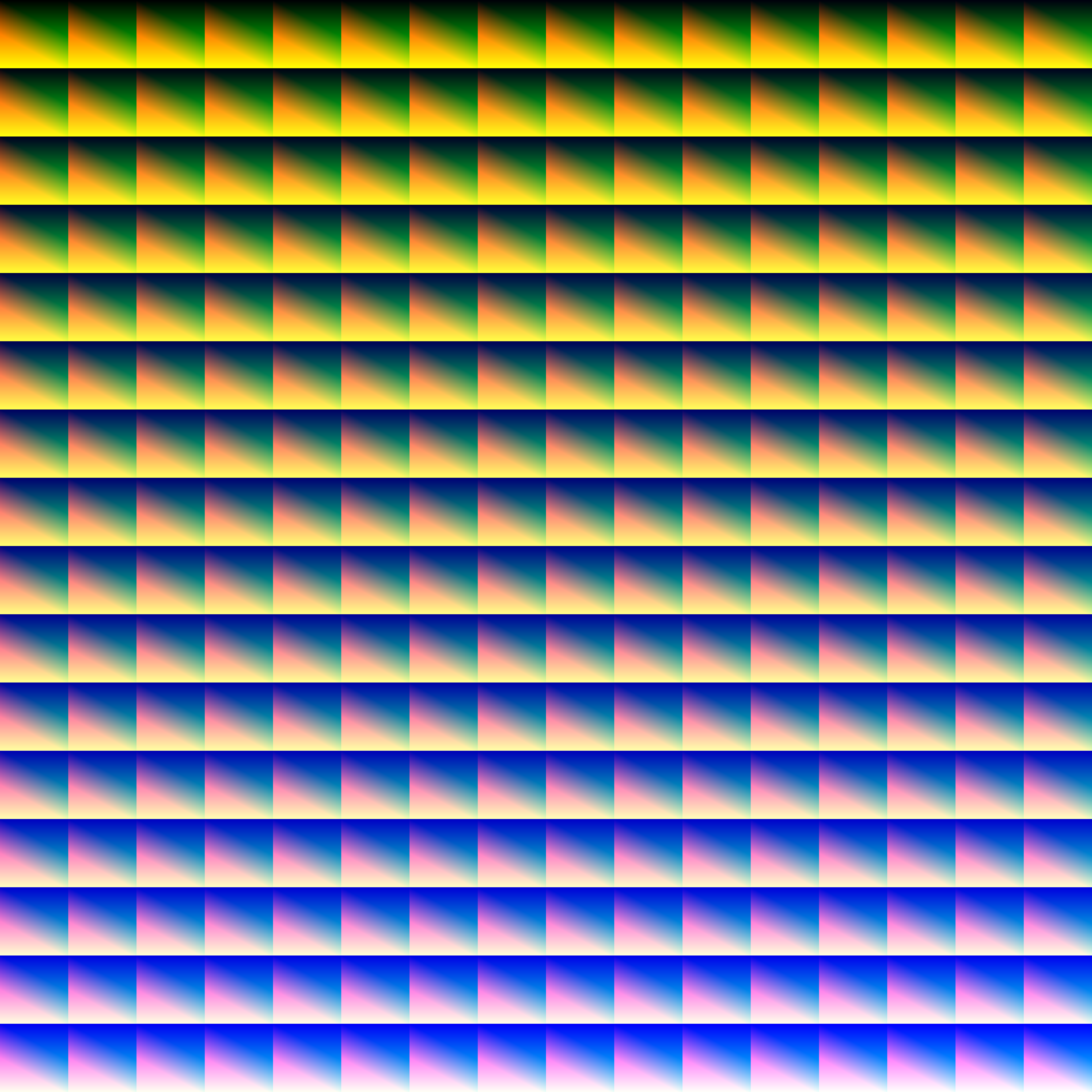
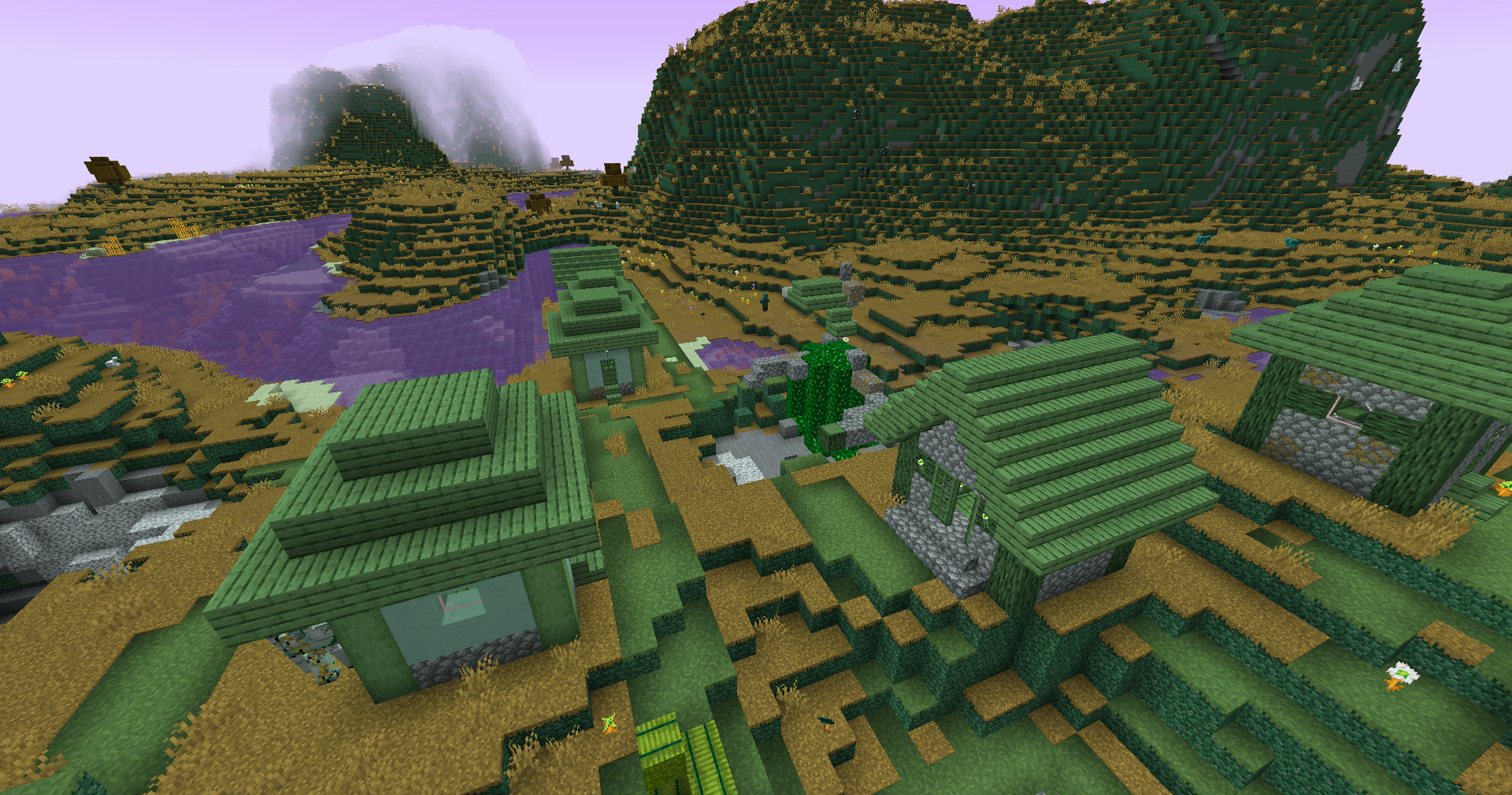
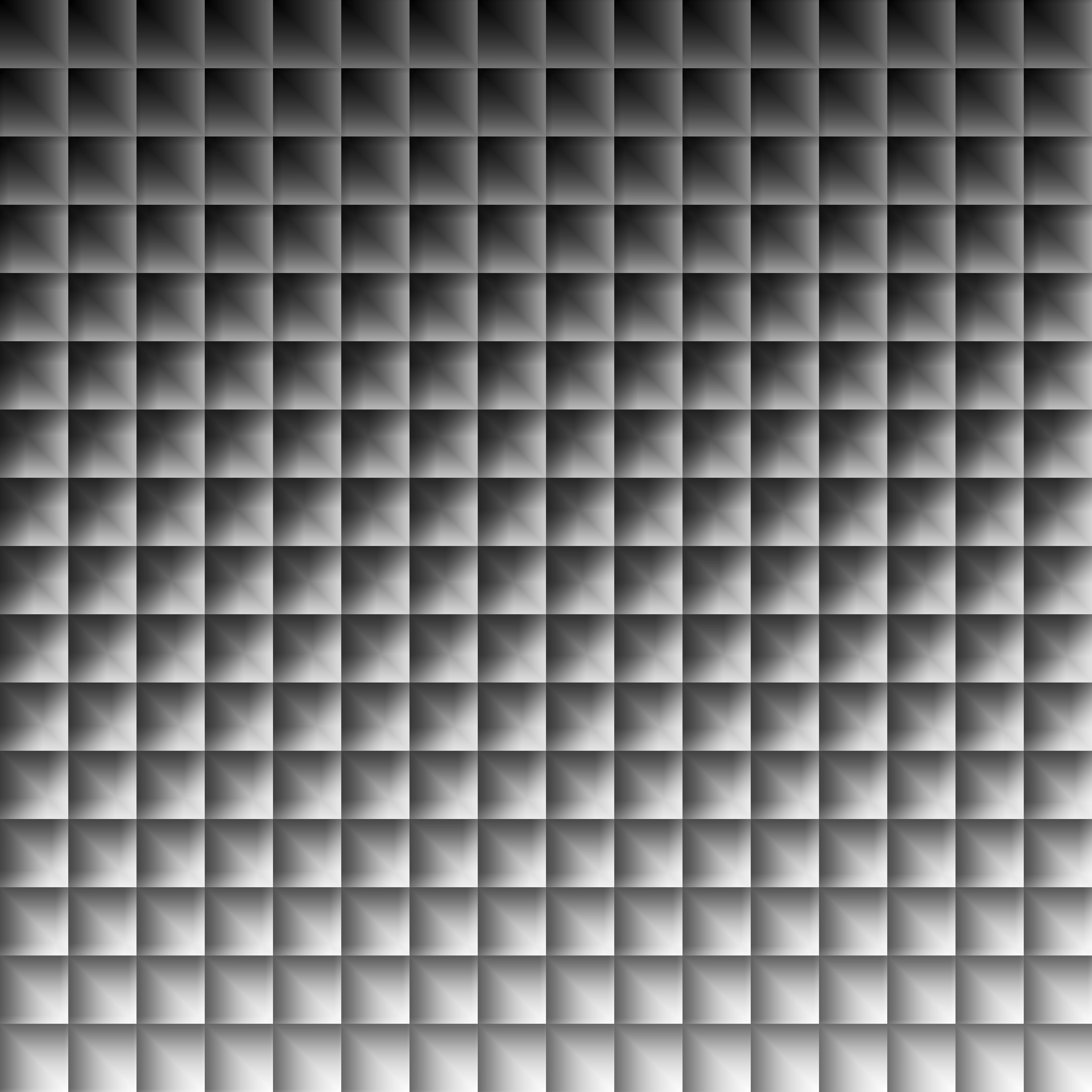
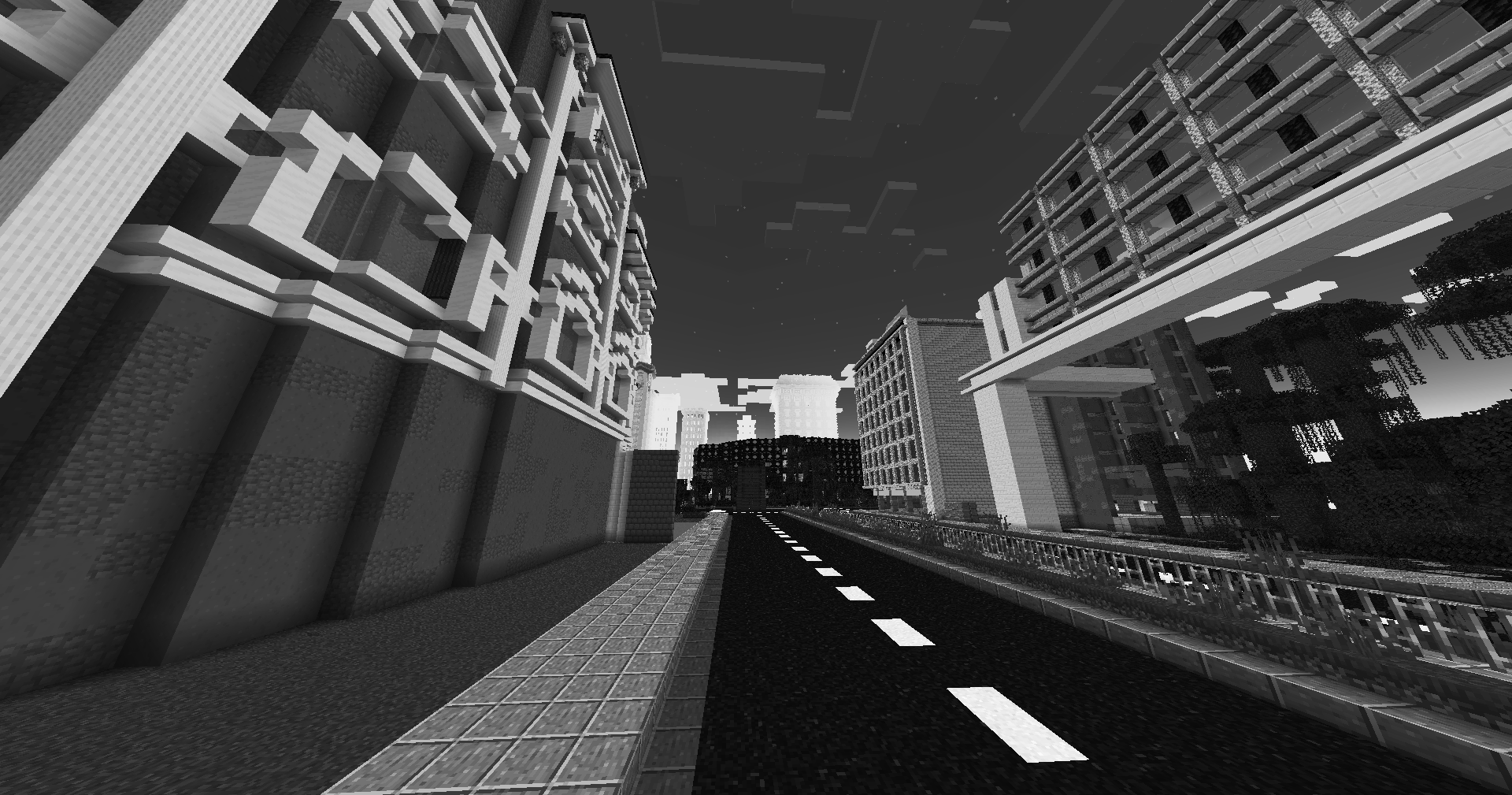
This simple vanilla shader allows you to customize the colors of your game by use of color lookup tables or LUTs
|Vanilla Colors|Custom LUT|
|–|–|
|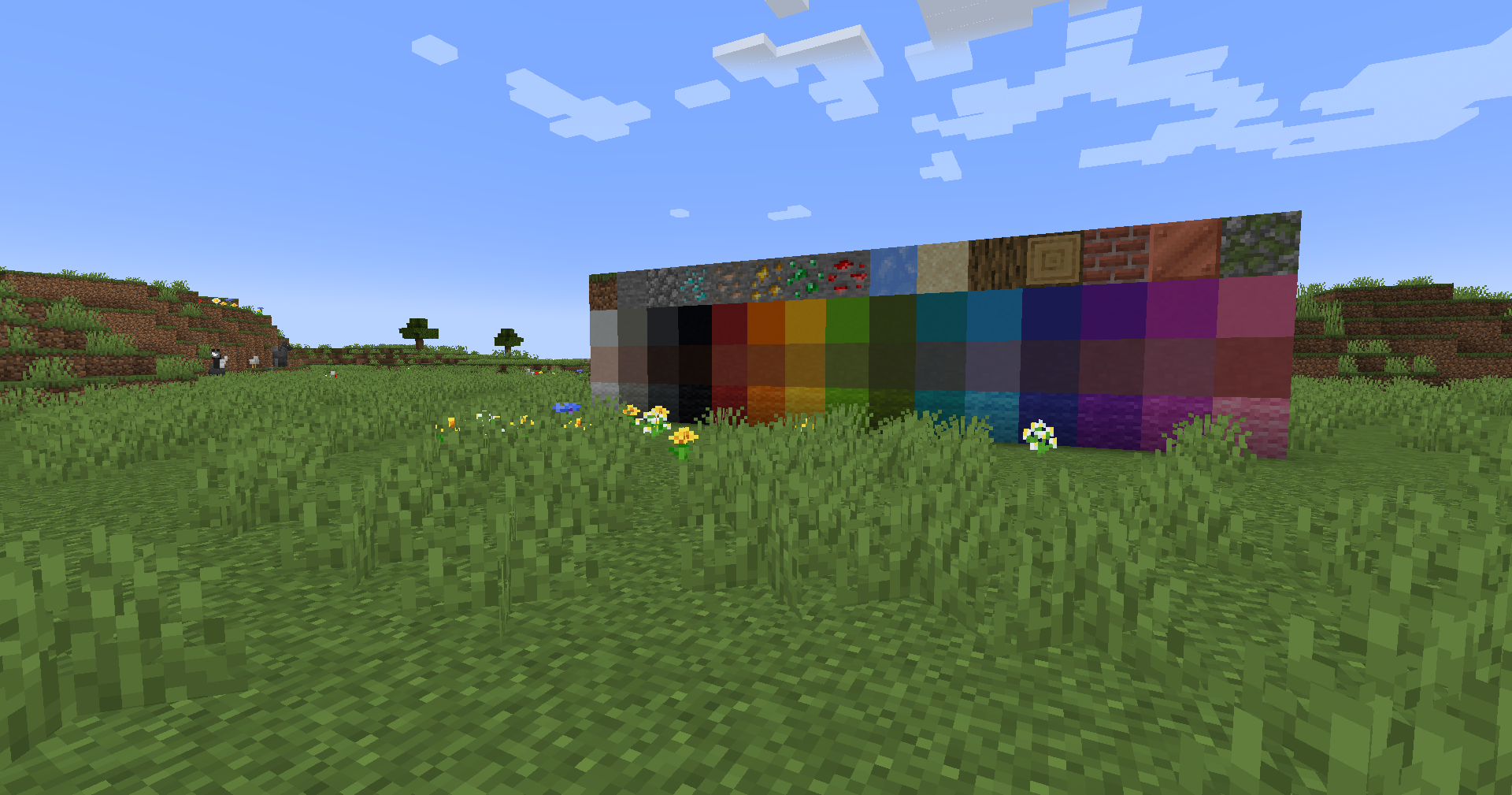|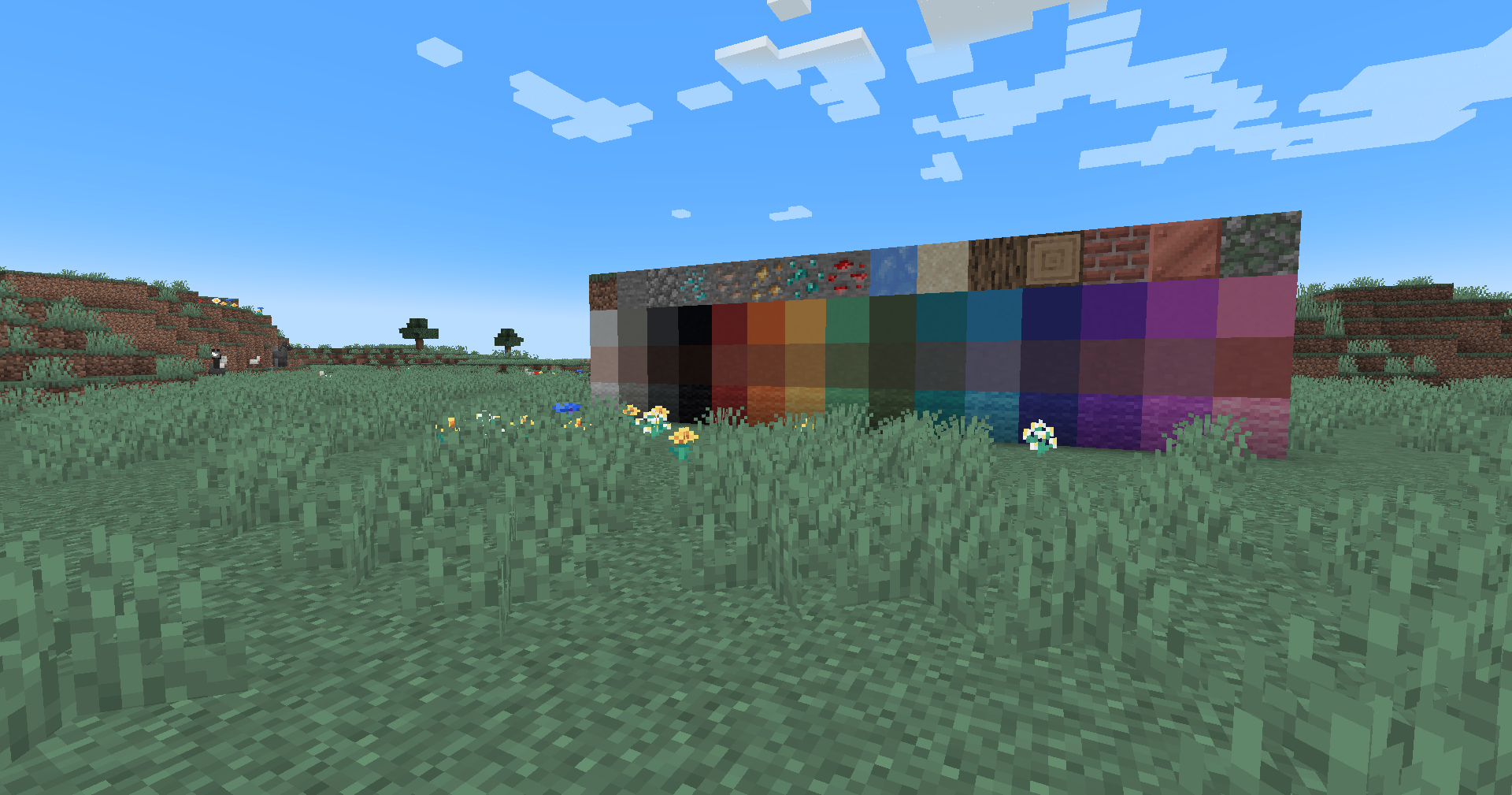|
## Installation
Vanilla
- Download the vanilla version of this shader
- Add to
.minecraft/resourcepacks
- Set graphics to
Fabulous
- Activate Resource Pack
OptiFine/Iris
- download the Iris/OptiFine version of this shader
- add to
.minecraft/shaderpacks
- Select shader in Shaders Menu
## Customization
Provided within the pack zip, you may find a file called `init_LUT.psd`, which will allow you to customize the look and feel of this shader.
Customization Instructions
- Open
init_LUT.psd into your favorite photo editor (IE GIMP, Photoshop, Affinity Photo)
- I personally use the free online Photoshop alternative Photopea
- You can also just use the unmoddified
init_LUT.png which is also provided in the zip
- Apply as many adjustment layers, or edit the ones I have pre-selected, to achieve the look you desire
- These can be found under
Layer > Add New Adjustment Layer
- Hide the color preview layer
HIDE BEFORE EXPORT
- Export into the pack as
assetsminecrafttextureseffectlut.png or shaderslut.png, depending on whether you are using Vanilla or Iris/OptiFine
Example LUTs
Save one of the LUTs below as assetsminecrafttextureseffectlut.png or shaderslut.png, depending on whether you are using Vanilla or Iris/OptiFine:
| LUT |
Preview |
Reduced Reds
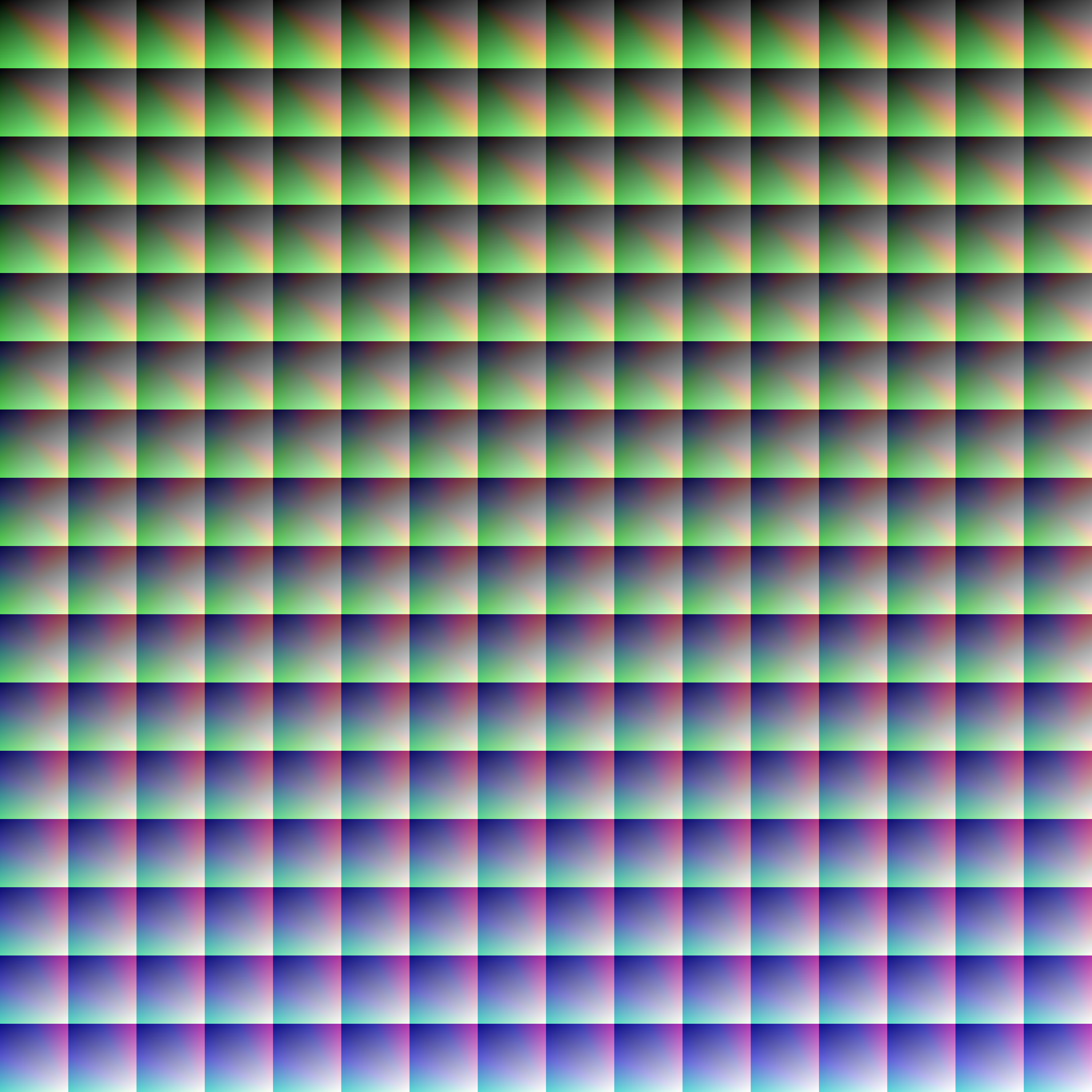
|
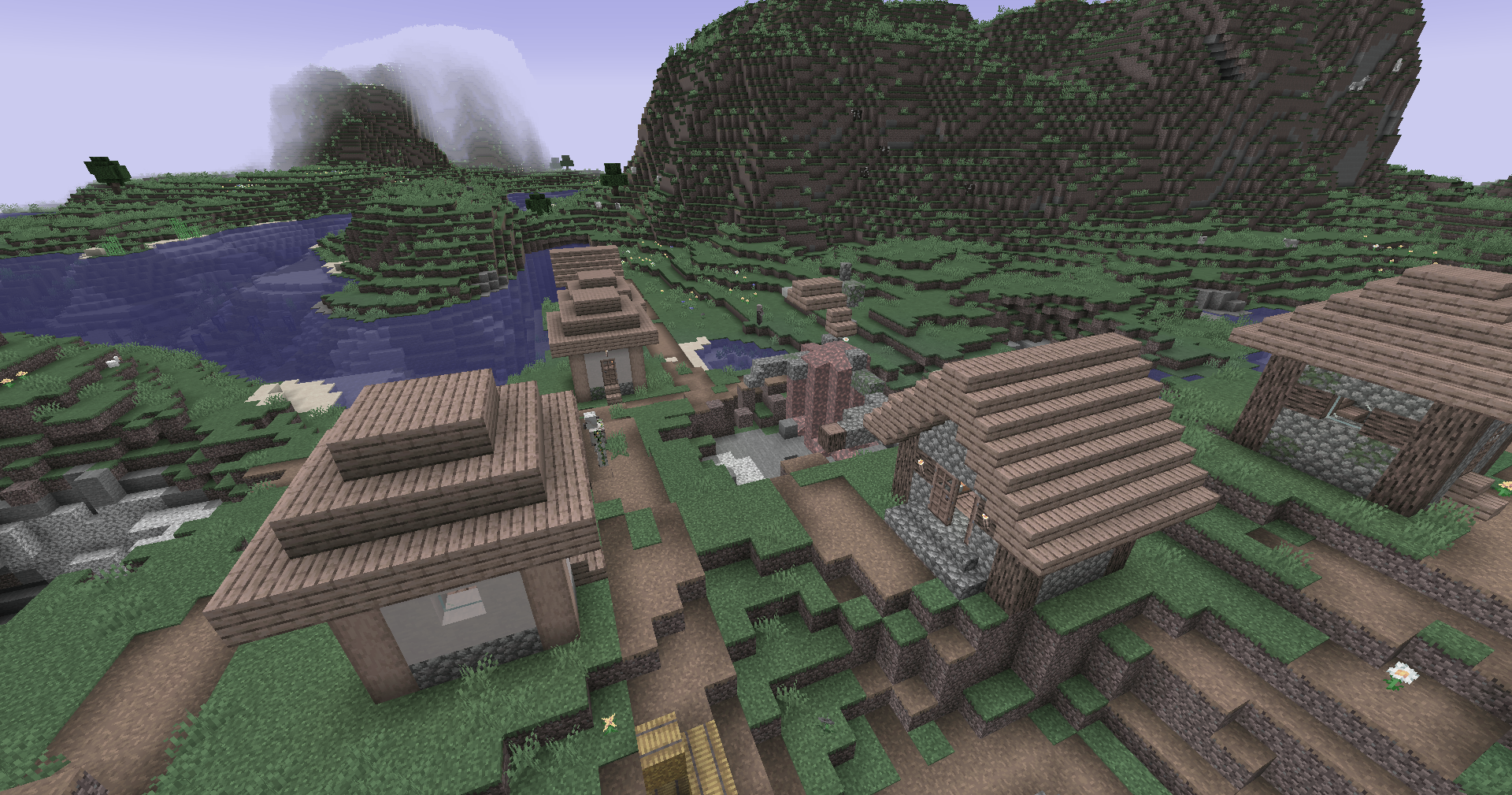
|
Red Isolated
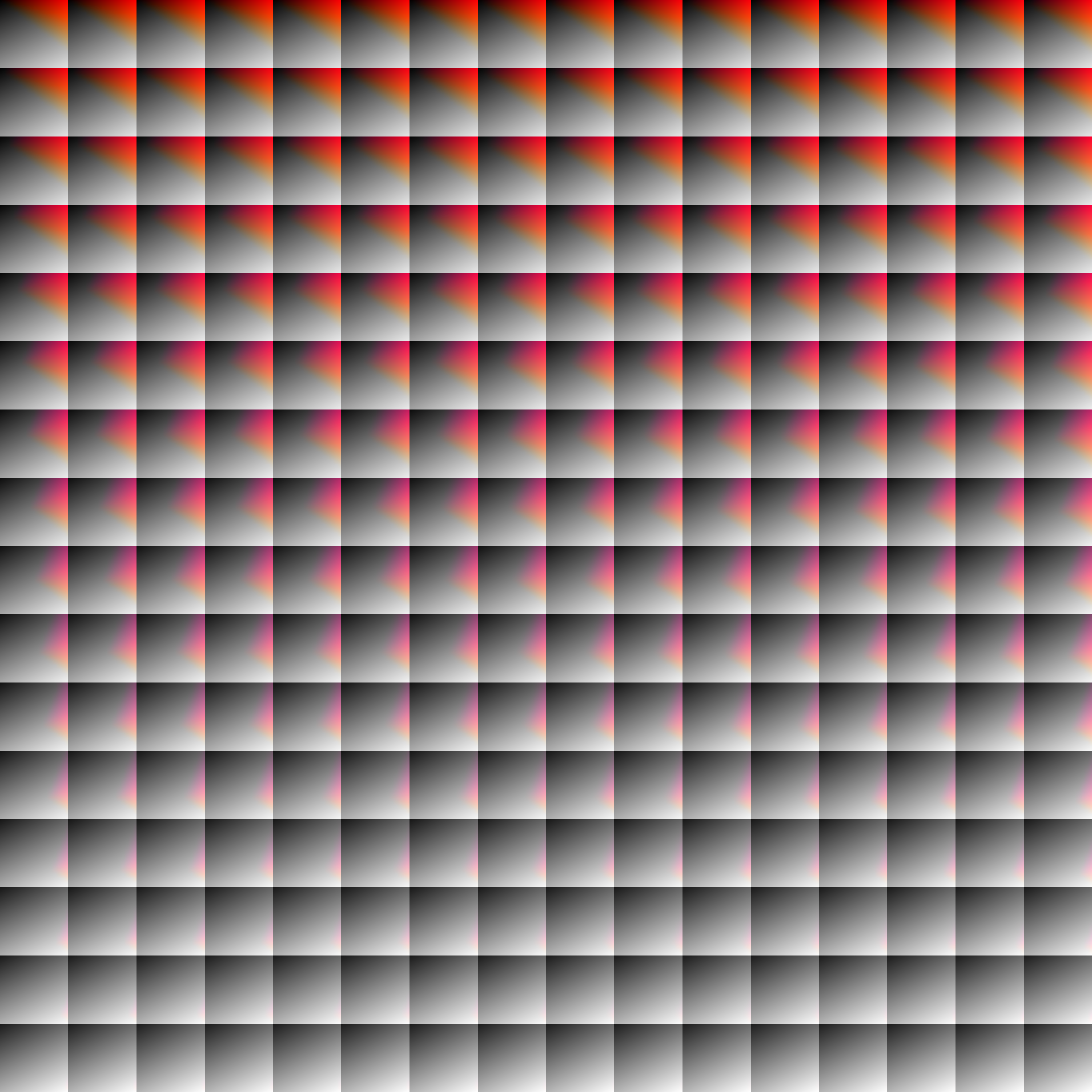
|
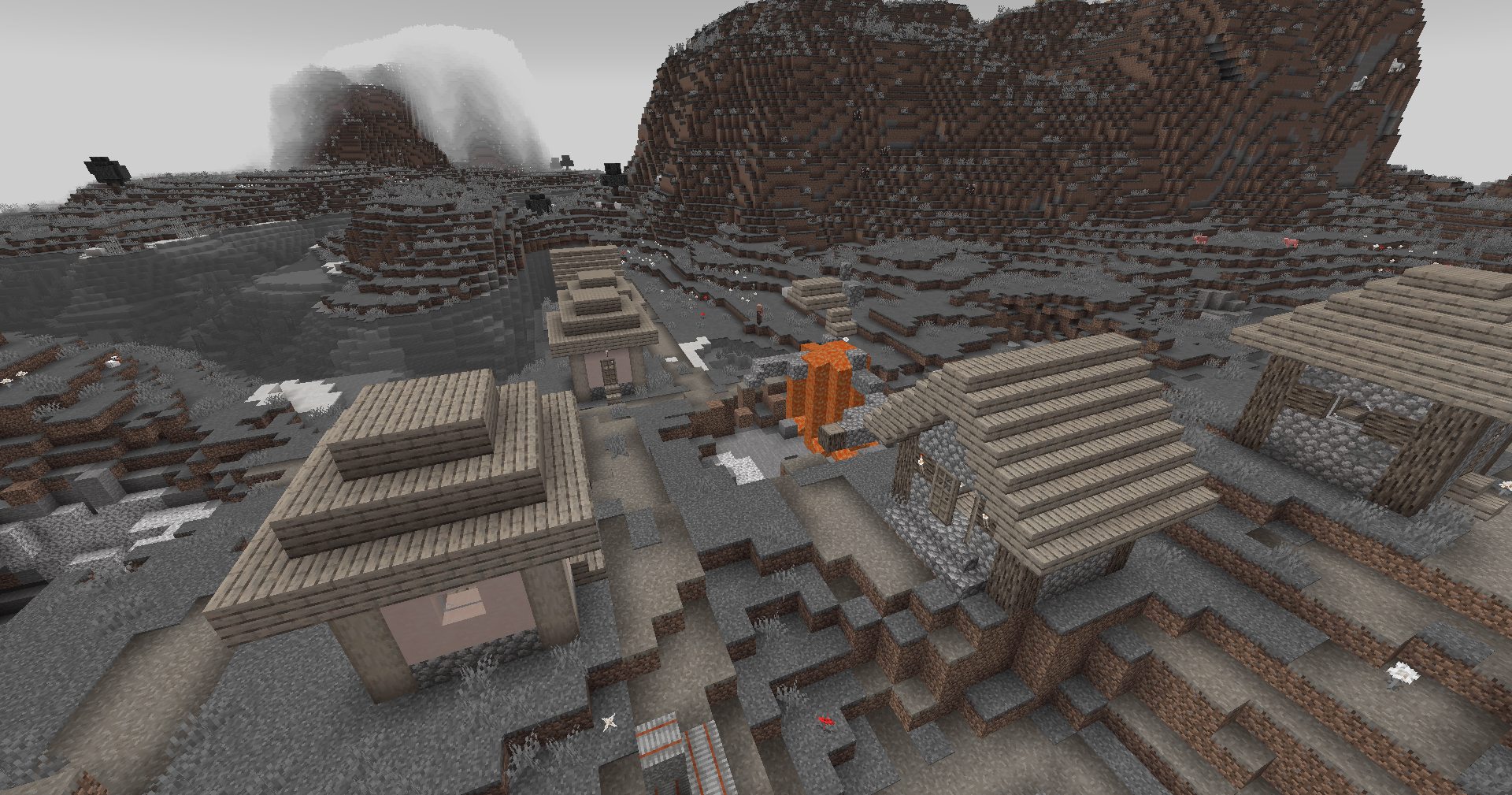
|
Darkened World
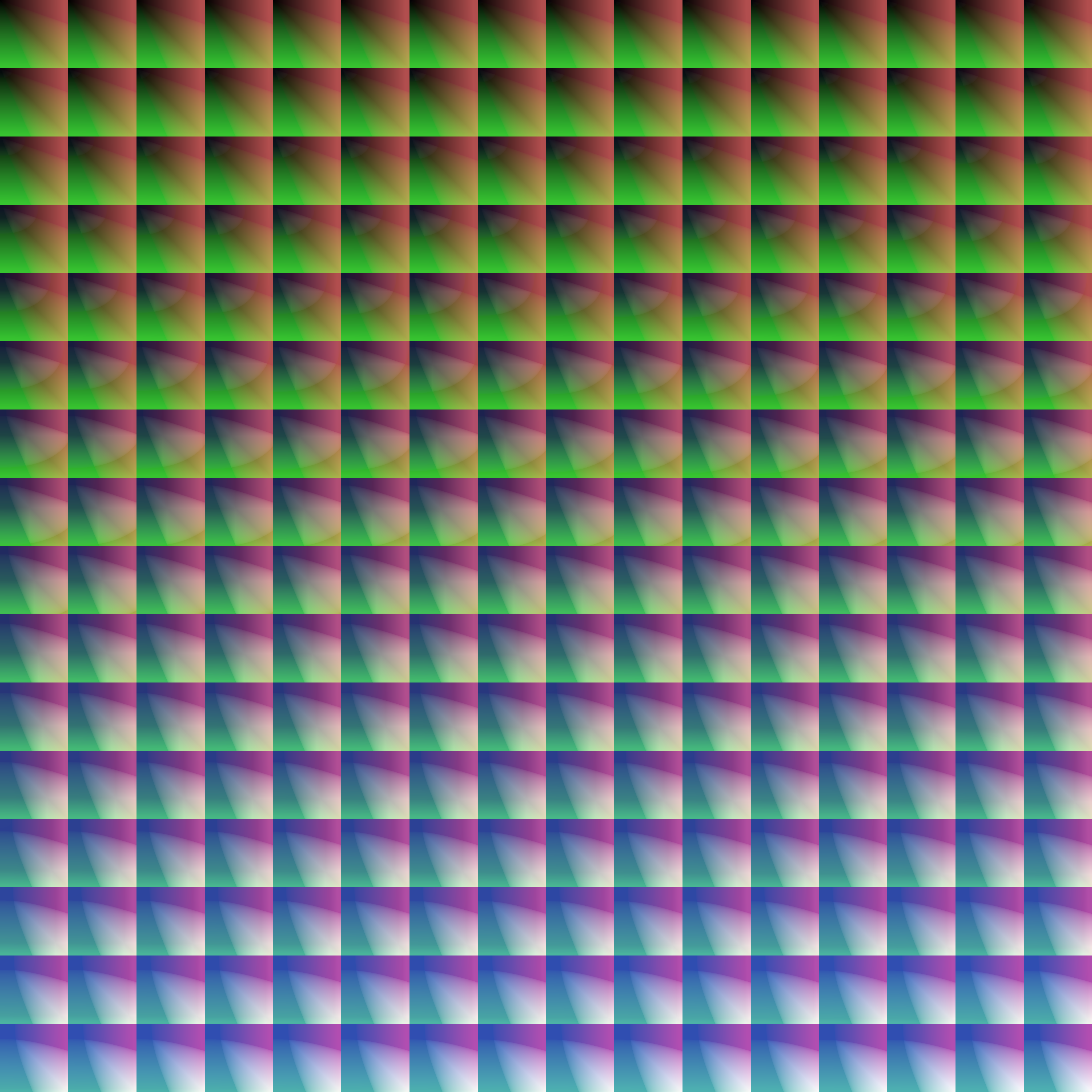
|
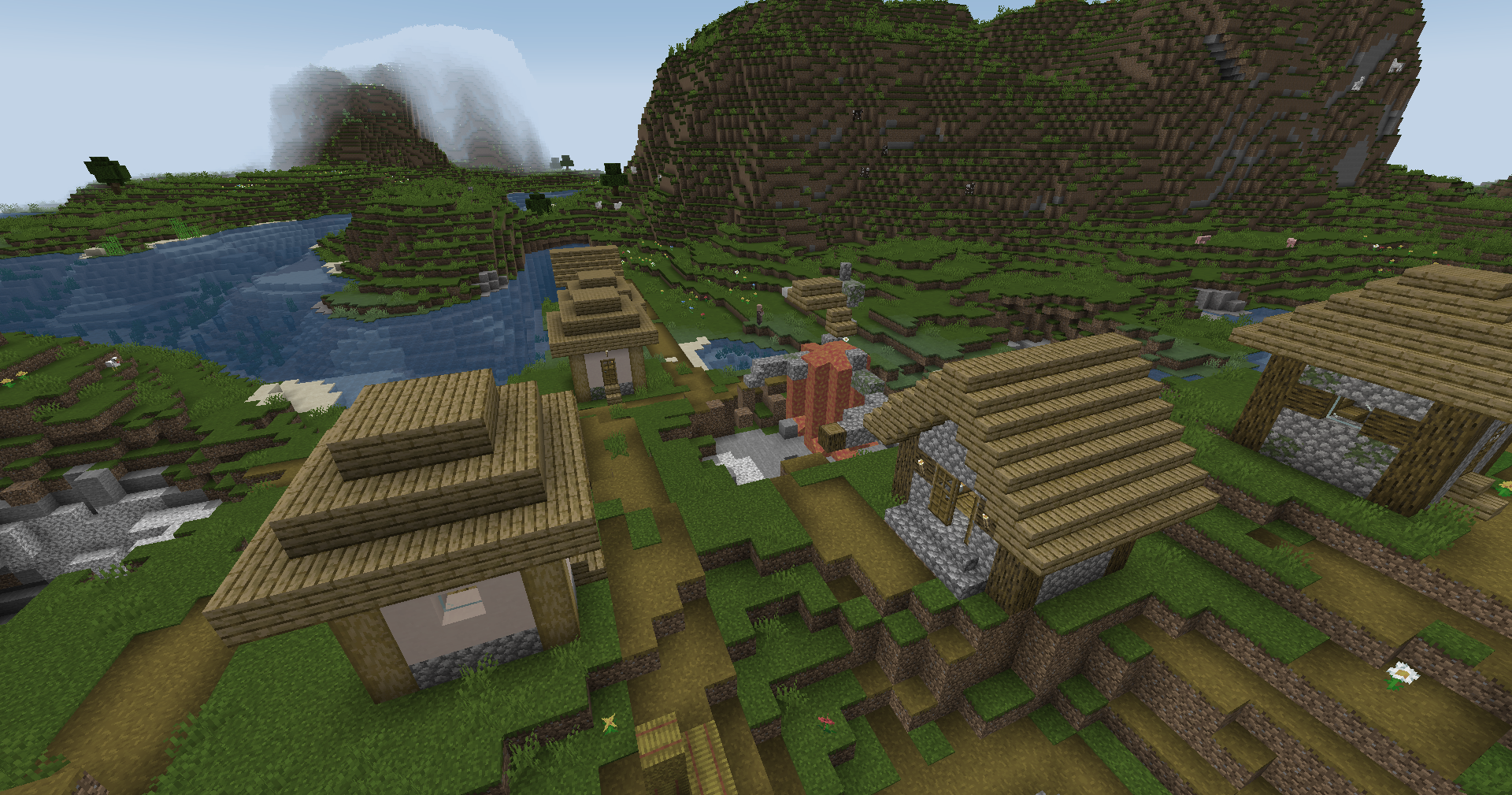
|
Wut
|
|
Dramatic Black and White
|
|
Redistribution
If you wish to share your own custom LUT, please direct your users to download Zenith’s LUT Shader alongside your pack, or mark it as a dependancy on Modrinth
Zenith Skys
# 🌌 Zenith Skys | Remake Edition
**Zenith Skys** is a premium visual overhaul designed to transform your Minecraft horizon. This Remake version focuses on high-fidelity textures and atmospheric depth, providing a “cool” and immersive look for day and night.
—
### ✨ Features
* **Dynamic Day & Night:** Textures for both day and night cycles.
* **Skyboxify Support:** Fully optimized for the **Skyboxify mod** to ensure seamless sky rendering.
* **Competitive Ready:** Specifically tuned for **Bedwars** and **Skyblock** designed to look stunning without distracting you during intense PvP or building sessions.
* **Clean Remake:** Upgraded to be compatible with new Minecraft versions compared to the original version.
### 🛠️ Compatibility
To see the custom sky, you **must** use the following:
**Skyboxify Mod** – [Download here](https://modrinth.com/mod/skyboxify)
—
Zenex PVP pack
A PvP texture/resource pack to help you get better at pvp. Some of the features are listed below.
– Low Fire
– Smaller Particles
– Smaller shield
– And other stuff for PvP
This is done so you can get better in pvp.
You may not:
– Modify or redistribute this pack without permission
– Use any assets in other packs
– Use this pack for commercial purposes
Credit must be given to the original creator Foxi.
Zenex PvP Pack © 2026 by Foxi is licensed under CC BY-NC-ND 4.0. To view a copy of this license, visit https://creativecommons.org/licenses/by-nc-nd/4.0/
The Legend of Zelda: Builders of the Realm
## Legend of Zelda – Minecraft
The pack is full of items from the greatest game of all time Legend of Zelda: Breath of the Wild
Optifine is require if played on Forge
[Cit Resewn](https://modrinth.com/mod/cit-resewn) is required if played on Fabric
Zayko Shaders
⚠️Zayko has been put on pause while we work on different projects.⚠️
━━━━━━━━━━☆━━━━━━━━━━☆━━━━━━━━☆━━━━━━━━━━☆━━━━━━━━━━
### **_7.0 IS OUT! AND ITS OUR BEST YET! ✨🌊_**

[](https://www.curseforge.com/minecraft/shaders/zayko-lite)
### Short About
**Zayko is a shader pack for Minecraft Java Edition, designed with an emphasis on detail, excellent quality and optimization. It offers PBR effects, emissive textures for mobs, blocks and items, as well as a wide range of settings: from Low to Ultra. provides a stable frame rate, while allowing you to adjust the settings to suit any requirements.**

━━━━━━━━━━☆━━━━━━━━━━☆━SPONSORS━☆━━━━━━━━━━☆━━━━━━━━━━
[](https://www.voicemod.net/?refn=skynexushd&tracking_id=999d68a19a244ef5af11d60f1ef6384d&utm_campaign=6023bf347e9fb&utm_source=WHuVawz6)
━━━━━━━━━━☆━━━━━━━━━━☆━SPONSORS━☆━━━━━━━━━━☆━━━━━━━━━━

Zayko Shaders is a shader pack for Minecraft Java Edition with amazing attention to detail, great quality, and the best possible optimisation. Offering a range of amazing quality visuals and ajustable effects, instead of just giving you presets we also give you great ajustability with our shaders, including emmissive textures for mobs and blocks even certain items including PBR thanks to compatablity with [Optifine](https://optifine.net/home) and [Iris](https://www.irisshaders.dev/),and for those who just want a simple click and play without ajusting there are profiles ranging from Very Low to Ultra and it’s build for Keeping a stable framerate with amazing shaders.
### Want to know more?
Keep scrolling or go to Trusted wikis [FiveNova](https://fivenova.net) or [Minecraft France](https://www-minecraft–france-fr.translate.goog/zayko-shaders/?_x_tr_sl=fr&_x_tr_tl=en&_x_tr_hl=en&_x_tr_pto=sc)
Untrusted wikis (Could be Harmful!)
[Note](https://note.com/quick_squid5246/n/na88bd2b8a706), [Minecraft Mods.Pro](https://minecraft–mods-pro.translate.goog/mods/zayko-shaders?_x_tr_sl=ru&_x_tr_tl=en&_x_tr_hl=en&_x_tr_pto=sc), [Minecraft Imba](https://minecraft-imba.ru/308-zayko.html) or [MinecraftStorage](https://minecraftstorage.com/shaders/zayko), [9Minecraft.net](https://www.9minecraft.net/zayko-shaders)
Harmful wiki detections!!
Do Not download from [Mineload](https://mineload-ru.translate.goog/shaders/low-pc/low-pc-1-16-5/?_x_tr_sl=ru&_x_tr_tl=en&_x_tr_hl=en&_x_tr_pto=sc), [mods-minecraft.ru](https://mods-minecraft.ru/shaders/7577-zayko.html), [Xenolith.ru](https://xenolith.ru/shaders/2758-zayko-12110-1206-1194-1182-1171-1165.html)
━━━━━━━━━━☆━━━━━━━━━━☆━━━━━━━━☆━━━━━━━━━━☆━━━━━━━━━━
**Why Do we take wikis so seriously? simple because if you go to the wrong one and get a virus we could be blamed without our shaders having any malware. we also dont want people to get viruses and let the scammers succeed so please never download from Harmful sites. we only include them so you know they are harmful if you ever download a mod or shader from them.** (the way we check is we look through the sites and if it links to modrinth for the download it automaticlly goes to trusted if it downloads from their site thats auto untrusted because we cannot tell if they added something to the file and untrusted is if the file size is smaller then our offical shaders which mejority are or if they get a harmful detection from VirusTotal.)

if your new or don’t know how to download shaders then were here to help!
### Modrith Launcher
Click Install **–>** Pick an Instence or Create one **–>** Wait for it to do its magic **–>** Launch and Enjoy the Shaders!
### Natrual Launcher
Download File **–>** Launch Game with [Optifine](https://optifine.net/home) or [Iris](https://www.irisshaders.dev/) **–>** Options **–>** shaders **–>** Open shaderpack folder **–>** drag and drop the file into the folder **–>** close folder and click on the shaders in game and enjoy!
# Showcase Videos
Even videos where they show off shaders takes time to create which can take away from their personal lives. Originally this only showed our offical showcase but we wanted to support the community. ([email protected] if you want a video added or removed.)
━━━━━━━━━━☆━━━━━━━━━━☆━━━━━━━━☆━━━━━━━━━━☆━━━━━━━━━━
[**Gamomnia**](https://www.youtube.com/@gamomnia) – Shows Zayko at **4:02**
━━━━━━━━━━☆━━━━━━━━━━☆━━━━━━━━☆━━━━━━━━━━☆━━━━━━━━━━
[**FiveNova**](https://www.youtube.com/@FiveNova) – Shows Zayko for **full video**
━━━━━━━━━━☆━━━━━━━━━━☆━━━━━━━━☆━━━━━━━━━━☆━━━━━━━━━━