ZlAutoGive
## ✨ Overview
ZlAutoGive is a **powerful, lightweight, and fully configurable plugin** that automatically gives players the **vanilla drops** of blocks directly to their inventory! Perfect for servers that want to streamline resource collection while keeping the **vanilla Minecraft experience intact**.
With ZlAutoGive, you can:
* 💎 Automatically get blocks and items from mining or harvesting **without losing vanilla mechanics**.
* 🍏 Receive **apple drops from oak leaves** with the same probability as vanilla.
* 🛠 Respect **Silk Touch & Fortune enchantments** on your tools.
* 🎛 Apply **multipliers per permission group** (e.g., VIP, MVP) to increase drops.
* 📦 Handle **full inventories gracefully**, dropping items to the ground with a clear warning message.
* ⚡ Enable or disable the system dynamically, reload config/messages, and customize **prefixes & colors**.
—
## 🧩 Features
* ✅ Automatic vanilla drops
* ✅ Silk Touch & Fortune support
* ✅ Multipliers per permission (`zlautogive.multiplier.X`)
* ✅ Configurable messages with **colors** (`&x`, `&#hex`, `&`)
* ✅ Inventory full handling with item drop + warning message
* ✅ Works for **Minecraft 1.18 and above**
* ✅ Lightweight & server-friendly
—
## ⚙ Configuration
ZlAutoGive comes with:
* `config.yml` – Enable/disable system, set multipliers per permission.
* `messages.yml` – Customize all messages, including prefix, help, and inventory full warnings.
**Example config snippet:**
“`yaml
system-enabled: true
multipliers:
vip: 3
mvp: 5
“`
**Example message:**
“`yaml
inventory-full: “%prefix%&cYour inventory is full! Dropped &b%amount%x &f%item%”
“`
—
## 📝 Commands
| Command | Permission | Description |
| ——————– | ———————– | —————————————— |
| `/zlautogive on` | `zlautogive.admin` / OP | Enable the system (applies after restart) |
| `/zlautogive off` | `zlautogive.admin` / OP | Disable the system (applies after restart) |
| `/zlautogive reload` | `zlautogive.admin` / OP | Reload config and messages |
| `/zlautogive` | Any with permission | Show help message |
—
## 🎨 Customization
* Full **color support**: `&`, `&x`, `&#hex`
* **Prefix customization** in `messages.yml`
* Control multipliers per **LuckPerms groups**
—
## 💡 Why use ZlAutoGive?
* Saves players time without breaking vanilla Minecraft.
* Perfect for **semi-vanilla, survival, and minigame servers**.
* Fully **configurable and permission-based**, giving you complete control.
* Lightweight and **optimized for 1.18+ servers**.
—
## 🚀 Installation
1. Place `ZlAutoGive.jar` in your `/plugins` folder.
2. Start your server once to generate config/messages.
3. Configure multipliers and messages to your liking.
4. Reload with `/zlautogive reload` or restart the server.
—
## 📣 Support & Credits
* Developed by **Zeralyth Studios**
* For support or suggestions, contact your server dev team or reach out to Zeralyth Studios.
—
### 🎉 Enjoy streamlined mining & harvesting while keeping Minecraft fully vanilla! 🍀💎
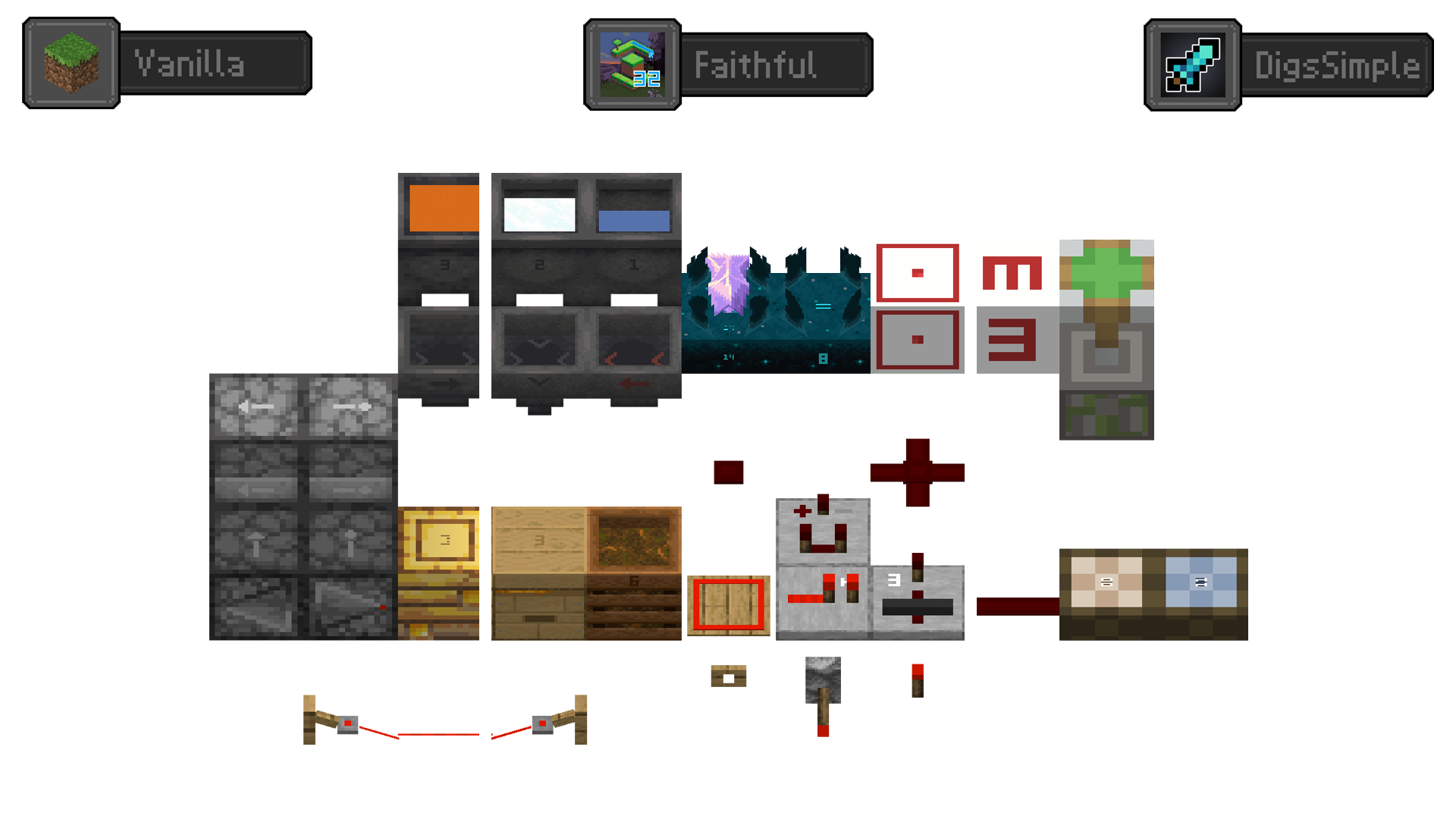
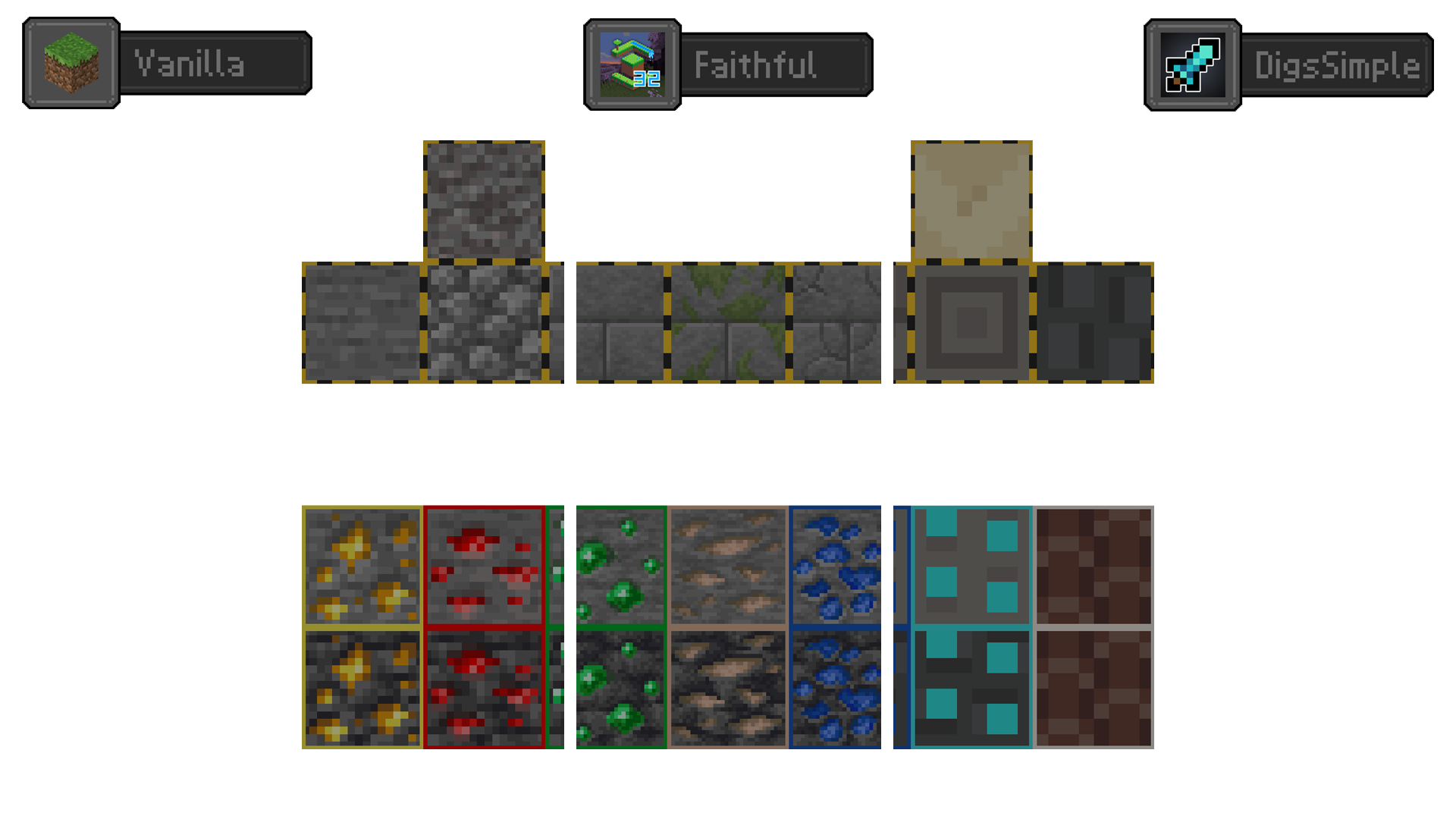
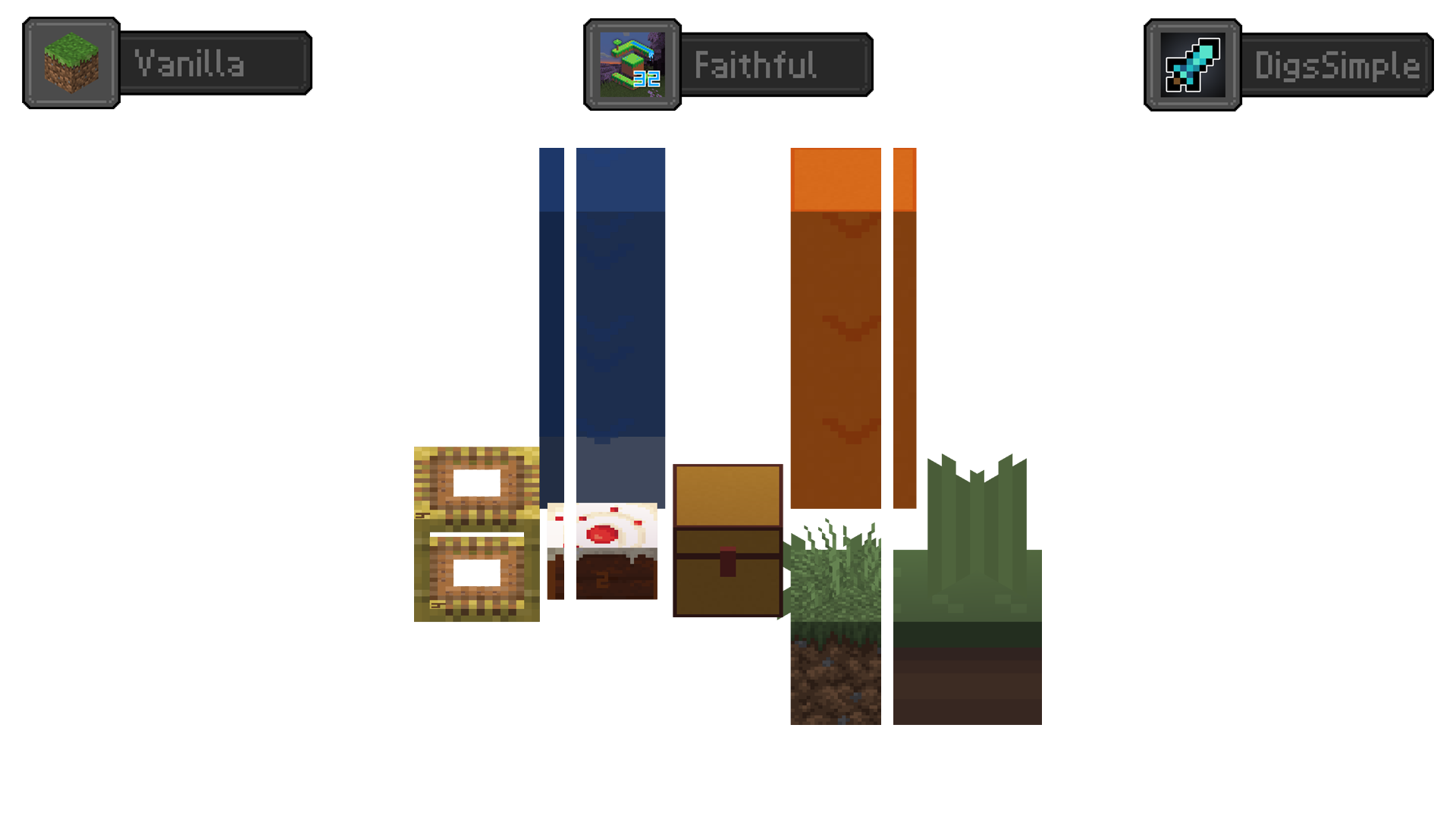
Redstone Tweaks Overlaid
**Add redstone display overlaid to your favorite resource packs**
Transparent GUI
中文
| 一个支持1.7.10到1.22的透明gui材质包!|
| :————-:|
|**搭配[清洁屏幕](https://modrinth.com/resourcepack/low-shield-fire-no-pumpkinblur)使用效果更好!**|
| **适配模组:** |
|jade|✅|
|fabric|✅|
|appleskin|✅|
|inventoryprofilesnext|✅|
English
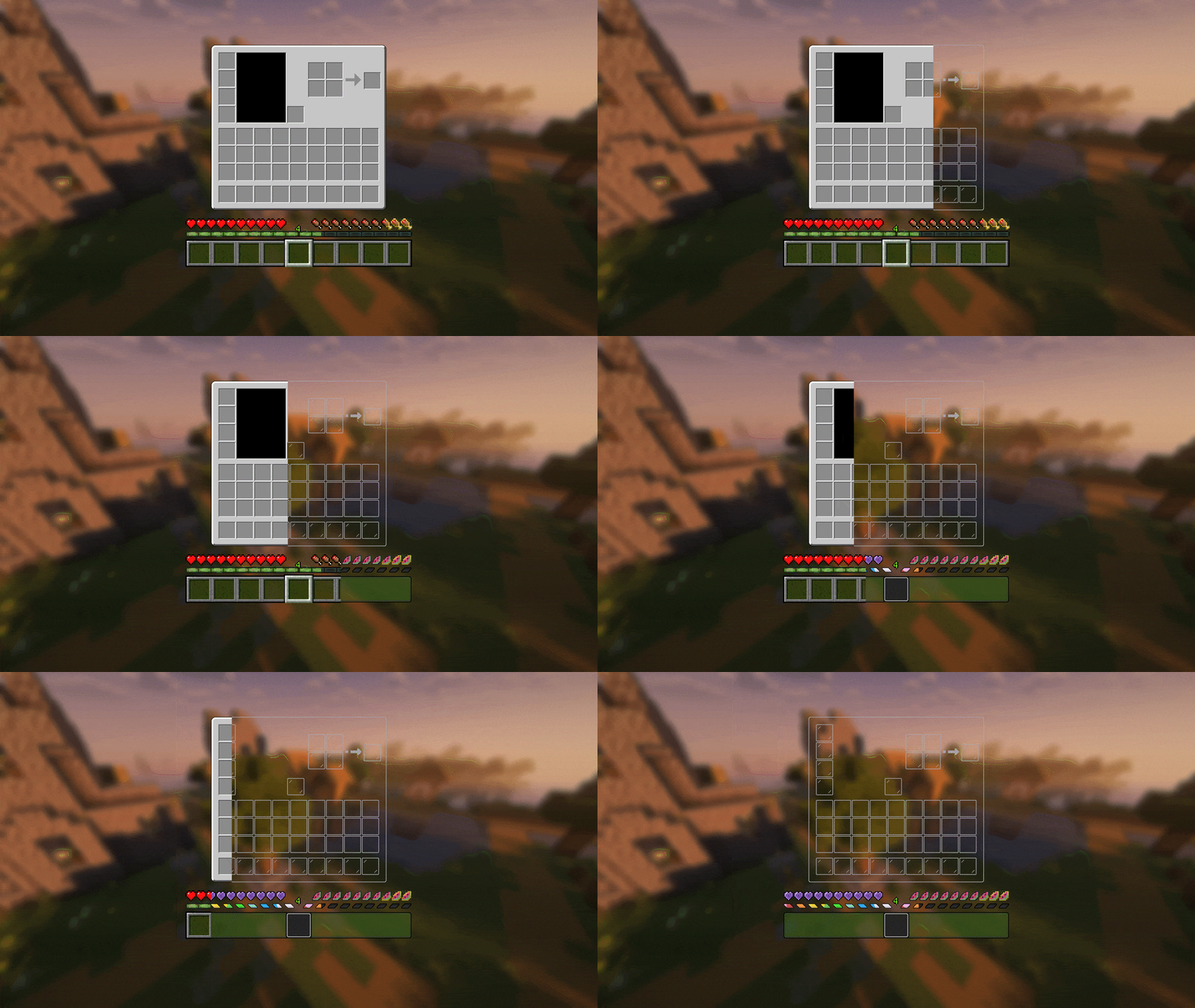
| A transparent GUI texture pack that supports 1.7.10 to 1.22!|
| :————-:|
|**It works better with [Clean Screen](https://modrinth.com/resourcepack/low-shield-fire-no-pumpkinblur)!**|
| **Mod support:** |
|jade|✅|
|fabric|✅|
|appleskin|✅|
|inventoryprofilesnext|✅|
|**Wait for more**|
Zithium ChatFilter
A simple chat filtering plugin designed to keep your chat clean and safe for all users.
[](https://aspirehosting.net/aff.php?aff=21)
Permissions:
– chatfilter.bypass – Bypasses the chat filter.
zir 16x

**zir 16x** is a 1.8 texture pack with a purple cat theme! features include:
– colorful set of tools with accent colors
– cat themed effect icons + break animation
– outlined ores
– various other textures (armor, gui, etc)
note that this pack has nearly no block/item textures apart from necessary themed ones so as to layer with other packs! intended to be layered with purple themed packs

ZInvisItemFrames
# ZInvisItemFrames
Allow players to craft and place invisible item frames. Folia-compatible invisible item frame plugin.
## Features
– Craft invisible item frames
– Customizable crafting recipe. (Can choose ANY ITEM for the recipe)
– Empty invisible frames can have a glowing outline (configurable)
– MiniMessage support for all text formatting
## Compatibility
– Paper 1.20.1 -> 1.21.4
– Folia-compatible
– Java 17+
## Dependencies
– [MCKotlin](https://modrinth.com/plugin/mckotlin)
## Crafting Recipe
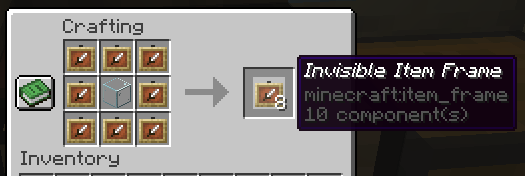
The default crafting recipe is 8 item_frame (or glow_item_frame) in a circle with one custom item in the middle.
You can change the middle-item with `/ziif item`.
You can also configure how many invisible item frames are crafted from the recipe.
## Commands
– `/ziif help` – Show help information
– `/ziif item` – Set the recipe item to the item in your hand
– `/ziif reload` – Reload the configuration
– `/ziif give [–glow]` – Give invisible item frames to a player
## Permissions
– `zinvisitemframes.craft.item_frame` – Allow crafting invisible item frames
– `zinvisitemframes.craft.glow_item_frame` – Allow crafting invisible glow item frames
– `zinvisitemframes.place.item_frame` – Allow placing invisible item frames
– `zinvisitemframes.place.glow_item_frame` – Allow placing invisible glow item frames
– `zinvisitemframes.admin` – Access to all plugin commands
## Installation
1. Download the latest version of ZInvisItemFrames from [Modrinth](https://modrinth.com/plugin/zInvisItemFrames/versions).
2. Download the appropriate version of MCKotlin from [Modrinth](https://modrinth.com/plugin/mckotlin)
3. Place the downloaded `.jar` files into your server’s `plugins/` folder.
4. Restart your server.
5. Configure the plugin to your liking by editing the `.yml` files in the `plugins/ZInvisItemFrames/` folder.
## Configuration
“`yaml
recipe:
item: [] # Set with `/ziif item` command
quantity: 8 # How many frames are crafted per recipe
check-permission: # Whether to check permissions for crafting/placing invis frames
craft: false
place: false
empty-frame:
glow: true # Whether empty frames should glow
visible: true # Whether empty invis frames should be visible
name:
invisible_item_frame: “Invisible Item Frame”
invisible_glow_item_frame: “Invisible Glow Item Frame”
“`
Create: Zinc Ore Borders
Create adds zinc ore and I dont see many Ore Borders for it so I made one myself
Inspired by [Vanilla Tweaks](https://vanillatweaks.net/picker/resource-packs/)
Moved to https://www.modrinth.com/resourcepack/modded-ores-borders
Zhylon Core
# Zhylon Core – The Backbone of All Zhylon Plugins
**Zhylon Core is a minimalistic dependency plugin that serves as the shared foundation for all plugins in the Zhylon ecosystem.**
It does **not provide any direct features, commands, or visible functionality** for players or server administrators. Instead, it acts as the **technical backbone** that ensures consistency, stability, and modularity across all *Zhylon* modules.
This plugin includes utility classes, shared APIs, configuration handling, and other internal systems that other Zhylon plugins rely on to function properly.
⚠️ If you’re using any Zhylon plugin, **Zhylon Core** is required. Without it, dependent plugins may not start or work correctly.
️**What’s Inside
Shared utility and helper classes**
– Base configuration system
– Common event listeners or API interfaces
– Unified logging & exception handling
– Version check & compatibility management
– Optional: automatic service registration/hooks
**Why a Core Plugin?**
Large plugin systems benefit from a modular structure. Instead of bundling the same logic into every plugin, **Zhylon Core centralizes common code**, reducing redundancy and improving maintainability. It also allows for faster updates and better integration across plugins in the Zhylon suite.
**What Zhylon Core is not**
– ❌ It does not add gameplay features
– ❌ It does not include any commands
– ❌ It does not do anything on its own
It’s designed to run silently in the background – doing the invisible work that makes everything else possible.
**✅ Do not remove this plugin**
Zhylon Core is required for all official Zhylon modules to function. If you’re using a plugin that lists Zhylon Core as a dependency, make sure it stays installed.
zHomes







zHomes is a modern, fast and fully-configurable homes plugin for Spigot/Paper/Purpur/PufferFish servers. It focuses on simplicity, speed and customization so server owners can give players a familiar — but powerful — teleportation experience.
Some features:
– Create, delete and list homes
– Admin tools for managing and converting homes
– PlaceholderAPI support for message placeholders
– MiniPlaceholders support for minimessage placeholders
– Vault support for economy/command-costs
– GriefPrevention and WorldGuard integration for region checks
– Teleport warmup and safe-teleport checks
– Configurable commands, messages and permissions
– 100% configurable menus
– Uses SQL (H2/SQLite/MariaDB/MySQL) for storage (no local data/ directory)
Maintained by [yL3oft](https://github.com/yL3oft). This project is free and open-source.
—

Requirements
– Java 17+ (check release notes for exact JDK requirement)
– Paper, Spigot or a compatible fork
Installation
1. Download the latest JAR from Releases / Modrinth / Hangar / Spigot.
2. Place the JAR in your server’s `plugins/` folder.
3. Start the server once to generate config files (src/main/resources/config.yml defaults).
4. You’re done!
Quick test
– As a player: `/sethome home1` then `/home home1`
– As an admin: `/zhomes reload`
—

Admin
– `/zhomes info` — Shows plugin info and stats.
– `/zhomes reload` — Reloads plugin configuration and messages.
– `/zhomes version ` — Checks the plugin version and updates if `` is specified.
– `/zhomes nearhomes [radius] <-u -h >` — Check for homes near a location (your location by default). Admins can specify a user and home to check near that home.
– `/zhomes parse ` – Parse a string with Plugin Placeholders & PlaceholderAPI placeholders for a specific player.
– `/zhomes export` — Export all homes to a .json.gz file in the plugin folder.
– `/zhomes import ` — Import homes from a .json.gz file exported by `/zhomes export`.
– `/zhomes converter ` — Inline converter tool to import homes from other plugins (example: `/zhomes converter ultimatehomes`). See detailed converter docs: https://docs.yleoft.me/zhomes/commands-and-permissions/zhomes-converter-less-than-type-greater-than
Player / Home commands
– `/sethome [name]` — Create a home (default name if omitted).
– `/delhome [name]` — Delete a home. Admins can use `/delhome `.
– `/home [name]` — Teleport to a home. Admins can use `/home `.
– `/homes [player]` — List homes. Admins can use `/homes `.
– `/home rename [oldName] [newName]` — Rename a home
Notes
– Command costs and vault integration require Vault to be installed.
– Some commands have admin-only variants (see Permissions below).
Full command list and usage: https://docs.yleoft.me/zhomes/commands-and-permissions
—

Below are the permission nodes and their default intent as defined in the plugin configuration (zHomes/config.yml). Use your permissions plugin to grant or deny these.
Command permissions
– zhomes.command.main — Main command (True by default)
– zhomes.command.main.help — Help SubCommand (Only OP by default)
– zhomes.command.main.version — Version SubCommand (True by default)
– zhomes.command.main.info — Info SubCommand (Only OP by default)
– zhomes.command.main.reload — Reload SubCommand (Only OP by default)
– zhomes.command.main.nearhomes – Nearhomes SubCommand (Only OP by default)
– zhomes.command.main.parse — Parse SubCommand (Only OP by default)
– zhomes.command.main.converter — Converter SubCommand (Only OP by default)
– zhomes.command.main.importexport — Import & Export SubCommand (Only OP by default)
– zhomes.command.sethome — `/sethome` (True by default)
– zhomes.command.delhome — `/delhome` (True by default)
– zhomes.command.delhome.others — `/delhome ` (Only OP by default)
– zhomes.command.homes — `/homes` (True by default)
– zhomes.command.homes.others — `/homes ` (Only OP by default)
– zhomes.command.home — `/home` (True by default)
– zhomes.command.home.others — `/home ` (Only OP by default)
– zhomes.command.home.rename — `/home rename` (True by default)
Bypass / misc permissions (as defined in config.yml)
– zhomes.bypass.limit — Bypass home limits (Only OP by default)
– zhomes.bypass.dimensionalteleportation — Bypass dimension restriction (Only OP by default)
– zhomes.bypass.safeteleport — Bypass safe-teleport checking (False by default)
– zhomes.bypass.warmup — Bypass teleport warmup (Only OP by default)
– %command_permission%.bypass.command-cost — Bypass command-cost (Only OP by default). Command-specific bypass permission is generated from the command permission string (see config.yml)
– %command_permission%.bypass.command-cooldown — Bypass commands cooldown (Only OP by default). Command-specific bypass permission is generated from the command permission string (see config.yml)
If you want to see the authoritative defaults and change them, open src/main/resources/config.yml in the repo or check the live docs: https://docs.yleoft.me/zhomes/commands-and-permissions
—

zHomes contains an inline converter to import homes from well-known plugins. The converter runs in-chat (not a GUI). See full converter details here: https://docs.yleoft.me/zhomes/commands-and-permissions/zhomes-converter-less-than-type-greater-than
—

Supported integrations:
– PlaceholderAPI — Message placeholders supported & custom [placeholders provided by zHomes](https://docs.yleoft.me/zhomes/hooks/placeholderapi).
– MiniPlaceholders – MiniMessage placeholders supported for advanced message formatting & custom [placeholders provided by zHomes](https://docs.yleoft.me/zhomes/hooks/miniplaceholders).
– Vault — for economy-based command-costs.
– GriefPrevention — region checks integration.
– WorldGuard — region and flag checks.
– MiniMessage — advanced message formatting.
– bStats — anonymous metrics (configurable).
Enable or disable integrations from config and ensure the third-party plugins are installed on the server when you expect integration behavior.
—

If you find zHomes helpful or need assistance:
– Discord: https://discord.gg/yCdhVDgn4K
– Issues: https://github.com/yL3oft/zHomes/issues
– Docs: https://docs.yleoft.me/zhomes
Support the project by starring the repo and joining the Discord!
—
Zet’s Grace: Beneficial Effects
# Zet’s Grace: Beneficial Effects
_Data Pack 1.13–1.14.4 unavailable due to lack of predicates._
## Notice
Part of [Zet’s Grace Collection](https://modrinth.com/collection/4Hmh13Uh).
## Description
Commands for endless status effects.
### Details
– Each command triggers within 1-15 ticks ~ 0.375s.
– Given effects have reasonable duration time.
– Lost effects are restored within 1-15 ticks ~ 0.375s.
– Effects immunity clears effect the same tick it was gained.
– Effects concealment hides effect the same tick it was exposed.
– Stronger/other effects are untouched.
## Features
Adds 3 trigger commands with 4 inputs.
## Commands
“`
trigger activity set 10
trigger activity set 11
trigger activity set 12
trigger activity set 0
“`
“`
trigger mobility set 10
trigger mobility set 11
trigger mobility set 12
trigger mobility set 0
“`
“`
trigger security set 10
trigger security set 11
trigger security set 12
trigger security set 0
“`
## Effects
activity
### activity 10-12
– **Mining Fatigue** _(Immunity)_
– **Weakness** _(Immunity)_
– **Darkness** _(Immunity)_
– **Night Vision** _(8m)_
– **Water Breathing** _(8m)_
### activity 11
– **Haste I** _(8m)_
– **Strenght I** _(8m)_
### activity 12
– **Haste II** _(4m)_
– **Strenght II** _(4m)_
mobility
### mobility 10-12
– **Slowness** _(Immunity)_
– **Levitation** _(Immunity)_
– **Slow Falling** _(Immunity)_
### mobility 11
– **Speed I** _(8m)_
– **Jump Boost I** _(8m)_
### mobility 12
– **Speed II** _(4m)_
– **Jump Boost II** _(4m)_
security
### security 10-12
– **Hunger** _(Immunity)_
– **Poison** _(Immunity)_
– **Wither** _(Immunity)_
– **Saturation** _(8m)_
– **Fire Resistance** _(8m)_
### security 11
– **Resistance I** _(2m)_
– **Regeneration I** _(2m)_
### security 12
– **Resistance II** _(1m)_
– **Regeneration II** _(1m)_