zCore

# zCore
[](https://modrinth.com/project/zcore_)
[](https://www.spigotmc.org/resources/zcore.128843/)
[](https://github.com/zysws/zCore/releases)
[](https://discord.gg/XbrtmjAhh7)
—
A **lightweight**, **modular toolkit** designed for server owners who want essential features — no bloat, just high performance and simplicity.
## Why choose zCore?
– **Lightweight:** Keeps your server running smoothly without slowing it down.
– **Fast:** Made for speed and efficiency.
– **Bloat-free:** Only the features you need, nothing extra.
– **Easy-to-use:** Easy setup and configuration.
– **Customizable** Easy to customize any message.
—
## Commands
| Command | Permission Node | Description |
|—————|——————–|—————————————-|
| `/sethome` | `zCore.setHome` | Allows the player to set homes. |
| `/home` | `zCore.home` | Allows the player to teleport to home. |
| `/setspawn` | `zCore.setSpawn` | Allows the player to set spawn. |
| `/spawn` | `zCore.spawn` | Allows the player to teleport to spawn.|
| `/tpa` | `zCore.tpa` | Allows sending teleport requests. |
| `/tpaccept` | `zCore.tpAccept` | Allows accepting teleport requests. |
| `/tpadeny` | `zCore.tpaDeny` | Allows declining teleport requests. |
| `/announce` | `zCore.announce` | Allows sending announcements in chat. |
| `/rtp` | `zCore.rtp` | Allows teleporting to a random location.|
| `/invsee` | `zCore.invsee` | Allows viewing other players’ inventories.|
| `/endersee` | `zCore.endersee` | Allows viewing other players’ ender chests.|
—
## License
zCore is licensed under the permissive [MPL License](https://github.com/zysws/zCore/blob/master/LICENSE). See the license file for details.
ZCommandCooldown
# ZCommandCooldown
A lightweight Minecraft plugin that adds customizable, permission-based cooldowns to any command on your server.
[](https://papermc.io/)
[](https://github.com/PaperMC/Folia)
[](https://www.minecraft.net/)
## Features
– **Permission-Based Cooldowns**: Set different cooldown durations based on player permissions
– **Command Aliases**: Define aliases for commands that share the same cooldown
– **Customizable Messages**: Fully customizable messages with MiniMessage format support
– **Action Bar Support**: Display cooldown messages in the action bar instead of chat
– **Admin Commands**: Reload configuration, clear cooldowns, and more
– **Persistent Cooldowns**: Cooldowns persist across server restarts
– **Folia Compatible**: Works with both Paper and Folia servers
## Dependencies
– [MCKotlin](https://modrinth.com/plugin/mckotlin)
## Installation
1. Download the latest release from [Modrinth](https://modrinth.com/plugin/zcommandcooldown/versions)
2. Download the appropriate version of MCKotlin from [Modrinth](https://modrinth.com/plugin/mckotlin)
3. Place the JAR file in your server’s `plugins` folder
4. Restart your server
5. Edit the configuration files in the `plugins/ZCommandCooldown/` directory to customize the plugin
## Configuration (`cooldowns.yml`)
“`yaml
cooldowns:
repair: # Command that a cooldown will be applied to.
aliases: # Other aliases for the command. All share the same cooldown.
– fix
– erepair
durations: # Set durations of cooldown according to permission. If player has multiple of these perms, the lowest duration is used.
default: 600 # 600 seconds for players by default
group.group1: 120 # 2 minutes for players with group.group1 permission
group.group2: 60 # 1 minute for players with group.group2 permission
custom.repair.fast: 30 # 30 secods for players with the custom.repair.fast permission
“`
zCombat
**Author:** veltronthegoat
A lightweight and efficient **combat logging prevention plugin** designed for **Paper 1.21.11** servers.
This plugin ensures fair PvP by placing players into combat only when they **directly hit another player**, preventing abuse through unintended triggers like ender pearls or team interactions. Combat duration is fully configurable and displayed in real-time via the action bar for a clean user experience.
While in combat, players are restricted from using commands, eliminating escape exploits. If a player logs out during combat, they are instantly killed, their inventory is dropped at their location, and a lightning effect marks the spot. The opponent is immediately released from combat to maintain smooth gameplay flow.
The plugin also integrates with **BetterTeams**, ensuring that teammates cannot trigger combat with each other.
Built to be minimal, optimized, and free from unnecessary spam, this plugin is ideal for SMP and PvP-focused servers looking for a reliable and clean combat system.
zChat
zChat
======================================================================
[zChat](https://www.spigotmc.org/resources/zchat.116042/) is a Spigot plugin that is simple to format and manage your chat on your server.
## Features
– Support for all versions from 1.13 to 1.20.6
– Chat Formatting
– PlaceholderAPI Support
– [MiniMessage](https://docs.advntr.dev/minimessage/) support
– Per group format using permissions
## Commands
– /zchat – Manage your zChat plugin.
– /clearchat – Clears the chat.
– /togglechat – Toggle off and on the chat.
– /chatfilter – Manage the chat’s filter.
– /chatcooldown – Set or toggle the cooldown on chat.
## Requirements, Extensions & Supported Software
Requirements:
– Java 8+
– Minecraft 1.13 – 1.20.6
– Luckperms
Supported Software:
– Spigot ([Website](https://www.spigotmc.org/))
– Paper ([GitHub](https://github.com/PaperMC/Paper)) ([Website](https://papermc.io/software/paper))
Optional Dependencies/Extensions:
– PlaceholderAPI
## Found a bug?
Open an issue in the GitHub [issue tracker](https://github.com/mrzcookies/zchat/issues)
## BStats
[](https://bstats.org/plugin/bukkit/zChat/21533)
## Credits
– [Adventure](https://docs.advntr.dev/) – Minecraft text api
– [Luckperms](https://luckperms.net/) – Minecraft permission plugin
– [PlaceholderAPI](https://placeholderapi.com/) – Minecraft placeholders
ZAutoBroadcast
# ZAutoBroadcast
Powerful and customizable AutoBroadcaster/AutoAnnouncer plugin for Minecraft servers. It allows server administrators to set up automatic and forced broadcasts with a variety of features, including support for MiniMessage format, MiniPlaceholders. and PlaceholderAPI placeholders.
## Folia Supported ✔️
## Features
– **Automatic Broadcasts**: Set up automatic broadcasts that are sent to all players on the server at a configurable interval.
– **Forced Broadcasts**: Set up forced broadcasts that can only be run via command.
– **Weighted Broadcasts**: Control how often each broadcast is shown with the “weight” field. Broadcasts with a higher weight will appear more often.
– **[MiniMessage Support](https://docs.advntr.dev/minimessage/format.html)**: The messages use MiniMessage format, allowing for rich text formatting and color codes.
– **PlaceholderAPI Support**: Use any PlaceholderAPI placeholders in your messages. (Requires the [PlaceholderAPI](https://github.com/PlaceholderAPI/PlaceholderAPI) plugin)
– **MiniPlaceholders Support**: Use any MiniPlaceholder placeholders in your messages. (Requires the [MiniPlaceholders](https://github.com/MiniPlaceholders/MiniPlaceholders/) plugin)
## Commands
– `/zab reload`: Reloads the `broadcasts.yml` file.
– `/zab broadcast `: Broadcasts a message with the given key.
– `/zab custom `: Broadcasts a custom message.
– `/zab interval get/set `: Gets or sets the broadcast interval.
– All commands require the `zautobroadcast.admin` permission.
## Version Compatibility
– Compatible with [**Folia**](https://github.com/PaperMC/Folia), a powerful library for Minecraft plugins.
– Must be run on Paper or a Paper fork.
– Requires Java 17 or higher.
– Compatible with at least 1.20.4 and above.
## Installation
1. Download the latest version of ZAutoBroadcast from the [versions page](https://modrinth.com/plugin/zautobroadcast/versions).
2. Place the downloaded `.jar` file into your server’s `plugins` folder.
3. Restart your server.
4. Configure the plugin to your liking by editing the `config.yml` and `broadcasts.yml` files in the `plugins/ZAutoBroadcast` folder.
## Configuration
Refer to the comments in the `config.yml` and `broadcasts.yml` files for information on how to configure the plugin.
## Support
If you encounter any issues or have any questions, please [open an issue](https://github.com/Zepsi/ZAutoBroadcast/issues) on GitHub.
## License
ZAutoBroadcast is licensed under the [MIT License](https://github.com/Zepsi/ZAutoBroadcast/blob/main/LICENSE).
zAuctionHouse
### **This is a free demo version of zAuctionHouse. It is similar to the paid or open-source version, but you cannot receive support with this version.**
The free version will always be one version behind the paid versions. To get support and the latest version, you can purchase the plugin on the other sales platforms.


## Gifs
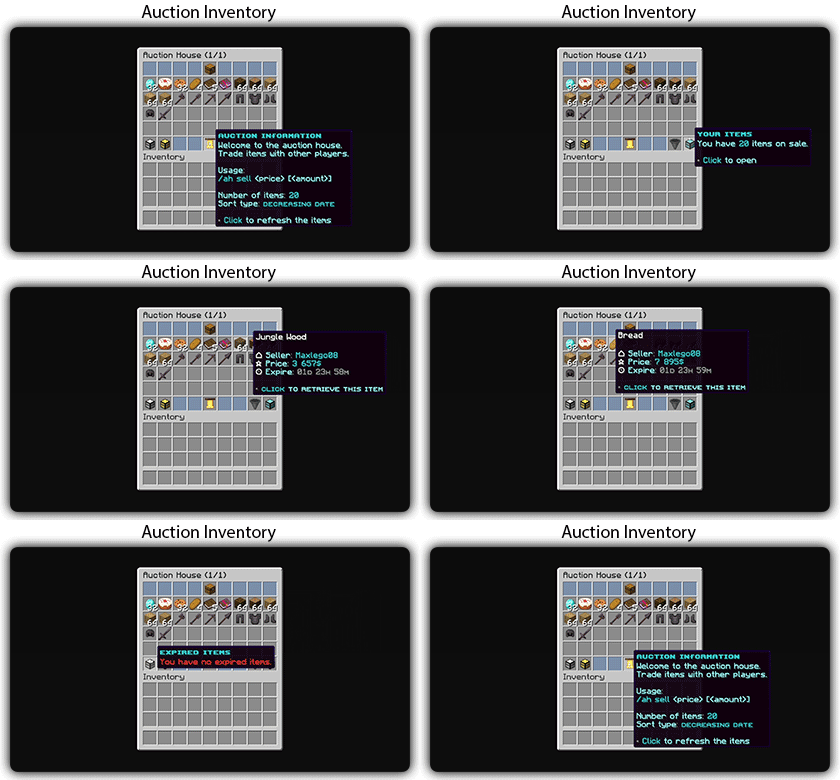
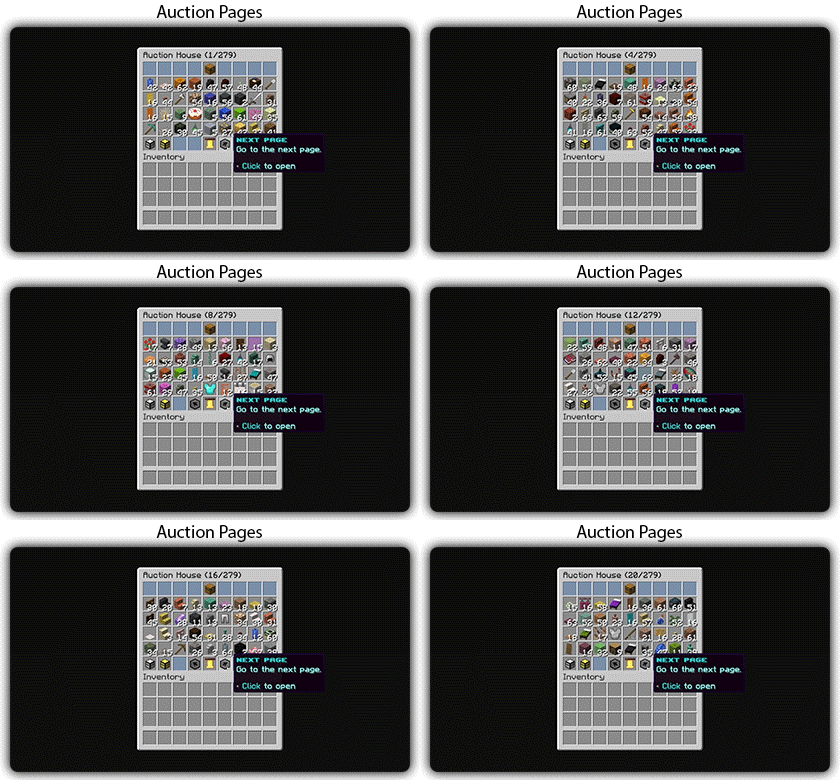
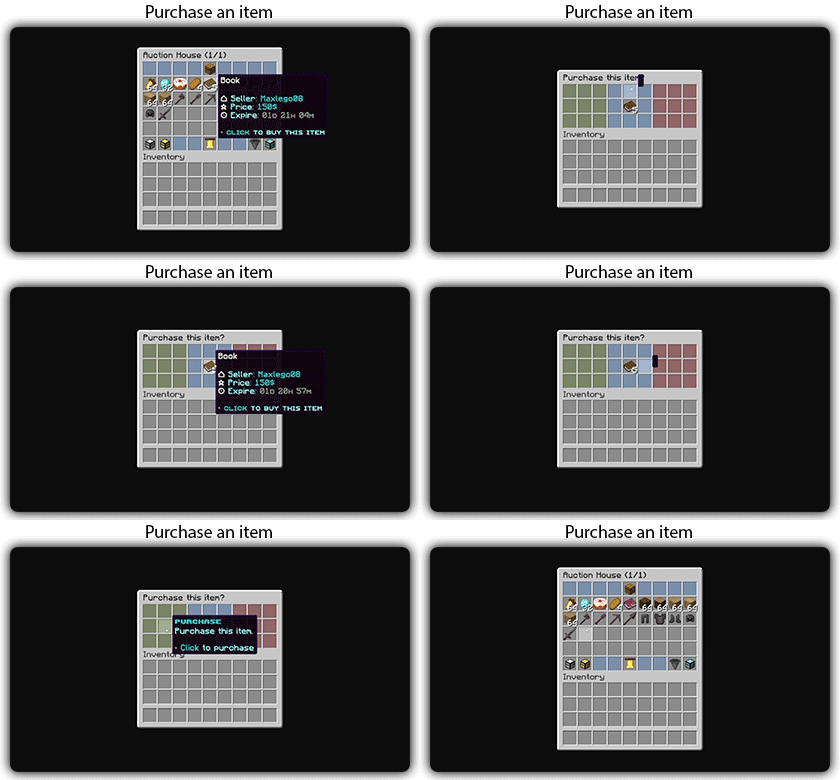
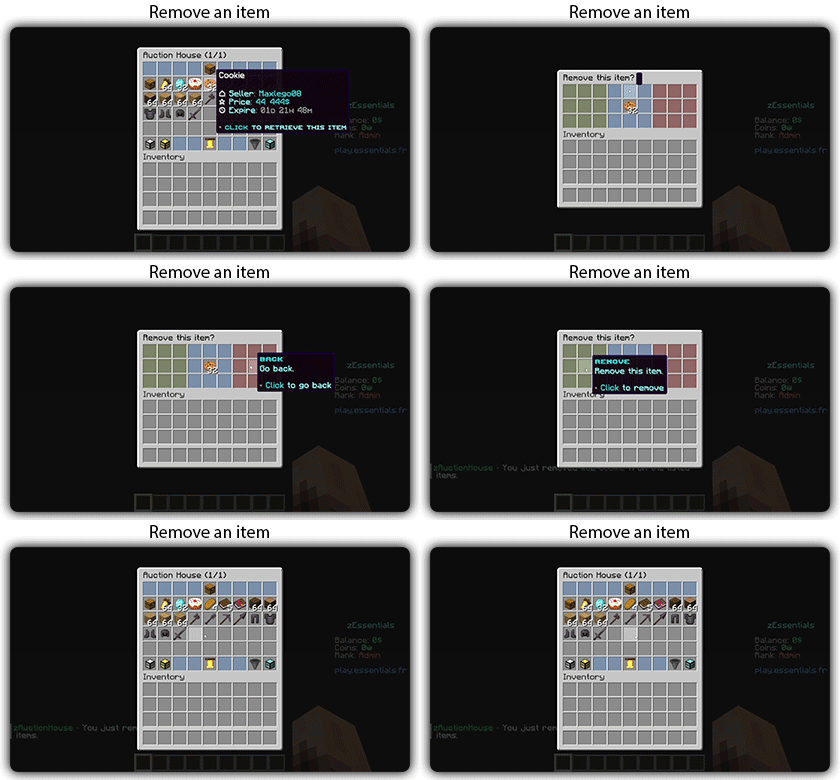
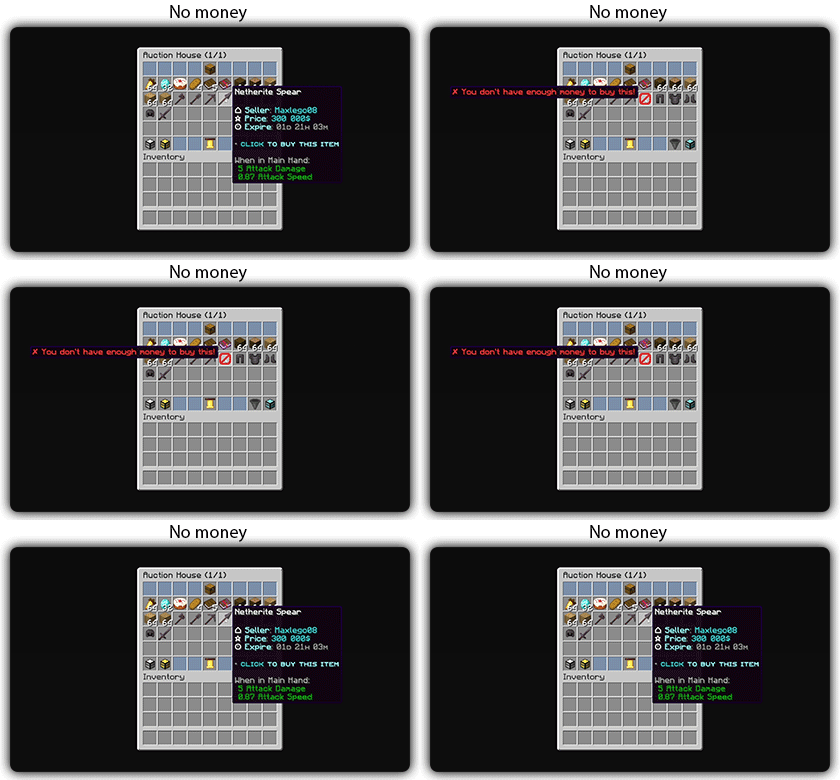
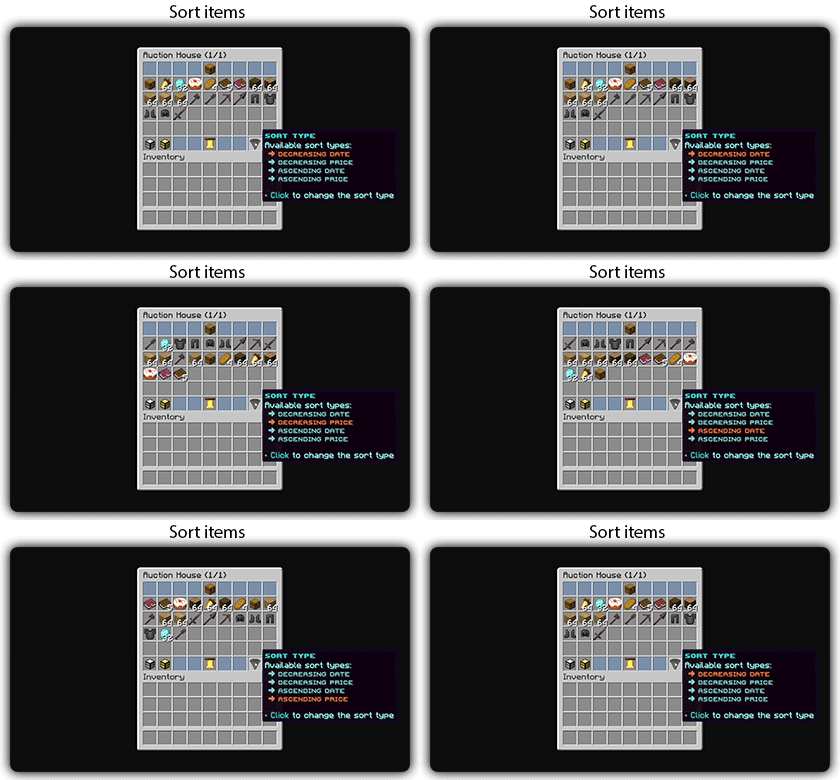
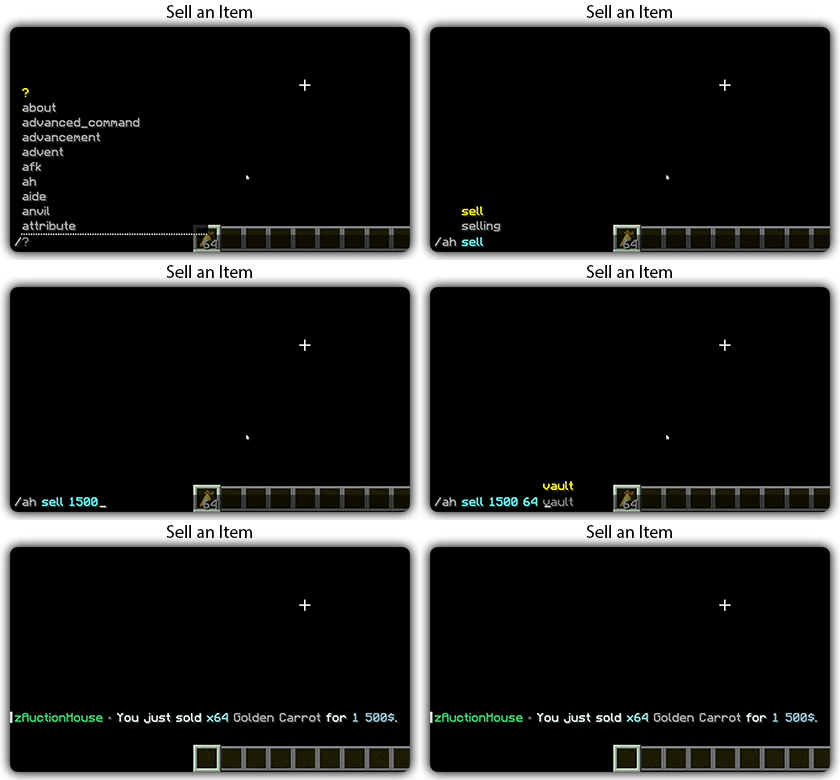
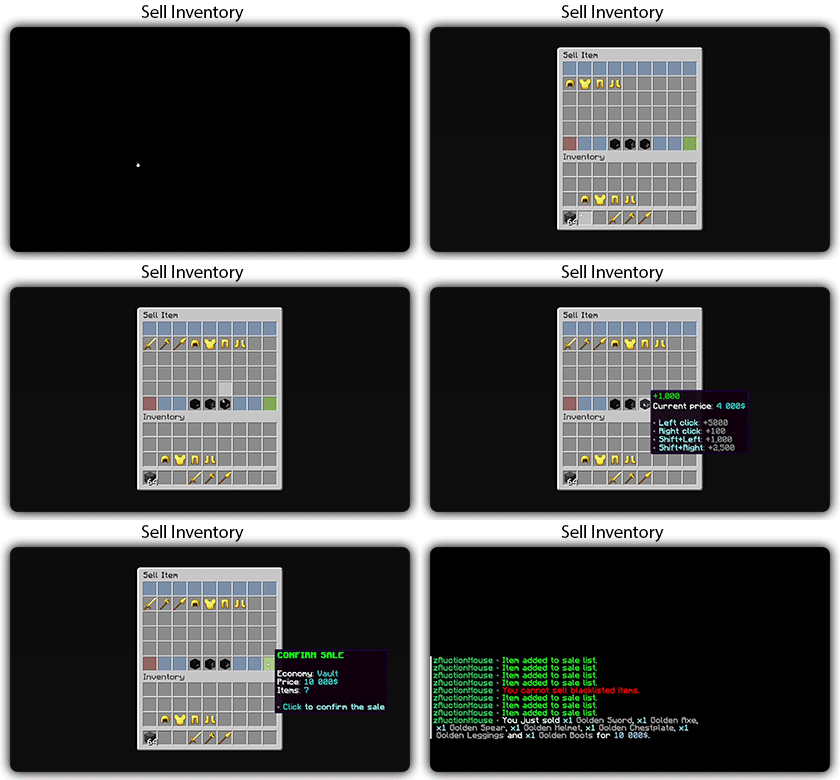
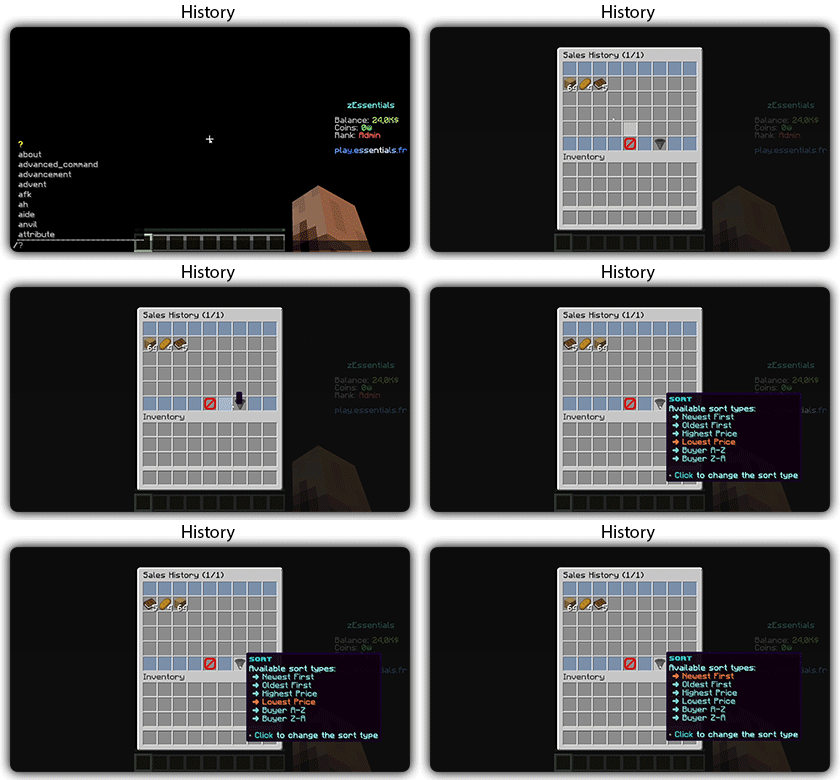
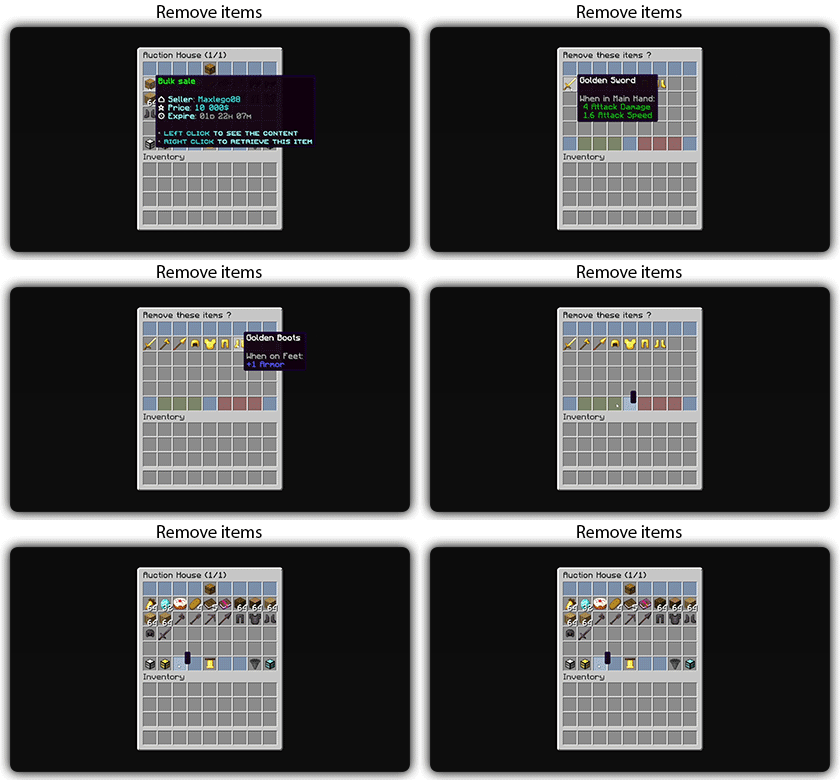
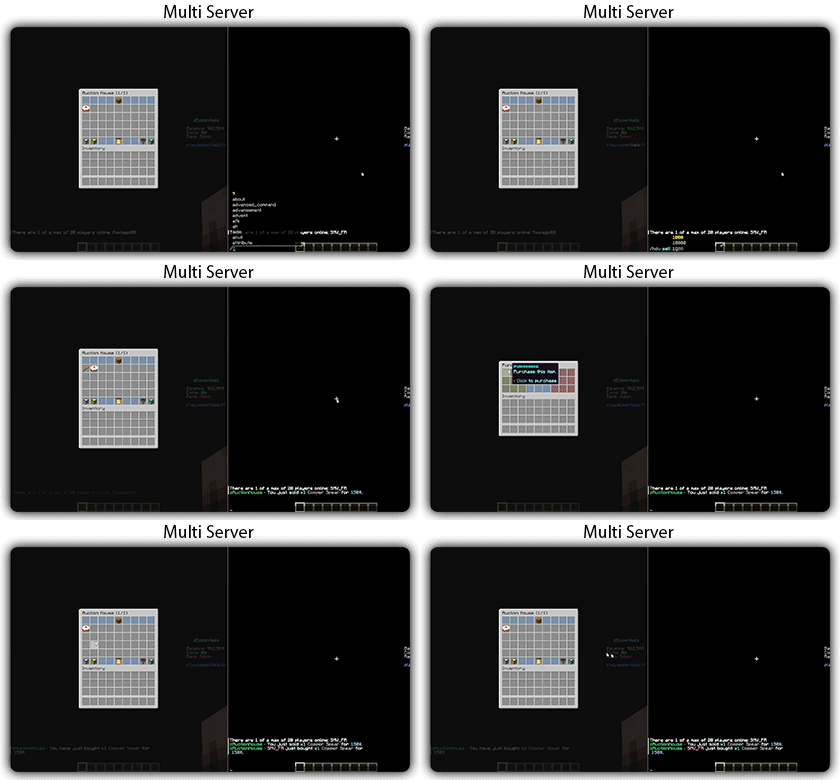
Text version
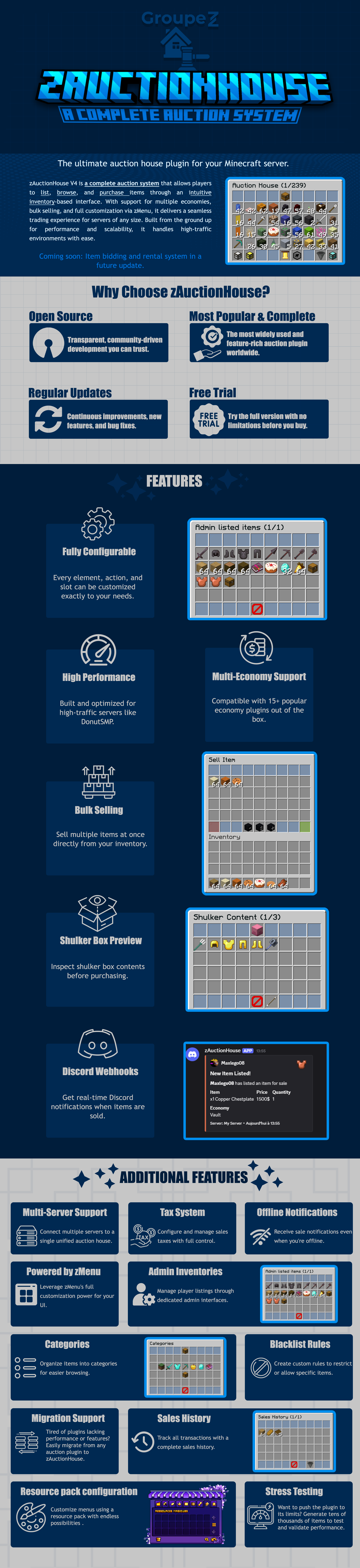
zAuctionHouse V4 is a complete auction system that allows players to list, browse, and purchase items through an intuitive inventory-based interface. With support for multiple economies, bulk selling, and full customization via zMenu, it delivers a seamless trading experience for every server type. Built from the ground up for performance and scalability, it handles high-traffic environments with ease.
# Why Choose zAuctionHouse?
## Open Source
Transparent, community-driven development you can trust.
## Most Popular & Complete
The most widely used and feature-rich auction plugin worldwide.
## Regular Updates
Continuous improvements, new features, and bug fixes.
## Free Trial
Try the full version with no limitations before you buy.
# Additional Features
## Multi-Server Support
Connect multiple servers to a single unified auction house.
## Tax System
Configure and manage sales taxes with full control.
## Offline Notifications
Receive seller notifications when you’re offline.
## Powered by zMenu
Leverage **zMenu’s full customization power** for your UI.
## Admin Inventories
Manage player listings through dedicated admin interfaces.
## Categories
Organize items into categories for easier browsing.
## Blacklist Rules
Create custom rules to restrict or allow specific items.
## Migration Support
Tired of plugin locking or performance issues?
Easily migrate from any auction plugin to zAuctionHouse.
## Sales History
Track all transactions with a complete sales history.
## Resource Pack Configuration
Customize menus using a resource pack with endless possibilities.
## Stress Testing
Want to push the plugin to its limits?
Generate tens of thousands of items to test and validate performance.
# **Features**
– **## Selling & Buying**
– **Instant buy listings** List items for a fixed price
– **Bulk selling** Sell multiple items at once
– **Purchase confirmation** Confirm before buying
– **Sell confirmation** Confirm before listing
– **Price limits** Set min/max prices per item or globally
– **Item quantity selection** Choose how many items to sell
– **Expired items recovery** Retrieve unsold items
– **## User Interface**
– **Inventory-based UI** No commands needed
– **Shulker box preview** View contents before purchase
– **Categories** Browse items by type
– **Sorting options** Sort by price, date, name
– **Search system** Find items by name or type
– **Player listings** View your own items
– **Purchase history** Track your purchases
– **## Economy & Taxes**
– **15+ economy plugins** Vault, PlayerPoints, and more
– **Tax on sales** Configurable seller tax
– **Tax on purchases** Configurable buyer tax
– **Permission-based taxes** Different rates per group
– **## Administration**
– **Admin inventories** Manage all player listings
– **Blacklist system** Block specific items
– **Whitelist system** Allow only specific items
– **Item rules** Advanced filtering (lore, name, NBT)
– **Player limits** Max listings per player
– **Expiration system** Auto-expire old listings
– **Log system** Track all transactions
– **## Performance & Storage**
– **Async operations** Non-blocking database queries
– **SQLite support** Zero-config local storage
– **MySQL/MariaDB support** Scalable database
– **Redis support** Multi-server synchronization
– **Folia compatible** Works with Folia servers
– **Caching system** Optimized data access
– **## Customization**
– **zMenu integration** Full UI customization
– **Custom messages** Edit every message
– **Custom sounds** Configure all sounds
– **PlaceholderAPI** Use placeholders anywhere
– **Command aliases** Customize command names
– **Configurable slots** Place buttons anywhere
– **## Notifications**
– **Discord webhooks** Post sales to Discord
– **Offline notifications** Notify on next login
– **Title messages** Display on screen
– **ActionBar messages** Subtle notifications
– **Chat messages** Traditional notifications
– **## Migration & Testing**
– **Plugin migration** Convert from other plugins
– **Test data generator** Stress test with fake items
– **Debug mode** Troubleshoot issues
– **## Security**
– **Anti-dupe protection** Prevent item duplication
– **Permission system** Control access to features
– **Confirm dialogs** Prevent misclicks
– **Price validation** Block invalid prices
Zarba Respack
**Attention: This resourcepack will stop updating from April 2025 due to the encryption of the RainbowPixel**
# **Zarba Respack**
**A resoucepack based on RainbowPixel**
| Resourcepack | Latest Ver. | Minecraft Ver. | Optifine |
| :-: | :-: | :-: | :-: |
| Zarba Base | 1.2 | 1.21.3 | Required |
| Zarba GUI | 2.0 | 1.21.x | Not required |
| Zarba 3D | 1.0 | 1.21.x | Not required |
| Minecraft Ver. | Zarba Base | Zarba GUI | Zarba 3D |
| :-: | :-: | :-: | :-: |
| 1.21.x | Available | Available | Available |



**Dedicated to players who enjoy using the Rainbowpixel Resourcepack**
#
**How to import Zarba Resourcepack**
1. Open your Minecraft
2. Click `Option`
3. Click `Resource Packs`
4. Drag the Zarba Resourcepack into the window or click `Open Pack Folder` and copy the Zarba Resourcepack to that folder.
**Notes**
1. They are avalible at [Zecoar Modpack](https://modrinth.com/modpack/zecoar-modpack) [(EX)](https://modrinth.com/modpack/zecoar-modpack-ex)
2. Zarba Base require Optifine, if you are using Fabric, please install Optifabric or any mods that can instead of Optifabric.
————————————————————————————————————————————————————

**注意:该材质包从2025年4月起停止更新,原因是彩虹像素被加密**
# **Zarba 材质包**
**一款基于 彩虹像素 的材质包**
| 材质包 | 最新版本 | 我的世界版本 | Optifine |
| :-: | :-: | :-: | :-: |
| Zarba Base | 1.2 | 1.21.3 | 需要 |
| Zarba GUI | 2.0 | 1.21.x | 不需要 |
| Zarba 3D | 1.0 | 1.21.x | 不需要 |
| Minecraft Ver. | Zarba Base | Zarba GUI | Zarba 3D |
| :-: | :-: | :-: | :-: |
| 1.21.x | 可用 | 可用 | 可用 |



#
**怎么导入 Zarba 材质包**
1. 打开您的我的世界
2. 单击`选项`
3. 单击`资源包`
4. 将 Zarba 材质包拖入窗口或者单击`打开包文件夹`并将 Zarba 材质包复制到该文件夹
**备注**
1. 他们已在 [Zecoar Modpack](https://modrinth.com/modpack/zecoar-modpack) [(EX)](https://modrinth.com/modpack/zecoar-modpack-ex) 中可用
2. Zarba Base需要Optifine, 如果您正在使用Fabric请安装Optifabric或者其他可以替代Optifabric的模组
Zapped
**zapped has been achived because I am not happy with its current quality.
zapped will get a full rework when the time is right**
Zapped is a Data-pack that turns lightning rods from a useless block to a way to transport zaps so you can power machines and productivity armour.
1.2 update released
-music disc (creator disc combined with a zap)
-config (/function zapped:config/config)
-armour texture (enable in config)
**Requires a Resource-pack to see tools (copper tools appear gold) or to see the armour texture**
**( armour texture disabled by default in config)**
Copper Lines
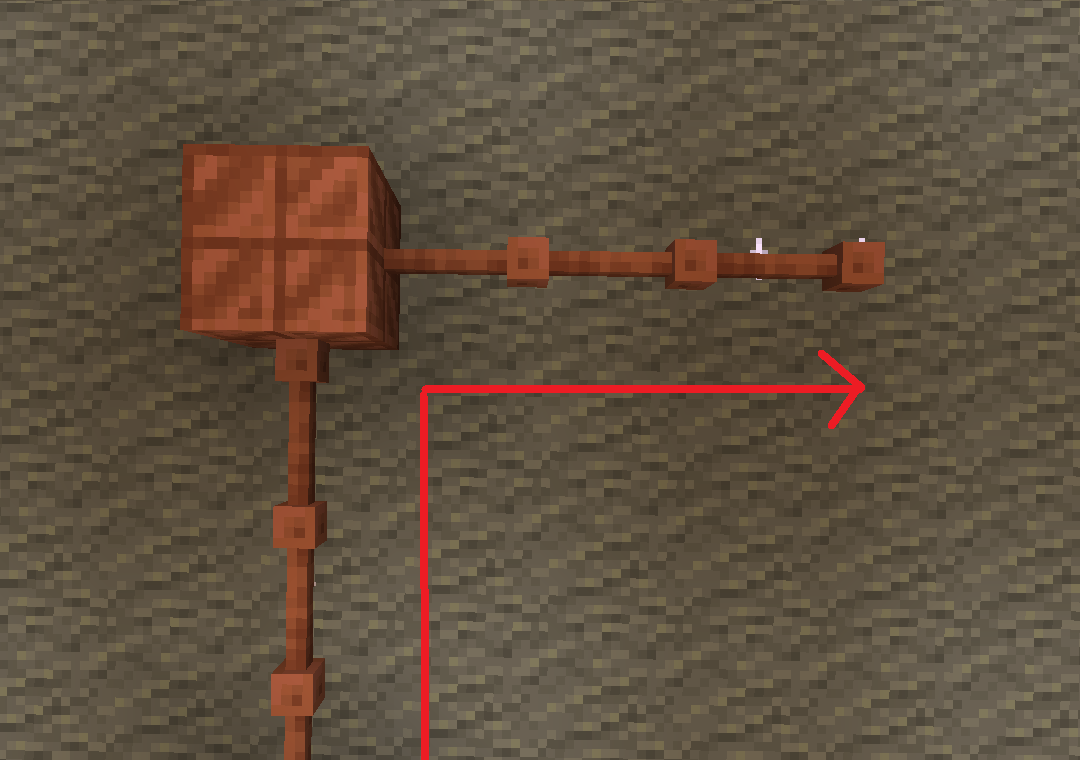
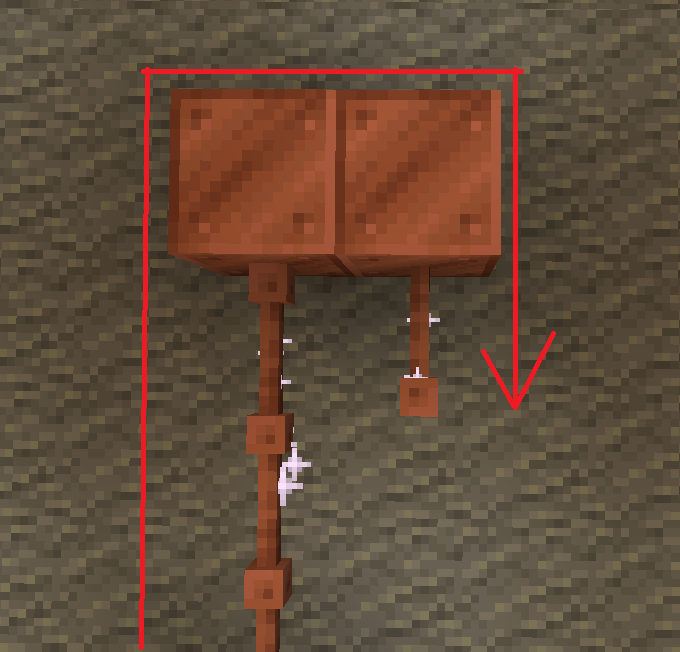
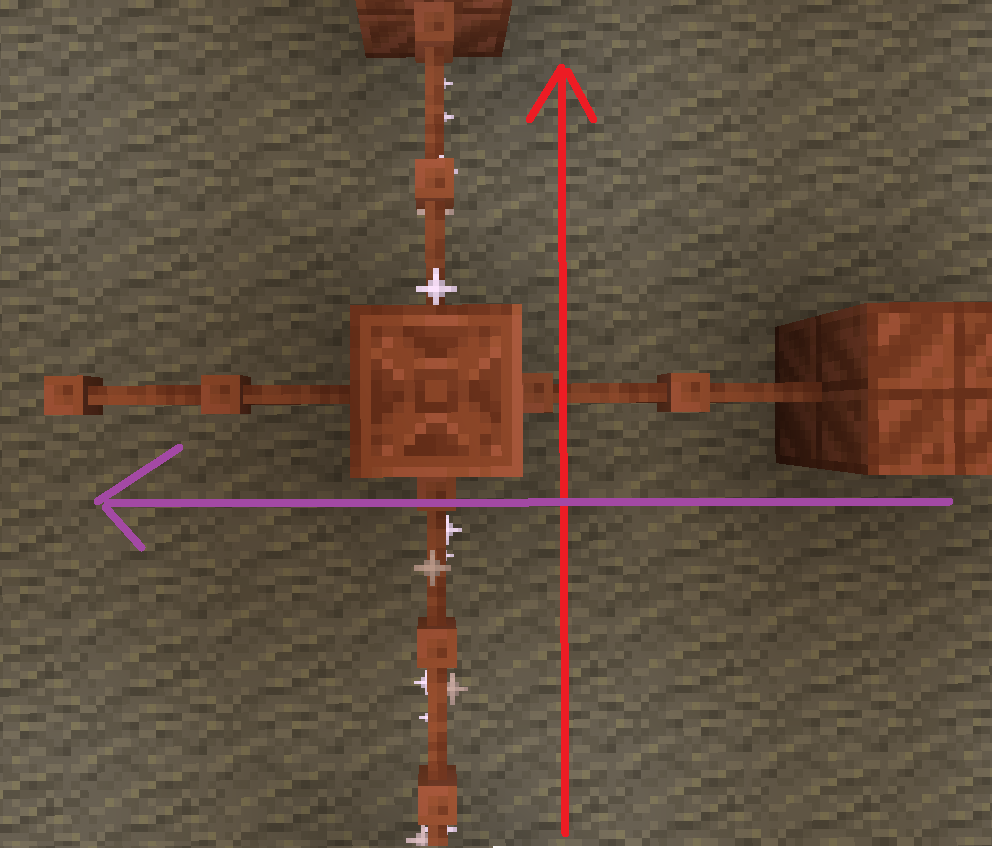
batteries store up to 32. though rusted batteries turn 32 into 16

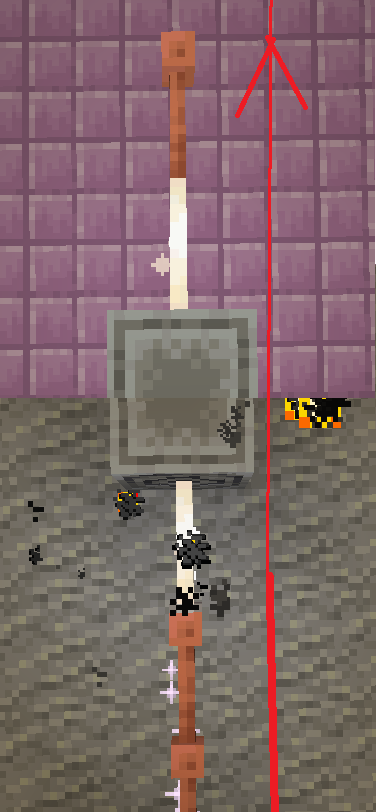
Don’t use copper blocks like that. Also, there is a chance it stays within the blocks and expires.

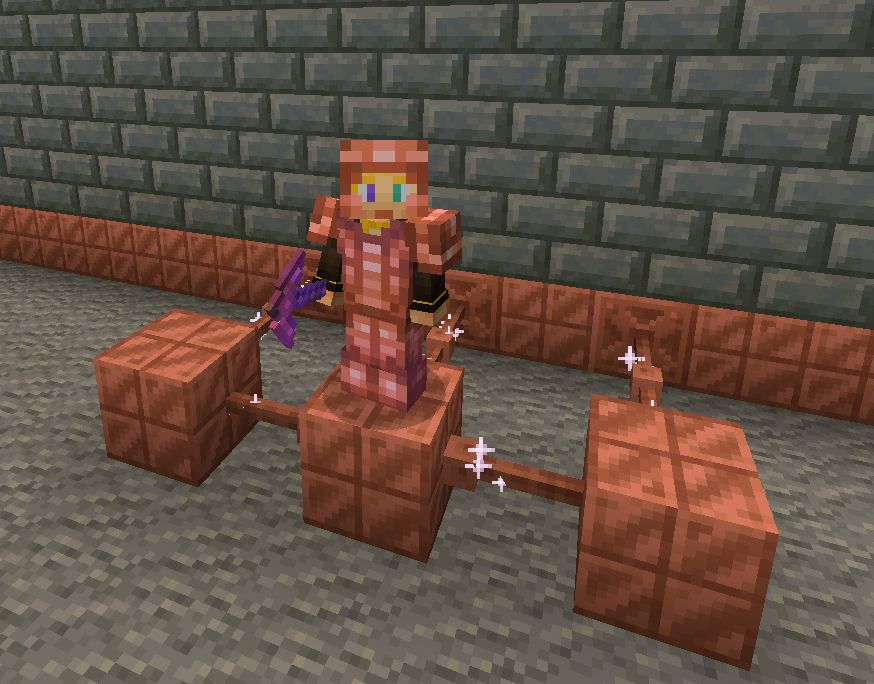
The most common thing to power is the productivity armour/tools or copper armour/tools.
The armour and tools are weak and easily destroyed. The armour gives less protection than iron and tools are slightly better than stone.
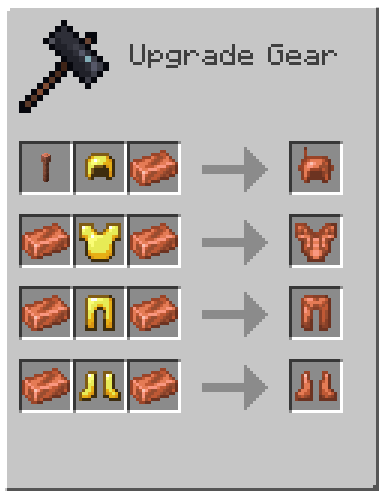
armor recipe
Because of copper’s malleability, it requires a structure.
The copper armour must be conductive, making golden armour a perfect cadet because it is also conductive.
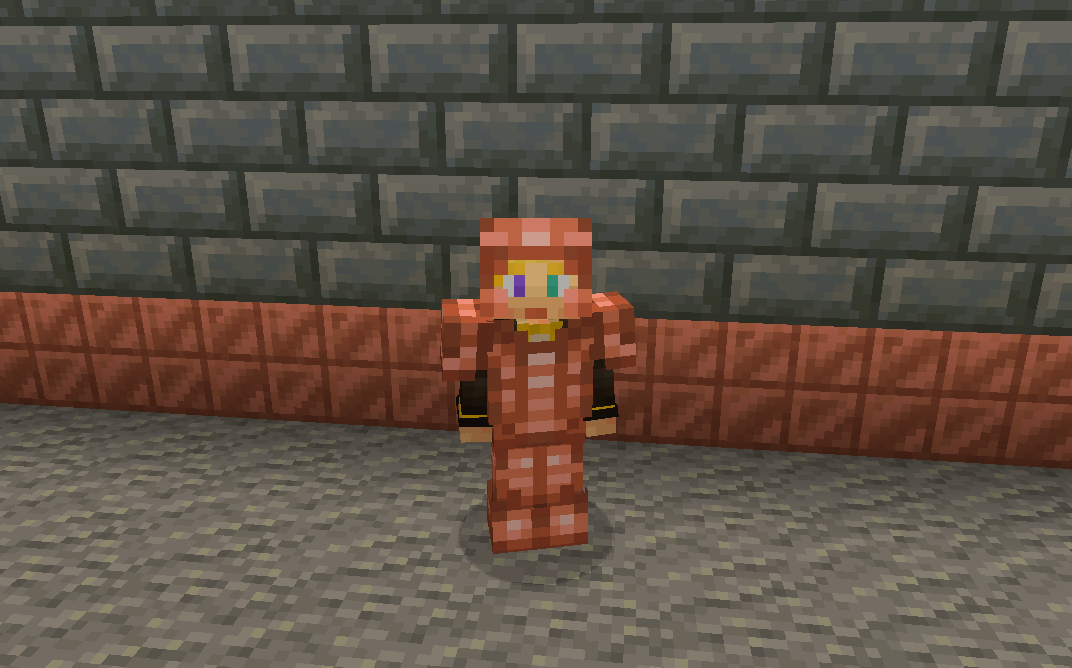
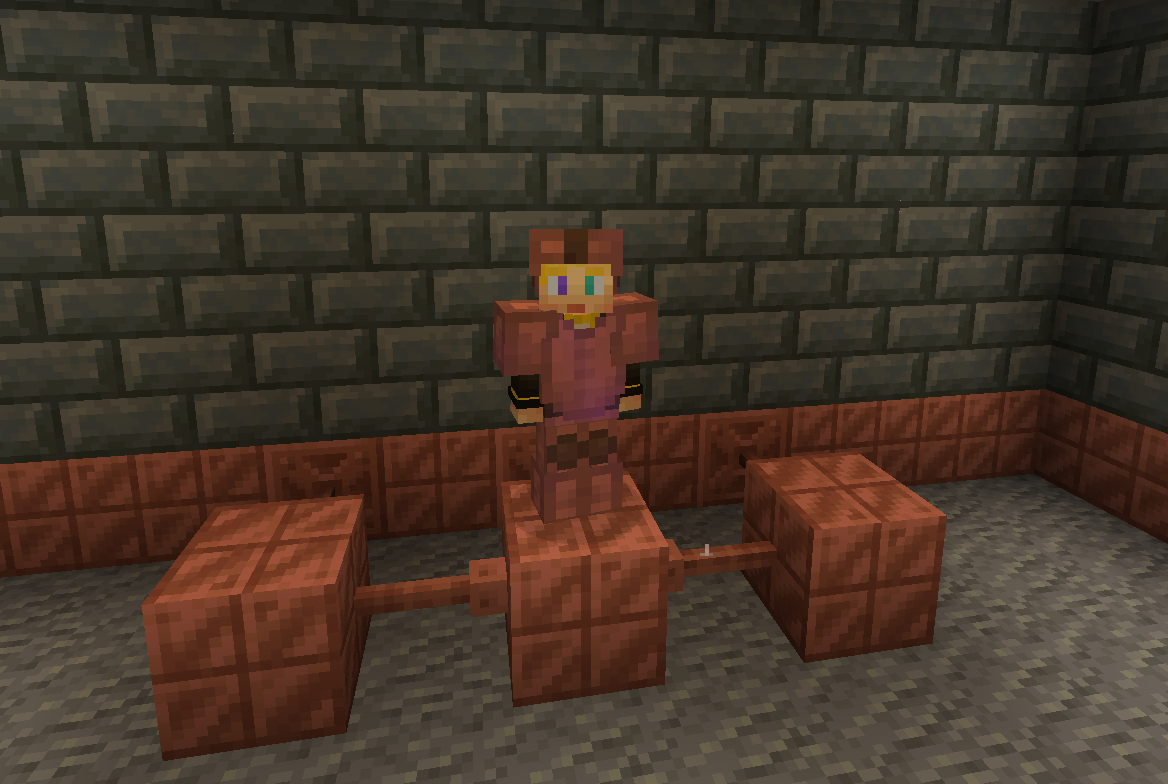
without resoursepack
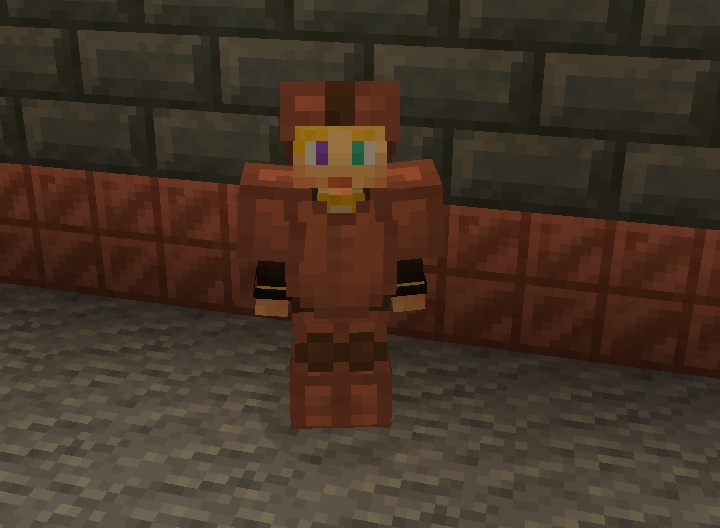
But don’t let the tools fool you these are powerful assets.
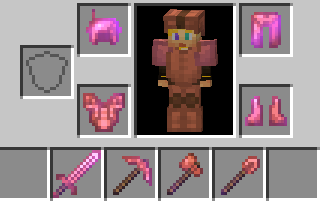
With the power of zaps, you can charge the armour to be better than they once were.
Armour at max charge now gives as much protection as a diamond. They also give you a faster and extended grip (R.I.P-Crab). The boots also decrease fall damage.
without resoursepack
The charged tools rivel netherite making them faster and sharper.
The sword is slower to swing but has a better sweeping edge and damage.
The axe is fast
The pickaxe is fast
The shovel.. is also fast.
And the hoe doesn’t exist 🙁 …
Spoiler
YET
You can also charge copper bulbs to have a better range.
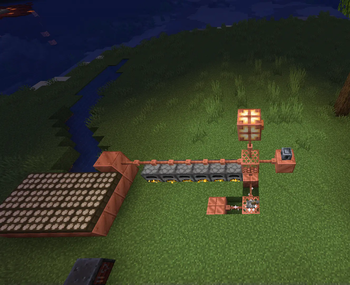
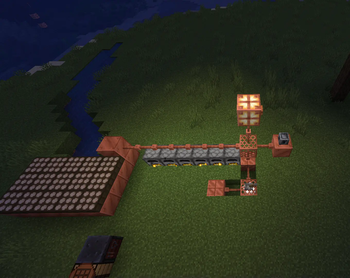
Tired of charging your armour?
With the use of the heavy core, you can change your armour wirelessly!
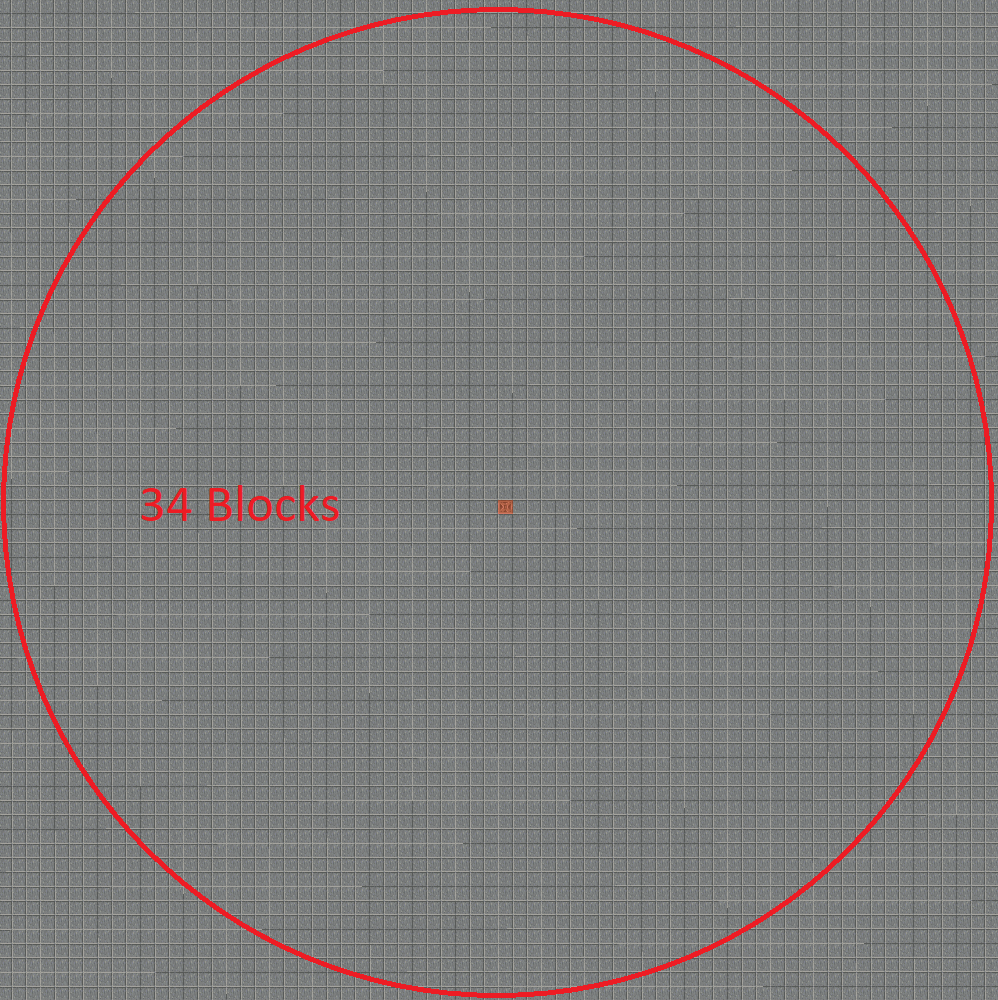
However due to the zaps exposure to the air it requires 40 zaps for one charge.
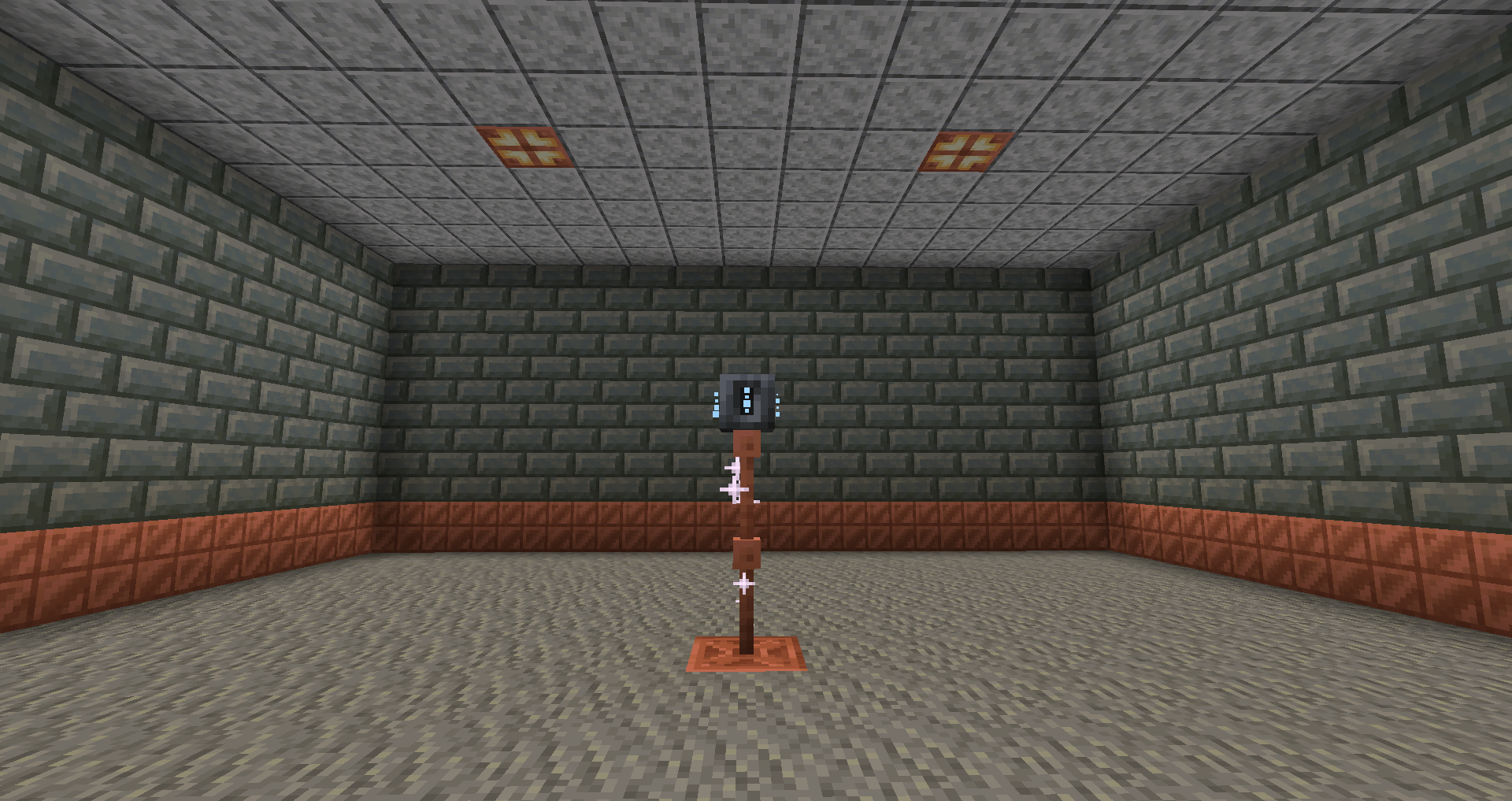
Heavy core distance
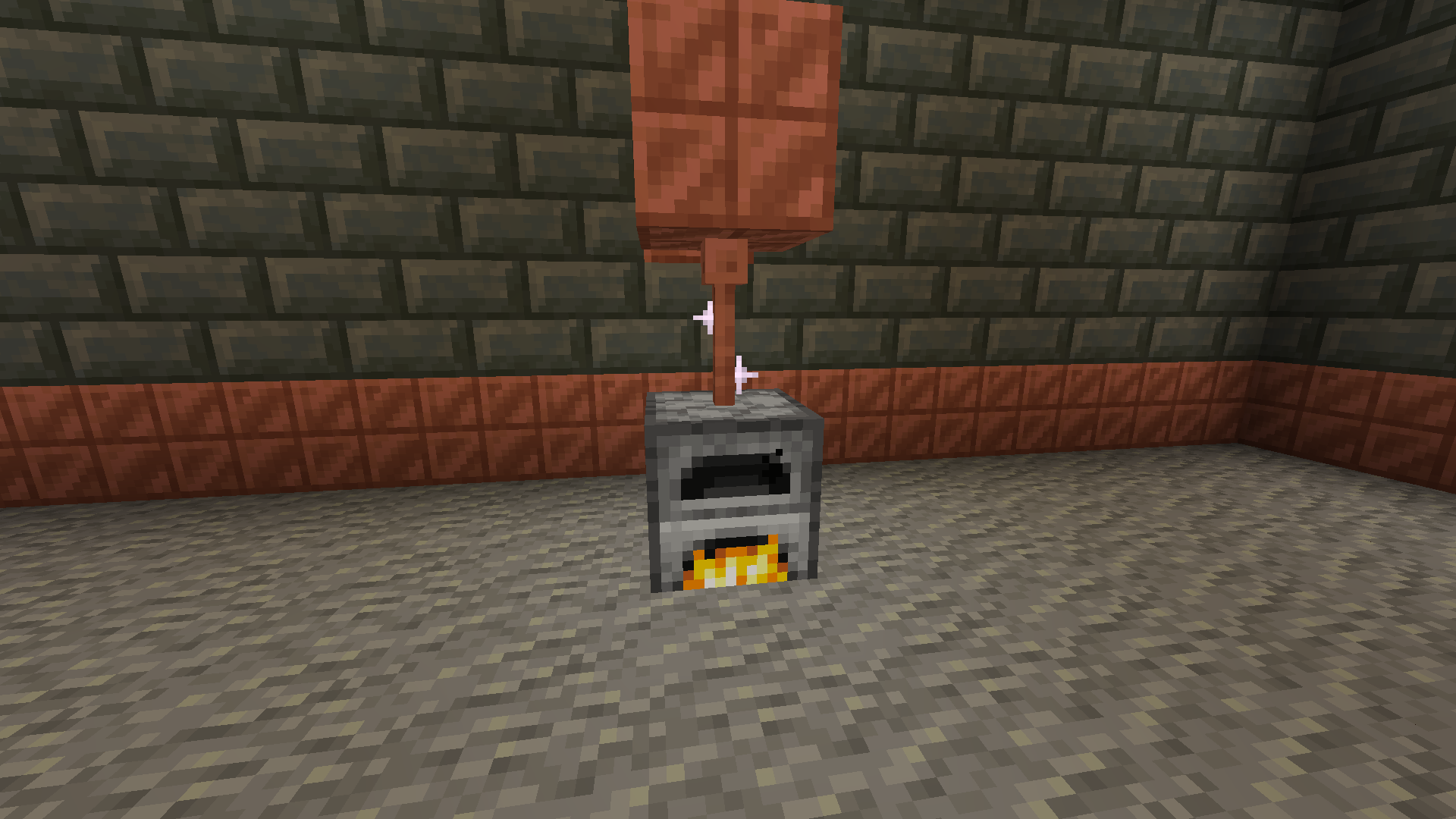
Now for the good part, how do you generate zaps?
There are a few ways to do it with the easiest being furnaces.
The furnaces must be constantly lit.
Then there are daylight sensors that generate power over time slowly but surely.
If combined with copper blocks to minimise space.
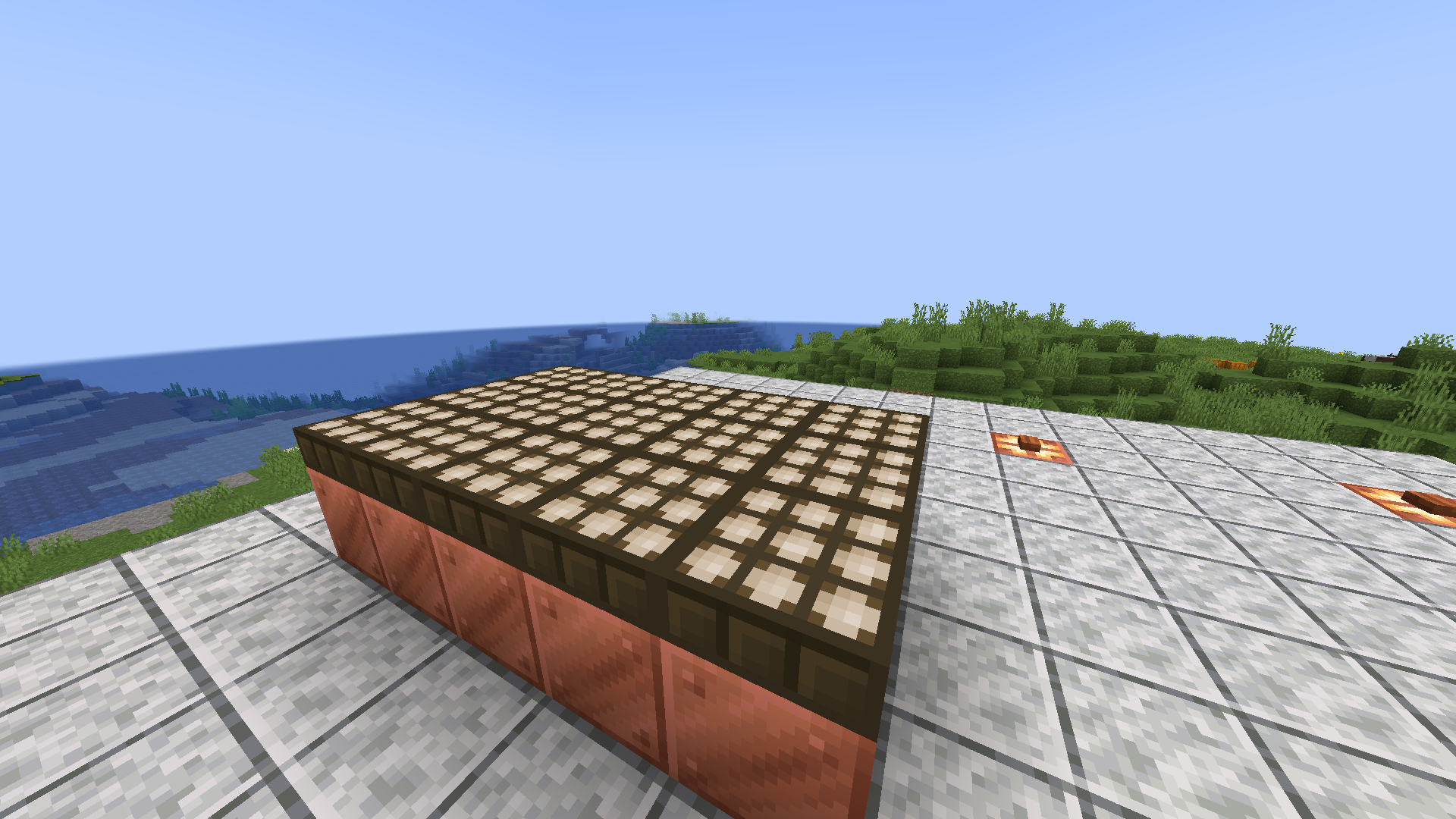
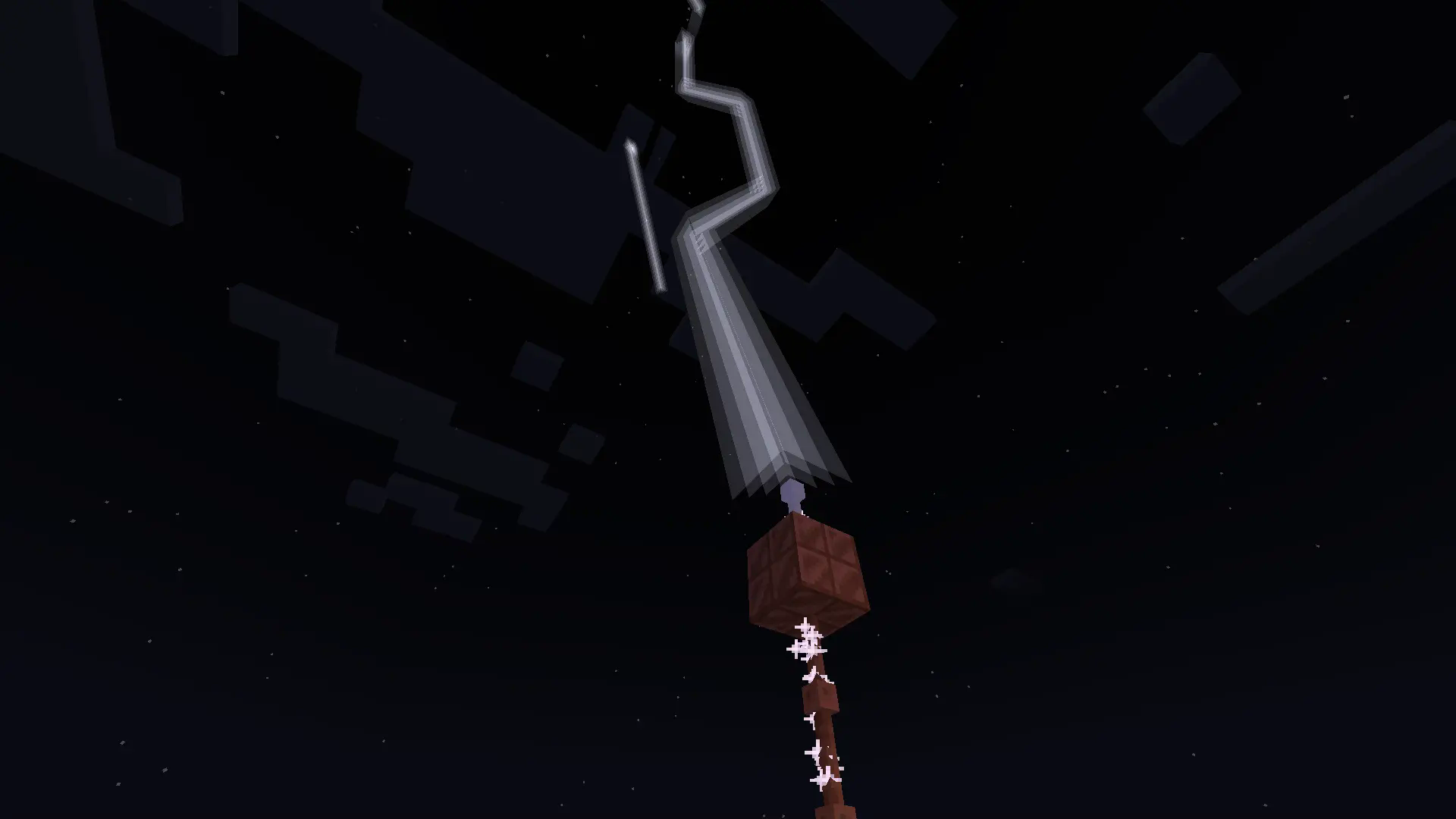
Or you can go the old-fashioned way and use lightning rods for their intended purpose.
Produces high power when struck necessary for all buildings.
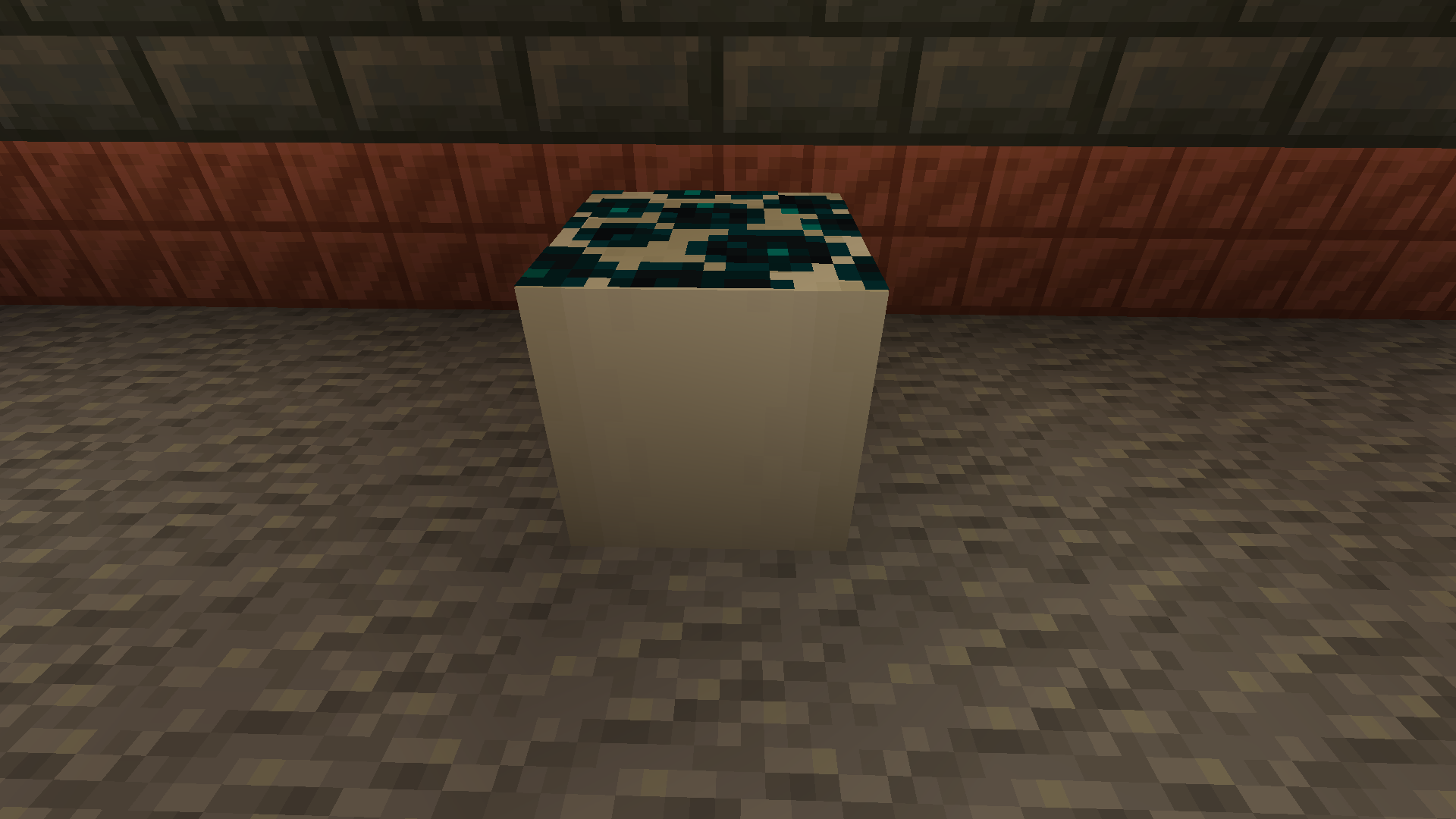
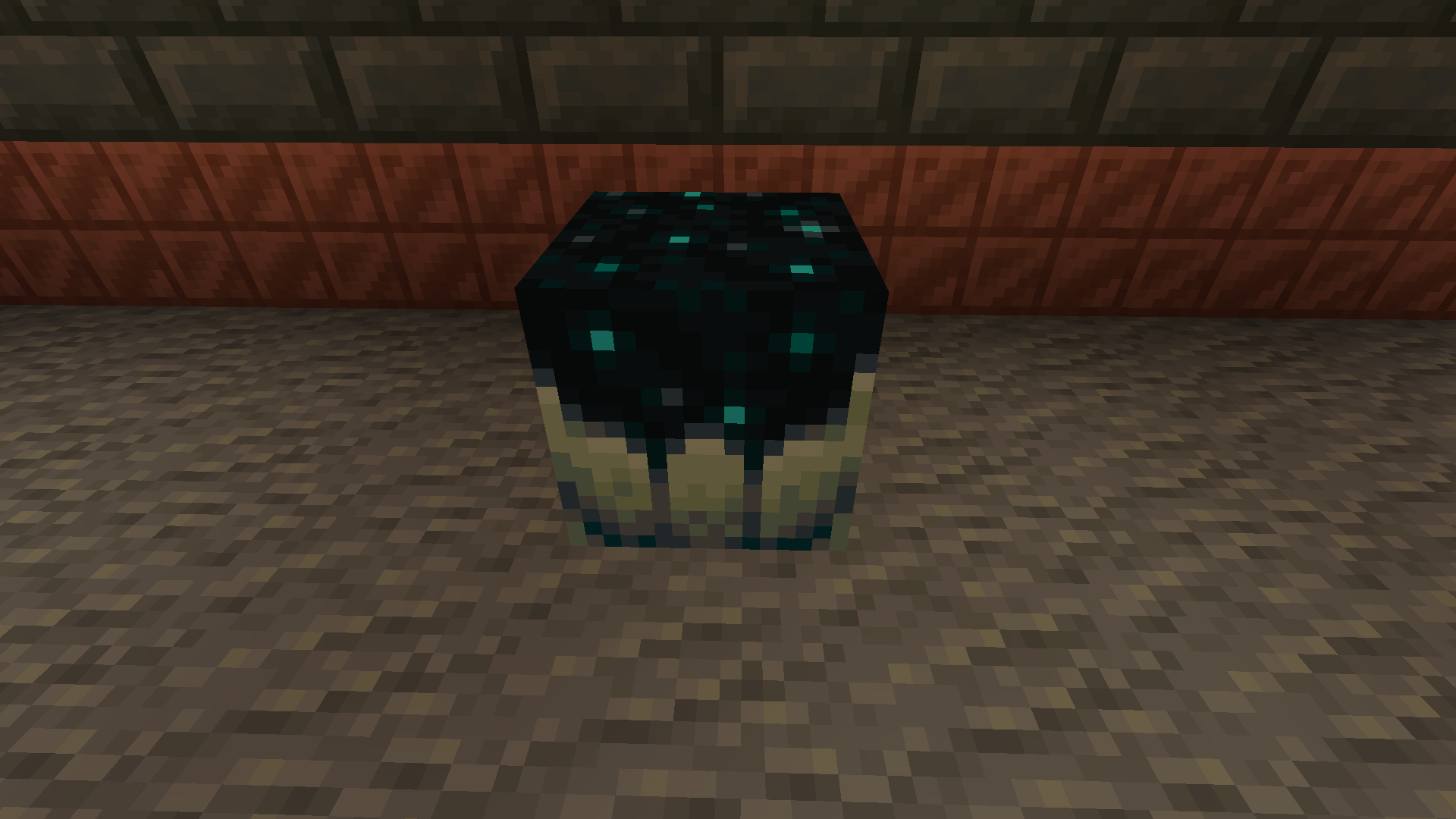
With more infrastructure, you can turn a mob farm into an energy source.
Which is made possible with the catalyst
Recipe
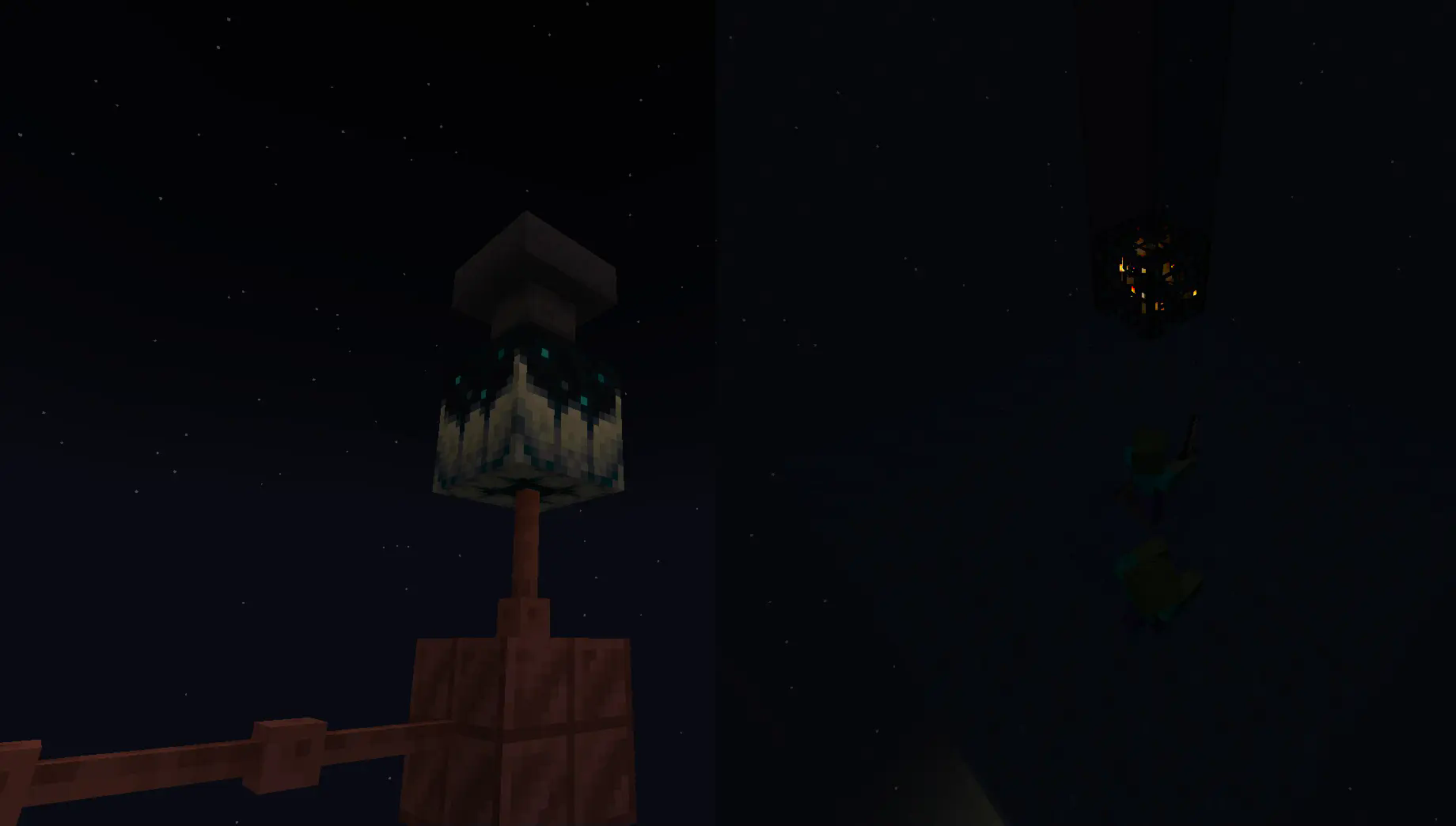
Going into the late game there is the gateway.
To make a gateway you need to align 2 lodestones together at the same cords in both the end and overworld. It also doubles up as a chunk loader.
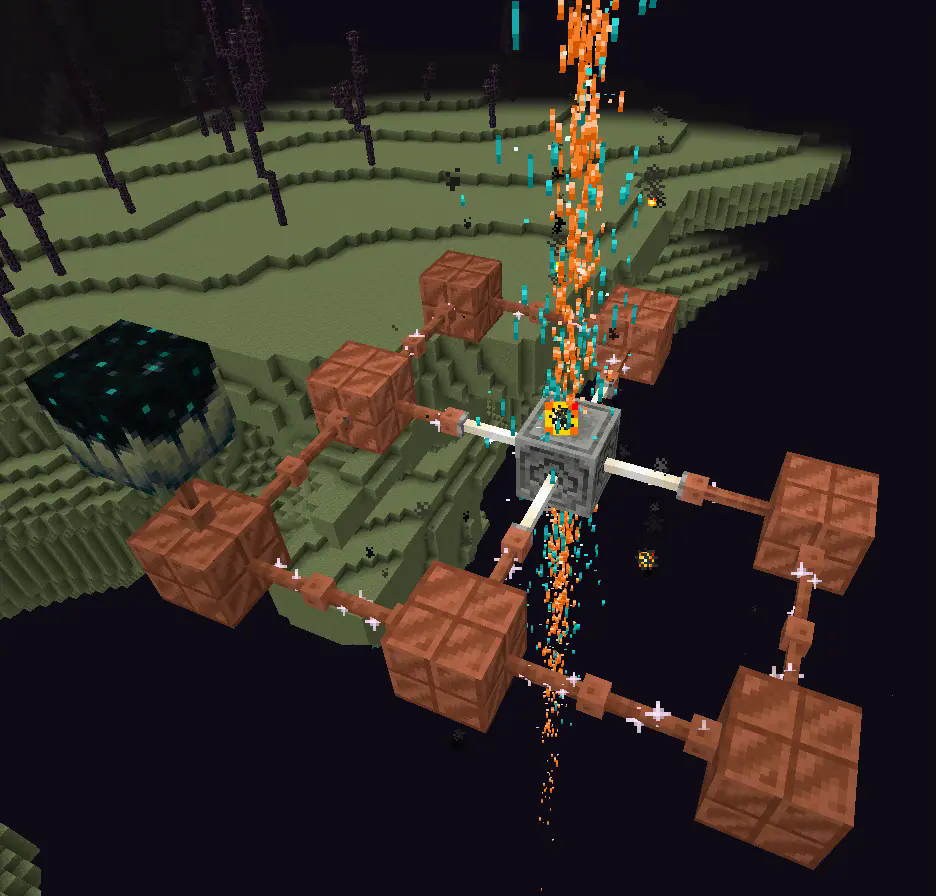
If you want to avoid touching grass for a few days, you can make a netherite block and magnetize it.
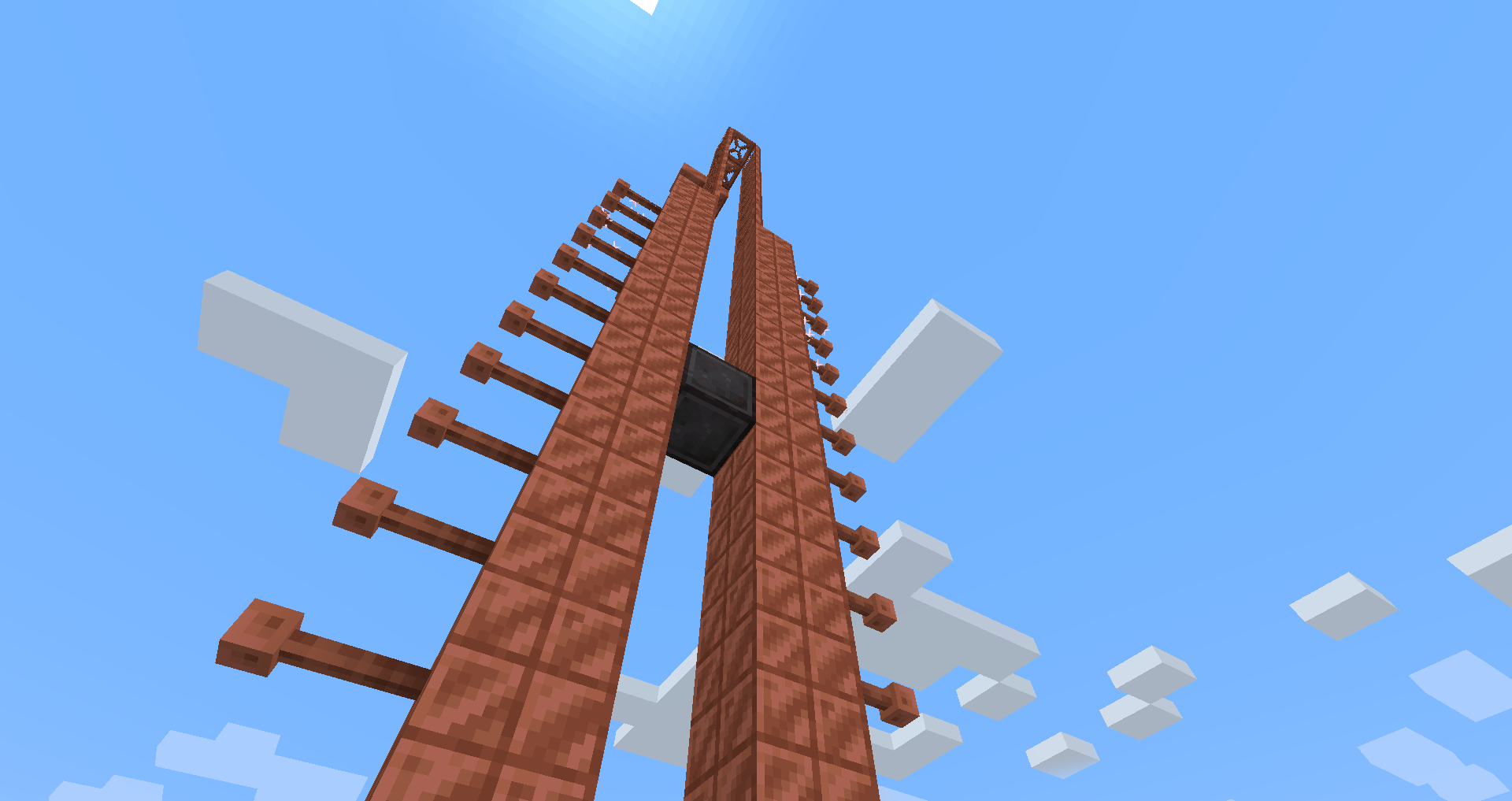
credit goes to T_en_M for the Stolen music disc
(disc available 1.2+)
T_en_M’s discord:[https://discord.com/invite/pZAtE8a2q3](https://discord.com/invite/pZAtE8a2q3)
Inspired by SimplySarcs Copper video
And
AuraAcorns Copper Wiring
[https://modrinth.com/datapack/copper-wiring](https://modrinth.com/datapack/copper-wiring)
Future Updates?
**Soon:**
-better redstone support(maybe)
-more machines
**Later:**
-I would love to add the Copper Golem
-A use for the conduit (I think it will allow the productivity armour to go underwater)
-~~amethest?~~ (different project)
-some sort of transport, maybe with the beacon
-lightning weapon, a sister weapon to the mace perhaps
-better visuals
Whats not to come
1.20.6 and lower (probably)
The meaning of life
Known bugs
-on 1.21-1.21.3 versions leather armour texture can apair white
PLS LOVE YOURSELF AND MAKE BACKUPS.
I will not be held accountable for my bad code.
And that’s it.
If you want to submit an issue or want to request a feature or just want to roast the data pack, the link is here:
[https://github.com/Wangle17/Zapped-Datapack/issues](https://github.com/Wangle17/Zapped-Datapack/issues)
Zaphkiel-Plus
## Introduction
Zaphkiel is a powerful custom item system for Minecraft servers, providing a complete solution for item creation, management, and interaction.
Through simple YAML configuration files, you can create custom items with complex behaviors, including dynamic display, event response, and data persistence.
### Core Features
– 🎯 **Simple Configuration** – Define items using YAML files
– 🔄 **Dynamic Display** – Item names and descriptions can be updated in real time based on data
– ⚡ **Event-Driven** – Supports multiple interaction events such as right-click, left-click, and attack
– 💾 **Data Persistence** – A complete NBT data management and serialization system
– 🔧 **Highly Extensible** – Rich API interfaces to support plugin integration
– 🌍 **Multi-Language Support** – Automatically detects the player’s client language and provides localized item experiences
## Compatibility
The latest version has been successfully tested in the `Leaf 1.21.4` and `Leaf 1.21.8` environments.
If you encounter compatibility issues, please feel free to submit feedback in [GitHub Issues](https://github.com/iiabc/Zaphkiel-Plus/issues).
| Core | Version |
|—————————————————|————-|
| [Paper](https://papermc.io/) | 1.9 – 1.21.8 |
| [Purpur](https://purpurmc.org/) | 1.9 – 1.21.8 |
| [Leaf](https://github.com/Winds-Studio/Leaf) | 1.9 – 1.21.8 |
zAntiAutoClick
[](https://minestrator.com/a/GROUPEZ)
**Attention, this is a free version of zAntiAutoClick, you can use it but you must buy the paid version to get help!**

**zAntiAutoClick** is a plugin designed to analyze players’ click sessions on entities. At the end of each session, the plugin automatically determines whether the player’s behavior appears valid or suspicious.
Its main purpose is to provide detailed insights into player activity, helping you detect potential use of auto-clicking tools.
**Note**: zAntiAutoClick does not apply any automatic punishments. It is up to you to review the data and take appropriate action if cheating is detected.
# Requirements:
– [zMenu](https://modrinth.com/plugin/zmenu)
– [PacketEvent](https://modrinth.com/plugin/packetevents)
# Features
– Detect automatic clicking (autoclickers) when players attack entities
– Send a Discord webhook to notify your team of session results
– Notify your team in-game with session result messages
– Fully configurable analysis methods
– Inventory GUI to view all player sessions
– Inventory GUI to review sessions flagged for cheating
– Supports both SQLite and MySQL for data storage
# How does it work?
The plugin listens to attack packets sent by players when they hit an entity and records the time difference between each click. These clicks are grouped into what we call a session. A session represents all the time intervals between clicks over a certain period. For a session to be valid, it must contain a minimum number of clicks and last a minimum duration — both of which can be configured.
Once the session ends, the plugin analyzes it by checking various key indicators to determine whether the behavior is human or likely automated. It then calculates a suspicion percentage: if it exceeds 60%, the player is flagged as suspicious.
You can then review your players’ sessions and take action against cheaters.
One of the most effective indicators is the standard deviation of the click intervals. The lower it is, the more consistent the clicking pattern — a common sign of an autoclicker. If the standard deviation is below 20, the player is very likely cheating.