Wingman from TF&AL
This resource pack replaces crossbow with Wingman from games Titanfall, Titanfall 2, Apex Legends.
You can change emblem (creeper by default). Just create “emblem.png” and made your own emblem [way: “assetsminecrafttextureswindman”].
Display shows what loaded in the weapon (arrow/firework/nothing).
In inventory/HUD you can see load or empty your weapon. If it “watching up” – empty.
No Optifine needed.
Made with Blockbench.
Windows Sky Overlay
A fabricskybox sky overlay of the Microsoft Windows logo. A black sky all around and a white version of the Windows logo front and center.
**This resource pack requires the mod FabricSkyBoxes. Without it, you will be unable to see it.**

Windows Pack
# Windows Pack
My Minecraft texture pack is designed around the unique constraint of using a 16-color Windows palette. While the result may not always be the most visually refined, the challenge of working within this limited palette allows for a distinct, retro aesthetic. Each texture in the game from blocks to items has been meticulously created using only these 16 colors:
### Palette 16x Windows :
– #000000 (Black)
– #7e7e7e (Dark Gray)
– #bebebe (Light Gray)
– #ffffff (White)
– #7e0000 (Dark Red)
– #fe0000 (Bright Red)
– #047e00 (Dark Green)
– #06ff04 (Bright Green)
– #7e7e00 (Dark Yellow)
– #ffff04 (Bright Yellow)
– #00007e (Dark Blue)
– #0000ff (Bright Blue)
– #7e007e (Dark Magenta)
– #fe00ff (Bright Magenta)
– #047e7e (Dark Cyan)
– #06ffff (Bright Cyan)
This limitation creates a pixel-art style that feels nostalgic and challenging, appealing to those who appreciate creative boundaries in game design.
Wilo’s 1.7 Sword Blocking
Recently there has been a lot of datapacks & plugins that have implemented/brought back pre-1.9 sword blocking mechanics! Although, by default, the game uses a model similar to 1.8’s when blocking with the sword!
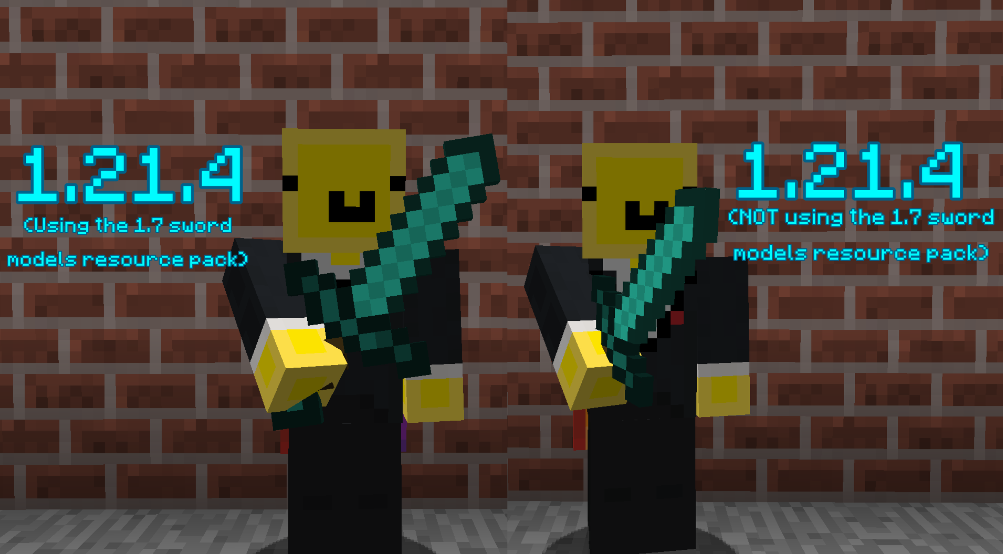
This resource pack makes the sword blocking model much closer and more faithful to the model/positioning from versions 1.7 and prior!
## ⭐ NOTE
This resource pack assumes that the datapack or plugin you are using for sword-blocking uses {animation:”block”} as most do! Another version of this resource pack will likely be uploaded in the future to support sword-blocking without {animation:”block”}
##
## ⚔️ Side-by-side comparison
##
## ❤️ Socials
* Youtube channel: [[YT Link]]([https://www.youtube.com/@wilozyx/videos](https://www.youtube.com/@wilozyx/videos))
* PMC page: [[PMC Link]]([https://www.planetminecraft.com/member/wilozyx/](https://www.planetminecraft.com/member/wilozyx/))
* Discord: wilozyxx
Wild’s GUI
Used by me, Wild, personally for a dark unique aesthetic with green boarders and buttons. And in some cases red buttons depending on the context. Designed to be more morden and symetrical keeping to the minecraft feel.
See the gallery for some previews
### Mod Support
currently none
### CIT/Optifine additions
currently none
### Planned Mod Support
I may also do requests too
– JEI, REI
– Simple Voice Chat
– Mod menu, cloth config
– Inventory Profiles, Sophisticated, Bundle Inventory
– Curios API, Trinkets
### Planned CIT/Optifine additons
– Shulker Boxes
– Chest Types
# NEWS: Major Update coming
Slight Colour changes happening for the theme and better consistency
Loads of mods to be supported: currently finished textures for Inventory Profiles Next, Curios API, Inventory Manegment, Better Advancements
Optine and etc: still debating whether it should be this upcoming update or another. I may leave it for the next so there’s time for reports on the state of the mod textures. And to give time for extra ideas/requests.
Stay tuned for the release
# Contact and other info
Any problems, suggestions, questions or requests head over to my discord.
[Discord over here](https://discord.gg/NAd2jxWCDz)
You will be a temporary member unless you give the thumbs up.
Wildflowers GUI
_Hello there !_
I’m back to introduce my new GUI. It is based on the latest snapshot (25w02a) that includes wildflowers and other cool stuff.
I made a light blue GUI with some yellow little wildflowers, and turquoise container titles !
The original pack is made for **Java 1.21**. If for some reasons, you need to use it to play with more recent versions of the game, you can dezip the file, open the **”pack.mcmeta”** document in a text editor and edit the number after **”pack_format”:**.
For Java 1.21, it’s **34**. For Java 1.21.4, it’s **46**. (For the 25w02a snapshot, it is **47**.)
You can find these informations on the minecraft wiki with [this link](https://minecraft.wiki/w/Pack_format#List_of_resource_pack_formats).
Don’t forget to **save the changes** and **re-zip** the file before putting it back in the resourcepacks folder !
Wild Warden Panorama
# Warden is Wilding!
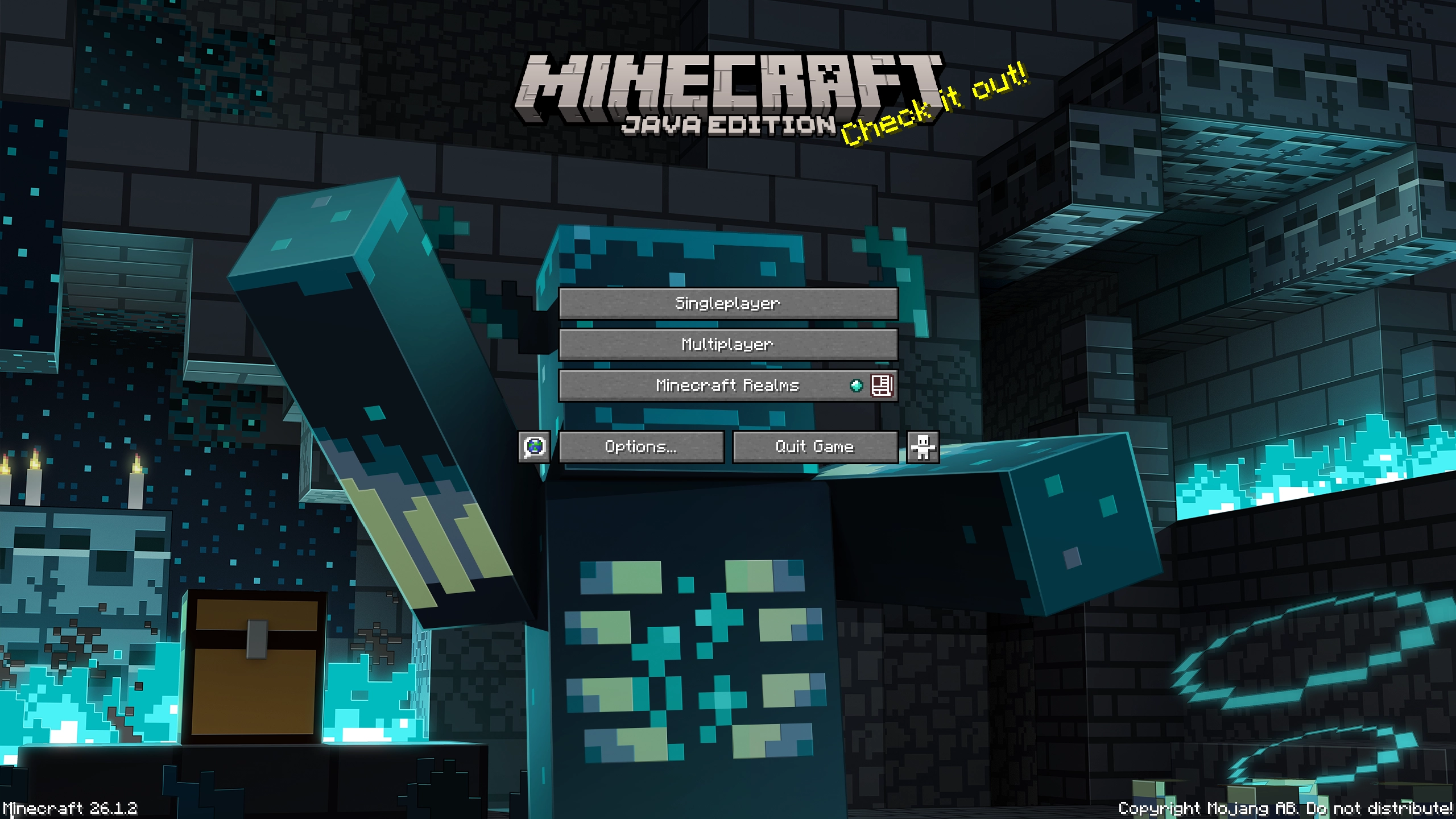
Ancient cities are dangerous. Few return after delving too deep, too greedily for their treasures…
Why? Wardens, the ancient horrors of the deep wait for all adventurers unlucky enough to meet them.
But this one is harmless. And he will decorate your main menu. Pinky promise. He won’t bite.
# Features
– Single prerendered panorama of the warden in an ancient city scene for your main menu
# Not your cup of tea?
Feel free to check out [other panoramas](https://modrinth.com/user/Lumora) that I made for you!
Wild Update Panorama
# Wild Wardens… Wild World… Wilding You!
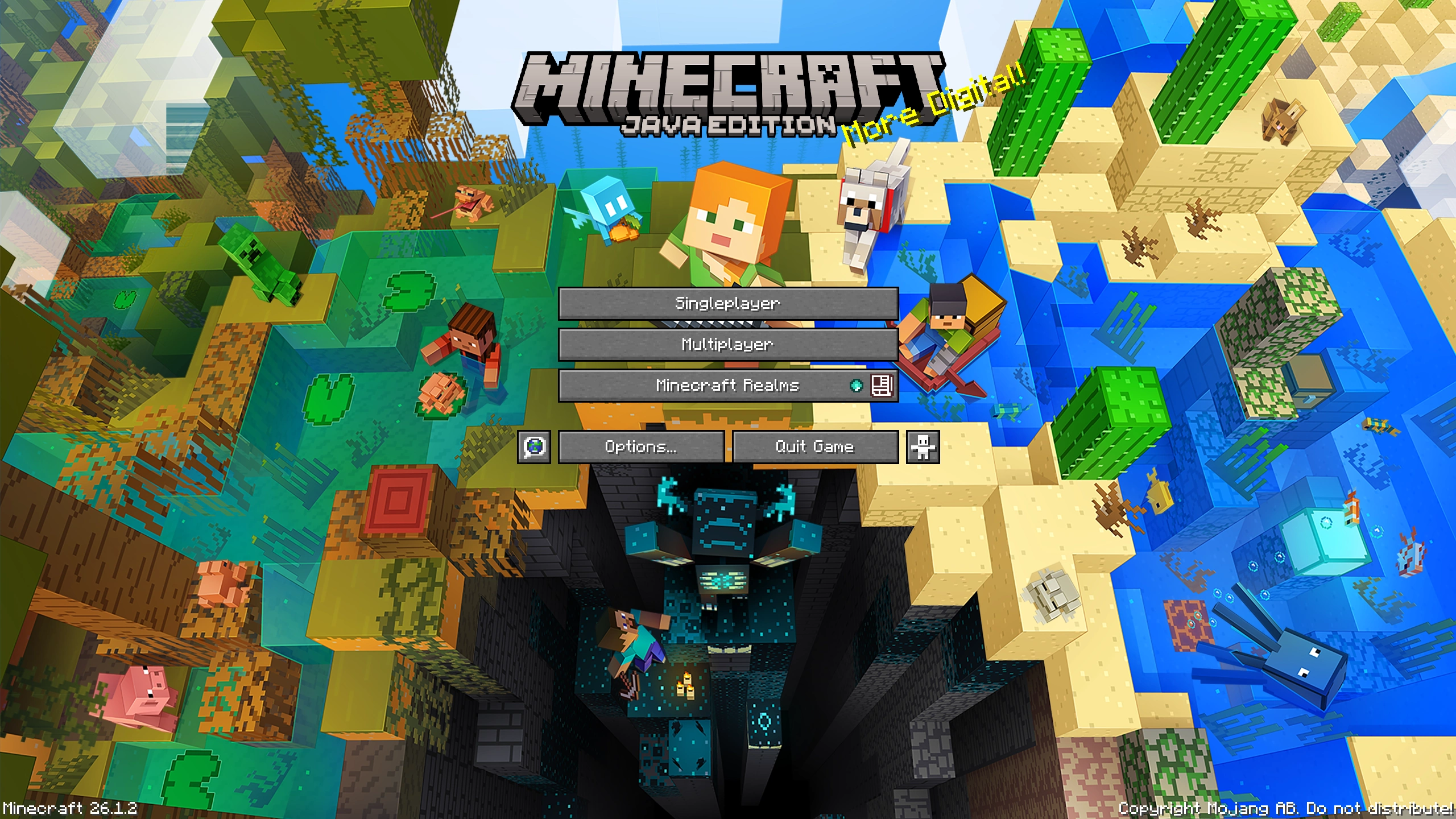
The Wild Update brought both the joy of exploration as well as sense of dread back from Minecraft Beta.
Nothing is the same after the Wardens came to the game. Caves are scary again. Wardens give us no quarter.
Luckily we tamed a single one. And we captured its majesty. Just for you & your main menu.
# Features
– Single prerendered panorama of a warden encounter scene for your main menu
# Not your cup of tea?
Feel free to check out [other panoramas](https://modrinth.com/user/Lumora) that I made for you!
Wild Mangroves Panorama
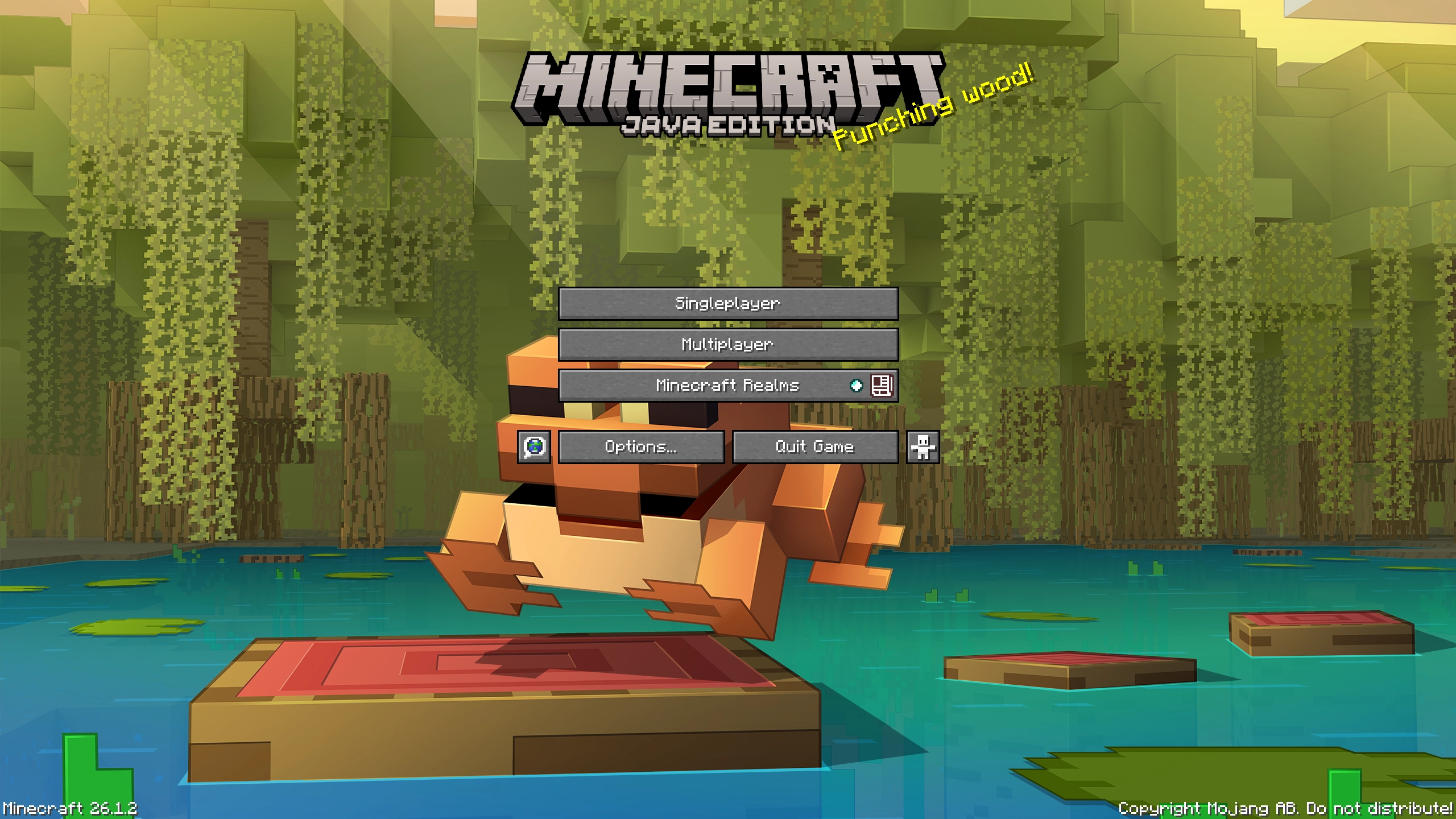
# Groove in the Mangrove!
Not all trees need dirt to survive. The mangrove laughs at it and grooves in mud and water.
Will you join it? Bonus for accepting is a frog… one very eager to photobomb this shot.
# Features
– Single prerendered panorama of the mangrove forest scene for your main menu
# Not your cup of tea?
Feel free to check out [other panoramas](https://modrinth.com/user/Lumora) that I made for you!
Wild Adventure Panorama
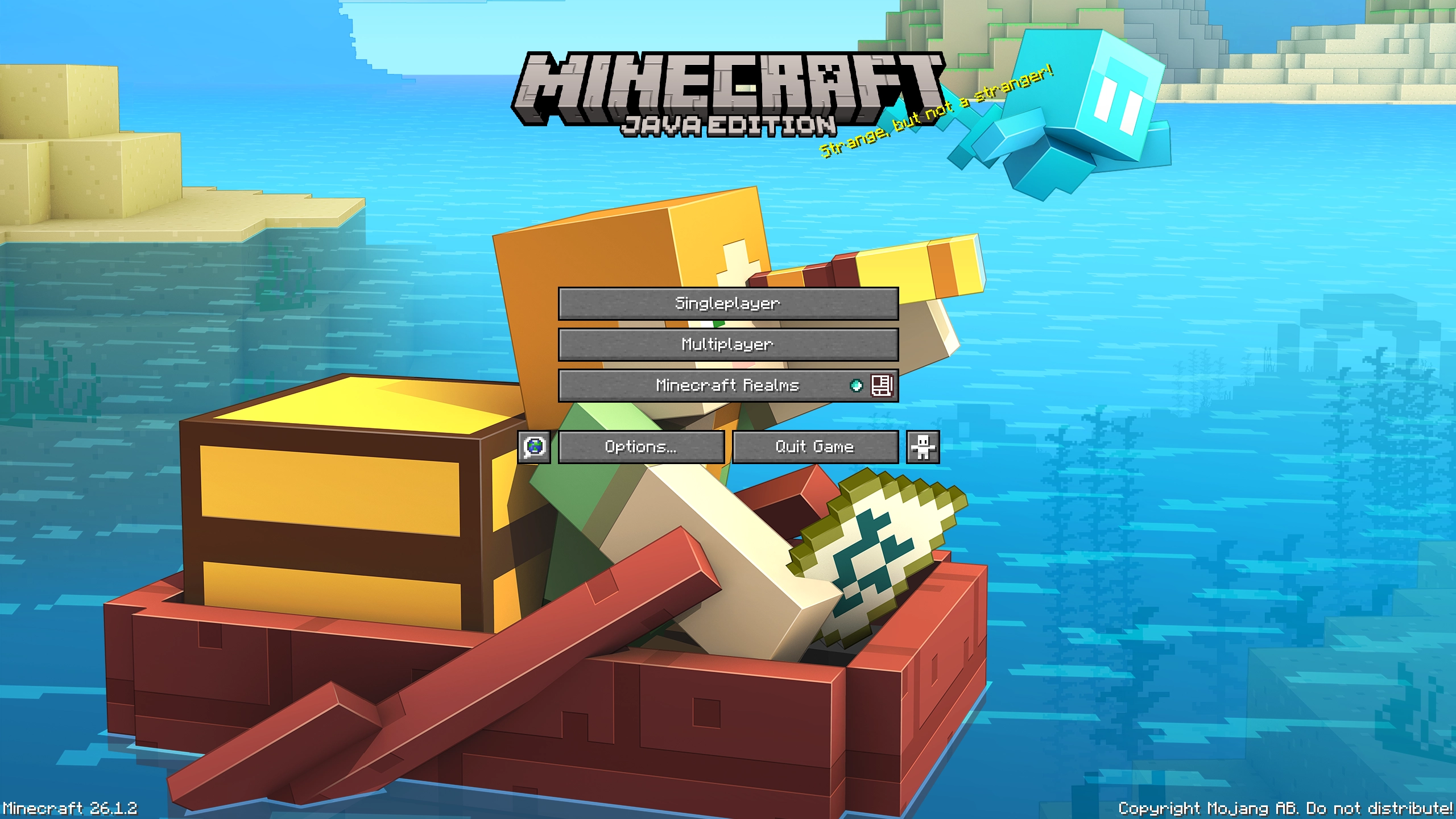
# Allay Adventu- err, Ahoy Adventure!
I allayed- I meant allowed myself to capture one of my favorite mobs in the game – The Allay.
It flies. It glows. It’s cute. And now?
You can grab it with you! Both on your adventures & in the main menu.
# Features
– Single prerendered panorama of a player & allay adventuring for your main menu
# Not your cup of tea?
Feel free to check out [other panoramas](https://modrinth.com/user/Lumora) that I made for you!