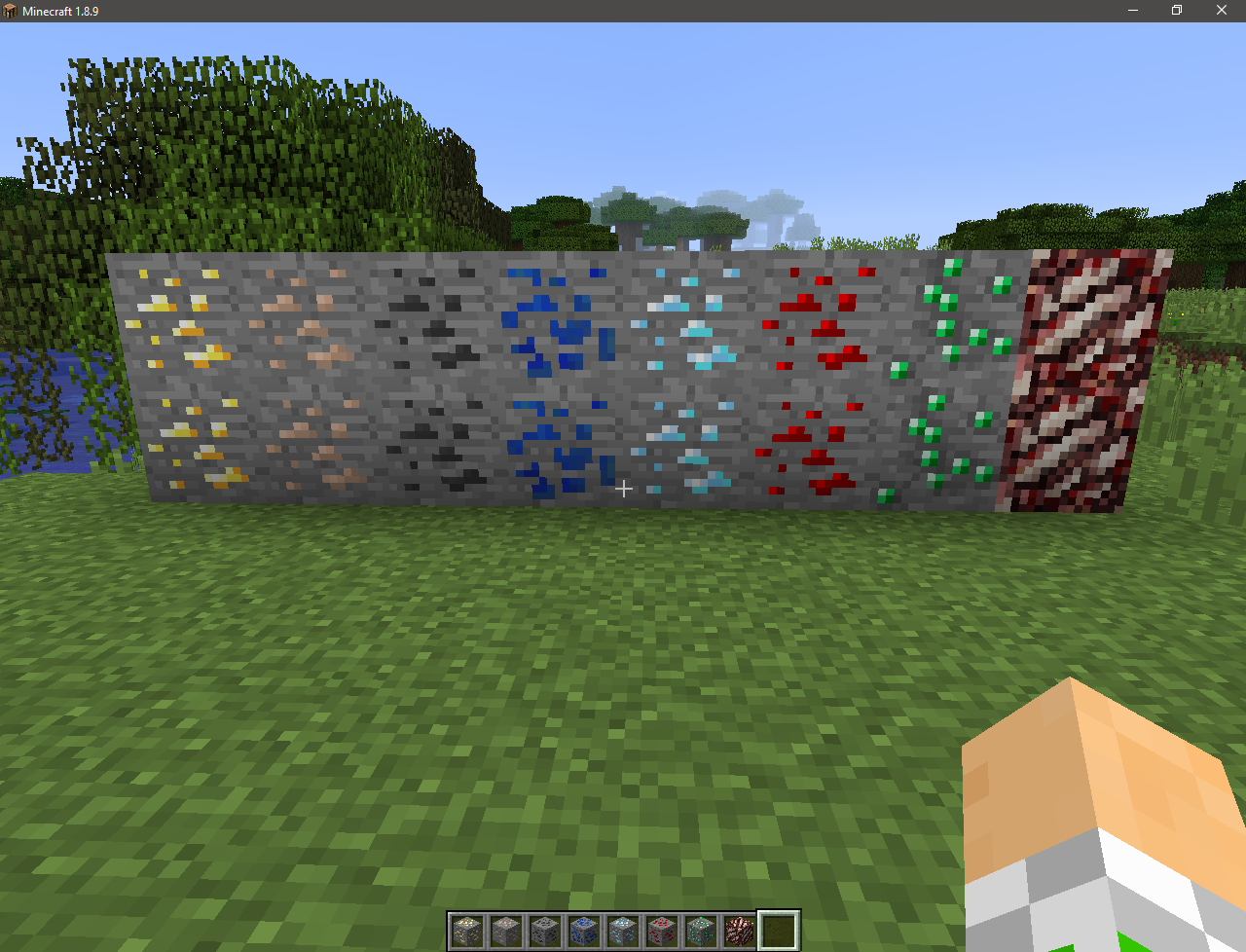
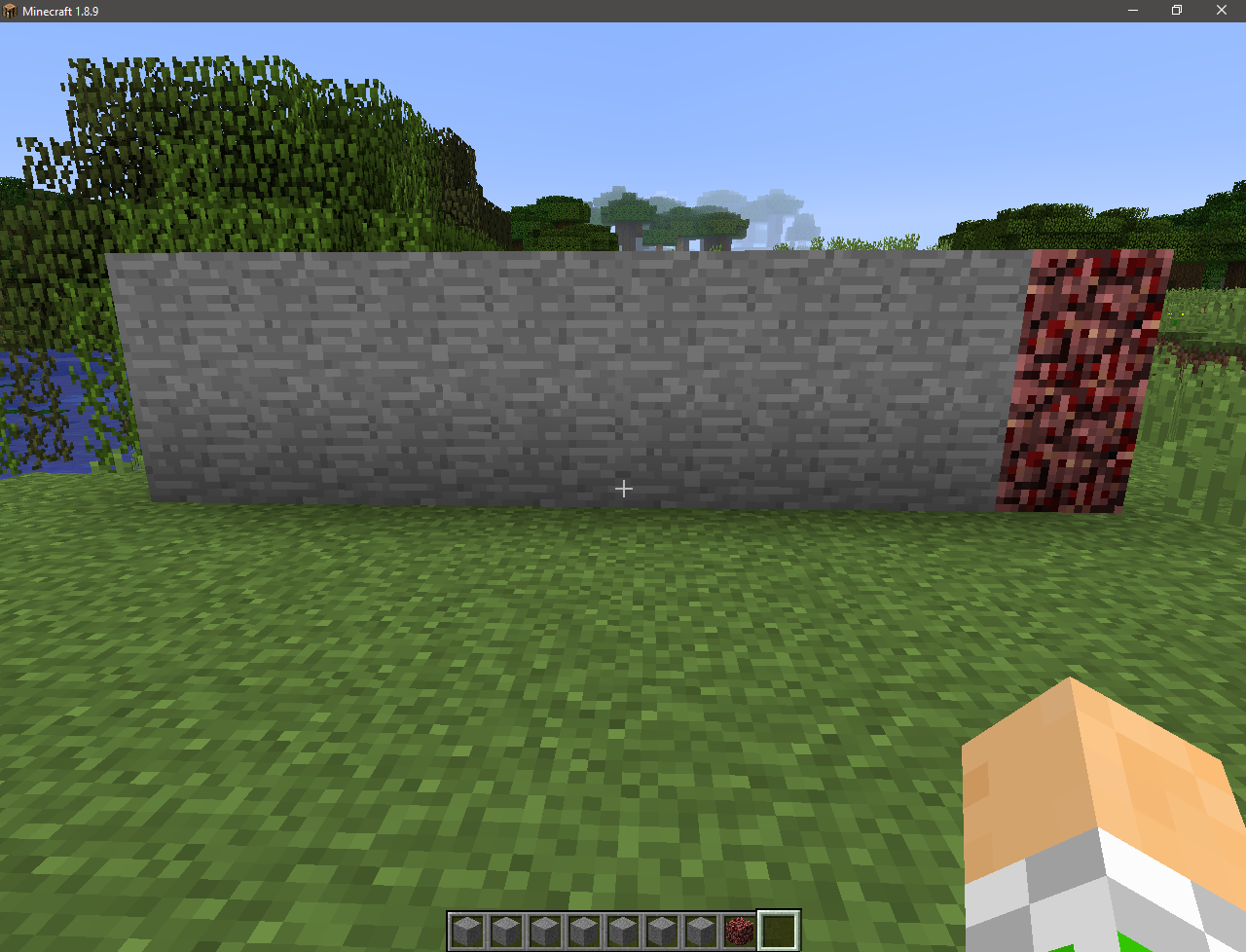
Without Ore
- Is it possible to pass Minecraft without seeing the ore?
- I think it’s possible!
This resource pack will change the textures of ores to stone! This will add hardcore to the game!
With it, you can try your luck, as well as troll your friends by installing it on the server!
Screenshots:
Official video:
More videos:
Wither Storm Panorama!
This is a simple resource pack that adds the **Wither Storm** to the panorama, **similar** to the one in Cracker’s Wither Storm Mod!

Wither Storm Disc
Changes Music Disc 11 to The Wither Storm Theme from MCSM. This changes the texture, name, and music of Music Disc 11. If you have another pack that also changes Music Disc 11, it probably won’t work.
Idk, I like MCSM.
Also, there’s a bug where it doesn’t play the full song, but I’ll fix that laatttteerrrrrrrrrrrrrrrrrr…
Wither Star
# Wither Star + Beacon
I don’t know, it just makes sense to me for the star to be some kind of core that gives the Wither it’s power. So I made this, replacing the “Nether Star” for a “Wither Star”.
With the new star done, it made sense to change the only thing that it is used for: The Beacon.
So I made a darker version and also changed its glass frame (it doesn’t change actual glass, only the beacon one)
## Preview
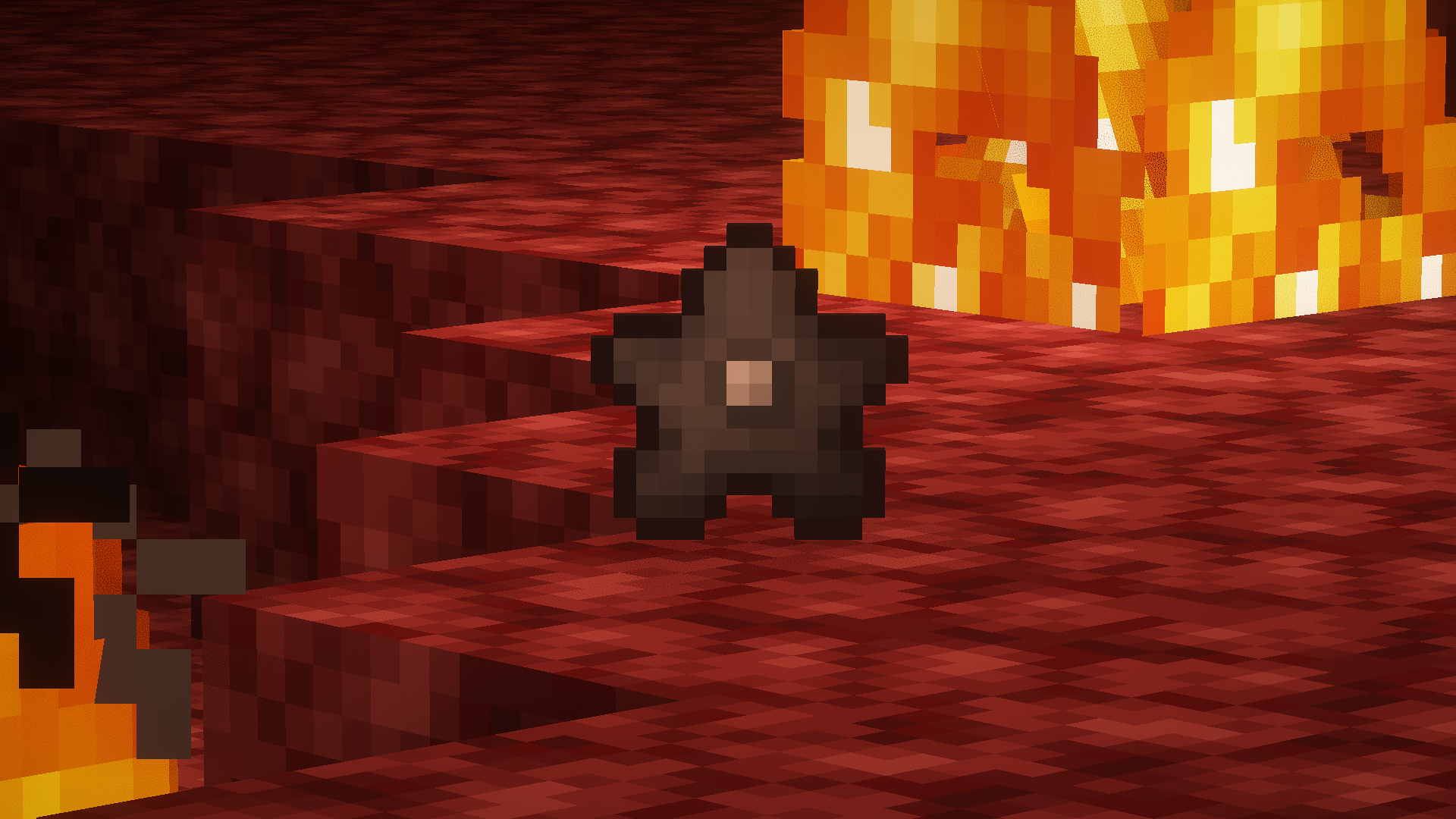
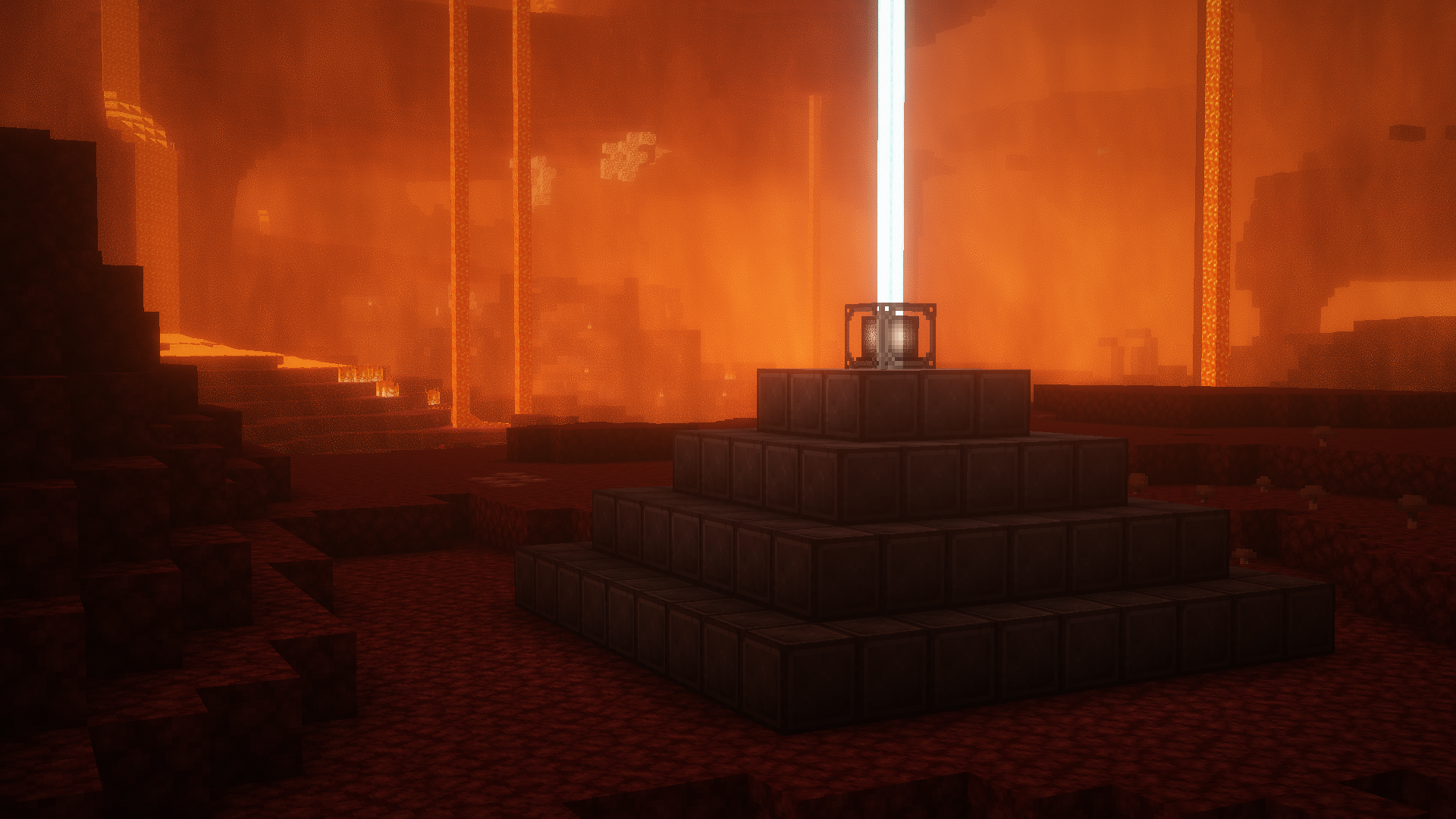
##### *Screenshots taken with [Complementary Shaders](https://modrinth.com/shader/complementary-reimagined)
Witcher armor
Witcher Armor is a resource pack that adds armor from The Witcher 3 to Minecraft. The pack works on OptiFine, Sodium requires an additional mod — [CIT Resewn](https://modrinth.com/mod/cit-resewn).
### How to install:
> Download the resourcepack, open Minecraft settings (ESC → Options), click “Resource Packs” and drag and drop the archive into the folder that opens. The resource pack will immediately appear in the game window and you can activate it by clicking on the right arrow next to the pack.
### How to use:
> Select an armor of any material and rename it with the anvil. A list of all possible customizations can be found [here](https://drive.google.com/file/d/1LAixlkfE_0vJ7GkkkwEgrpcfoYvHIYGX/view).
Русский
Witcher Armor — это ресурспак, который добавляет броню из The Witcher 3 в Minecraft. Пак работает на OptiFine, для Sodium требуется дополнительный мод — [CIT Resewn](https://modrinth.com/mod/cit-resewn).
### Как установить:
> Загрузите ресурспак, откройте настройки Minecraft (ESC → Настройки), нажмите кнопку «Пакеты ресурсов» и перетащите архив в открывшуюся папку. Ресурспак сразу появится в окне игры, и вы сможете его активировать, нажав на стрелку вправо рядом с паком.
### Как использовать:
> Выберите броню из любого материала и переименуйте ее с помощью наковальни. Список всех возможных кастомизаций можно найти [тут](https://drive.google.com/file/d/1LAixlkfE_0vJ7GkkkwEgrpcfoYvHIYGX/view?usp=sharing).
Українська
Witcher Armor — це ресурспак, який додає обладунки з The Witcher 3 до Minecraft. Пак працює на OptiFine, для Sodium потрібен додатковий мод — [CIT Resewn](https://modrinth.com/mod/cit-resewn).
### Як встановити:
> Завантажте ресурспак, відкрийте налаштування Minecraft (ESC → Налаштування), натисніть кнопку “Пакети ресурсів” і перетягніть архів у папку що відкрилася. Ресурспак одразу з’явиться у вікні гри, і ви зможете його активувати, натиснувши на стрілку праворуч поруч із паком.
### Як користуватися:
> Оберіть броню з будь-якого матеріалу і перейменуйте її за допомогою ковадла. Список всіх можливих кастомізацій можна знайти [тут](https://drive.google.com/file/d/1LAixlkfE_0vJ7GkkkwEgrpcfoYvHIYGX/view?usp=sharing).
Witch Girl

⚠️ Required: OptiFine
Witch Girl is a texture pack that redesigns the Minecraft witch, giving her a more attractive and stylish appearance. Instead of the classic vanilla witch, this pack transforms the mob into a more detailed female character with a charming and visually appealing look, while still keeping the original witch theme.
Important:
This texture pack requires OptiFine to work properly. Without OptiFine, the texture may not appear correctly in the game.
⚠️ Disclaimer / If the texture looks bugged:
If the witch appears glitched or the texture does not load correctly, try the following fixes:
Use Minecraft version 1.16 or higher.
Close and reopen the game, which usually refreshes the textures.
After that, the texture should work normally.
Enjoy your new stylish witch! 🧙♀️✨
Winter Time
Need a server for you and your friends? click the image below: [](https://billing.apexminecrafthosting.com/aff.php?aff=16230)
# Winter Time V2
Winter Time turns your world into a Wonderfull Snowy Landscape with colder colours for plants and flowers. This changes crops, flowers, saplins, trees, vines. This pack is great if you are in the wintery feel for things or getting ready to enjoy the winter holidays.
## Changes
– Grass and foliage Colour Maps to a mix of white and blue.
– Leaf Litter Colour Map to be a little bit more white to fit in with the snow.
– Saplings have Snow on them to match Trees.
– Most Flowers have been changed.
– Birch and Spruce Leaves to Fit in Better.
– Makes Water Icy
## Preview

## My Socials
My YouTube: [https://www.youtube.com/@sirjumpy8772](https://www.youtube.com/@sirjumpy8772)
My TikTok: [https://www.tiktok.com/@sirjumpy8772](https://www.tiktok.com/@sirjumpy8772)
Winter Pack


**WINTER🎄**
Embrace the chill with the Winter Texture Pack for Minecraft Java!
@znygames

### 🗒|DESCRIPTION
This pack transforms your game with a beautifully designed winter theme, turning your Minecraft world into a snowy wonderland.
The Winter Texture Pack includes numerous user interface modifications, such as a redesigned action bar, inventory, creative mode, and title screen. Each graphic has been meticulously edited to create a cold and snowy environment, enhancing the overall player experience. Step into a wintery atmosphere and enjoy Minecraft like never before with the Winter Texture Pack.
New! with this pack:
– start screen
– options
– buttons
– gui
– hotbar
### 🎞|TRAILER
### 💬|SOCIAL
(っ^▿^)۶🍸🌟🍺٩(˘◡˘ )
**DISCORD** [▶️ visit me!](https://discord.gg/g6vpenZ4x8)
Hey,
We invite you to join our Discord community where you can connect with fellow players, share your ideas, and report any bugs you encounter. Whether you have suggestions for improving the hotbar or need support with any issues, our community is here to help. Let’s build, explore, and create together!


### 🖼|EXAMPLE
**HOTBAR**


**GUI**

**START SCREEN**

**more examples in the picture gallery above ⬆️**
### 🛈 |INSTALL
Note: If you encounter any issues, make sure that the texture pack is compatible with your version of Minecraft, and that you have followed all of the steps correctly.
VANILLA
– Open Minecraft: Launch Minecraft and click on the “Options” button.
– Go to the “Resource Packs” section: In the options menu, select “Resource Packs” to open the resource packs screen.
– Move the texture pack to the correct location: Locate the folder where your Minecraft resource packs are stored. The default location is usually in the “resourcepacks” folder under your Minecraft game directory. Move the downloaded .zip file to this folder.
– Select the texture pack in Minecraft: Back in the resource packs screen, select the texture pack that you just moved to the resource packs folder. The texture pack should now be listed in the “Selected Resource Packs” section.
– Apply the changes: Click on the “Done” button to apply the changes and enable the texture pack.
– Enjoy the new texture pack: Start a new game or load a saved game, and the new texture pack should now be in effect.
### 🔗|BEDROCK VERSION


### 💖| THX!
See you in the next pack!

Winter GUI Pack
[](https://www.reddit.com/user/No-Lavishness-4629/)
Screenshots


# The Winter GUI Pack: Java Edition
**Winter GUI** Pack refreshes Minecraft’s interface with a soft and atmospheric winter theme. Gentle snow accents, subtle icy highlights, and warm seasonal details bring a festive touch to menus and inventories without overwhelming the vanilla style.
[](https://www.reddit.com/user/No-Lavishness-4629/)
## This pack updates:
– Main menu
– Buttons and UI elements
– Inventory and container screens
– Hover and selection effects
Everything is designed to feel cozy, clean, and easy on the eyes-perfect for both single-player worlds and servers.
**Feel free to share feedback! Helpers are welcome too :)**
## Support me and receive bonuses :3
[](https://www.patreon.com/c/RainbowLemur?utm_medium=unknown&utm_source=join_link&utm_campaign=creatorshare_creator&utm_content=copyLink)
### Contact me:
[](https://www.reddit.com/user/No-Lavishness-4629/)ㅤ[](https://discord.com/users/691722335081857115/)ㅤ[](https://t.me/statuettepauldurov)
Winter 2017 Panorama
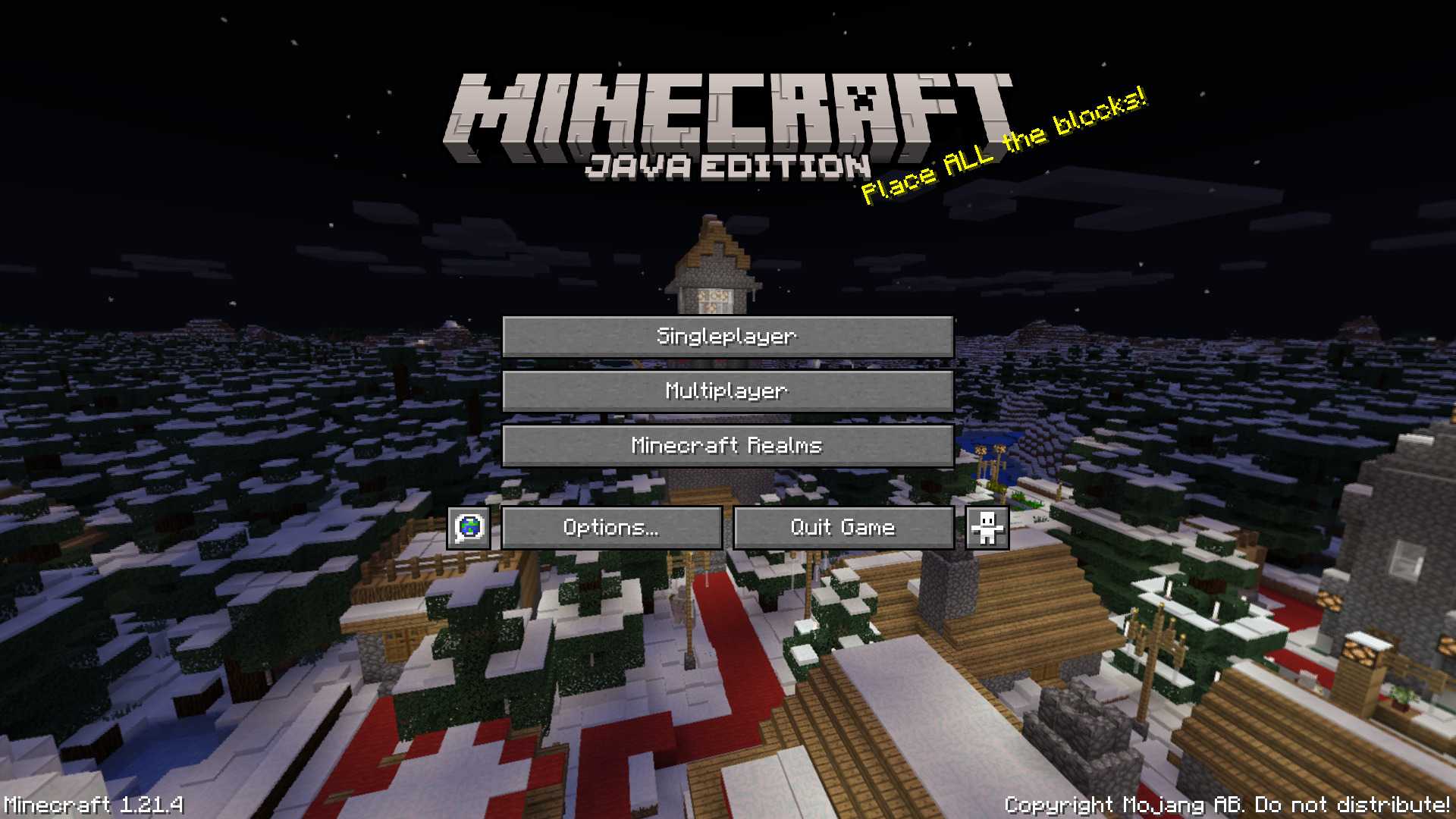
# Winter 2017 Panorama
This panorama was used in Bedrock Edition during the 2017 winter holiday season (1.2.7 to 1.2.8)
### Features:
Adds the Panorama from the Bedrock 2017 winter holiday season [(Gallery)](https://modrinth.com/resourcepack/winter-2017-panorama/gallery)
### Credits
The images were taken from the Minecraft Wiki [(Check it out!)](https://minecraft.wiki/w/Historical_panoramas#Holiday_2017)