ZBGT
## Multiblocks:
### Ported the following multiblocks from GT:NH:
– Mega Electric Blast Furnace (mEBF)
– Mega LCR (mLCR)
– Mega Vacuum Freezer (mVF)
– Mega Oil Cracking Unit (mOCU)
– Mega Alloy Blast Smelter (mABS)
– Precise Assembler (PRASS)
– Component Assembly Line (CoAL)
– YOTTank and YOTHatch
– Compact™ Fusion Reactors
– Zyngen
– Circuit Assembly Line
### My multiblocks:
– Queezer (quad EBF)
– Queezer (quad vacuum freezer)
– Quacker (quad oil cracker)
– GCYM Air Collector
– GCYM Rock Breaker
## Multiblock Parts:
### From GT:NH:
Air Intake Hatch
– Ported from GT++ but it collects dimensions specific gas now!
– Is a Gas Collector that passively generates air.
### My own:
Creative Energy Source
– Configurable like the creative emitter, but as a multiblock part.
– You need to make the multiblock reform when you change its setting because right now because GregTech doesn’t have a way for an energy container to notify the multiblock controller that its voltage/amperage has changed.
Creative Energy Sink
– Behaves the same as the Creative Energy Hatch but drains energy from the multiblock instead of providing.
– Same UI as the Creative Energy Source
Creative Item Bus
– An input bus that can be set to any 16 items and provides them to the connected multiblock
Super Input Bus
– An input bus that has 16 slots but each slot can hold up to MAX_INT items
– Depending on how many items are inside, it may take a while to empty back into and interface until AE2UEL PR [#448](https://github.com/AE2-UEL/Applied-Energistics-2/pull/448) makes its way into a stable release (v0.56.6 is NOT stable)
Creative Fluid Hatch
– Same as the normal reservoir hatch but can be changed to provide other fluids.
Creative Computation Provider
– Acts as an HPCA that can supply up to 2,147,483,647 CWU/t!
– Backported from GregTech Modern, and will be moved into base CEu once M-W-K finishes their PipeNet rewrite.
Dual Cover
– Combines the conveyor and pump into one cover!
Precise Dual Cover
– Combines the robot arm and fluid regulator into one cover!
Single Item Input Bus
– Functionally identical to a ULV input bus, but it has a max stack size of 1.
Larger parallel hatch
– The same as normal GCYM parallel hatches, but with much larger values!
– Will turn your Ticks Per Second into Seconds Per Tick if used when doing recipes with chanced outputs! :troll:
Dropper Cover
– Is placed on any gregtech block that accepts covers and will drop items from its inventory.
## Credited Works
– [GT:NH](https://github.com/GTNewHorizons/) for many of its multiblocks.
– Ursamina for the dual cover textures and the icon! :heart:
– [Synthitic](https://github.com/Synthitic/) for porting GT:NH’s CoAL to [GCYL: CEu](https://github.com/Synthitic/GCYL-CEu), which I more or less directly copied.
– [GT:CEu](https://github.com/GregTechCEu/GregTech) for much code inspiration.
– MkcTao/[D-Alessian](https://github.com/D-Alessian/) for the Large Air Collector multiblock shape.
– Quacker quack from https://freesound.org/people/WavJunction.com/sounds/456770/.
Zapped
**zapped has been achived because I am not happy with its current quality.
zapped will get a full rework when the time is right**

Zapped is a Data-pack that turns lightning rods from a useless block to a way to transport zaps so you can power machines and productivity armour.
1.2 update released
-music disc (creator disc combined with a zap)
-config (/function zapped:config/config)
-armour texture (enable in config)
**Requires a Resource-pack to see tools (copper tools appear gold) or to see the armour texture**
**( armour texture disabled by default in config)**
Copper Lines
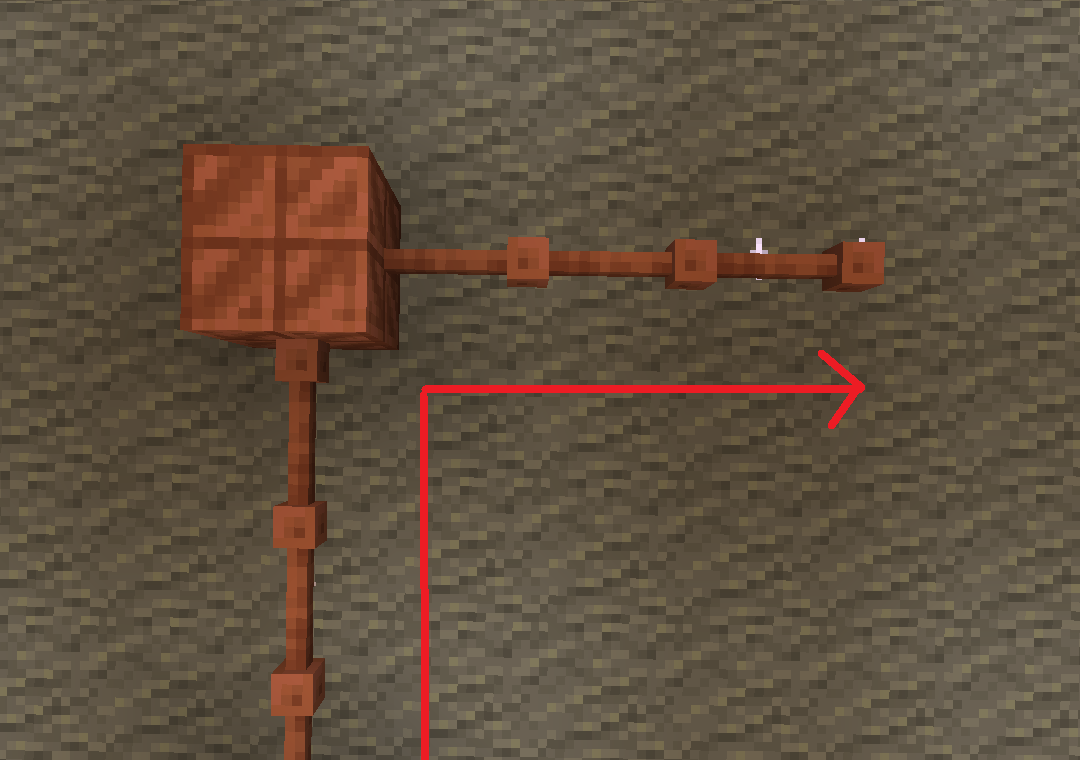
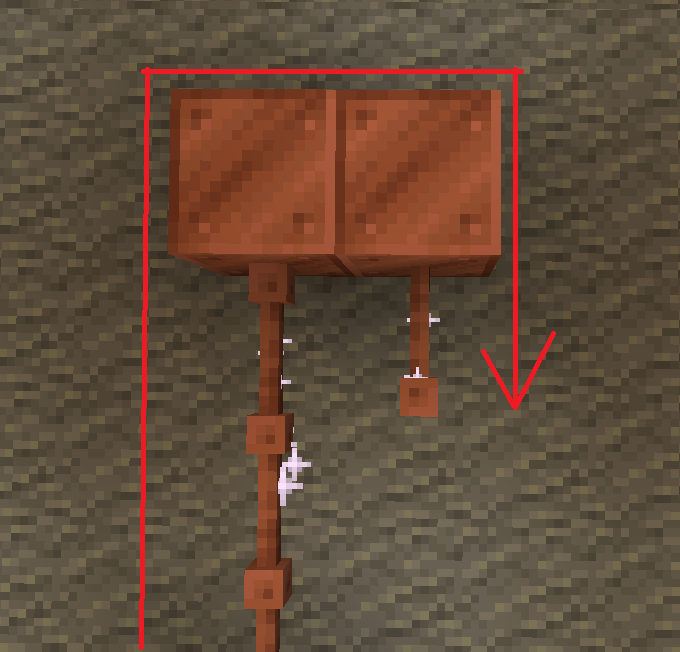
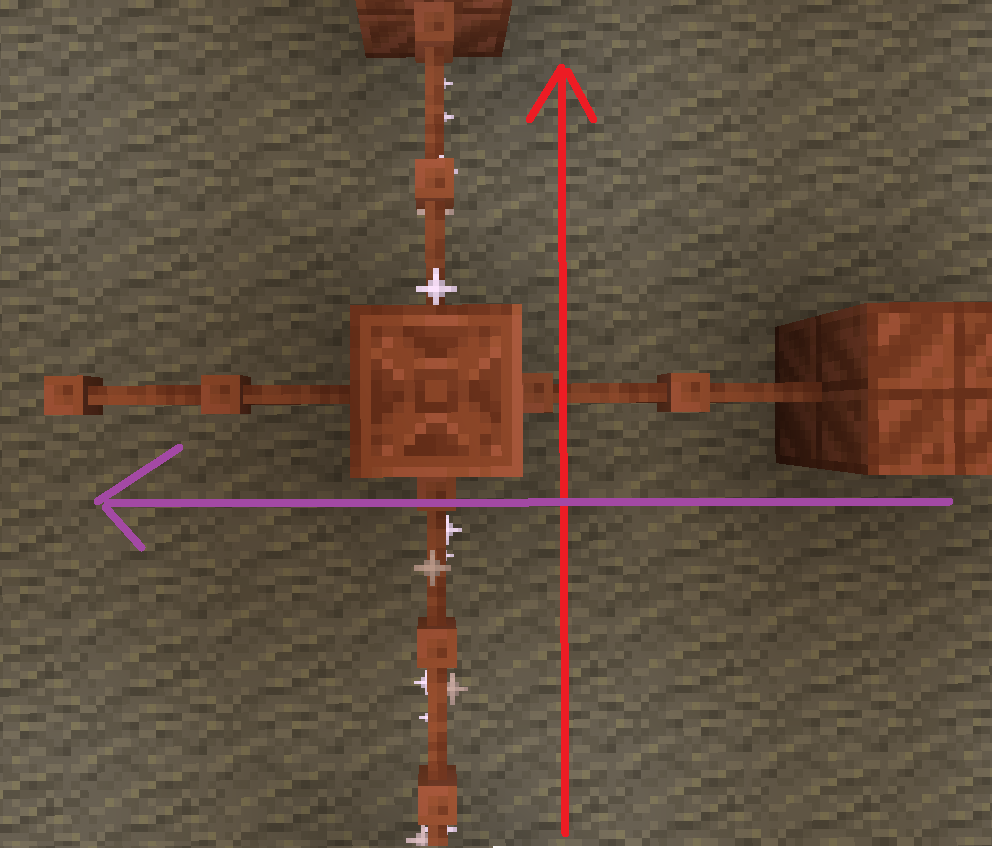
batteries store up to 32. though rusted batteries turn 32 into 16

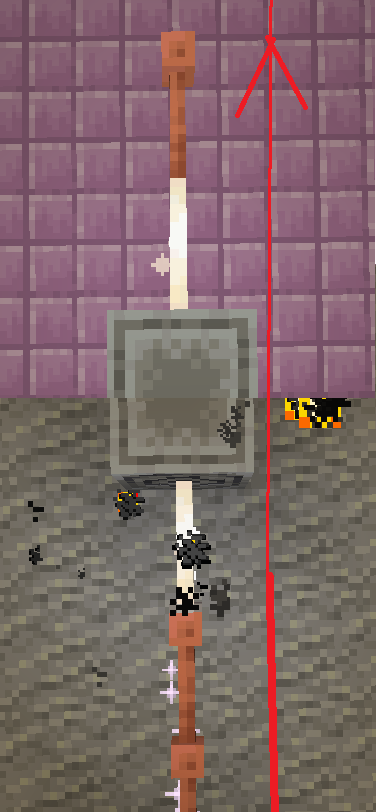
Don’t use copper blocks like that. Also, there is a chance it stays within the blocks and expires.

The most common thing to power is the productivity armour/tools or copper armour/tools.
The armour and tools are weak and easily destroyed. The armour gives less protection than iron and tools are slightly better than stone.
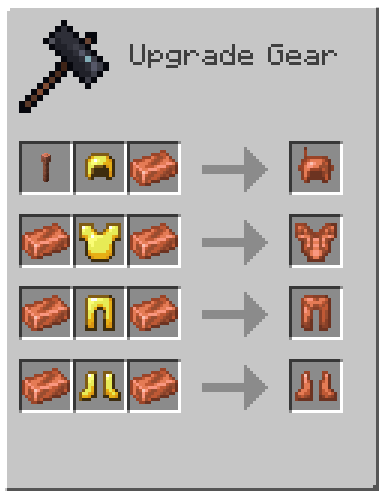
armor recipe
Because of copper’s malleability, it requires a structure.
The copper armour must be conductive, making golden armour a perfect cadet because it is also conductive.
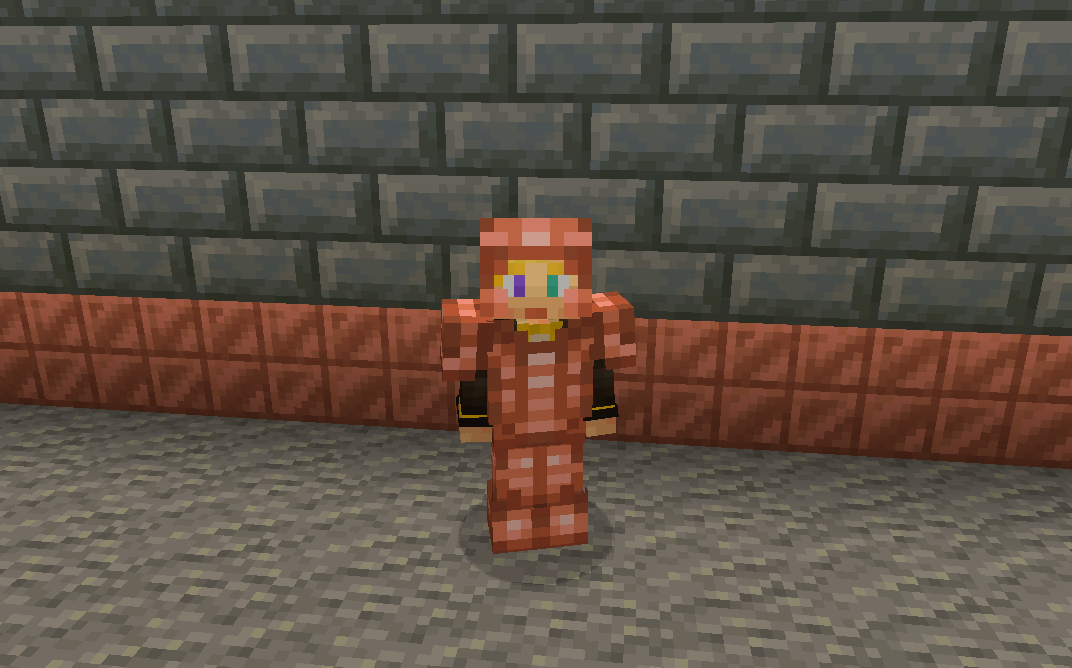
without resoursepack
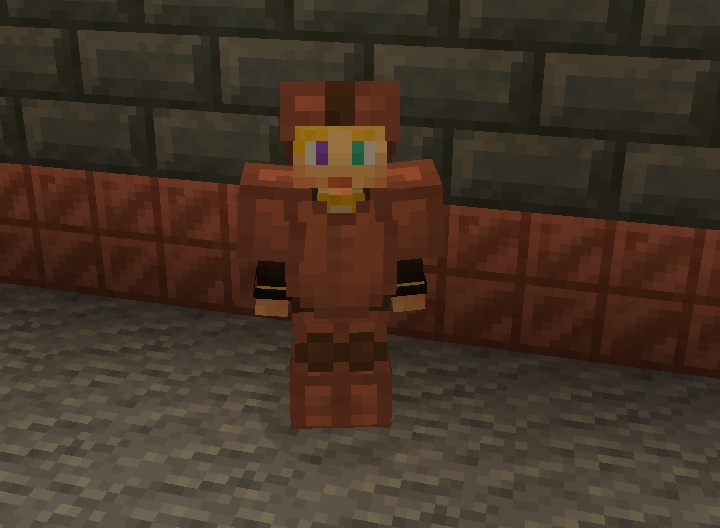
But don’t let the tools fool you these are powerful assets.
With the power of zaps, you can charge the armour to be better than they once were.
Armour at max charge now gives as much protection as a diamond. They also give you a faster and extended grip (R.I.P-Crab). The boots also decrease fall damage.
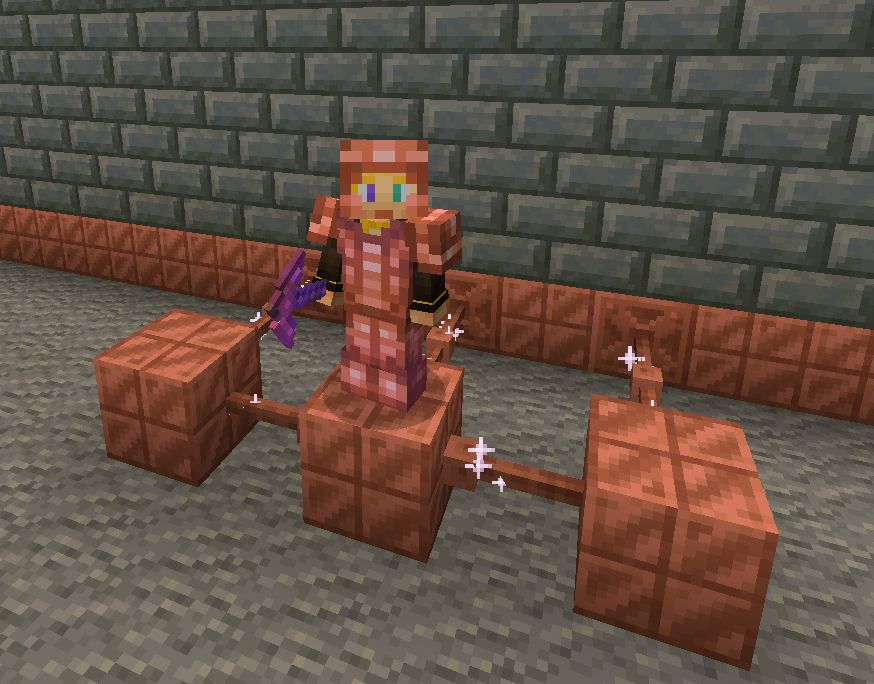
without resoursepack
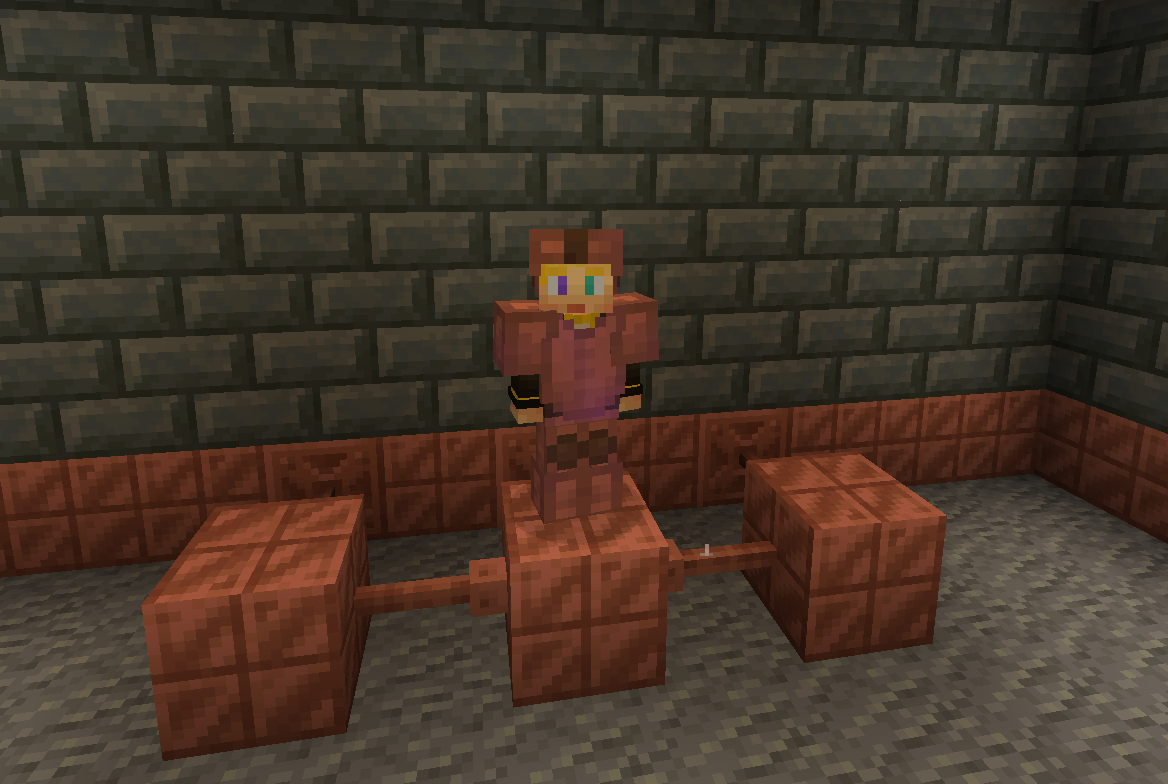
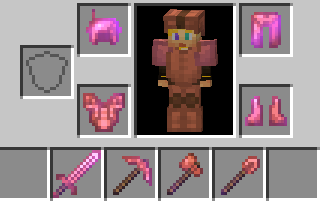
The charged tools rivel netherite making them faster and sharper.
The sword is slower to swing but has a better sweeping edge and damage.
The axe is fast
The pickaxe is fast
The shovel.. is also fast.
And the hoe doesn’t exist 🙁 …
Spoiler
YET
You can also charge copper bulbs to have a better range.
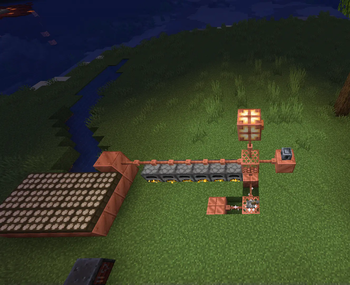
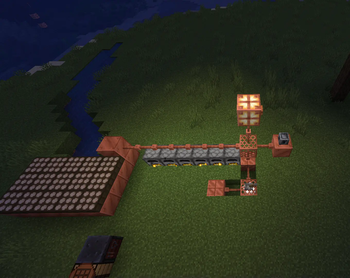
Tired of charging your armour?
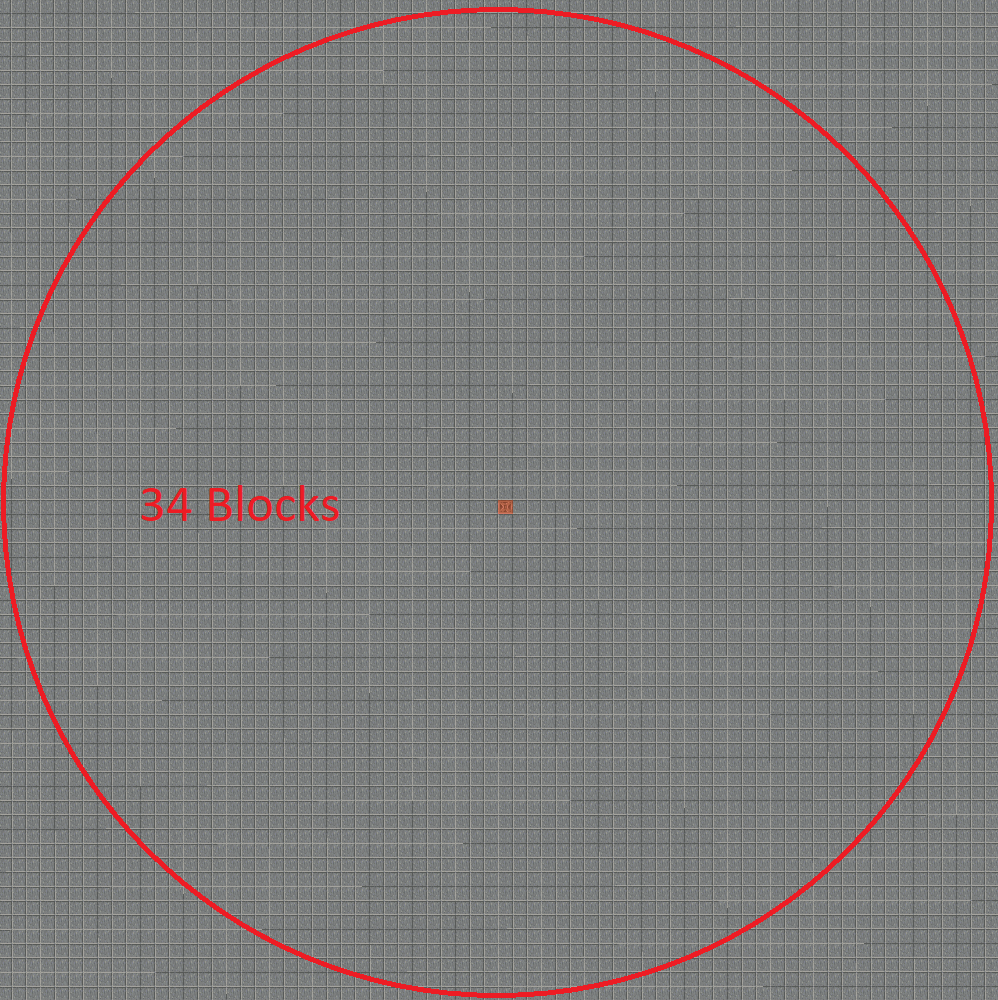
With the use of the heavy core, you can change your armour wirelessly!
However due to the zaps exposure to the air it requires 40 zaps for one charge.
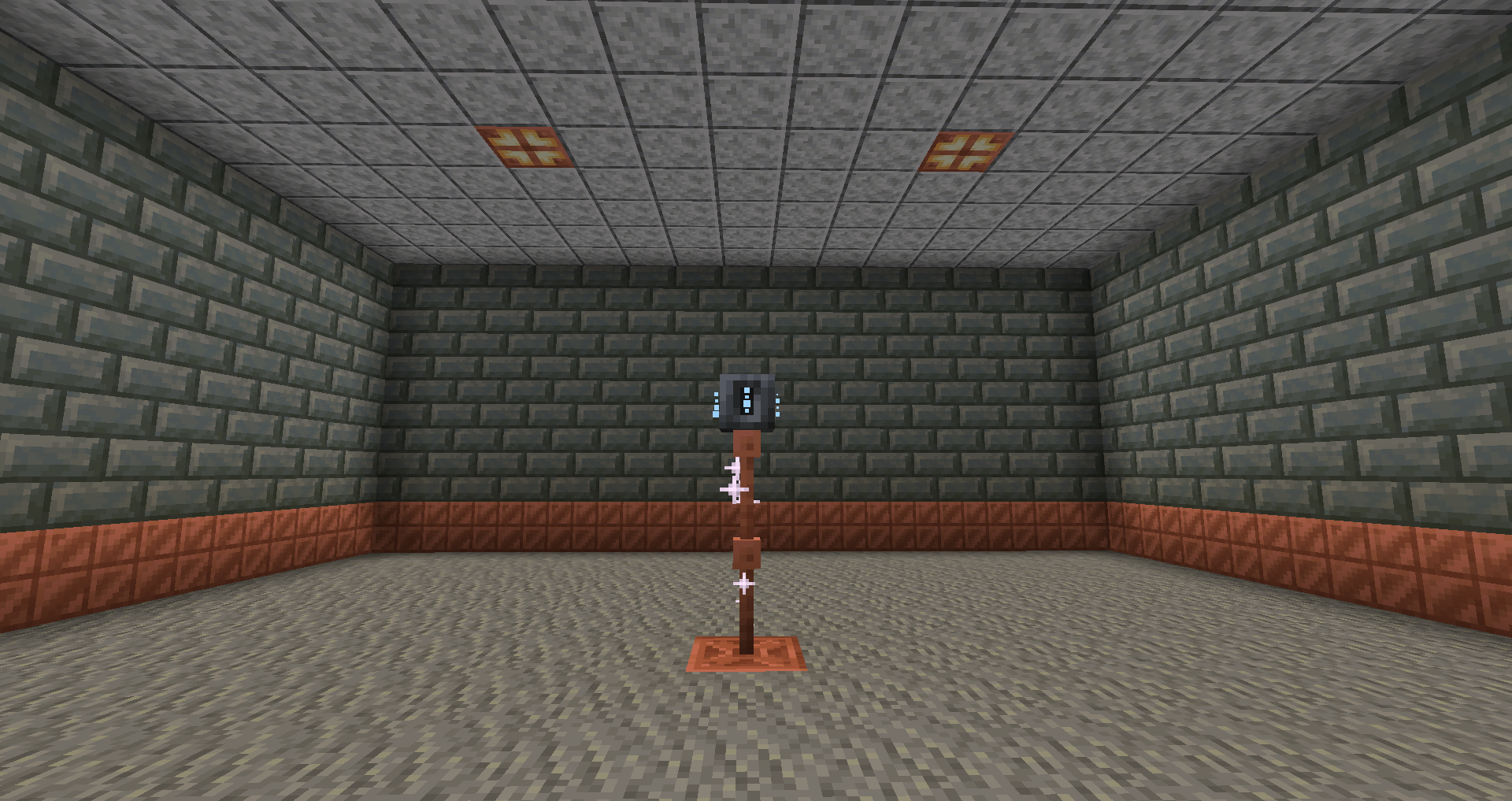
Heavy core distance
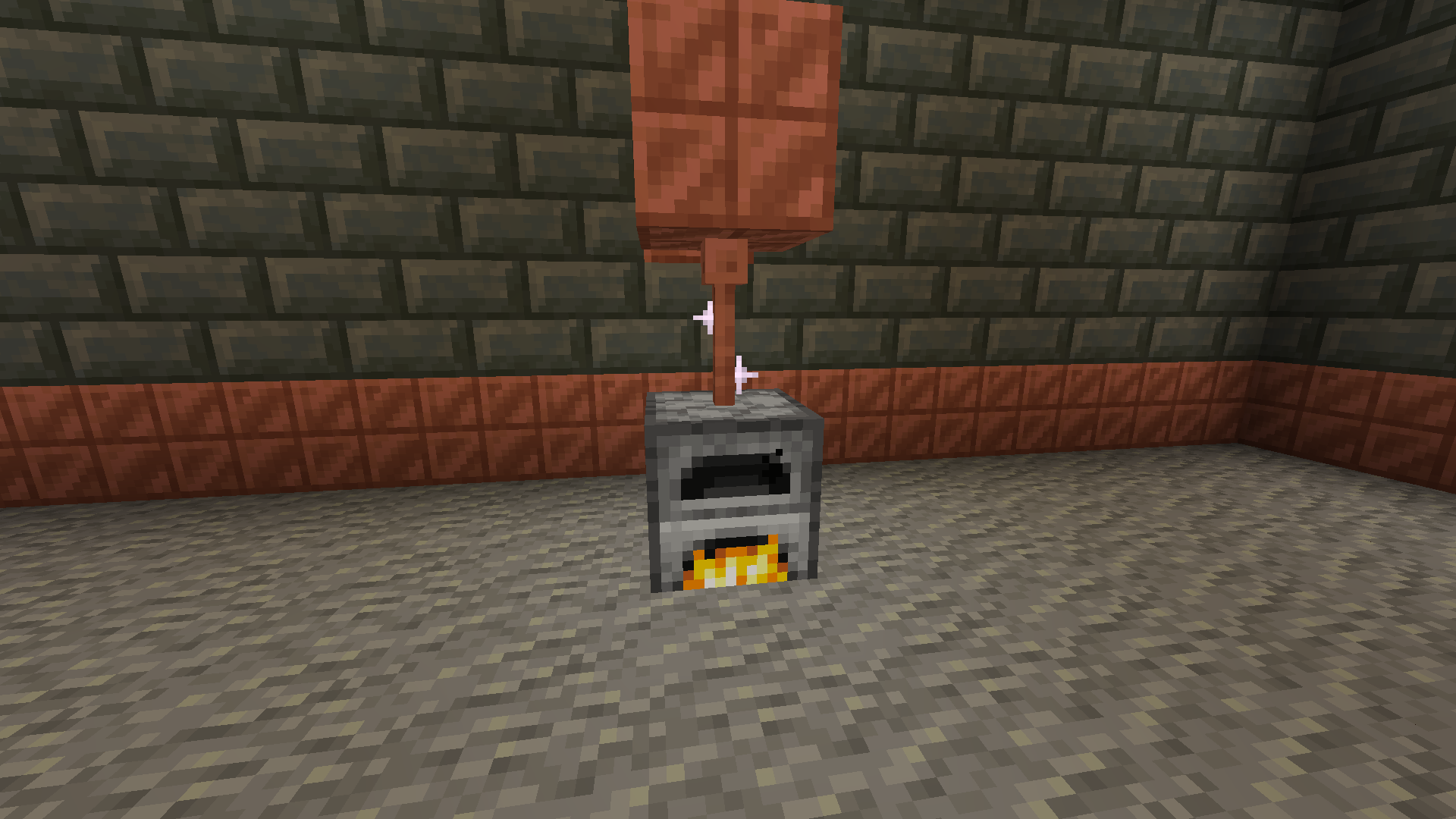
Now for the good part, how do you generate zaps?
There are a few ways to do it with the easiest being furnaces.
The furnaces must be constantly lit.
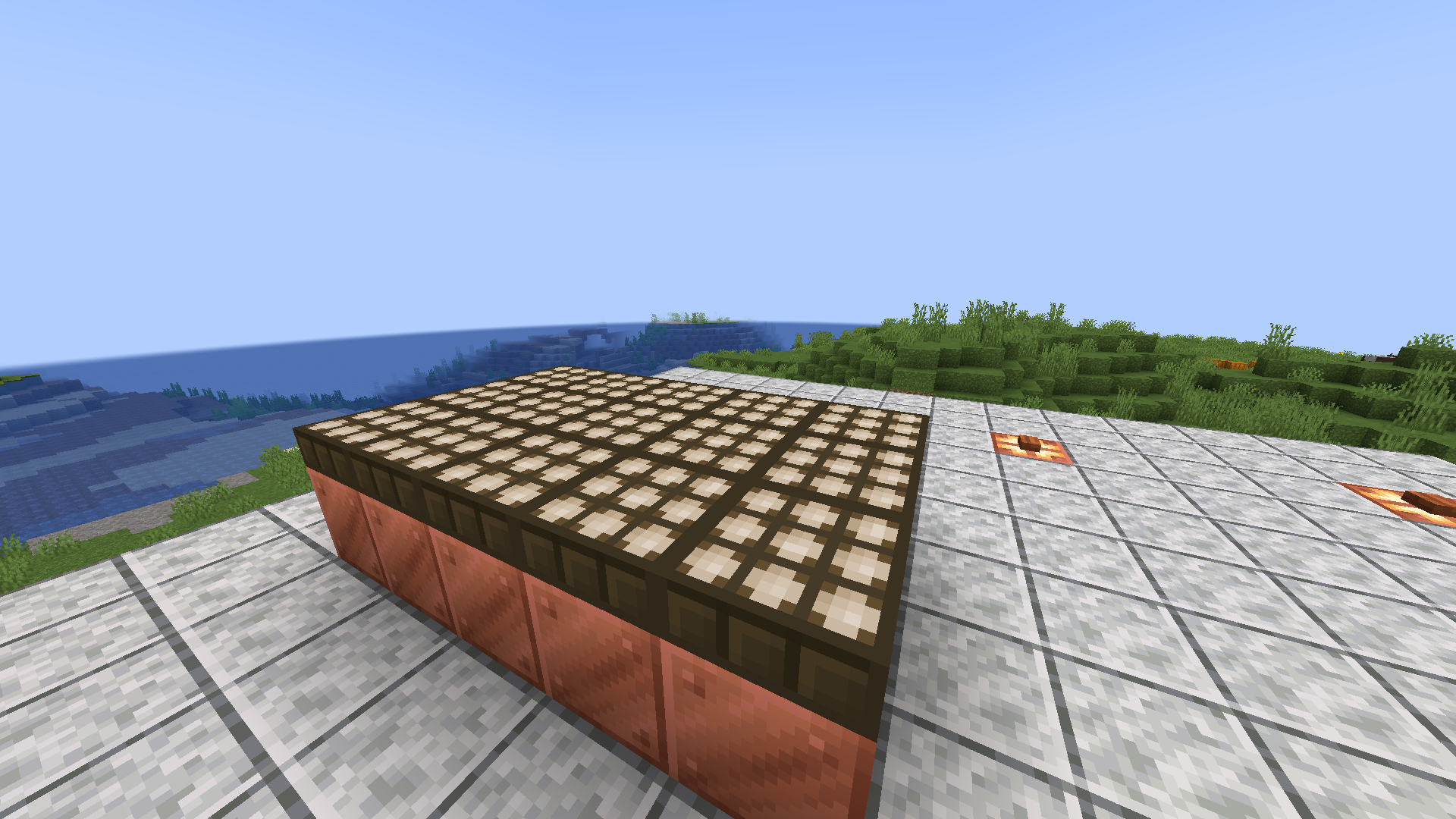
Then there are daylight sensors that generate power over time slowly but surely.
If combined with copper blocks to minimise space.
Or you can go the old-fashioned way and use lightning rods for their intended purpose.
Produces high power when struck necessary for all buildings.

With more infrastructure, you can turn a mob farm into an energy source.
Which is made possible with the catalyst
Recipe
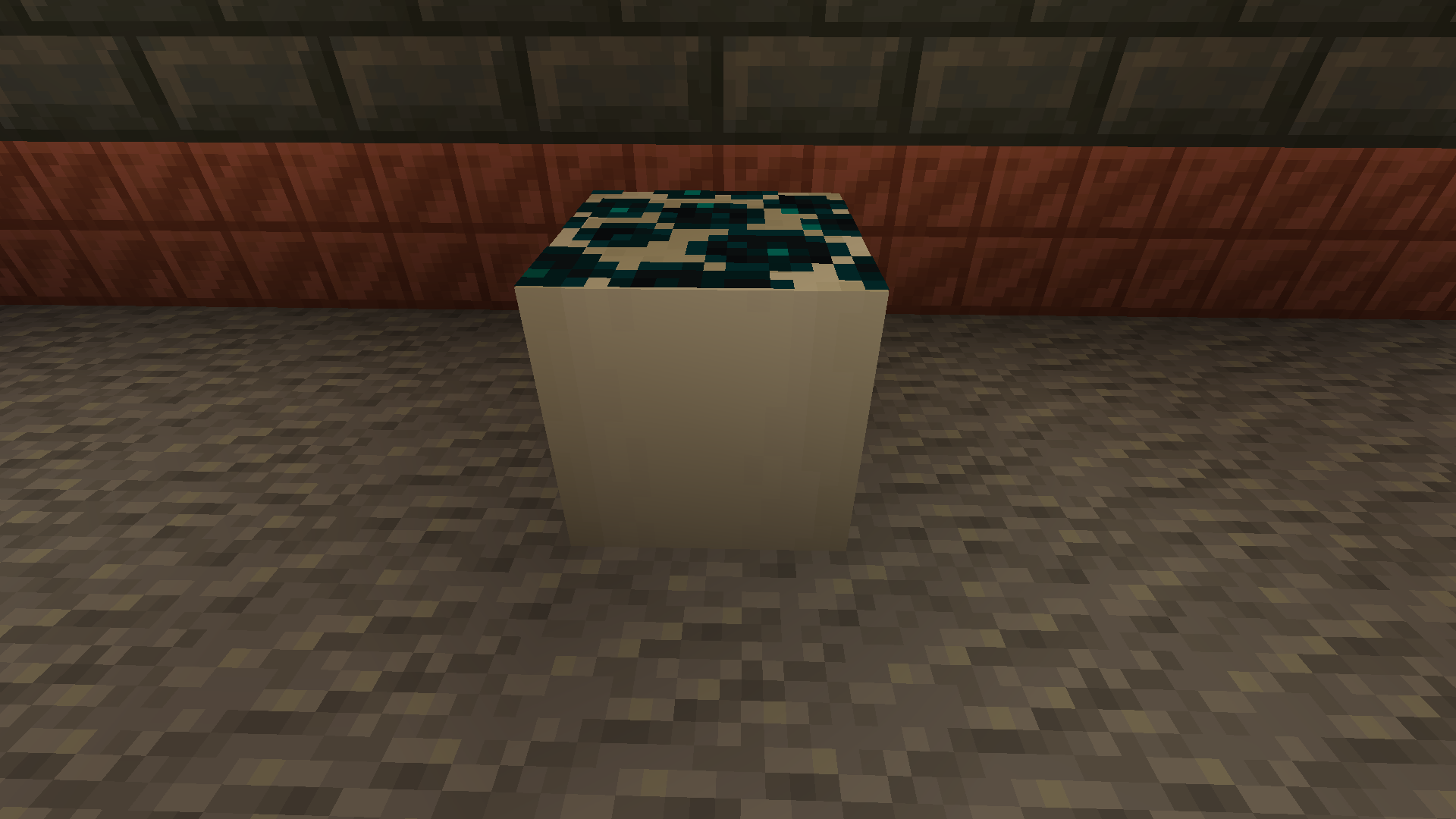
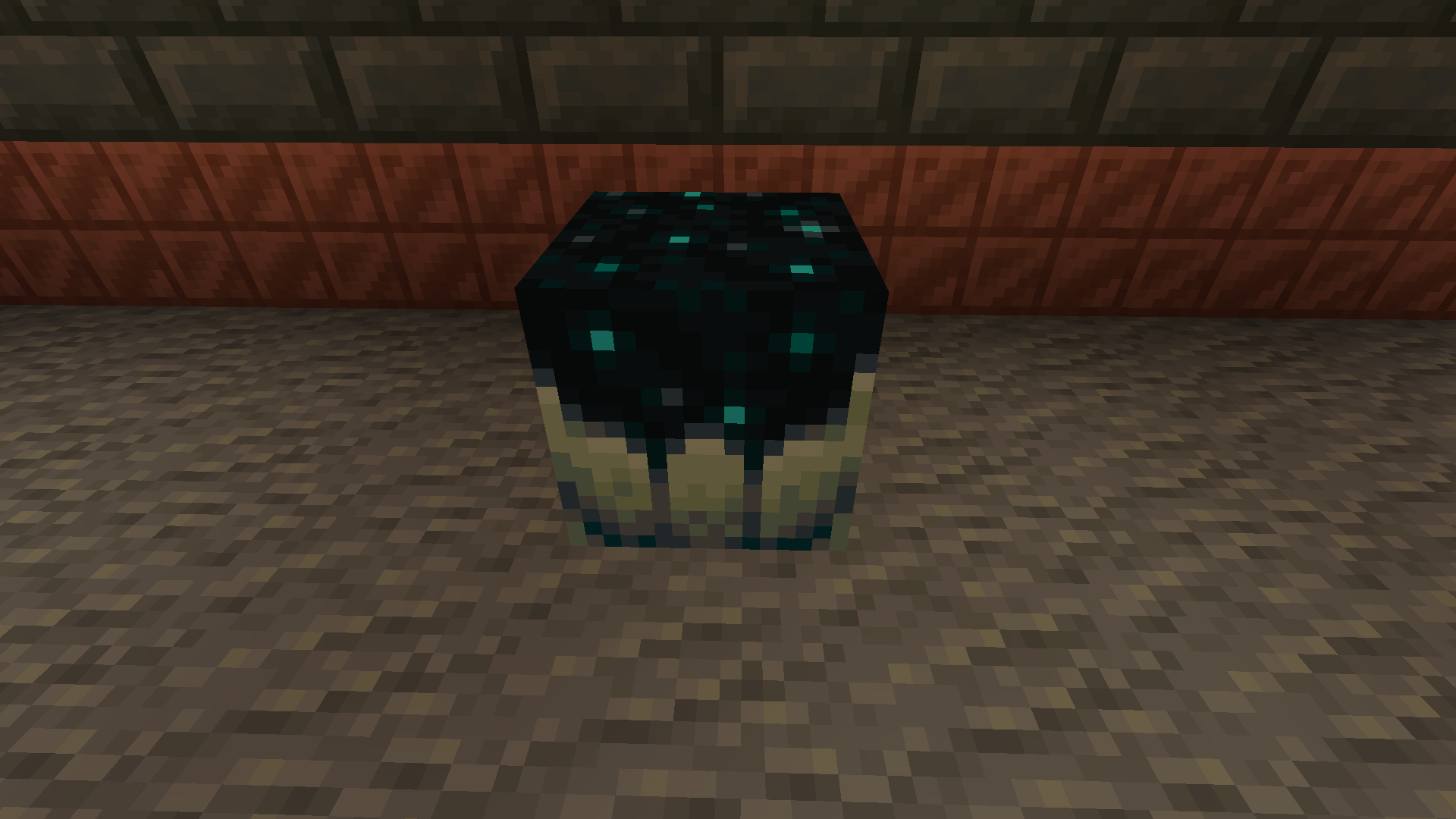

Going into the late game there is the gateway.
To make a gateway you need to align 2 lodestones together at the same cords in both the end and overworld. It also doubles up as a chunk loader.
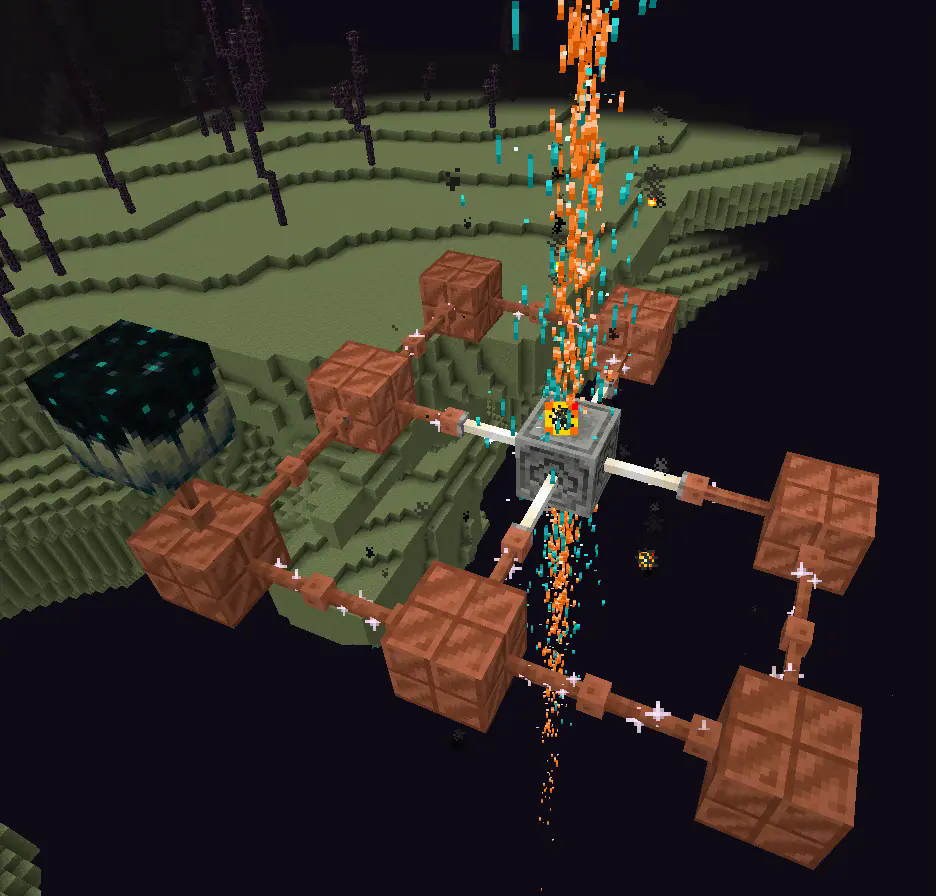
If you want to avoid touching grass for a few days, you can make a netherite block and magnetize it.

credit goes to T_en_M for the Stolen music disc
(disc available 1.2+)
T_en_M’s discord:[https://discord.com/invite/pZAtE8a2q3](https://discord.com/invite/pZAtE8a2q3)
Inspired by SimplySarcs Copper video
And
AuraAcorns Copper Wiring
[https://modrinth.com/datapack/copper-wiring](https://modrinth.com/datapack/copper-wiring)
Future Updates?
**Soon:**
-better redstone support(maybe)
-more machines
**Later:**
-I would love to add the Copper Golem
-A use for the conduit (I think it will allow the productivity armour to go underwater)
-~~amethest?~~ (different project)
-some sort of transport, maybe with the beacon
-lightning weapon, a sister weapon to the mace perhaps
-better visuals
Whats not to come
1.20.6 and lower (probably)
The meaning of life
Known bugs
-on 1.21-1.21.3 versions leather armour texture can apair white
PLS LOVE YOURSELF AND MAKE BACKUPS.
I will not be held accountable for my bad code.
And that’s it.
If you want to submit an issue or want to request a feature or just want to roast the data pack, the link is here:
[https://github.com/Wangle17/Zapped-Datapack/issues](https://github.com/Wangle17/Zapped-Datapack/issues)
zAntiAutoClick
[](https://minestrator.com/a/GROUPEZ)
**Attention, this is a free version of zAntiAutoClick, you can use it but you must buy the paid version to get help!**

**zAntiAutoClick** is a plugin designed to analyze players’ click sessions on entities. At the end of each session, the plugin automatically determines whether the player’s behavior appears valid or suspicious.
Its main purpose is to provide detailed insights into player activity, helping you detect potential use of auto-clicking tools.
**Note**: zAntiAutoClick does not apply any automatic punishments. It is up to you to review the data and take appropriate action if cheating is detected.
# Requirements:
– [zMenu](https://modrinth.com/plugin/zmenu)
– [PacketEvent](https://modrinth.com/plugin/packetevents)
# Features
– Detect automatic clicking (autoclickers) when players attack entities
– Send a Discord webhook to notify your team of session results
– Notify your team in-game with session result messages
– Fully configurable analysis methods
– Inventory GUI to view all player sessions
– Inventory GUI to review sessions flagged for cheating
– Supports both SQLite and MySQL for data storage
# How does it work?
The plugin listens to attack packets sent by players when they hit an entity and records the time difference between each click. These clicks are grouped into what we call a session. A session represents all the time intervals between clicks over a certain period. For a session to be valid, it must contain a minimum number of clicks and last a minimum duration — both of which can be configured.
Once the session ends, the plugin analyzes it by checking various key indicators to determine whether the behavior is human or likely automated. It then calculates a suspicion percentage: if it exceeds 60%, the player is flagged as suspicious.
You can then review your players’ sessions and take action against cheaters.
One of the most effective indicators is the standard deviation of the click intervals. The lower it is, the more consistent the clicking pattern — a common sign of an autoclicker. If the standard deviation is below 20, the player is very likely cheating.
Z0nexx Tpa
Z0nexx TPA is a lightweight and efficient teleport request plugin for Minecraft servers, designed for smooth player interaction and easy usability. It provides a clean system for sending, accepting, and managing teleport requests without unnecessary complexity.
✨ Features
/tpa – Request to teleport to another player
/tpahere – Request a player to teleport to you
/tpaccept – Accept incoming teleport requests
/tpdeny – Deny teleport requests
/tpask – Toggle whether you receive teleport requests
⚙️ Simple & Reliable
Z0nexx TPA is built to be straightforward and dependable, making it perfect for survival, SMP, and community servers.
🚀 Performance Friendly
Optimized for modern versions (1.21.1 → 1.21.11), ensuring smooth performance with no unnecessary overhead.
Z0nexx plugin hider
Z0nexx Plugin Hider is a lightweight and highly configurable tool designed to enhance server management by controlling plugin visibility. It allows administrators to easily hide specific plugins from general users, improving security and organization. Server operators retain full access to all `/plugins` commands, ensuring they can view, manage, and monitor plugins without restrictions while keeping sensitive information concealed from others.
Z0nexx Home
Z0nexx Home is a lightweight and highly configurable Minecraft plugin designed to make player home management easy and efficient. With a clean and intuitive command system, players can quickly set, teleport, and manage their personal homes without hassle.
✨ Features:
/sethome – Set a home at your current location
/home – Teleport to your saved home instantly
/homes – View all your saved homes
/delhome – Remove a home you no longer need
⚙️ Fully Configurable
Z0nexx Home comes with an easy-to-edit configuration file, allowing server owners to customize messages, limits, permissions, and behavior to perfectly fit their server’s needs.
🚀 Lightweight & Efficient
Built for performance, Z0nexx Home runs smoothly on any server without unnecessary lag or complexity.
Perfect for survival, SMP, or RPG servers looking for a reliable home system players will love.
Zenith-Mod
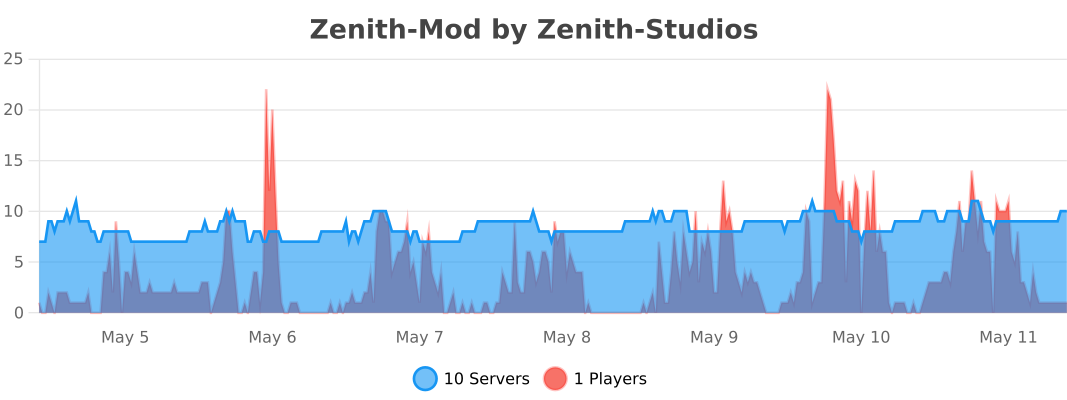
# Zenith-Mod – Professional Moderation Plugin
Missing something?
Do you miss something in this Plugin? Open a Ticket in our [Discord](https://discord.gg/2a4a3mWR4r) and we’ll implement it very asap!
A comprehensive moderation plugin built for modern Paper servers. Zenith-Mod gives you everything you need to manage your community effectively, with a focus on performance and reliability.
## Core Features
### Complete Moderation Suite
**Ban System** – Full ban management with IP bans, temporary and permanent bans, automatic escalation, and template support. Ban players whether they’re online or offline.
**Mute System** – Chat muting with command blocking support. Works for offline players too, so you can mute someone before they even join. Includes IP-based muting and automatic escalation.
**Warning System** – Track warnings with escalation levels and customizable thresholds. See a player’s warning history at a glance.
**Freeze System** – Freeze players in place with movement restrictions. Perfect for investigations or preventing griefers from escaping.
**Kick System** – Enhanced kick functionality with custom reasons and staff notifications.
**AutoMod** –
The AutoMod system automatically monitors chat and removes messages that violate your server rules — no manual intervention needed.
Word Filter automatically detects and removes messages containing blacklisted words. Thanks to built-in Leetspeak normalization, bypass attempts like 1d10t, i.d.i.o.t or @ssh0le are caught automatically — you only need to add the base word to the list.
AntiSpam detects two types of spam: players sending the same message repeatedly (duplicate detection) and players flooding the chat with too many messages in a short time (flood detection). Both thresholds are fully configurable.
When a message is blocked, the player receives a notification and staff members with the alert permission are instantly notified in-game. Alerts are also sent to a configurable Discord channel as an embed. Staff can toggle their own alerts on/off with /automod alerts.
**Banlist GUI** –
The Banlist GUI gives your staff a clean overview of all bans on your server — both active and inactive — directly in-game via /banlist.
Active bans are displayed in red, expired or already unbanned players in green, making it easy to see the current status at a glance. Each entry shows the player head, ban reason, type (Ban or IP-Ban), remaining duration, the staff member who issued the ban, and the Case ID.
Staff can filter the list to show all bans, active bans only, or inactive bans only. A built-in Case ID search lets you find a specific case instantly by typing the ID in chat. Clicking on an active ban entry unbans the player directly from the GUI.
### Advanced Management Tools
**Vanish System** – Complete invisibility with tab list hiding, god mode, and permission-based visibility. Staff can stay hidden while monitoring the server.
**Alt Detection & Limiting** – Automatically detect alt accounts and limit how many accounts can connect from the same IP address (configurable up to 5 accounts per IP).
**Client Detection** – Detect what client players are using and take action based on that information.
**Chat Freeze** – Temporarily freeze all chat for announcements or emergencies. Useful for server-wide announcements.
**Notes System** – Staff-only notes for players with full history tracking. Keep internal notes that players can’t see.
**History System** – Complete audit trail with case IDs for all moderation actions. Every action is logged and searchable.
### Template & Escalation System
**Pre-configured Templates** – Ready-to-use punishment templates that automatically escalate based on repeat offenses. Set up once and let the system handle repeat offenders.
**Multi-level Escalation** – Automatic duration increases based on how many times a player has been punished. First offense gets a warning, second gets a short ban, third gets longer, and so on.
**IP/UUID Tracking** – Choose whether to track by IP address or UUID per template. Some offenses might need IP tracking, others don’t.
**Custom Reason Suffixes** – Automatically add offense level information to ban reasons. Makes it clear why someone got a longer ban.
**Template Permissions** – Granular permission system so junior staff can only use certain templates.
### Offline Player Support
One of Zenith-Mod’s key features is that you can moderate players even when they’re not currently online. This means you can ban, mute, warn, freeze, or add notes to players who are offline – the action will take effect as soon as they try to join. This is especially useful for handling reports or taking action on players who logged off before you could deal with them.
Note: This refers to players who are currently offline, not offline-mode (cracked) Minecraft servers. The plugin works with standard online-mode authentication.
### API & Integrations
#### Java API System (Beta)
Zenith-Mod includes a comprehensive Java API for developers who want to integrate moderation features into their own plugins.
**Available APIs:**
– **FreezeAPI** – Programmatically freeze and unfreeze players with history tracking
– **ChatFreezeAPI** – Control server chat programmatically
– **EssentialsAPI** – God mode, fly mode, heal, feed, clear inventory, teleport
– **VanishAPI** – Vanish and unvanish players programmatically
– **Event System** – Listen to moderation actions with custom events (Ban, Mute, Warn, Kick events)
All API methods use `CompletableFuture` for non-blocking operations, so they won’t slow down your server. Staff notifications and history logging happen automatically for all API actions.
**API Documentation**: [http://javadocs.zenith-studios.org/](http://javadocs.zenith-studios.org/)
API Beta Notice
The Java API is currently in **Beta**. While core plugin functionality is stable, API features may undergo changes in future versions. Use at your own risk.
#### Other Integrations
**Web-API** (Premium) – RESTful API for external integrations and web panels. Token-based authentication with real-time server statistics and license validation for premium features.
**Discord Integration** (Beta) – Use slash commands in Discord to perform moderation actions. Great for remote moderation or integrating with Discord bots.
### Performance Optimized
Everything in Zenith-Mod is built with performance in mind. All operations are fully asynchronous, so nothing blocks the main server thread. We use HikariCP for database connection pooling, which means fast and efficient database operations. Configuration changes can be reloaded without restarting the server, and all database queries are non-blocking.
### Modern Architecture
**Multi-Database Support** – Works with H2 (default), SQLite, MySQL, or MariaDB. Use H2 for single servers, MySQL/MariaDB for multi-server setups.
**Proxy Support** – Full support for Velocity and BungeeCord IP forwarding.
**Modular Configuration** – Each module has its own config file, making it easy to customize what you need.
**Permission-Based** – Comprehensive permission system so you can control who can do what.
**Error Handling** – Robust error handling means the plugin won’t crash your server if something goes wrong.
## Modules
| Module | Description |
|——–|————-|
| **Ban** | Complete ban management with IP bans and escalation |
| **Mute** | Chat muting with command blocking and escalation |
| **Warn** | Warning system with customizable thresholds |
| **Freeze** | Player freezing with restrictions |
| **Kick** | Enhanced kick system |
| **Vanish** | Complete invisibility system |
| **Limiter** | Alt detection and IP limiting |
| **History** | Complete moderation history tracking |
| **Notes** | Staff notes system |
| **Check** | Player information and status checks |
| **Client Detector** | Client type detection |
| **Chat Freeze** | Temporary chat freezing |
| **Essentials** | God mode, fly mode, heal, feed, clear, teleport |
| **Web-API** (Premium) | RESTful API integration |
| **Discord** (Beta) | Discord bot integration |
**What we’re planning:**
– Punish Command – Take moderation actions through a GUI
– VoiceChat Muting – Mute people in voice chat using [Simple Voice Chat](https://modrinth.com/plugin/simple-voice-chat)
## Technical Specifications
### Compatibility
– **Paper 1.21.4+** – Fully tested and supported
– **Paper 1.21.x** – Very likely compatible
– **Paper 1.20.x** – Very likely compatible
– **Paper 1.19.4** – Probably compatible
– **Paper 1.19.x** – May work with minor issues
– **Paper 1.18.x and older** – Not supported
– **Spigot** – Partially supported (some features may not work)
### Requirements
– **Java**: 17 or higher
– **Server**: Paper 1.19.4+ recommended
– **Database**: H2 (default), SQLite, MySQL, or MariaDB
– **Permissions**: LuckPerms or similar (recommended)
### Configuration
– **Hot-Reload**: Use `/zenith reload` to reload all configs without restarting
– **Modular Config**: Each module has its own YAML file in the `modules/` directory
– **Color Support**: Full hex color support and Minecraft color codes
– **Placeholders**: Dynamic placeholders in all messages
## Key Commands
– `/ban ` – Ban a player using a template
– `/mute ` – Mute a player using a template
– `/warn ` – Warn a player using a template
– `/freeze ` – Freeze a player in place
– `/vanish` – Toggle vanish mode
– `/history ` – View a player’s moderation history
– `/notes ` – Manage staff notes for a player
– `/check ` – Check a player’s current status
– `/zenith reload` – Reload all configuration files
– `/zenith help` – Show all available commands
## Staff Features
– Real-time notifications for all moderation events
– Auto-escalation based on repeat offenses
– IP-based tracking to prevent alt account abuse
– Complete audit trail with searchable case IDs
– Offline player moderation support
– Template-only mode for junior staff members
## Performance Highlights
– **Async Operations**: Nothing blocks the server thread
– **Connection Pooling**: HikariCP for optimal database performance
– **Smart Caching**: Frequently accessed data is cached
– **File Rotation**: Automatic log file rotation by date
– **Error Recovery**: Automatic retry for database operations
## Statistics & Tracking
– Player join and leave tracking
– Moderation action counts
– Active ban and mute tracking
– Offense count per template
– Alt account detection
– IP address tracking (with proxy support)
## Customization
– **Messages**: Fully customizable in `messages.yml`
– **Colors**: Hex color support throughout
– **Placeholders**: Dynamic content in all messages
– **Prefix**: Configurable prefix for all messages
– **Duration Format**: Customizable duration display
## Getting Started
1. Download the plugin and place it in your `plugins/` folder
2. Restart your server
3. Configure your database settings in `config.yml`
4. Customize messages in `messages.yml` if needed
5. Configure modules in the `modules/` directory
6. Use `/zenith reload` to apply any configuration changes
## For Plugin Developers
Zenith-Mod provides a comprehensive Java API for plugin integration:
“`java
ZenithAPI api = ZenithAPI.getInstance();
if (api != null && api.isAvailable()) {
// Use FreezeAPI, ChatFreezeAPI, EssentialsAPI, VanishAPI
// Subscribe to events with ZenithEventBus
}
“`
**Full API Documentation**: [http://javadocs.zenith-studios.org/](http://javadocs.zenith-studios.org/)
API Usage Example
“`java
// Subscribe to ban events
ZenithEventBus bus = ZenithEventBus.getInstance();
bus.subscribe(PlayerBanEvent.class, event -> {
getLogger().info(event.getPlayerName() + ” was banned: ” + event.getReason());
});
// Freeze a player via API
FreezeAPI freezeAPI = api.getFreezeAPI();
freezeAPI.freeze(playerUuid, staffUuid, “Investigation”).thenAccept(success -> {
if (success) {
getLogger().info(“Player frozen successfully”);
}
});
“`
## Important Notes
– **Java API**: Currently in **BETA** – API structure may change in future versions
– **Discord Integration**: Currently in BETA – use with caution
– **Premium Features**: Some features require a license
– **Database**: H2 is recommended for single-server setups
– **MySQL/MariaDB**: Recommended for multi-server setups
## Support & Resources
– **Discord**: [Join our Discord](https://discord.gg/2qCMn6KHj4)
– **Premium Modules**: Available on Discord
– **Documentation**: [Zenith-Mod Docs](https://docs.zenith-studios.org/zenith-mod/introduction/)
– **API Documentation**: [Javadocs](http://javadocs.zenith-studios.org/)
– **Support**: Available on Discord
## Why Zenith-Mod?
**Performance First** – Zero thread blocking, fully async operations
**Modern Design** – Built for Paper 1.21.4+ with latest APIs
**Complete Solution** – Everything you need in one plugin
**Developer Friendly** – Comprehensive Java API for integrations
**Scalable** – Works great for small and large servers
**Professional** – Enterprise-grade reliability
**Configurable** – Highly customizable to fit your needs
**Well Documented** – Comprehensive documentation and support
—
**Made with ❤️ by Zenith Studios**
Yunzhu Transit Extension
# 云竹交通拓展(YTE)
**Yunzhu Transit Extension (YTE)**
*模组旨在为Minecraft Transit Railway本体提供更多功能扩展,目前添加了电梯批量连接器/移除器、电梯批量楼层设置器、更多电梯部件、更多电梯门及车站装饰。*
*Aims to extend functionalities for Minecraft Transit Railway (MTR). Currently adds elevator batch connectors/removers,elevator batch floor setter, more elevator parts, doors, and station decorations.*
—
### 截图 | Screenshots

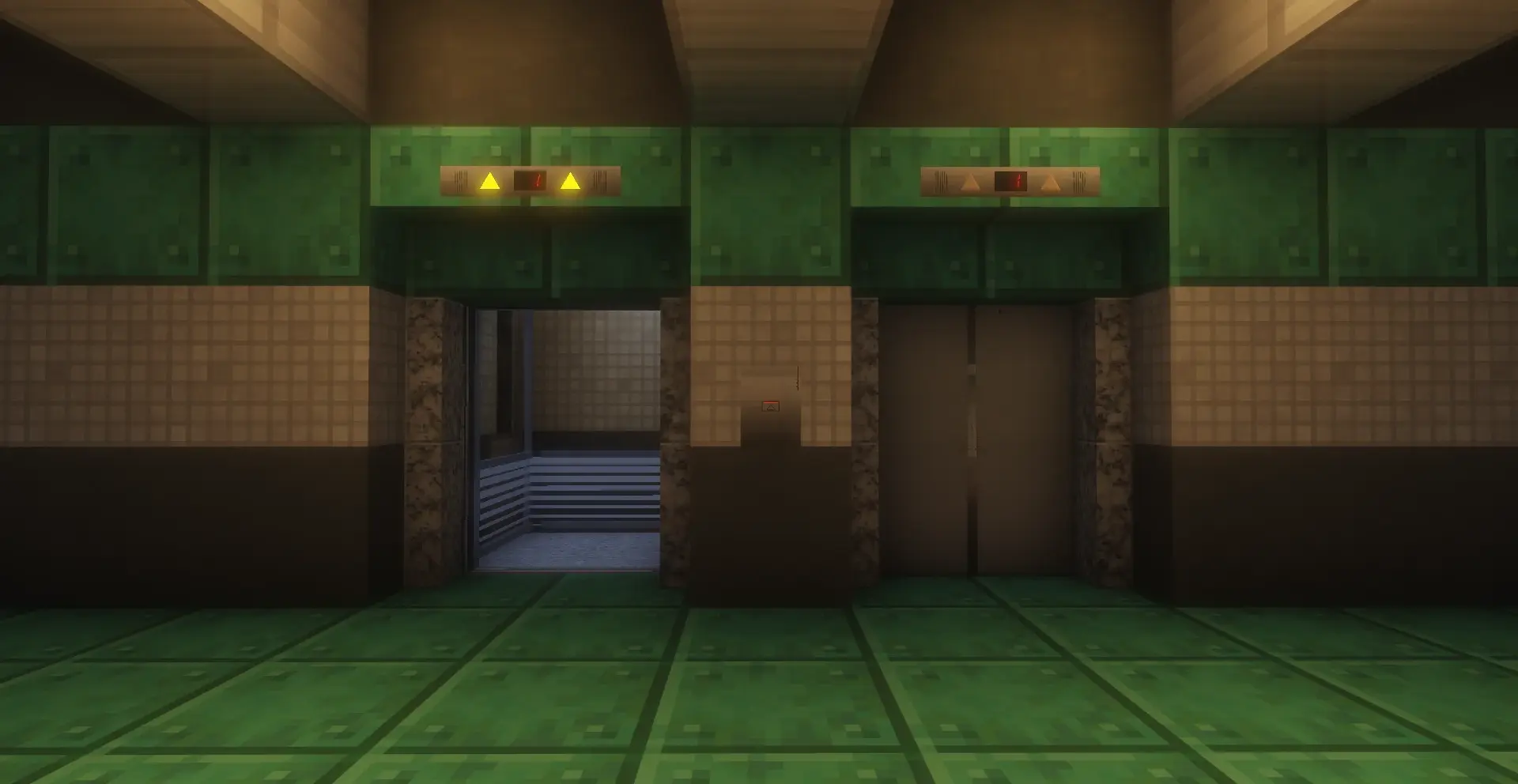

—
### 注意事项 | Notes
– *模组处于早期开发测试阶段,使用前请备份您的存档。*
*The mod is in early testing phase. Please backup your save files before use.*
– *如果遇到问题请提交 issues。*
*Report issues via GitHub if encountered.*
– *模组对 MTR 的最低版本要求为 4.0.0*
*Requires MTR version 4.0.0 or later*
– *QQ交流群:1041209145*
—
### 主要功能 | Key Features
– `Lift group connector/remover`
*电梯批量连接器/移除器:批量连接同一部电梯的所有按钮、显示屏*
*Elevator Batch Connector/Remover: Batch linking connects all buttons and display screens of the same elevator.*
– `Lift Floor auto setter`
*电梯楼层自动设置器:批量设置同一部电梯的所有楼层*
*Batch Floor Setter: Batch set all floors of the same elevator.*
– *更多电梯部件与门*
*Additional elevator components & doors*
– *更多车站装饰*
*Enhanced station decorations*
云游轻量生存整合包【YunGames Lite Survival Optimization】
A vanilla-friendly client modpack for solo players, built on Fabric 1.21.8+.
This pack enhances the core Minecraft experience with performance optimizations, UI improvements, and immersive sound and visual tweaks—without altering gameplay mechanics or breaking vanilla saves.

General game screen display and information prompts for using shortcuts
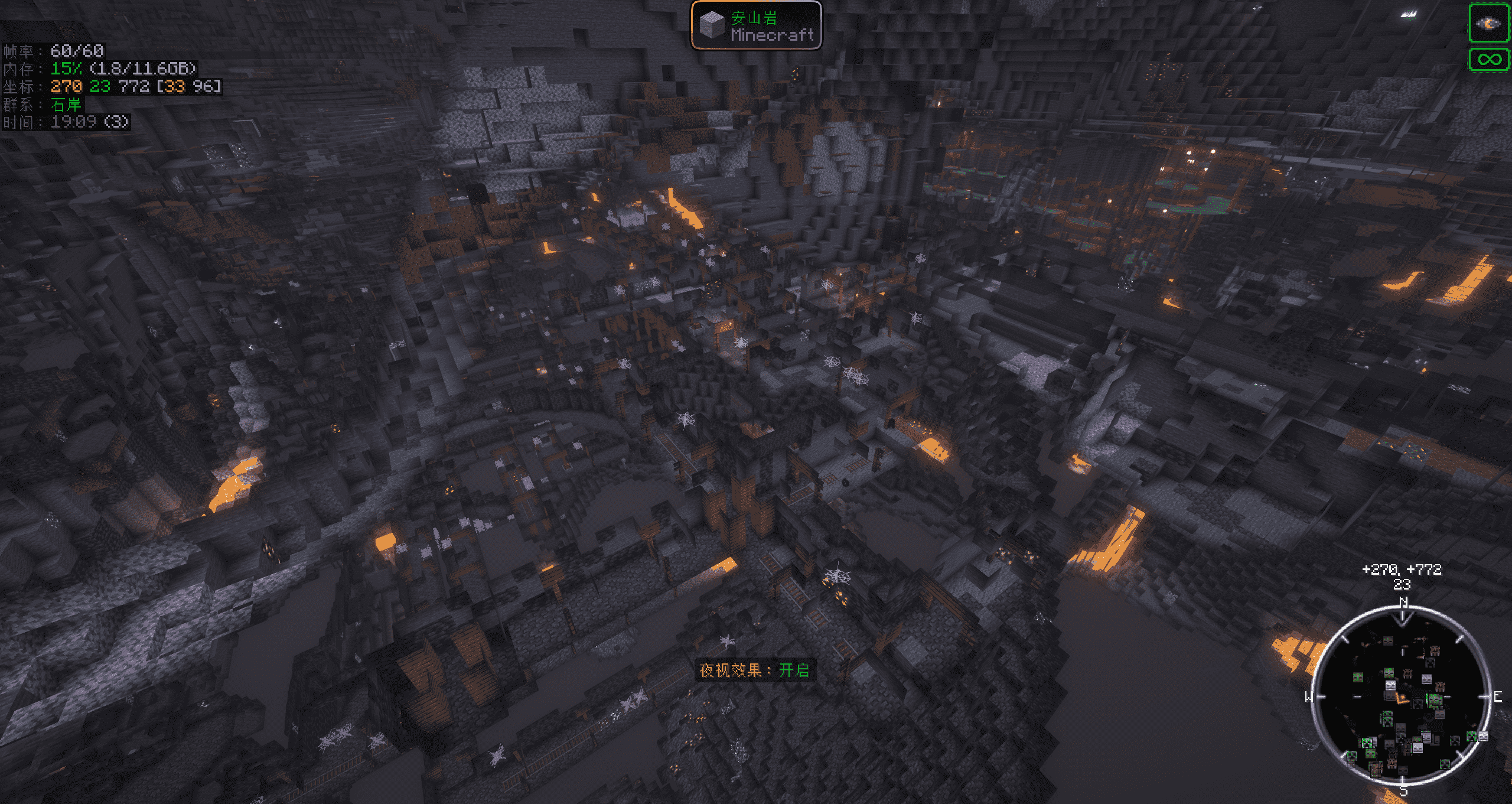
Features night vision capability that can be activated at any time.
# 🎯 Built-in Features
– Fully compatible with vanilla worlds and singleplayer saves
– Includes Sodium, Lithium, Krypton, FerriteCore for performance
– Enhanced UI with EssentialGUI, REI, Inventory Profiles Next
– Dynamic lighting, footsteps, and sound physics for immersion
– Built-in Chinese localization and resource packs for better accessibility
– Shader-ready with Iris pre-installed
# 🧩 Recommended Resource Packs
– CozyUI+ – clean and modern interface[CozyUI+](https://modrinth.com/resourcepack/cozyui-plus)
– BDcraft Music & Sound – immersive audio experience[BDcraft Music & Sound](https://bdcraft.net/downloads/musicpack-minecraft/)
# 🌤 Shader Support
Due to licensing restrictions, no shaders are bundled with this client. However, you’re not limited to the listed resource packs, shaders, or world saves — thanks to the built-in Resourcify mod, you can easily download any additional content you need directly from the in-game resource manager (top-right corner of the interface). No external tools or community uploads required — true self-sufficiency!
This client is perfect for players who want to enhance their experience without compromising the vanilla survival feel. It’s fully compatible with non-modded servers, so you can enjoy plugin-based multiplayer worlds without any issues.
如果有任何建议和疑问可以:
– 语音文字方式交流,[点击加入 · 小黑盒语音](https://chat.xiaoheihe.cn/iyeek8ln)
– 加入腾讯QQ群交流,[点击加入 · 作者QQ群交流](https://qm.qq.com/cgi-bin/qm/qr?k=j6D_aoLEs6vw50N_g9-OjjPBCwnJb-8z&jump_from=webapi&authKey=hiDPS1qMop0aCTlP4Volf0CkGsHpzkSvOy9dWZAIy7ojXeCgfIZW5gZfI0eBjduR)
中文介绍
一个适合单人玩家的原版兼容整合包,基于 Fabric 1.21.8+ 构建。
整合包在不改变原版玩法的前提下,提供性能优化、界面增强、沉浸式音效与视觉体验。
# 🎯·客户端内置
– 完全兼容原版世界与单人存档
– 集成 Sodium、Lithium、Krypton、FerriteCore 等性能优化模组
– UI 强化:EssentialGUI、REI、Inventory Profiles Next
– 沉浸式体验:动态光源、脚步声、音效物理
– 内置基础汉化与材质包,提升中文玩家体验
– 支持光影,预装 Iris,随时开启视觉增强
# 🧩·资源包推荐
– CozyUI+ – 简洁现代的界面[CozyUI+](https://modrinth.com/resourcepack/cozyui-plus)
– BDcraft Music & Sound – 沉浸式音频体验[BDcraft Music & Sound](https://bdcraft.net/downloads/musicpack-minecraft/)
# 🌤·光影包推荐
由于一些版权问题,未内置任何光影
# 🛠·安装下载
这是写给新手如何安装这个整合包,可以使用 Modrinth App、 hmcl、pcl、pclce等等启动器,通过导入整合包的方式进行安装客户端
# ⚠·注意事项
导入的整合包本包含config设置,但是由于各个用户环境不一致,所以可能并未被调用
客户端自行导入并成功启动后,记得
1.资源包一定要加载 内置我写的汉化 资源包,想要更好的体验可以加上 CozyUI+ 资源包
2.按键设置记得修改自己喜欢的设置,其中比较特殊的按键设置,I键是投影模组 litematica 的功能,可以通过游戏设置界面的 模组 选项来选择各个模组的设置,包括设置投影模组litematica,找到功能设置 I 键的地方,修改或者按ESC键清除即可解决重复功能的问题
内涵的一些文件加配置只针对该整合包,不适用于任何其它地方,禁止分发、销售、牟利、暴力拆解破解等破坏性使用。可以用于个人学习,游玩使用!
以上列出的材质,光影,甚至存档等等,并不局限于这些,客户端内置 Resourcify 模组,可以通过客户端相关界面右上角选择下载所需资源,做到真正不求与人,自力更生!
客户端适合希望提升体验但不破坏原汁原味的玩家,也能正常访问非模组的插件服务器生存!
yunfaRemember
# yunfaRemember
## Description
* ### a plugin that allows you to stay on the same server when you exit, group servers into one server, which saves the server where you left in order to go there again
## Features
* ### Stay on the same server
* ### Groups, with individual saves
* ### Seamless connection
* ### The same functionality for connecting to groups as with a default server
## Credits
* ### Author: yunfachi
* ### Site: https://yunfachi.dev
* ### Github: https://github.com/yunfachi/yunfaRemember
* ### Modrinth: https://modrinth.com/plugin/yunfaremember
* ### Spigot: https://www.spigotmc.org/resources/111843
## Docs
### to immediately connect to a group of servers in velocity.toml
#### velocity.toml
“`yaml
[servers]
lobby_group = “127.0.0.1:65483” #the port that you specified in the plugin configuration
try = [
“lobby_group”,
]
“`
#### yunfaremember/config.yml
“`yaml
check_for_updates: true
groups_port: 65483
storage_type: FILE
server_groups:
lobby_group:
– lobby_af
– lobby_an
– lobby_as
– lobby_eu
– lobby_na
– lobby_oc
survival_group:
– survival_1
– survival_2
“`