Webchat
# WebChat
**Webchat allows players to chat with players that are on the server via a webpage**



## Features
– Port and bind address config
– Custom web-to-game and game-to-web message format
– Very customizable config
– Modifiable page files
## Config
Config
“`
# WebChat Configuration
# Minecraft <-> Web chat bridge
# Web server settings
webserver:
# Port the built-in HTTP server listens on
port: 8765
# Bind address (0.0.0.0 = all interfaces, 127.0.0.1 = localhost only)
bind-address: “0.0.0.0”
# Secret token required for POST requests (change this!)
secret-token: “change-me-please”
# Chat settings
chat:
# Format for messages sent from the web to in-game
# Placeholders: {username}, {message}
web-to-game-format: “&7[&bWeb&7] &f{username}&7: &f{message}”
# Format for messages sent from in-game shown on web
# Placeholders: {username}, {message}
game-to-web-format: “{username}: {message}”
# Maximum message length allowed from web clients
max-message-length: 256
# Maximum username length for web clients
max-username-length: 16
# Minimum username length for web clients
min-username-length: 3
# How many messages to keep in history (shown to new web visitors)
history-size: 100
# Usernames that web clients are NOT allowed to use
# (to prevent impersonation of admins, etc.)
blocked-usernames:
– “Console”
– “Server”
– “Admin”
– “Notch”
– “Herobrine”
# Long-polling timeout in seconds (how long the server holds open a poll request)
poll-timeout-seconds: 30
“`
## Demo

Webcam
# Webcam
Mod and plugin that allows players to broadcast their webcams
## Downloads
– Fabric / Quilt
– NeoForge
– Bukkit / Spigot / Paper
– Velocity
## ⚠️ Warning
This plugin requires special setup on server to work.
If you are a server administrator, please read the section `Setup on server` first
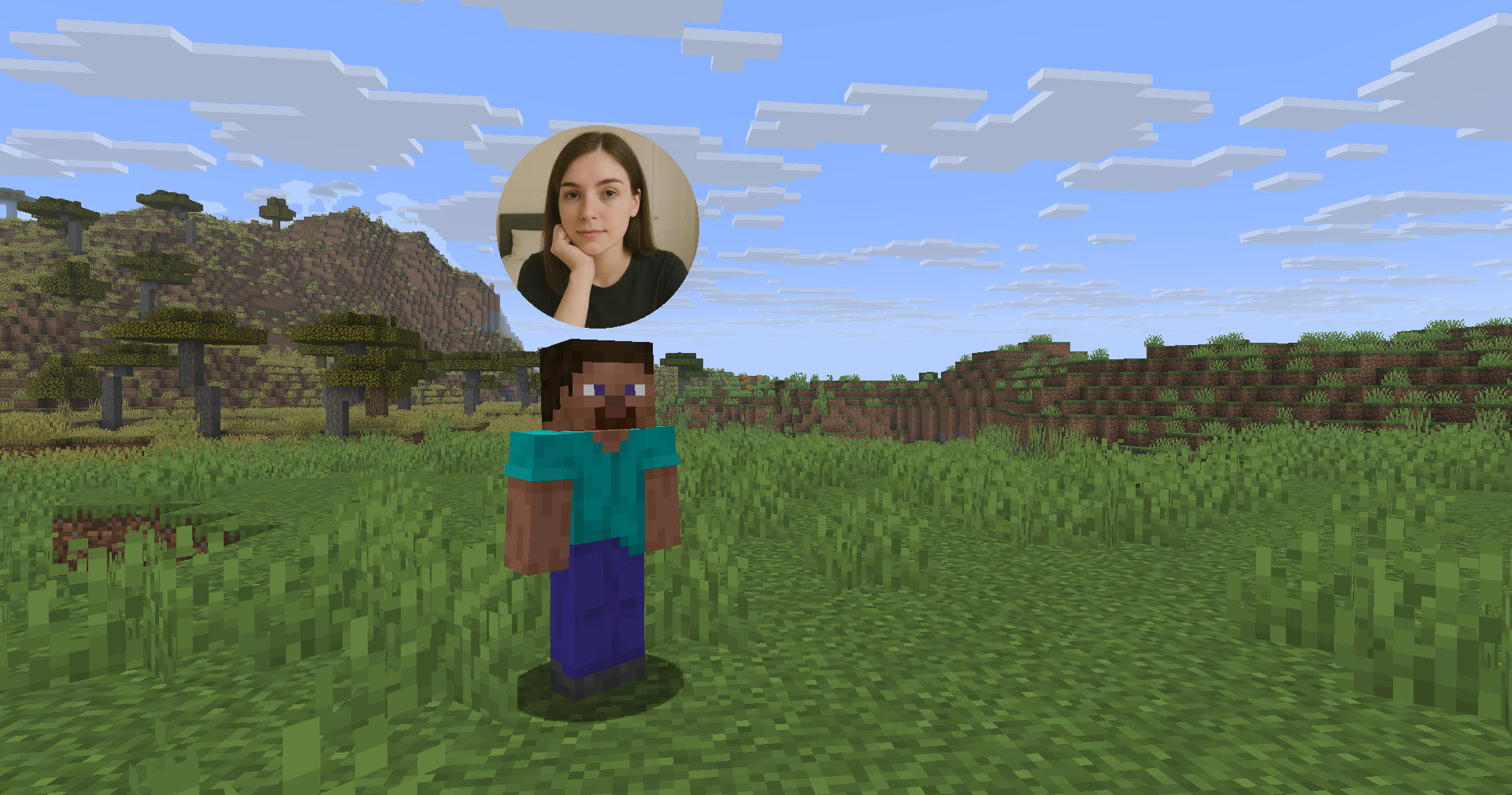
## Features
– High-quality webcam broadcasting
– H.264 video codec
– Video transmission via UDP using custom protocol
– AES encryption
– Bitrate control
– Video resolution control
– Different display shapes
– Display size and position configuration
– Display on player model face
– Display distance limit
– Webcam broadcast and view permissions
– Advanced client configuration (Mod Menu & Cloth Config API required)
– Ability to hide selected players’ webcams
– Velocity proxy support
– Compatibility with ReplayMod & Flashback
## Client Usage
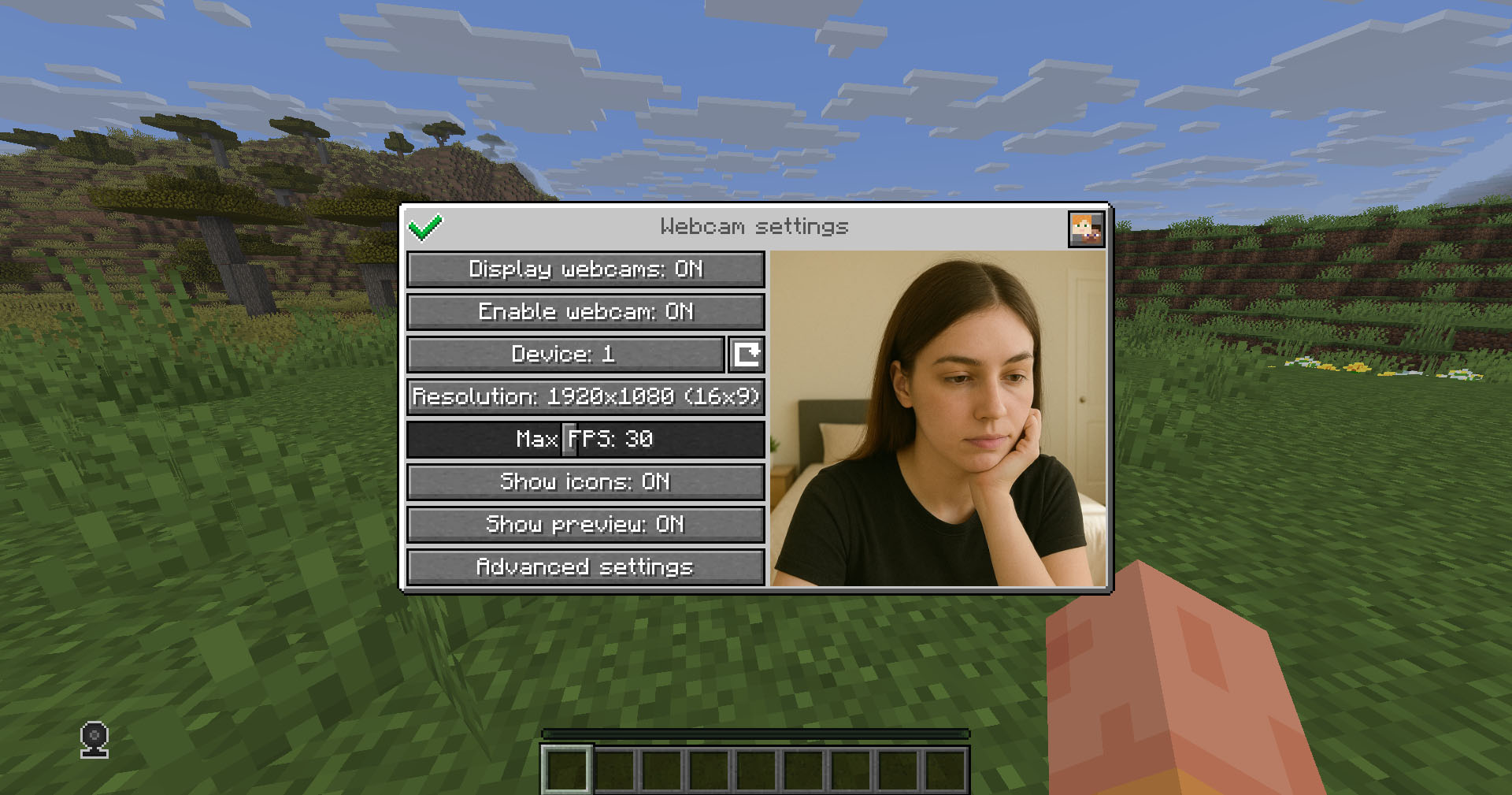
Put the mod in the `mods` directory (with the Fabric API if you are using Fabric). The settings menu can be opened by hotkey (`C` by default)
## Icons
| Icon | Description |
|:——————————————————–:|——————————–|
|  | Your webcam is enabled |
|  | Your webcam is disabled |
|  | Connecting to Webcam server |
|  | Not connected to Webcam server |
## Encryption
Webcam connection is encrypted, but we don’t guarantee the security of it. Use at your own risk!
## Setup on server
Webcam plugin uses UDP socket to transfer video packets.
So you need to open a UDP port in your server’s firewall and panel (if present) to make Webcam server work. This is port `25454/udp` by default. You can change the port in server config
If you are using Velocity, see `Setup on proxy`
### Server config
Location:
– Fabric / Quilt / NeoForge: `config/webcam/server.json`
– Bukkit / Spigot / Paper: `plugins/webcam/server.json`
Here are the default values with their descriptions:
“`
{
“port”: 25454, // Webcam UDP server port. This must not clash with any other used UDP port (like Simple Voice Chat port)
“bind_address”: “”, // Address to bind the Webcam server to. Leave blank to use the wildcard (0.0.0.0) address. F.e. use “127.0.0.1” to accept only local connections
“host”: “”, // The hostname that clients should use to connect to the Webcam server. Leave blank to use the address, that player is connected to Minecraft with. Can be a simple address or an address with port. This will be ignored, if the server is proxied
“keep_alive_period”: 1000, // Period of sending keep alive packets is milliseconds
“permission_check_period”: 60, // Period of checking webcam.broadcast and webcam.view permissions in ticks
“max_display_distance”: 100.0, // The distance in blocks from player, in which other players can see his webcam
“display_on_face”: false, // Whether to display webcam on player model face or above his head
“display_shape”: “round”, // Shape of webcams displayed above players’ head. Possible values: “round”, “square”
“display_offset_y”: 1.3, // Y offset of webcams displayed above players’ head
“display_size”: 1.2, // Size of webcams displayed above players’ head
“hide_nicknames”: true, // Whether to hide player’s nickname if his webcam is enabled
“display_self_webcam”: true, // Whether to show the player’s webcam to himself
“synced”: { // These settings are synchronized with clients
“image_dimension”: 360, // Side dimension of square webcam images
“mtu”: 1100, // Maximum Transmission Unit of packets. You can lower this, if image on webcam starts look glitchy or not arrives at all
“bitrate”: 500 // Target video bitrate (kbps)
},
“messages”: { // Custom transtalions for messages, that are sent to players in different situations. May contain placeholders – %s
“incompatible_mod_version”: “Incompatible Webcam version. Your – %s, server’s – %s” // The message that will be sent to player if he has incompatible Webcam mod version. You can set this to empty to disable sending this message
}
}
“`
### Commands
– `/webcamconfig [new_value]` – command to read/update config values. Requires `webcam.command.config` permission or OP.
### Permissions
– `webcam.command.config` – permission to modify Webcam server config (default: OP Level)
– `webcam.broadcast` – permission to broadcast webcam (default: true)
– `webcam.view` – permission to view webcams (default: true)
## Setup on proxy
Webcam has Velocity plugin that proxies Webcam servers on the backend MC servers and allows to connect to different Webcam servers through the single port.
So it acts like a UDP proxy.
If you running proxy and backend servers on the same machine, you need to configure different ports for them. See `Setup on server/Server config` and `Setup on proxy/Proxy config`
### Proxy config
Server config is located in `plugins/webcam/config.properties`
Here are the default values with their descriptions:
“`
#Webcam proxy config
# Webcam UDP server port. This must not clash with any other used UDP port (like Simple Voice Chat port)
port=25454
# Address to bind the Webcam server to. Leave blank to use the wildcard (0.0.0.0) address. F.e. use “127.0.0.1” to accept only local connections
bind_address=
# The hostname that clients should use to connect to the Webcam server. Leave blank to use the address, that player is connected to Minecraft with. Can be a simple address or an address with port. This will override configured values on backend server’s
host=
“`
## License
This mod is licensed under **No Unauthorized Distribution License**, which full text can be found at https://github.com/DimasKama/Webcam/blob/master/LICENSE.md
### Summary
– **Modpacks:** You can use this mod in modpacks, but you must not include its files directly. Instead, list it as a dependency (mod reference) that points to an official download source.
– **For Devs:** You’re allowed to create addons or integrate support for the mod, but you must not copy any of its code. Instead, make it an external dependency that gets downloaded from an official source.
– **Redistribution Limits:** You cannot re-upload or share the mod’s code or compiled files publicly without the author’s explicit permission. Forking for personal use is okay, but distributing a compiled fork is not allowed.
– **Personal Use:** You may use and modify the mod for personal use, but any changes must remain private and not be shared publicly.
– **Official Download Requirement:** Any dependency or modpack reference must point to the official download sources provided by the author.
ChromiumCraft
Optimized ChromiumCraft is an innovative Minecraft modpack that brings internet browsing directly into the game using the Minecraft Chromium Embedded Framework (MCEF). Whether you’re looking up crafting recipes, watching tutorials, or streaming your favorite content, this modpack lets you access the web without ever leaving the immersive world of Minecraft.
Designed with performance and usability in mind, Optimized ChromiumCraft ensures smooth, lag-free browsing with minimal impact on gameplay. It’s the perfect tool for players who want to enhance their Minecraft experience with seamless access to the information and entertainment they need.
Web Chat
Web chat is a **client only** mod that gives you access to the Minecraft chat of your running game window. This allows you to chat with other players while having minecraft in the background. Great for things like semi-afk farming and similar things!
# Features
– Access chat through any web browser.
– Chat history is stored and available when you are on a server and open chat in a browser.
– Tab completion of usernames.
– Tab icon notification for new messages when the browser isn’t focused.
– Fully client side, works on any server.
– Ping support for your username & configurable keywords.
– Support for `/tell`, `/msg`, `/w` and `/me` commands.
– Full support for Minecraft’s text formatting (colors, bold, italic, translation, etc.)
– Support for official click and hover interactions (opening URLs, achievement details, etc.)

# Availability
– Minecraft version:
– 1.21.11 supported by Web Chat v1.5.0+
– 1.21.8 supported by Web Chat v1.4.0
– 1.21.1 – 1.21.4 are supported up to Web Chat v1.3.0 and not further.
– Mod loader: Fabric only
There are no plans to support other mod loaders.
# Usage
## Requirements
– Fabric API (required)
– YACL (required)
– Mod Menu (optional, needed for configuration)
## Installation
1. Install the mod from Modrinth or grab the latest release from GitHub.
2. Start minecraft.
3. Join a server.
4. Go to `localhost:8080` on the same computer, or use your computer’s local IP address (like `192.168.1.x:8080`) from other devices on your network.
5. Start chatting.
## Settings
### Message settings
– `Ping on Username` – This will ping the browser window any time a player’s username appears in the chat.
– `Extra Ping keywords` – This will ping the browser window any time one of these words appear in the chat.
### Network settings
– `HTTP Port` – Port number used to serve the web interface. `8080` by default.
# Security & Privacy
This mod turns minecraft into a small web server on your computer that’s only accessible (using `localhost` or your local IP) on your home network. This means that you can access Web Chat on a different device on your network, but not over the internet.
No data is sent over the internet beyond your normal Minecraft traffic.
**Important:** This mod is designed for local use only. **Do not** expose the web chat port to the internet. If you need remote access, setup a VPN (such as Tailscale).
Weather2 Remodeled

**Link**: https://rocketnode.com/wenxin
**Code**: **WARP-PIPES 25% Off**
___

## 📜 Description 📜
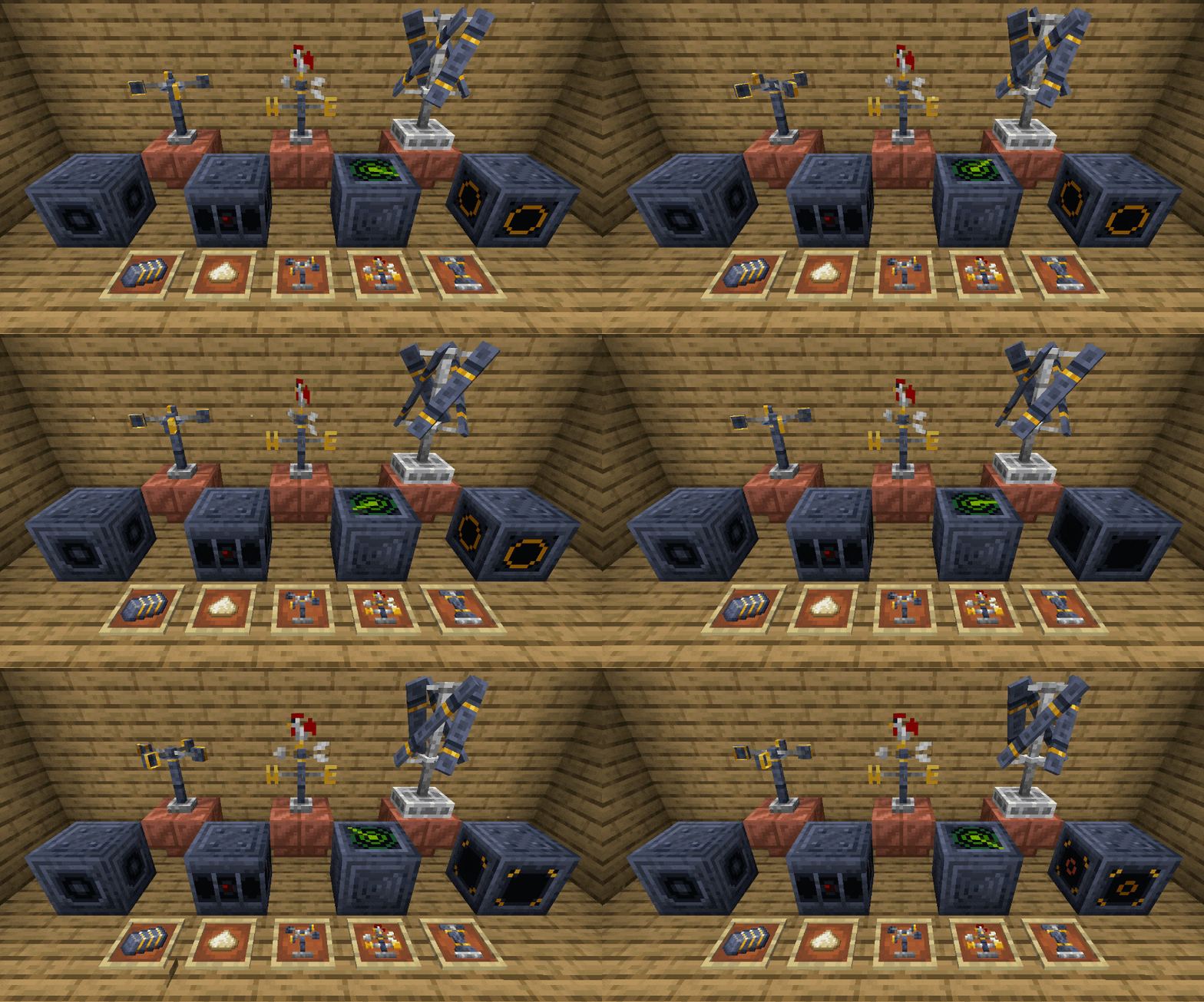
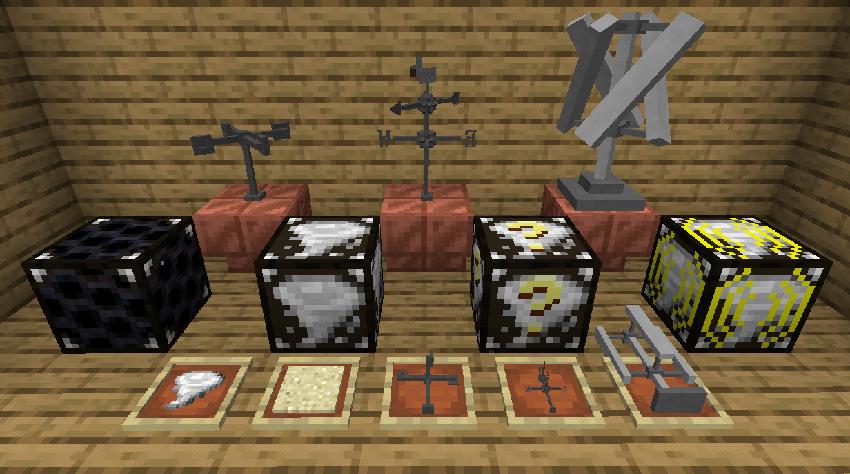
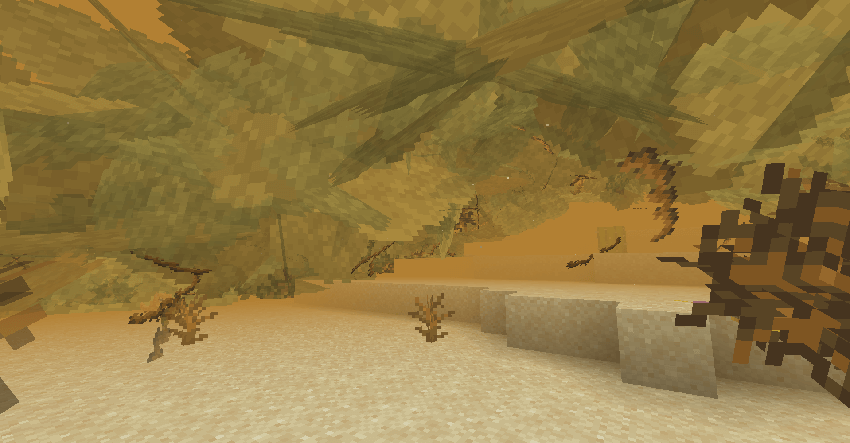
🔹Remodels and retextures all blocks, items, & particles from Weather2 to provide a more vanilla-style feel.
🔹New block and item textures and models
🔹New particle textures, including cloud and leaf particles
## ❗Requirements❗
🔸Weather, Storms, & Tornadoes Mod
🔸Entity Model Features Mod for the Anemometer, Wind Vane, & Wind Turbine
🔸_Entity Texture Features_ _is required by Entity Model Features_
## 🖼️ Media 🖼️
🔹New models:
🔹Old Models:
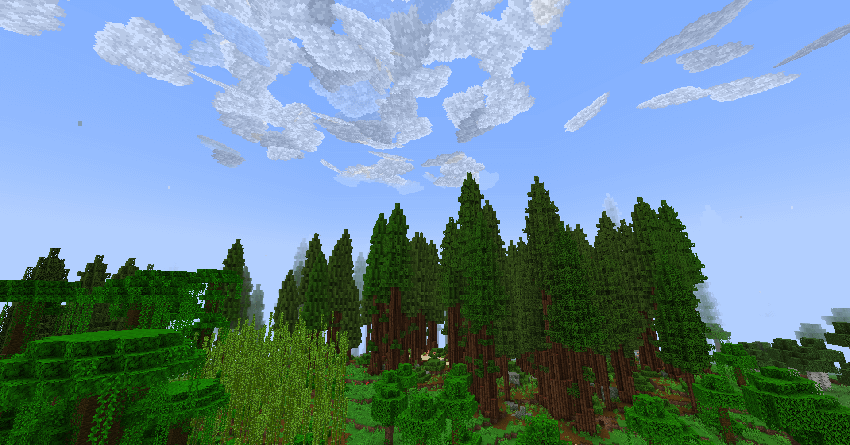
🔹Clouds:
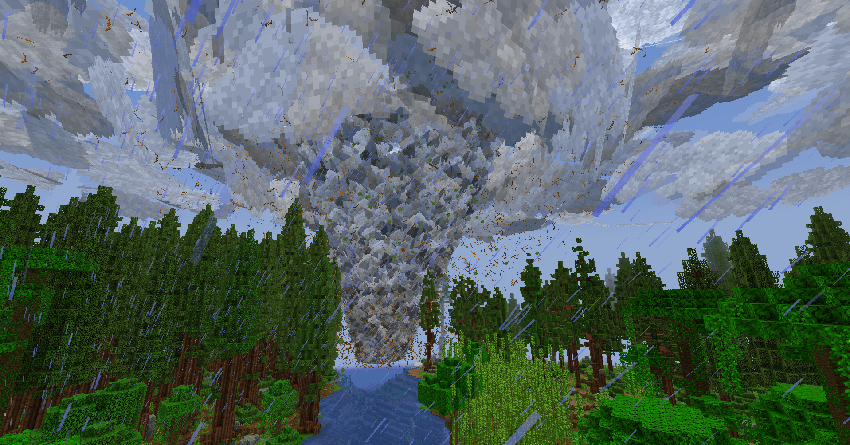
🔹Tornado:
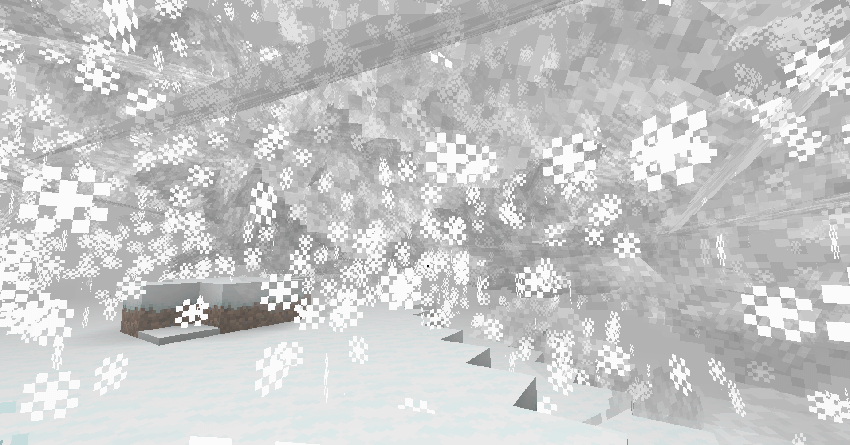
🔹Snowstorm:
🔹Sandstorm:
___
**I’ve partnered with RocketNode Hosting!**
**RocketNode** provides top-tier server hosting worldwide, allowing you to set up your server with just a few clicks! Their intuitive dashboard makes server management a breeze, and you can even schedule automatic restarts without needing any coding knowledge.
Use the code **WARP-PIPES** to get **25%** off your **first** month on any of their gaming servers. Get started here: https://rocketnode.com/wenxin
Weather Detector
# Weather Detector

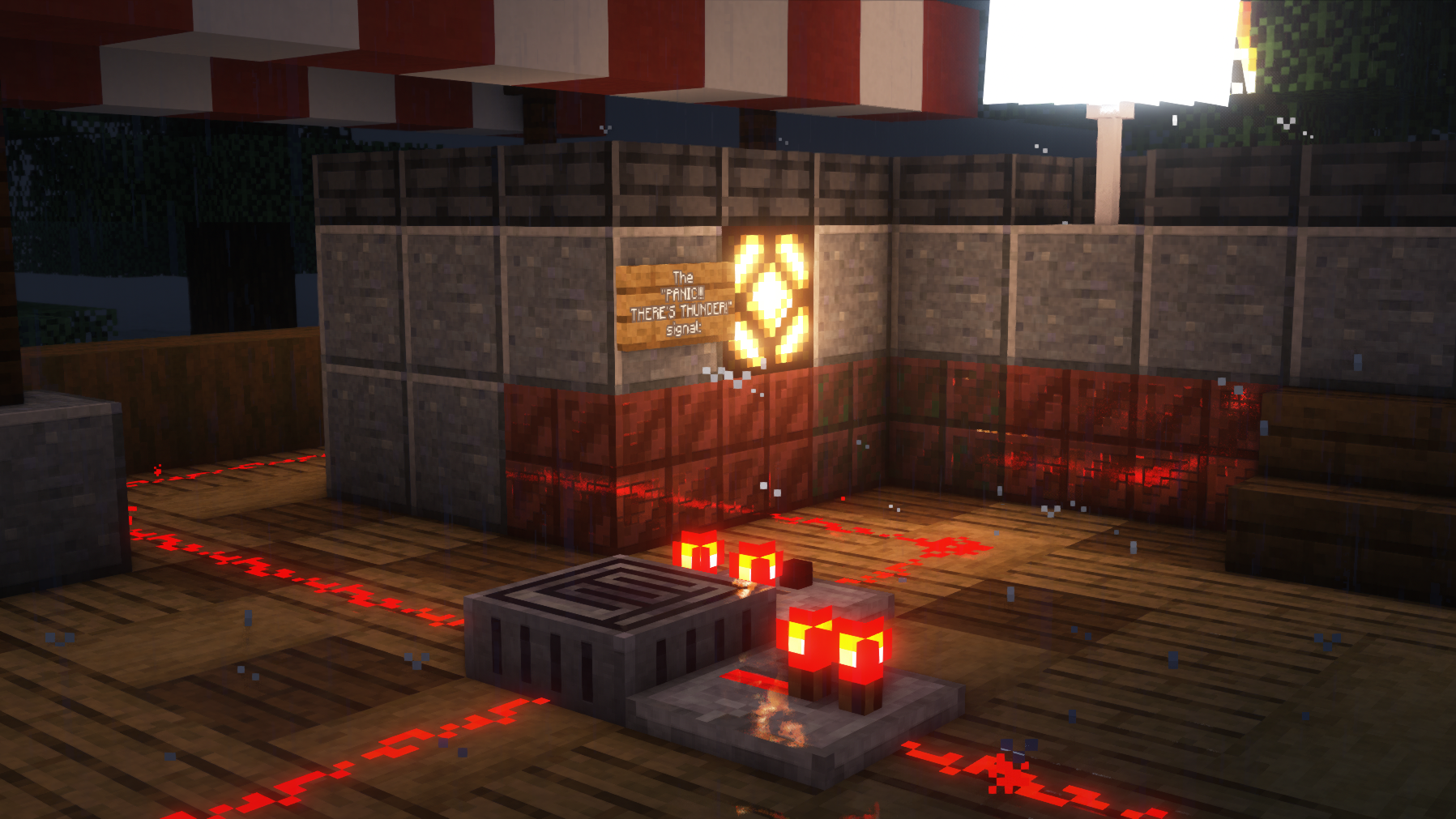
Adds a Weather Detector block that outputs a redstone signal based on the current weather.
The Weather Detector block:
* Outputs a redstone signal of strength 1-8 if it’s raining/snowing.
* Outputs a redstone signal of strength 9-15 if it’s thundering.
* Can be inverted by interacting with it.
It can be crafted like a daylight detector using glass blocks, nether quartz, and smooth stone slabs.
Currently supports Fabric and (Neo)Forge for 1.19.3, 1.19.4, 1.20.1 and 1.21.1. Fabric version requires Fabric API.
PRs and issues over at the Github repository are appreciated.
The mod is licensed under the MIT license and is thus free to be added to modpacks.
Survival Weather Control
### DESCRIPTION
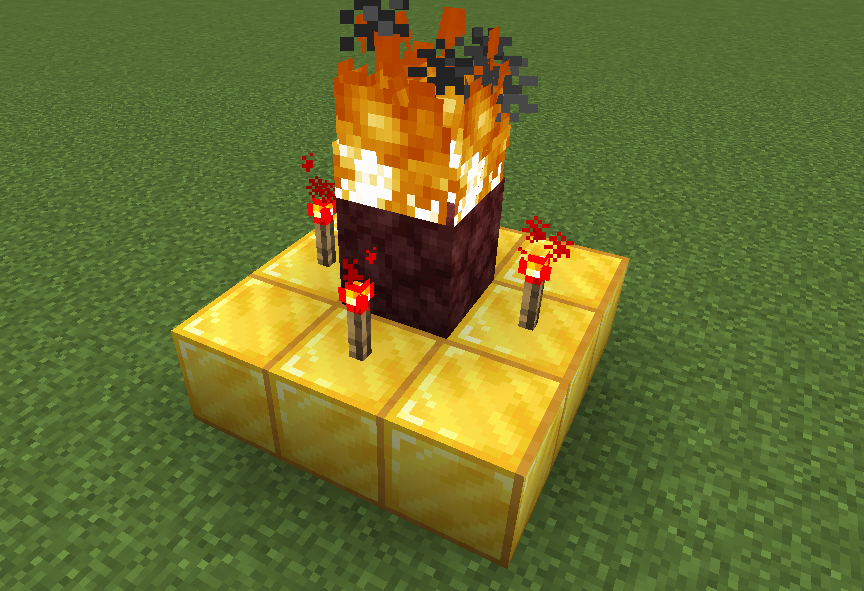
This data pack allows you to summon a thunderstorm using the classic altar used to summon herobrine! To do it, simply build the altar (place 9 gold blocks in a 3×3 arrangement with a lit netherrack block in the center surrounded by 4 redstone torches) and walk in the fire to “sacrifice” your health.
### INSTALLATION GUIDE
– go to your saves folder located here on Windows:
“`
C:Users(your name)AppDataRoaming.minecraftsaves
“`
put the zipped file in the data packs folder, and either restart your world or execute /reload
### OTHER THINGS TO NOTE
– gold blocks will turn into copper blocks upon usage
– for feedback, bug reports, or other help, join the discord server from the links section of this page!
Weaponry
Experience the thrilling fusion of two gaming worlds with our exclusive modpack, incorporating maps directly inspired by the sensational Roblox game, Weaponry, now seamlessly integrated into the immersive realm of Minecraft. Dive into a unique adventure where the boundaries between these two beloved games blur, offering you a whole new dimension of gameplay.
Join our vibrant community on Discord to connect with fellow players, share tips and tricks, and stay updated on the latest modpack developments. Simply head over to discord.gg/cdzSNArQxF to become a part of this exciting gaming journey.
For those curious about the original Roblox game that sparked this creative collaboration, you can find it at the following link:
https://www.roblox.com/games/3297964905/Weaponry-BETA
. Explore the roots of the modpack’s inspiration and witness firsthand the evolution of this captivating gaming experience.
WeaponMaster
# WeaponMaster
**WeaponMaster** is a Minecraft server plugin that adds weapons, armor, tools, and gameplay mechanics to the game.
It runs on any Spigot (or Paper and its forks, which are required for some additional features) server running Minecraft 1.21+.
## Features
– As of v1.12.0, **77** unique weapons, armor, and tools.
– The **WeaponMaster Dragon**, an upgraded dragon fight with special loot and rewards.
– The **Wither Challenge**, where you have to kill the wither without armor to get special loot.
– And some overpowered admin commands for fun.
– Performant, taking less than 0.2% of your tick (that’s 0.1 ms) in most cases.
Click here for more information about the items.
Click here for more information about the other features, including the WeaponMaster Dragon, Dragon’s Descent rewards tree, Wither Challenge, and admin commands.
Want to see an overview of the game progression? Check out the player’s guide!
## Installation
Simply put the `jar` file in the `plugins` folder of your server and start it!
For better aesthetics, you can also install the WeaponMaster overlay pack.
## Issues & Support
Note that this is my fun personal project, so it may contain bugs! Please report them on the GitHub issues page!
You can also go there for support. And I always welcome feature requests, no matter how crazy they are!
Wealizh
# Overview
– The mod does not significantly alter the gameplay of the original Minecraft, but adds some new content.
– Most of the content in this mod has real-world prototypes, but it also incorporates some imaginative elements.
# Content
## Various blocks and items
A large number of blocks and items have been added. Among the blocks, there are functional blocks, construction blocks, and natural blocks, etc. And the items include process items, practical items, and other items, etc.
For example:
> Block: Steel Block,Zinc Ore,Deepstal Silver Ore…
> Item: Battery,Gold Thread,Iron Plate…
## The new production method
Many items and blocks will be made using the new work blocks (functional blocks).
Common work blocks include: crusher, forging machine, assembler, and so on…
## More mechanical and functional blocks
Mechanics are the core function of this mod, and there is none other like it!
These mechanical and functional blocks form a complete process system. Of course, if you prefer not to go through this hassle, you can choose an alternative approach.
For example:
> Crusher,Assembly Machine,Combustion Chamber,Centrifuge…
### Take a different approach
This mod provides you with many shortcuts and other methods to skip or make the process of other procedures more convenient. For example, you can choose not to build a hand-cranked generator, but instead gather materials to make a combustion chamber and other components, thus skipping the process of hand-cranked power generation and directly using thermal energy for power generation.
## New settings and worldviews
These settings and worldviews have completely transformed the monotonous technology of the game!
This mod features numerous unique settings and a distinct world view, and it is also the main “concentration area” for imaginative elements. This means that most of the imaginative elements in this mod are concentrated here.
Of course, this does not mean that all the settings are purely imaginary.
For example:
> Qualitative Change and Electricity.
## Hidden Blocks and Items
This is actually not something that needs to be elaborated upon in detail, as most of these are for developer testing purposes. Therefore, some hidden items and blocks can be extremely dangerous, and some can even cause the game to crash or permanently damage the save file.
If you really want to take a look at or test it, you can find most of them in the “Admin Supplies” section of the created item inventory (this feature needs to be enabled in the settings).
## Unique species of organisms
Each creature in this module contains a form of satire towards reality and an implication of certain concepts.
Since the creatures in this mod mostly have hidden and confidential characteristics, we won’t go into detail about them here. If you have any questions that need answers, you can post them in the comment section or join the group for the same answers.
## A large number of progress and goals (achievements)
Most of the progress is actually quite appropriate, but you might not have noticed it.
In multiplayer games, the progress can indicate your current situation. But if you don’t want your friends to constantly “peek” at your progress, then just forget what I said.
The progress and goals play a major role in this module. However, even though this has been mentioned, many people actually don’t pay much attention to the progress and goals.
## Unexplained jokes and abstract MEME
This is one of the key features of this module!
The author really likes the hidden content and MEME elements in the mod. Most of them are hidden within the progress section.
OK. Although the author doesn’t want this module to become overly abstract, it is already moving in that direction.
# Others
– This mod is based on the original version, but with the addition of new side quests.
– It is recommended to use it together with the Just Enough Items;
– During gameplay, some glitches may occur. You can post the glitches you encounter in the comment section;
– The author usually follows the production process of “first do – then optimize”;
– If you have any ideas for the mod’s creation in the comment section, it might be realized~
# The author’s words
– The 1.15.4 version of this mod is a major reform. Because in this version, this mod will be re-made;
– Hope everyone has a great time!
– The author of this mod is a Chinese person, so the style and theme of this mod are both inclined towards Chinese elements.
# Attention
This mod contains numerous risky operations! Do not imitate them in reality!
# Version Identifier
The letters preceding the version number are called version identifiers: a1.15.4.
Among them, additional letters can be added after the identifier. These letters represent the version identifier.
They are merely numbers with no other meaning: ba1.15.3
a-Alpha
b-Beta
r-Repaired Version
t-Trial Version