WingAuth

[
](https://github.com/Elytrium)
# WingAuth
WingAuth is a modern Velocity authentication plugin for offline/hybrid networks.
## How it works
It runs login/register protection before players reach backend servers, using a Limbo-based auth flow.
Designed for server admins who want strong account protection with flexible setup.
## Key features
– Velocity-only architecture (runs the login on a virtual world)
– Session handling and brute-force protection
– Premium/hybrid and Floodgate-compatible scenarios (Bedrock support)
– Configurable messages and behavior
– Database-backed account storage (legacy-compatible migration path)
WindmillMC
The modpack for the WindmillSMP.
WindmillMC is a modpack that contains Create, Nostalgic tweaks, Computercraft and Farmer’s delight… oh, and Simple Voice Chat!!!
You can use this modpack on your own, but it is highly recommended to join our discord server and our minecraft server to better understand what it’s different, what is the purpose of the modpack and talk to the amazing people playing the modpack!!
You can join our discord here: [https://discord.gg/Jcbm5SErTC](https://discord.gg/Jcbm5SErTC)
Elton’s Wind meter for PMWeather
# Intent of the addon

This mod adds equipment for measuring wind speeds in ProtoManly’s weather (https://modrinth.com/mod/protomanlys-weather). The mod currently adds:
– A Young propeller type anemometer

– A Young propeller type heavy duty anemometer (almost indestructible)

– A Davis cup type anemometer

– A Richards cup type anemometer (almost indestructible)

– A tornado probe (anchor type), with probe reading handheld monitor

– A wind sock
 
– A garden decoration small replica wind pump
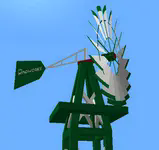
– A wind turbine

– A metal wind vane
– A wind chime that emitts sounds
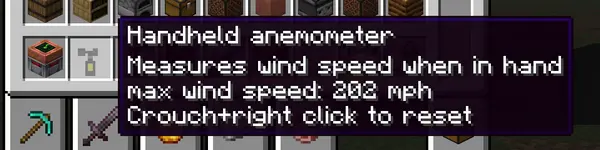
– A handheld anemometer
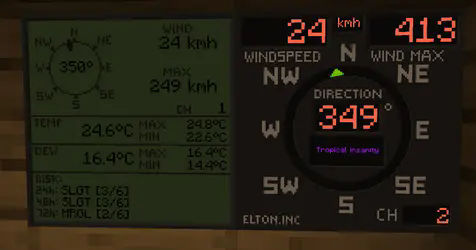
– Displays for reading wind values

The mod will not work without PM weather.
# Setting up the channels
**Pre 0.0.29**
To setup a channel on anemometers, shift+right click the anemometer. **No item should be held by either left or right hand at the time. That includes shields**
**0.0.29 and up**
To setup a channel on anemometers, press wind meter interaction key+right click the anemometer. Default interaction key is set so Shift, you can edit this key in the game’s key binds. **Setting up any other key than shift will allow you to enter anemometer channel setup even when holding items or shields in hand.**

**IMPORTANT** when you click confirm, it will say that the channel is occupied, this is because you **just** set the anemometer to that channel and it is now occupied by the anemometer you just set on it. If it says occupied before you even click confirm, that means an anemometer is already on the channel.
**After 0.0.30** When you click confirm, it will say “request sent” if the confirm was successful.
To setup a channel on display, right click the display. Anemometer and display must have same channel to communicate.
Channel 0 is non transmitting and is used for debugging. If anemometer channel could not be set, try setting it to 0 and then back to desired channel.
There are currently 100 available channels.
Right clicking anemometer will display it’s channels that server and client see. This number must always be equal. The feature now remains in the mod for debugging.
Anemometer GUI will display “Channel could not be set because placement is invalid” This is the case:
– if anemometer is placed under a block,
– if anemometer is in any other dimension than overworld,
– for about 1 sec after it’s being placed down, so immediately placing it and setting channel won’t work, just wait a sec and then enter channel setup.
## Redstone output
For setting up the redstone output, it is quite same as setting the channels. You put in the wind speed at which the display should output the redstone signal. It is not possible to set less that 4 mph due to histeresis (to prevent spam). Because the system is based on mph, other units might not be able to be set at increments of 1. This mostly applies to kmh.
Redstone output is only on wind displays.
# Useful commands
Use /windmeter commands to find out which channels are occupied, which are free or get anemometer location by channel number. Sometimes, the channels might bug out, use command clear channel [channel number] to clean up the broken channel. This will not remove the channel from anemometer itself. The anemometer locating and channel clearing command require operator permissions.
## Resetting the wind max and temperature max on display
**Pre 0.0.29**
To reset max values on display, shift+right click the display when not holding any items.
**0.0.29 and up**
To reset max values on display, wind meter interaction key+right click the display when not holding any items.
## Some gameplay info
### Block strengths
Wind strengths for anemometers are about:
– 219 mph for Young,
– 194 mph for Davis,
– 229 mph for tornado probes
– NaN mph for heavy duty Young.
– NaN mph for Richards cup anemometer
– heavy duty anemometer and Richards anemometer can be destroyed by shift-left clicking on it with any vanilla pickaxe
These will be readjusted when/if wind engine block picking gets an update
### Wind sock
Wind sock requires it’s dedicated pole to be placed on.
– wind sock tears off somewhere in between 130 – 170 mph and must be re-placed to fix it.
– the pole has a wind strength of 206 mph.
– the pole can be stacked to any height.
### Garden windmill
Garden windmill requires it’s dedicated tower to be placed on.
– windmill has furling tail brake mechanism (just for fun)
– windmill will be damaged by winds above 110 mph and must be re-placed to fix it.
– the upper tower part will permanently bend under strong winds in same direction as the winds.
– the tower pick up strength is 206 mph.
– windmill pick up strength is 164 mph.
– the tower can be stacked to any height.
### Small wind turbine
– turbine has furling tail brake mechanism and will reduce output power at extreme wind speeds
– turbine will be damaged by winds above 110 mph and must be re-placed to fix it.
– turbine pick up strength is 164 mph.
– carbon fibre turbine pick up strength is 180 mph.
– wooden wind turbine puck up strength is 154 mph.
– the power output is from below, so connect the cables there.
– Carbon fibre turbine is most efficient and has no brakes so it will output more power.
### Handheld anemometer
Handheld anemometer measures the windspeeds while in main hand. It will record and save maximum wind speeds per-item. If you have heavy tick lag, current wind speeds will vary from maximum due to maximum speeds being read from server side. The maximum speed is always the correct one and also the one that does the block destruction, so more relevant. To avoid delay and lag, the current speed is read on client side.
### Measurement units
Pre update 0.0.19t: Wind and weather display obey the PM weather config and will switch between metric or imperial based on that.
After update 0.0.19t: Wind meter uses it’s separate config to select desired wind speed and temperature units separately, allowing mixed imperial/metric.
The display will currently not record speed if not chunk loaded. Tornado passing over should make it record because the tornadoes load chunks. However, the tornado must pass over the chunk that display is in. Example: Your base has a display in the shelter and anemometer on roof. If tornado passes over your base it should record the event.
Weather display shows more data but refreshes slower and caps at 999 kmh. Due to calling the readings for risks it is not recommended to place down too many of them.
### Tornado probes
Tornado probes record atmospheric data for 5 minutes (configurable) after being placed down. They currently record max wind, max temp, min temp, max dew point and min dew point. After 5 minutes, they stop recording and reward can be dropped upon shift+right-clicking the probe if measured winds were high enough (only after it’s done recording). Breaking the probe won’t drop any items. Rewards are: iron ingots, gold ingots, diamonds, emeralds, netherite scraps and a netherite ingot. Probes drop experience based on wind speeds they measured and exposure time. Current data is shown by right-clicking the probe, maximum data is shown by interaction key+right clicking the probe.
### Probe monitor
A probe monitor can be used to right click and connect to the probe while it’s recording. It ticks in inventory, saves max wind and allows for remote wind reading. **After 0.0.30** The probe monitor can also read other anemometer channels. When in hand, right click anywhere and you will enter channel setup. If you right click on a tornado probe it will read data from that instead. If the anemometer or probe was broken or if probe stopped recording it will say no signal.

Position of data display can be changed in the config.
### Crafting
All items and blocks are craftable in survival mode. I suggest using JEI or other recipe viewers to see the recipes.
### QOL options
Versions after 0.0.19t have some configurable options.
Wind display text and numbers can be set to any color, but it has to be input as a base 10 number. Use online calculator converter to change the hexadecimal color number to base 10 number and paste that in the config. Example color 0xff6347 (16) -> 16737095 (10). You only convert the ff6347 part (without 0x or #).
Wind displays can also use dynamic colors that will change based on wind speed from blue to purple. Configuration is only available for wind display and not weather display.
The wind sock tearing off in high winds and garden windmill bending can now be turned off in config. This is server sided. The blockstrength for tornado picking up is not affected by this.
### Natural spawning
No mods currently add natural spawning.
## Some issues that might occur
– Redstone output on wind displays might get stuck
– Anemometers might disconnect (have their channel set to 0), might happen if a waypoint is placed on anemometer
– The channel list not syncing between SERVER and CLIENT
– Desynced issue can be mostly solved by quitting and rejoining the game. If the problem persists, the command for clearing up the channel must be used and anemometer reconnected. If all else fails, delete the “anemometers.dat” file in your saved world folder directory.
Do not redistribute a modified jar file.
Mod is allowed to be used in NON pay-walled modpacks.
WinCMD

**[PlayerCONSOLE](https://www.spigotmc.org/resources/%E2%9C%A8%E3%80%90%E2%98%85-player%E2%9C%A6console-%E2%98%85%E3%80%91%E2%9C%A8-%E2%8E%AE-remote-panel-50-off-%E2%8E%AE-auto-restart-velocity-file-db-managing-api.126241/) is REQUIRED!**
Text version
WinCMD is a lightweight PlayerCONSOLE module that brings a Windows command prompt frontend directly into your PlayerCONSOLE developer console. Run system commands, inspect processes, check network stats, and manage your machine, all without leaving the browser. Works on both Bukkit and Velocity.
What Is My FPS??
Scientia
potentia
est
Knowledge is
power

### *A Brief Introduction*
“The unexamined life is not worth living.” *- Socrates*
These words ring true most of all when it comes to Minecraft, after all, one must “Know thyself” before it can be said you know anything at all. This is what Aristotle would call the beginning of **all** wisdom.
What does it mean to know oneself? You must understand your actions, the world around you, how that world affects you, and how you impact it in kind.
Your Minecraft world is no different, well, except for one thing.
Between us and our beloved land of voxels is an inpreceptable barrier, one not only restricting your physical access but your mental and spiritual access as well. Of course, I’m talking about the barrier to the entire digital second space that makes up our modern world, what I call “the barrier of the screen.”
Our devices have gotten better over the ages, and we’ve rapidly worked to cross this barrier to observe our digital world in its raw form. Alas, we are not there yet, even information itself has a speed limit set not by man, king, institution, government, nor god, but by the laws of physics. The universe itself is the sole governing body in total control of how we perceive the world, how light is emitted from the screens, and hits our retinas. We crave more.
As humans often do, we long for more information, more understanding, more connection to what’s going on in our humble computers… more power. So thirsty for this connection, so lost in our quest, some dedicate their careers to this innately human quest, the quest for a higher FPS.
I come to you today, humbled by such an important drive. My offering to this higher calling is a meager one, but I believe in its importance nonetheless. I am no genius, I am no pioneer, and I will not be on the front lines in our battle as a species against the barrier of the screen.
Through this project, I, no WIMP, offers support.
Never again will you be without understanding of your true power, never again will you be encumbered by the burden of uncertainty, and never again will you have to ask…
“What Is My FPS ”
”

### *What How*
WIMP achieves greatness by leveraging the best the Minecraft community has to offer. Ensuring you’re **always** informed of your FPS, no matter where you’re looking.
Through rigourous testing, WIMP ensures at least 420% uptime of detailed performance information during regular gameplay regardless of playstyle or other conditions.
Built for anyone from brand new players looking for a deeper understanding of the game to battletested PVPers who rely on in-the-moment critical information, to professionals and creators hoping to optimize their workflow by cutting out the time it takes to find FPS information.
With 25+ mods dedicated to this one singular goal, WIMP offers more options than any other modpack on the market garunteed.
Carefully and painstakingly preconfigured to ensure your game still looks clean WIMP promises:
– ❌ No unnecessary information!
No screen clutter, only see what really matters to **you** when **you** want it.
– ✅ Easy customization!
Through preconfigured keybinds, ready made  Better F3 profiles,
and a custom resource pack for  Mod Menu that clarifies some of its more confusing elements, WIMP is highly tuned but ready for you to take control.
– ❌ No hard to see or overlapping elements!
Be confident in your FPS without straining your eyes or worrying about setting things up first, WIMP has you covered.
– ✅ There is no fourth thing!
WIMP is effiecient and lightweight without any bloat, while still providing everything you’ve been looking for and everything you need in a client-side Modpack.
This wouldn’t be possible without the hard work, dedication, and unparalleled creativity of the Minecraft modding community.
This pack is, after all, the sum of its parts, and wouldn’t exist without forward-thinking one-of-a-kind developers who dared to be different and create something unlike anything that had come before.
Each mod a masterpiece in its own right; these are just a few key components of WIMP.
Ensure you’re never without critical knowledge thanks to these critical mods…
–

DisplayFPS
–

FPShud
–

FPS – Display
Use powerful tools to take full control of your experience…
–

CustomHUD
–

Hudman
–

Hudder
For those that want something a little more user-friendly, dare I say simpler, WIMP offers…
–

simplehud
–

SimpleHUD
–

Simple Hud
### ⚠️ *What Is The Catch*
No catch! WIMP is offered as a community service for the public good. WIMP will never ask for your money, information, time, and will never attempt to C̵̩̦̲̒̐͠l̴̛̝̯̟̣̉a̷͈͕͉̤̓͆̈́͊i̸̼͆̈̓͘m̶̜̈́̅́͒ ̷̭̱̺̈́͠y̷̡̦͐̊ͅò̷̡̤̂̐u̴̺͛̒̽̂.
That being said, there are a few things you should know!
1. This pack is designed with `16:9` screens in mind, specifically `1080×1920` resolutions playing in windowed or full-screen mode. However, testing on other screens and resolutions indicates there should be little to no adverse effects even if you’re playing on phones or ultra-wide screens.
2. Some mods included are disabled by default, either due to incompatibility or redundancy with included mods, or because they lack the customization necessary to fit into WIMP. Re-enable at your own risk!
3. Some mods like

Immediately Fast
and

Exordium
are included to enhance performance, particularly when rendering HUD elements. If this is undesired, you may want to disable them.

### *Testimonials*
Below you’ll find the powerful words of our brave users who were willing to share the story of their personal journies with WIMP. Please read with respect and understanding for these deeply honest accounts.

|
“Users of my mod have been asking me for years how to show the fps…
{fps} isn’t good enough they say. It’s too complicated they say. Well no more. This pack is now my goto recommendation for my users”
– Jakob Minenash, Acclaimed developer of customHUD
|

|
“Before WIMP, I could never figure out anything…
But after I finally learned what my FPS was, I won the lottery, got my master’s degree, and now I’m dating a supermodel. It’s all thanks to WIMP.
WIMP turned my life around.“
– Frog C. Rafting, Professional Creeper victim
|

|
“After installing the ‘WIMP Modpack’, I achieved enlightenment…
My world now operates on a higher frequency of inquiry. Only one purpose remains, and while I don’t fully understand it yet, I have never felt more optimized.”
– Robella “Rose” Games, WIMP Groupie
|

|
“It’s so good that I’ve even started to dream about fps displays…
This pack works great on my Ninetendo 3DS! Having my FPS jump out at me in real live action 3D took my gaming experience to the next level! Sometimes I’ll see a glimmer in the top left of my eyes and get saddened that I can’t be playing WIMP at that very moment…” – Chakyl, Lead kubejs documentation truther
|

[](https://modrinth.com/user/coolbot100s) [](https://mmcreviews.com/owner/coolbot100s/) [](https://discord.gg/qxRVkGDjdJ) [](https://github.com/sponsors/coolbot100s)
Overly Realistic

Overly Realistic is a datapack & mod that adds a variety of features to minecraft, its goal is to make the game.. well.. overly-realistic! This takes inspiration from [Civilization’s Beginnings](https://modrinth.com/datapack/civilizations-beginnings) and [Joyful’s video on the problem with simulating civilizations in minecraft](https://youtu.be/6WJT-jPV1Mo)
The project is also inspired by real human evolutionary history and how it ultimately unfolded; a core idea for this project is to make lone survival extremely hard, meaning, players need to be grouping into tribes in order to more easily progress and survive..
Note that this makes the progression system in the game intentionally slower and more difficult!
If you’re unsure on how to progress, please check out the **advancements tab** in-game!
[ ! ] Also note that if you are using the datapack version of Overly-Realistic, you will need to use the [resourcepack found here](https://modrinth.com/resourcepack/overly-realistic-base-resources)
Overly Realistic has pretty frequent updates (updated every 1-2 weeks currently!) – Make sure you check up on this page from time to time!!
While the versions uploaded for this project are marked as releases, such versions should be considered as beta updates! There is still a lot I haven’t done/changed/added!
#

*  **New advancement system as a progression tree**
* Minecraft’s vanilla advancements have been removed and replaced with Overly-Realistic’s advancements, which act as a progression tree to help players know what they should be doing to progress
* All advancements fully explain and describe the next progression milestones, so players are able to play without tabbing into a wiki all the time or remaining hopeless
*  **Progression overhaul**
* Progression is now much more realistic, making it both harder but also more complex, although, in a way that is easy to understand and follow
*  **Various new player stats**
* Players must now care for their temperature, thirst, sanity, stamina, hygiene, vitality, and many other stats
* Players will now gain semi-randomized genetics when spawning in, which affects various stats, such as player size, attack damage, movement speed, etc
* Players are now generally much weaker and slower when spawning in, although, they can train their stats to improve them through time
*  **Harsher health**
* Health is now much harder to manage: players are able to bleed, gain physical traumas, create medicinal items, get illnesses, etc
* Players are able to receive different debuffs depending on what body part they were hit on
* Natural regeneration is now slower and dependent on various factors
*  **Hunger complexity**
* Players must eat different types of foods so they are able to manage their nutrients: fats, proteins, and fats
* Players’ hunger now decreases through time, and, the lower the player’s hunger, the weaker they get
*  **New wisdom and intelligence systems**
* Certain actions can add up onto skill experience, which allows players to be able to become better in that skill through time. Wisdom skills include combat, blacksmithing, cookery, archery, healthcare, etc
*  **Animal overhaul**
* Animals are now divided into 2 types, predators and prey; predator animals are aggressive towards players, while prey animals are not, and would rather flee when near a player
* Animal behaviour is now more complex: aggressive animals may choose to flee depending on factors like its current health and the amount of players hunting it, animals may spawn in with special traits that change their mannerisms, and animals will try to flee through good terrain
* Animals now spawn in with semi-randomized genetics, this affects their size, health, speed, damage, and knockback resistance. Animals’ sizes affect their other stats: larger animals will have better health and damage but will be slower, while smaller animals will have lower health and damage genetics, but will also be faster
* Animals now have stamina, which is used up when fleeing, allowing players to exhaust animals through time, which makes them slower and more vulnerable
* Various animals now create corpses when being hunted down, allowing players to harvest hides, meats, and bones from them
*  **Farming improvements**
* Crops now require specific biomes for them to be able to be successfully harvested
* Crops now need to be harvested with hoes
* Planting seeds and applying fertilizer items (such as bone meal) now takes time
* Crops can now be watered with water buckets to make them grow faster
*  **And much more!**
* Overly-Realistic provides a lot of content and heavily incentivizes the use of cooperation between 2 or more players!
* An official Overly-Realistic wiki is in the works, and will soon become publicized!
#

#
– Youtube: [[YT LINK]](https://www.youtube.com/@wilozyx)
– Planet Minecraft: [[PMC LINK]](https://www.planetminecraft.com/member/wilozyx/)
– Curseforge: [[CF LINK]](https://www.curseforge.com/members/wilozyx/projects)
– Smithed: [[SMTH LINK]](https://smithed.net/Wilozyx)
– Discord: wilozyxx
#

#
## [Addons for Overly Realistic]
– [Normal respawning](https://modrinth.com/datapack/normal-respawning-for-overly-realistic)
– Makes respawning more vanilla-esque: re-enables the death screen, disables players being downed, allows for setting respawn points, disables ghosts, re-enables respawning
– Supports v1.3.1 and above
– [Disable aggressive animals](https://modrinth.com/datapack/disable-aggressive-animals-for-overly-realistic)
– Disables the spawning of predator/aggressive animals in the world
– Supports v1.3.1 and above
– [Base textures](https://modrinth.com/resourcepack/overly-realistic-base-resources)
– Adds textures for the items added by Overly-Realistic
– Supports v1.3.5 and above
– Want me to feature your own addon? Contact me on discord! 🙂
## [Projects that work well with Overly Realistic]
– [William Wythers’ Overhauled Overworld](https://modrinth.com/datapack/william-wythers-overhauled-overworld-(datapack))
– Overhauls the overworld world generation as to make it more picturesque
– [J6’s Mob Variants](https://modrinth.com/datapack/j6s-mob-variants)
– Adds some great animal variants to the game
– [Halfstorm’s Visual Health](https://modrinth.com/mod/visualhealth)
– Changes entities’ textures dynamically depending on their health, creates great injury-based immersion
– [D3v_c’s Realistic Tree Behaviour](https://modrinth.com/mod/realistic-tree-behaviour)
– Makes trees fall down when broken, includes realistic animations and sounds
– [Youly’s Dynamic Crafting](https://modrinth.com/datapack/dynamic-crafting)
– Makes crafting table recipes more in-world!
## [Additional Credits]
– Achim2393 -> For their various textures
– Cownmoonist -> For their hog texture and inspiration
– SilicatYT -> For their work on ScoreFixer, which this project uses
#
New World
# Welcome to a New World…
New World is a modpack that seeks to break free from the “what-does-that-even-mean” that is “Vanilla Plus”. It rethinks Minecraft’s progression, focusing on the Sandbox in Minecraft’s Survival-Sandbox genre, while also not trivializing the proccess of becoming powerful.
New World overhauls and changes a _lot_ of what you would find in Vanilla Minecraft, so the rest of this description will serve to walk you through some of the more influential changes, sequentially from top-to-bottom for how much they affect the game!
## Goodbye Villages! Goodbye Outposts!
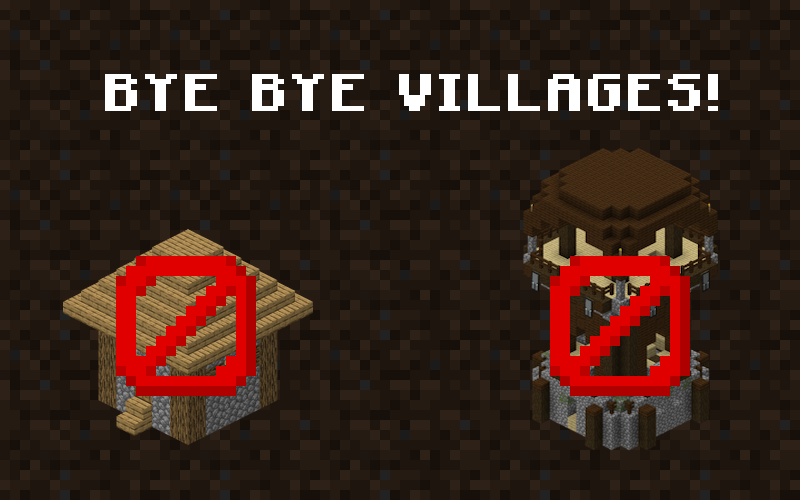
Ever making a new Minecraft world, settling along a lovely river, but wait, what’s that on the mountain there? An Ugly village with Cubes of dirt everywhere!
You find a beautiful and flat plains… 5 Villages are already there claiming all the good real estate for themselves.
Removing Villages isn’t about removing villagers… You can still cure one of them from a zombie! Villages in vanilla Minecraft contribute to a specific problem… ***The world already feels inhabited!***
Pillager outposts have the same issues. With the amount of structures in vanilla, Minecraft feels like a world that is already inhabited, already claimed. For RPG games and modpacks, this is amazing. Massive structures, plentiful villagers to give you quests galore– but for a sandbox game? It’s like trying to set up a beautiful farming village of your *own* and having to tear down *another village* because it’s already in the perfect spot in the center of the area.
With them gone, open areas are open again, and Minecraft as a canvas is open and blank for the hands of the player to shape.
## Goodbye Durability! Enchanting Rebalance!
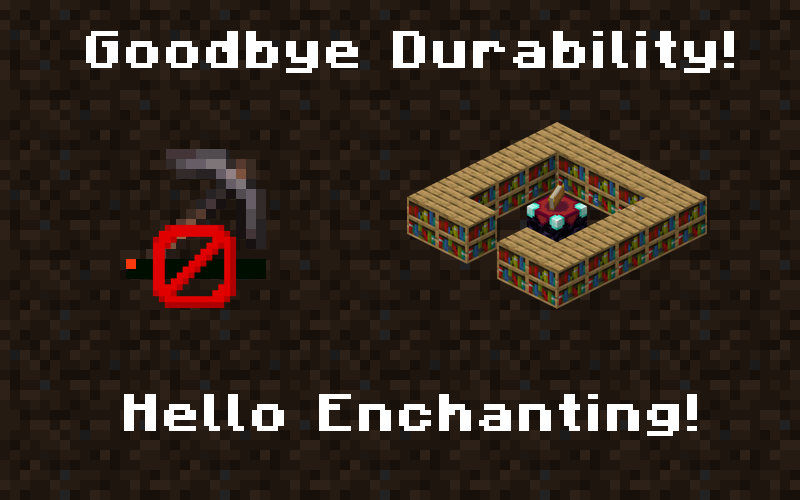
Those darn iron tools stopping you from making your starter bases because they break too easily? You don’t want to enchant them, not even with a tier 1 enchantment, for the same reason? Worry no longer! Without durability, the game’s progression no longer has any real *rush* to it. You can make wonders and marvels with iron tools, with no worry of them breaking on you! Diamond tools can be used as soon as you get said diamonds, without needing to consider if you can get mending before they’ve snapped in two. Durability is an annoying and outdated mechanic, and managing it in vanilla is mundane and one-note. Removing it all together is a bit of a “landlord plaster special” fix, but it opens the game up to a more sandbox-friendly nature.
Enchanting as well was a similar system. Getting the highest level of everything is a major pain, especially with sharpness five and protection four. All those hours spent getting protection three and sharpness three in enchanting tables is now… the highest level!
**Every enchantment** ***(except for Efficiency & Piercing)*** **has a new max level of 3.** This is more of a power-scale related balance, as high level “stat increase” enchantments like protection and sharpness aren’t really even neccesary when you have full netherite armor. Decreasing the max level of them makes it easier to enchant your gear to said maximum, makes things like PvP at said maximum more interesting, and most importantly *leaves room for Artifacts to make up the difference!*
Artifacts are *fun*, and they take the place of the much-less-fun option of maxed out gear with crazy modded enchantments.
WildPayments
Before:
/pay (player) 10000
After:
/pay (player) 10k
**Please note this requires players to have access to /epay.**
Wildelands
# Wildelands
Explore and survive the Wildelands, a newly generated world unlike anything you’ve seen before! Travel across the stars and become an astronaut. Build your (self-sustaining) bunker on various celestial bodies to unlock new materials and wonders. Upgrade your gear beyond the likes of Netherite with newly found gemstones.
## Compatibility
Minecraft: Java Edition, version 1.20.1 [Fabric] is supported.
Wild West


Weaponry
The Wild West Mod adds a variety of different guns and weaponry to destroy your foes! Included in the mod are the, current, three guns: the revolver, repeater, shotgun and scoped rifle. Aiming can be toggled by using shift + right click and only right click to shoot. Finally, said guns can be crafted in the Workbench after gathering the materials listed bellow.

As you may have noticed, the guns are crafted via two new items added called the iron/gold sheet. Similarly to the weapons, these can be obtained through the workbench. By putting it in the designated ingot slot whilst holding a hammer and clicking the ‘craft’ button, an ingot will be processed.

Tools & Functional Items
Currently there are only two main functional items within the mod, these being the handheld lantern and the ammo pouch. As stated in the name, the lantern will act as a limited light source on the go! Simply right click to toggle the item on and off. The second significant item in the game is the ammo pouch used to store bullets and shells.

Links
If you have any comments or queries, please leave a comment on the post and I will get back to you as soon as possible.
Curseforge: https://www.curseforge.com/minecraft/mc-mods/wild-west
