WLC
A lightweight and customizable plugin configuration for managing player join, first join, and leave messages with full color support and in-game admin controls.
## 🖥️ Compatibility
* Compatible with **Minecraft 1.19 – 1.21+** (both Paper and Spigot)
* Supports **Java 17+ servers**
## 📝 Changelog
**v1.0 – Initial Release**
* First release of the Welcome Message Config plugin
* Basic first join/join/leave message support
* In-game admin commands to manage messages
## 🔮 Planned Features
* Placeholder support (e.g., %online%, %world%)
* GUI configuration menu for easier editing
* Custom animations or sounds on join/leave
* Title, Action bar on join/leave
* Rewards on first join
* Rewards on welcoming
> ⚠️ Note: This is my first plugin and my first upload! If you notice any errors or bugs, please let me know on Discord.
ReadMe
# 📘 Welcome Message Config – README
This configuration file controls join/leave messages and admin commands for your plugin.
## ⚙️ Features
* Custom **first join message**
* Custom **regular join message**
* Custom **leave message**
* Enable/disable each message type
* Admin command to edit settings in-game
## 🧩 Configuration Overview
### 🔹 First Join Message / Join Message / Leave Message
“`yaml
firstjoin_message/join_message/leave_message:
enabled: true
text: “&7[&5+&7] %player%”
“`
* `enabled`: Enable/disable the first-time join/join/leave message
* `text`: Message shown when a player joins for the first time/join/leave
## 🎨 Formatting
* `&` is used for color codes (Minecraft formatting)
* `%player%` will be replaced with the player’s name
## 🛠️ Admin Command
### Base Command
“`
/wlcadmin
“`
### Permission
“`
wlcadmin.use
&cYou do not have permission to perform this command. (%permission%)
“`
## 📌 Available Subcommands
“`
/wlcadmin reload
/wlcadmin setfirstjoinmessage
/wlcadmin setfirstjoinenabled
/wlcadmin setjoinmessage
/wlcadmin setjoinenabled
/wlcadmin setleavemessage
/wlcadmin setleaveenabled
“`
## ⚠️ Usage Notes
* Boolean values must be `true` or `false`
* Invalid usage will return an error message with correct syntax
Deafult Config
“`
firstjoin_message:
enabled: true
text: “&7[&5+&7] %player%”
join_message:
enabled: true
text: “&7[&a+&7] %player%”
leave_message:
enabled: true
text: “&7[&c+&7] %player%”
wlcadmin_command:
permission: wlcadmin.use
nopermissionmessage: “&cYou do not have permission to perform this command. (%permission%)”
correctusage: “Correct usage /wlcadmin ”
reload:
successfully: “&aThe configuration has been successfully reloaded.”
warning: “&eThe configuration was reloaded, but some values may not be valid.”
error: “&cAn error occurred while reloading the configuration.”
setfirstjoinmessage:
successfully: “&aThe join message has been updated successfully.”
error: “&cUsage: /wlcadmin setfirstjoinmessage ”
setfirstjoinenabled:
successfully: “&aThe join message state has been updated to %newstate%.”
samestate: “&eThe join message state is already set to this value.”
error: “&cUsage: /wlcadmin setfirstjoinenabled ”
setjoinmessage:
successfully: “&aThe join message has been updated successfully.”
error: “&cUsage: /wlcadmin setjoinmessage ”
setjoinenabled:
successfully: “&aThe join message state has been updated to %newstate%.”
samestate: “&eThe join message state is already set to this value.”
error: “&cUsage: /wlcadmin setjoinenabled ”
setleavemessage:
successfully: “&aThe leave message has been updated successfully.”
error: “&cUsage: /wlcadmin setleavemessage ”
setleaveenabled:
successfully: “&aThe leave message state has been updated to %newstate%.”
samestate: “&eThe leave message state is already set to this value.”
error: “&cUsage: /wlcadmin setleaveenabled ”
“`
Wizards of the Industrial Age
⚙️ Overview
Wizards of the Industrial Age is a feature-rich NeoForge modpack built for me and my friends.
It blends the mechanical depth of Create with the magical systems of Iron’s Spells n’ Spellbooks, creating a world where engineering and sorcery coexist in harmony.
Build vast automated factories, forge arcane tools, and experiment with both magic and machinery to progress through a world where imagination fuels invention.
🔩 What to Expect
🧙 Industrial Sorcery: Master advanced spellcasting while constructing powerful automated systems and machines.
⚙️ Balanced Tech & Magic: A carefully tuned experience where both Create and Iron’s Spells n’ Spellbooks shine equally.
🏭 Creative Engineering: Design magical production lines, enchanted devices, and hybrid contraptions powered by both mana and mechanics.
🌍 Smooth Performance: Includes optimization and client improvements for large-scale builds and effects.
👥 Multiplayer Friendly: Works seamlessly for both solo play and cooperative sessions with friends.
💬 Notes
Originally created for a small group of friends, this modpack combines the creativity of automation with the depth of spellcasting for a balanced, progression-driven experience. Whether you prefer gears or glyphs, there’s always something new to master.
without express server modpack
# About the Modpack
This modpack was carefully built for our own Minecraft server, with the goal of offering a fresh and engaging experience that supports a wide variety of playstyles. Whether you’re into building, exploring, automation, magic, or just goofing around with friends — there’s something here for you.
Designed with multiplayer in mind, the pack includes a balanced mix of content to encourage cooperation, creativity, and progression without overwhelming new players. Every mod has been chosen to enhance the server experience, ensuring performance, stability, and fun.
If you’re looking for a modpack that brings players together while still letting everyone play their own way, this is it.
— Curently stil a work in progress so pls wait paciently while we develop this pack to completion —
Withered Utils
Withered Utils is a optimization modpack that doesn’t change vanilla content and adds many useful tools.
26.1.2 alpha will be available soon.
It lets you play on any server thanks to [ViaFabricPlus](https://modrinth.com/mod/viafabricplus) but beware of the servers rules, some of the mods features might be considered cheating.
## Performance
It includes the usual performance mods you can find on modrinth’s first page but also less known ones like [Better Block Entities](https://modrinth.com/mod/better-block-entities).
On a gaming laptop with a Ryzen 5 7535HS and a RTX 3050 4GB it gets 300-350 FPS without shaders and 80 FPS with BSL at medium setting (16 chunks).
Nvidium 1.21.10 is from [drouarb/nvidium](https://github.com/drouarb/nvidium/releases).
Also works on Mobile Launchers; a GalaxyA14 using MobileGlues with ANGLE as OpenGL ES Driver gets stable 60 FPS without shaders (8 chunks).
## HUD and GUIs
– [Simple Armor Hud](https://modrinth.com/mod/simple-armor-hud)
– [Xaero’s Minimap](https://modrinth.com/mod/xaeros-minimap)
– [Xaero’s World Map](https://modrinth.com/mod/xaeros-world-map)
– [Status Effects Bars](https://modrinth.com/mod/status-effect-bars)
– [Leave My Bars Alone](https://modrinth.com/mod/leave-my-bars-alone)
– [Appleskin](https://modrinth.com/mod/appleskin)
– [MiniHUD](https://modrinth.com/mod/minihud)
– [Don’t Hide My Items](https://modrinth.com/mod/dont-hide-my-items)
– [Better Advancements](https://modrinth.com/mod/better-advancements)
– [Better Statistics Screen](https://modrinth.com/mod/better-stats)
– [BoatView360](https://modrinth.com/mod/boatview360)
## Utilities
– [Tweakaroo](https://modrinth.com/mod/tweakeroo)
– [MiniHUD](https://modrinth.com/mod/minihud)
– [Litematica](https://modrinth.com/mod/litematica)
– [Carpet](https://modrinth.com/mod/carpet)
– [World Edit](https://modrinth.com/plugin/worldedit)
– [Mouse Tweaks](https://modrinth.com/mod/mouse-tweaks)
– [Zoomify ](https://modrinth.com/mod/zoomify)
– [LibrGetter](https://modrinth.com/mod/libr-getter)
**[Full list + descriptions](https://github.com/Seminosowo/Withered-Utils/blob/3f21a7f1be2e231fd9016376f3fc5566ffe91f05/Modlist.md).**
**You can find tables with all the configured keybinds near the end of this description.**
## Resource Packs
– [Enchanted Books: Re-covered](https://modrinth.com/resourcepack/enchanted-books-re-covered)
– [Gentler Weather Sounds ](https://modrinth.com/resourcepack/gentler-weather-sounds)
– [Clear Weather](https://modrinth.com/resourcepack/clear-weather)
– [Low On Fire](https://modrinth.com/resourcepack/low-on-fire)
– [No Pumpkin Blur](https://modrinth.com/resourcepack/no-pumpkin-blur)
– [Better Wither Heart](https://modrinth.com/resourcepack/better-wither-heart)
– [Undopia Lower Shield](https://modrinth.com/resourcepack/undopia-lower-shield)
– [Outlined Ores](https://modrinth.com/resourcepack/ore-outlines)
– [Redstone Tweaks](https://modrinth.com/resourcepack/redstone-tweaks)
– [Lightmap Fixer](https://modrinth.com/shader/lightmap-fixer)
**[Full list + descriptions](https://github.com/Seminosowo/Withered-Utils/blob/2c5b529418faa2b95d47284de5d631a7b482e027/Resource%20pack%20list.md).**
## Keybinds
### Tweakaroo
| Feature | Keybind |
|———————|:———————:|
| Open Config Menu | X + C |
| Freecam | V |
| GammaOverride | Y |
| CustomFlyDecelaration| X + D |
| Periodic Attack | X + . |
| Periodic Use | X + , |
| BreakReplace | X + R |
| Angel Place | X + A |
| Fast Place | X + F |
| Flexible Placements | X + E |
| Offset Flexible Placement | Left Ctrl |
| Rotation Flexible Placement | Left Alt |
_Angel Place is creative only_
#### MiniHUD
| Feature | Keybind |
|———————|:———————:|
| Open Config Menu | H + C |
| Toggle Main Rendering | H |
| Light Level overlay | H + N |
| Shulker Box Preview | Shift |
### Litematica
| Feature | Keybind |
|———————|:———————:|
| Open Config Menu | M |
| Toggle Main Rendering | M + R |
| Toggle Tool Rendering | M + T |
| Execute Operation | M + H |
### Miscellaneous
| Feature | Keybind |
|———————|:———————:|
| Open Xaero’s World Map | G |
| Open Waypoints Menu | U |
| LibrGetter Menu | Right Alt |
| Zoom | C |
| Vanilla Keybind Manager | X + O |
If you encounter issues or need any help with configurations, you can contact us **[here](https://github.com/Seminosowo/Withered-Utils/issues).**
Wither Storm : Finale
Step into the ultimate Minecraft apocalypse with Wither Storm: Finale! The legendary Wither Storm has grown beyond imagination, reshaping the world around it with massive destruction and relentless power.
Epic Boss Battles: Face the fully-evolved Wither Storm, an enemy unlike any other, with devastating attacks and adaptive behavior.
New Weapons & Tools: Harness advanced gear designed to challenge the Wither Storm and survive its onslaught.
Survival Overhaul: Manage resources, fortify structures, and master new mechanics to withstand the chaos.
World-Transforming Destruction: Watch as terrain, villages, and structures crumble under the storm’s power, creating a constantly evolving battlefield.
Immersive Adventure: Every encounter is a high-stakes battle for survival in a world on the brink of annihilation.
Prepare for the final confrontation and see if you have what it takes to survive the ultimate Wither Storm apocalypse!
Witch of Many Colors
Based around Bewitchment, Spectrum, and the RPG Series, with Immersive Portals, Gravity, and Bits and Chisels for fun with sizes, this pack explores some of the unusual mods in Fabric.
# Note about 1.0.4 update:
The 1.0.3 pack version had a modified pack name.
Fixing that in the 1.0.4 pack update apparently makes Modrinth install a separate profile.
I don’t know why this happens, as the pack id should be the same.
To handle this, copy everything except the mods/ folder from the old profile to the new one.
# Important Facts:
* The biggest progression mods are Bewitchment (a rebuild of Witchery) and Spectrum (like ChromatiCraft)
* Each of the RPG Series classes has spell books, and some have additional important items
* Any RPG Series weapon can cast any RPG series spells (hammer cast fireball, etc.)
* The biggest exploration mods are Wilder Wilds, Promenade, BetterNether, and BetterEnd
* Hover over each inventory slot to see additional Trinkets slots (a terrible interface)
* Put a lantern on your belt for hands-free dynamic lighting
## Portals
* The Immersive Portals mod exists, use the Portal Wand to create and move portals
* Use /portal delete_portal four times, once from each direction, to fully delete a portal
* The Gravity mod exists, use /portal set_portal_nbt {teleportChangesGravity:true} looking at a portal
* Portals that connect different sizes will shrink you, use /scale set 1 to reset
## Fun Items
* Use a Spyglass to create constellations
* Put banners on horses, which have some improvements and enchantable armor
* Use a Scarf, a Scarf Stapler, and pieces of wool to make long scarves
* You can make multi-block elevators (search in JEI for “Elevator”)
* There are multiple kinds of hammers, including weapons and 3×3 mining, choose carefully
* The Bits and Chisels mod exists
* There are Magnum Torches and Building Wands
* Use Scythes to right-click harvest in an area, and replant
## Additional Notes
* You can jump over fences
* You can right-click things like ingots on the ground to place them
* There are cosmetic armor slots and a menu for making your armor partially transparent
* The /changedimension and /wits commands exist
* Better Combat is recommended by the RPG Series, so it’s been included
* Gazebos probably doesn’t work w/ Luki’s Grand Capitals, but keeping it in just in case
Icon made with Font generator
# Setup guide for servers:
## Disable Universal Gravestones
There’s a server-only bug involving Universal Gravestones.
It’s probably an incompatibility with Immersive Portals.
Removing the last item from your grave kicks you with DecoderException: IndexOutOfBoundsException, and you can’t log in again for about a minute.
Recommendation: disable Universal Gravestones on the server and /gamerule keepInventory true.
Clients do not need to disable the mod.
# Pickaxe and Material Tiers
## Pickaxes
#### Tier 0 (Wood / can mine Stone)
* Wood Pickaxe – Minecraft (vanilla)
#### Tier 1 (Stone / can mine Iron Ore)
* Stone Pickaxe – Minecraft (vanilla)
* Copper Pickaxe – Mythic Metals
#### Tier 2 (Iron / can mine Diamond Ore)
* Iron Pickaxe – Minecraft (vanilla)
* Aquarium Pickaxe – Mythic Metals
* Banglum Pickaxe – Mythic Metals
* Bronze Pickaxe – Mythic Metals
* Quadrillum Pickaxe – Mythic Metals
* Thallasium Pickaxe – Better End (unusual construction)
* Cincinnasite Pickaxe – Better Nether
#### Tier 3 (Diamond / can mine Obsidian)
* Diamond Pickaxe – Minecraft (vanilla)
* Resonarium Pickaxe – Deeper and Darker (must be found?)
* Carmot Pickaxe – Mythic Metals (extra effect)
* Durasteel Pickaxe – Mythic Metals (must be found?)
* Kyber Pickaxe – Mythic Metals
* Legendary Banglum Pickaxe – Mythic Metals (extra effect)
* Osmium Pickaxe – Mythic Metals
* Prometheum Pickaxe – Mythic Metals (extra effect)
* Runite Pickaxe – Mythic Metals
* Steel Pickaxe – Mythic Metals (must be found?)
* Stormyx Pickaxe – Mythic Metals
* Tidesinger Pickaxe – Mythic Metals (extra effect)
* Terminite Pickaxe – Better End (unusual construction)
* Nether Ruby Pickaxe – Better Nether (extra effect)
* Cincinnasite-Diamond Pickaxe – Better Nether (extra effect)
#### Tier 4 (Netherite / can mine some modded blocks like Unobtainium)
(Some of these might actually be tier 5, but I don’t have a way to check that)
* Netherite Pickaxe – Minecraft (vanilla)
* Warden Pickaxe – Deeper and Darker
* Adamantite Pickaxe – Mythic Metals
* Celestium Pickaxe – Mythic Metals
* Hallowed Pickaxe – Mythic Metals
* Metallurgium Pickaxe – Mythic Metals
* Mythril Drill – Mythic Metals (has fuel and upgrades)
* Mythril Pickaxe – Mythic Metals
* Orichalcum Pickaxe – Mythic Metals
* Palladium Pickaxe – Mythic Metals (extra effect)
* Star Platinum Pickaxe – Mythic Metals (must be found?)
* Aeternium Pickaxe – Better End (unusual construction)
* Fire Ruby Pickaxe – Better Nether (extra effect)
## Materials
#### Tier 0 (can be mined by Wood Pickaxe)
* Minecraft (vanilla): all stone blocks: Stone, Calcite, Diorite, etc.
* Bewitchment: Salt Ore
* Better End: Ender Ore, Amber Ore, Thallasium Ore
#### Tier 1 (can be mined by Stone Pickaxe)
* Minecraft (vanilla): many ores: Iron Ore, Copper Ore, etc.
* Mythic Metals: Manganese Ore, Midas Gold Ore, Silver Ore, Tin Ore (not used)
#### Tier 2 (can be mined by Iron Pickaxe)
* Minecraft (vanilla): several ores: Diamond Ore, Gold Ore, etc.
* Bewitchment: Silver Ore
* Mythic Metals: Aquarium Ore, Banglum Ore, Carmot Ore, Kyber Ore, Morkite Ore, Osmium Ore, Platinum Ore, Prometheum Ore, Quadrillum Ore, Runite Ore, Stormyx Ore
* Jewelry (RPG Series): Gem Vein
* Better Nether: Cincinnasite Ore
#### Tier 3 (can be mined by Diamond Pickaxe)
* Minecraft (vanilla): Obsidian, Crying Obsidian, etc.
* Mythic Metals: Adamantite Ore, Mythril Ore, Orichalcum Ore, Palladium Ore, Starrite Ore (not used)
* Better Nether: Nether Ruby Ore
#### Tier 4 (can be mined by Netherite Pickaxe)
* Minecraft (vanilla): nothing requires this level
* Mythic Metals: Unobtainium Ore
Witch Hunt
## Witch Hunt
Deceive others and find who’s not what they pretend to be on the “Witch Hunt” Modpack, you will experience lot’s of emotions during your adventure. Made for Minecraft 1.19.2 using Forge, play on the server given by the Modpack for an optimal gameplay.
You can play as a Human, Werewolf, Vampire or even a Hunter.
As a Vampire or Werewolf you will have to hide among the humans to not get targeted by Hunters.
Explore the skill tree your origin gives you (only for Hunters, Werewolves and Vampires).
Learn magic and create your own spells!!
There’s much more coming soon.
Minecraft server and it’s packed with thrilling add-ons. If you have any questions or suggestions, feel free to reach out on our [Discord Channel](https://discord.gg/WCKbKQC5V4).
(it’s not on the server of the modpack maker but on the server of the server host which is also the one who shared the modpack)
Support

Made by [DemonsHeart](https://ko-fi.com/heartbreaker69)

Wiretap
# Wiretap
A server-side Simple Voice Chat addon mod for Fabric, that adds a microphone and a speaker block.
## Disclaimer
When installing this on your server,
you are responsible for making sure that players are aware of the functionality of the mod.
This mod is not intended to be used for spying on people, this is **only for role-playing purposes**!
## Usage
– Install this mod alongside [Simple Voice Chat](https://modrinth.com/plugin/simple-voice-chat) on your server
– Make sure you set up the voice chat mod correctly (see [here](https://modrepo.de/minecraft/voicechat/wiki/server_setup))
– Craft a *Calibrated Skulk Sensor*
– Make sure you have at least one level if you are in survival mode
– Place the *Calibrated Skulk Sensor* in an anvil
– Rename the *Calibrated Skulk Sensor* to `wiretap` (not case-sensitive)
– Take out the microphone block
– When taking out the microphone, you will get a speaker added to your inventory as well
– Place the microphone block where you want to listen in on people
– Place the speaker block where you want to hear people
– The microphone and speaker blocks will have a unique ID shown in their tooltip – Microphones and speakers with the same ID will be connected to each other
– Don’t place multiple microphones or speakers with the same ID, as this will cause issues
## Commands
– `/wiretap items [speaker_radius | ‘infinite’]` – Gives you a microphone and speaker (Requires OP permissions by default)
– If a radius isn’t provided, the server speaker range is used by default.
## Contact
For support with this mod, please contact @CG360 via:
– **Discord:** https://discord.gg/94c45XagEH
– **Github:** [/squeeglii](https://github.com/squeeglii)
## Configuration
| Property | Description | Default |
|—————————-|—————————————————————————————————|—————|
| `microphone_pickup_range` | The range in which microphones can pick up sounds | `32.0` |
| `speaker_audio_range` | The audible range of speakers | `32.0` |
| `command_permission_level` | The permission level required to use the commands | `2` |
| `packet_buffer_size` | The amount of packets to buffer before playing | `6` |
| `anvil_crafting` | Whether the items can be crafted in the anvil | `true` |
| `speaker_sound_effect` | The sound effect to apply to the speaker – Valid values are: `none`, `old_speaker`, `low_quality` | `old_speaker` |
| `microphone_skin_url` | The skin url for the microphone block | |
| `speaker_skin_url` | The skin url for the speaker block | |
## Credits
– [Microphone Skin](https://minecraft-heads.com/custom-heads/decoration/6360-studio-microphone)
– [Speaker Skin](https://minecraft-heads.com/custom-heads/decoration/215-radio)
Wirenut

The Wirenut modpack has been around for a number of years. Wirenut is a small comminity of gamers who enjoy playing games together.
We have been running Minecraft servers over the last 10+ years. After a number of years running various servers and a bit of a break. We are delighted to launch our Minecraft kitchen sink modpack on Modrinth.
Embark on a Minecraft adventure with Wirenut, an everyday kitchen sink style modpack designed to enhance every aspect of your gameplay. Whether you’re a builder, explorer, or tech enthusiast, Wirenut offers a diverse range of mods to suit your playstyle.
– **Innovative Technology:** Master advanced systems with mods like Applied Energistics 2, Mekanism, and Immersive Engineering. Automate processes, manage resources, and create complex machinery.
– **Expansive Exploration:** Discover breathtaking landscapes with Biomes O’ Plenty and navigate them effortlessly using JourneyMap.
– **Enhanced Gameplay:** Streamline your experience with mods like Roughly Enough Items (REI), Mouse Tweaks, and Inventory Essentials.
– **Dynamic Playstyles:** Dive into intricate mechanics with Integrated Dynamics and Modern Industrialization, or collaborate with friends using Odyssey Guilds and Odyssey Claims.
– **Creative Building:** Add flair to your creations with Rechiseled and Fusion, transforming your builds into works of art.
Wirenut is designed for both client and server environments, ensuring compatibility and a seamless multiplayer experience. Whether you’re automating factories, exploring new biomes, or crafting architectural masterpieces, Wirenut empowers you to redefine your Minecraft journey.
Wireless Redstone

Wireless Redstone adds Redstone components to Minecraft, allowing Redstone components to be controlled remotely. The concept works like any transceiver functionality.
Transmitter and receiver blocks behave in a lazy-loaded manner with respect to redstone updates in unloaded chunks. This means that unloaded chunks will not be actively loaded to make the redstone update, but as soon as the receiver is loaded, its redstone state will be updated to match that of its corresponding transmitter.
**New**:
– P2P Transmitters and Receivers, added with version 1.2.0
Currently wireless redstone is dimensional but this might change in the future.
## Content
### Redstone Transmitter & Receiver


The **Redstone Transmitter** transmits a signal to the Redstone Network when it is turned on by a Redstone signal and sets all receivers on the same frequency to high as well. If there is more than one transmitter transmitting on the same frequency, all receivers on that frequency will be high as long as at least one transmitter on that frequency is on. This block can be right-clicked to set the frequency.
The **Redstone Receiver** will output a Redstone signal of 15 as long as there is at least one active transmitter on the same frequency. This block can be right-clicked to set the frequency.
—
### P2P Transmitter & Receiver


In addition to the classic frequency based transmitter and receiver pair, there are now P2P transmitters and receivers. Instead of “connecting” them via a frequency, they are **directly** connected with the help of the [Linker](#Linker), thus the name P2P (point to point). This means that there *cannot* be any frequency clashes with other players. But you can only connect one transmitter to one receiver and vice versa.
These components have two block states:
– `powered`: Indicating whether the block is being powered (transmitter) or powers something (receiver)
– `linked`: Indicating if the block is linked with its counterpart. This property can be tested for by using a comparator. It will output redstone power of 15 if linked, and 0 otherwise.
Once the link between a transmitter and receiver pair is established, the `linked` property changes accordingly and redstone changes on the transmitter are reflected by the connected receiver. In case one of the two blocks gets destroyed or relinked to another block, the link of its counterpart is terminated.
There is however a unique catch to the `linked` property. Once a linked p2p block gets unloaded it will visually be unlinked from its counterpart. The redstone state stays the same and the actual link between them is still stored and re-established once they are both loaded again. In case the other block gets destroyed or re-linked in the meantime the block will unlink completely as soon as it tries to connect to the other block again (meaning both must be loaded). This behavior can for example be used detect if certain chunks are loaded or unloaded. I’d like to see what you can come
up with using this feature.
—
### Remote

The **Remote** is the item form of the Transmitter, while holding right-click the remote signal goes high. But it comes with the addition of being able to copy the frequency of a Transmitter or a Receiver by sneaking and right-clicking it. By sneaking and right-clicking the remote (not on a transmitter/receiver), you can set the frequency through the GUI.
—
### Frequency Tool
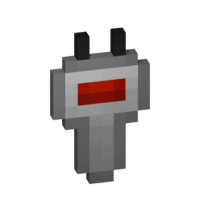
The **Frequency Tool** is a handy tool that makes it easy for you to take a frequency and set multiple transmitters and/or receivers to the same frequency. When holding it in your hand you can copy a frequency into the Frequency Tool by sneaking and right-clicking on a transmitter or receivers. To copy the now-stored frequency, simply right-click either a transmitter or receiver. By sneaking and right-clicking the frequency tool (not on a transmitter/receiver), you can set the frequency through the GUI.
—
### Frequency Sniffer
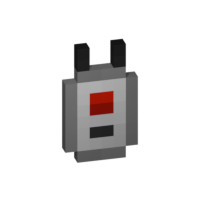
The **Frequency Sniffer** can be used as a tool to find active transmitters on a given frequency. As with other frequency tools too you can set the frequency either manually over the gui or copying it from a transmitter/receiver. When you right-click the sniffer tool all active transmitters on the set frequency within range are highlighted with a wireframe around the transmitter block. There is also a chat message that tells you where all the active transmitters are located at by showing the block position. If you are an admin/op, you can also click on the block position to teleport there. See example in the screenshot section. You can also change the highlight color in the configs!
—
### Linker
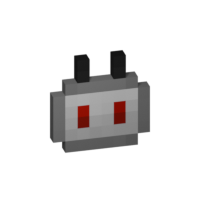
You use the **Linker** to link a **P2P Transmitter** and a **P2P Receiver** together. By sneaking and right-clicking on a block you select this block for linkage. The selected block is highlighted and can be seen through other blocks, the position of it can also be seen in the tooltip of the Linker item. The color of this highlight can be adjusted in the configs. To complete the link, simply right-click the blocks counterpart and you are done.
—
### Circuit

The **Circuit** is for crafting purposes only.
## GUIs
**Note**: If you press `Shift` in the Frequency GUI, all values to change the frequency will be multiplied by 100 (so you can add/subtract 100 and 1000) or you can just type in your desired frequency manually. You can also change the color of the frequency display on a receiver/transmitter in the Configs. The same goes for highlighting with the Frequency Sniffer!
## Version & Loader Compatibility
In general Wireless Redstone *should* always be compatible between mod loaders. Meaning you can enter a world you began with **Forge** and later switch to **Fabric** and everything *should* still work with Wireless Redstone. The same is true for Minecraft versions. Newer versions of Minecraft and the mod *should* always be backwards compatible with older ones. That being said, always make a backup of your world before switching loaders or versions and [open an issue](https://github.com/Razzokk/wireless-redstone/issues) if something of Wireless Redstone isn’t working anymore.