World In a Jar
# Warning (Read This!)
**Do not use versions marked as “BlanketCon”!** These **will not** work in your world.
1.20.1 is also not supported and does not resemble the mod in its current state. That is, do not use the 1.20.1 version.
# World In a Jar
This mod squeezes entire worlds into jars for your enjoyment. Play god or go home.
You can put blocks in a jar block with a lot of room! All of your storage issues are solved!
Make little snow globes, make a cool redstone contraption; The possibilities are endless.
[](https://modfest.net/bc25)
[](https://modfest.net/bc23)
[](https://modfest.net/singularity)
## How To Use
### Mine Bedrock
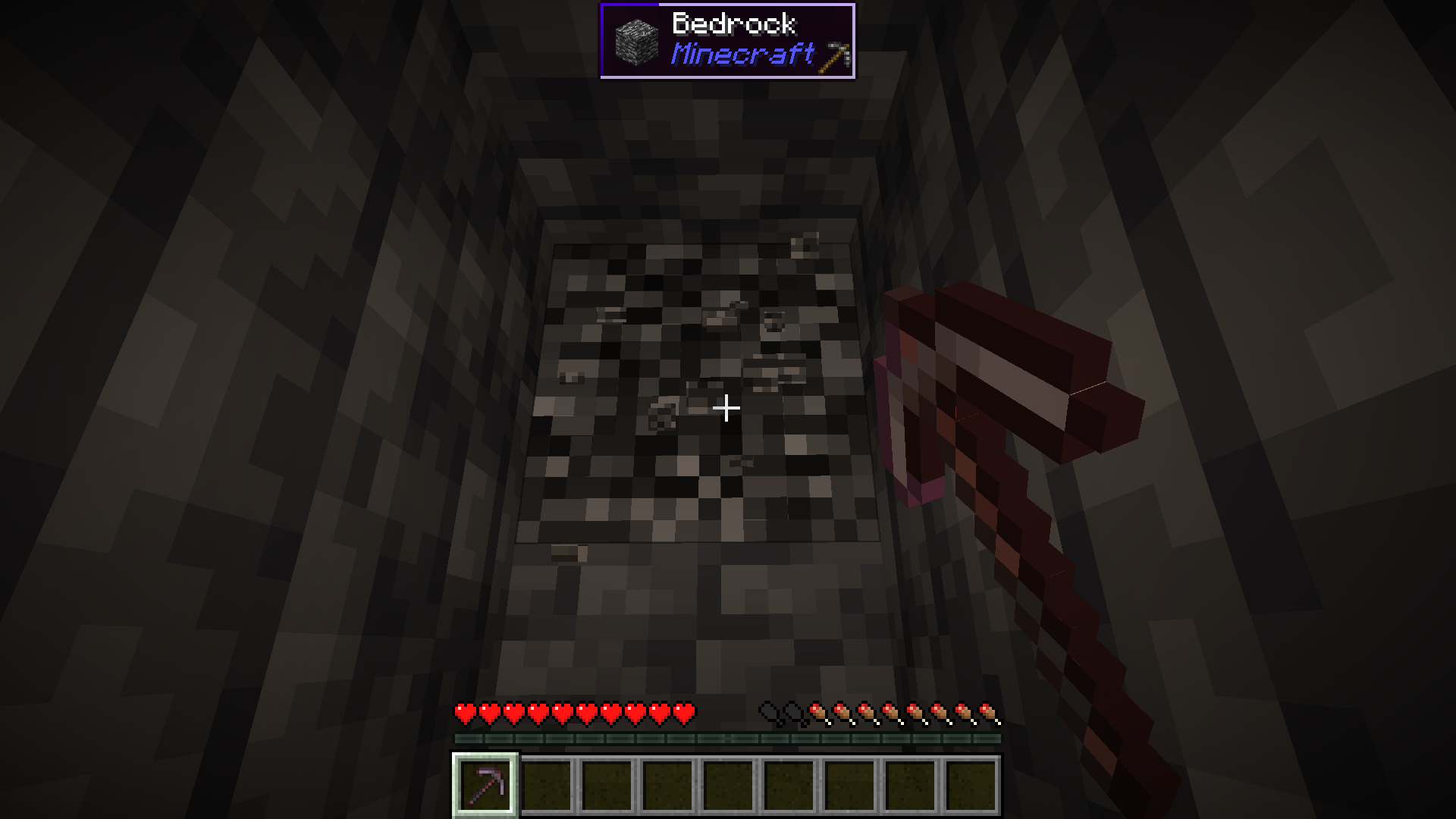
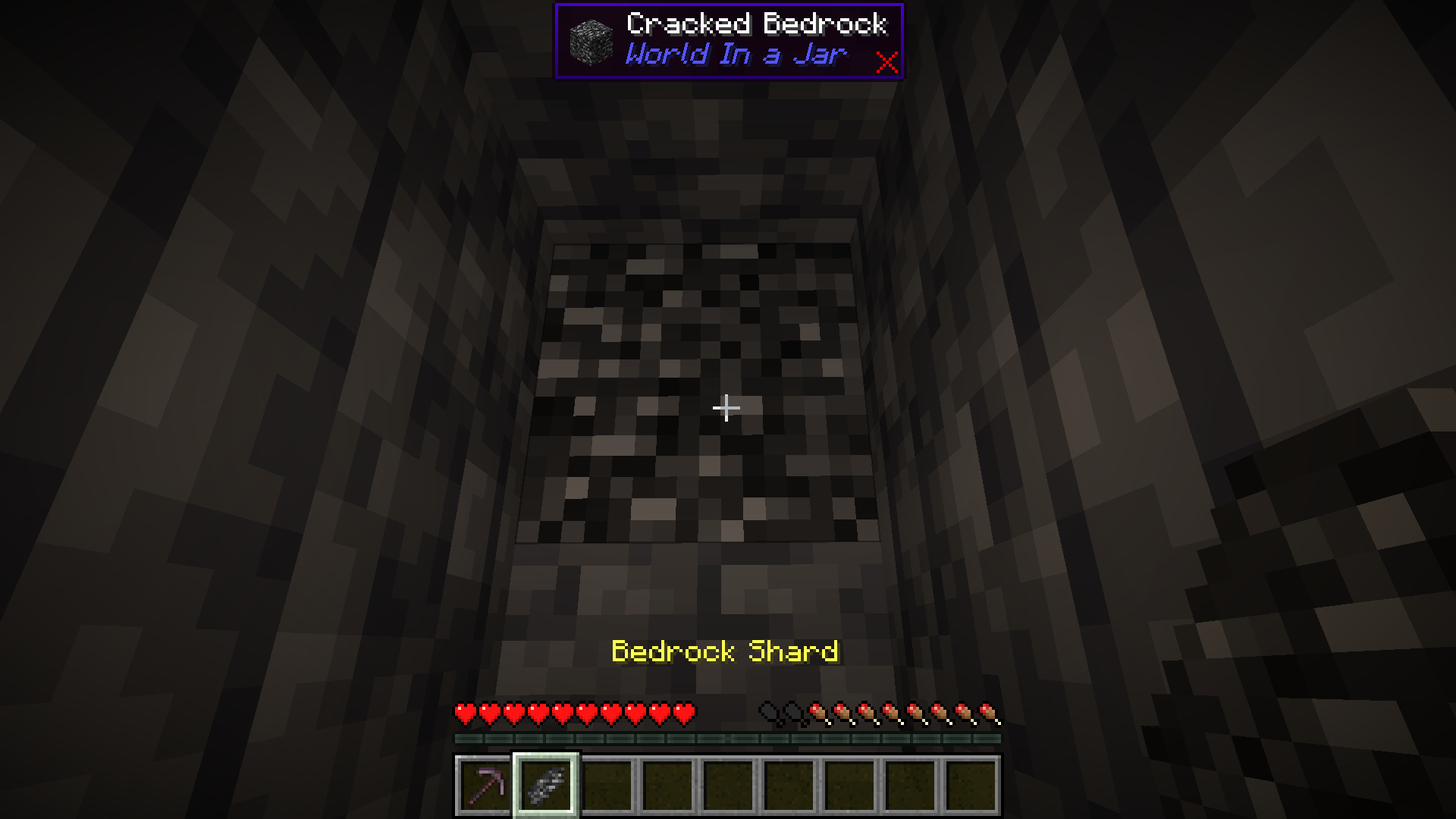
Start by mining bedrock using a Netherite Pickaxe. This may take a few tries before a shard drops.
### Upgrade To a Bedrock Pickaxe
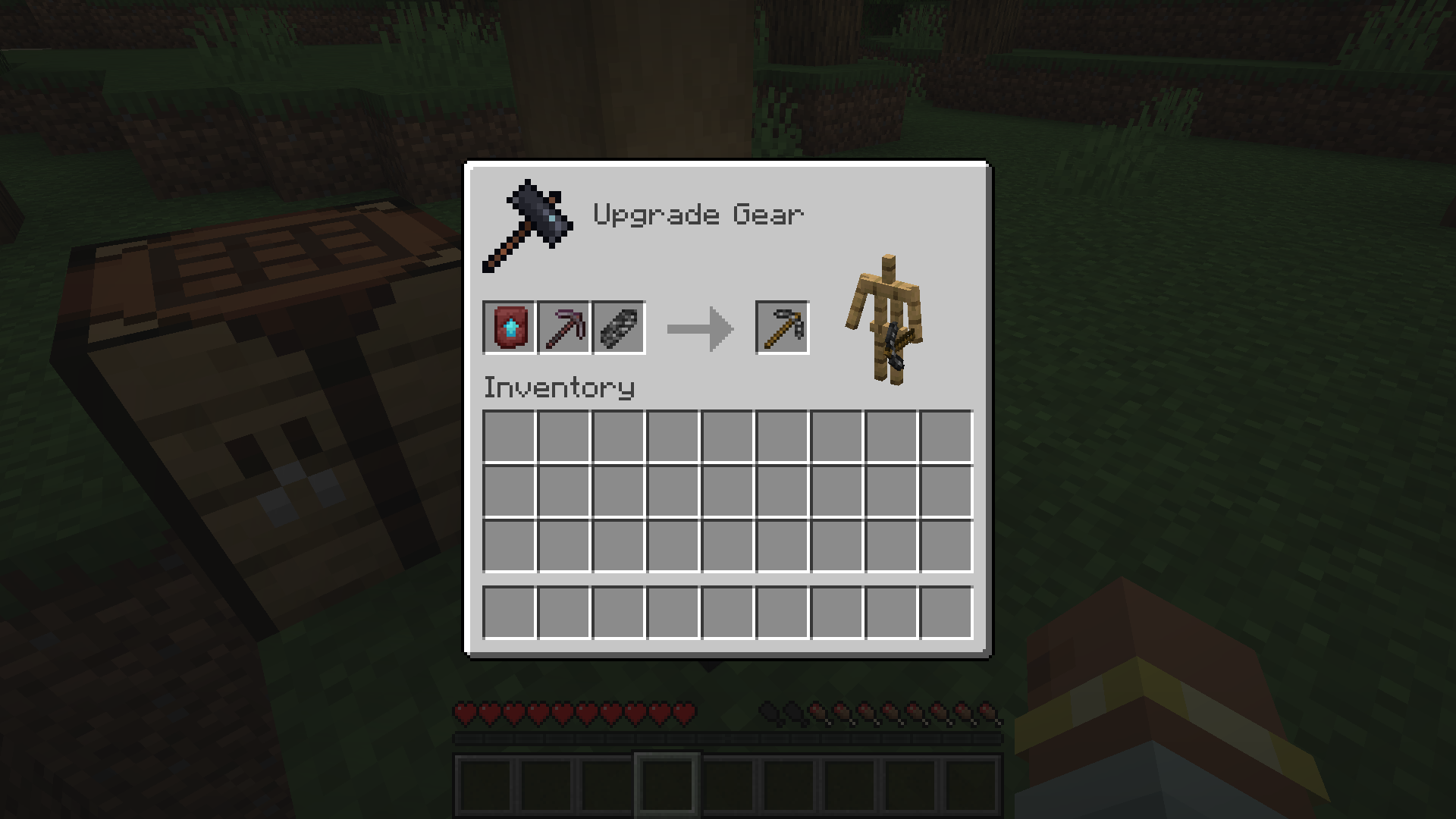
Upgrade your Netherite Pickaxe to a Bedrock Pickaxe using a Smithing Table.
### Mine More Bedrock
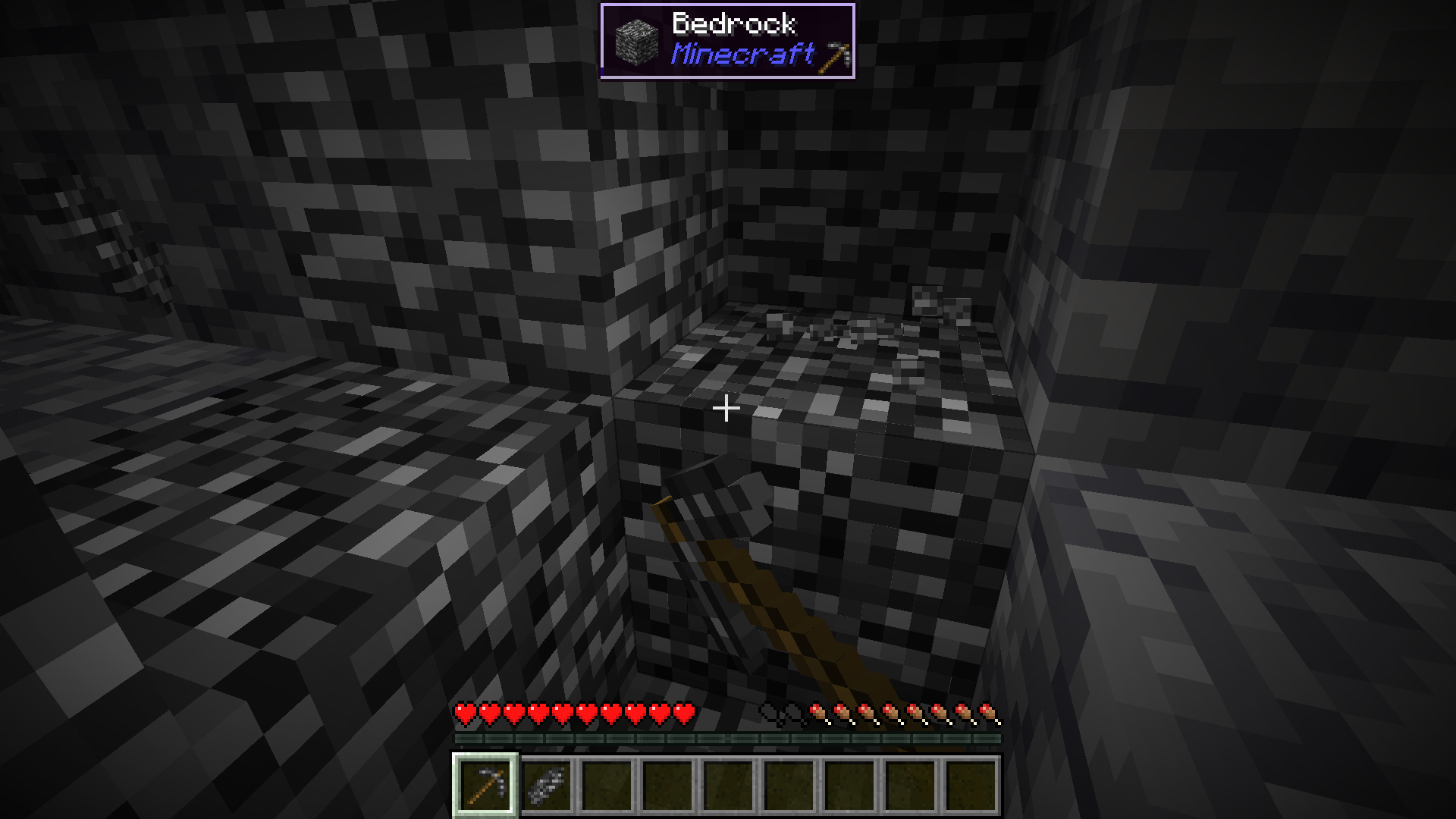
Mine more Bedrock with your Bedrock Pickaxe. You will need 28 Bedrock Shards.
### Obtain Ingredients And Craft Reinforced Echnoplast
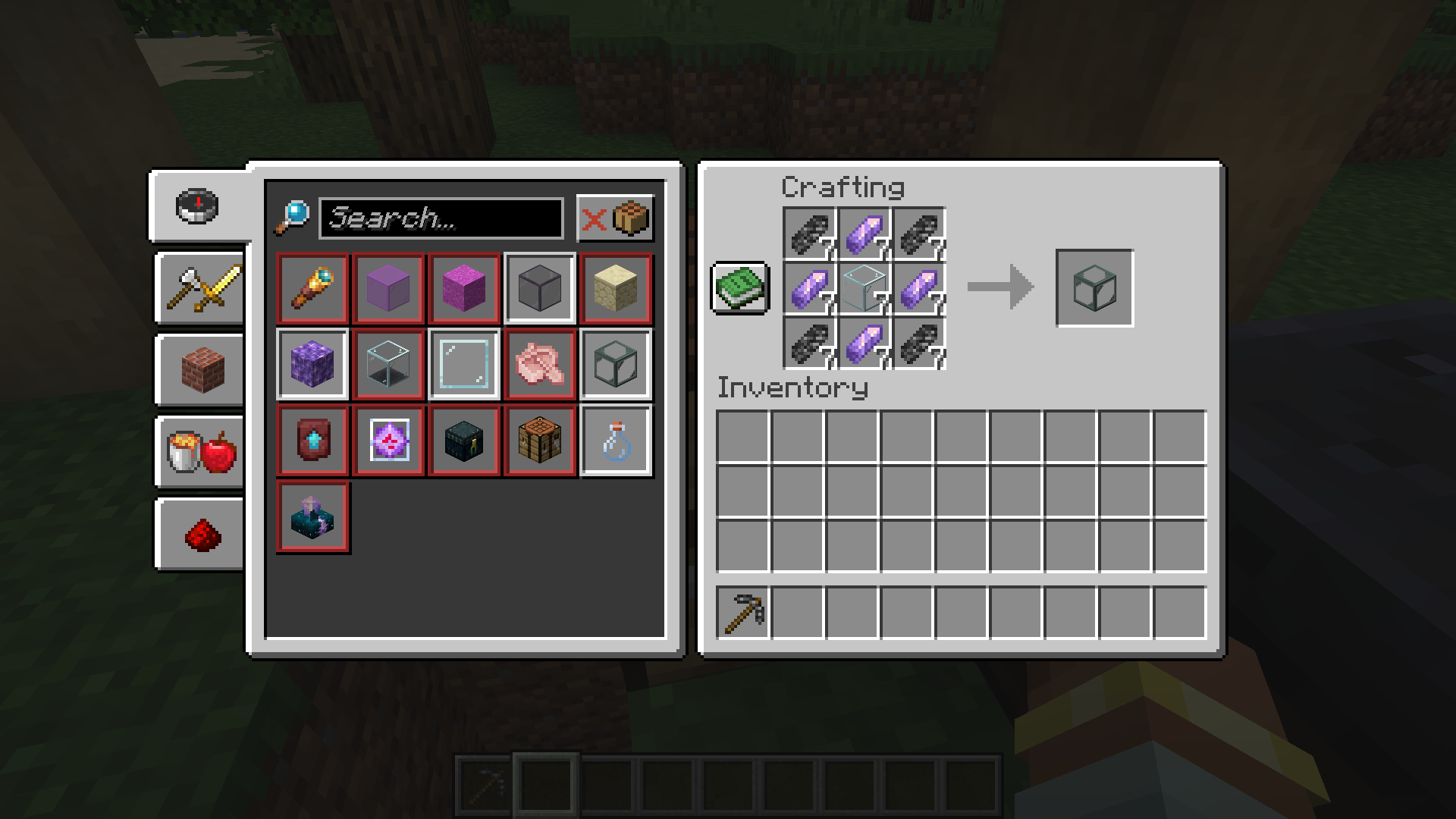
Obtain 7 Glass and 28 Amethyst Shards to craft 7 Reinforced Echnoplast.
### Strip Logs To Obtain Bark
Strip logs to obtain their bark. You will need 9 bark of any type.
### Craft a World Jar
Craft a World Jar using a Cork Block, Eye of Ender, and 7 Reinforced Echnoplast.
### Enter the World Jar
Place the World Jar and interact with (right-click) the jar to enter it. You can interact with the jar again to exit.
## Video Demonstration
## Permissions (Not Working)
**This does not currently work.**
The number stated after the permission ID is the minimum OP level that users will need to have the permission. This mod can also use permissions with mods compatible with Fabric Permissions API (such as LuckPerms). The permission ID and OP level are written respectively (in that order).
– `worldinajar.lock_jar` `2`
– Allows a user to lock/unlock a jar. A locked jar cannot be edited. When right-clicked, a locked jar simply teleports the player if they do not have this permission.
## FAQ
– ### Port to NeoForge? Quilt? ?
– no
– ### Port to 1.12.2? ? Update to version *X*?
– no
– ### There is a bug and I need to report it!
– Please go to [the issue tracker](https://github.com/CursedMC/world-in-a-jar/issues/new) and create a bug report.
– ### Please add *X* feature.
– yesn’t (feel free to [open an issue](https://github.com/CursedMC/world-in-a-jar/issues/new))
– ### Can I port this mod to *X*?
– Please ask for permission before doing so. I also ask that you credit the original mod and state that it is an unofficial fork, however. Forks claiming to be official will be taken down.
## Redistribution 🖍️
VulpixelMC does not sanction any redistributions not hosted on its website, GitHub, or Modrinth. Do not upload this software to any other services without due credit and links to the original file from which the redistributed software was downloaded.
You may use this software in Modpacks, given due credit and a link to download the original software.
## License
World In a Jar is licensed under `LGPL-3.0-only`. See `COPYING` and `COPYING.LESSER` for details.
WorldEngine
# WorldEngine
WorldEngine is a powerful world management plugin for PaperMC servers, designed as a drop-in replacement for classic plugins like Multiverse and Multiworld. With its intuitive commands and simplified configuration, WorldEngine provides server administrators with full control over their worlds—whether you’re creating new worlds, managing existing ones, or simply looking for a cleaner way to organize your server’s environment.
## Features
– **Seamless World Management:** Create, load, unload, and delete worlds with a single, user-friendly interface.
– **Drop-In Replacement:** Built to be compatible with existing setups. Migrate from Multiverse or Multiworld with minimal effort.
– **Lightweight & Efficient:** Optimized for performance, ensuring minimal impact on server resources.
– **PaperMC Focused:** Specifically designed and tested for use on PaperMC, ensuring stability and ongoing compatibility.
## Getting Started
1. **Install the Plugin:**
Simply place the WorldEngine JAR file into your server’s `plugins` directory.
2. **Start the Server:**
Upon first startup, WorldEngine will generate a configuration file.
Customize this file to fit your server’s needs.
3. **Manage Your Worlds:**
Use the commands listed below to create, edit, and maintain worlds.
## Commands & Permissions
– **`/world`**
*Permission:* `worldengine.world`
The primary command for managing worlds — create/generate or load worlds quickly.
External generators supported
– **`/worldengine reload`**
*Permission:* `worldengine.manage`
Reload the plugin’s configuration without restarting the server.
– **`/worldinfo`**
View detailed information about currently loaded worlds, including environment, seed, and more. (*Soon*)
## Configuration
All configuration options can be found in the `config.yml` file generated on first run. Adjust world generation settings, default spawn locations, environment types, and other details as needed.
## Compatibility
– **Server Software:** PaperMC (1.19+ recommended)
– **Other Plugins:** Built to work alongside common world-management plugins, but best used as a standalone world controller.
## Contributing & Support
– **Issues & Bug Reports:** Please file issues on GitHub with clear steps to reproduce.
– **Feature Requests:** Open a suggestion ticket on GitHub if you’d like to see a new feature.
WorldEngine strives to provide a cleaner, more intuitive way to run multiple worlds on your PaperMC server. Get started today and simplify your server’s world management!
WorldDynamics Engine

[](https://app.travis-ci.com/thatguycy/WorldDynamics-Engine) [](https://www.gnu.org/licenses/gpl-3.0) 

## Description
More than just a Towny Addon, it’s a **Towny Essential Upgrade**!
WorldDynamics Engine is a sophisticated roleplay plugin designed for geopolitical servers. It allows players to immerse themselves in dynamic political landscapes, manage resources, engage in diplomacy, and shape the world with their decisions.
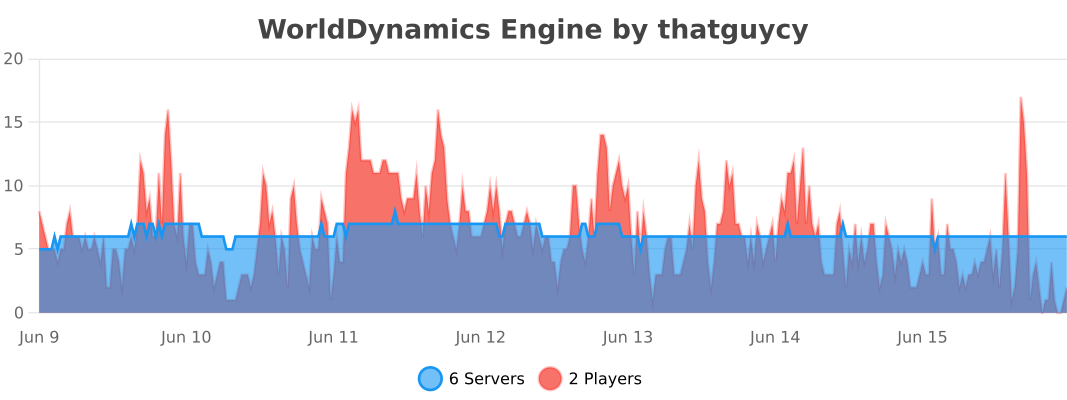
## Usage Statistics
## Current Features
– **Custom Government Structures**: Choose from a variety of government forms to shape the political structure of your nations.
– **Dynamic Organization Management**: Create, manage, and dissolve various types of organizations, including both business entities and governmental bodies.
– **Financial Management for Organizations**: Execute financial transactions within organizations, facilitating deposits and withdrawals to manage funds effectively.
– **Robust Member Management**: Empower organization leaders with the ability to add or remove members, offering significant control over their internal structure.
– **Detailed Information Display**: Access comprehensive information about nations and organizations, enhancing transparency and strategic planning.
– **Flexible Command System**: Engage with an intuitive and adaptable command system, tailored to facilitate user interaction with the plugin’s diverse functionalities.
– **International Organizations**: Participate in global alliances and international bodies, extending influence beyond national borders.
## Future Features
– **Dynamic Political Borders**: Strategically create and adjust nation borders, reflecting the evolving geopolitical landscape.
– **Advanced Resource Management**: Control and trade unique resources, introducing an element of economic strategy and resource conservation.
– **Diplomatic Engagement Systems**: Engage in complex treaties, form alliances, and conduct high-stakes negotiations to influence international relations.
– **Sophisticated Economic System**: Develop and manage a multi-faceted economy, encompassing trade networks, market dynamics, and financial policies.
– **Military Strategy and Defense**: Build formidable armies, strategize defensive tactics, and engage in warfare to protect and expand your nation.
– **Cultural Expansion and Influence**: Spread your nation’s cultural influence, shaping global cultural trends and interactions.
– **Environmental and Technological Dynamics**: Address challenges posed by climate change and technological advancements, adding a layer of environmental strategy.
– **Espionage Mechanics**: Implement espionage and counterintelligence operations, introducing a stealthy aspect of information warfare and intrigue.
– **Global Impact of International Organizations**: Influence world affairs by participating in or establishing international organizations, shaping global policy and diplomacy.
## Installation
Instructions on how to install the WorldDynamics Engine plugin.
– **1)** Place WorldDynamicsEngine-X.X.jar in the “plugins” folder.
– **2)** Install [TownyAdvanced](https://www.spigotmc.org/resources/towny-advanced.72694/) and [Vault](https://www.spigotmc.org/resources/vault.34315/), these are both **essential**.
## License
This project is licensed under the [](https://www.gnu.org/licenses/gpl-3.0) – see the [LICENSE](https://github.com/thatguycy/WorldDynamics-Engine/blob/main/LICENSE) file for details.
WorldColor
## WorldColor – A lightweight Minecraft server plugin that adds a colorful world indicator via the %color% placeholder.
> ## 🌟 Key Features:
Displays a customizable symbol (default: ☁) in different colors based on player’s world:
Overworld: Green (#8FBC8F)
Nether: Red (#F08080)
End: Purple (#9370DB)
Full configuration via config.yml:
Change the display symbol
Customize colors for each world
PlaceholderAPI support
/worldcolor-reload command to apply config changes without restart
> ## 📦 Installation:
Install [PlaceholerAPI](https://www.spigotmc.org/resources/placeholderapi.6245/)
Drop WorldColor.jar into your plugins folder
Configure colors and symbol in plugins/WorldColor/config.yml
Use the %color% placeholder anywhere!
Perfect for TAB plugins, chat formats, and scoreboards. Lightweight with no unnecessary dependencies.
World TP Plus
—
**🌍 World TP Plus**
**A simple cross-dimension teleport plugin for Paper 1.21+**
**By RetroSapien**
—
**✨ Features**
* Extends `/tp [dimension]` with an optional 4th argument:
* `overworld` *(default)*
* `nether`
* `end`
* Fully preserves vanilla `/tp` behavior and permissions when no dimension is specified
* Tab completion for dimensions
* Friendly error message for unknown dimensions
* Works from both console and in-game
—
**📋 Usage Examples**
* `/tp 0 80 0`
→ Vanilla teleport in current world
* `/tp 0 80 0 nether`
→ Teleport to same coords in the Nether
* `/tp Steve 10 70 10 end`
→ Teleport player “Steve” to coords in the End
—
**🔐 Permissions**
* `minecraft.command.tp` *(same as vanilla)*
Requires permission level 2
—
**⚙️ Requirements**
* **Java 21+**
* **Paper 1.21+**
Works on forks that support the Paper API
—
**📦 Installation**
1. Drop the JAR into your `plugins/` folder
2. Restart or reload your server
—
**🔗 Links**
* Discord for support : [https://discord.gg/tHeFGB7Et4](https://discord.gg/tHeFGB7Et4)
—
*Crafted with ❤️ by RetroSapien*
World of money
The “World of money” mod adds realistic money and coins to Minecraft, inspired by the currencies of various countries, including Ukraine, Russia, Belarus, Europe (euro), the United States (dollars), and historical coins from the Soviet Union. This mod works seamlessly with Custom NPCs, allowing you to create trading systems, role-playing scenarios, and economic interactions for your in-game “countries.” It enhances the gameplay by adding realistic economic elements suitable for both single-player and multiplayer servers with role-playing elements.
WorldManager
# WorldManager
WorldManager is a simple plugin allowing worlds to be automatically reset on demand.
**NOTE:** The plugin is currently in beta, so please check out [here](https://github.com/Zffu/WorldManager) to suggest features you’d like!
## Commands
### /worldmanager
This is the main command of the plugin, allows to have a list of the commands.
### /worlds
This command allows you to have information on worlds handled by WorldManager.
### /loadworld
This command allows you to load a world handled by WorldManager.
### /unloadworld
This command allows you to unload a world handled by WorldManager.
### /createworld
This command allows you to create a world reset option for the specified world.
## Permissions & Messages
WorldManager allows its users to modify the required permissions and messages to whatever they’d like. In order to do so, please head to the config
## API
WorldManager comes with an API allows you to use its features without the plugin.
World Heritage: More Beautiful Optimization
World Heritage: More Beautiful Optimization
Purpose
World Heritage is a Minecraft Java Edition 1.20.1 mod-pack that keeps the vanilla feel you love while doubling performance and tripling adventure. It adds dozens of new biomes, structures, mobs and gear, then wraps everything in widely-trusted optimization mods so you can explore farther, fight smoother and load faster on almost any PC.
What it adds or changes
Performance: Sodium
Exploration: 15+ biomes (emerald highlands, aurora tundra, suspended amethyst grottoes), 5 + naturally generating structures (sky temples, buried libraries, nether crystal gardens) and one optional late-game dimension reachable with vanilla-style portals.
Creatures & NPCs: 25 + new mobs
Gear & resources: Titanium, new tiers of tools, weapons and trinkets with custom enchantments that still work in vanilla anvils.
Download:
You want the same crafting table, the same combat timing, the same redstone logic—but twice the frame-rate and a world that surprises you every few chunks. Perfect for solo play, friend groups or public servers that need both stability and fresh content.
Key facts to know before installing
Requires Java 17 newer.
(The content is subject to adjustments in subsequent version updates.)
World-Editor+
## 🌍 World-Editor+
A **Fabric** modpack focused on world editing, image importing, and enhanced building tools.
Perfect for creators, builders, and large-scale projects.
—
### 📦 Mods
Main
– [Axiom](https://modrinth.com/mod/axiom) (MIT)
– [Litematica](https://modrinth.com/mod/litematica) (MPL-2.0)
– [Image Mod](https://modrinth.com/mod/image) (MIT)
– [Image2Map](https://modrinth.com/mod/image2map) (MIT)
Addons
– [Distant Horizons](https://modrinth.com/mod/distant-horizons) (GPL-3.0)
– [Litematica Printer](https://modrinth.com/mod/litematica-printer) (MIT)
– [LitematicaWand](https://modrinth.com/mod/litematicawand) (MIT)
– [Toggleable Item Frames](https://modrinth.com/mod/toggleableitemframes) (MIT)
– [Full Brightness Toggle](https://modrinth.com/mod/full-brightness-toggle) (MIT)
Performance
– [Chunky](https://modrinth.com/mod/chunky) (MIT)
– [Sodium](https://modrinth.com/mod/sodium) (ISC)
– [FerriteCore](https://modrinth.com/mod/ferrite-core) (MIT)
– [ImmediatelyFast](https://modrinth.com/mod/immediatelyfast) (MIT)
– [Lithium](https://modrinth.com/mod/lithium) (MIT)
Extra
– [Reese’s Sodium Options](https://modrinth.com/mod/reeses-sodium-options) (GPL-3.0)
– [Sodium Extra](https://modrinth.com/mod/sodium-extra) (MIT)
– [Mod Menu](https://modrinth.com/mod/modmenu) (MIT)
Dependencies
– [Fabric API](https://modrinth.com/mod/fabric-api) (Apache-2.0)
– [MaLiLib](https://modrinth.com/mod/malilib) (MPL-2.0)
– [Collective](https://modrinth.com/mod/collective) (All Rights Reserved)
– [Axiom](https://modrinth.com/mod/axiom) (MIT)
– [Litematica](https://modrinth.com/mod/litematica) (MPL-2.0)
—
### 💬 Messages
> If I missed a mod in here, tell me on Discord: **five_2357**
>
> I love this [Markdown-Formatting](https://support.modrinth.com/en/articles/8801962-advanced-markdown-formatting)
>
> Thanks soo much for 2500+ Downloads!
World Editor







## 📖 Description
This datapack adds commands to make building way easier!
Explore the seamless functionality in both single-player and multiplayer modes.
## Commands
Operator permission is **required** to use this datapack/mod.
**V2.4.0+**
“`
/function we:tools/cut
/function we:tools/set {block:stone}
/function we:tools/outline {block:dirt}
/function we:tools/replace {old:dirt, new:stone}
/function we:tools/copy
/function we:tools/paste
/function we:tools/move
/function we:tools/rotate {degrees:90}
/function we:tools/undo
/function we:tools/redo
/function we:movement/up {amount:1}
/function we:movement/down {amount:1}
/function we:give/wand
/function we:give/brush
/function we:misc/outline
/function we:misc/deselect_area
/function we:misc/phasing
“`
## How to use:
Use “`/function we:give/wand“` to get the selector item.
When you have selected two positions named **#1** and **#2**, you can start using the tools.
Use “`/function we:give/brush“` to get the brush item.
Instructions are on the item description.
Use “`/function we:misc/outline“` to enable/disable the outline particles that appear when you select two positions.
Use “`/function we:misc/phasing“` to enable/disable the player being able to phase through blocks when flying.
## Copy-Paste info
You must have an area already copied to use the **paste** function.
Pasted areas will be pasted facing up and south-east. You can also use F3. Make sure that the X, Y, and Z axis lines are all facing away from you. The build is also facing that way.